Scripting in Windows using VBScript or Javascript for WSH (Windows Scripting Host) is so convenient. You could write scripts and save them using notepad or any other text-editor as *.vbs or *.js. Double click them and the scripts will be interpreted by cscript.exe or wscript.exe.
To handle the command line parameters, you can use the WScript.Arguments object, the WScript.Arguments.Count gives the number of command line parameters.
' HelloACM.com

If Not IsEmpty(WScript) Then
	Dim objArgs
	Set objArgs = WScript.Arguments
	WScript.Echo "Number of Parameters: " & objArgs.Count
	Dim i
	For i = 0 To objArgs.Count - 1
		WScript.Echo objArgs.Item(i)
	Next
	objArgs.ShowUsage()
End If
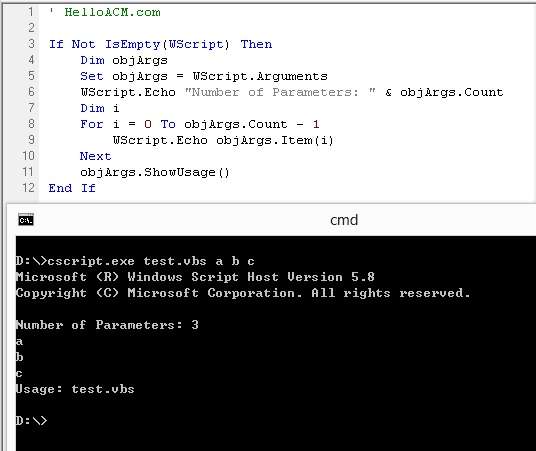
It is interesting to see that ShowUsage of WScript.Arguments will print the name of the current script after text ‘Usage: ‘. The WScript object does not exist in other environment, for example, the web browsers, so we put a Not IsEmpty(WScript) check to ensure code compatibility.
–EOF (The Ultimate Computing & Technology Blog) —
239 wordsLast Post: C/C++ Coding Exercise - Count and Say - LeetCode Online Judge - Simulation of Number Sequences
Next Post: C/C++ Coding Exercise - Reverse Words in a String - LeetCode Online Judge - Using Stack
