

Descrizione
The “Table Block by Tableberg” plugin for WordPress simplifies creating and managing tables within the block editor. It features intuitive sub-blocks, allowing users to add and customize tables easily.
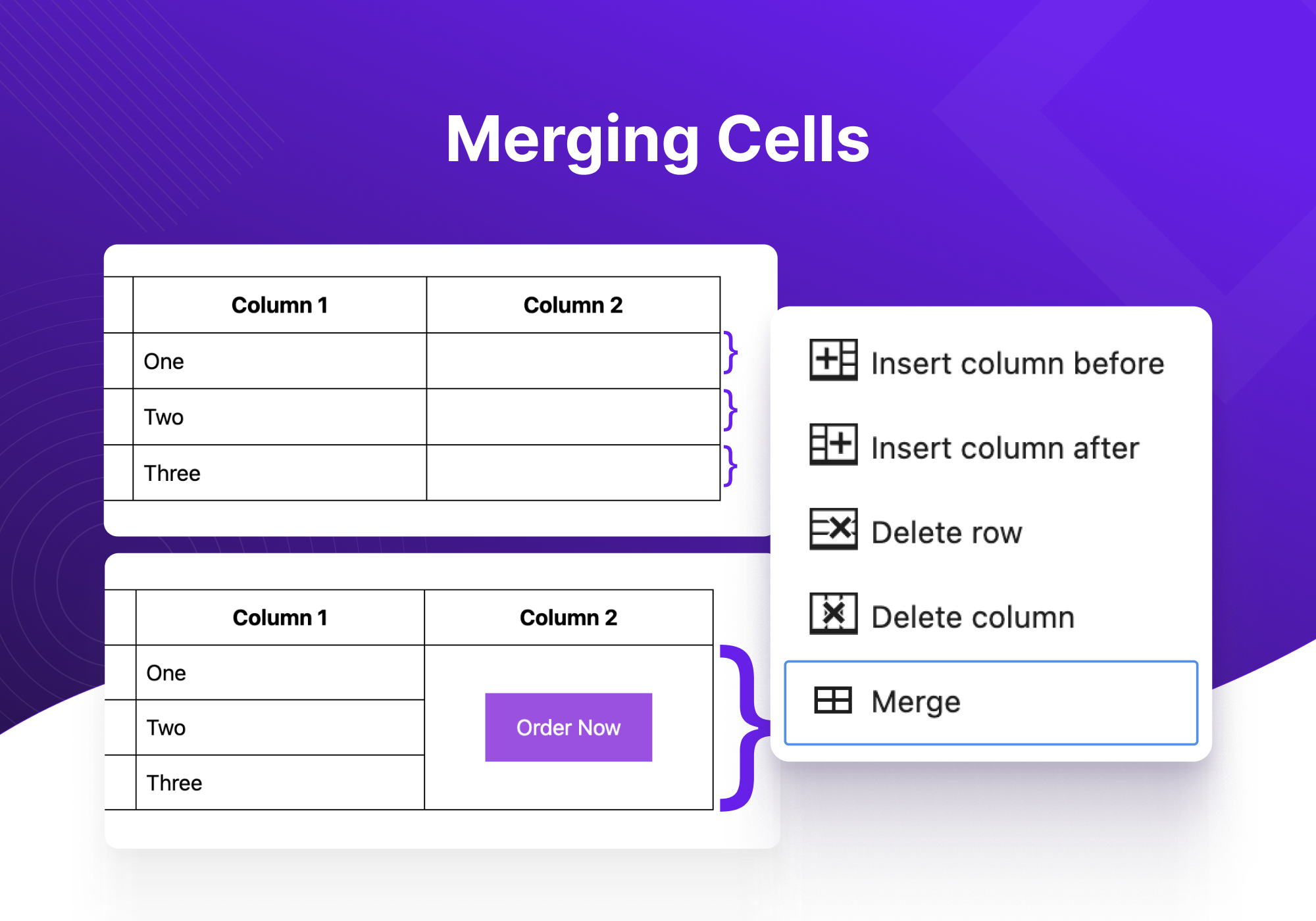
From pricing tables to product tables, you can build any type of tables using Tableberg. The plugin is designed for both novices and experienced users. It offers advanced functionalities like responsive controls, alignment adjustments, and cell merging, ensuring that tables look great on all devices without the need for coding skills.
È dotato dei seguenti sottoblocchi di facile utilizzo:
- Paragrafo: consente l’inserimento di testo semplice all’interno di una cella di tabella.
- Elenco: facilita l’aggiunta di elenchi organizzati per migliorare la chiarezza.
- Pulsante: consente l’inserimento di pulsanti cliccabili per gli inviti all’azione.
- Immagine: supporta l’aggiunta di immagini direttamente nelle celle della tabella.
- Valutazione a stelle (Pro): offre un’opzione per includere valutazioni a stelle interattive.
- Elenco stilizzato (Pro): offre elenchi con opzioni di stile aggiuntive.
- Icone (Pro): consente l’integrazione di icone per rappresentare visivamente concetti o azioni.
- Nastro (Pro): aggiunge nastri decorativi per evidenziare informazioni speciali.
- HTML personalizzato (Pro): consente di utilizzare l’HTML per personalizzazioni complesse.
Ed ecco le caratteristiche principali del plugin Tableberg:
- Impostazioni dell’header: opzioni per disattivare l’ header, designare la riga superiore come header o inserire un nuovo header.
- Impostazioni del footer: simili a quelle dell’ header, con opzioni per il footer che includono la disabilitazione, la designazione o l’inserimento.
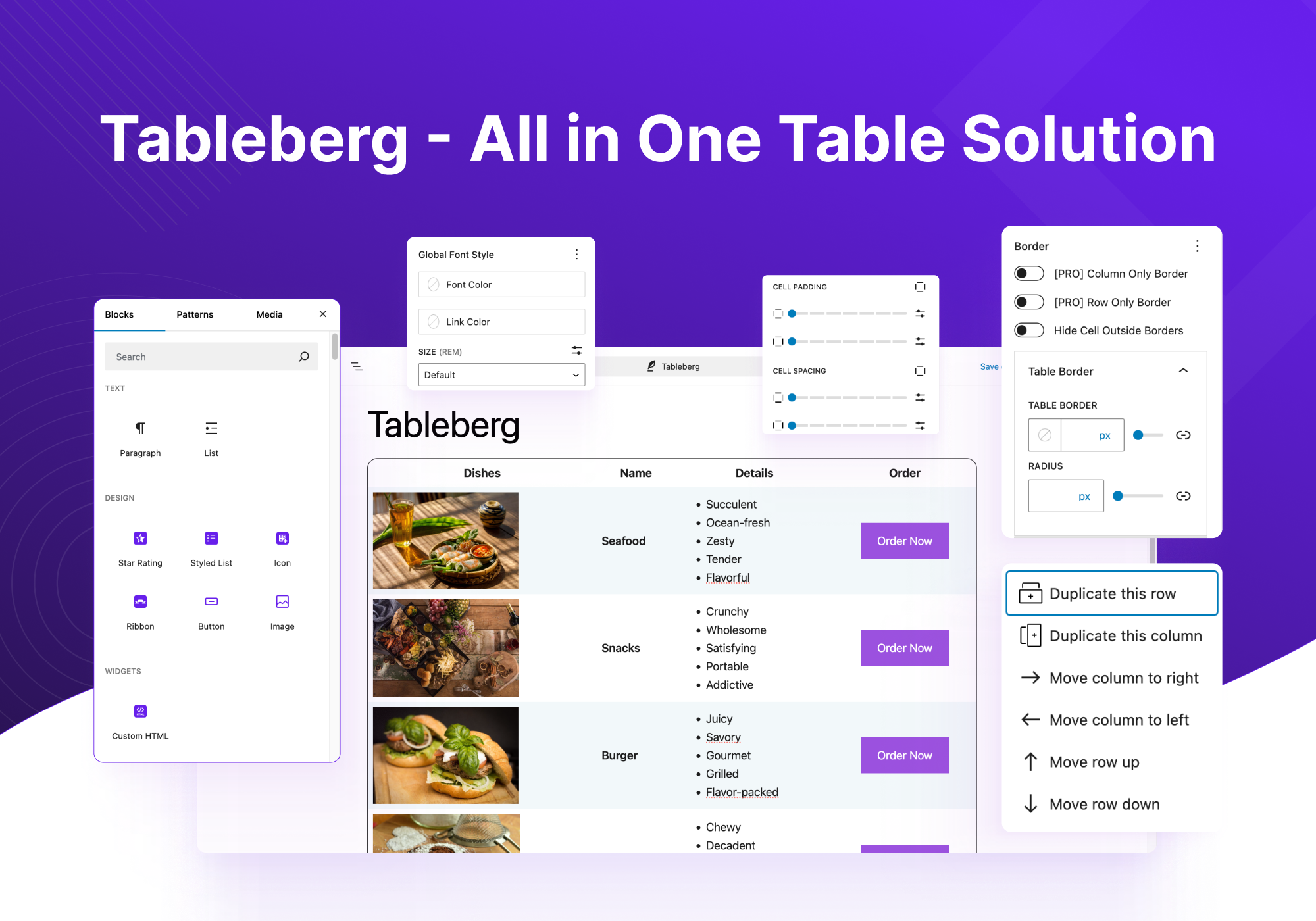
- Larghezza e allineamento della tabella: regola la larghezza complessiva della tabella e il suo allineamento nella pagina.
- Impostazioni responsive: assicura che la tabella si adatti agli schermi dei diversi dispositivi (desktop, tablet, mobile) per una visualizzazione ottimale.
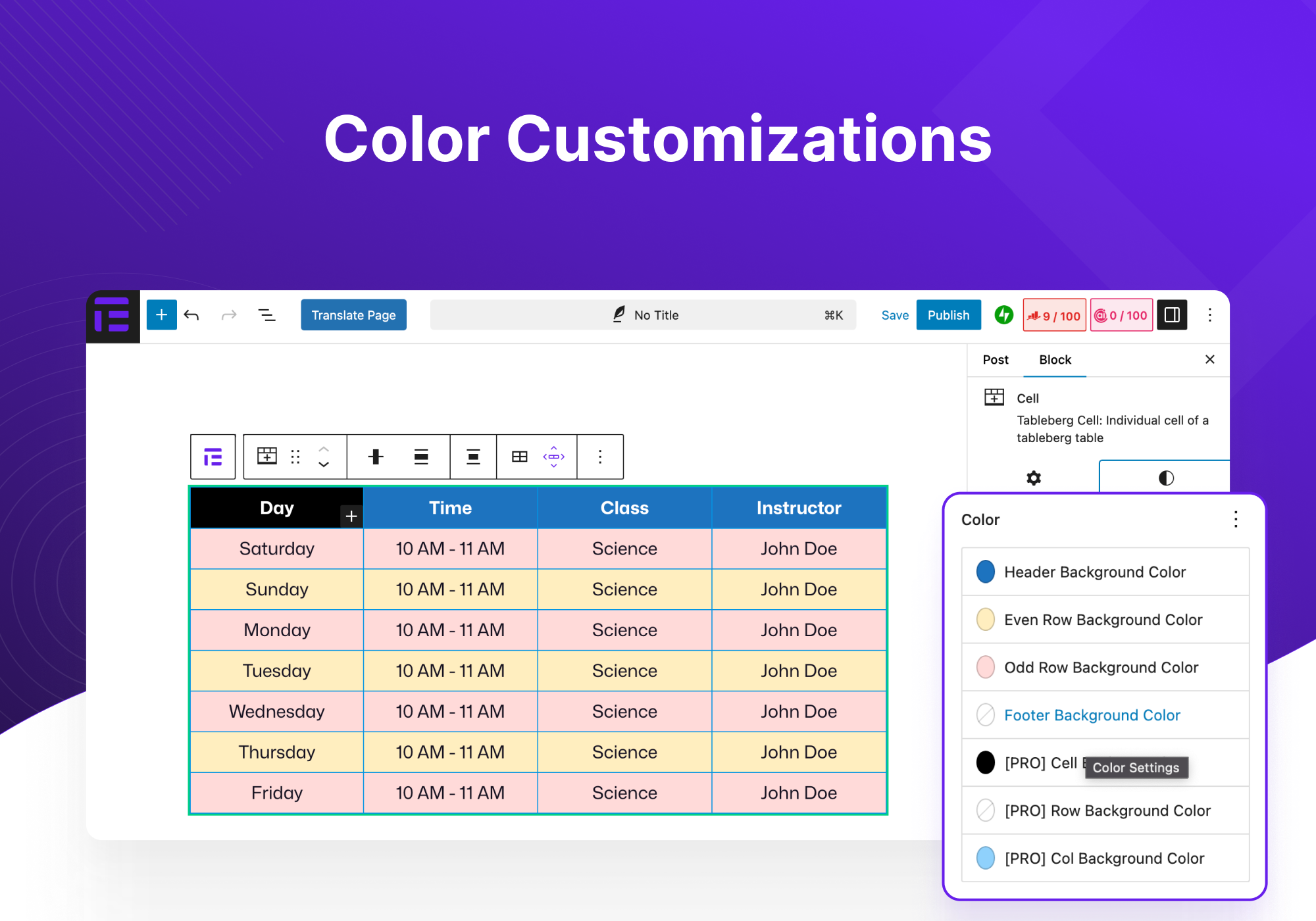
- Personalizzazione dei colori: modifica i colori dell’ header, del footer, delle righe pari e dispari per una migliore gerarchia visiva.
- Spaziatura interna e spaziatura tra le celle: personalizza lo spazio all’interno e tra le celle per migliorare la leggibilità.
- Opzioni del bordo: imposta la dimensione e il colore del bordo della tabella e decidi se includere i bordi interni con la personalizzazione.
- Stile di font globale: controlla il colore del font, il colore del link e la dimensione del font per l’intera tabella.
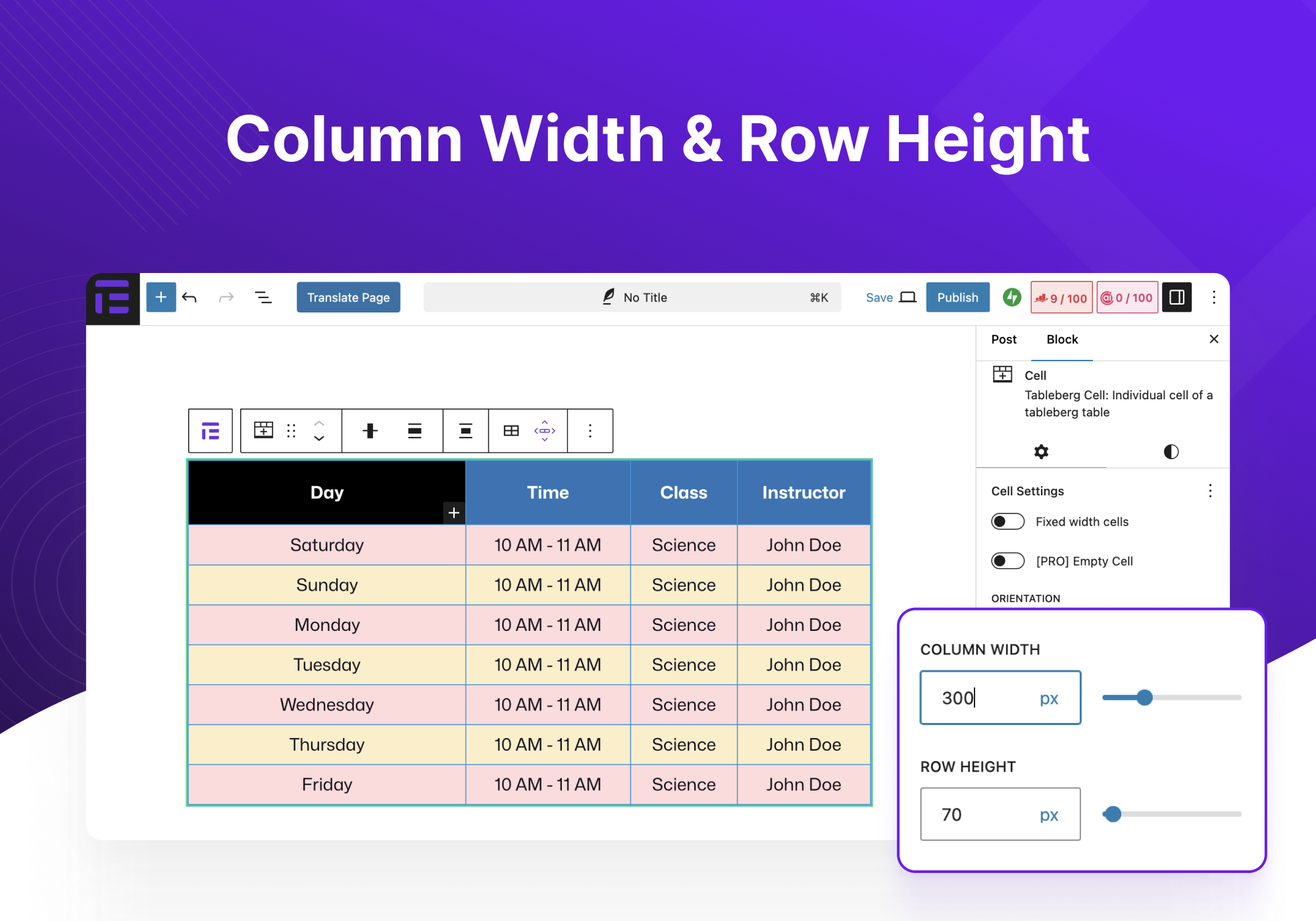
- Larghezza colonna e altezza riga: regola le dimensioni delle colonne e delle righe per adattarle ai contenuti o alle preferenze estetiche.
- Personalizzazioni per ogni blocco: impostazioni dettagliate per ogni tipo di blocco inserito nella tabella.
Vediamo ora alcuni casi d’uso del plugin Tableberg:
- Tabelle dei prezzi: ideali per visualizzare diversi livelli di prezzo con un chiaro confronto di caratteristiche e costi.
- Tabelle di confronto: confrontare prodotti, servizi o opzioni tra loro per facilitare il processo decisionale.
- Tabelle dei prodotti Amazon: mostrano i prodotti Amazon in modo efficace, migliorando le iniziative di marketing di affiliazione.
- Tabella dei pro e dei contro: elenca chiaramente i vantaggi e gli svantaggi di ogni articolo, aiutando i lettori a fare scelte informate.
- Tabella dei membri del team: mostra le informazioni sui membri del team, come ruoli, biografie e informazioni di contatto, in modo organizzato.
- Tabelle di programmazione: perfette per stabilire gli orari degli eventi, delle lezioni o degli appuntamenti.
- Tabelle dei menu dei ristoranti: Puoi elencare le voci del menu con le descrizioni e i prezzi in un formato attraente e di facile lettura.
- Altro: la flessibilità del plugin è compatibile con un’ampia gamma di altre applicazioni, adattate a esigenze specifiche.
Se hai dei suggerimenti o hai riscontrato dei problemi, contattaci qui. Puoi anche seguire Tableberg su Twitter.
Screenshot
Creating a table with Tableberg 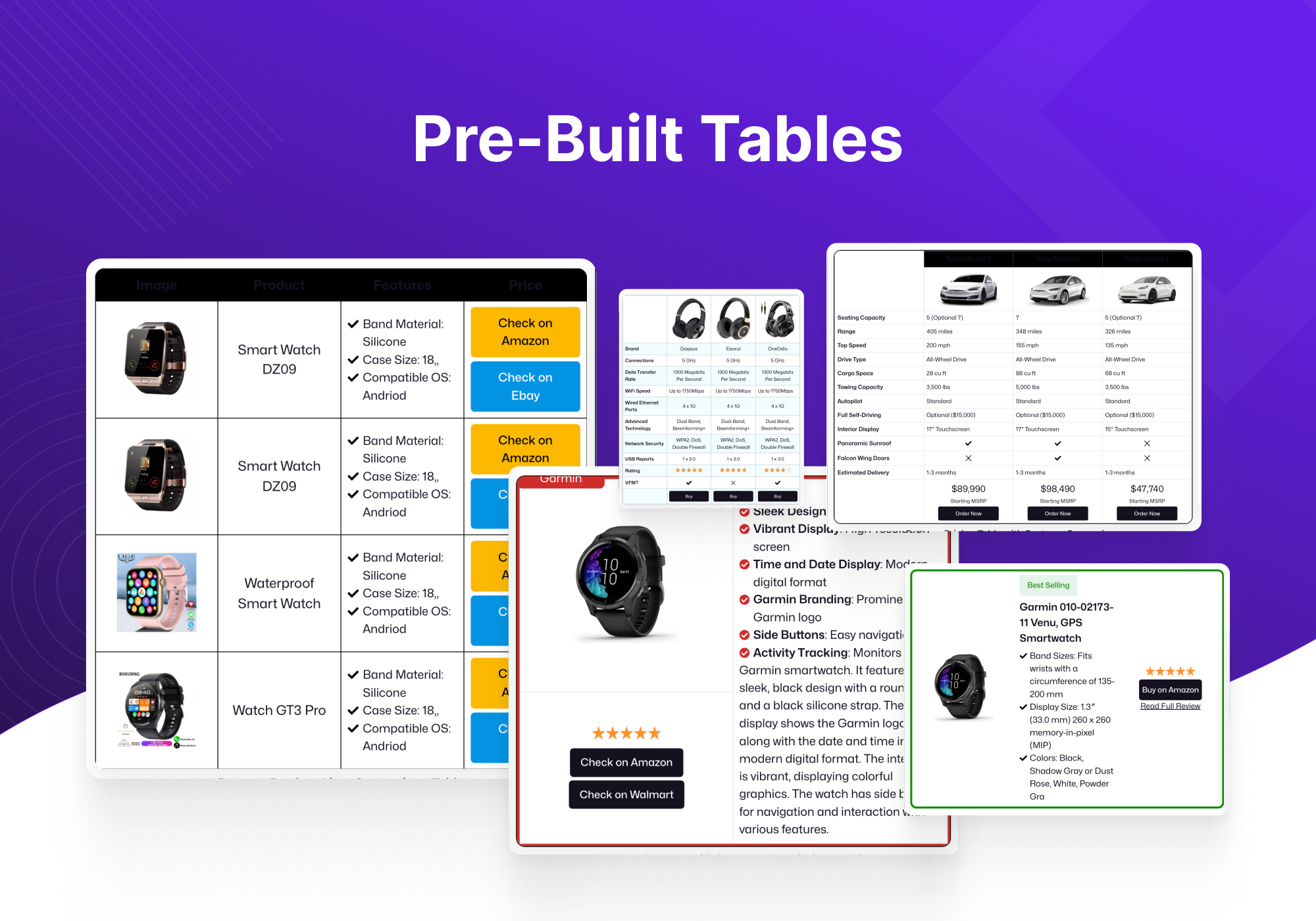
Core Table Block vs Tableberg Block 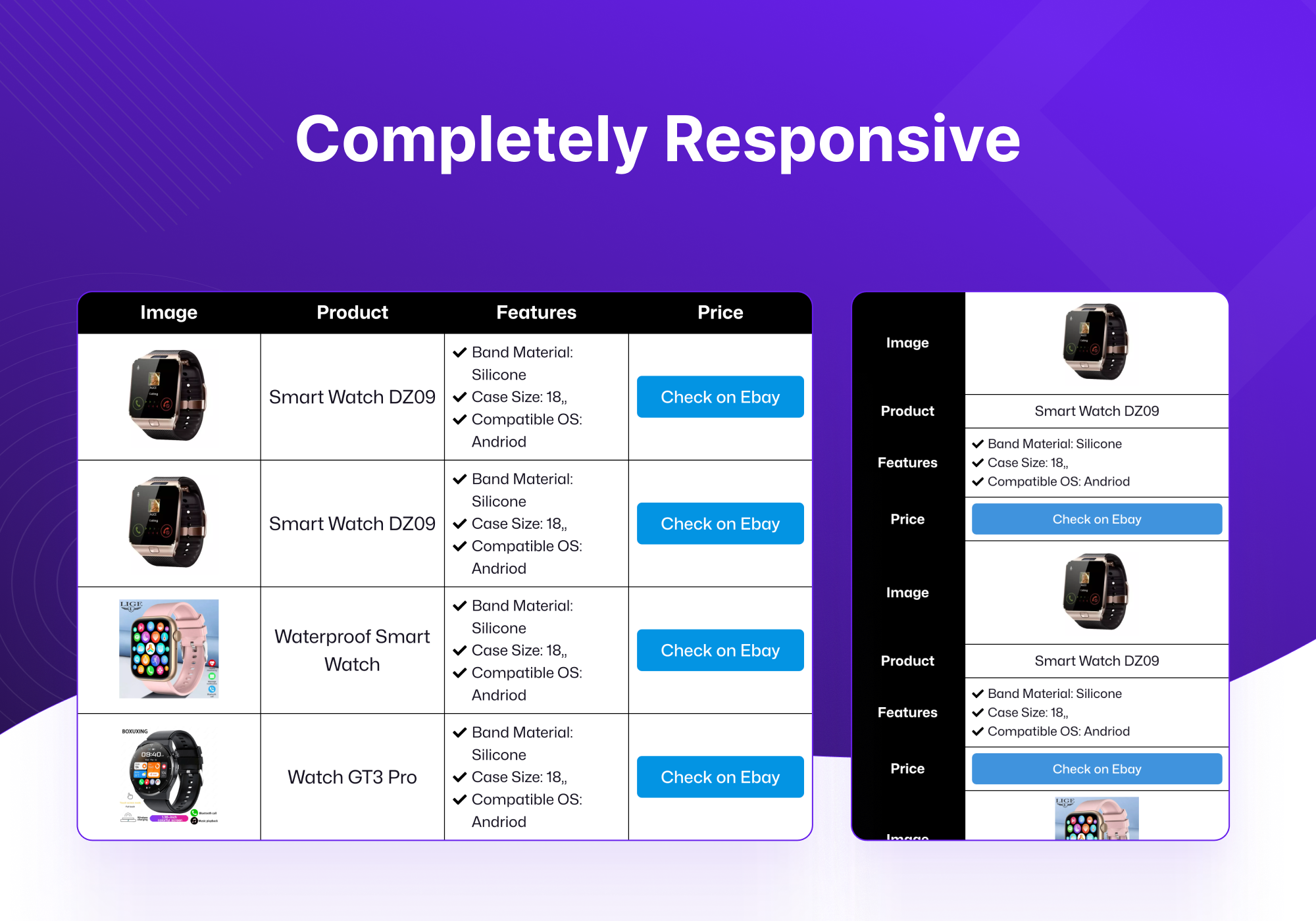


Blocchi
Questo plugin fornisce 4 blocchi.
- Tableberg Table Block By Tableberg – Advanced Table Block for Block Editor
- Cell Tableberg Cell: Individual cell of a tableberg table
- Image Tableberg Image
- Button Tableberg Button: Add a button to your tableberg table
Installazione
- Carica il file zip del plugin tramite la pagina dei plugin di WordPress, facendo clic su “Aggiungi nuovo” e selezionando il file zip dal tuo computer locale.
- Attiva il plugin attraverso il menu “Plugin” di WordPress.
Recensioni


Contributi e sviluppo
“Tableberg – Simple Gutenberg Table Block” è un software open source. Le persone che hanno contribuito allo sviluppo di questo plugin sono indicate di seguito.
Collaboratori


“Tableberg – Simple Gutenberg Table Block” è stato tradotto in 4 lingue. Grazie a chi traduce per il contributo.
Traduci “Tableberg – Simple Gutenberg Table Block” nella tua lingua.
Ti interessa lo sviluppo?
Esplora il codice segui il repository SVN, segui il log delle modifiche tramite RSS.
Changelog
0.6.12
- FIX: XSS issue in button block
0.6.11
- FIX: Handle the case where Gutenberg edit-site is not available
0.6.10
- FIX: Check user authority before ajax calls
0.6.9
- NEW: Added pattern library
0.6.8
- FIX: Border separation not working for some themes
0.6.7
- FIX: Scroll option in responsive mode not working
- FIX: PHP warning: Undefined array key “tableAlignment”
0.6.6
- NEW: PRO: Create table with AI
- NEW: Control to change alignment of all children of all cells
- NEW: More controls to customize table caption
- FIX: Table center align not working properly
- FIX: XSS vulnerabilities
0.6.5
- FIX: Include required files in the zip
- FIX: Make all strings translatable
- FIX: Rename functions to avoid conflicts
- FIX: Sanitize outputs by escaping as needed
- FIX: Enable freemius wordpress.org compliance mode
- FIX: Change review link to show all ratings
0.6.4
- FIX: Update plugin name
0.6.3
- PRO: NEW: Woocommerce products table
- PRO: NEW: Search highlights matching text
- PRO: FIX: Search is now case insensitive
- NEW: Add table caption support
- FIX: Cell vertical alignment now also aligns inner blocks
0.6.2
- PRO: NEW: Add individual cell border control
- FIX: First column’s fixed width now persists on reload
- FIX: Added a missing class which would throw an error in some cases
0.6.1
- FIX: An XSS issue in button block
- FIX: Version control fatal error (sometimes occurred if plugin repository mirrors are used)
0.6.0
- FIX: Column stacking in responsive mode.
- FIX: An issue where tables made with some older versions won’t work.
- FIX: Performance issues in the patterns/prebuilt tables viewer.
- FIX: Table sometimes disappears in editor; especially during changing preview device.
- FIX: Fixed size column widths won’t persist after reload in editor.
0.5.9
- PRO: NEW: Toggle block
- FIX: Table disappearing when changing preview device, reloading posts etc.
0.5.8
- FIX: Custom HTML not displayed properly on frontend
- FIX: Color picker now shows theme colors
- IMPROVE: Decreased loading time of prebuilt table gallery
0.5.7
- PRO: NEW: Added search placeholder edit option
- PRO: NEW: Localized search placeholder
- Pro: New: Added block previews to all the blocks
- NEW: Added block previews to blocks and upsells
- FIX: Review asking section changed
- NEW: Added specific documentation link for each block
- NEW: Added more icons to icon block
- FIX: icon blocks select icon section scroll
- FIX: changed default Item spacing
0.5.6
- PRO: NEW: Added search option
- PRO: NEW: Added sorting option
- PRO: FIX: Column background problem
- NEW: Added disable theme style option
- FIX: Create paragraph block when creating cell
- FIX: Adding header/footer caused empty cells
0.5.5
- PRO: NEW: Empty Cell option
- PRO: NEW: Added orientation option in cell
- FIX: Set default image width 150px
- FIX: Button hover color in the editor
- IMPROVE: Added checked & close circle outline icons
- PRO: IMPROVE: Added option for enabling/disabling star rating review text
- FIX: Responsiveness in the frontend
- PRO: FIX: Split styled list on enter key
- PRO: FIX: Remove default background color when sticky row/col is enabled
0.5.4
- FIX: Odd Even row incorrect style
- FIX: Fixed width table in frontend
- FIX: Inner Border Radius problem
- FIX: Table Border Radius problem
0.5.3
- FIX: A notice being shown about block registration if pro is not active.
- FIX: Table border having problem when cell radius is set
- FIX: Cell spacing in wrong axes
- FIX: Even odd color getting swapped in frontend
- FIX: Button text styling not getting rendered
- PRO: FIX: Use iframe to display custom html
- PRO: FIX: Make row/col only border work with no outside border
- NEW: Table border radius control
- NEW: Item spacing inside cells
- NEW: Tableberg patterns
- PRO: NEW: Added badge ribbon
- PRO: NEW: Sort rows & columns by drag & drop
- PRO: NEW: Individual Row/Col background
- PRO: NEW: Individual Row/Col border with radius
- IMPROVE: Control cell outside border
- IMPROVE: Deactivate pro version when free version is deactivated
- IMPROVE: Show Tableberg when searched for Row/Column in editor
- PRO: IMPROVE: Added center position in badge ribbon
- PRO: IMPROVE: Added rotation option in badge ribbon
0.5.2
- NEW: Fixed width columns
- PRO: NEW: Row-only/Column-only border option
- PRO: NEW: Sticky row/column
- PRO: NEW: Duplicate row and column
- PRO: NEW: Individual cell background
- PRO: IMPROVE: Change default star rating color
- PRO: IMPROVE: Add font size changer for styled list item
- FIX: Escape all strings that come from attributes
- FIX: Issue with default border in frontend
- FIX: Button font size in frontend
0.5.1
- NEW: Added table alignment option for full screen
- FIX: Tableberg breaks dashboard in lower PHP versions
- FIX: Cell padding not working on frontend
- IMPROVE: Reduce css variables
0.5.0
- NEW: Add device type switching in responsive mode
- PRO: NEW: New pro blocks: custom html, styled list, star rating, icon, ribbon
- IMPROVE: Show table block controls in cell block (toolbar and sidebar)
- IMPROVE: Split js bundles and reduce bundle sizes
- IMPROVE: Exclude empty paragraphs when cells are merged
- IMPROVE: Change toolbar button labels to differentiate
- IMPROVE: Show block toolbar when creating table
- FIX: An issue with even odd row color
- FIX: An issue with cell background color in responsive mode
- FIX: An issue where tableberg will not load on a fresh wordpress install
- FIX: Move blocks to the proper cells on undo of cell merge
- FIX: An issue where splitting rows on last column would break
- FIX: Resetting values now work properly
0.4.1
- NEW: Add padding controls to button block
- IMPROVE: Change table border in responsive mode
- IMPROVE: Add a button to responsive controls to convert top row to header
- FIX: A problem with unsplitting at the end of a row
0.4.0
- NEW: Add support for responsive table
- NEW: Alignment control for cell child blocks
- NEW: Add support for converting core table to tableberg
- IMPROVE: (Image block) Preserve aspect ratio while resizing
- IMPROVE: Display block appender when cell children are selected
- IMPROVE: Shift+click multi selection update (behaves like MS Excel)
- FIX: Wrong css placeholder in cell child blocks (e.g. list)
- FIX: (Button block) Incorrect hover colors in editor
- FIX: (Image block) Aspect ratio not preserved when resizing via handles
- FIX: (Image block) Center alignment not working
- FIX: (Image block) Images float when multiple consequent images
- FIX: (Image block) URL not set in editmode
- FIX: (Paragraph block) First and last margin issue
0.3.3
- NEW: Split merged cells
- IMPROVE: Change table header and footer controls
- IMPROVE: Paragraph block placeholder text shortened
- FIX: Use th tags in header and footer
0.3.2
- FIX: Default value of column and row in blank table creator dialog
- FIX: Row color problem
0.3.1
- HOTFIX: Fixed the issue where plugin could not be activated.
0.3.0
- NEW: Add cell spacing functionality.
- IMPROVE: Row block removed. Cell blocks are added directly to tableberg table block.
- IMPROVE: Multiple cells can be merged now.
- FIX: Adding non-cell blocks to table block breaks the layout.
0.2.1
- FIX: (Button Block) Fixed PHP errors on frontend.
0.2.0
- NEW: Added plugin page with instructions, documentation, and support.
- NEW: Added table block preview.
- NEW: (Table Block) Added custom block logo.
- NEW: (Table Block) Added block transform: transform core block into tableberg block.
- NEW: (Table Block) Added table alignment control to toolbar.
- NEW: (Table Block) Added global font style controls: Text Color, Link Color, Font Size.
- NEW: (Button Block) Added gradient support.
- IMPROVE: Decreased initial spacing
- IMPROVE: Changed block name from “Tableberg Image” to “Image”.
- FIX: (Table Block) Fixed an issue with table footer toggle.
- FIX: (Table Block) Show block toolbar when add table placeholder dialog is shown.
- FIX: (Table Block) Fixed an issue with adding a new row.
- FIX: (Table Block) Fixed an issue with undoing adding a row.
- FIX: (Table Block) Fixed an issue with undoing adding a column.
- FIX: (Button Block) Fixed an issue with color.
