
설명
다수의 플러그인을 사용해 상점 페이지 빌더, 기성 상품 템플릿, WooCommerce 퀵 보기, 쇼핑 장바구니, Woo 위시리스트, 상품 비교, 프로모션 상품 슬라이더, 교차 판매, 변형 스와치 등으로 WooCommerce 스토어를 만들고 계신가요?
Well, not anymore! You don’t have to slow down your WooCommerce store.
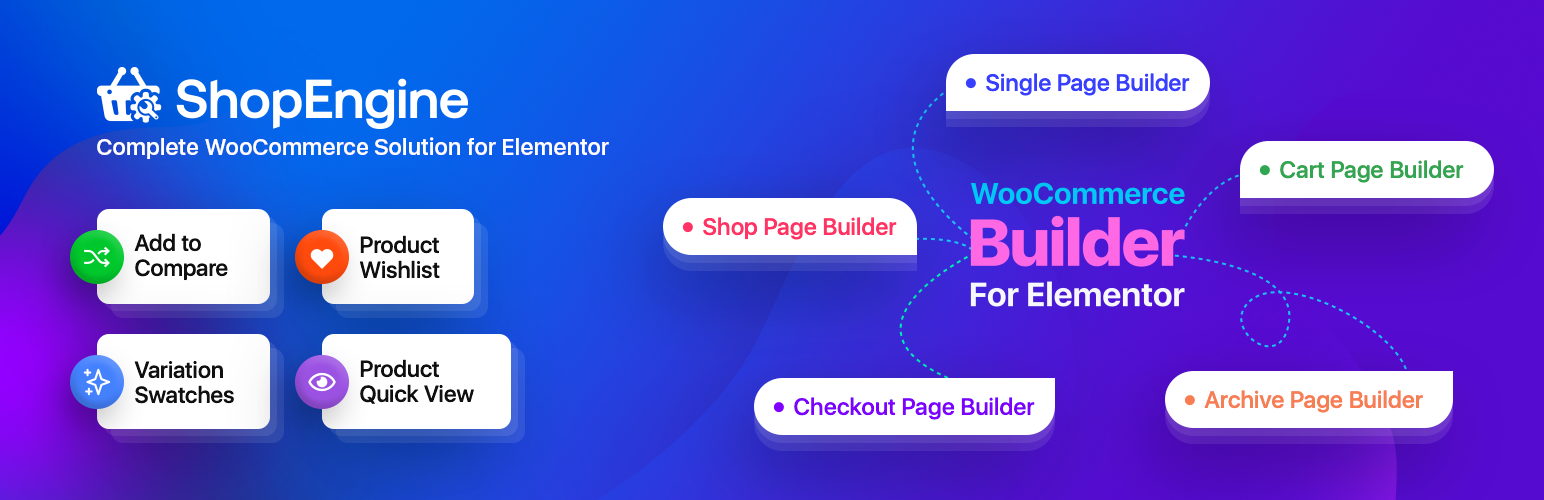
ShopEngine을 소개합니다 — Elementor와 구텐베르크를 위한 모두-인-원 WooCommerce 빌더!
ShopEngine Woobuilder 플러그인으로 모든 Woo 기능과 기능들을 즐기며 완전한 WooCommerce 스토어를 구축할 수 있습니다.
ShopEngine Addons | ShopEngine Templates | Support | Docs | Check Roadmap & Request a Feature | Purchase ShopEngine Pro
ShopEngine empowering 80,000+ WooCommerce users
ShopEngine’s WooCommerce features work smoothly with both Elementor and the WordPress block editor. You can drag and drop widgets, addons, and templates to build the store layout you want without any hassle.
It’s one of the most complete WooCommerce builders for Elementor and Gutenberg, giving store creators a flexible and powerful toolkit to design their shops.
👉 ShopEngine WooCommerce Builder Features
⭐ 70+ drag-and-drop WooCommerce builder widgets
⭐ 20+ WooCommerce addons for e-commerce store.
⭐ 40+ WooCommerce Templates for professionally designed online store.
⭐ Flash Sale Countdown to drive urgency for faster sales.
⭐ Product Wishlist let users save favorites for later.
⭐ Quick Checkout for instant purchase with one-click checkout.
⭐ Cross-sell and Upsell for higher AOV.
⭐ Sales Notification to build trust with live sales information.
⭐ Product Quick View to show details without page load.
⭐ Partial Payments to let customers pay in installments.
⭐ Currency Switcher to display prices in local currency.
⭐ Product Carousel to show products in an interactive slider.
⭐ Filterable Product List to sort products with real-time filters.
ShopEngine overrides default WooCommerce page designs with custom, sales-focused designs and features.
✅ WooCommerce Shop page builder.
✅ Shopping Cart builder.
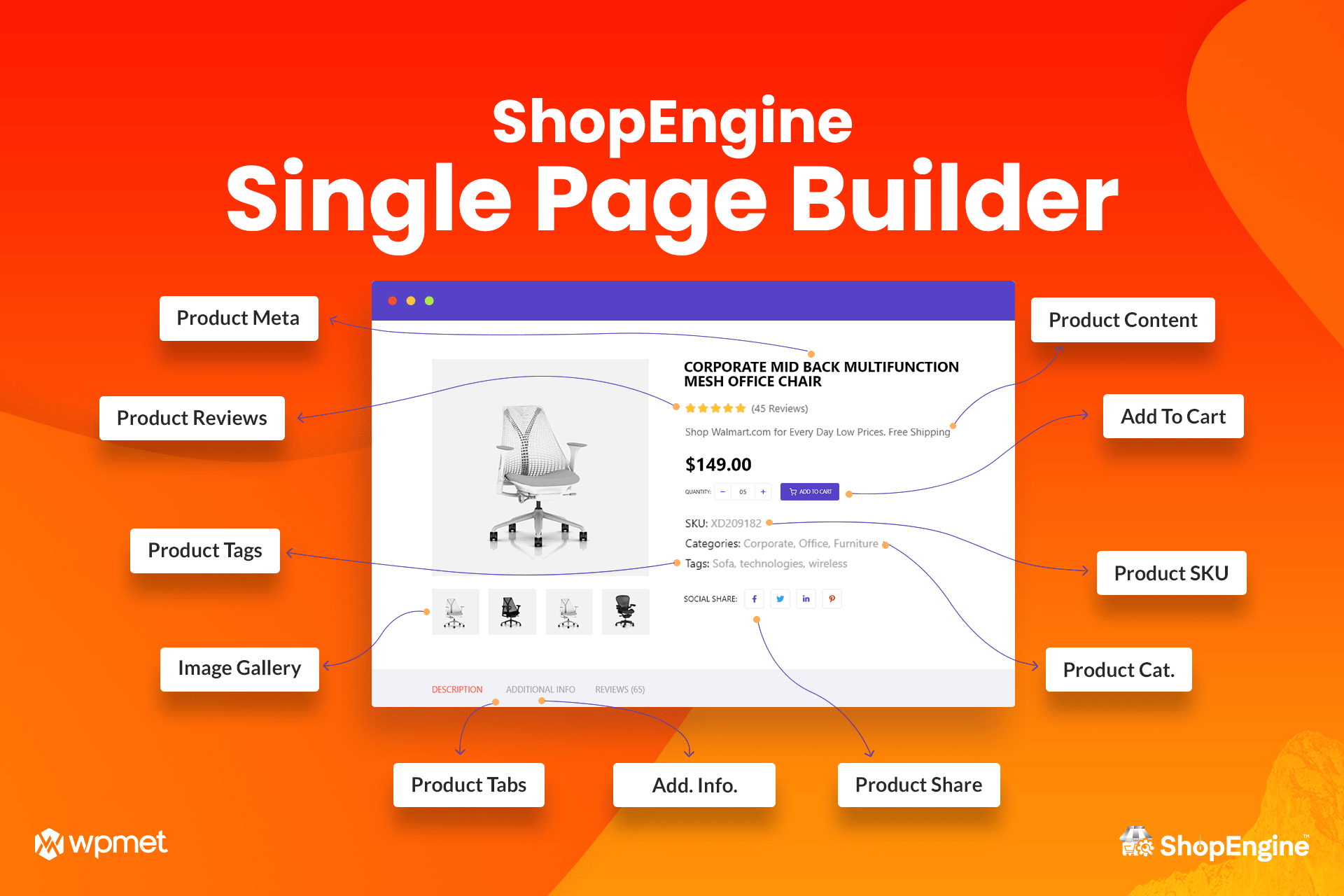
✅ Single Product page builder.
✅ WooCommerce Checkout builder.
✅ Product Quick View popup builder.
✅ WooCommerce Quick Checkout builder.
✅ Order Confirmation / Thank You page builder.
✅ WooCommerce Account Dashboard builder.
This WooCommerce Builder also includes…
✔️ Multi-language supported builder .
✔️ Compatible with all popular WordPress themes.
✔️ Works with Free Elementor and WooCommerce.
✔️ Compatible with WordPress Gutenberg Blocks.
✔️ Filter and Pagination based on AJAX.
✔️ No Coding Skills Required.
✔️ Top-notch and Dedicated Support Team.
✨ ShopEngine Pre-built Builder Templates, An Instant No-code Solution for Advanced WooCommerce Functions
📃 Shop 페이지: 이 WooCommerce 상점 페이지 빌더의 수많은 커스터마이즈 가능한 구성 요소로 상품을 표시합니다.
📃 Single Product Page: Showcase specification of a single WooCommerce product.
📃 Shopping Cart Page: Show a user-friendly shopping cart and empty cart page for your customers.
📃 Checkout Template: Enable smooth payment process with various styles like multistep, banner, and columnized in WooCommerce checkout page.
📃 Quick Checkout Template: Implement the fastest WooCommerce checkout system.
📃 주문/감사 페이지: 고객의 구매에 대한 감사 표시.
📃 아카이브 페이지: 상품을 다양한 파라미터로 분류하고 표시합니다.
📃 Order Thank You: 고객의 주문을 감사 인사와 함께 확인합니다.
📃 Create Conditional Template: Show specific WooCommerce page layout based on certain conditions.
📃 내 계정 페이지: 고객을 위한 종합적인 대시보드를 추가합니다.
📃 장바구니 비어있음 템플릿: 상품이 없는 장바구니 페이지의 모양을 제어합니다.
📃 Checkout Form – Billing: 청구(결제) 경험 개선용.
📃 Quick View Builder Template: Shoppers get a quick overview of WooCommerce products.
✨ ShopEngine WooCommerce Addons for Advanced Features
ShopEngine comes with 20+ WooCommerce addons to help users build dynamic WooCommerce websites without any hassle.
🔷 WooCommerce Quick View add-on of the ShopEngine Woo builder allows users to have a Shopify-style at-a-glance view of a product through a popup.
🔷 Variation Swatches add-on lets you interactively display variants of a product by turning the product variation option fields into radio images, labels, and colors.
🔷 ShopEngine의 WooCommerce 상품 캐러셀 위젯은 상품을 깔끔하고 눈길을 끄는 프로모션 상품 슬라이더로 쇼케이스할 수 있게 해줍니다. 탐색이 매우 쉬워져 고객은 각 상품 페이지로 이동하지 않고도 여러 상품을 간편하게 스크롤하여 볼 수 있습니다.
https://www.youtube.com/임베드/DcaA2rC0Rg0?si=6bj0gEmfRQN0A2qs
🔷 Woo Wishlist helps you by adding a stylish product wishlist page where your shoppers love to save their products to buy and share with loved ones later.
🔷 Product Comparison add-on shows a head-to-head comparison of your WooCommerce products with prices, offers, features, sizes, etc. with a customized look.
🔷 You can add fascinating badges and highlight the sale of products that are running on special days by using ShopEngine’s Badges add-on.
🔷 Optimize WooCommerce checkout process more smoothly with the Quick Checkout add-on to save your customers’ time.
🔷 Partial Payment add-on helps customers with budget issues who can pay on deposit with the partial payment option. So, it ensures your product sales.
🔷 By activating Pre-order add-on , you can add and customize a WooCommerce pre-order option that allows your customers to pre-order the product.
🔷 Back Order add-on lets you add a back-order option to know whether you should restock older products or not.
🔷 Display sales updates as social proof of your WooCommerce store with ShopEngine Sales Notification add-on to create a sense of urgency among visitors. You can notify customer’s name, address, purchased products, images, and purchase time.
🔷 ShopEngine Elementor WooCommerce builder provides a Currency Switcher add-on to switch currency according to your customers’ needs. It helps to show multiple currencies for customers who belong to different countries.
🔷 The Flash Sale Countdown add-on enables you to show offers and discounts with a discount schedule counter for a specific time at a flash bar, with the offer ending time.
🔷 The Additional Checkout Field Form lets you collect extra customer information by adding additional fields to the checkout form. Also, you can remove any fields.
🔷 Increase customer satisfaction by allowing them to choose the product that best suits them with the Product Size Charts add-on. Show as many informative size charts as you want.
🔷 The Sticky Fly Cart add-on, also known as Sticky Shopping Cart for WooCommerce website. Customers can view all products, add/remove items, see the subtotal amount, and navigate to the checkout process by clicking a mini cart icon.
🔷 Use the Vacation add-on to let your visitors know that you are on vacation or holiday leave for a few days with an interactive notice or alert message on your eCommerce website.
🔷 Give a Shopify-style checkout appearance with the Multistep Checkout add-on to boost the conversion rate. Our WooCommerce Elementor addon will split the checkout process into different parts to make it convenient for users.
🔷 Set up coupons for a country-specific state/region using ShopEngine, Elementor WooCommerce builder addon’s Advanced coupons add-on. Only customers in those areas can use the coupon code.
🔷 Cross-Sell Popup module of the ShopEngine WooCommerce template builder will show product recommendations based on your customers’ requirements for other products after adding products to the cart.
🔷 Avatar add-on makes websites’ user profiles more appealing and personalized by allowing them to add an image and other user information with different customization options.
Build Single Product Page with ShopEngine WooCommerce Builder Widgets (FREE & PRO)
ShopEngine은 고객의 관심을 끌기 위해 매력적인 단일 제품 페이지를 구축할 수 있도록 70개 이상의 WooCommerce Elementor 위젯을 제공합니다.
Modernize Shopping Cart Page Builder With ShopEngine WooCommerce Widgets
Get some specially designed helpful widgets of ShopEngine WooCommerce cart page builder to enhance the default WooCommerce cart page and reduce the cart abandonment rate.
Make an Intuitive Product Archive Page in WooCommerce
Customize the archive page with pagination, archive title, archive products, and archive description of your eCommerce website with ShopEngine WooCommerce builder.
Customize Your WooCommerce Checkout Page With ShopEngine
ShopEngine Elementor WooCommerce 빌더의 체크아웃 WooCommerce 위젯을 활용하여 고객들에게 인생 최고의 Shopify 스타일 체크아웃 페이지 경험을 선사하세요.
Craft a Mind-Boggling Order Page With ShopEngine
Now, tweaking the order page is just dragging widgets like Order Details and Order Confirm. And, take the opportunity to say thank your WooCommerce users for placing the order.
Create an Account Page for Shoppers with ShopEngine Elementor WooCommerce Builder
Have a customized WooCommerce account dashboard that syncs with your brand style and important information with ShopEngine WooCommerce Account page widgets.
Also, give them a scope to register and log out of their accounts.
General ShopEngine Woocommerce Widgets for Shop Page and Posts
WooCommerce shop page design impacts your eCommerce revenue. ShopEngine has been developing magical widgets to support an SEO-optimized, responsive, and fast-loading shop page.
❤️ ShopEngine WooCommerce Builder Widgets (FREE)
👉 WooCommerce 제품 리뷰 위젯
👉 WooCommerce 제품 공유 위젯
👉 WooCommerce 이동 경로 위젯
👉 WooCommerce 제품 카테고리 위젯
👉 관련 제품 WooCommerce 위젯
👉 단일 제품 보기 WooCommerce 위젯
👉 WooCommerce 스토어 공지 위젯
👉 WooCommerce 제품 장바구니 테이블 위젯
👉 WooCommerce 장바구니 총액 위젯
👉 WooCommerce 교차 판매 위젯
👉 WooCommerce 상점으로 돌아가기 위젯
👉 WooCommerce 빈 장바구니 메시지 위젯
👉 아카이브 설명 WooCommerce 위젯
👉 아카이브 제품 WooCommerce 위젯
👉 WooCommerce 아카이브 결과 수 위젯
👉 아카이브 보기 모드 WooCommerce Elementor 위젯
👉 WooCommerce 정렬 기준 필터 위젯
👉 WooCommerce 제품 목록 위젯
👉 WooCommerce 결제 결제 위젯
👉 WooCommerce 주문 리뷰 위젯
👉 WooCommerce 결제 양식 – 추가 위젯
👉 결제 양식 – WooCommerce 쿠폰 위젯
👉 WooCommerce 결제 양식 – 청구서 위젯
👉 결제 양식 – WooCommerce 로그인 위젯
👉 WooCommerce 결제 양식 – 배송 위젯
👉 WooCommerce 결제 배송 방법 위젯
👉 WooCommerce 고급 검색 위젯
👉 특가 제품 WooCommerce 위젯
👉 WooCommerce 필터 가능한 제품 목록 위젯
👉 WooCommerce 제품 카테고리 목록 위젯
👉 WooCommerce 최근 본 제품 위젯
🔥 ShopEngine WooCommerce Builder Widgets (PRO)
➡️ WooCommerce 제품 사이즈 차트 위젯
➡️ WooCommerce 제품 필터 위젯
➡️ 결제 주문 결제 WooCommerce 위젯
➡️ WooCommerce 주문 세부사항 위젯
➡️ 감사 주소 세부사항 WooCommerce 위젯
➡️ WooCommerce 주문 확인 위젯
➡️ WooCommerce 주문 감사 위젯
➡️ WooCommerce 상점 계정 주소 위젯
➡️ WooCommerce 웹사이트 계정 대시보드 위젯
➡️ WooCommerce 상점 계정 내비게이션 위젯
➡️ WooCommerce 웹사이트 계정 주문 위젯
➡️ WooCommerce 상점 계정 주문 – 세부사항 위젯
➡️ WooCommerce 상점 계정 다운로드 위젯
➡️ WooCommerce 웹사이트 계정 로그아웃 위젯
➡️ WooCommerce 상점 계정 세부사항 위젯
➡️ WooCommerce 웹사이트 계정 폼 로그인 위젯
➡️ WooCommerce 웹사이트 계정 회원가입 폼 위젯
➡️ 아바타 WooCommerce 빌더 위젯
➡️ WooCommerce 제품 카테고리 위젯
➡️ 통화 변환 WooCommerce 위젯
➡️ 플래시 세일 WooCommerce 제품 위젯
➡️ 베스트 셀링 WooCommerce 제품 위젯
➡️ WooCommerce 제품 비교 버튼 위젯
➡️ WooCommerce 고급 쿠폰 위젯
➡️ WooCommerce 웹사이트 휴가 위젯
✨ SHOPENGINE WOOCOMMERCE 구텐버그 블록 애드온
ShopEngine Gutenberg Addon is an advanced addition to the ShopEngine WooCommerce builder. The ShopEngine Gutenberg addon is compatible with WooCommerce template builders that support Gutenberg.
이 애드온을 사용하면 단일 페이지, 장바구니 페이지, 결제 페이지, 아카이브 등 다양한 페이지를 보다 효과적으로 사용자 지정할 수 있습니다.
You will get fully ready 5+ templates with 36+ blocks, 4 advanced add-on including quick view, wishlist, variation swatches, product comparison to design your shop as per your needs.
😇 신뢰받는 팀이 지원합니다
ShopEngine은 전 세계 1,000,000명 이상의 만족한 사용자들이 신뢰하는 이름인 Wpmet에서 제공됩니다.
🎯 지금 바로 ShopEngine을 시작할 시간입니다
Learn 상점엔진 설치 및 사용 방법 알아보기
» 우리의 소셜 미디어 존재감을 확장하는 데 도움을 주세요
🙋🏼♂️ 우리 페이스북 커뮤니티에 가입하세요
👍 우리 페이스북 페이지를 좋아요 해주세요
🌐 X (트위터)에서 팔로우하세요
🌐 인스타그램에서 팔로우하세요
🌐 LinkedIn에서 연결하세요
👉 워드프레스에서 평가해주세요
☂️ 우리의 다른 플러그인들
🔗 ElementsKit
🔗 MetForm
🔗 GetGenie Ai
🔗 Wp Social
🔗 GutenKit
🔗 TableKit
🔗 RoxSlider
🔗 PopupKit
🔗 Wp FundEngine
🔗 Wp Ultimate 리뷰
🔗 EmailKit
Visit wpmet to learn more about how to get the best out of WordPress using our plugins.
Check out Tutorials, Tips & Tricks!
스크린샷
매력적인 제품 아카이브 페이지 구축 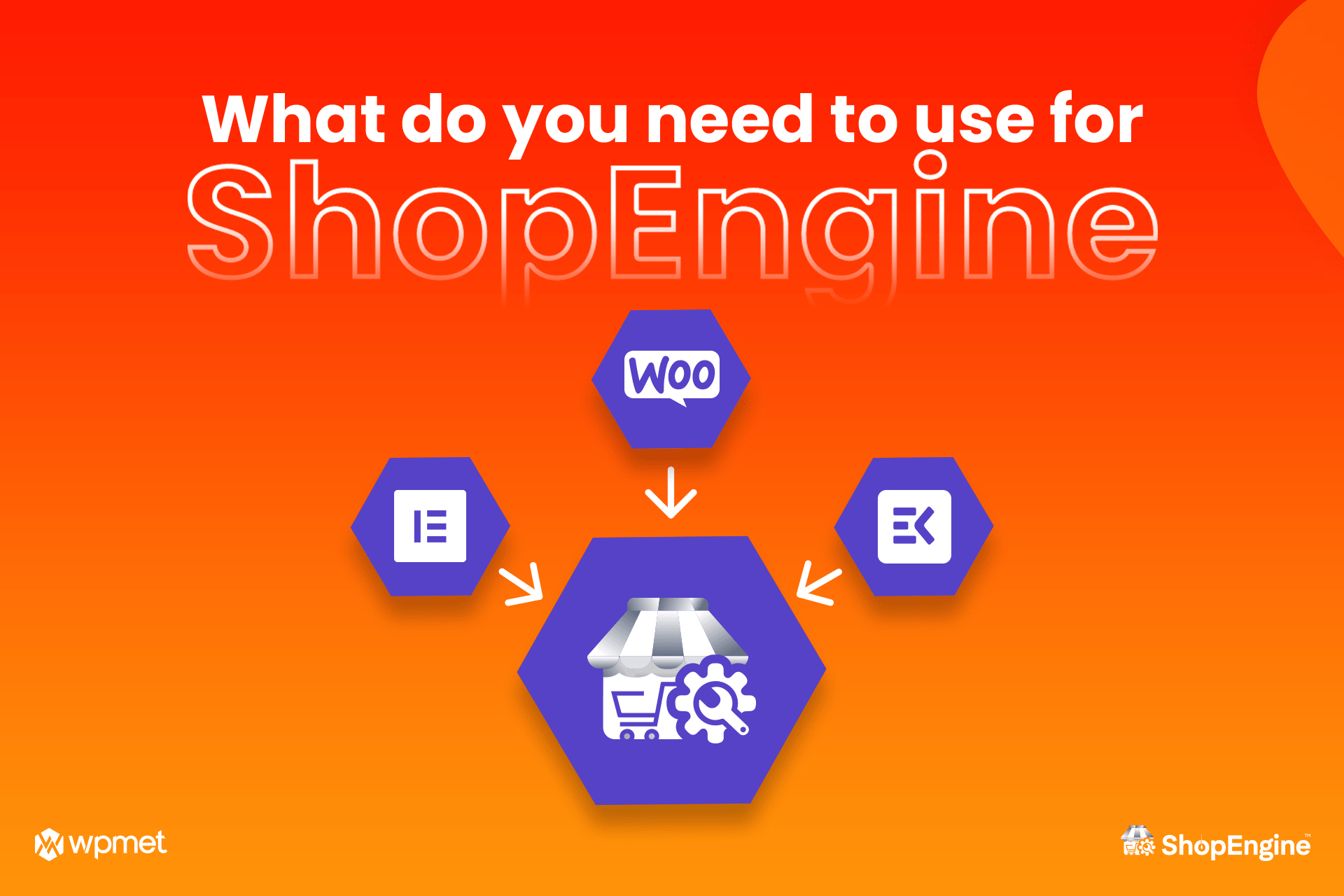
WooCommerce용 ShopEngine 계정 대시보드 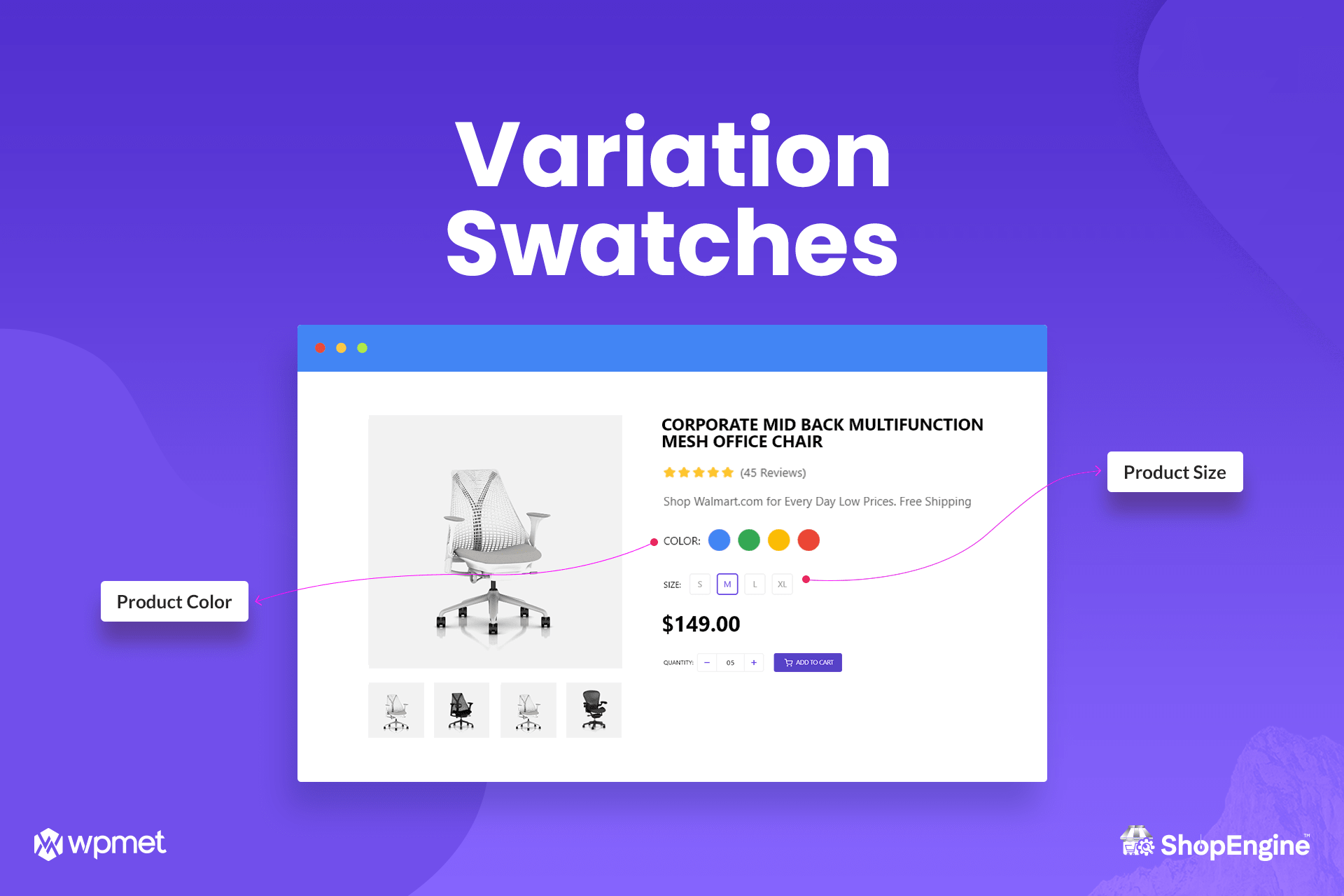
ShopEngine Admin Dashboard 1 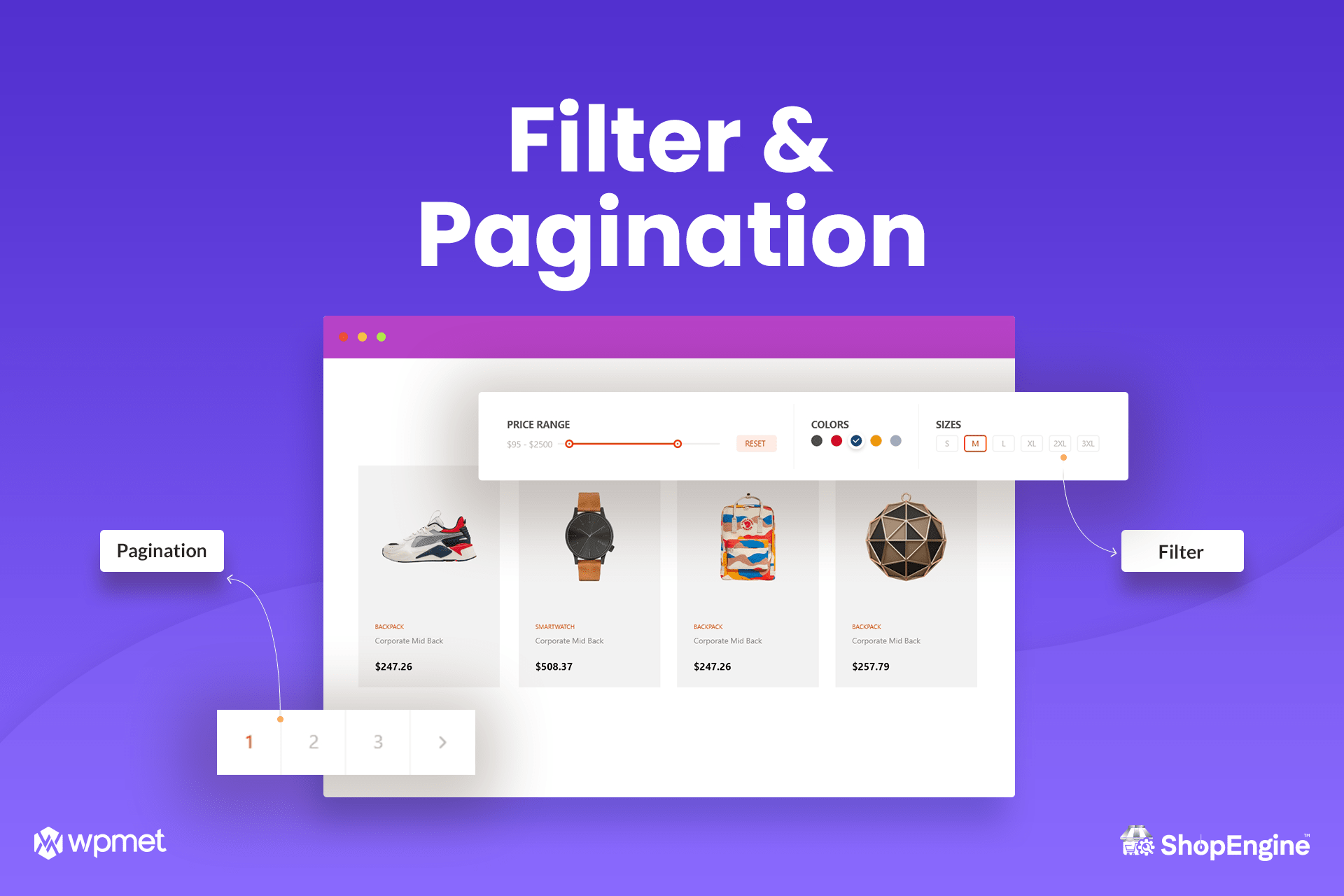
ShopEngine Admin Dashboard Widgets list 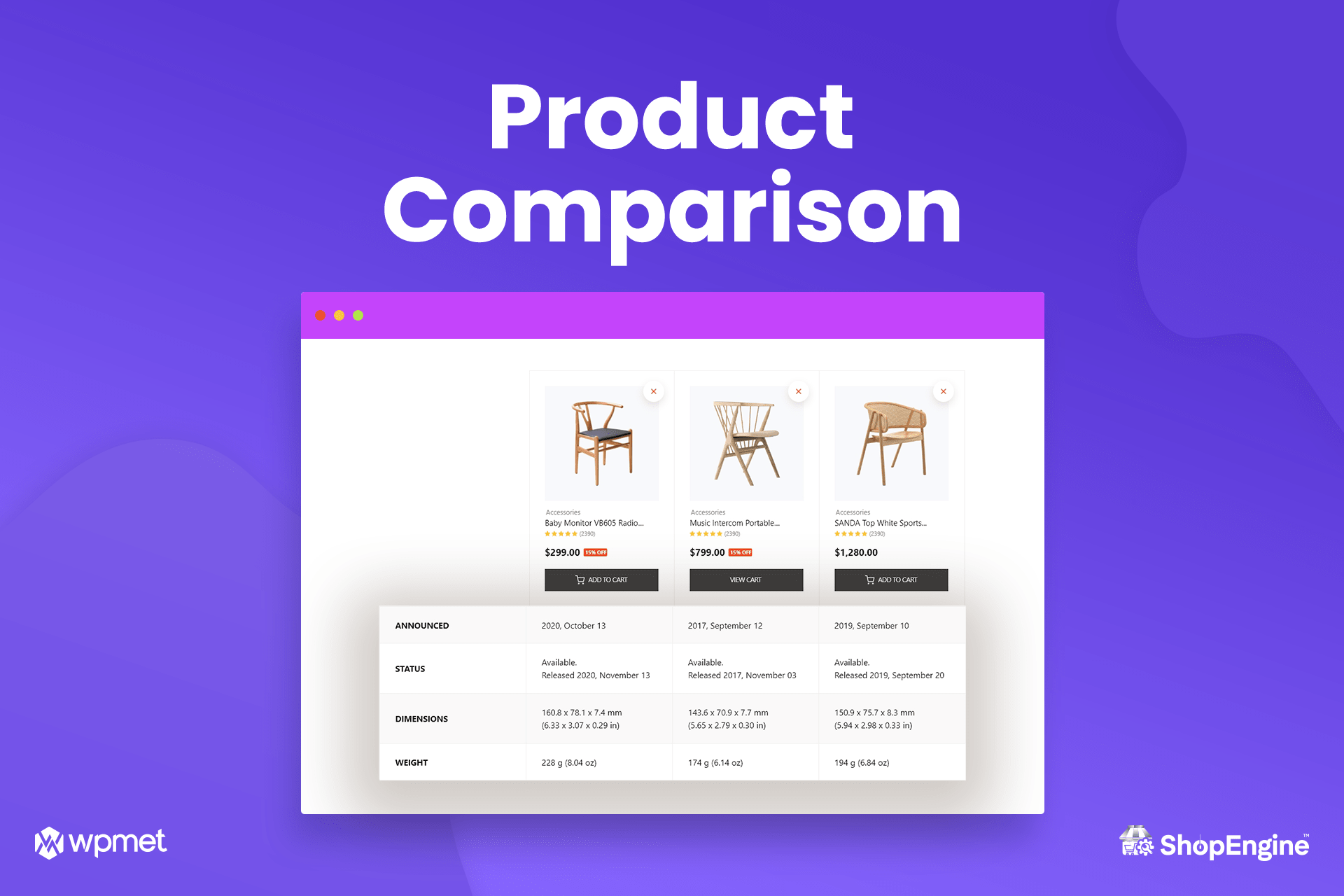
ShopEngine Admin Dashboard Template Builder 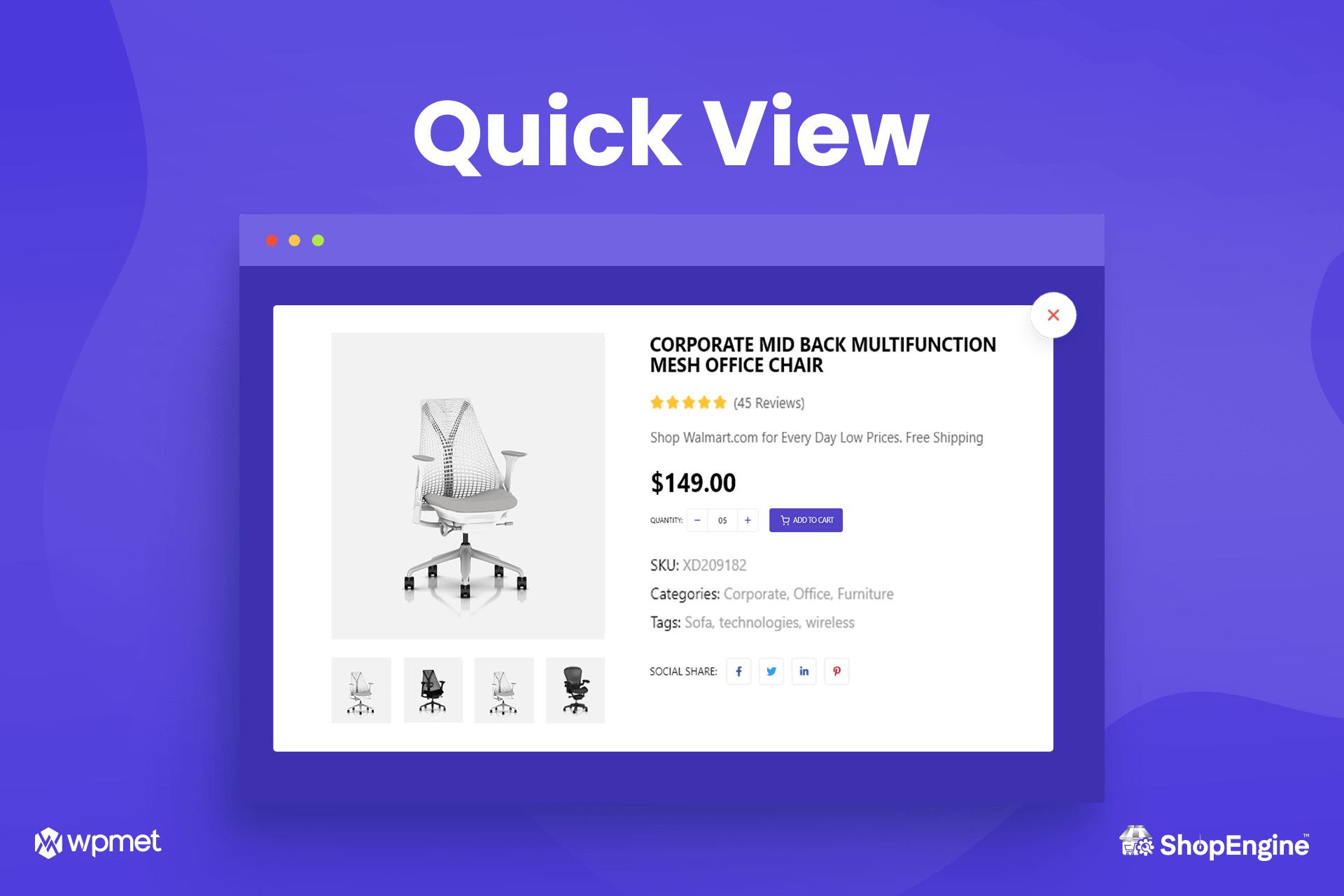
ShopEngine Admin Dashboard Template builder settings 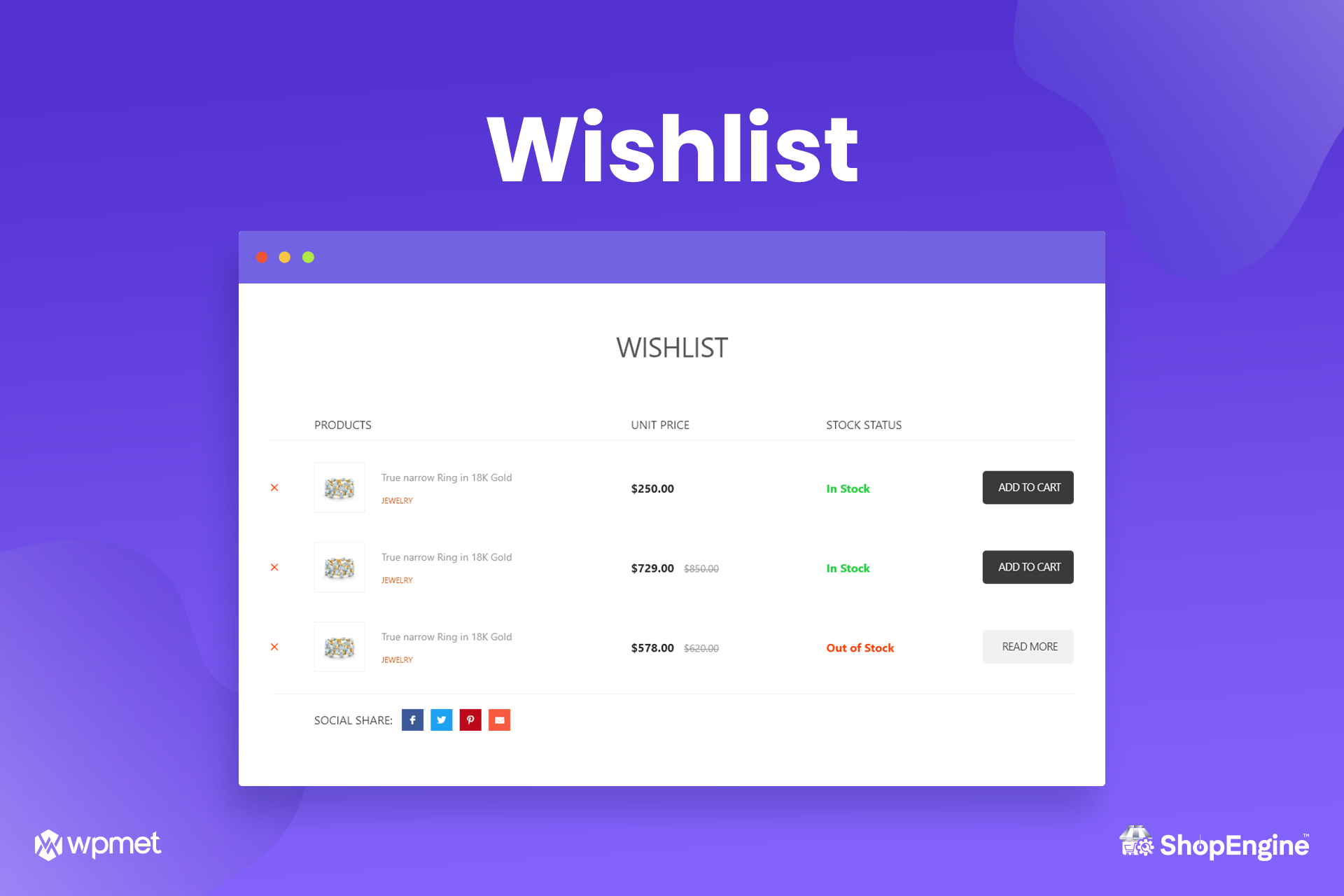
단일 WooCommerce 페이지용 ShopEngine 기능 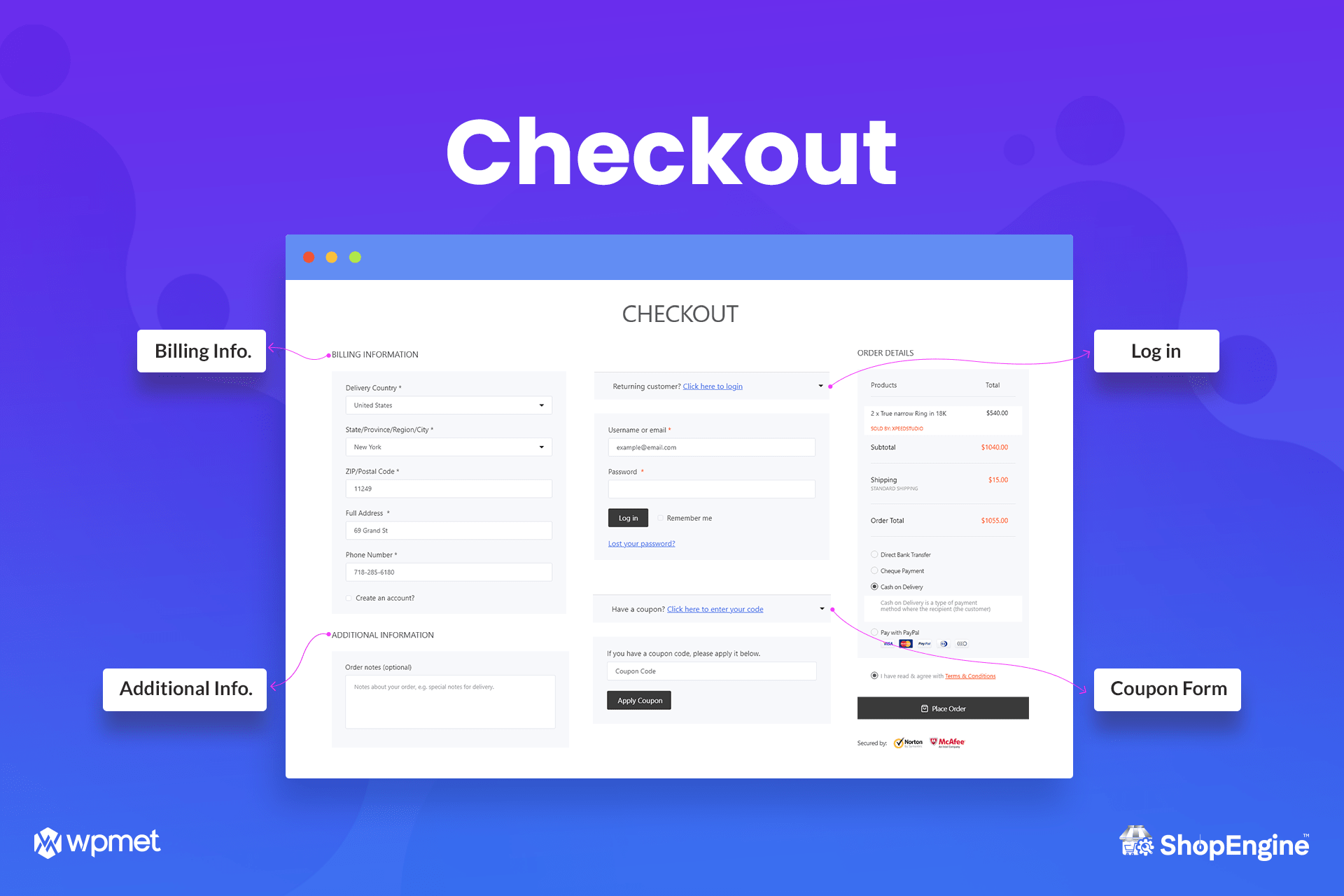
ShopEngine 요구 사항 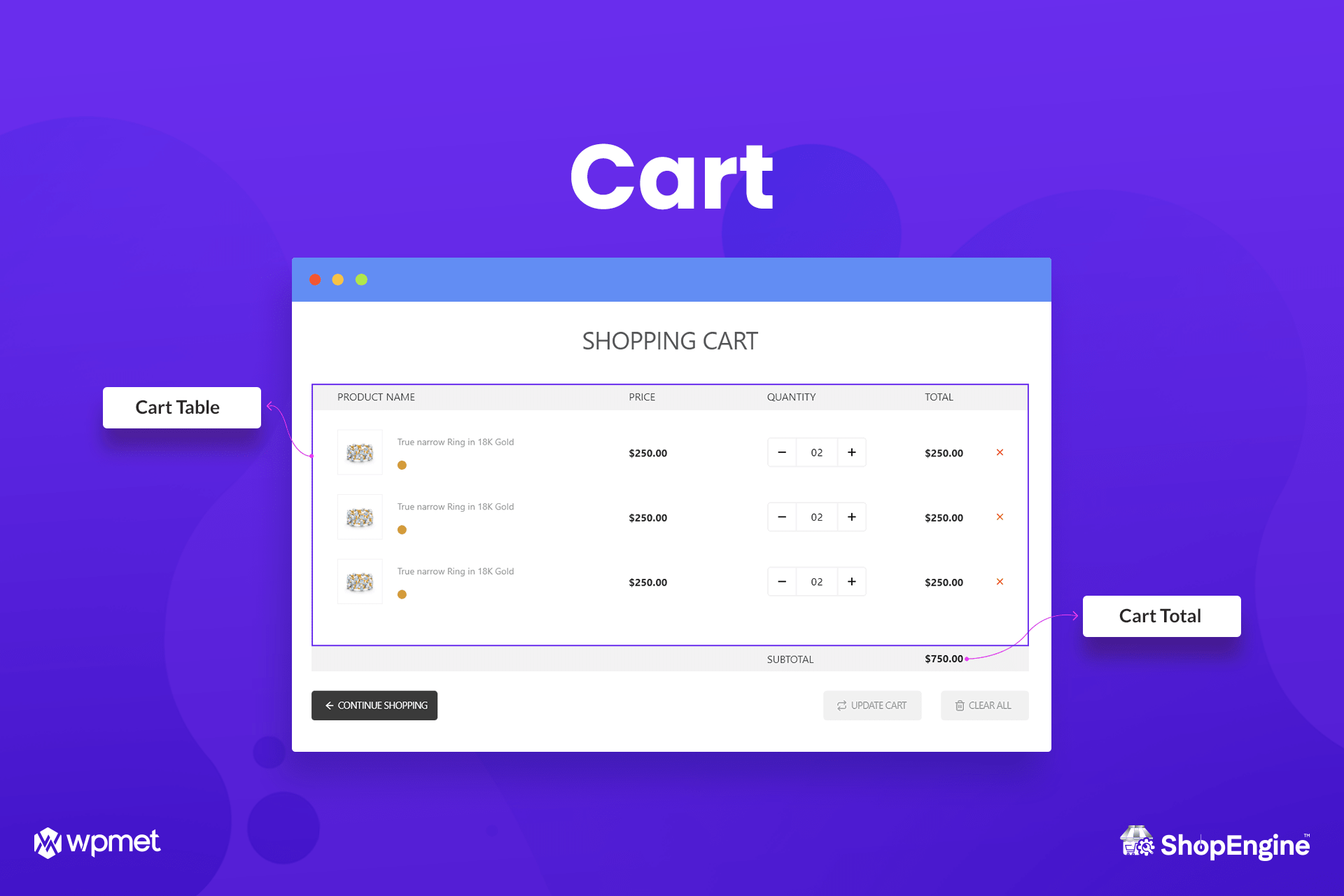
ShopEngine 변형 스와치 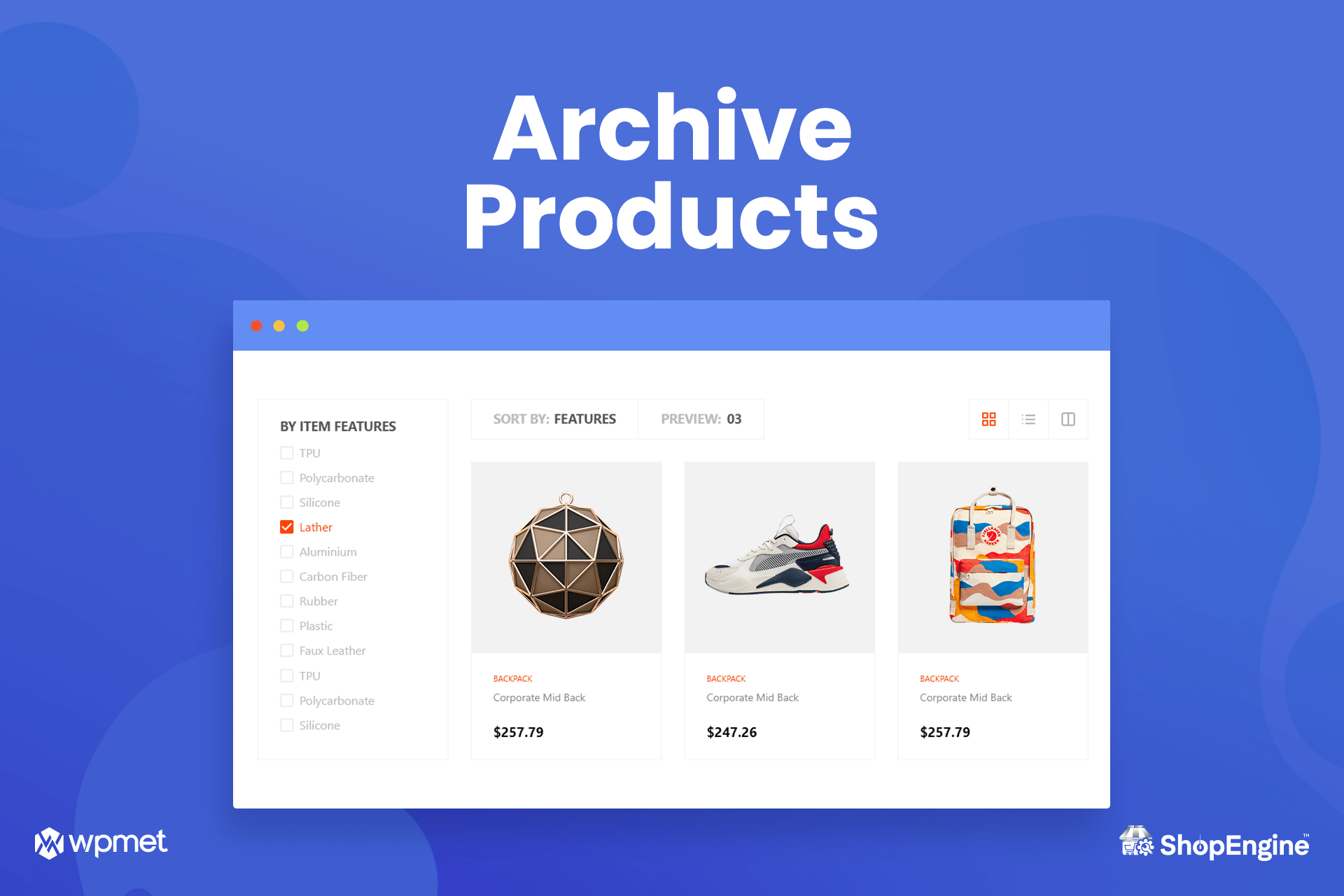
ShopEngine 필터 및 페이지네이션 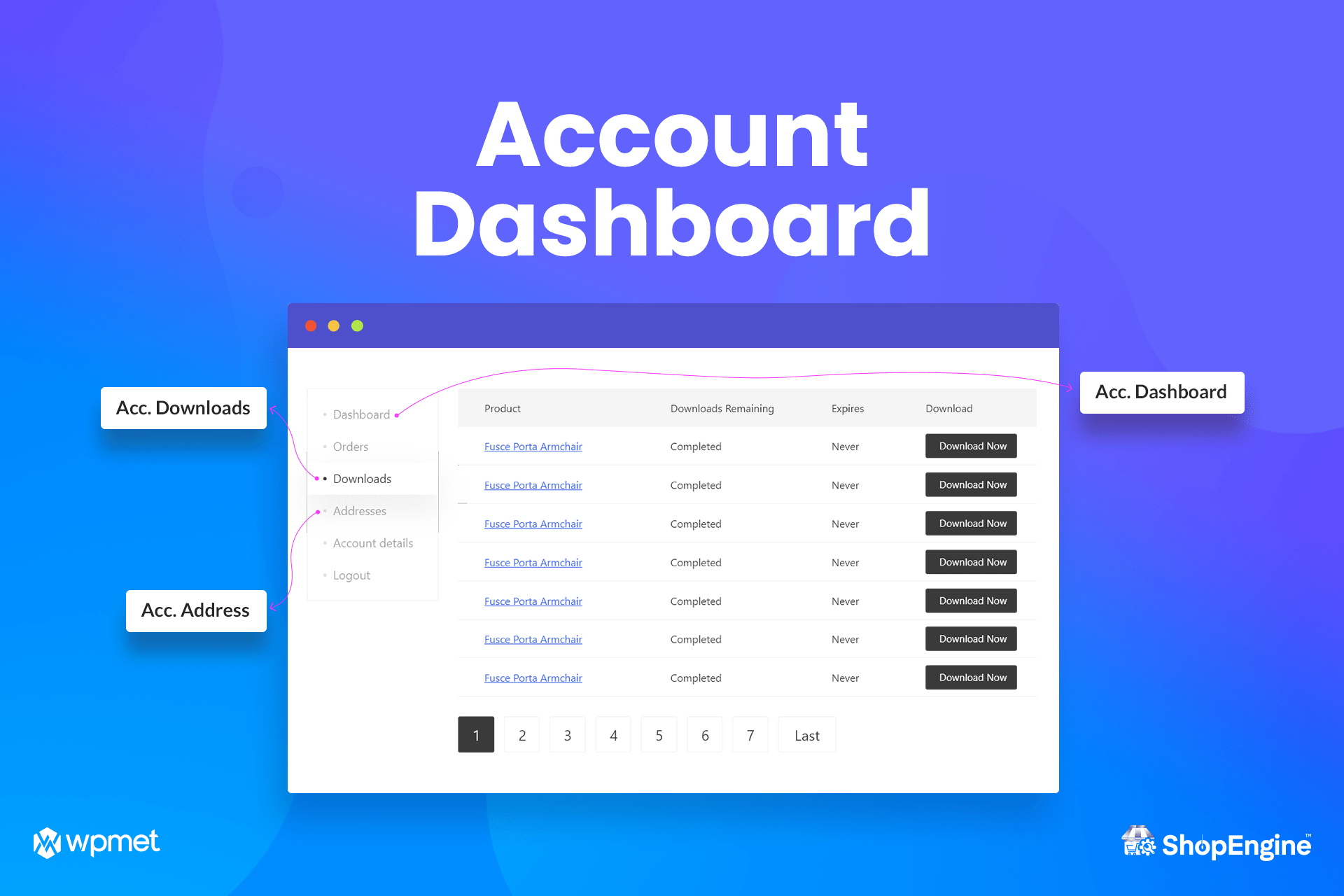
Product Comparison Button Add-on 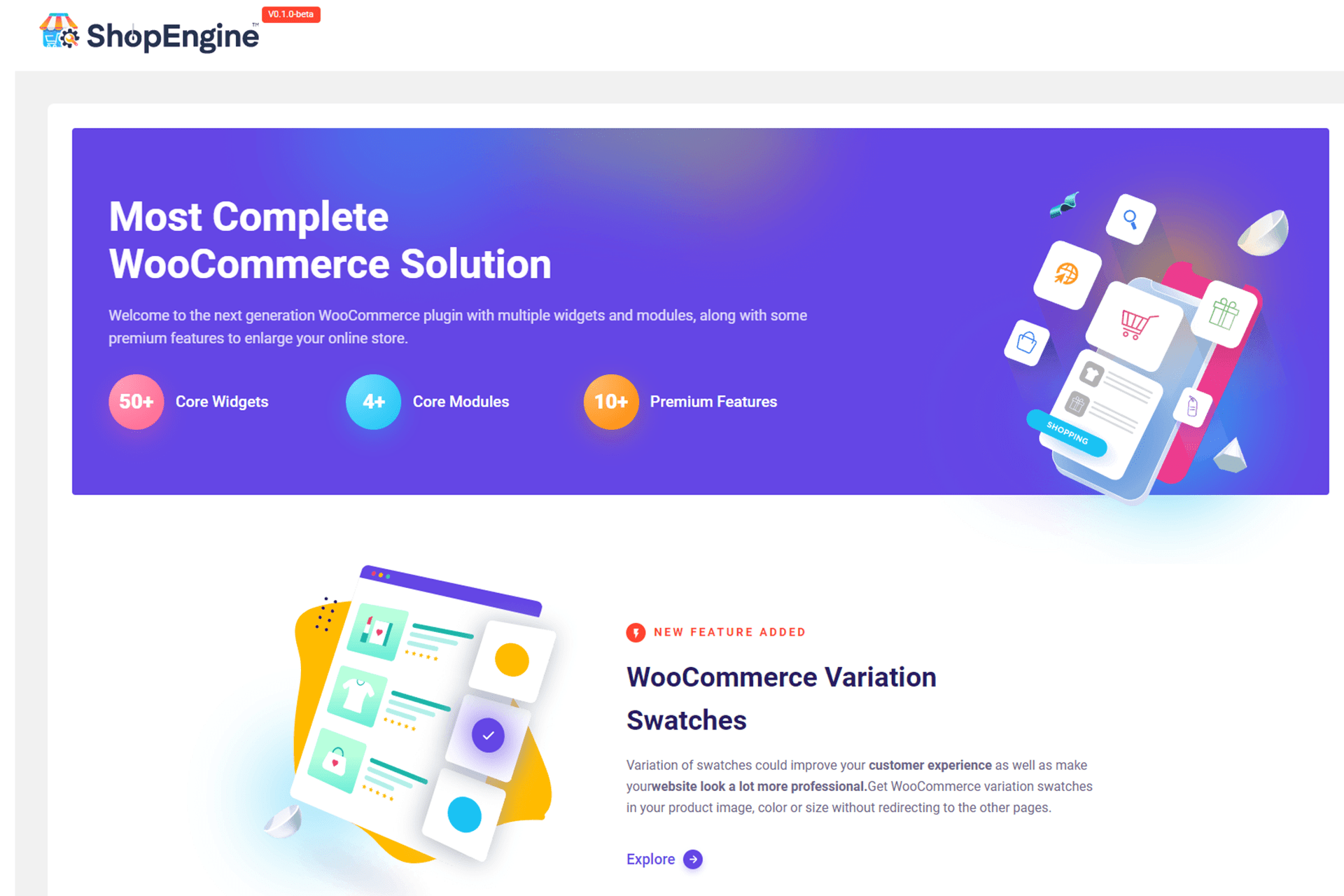
WooCommerce 제품 퀵 뷰 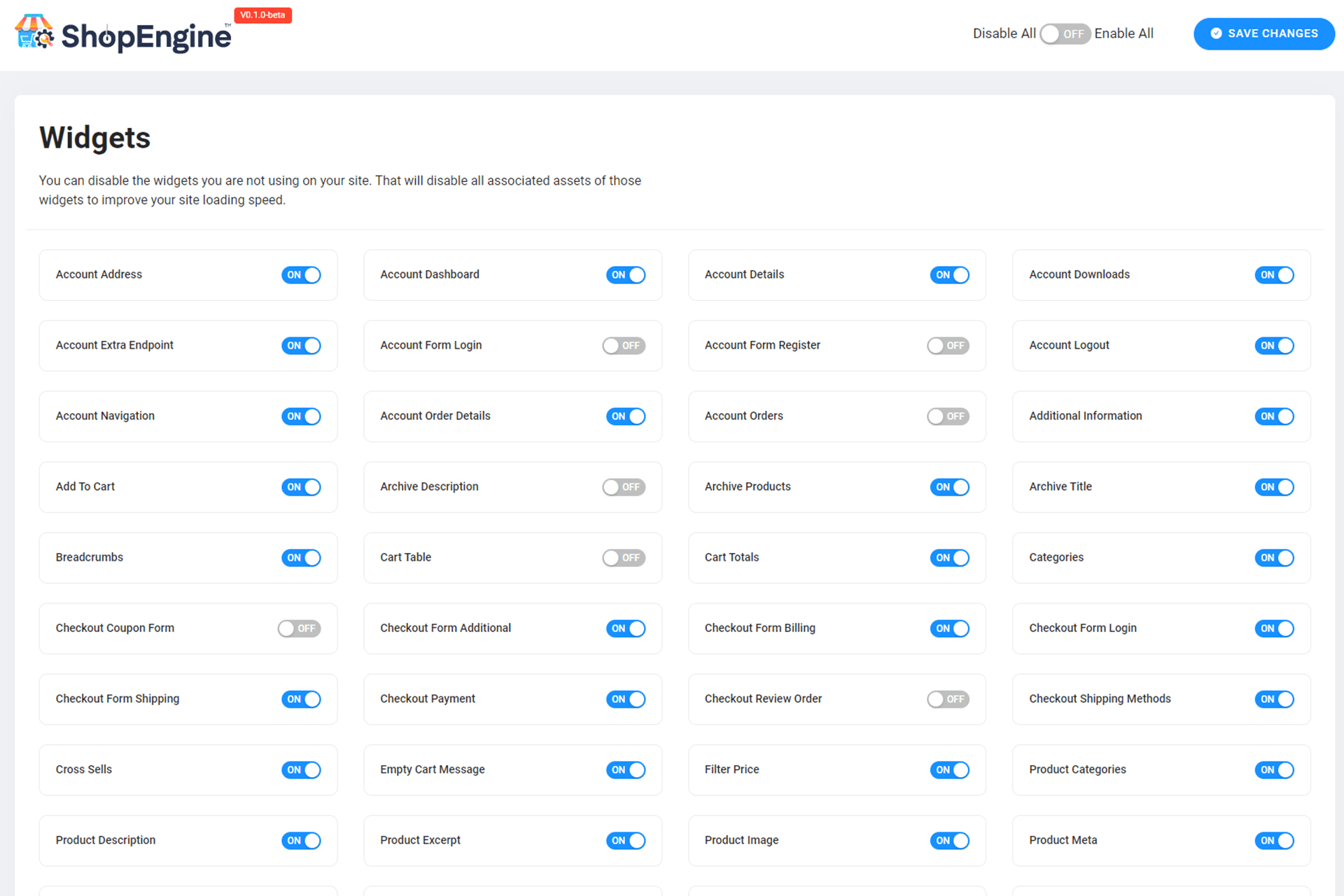
Elementor용 WooCommerce 빌더 제품 위시리스트 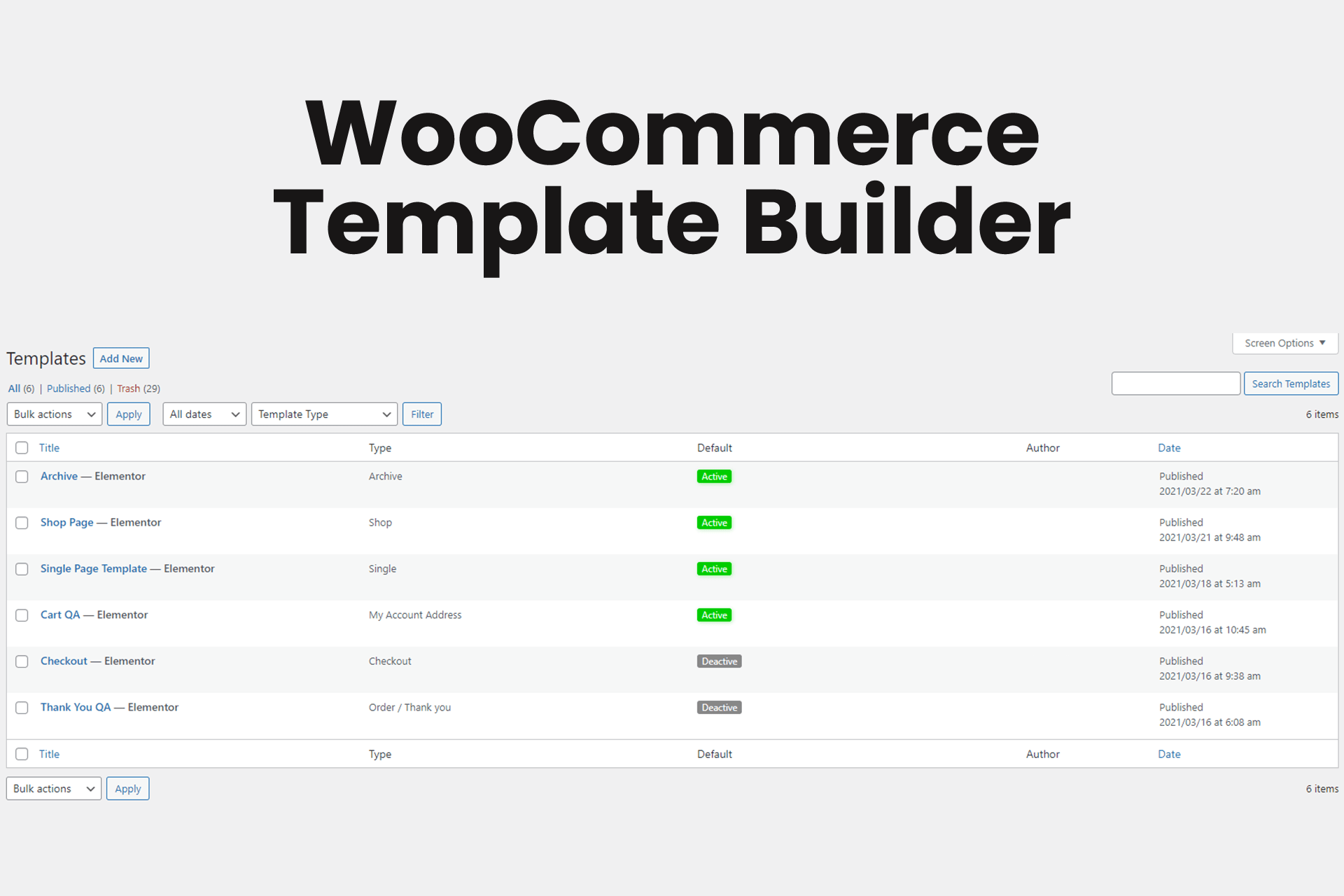
멋진 결제 페이지 구축 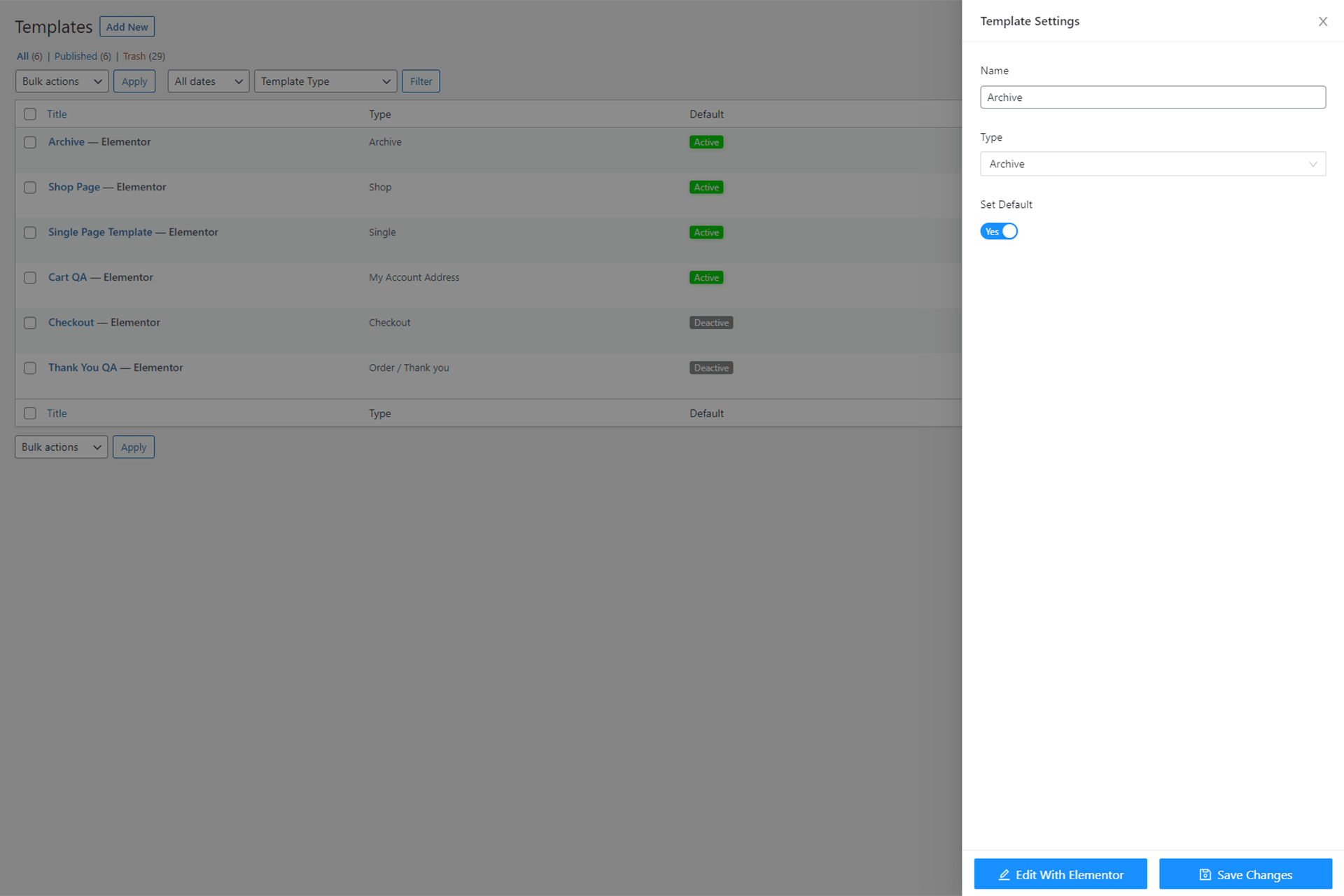
장바구니 페이지 빌더 사용자 지정


설치
Prerequisite: ShopEngine WooCommerce builder works with Elementor and WooCommerce. Make sure you have installed Elementor and WooCommerce plugins.
Pro versions are not required. You can use ShopEngine with both free & Pro of WooCommerce and Elementor.
Installation Process->1: Go to the WordPress Dashboard➔Plugins➔Add New➔Search for “ShopEngine”➔Install and Activate it.
OR
Step->1: Unzip the ShopEngine Folder if it is Zipped➔Upload it to the /wp-content/plugins/plugin-name directory.
Step->2: After successful installation, just go to Installed Plugins➔click on the “Activate” button to activate ShopEngine.
Step->3: All Settings will be found in the ShopEngine menu.
자세한 내용은 다음 문서를 참고하세요.
FAQ
-
ShopEngine 문서는 어디에서 찾을 수 있나요?
-
You can find all documentation of ShoEngine’s installation, activation, widgets, WooCommerce addons, and templates in the documentation section.
-
ShopEngine 사용을 위해 필요한 플러그인은 무엇인가요?
-
ShopEngine은 2개의 플러그인이 필요합니다: Elementor와 WooCommerce.
-
ShopEngine WooCommerce 빌더는 Elementor Pro를 필요로 하나요?
-
아니요, ShopEngine WooCommerce 빌더는 Elementor Pro를 요구하지 않습니다. Elementor 무료 버전으로도 ShopEngine Woo 빌더의 모든 기능을 사용할 수 있습니다.
-
ShopEngine을 무료로 사용할 수 있나요?
-
Yes, absolutely you can use ShopEngine for free on your WooCommerce website. You can use 70+ useful widgets, 20+ add-on, and 40+ pre-built WooCommerce templates of the ShopEngine free version to design stunning WooCommerce stores.
-
Why should I choose ShopEngine WooCommerce builder PRO for my site?
-
You should choose ShopEngine Pro to build a fully functional WooCommerce website with necessary and dynamic features.
ShopEngine Pro offers sufficient, user-friendly, and device-responsive widgets (70+), multiple WooCommerce addons (20+), and templates to build a complete WooCommerce website without even coding knowledge. -
Do I need WooCommerce addons to enjoy ShopEngine Woo Builder?
-
You can enjoy all features of ShopEngine after installing WooCommerce and Elementor. You don’t need any other add-on to use the features of ShopEngine (Woo builder). However, you can install the ShopEngine Gutenberg add-on which offers Gutenberg-compatible widgets, addons, and templates to design your WooCommerce website.
-
What happens after the license expires of ShopEngine?
-
ShopEngine WooCommerce builder’s automatic system will send you notifications to renew your license. You can enjoy the features already you have used on your website as well as free features if you don’t renew the license. However, you won’t get the plugin updates and premium support without renewing the license again.
-
라이선스를 업그레이드할 수 있나요?
-
Of course, it’s possible to upgrade the license of ShopEngine(Elementor WooCommerce builder). You can upgrade the license of ShopEngine from a superior one. You need to pay the additional charge for the upgraded package.
-
ShopEngine으로 나만의 템플릿을 만들 수 있나요?
-
네, ShopEngine을 사용하여 자신만의 템플릿을 만들 수 있습니다. ShopEngine은 템플릿을 만들고 WooCommerce 웹사이트에 사용할 수 있는 두 가지 옵션(빈 템플릿, 템플릿 라이브러리)을 제공합니다. 빈 템플릿을 사용하여 사용자 정의 템플릿을 만든 다음, ShopEngine(Woo 빌더)의 필요한 위젯을 드래그 앤 드롭할 수 있습니다. 시간을 절약하고 노력을 덜기 위해 ShopEngine의 템플릿 라이브러리에서 템플릿을 선택할 수 있습니다.
-
필요할 때 안내받을 수 있는 ShopEngine 지원 센터가 있나요?
-
Yes, ShopEngine (Elementor WooCommerce Builder) has a 24/7 dedicated support team to help users with any issues or answer their queries.
-
ShopEngine에 대한 새로운 기능을 요청할 수 있나요?
-
Yes, of course. You can request a new feature of ShopEngien through the roadmap section. You can submit your ideas in the “Ideas” section. You can also vote and comment on other feature requests. Our R&D team checks the feature requests regularly and updates the ShopEngine plugin gradually.
-
지원 및 업데이트는 얼마 동안 제공되나요?
-
You will get support and updates of ShopEngine Elementor WooCommerce Builder for the next 1 year after purchasing the annual license packages. For lifetime deals, you will get lifetime reliable support and updates regularly.
-
어떤 결제 방식을 제공하나요?
-
We accept both credit cards and PayPal for payment purposes.
-
보안 버그를 어떻게 신고할 수 있나요?
-
패치스택 취약점 공개 프로그램을 통해 보안 버그를 신고할 수 있습니다. Patchstack 팀이 보안 취약점을 검증, 분류 및 처리하는 데 도움을 줍니다. 보안 취약점 신고하기.
후기


기여자 & 개발자
“ShopEngine Elementor WooCommerce Builder Addon – All in One WooCommerce Solution”(은)는 오픈 소스 소프트웨어입니다. 다음의 사람들이 이 플러그인에 기여하였습니다.
기여자


변경이력
v4.8.7// 01-12-2025
Fixed: Single page template and related product widget warning issues.
v4.8.6// 23-11-2025
개선: 아카이브 결과 수 위젯.
개선: 상품 평점 위젯.
수정: 적절한 권한 없이 편집자+ 사용자가 라이선스 상태를 업데이트할 수 있게 한 권한 문제.
수정: Woocommerce flex-slider 폐기 예정 문제.
수정: Woostify 테마 충돌 문제.
수정: Phlox-pro 테마 충돌 문제.
수정: My-listing 테마 충돌 문제.
v4.8.5// 2025-10-20
추가: 상품 탭 위젯에 링크 가능 속성 지원 추가.
수정: WebToffee Gift Cards for WooCommerce 플러그인과의 호환성 문제 수정.
수정: 인증된(편집자+) 라이선스 상태 업데이트 시 잘못된 권한 문제 수정.
v4.8.4// 2025-09-21
수정: 사용자 역할 권한 취약점.
수정: PixelYourSite 플러그인과의 충돌.
v4.8.3// 02-09-2025
Added: Scan to direct payment URL control in QR widget.
Improved: Pre-built templates section to container.
Fixed: Custom attribute not showing on comparison add-on.
Fixed: License modal design issue.
Fixed: Conflict with the Woostify theme issue.
v4.8.2// 2025-07-28
개선: 온보딩 프로세스 개선.
v4.8.1// 22-07-2025
신규: QR 코드 위젯.
신규: QR 코드 블록.
신규: 가격 문의 위젯.
신규: 가격 문의 블록.
v4.8.0// 14-07-2025
수정됨: 대시보드 보안 문제.
v4.7.9// 07-07-2025
추가됨: Elementor 최적화된 마크업 지원.
개선됨: 관리자 대시보드 경험.
개선됨: 관련 상품 위젯.
개선됨: 최근 본 상품 위젯.
개선됨: 업셀 상품 위젯.
개선됨: 아카이브 상품 위젯.
개선됨: 계정 내비게이션 위젯.
수정됨: 템플릿 생성 시 상품 카테고리 제한 문제.
수정됨: 루프 상품의 툴팁 텍스트 번역 문제.
수정됨: MP3 오디오 플레이어 플러그인과 함께 Elementor 편집기 패널에서 위젯 카테고리 문제.
v4.7.8// 16-04-2025
수정됨: 워드프레스 6.8과의 호환성 문제.
v4.7.7// 15-04-2025
개선됨: 관리자 UI.
v4.7.6// 23-03-2025
수정됨: 모바일 기기에서 아카이브 보기 모드 위젯 문제.
수정됨: 아카이브 제목 위젯 제목 태그 문제.
수정됨: 고급 검색 위젯 검색 아이콘 충돌 문제.
v4.7.5// 11-03-2025
개선됨: 보안.
수정됨: OceanWP 테마와의 충돌
수정됨: 장바구니 추가 위젯 버튼 정렬 문제.
수정됨: 백오더 SVG 아이콘과 Elementor 인라인 글꼴 아이콘의 충돌.
수정됨: 고급 검색 위젯 카테고리 제목 표시 문제.
수정됨: 아카이브 제품 위젯에서 루프 제품 버튼 툴팁 문제.
v4.7.4// 04-02-2025
수정됨: 제품 이미지 위젯의 갤러리 이미지가 표시되지 않는 문제.
수정됨: 장바구니 페이지의 장바구니 테이블 문제.
수정됨: 필터 가능한 제품 정렬 문제.
수정됨: 블록과 함께 쇼트코드가 작동하지 않는 문제.
v4.7.3// 24-12-2024
수정됨: 아카이브 제품 위젯 디자인 문제.
수정됨: 워드프레스 6.7과의 번역 경고 문제.
수정됨: 빈 장바구니 리다이렉트 문제.
수정됨: 마스터 스터디 테마와의 깨짐 문제.
수정됨: 업셀 및 크로스셀 위젯 호환성 문제.
v4.7.2// 30-09-2024
개선됨: 보안.
수정됨: ShopEngine 템플릿을 사용할 때 WooCommerce 페이지에서 본문 태그가 누락되는 문제.
v4.7.1// 12-09-2024
개선됨: 필수 플러그인 설치 UI.
수정됨: 딜 상품 위젯 문제.
v4.7.0// 04-09-2024
개선됨: 관련 상품 위젯.
수정됨: 스와이퍼 슬라이더 문제.
수정됨: Phox 테마와의 호환성 문제.
v4.6.9// 21-08-2024
제거됨: WooCommerce 이메일 설정에서 EmailKit으로 편집 버튼.
수정됨: unserialize 함수의 PHP 호환성 문제.
v4.6.8// 30-07-2024
개선됨: 필터 가능한 제품 위젯.
수정됨: 제품 속성과 함께 작동하지 않는 제품 필터.
수정됨: PHP 알림 문제.
v4.6.7// 24-07-2024
수정됨: 아카이브 제품 제목 제어 경고.
v4.6.6// 16-07-2024
추가: 아카이브 제품 위젯에서 제품 제목 변경 제어.
수정: 최근 본 제품 위젯 문제.
수정: 교차 판매 제품 위젯 슬라이더 제어 화살표가 보이지 않는 문제.
수정: WooCommerce 제품 필터 애드온 호환성 문제.
수정: 번역 문제.
v4.6.5// 09-06-2024
개선됨: WooCommerce 이메일 설정 페이지에서 EmailKit으로 편집 버튼 제거 옵션.
수정됨: 제품 목록 위젯에서 태그로 제품 쿼리가 작동하지 않는 문제.
수정됨: 변수 제품에서 세일 배지가 표시되지 않는 문제.
수정됨: 온보딩 페이지의 UI 문제.
수정됨: 제품 제목 위젯의 HTML 태그 제어 문제.
수정됨: 번역 문제.
v4.6.4// 30-04-2024
수정됨: 아카이브 페이지에서 페이지 처리가 작동하지 않는 문제.
수정됨: Gravity Form 및 Jetpack Boost 플러그인과의 호환성 문제.
v4.6.3// 31-03-2024 추가: WooCommerce 이메일 템플릿 편집 옵션. 개선: 관리자 페이지 설정 UI. 수정: TikTok 플러그인과의 호환성 문제. 수정: 그룹 상품 수량 증가/감소 문제. 수정: 관리자 설정에서 선택 옵션 이동 문제.
v4.6.2// 04-02-2024
개선됨: 데모 템플릿 가져오기 기능.
수정됨: 비교 표 번역 문제.
수정됨: PHP 8.2와의 폐기 예정 문제.
v4.6.1// 2023-12-07
수정됨: 제품 설명 들여쓰기 문제.
수정됨: 빈 장바구니 메시지 위젯 문제.
수정됨: 장바구니 페이지에서 Min Max Quantity & Step Control 플러그인과 관련된 수량 변경 문제.
v4.6.0// 02-11-2023
개선됨: 단일 제품 데모 디자인-8.
개선됨: 단일 제품 템플릿 편집을 위한 제품 선택 옵션.
수정됨: YITH WooCommerce Delivery Date 플러그인과의 호환성 문제.
수정됨: 미리보기 모드에서 빠른 보기 제품이 표시되지 않는 문제.
수정됨: 단일 제품 템플릿에 대한 빌더 템플릿 엘리멘터 미리보기 문제.
수정됨: 아카이브 제품에서 플래시 세일 배지가 표시되지 않는 문제.
v4.5.1// 18-10-2023
수정됨: 단일 제품 미리보기 문제.
수정됨: 제품 이미지 위젯 배경 색상 문제.
수정됨: 알림 해제 가능한 버튼이 작동하지 않는 문제.
v4.5.0// 27-09-2023
추가: 아카이브 제품 위젯 반응형 컨트롤.
수정: 변형 레이블 색상이 변경되지 않는 문제.
수정: 빈 장바구니 UI 문제.
v4.4.1// 19-09-2023
개선됨: 사용자 경험
v4.4.0// 13-09-2023
수정됨: 제품 탭의 번역 문제.
수정됨: Rank Math SEO 플러그인과의 스토리 박스 충돌.
수정됨: 베스트셀러 WooCommerce 제품 이미지 문제.
수정됨: 파일 경로를 사용한 직접 접근 문제.
v4.3.1 // 04-09-2023
수정됨: Elementor WooCommerce 빌더 관리자 알림 권한 문제 수정.
v4.3.0 // 22-08-2023 추가: Blocksy 테마와의 호환성 추가: Elementor WooCommerce 빌더 HPOS(고성능 주문 저장) 문제 호환성 수정: 빈 장바구니 템플릿에서 상점으로 돌아가기 위젯이 표시되지 않던 문제 수정: Eduma 테마와의 WooCommerce 빠른 보기 충돌 문제 수정: 모든 RTL 템플릿의 언어 문제 수정: 관련 상품 슬라이더 문제 수정: 장바구니 총액 버튼 스타일 문제 개선: 새로운 컨트롤을 추가하여 딜 상품 위젯 개선
v4.2.1 // 18-06-2023
수정됨: WooCommerce 제품을 장바구니에서 제거한 후 빈 페이지로 리다이렉트되는 문제를 수정했습니다.
수정됨: Elementor WooCommerce 빌더 알림과 결제 템플릿의 결제 로그인 폼 위젯 간의 충돌을 수정했습니다.
수정됨: 아카이브 및 관련 제품 캐러셀에서 이미지 교체 문제를 수정했습니다.
개선됨: Flatsome 테마와의 호환성을 추가했습니다.
개선됨: Woodmart 테마와의 호환성을 추가했습니다.
v4.2.0 // 2023-05-02
개선됨: 보안, Nonce 및 권한 확인.
v4.1.1 // 16-04-2023
수정됨: WooCommerce 카테고리 쇼케이스 제품의 아래쪽 화살표.
수정됨: Elementor WooCommerce 빌더의 관련 제품 쿼리가 단일 제품 페이지에서 발생하는 문제.
수정됨: 필터 가능한 제품 목록 위젯에서 Elementor 편집기 오류.
수정됨: 필터 가능한 제품의 타이포그래피 문제.
수정됨: 장바구니에 추가 시 수량 문제.
v4.1.0 // 2023-07-03 추가: 결제 양식 청구 위젯에서 무제한 색상 및 글꼴 변형을 통한 글꼴 크기 및 색상 제어. 수정: 직접 결제 마이그레이션 중 오류. 수정: 베스트 셀링 제품 위젯에서 원치 않는 WooCommerce 빌더 텍스트. 개선: 아카이브 제품 위젯에서 다양한 위치에 있는 작업 버튼 그룹.
v4.0.1 // 21-02-2023
수정됨: 프론트엔드에서 결제 주문 검토가 표시되지 않는 문제.
수정됨: 쿠폰 링크/링크 마우스 오버 색상 컨트롤러가 작동하지 않는 문제.
수정됨: 모바일/태블릿 기기에서 최근 본 제품 WooCommerce 위젯 내에 이중 버튼 그룹이 표시되는 문제.
수정됨: WooCommerce 아카이브 제품에서 색상 견본 문제 확인.
수정됨: 더 보기 버튼을 클릭할 때 div의 상단으로 리다이렉트되는 문제.
수정됨: Elementor WooCommerce 빌더 제품 카테고리 쇼케이스 목록 이미지가 표시되지 않는 문제.
v4.0.0 // 18-01-2023
추가됨: ShopEngine 구텐베르크 우커머스 블록을 위한 새로운 미리 만들어진 템플릿이 추가되었습니다.
추가됨: 블록 테마 지원.
수정됨: 데모 디자인의 이름.
수정됨: Elementor 우커머스 빌더의 제품 비교 버튼에서 정의되지 않은 오류 알림.
수정됨: 우커머스 쇼핑 감사 페이지 미리보기.
수정됨: 아카이브 제품 내 평점 스타일링이 수정되었습니다.
수정됨: 아카이브 제품 그룹 버튼 정렬 스타일링.
수정됨: 내 계정 페이지에서 다운로드 가능한 제품이 두 번 표시되는 문제.
수정됨: 설정 데이터 저장 시 CSRF 취약점.
수정됨: 블록 테마가 활성화되었을 때 워드프레스 위젯 영역.
개선됨: 더 강력한 정화, 유효성 검사 및 이스케이프를 적용하여 보안이 향상되었습니다.
개선됨: 아카이브 제품 제어 UI, 레이블 및 도움말 텍스트.
개선됨: 템플릿 편집 시 제품 선택 팝업.
v3.1.1 // 2023-10-01
개선됨: Elementor와의 호환성 문제 수정.
v3.1.0 // 29-11-2022 추가: 딜 제품 위젯에 변수 상품 지원 추가. 추가: 결제 청구 및 배송 위젯 입력 필드 정렬 추가. 추가: WooCommerce Elementor 편집기 모드에서 아카이브 제품 평점 추가. 추가: 결제를 위한 새로운 데모 Elementor WooCommerce 빌더 템플릿 라이브러리 추가. 수정: Elementor WooCommerce 빌더 알림이 표시되지 않는 문제 수정. 수정: 아카이브 제품에서 장바구니 버튼의 잘못된 WooCommerce 마커(툴팁) 텍스트 수정. 수정: 장바구니 테이블에서 변수 상품과 관련된 스타일 깨짐 문제 수정. 수정: 결제 주문 검토에서 변수 상품과 관련된 스타일 깨짐 문제 수정. 수정: 결제 쿠폰 배경 문제 수정. 수정: 데모 Elementor WooCommerce 빌더 템플릿 라이브러리 미리보기 링크 및 썸네일 누락 문제 수정. 수정: Google 글꼴과 관련된 GDPR 문제 수정. 수정: 아카이브 제품에서 직접 결제 주문 문제 수정. 수정: WooCommerce 템플릿 라이브러리 편집기 미리보기 링크 수정. 수정: 퍼머링크가 일반으로 설정된 경우 템플릿 검색 제품 문제 수정. 개선: 보안 개선. 개선: 데모 WooCommerce 템플릿 라이브러리 디자인 개선.
v3.0.0 // 01-11-2022 추가: 단일 WooCommerce 제품 세부 정보 페이지에서 모든 유형의 제품 지원. 추가: Polylang 및 WPML 플러그인과의 호환성. 추가: Elementor WooCommerce 빌더 추가 제품 옵션 플러그인 지원. 추가: 장바구니 테이블 수량 및 행 짝수 및 홀수에 대한 배경 색상 제어. 추가: 제품 아카이브 위젯 색상 스와치 변형 지원. 추가: 장바구니 테이블 WooCommerce 빌더 위젯 패딩, 정렬, 테두리, 테두리 반경 제어. 추가: 장바구니 총계 위젯 버튼 너비, 테두리 제어. 추가: Elementor WooCommerce 빌더 결제 쿠폰 양식 위젯 배경 색상, 간격 제어. 추가: 결제 양식 청구 위젯 화살표 위치, 사용자 로그인 표시/숨기기 제어. 추가: 결제 양식 배송 위젯 타이포그래피, 테두리 제어. 추가: 제품 평점 위젯 레이블 변경. 수정: WooCommerce 제품 비교 그리드 및 목록 보기 WooCommerce 표시되지 않는 문제. 수정: 번들 제품과의 변형 스와치 문제. 수정: 단일 템플릿 없이 화살표 깨짐 문제. 수정: Shopengine 단일 템플릿 비활성화 시 스와치 스타일 깨짐 문제. 수정: 번들 제품과의 장바구니 추가 수량 문제. 수정: 장바구니 테이블의 기본값 문제 수정. 수정: 글로벌 저장 버튼을 사용하여 업데이트할 때 관리자 설정 재설정 문제. 수정: Kadence 테마 충돌 문제. 수정: 제품 이미지 위젯, WooCommerce 슬라이더 레이아웃 내비게이션 문제. 수정: 결제 쿠폰 배경 문제. 개선: 접근성. 개선: 결제 필드 편집기, 청구, 배송 및 결제 양식 위젯. 개선: SEO.
v2.5.1 // 2022-10-18
조정됨: CSS 및 JS 개선됨
v2.5.0 // 07-09-2022
추가: 단일 및 WooCommerce 퀵뷰 WooCommerce 템플릿 라이브러리에서 선택된 제품(단일, 변수 등) 편집
추가: 모든 WooCommerce 제품 목록 관련 WooCommerce 위젯에서 품절 가시성 제어
추가: Elementor WooCommerce 빌더 아카이브 제품 장바구니 버튼 간격 제어
수정: 결제 필드 편집기와 WooCommerce 템플릿 라이브러리의 WooCommerce 기본 템플릿 문제 충돌
수정: 주문-결제 레이아웃 파괴 문제
수정: 베스트셀러 제품에서 잘못된 제목 표시
개선: RTL 지원
개선: 성능 최적화
개선: SEO
v2.4.0 // 17-08-2022 추가됨: WooCommerce 제품 목록에 재고 없음 배지 추가됨: 장바구니 테이블에서 제거 버튼에 대한 새로운 컨트롤 추가됨: 편집기 모드에서 장바구니가 비어 있을 때 장바구니 테이블에 더미 제품 추가됨: Elementor WooCommerce 빌더 변형 스와치 모듈에 대한 새로운 컨트롤 추가됨: 결제 양식 청구 위젯 입력 테두리 반경 컨트롤 추가됨: WooCommerce 제품 탭 위젯 활성 테두리 너비 컨트롤 추가됨: WooCommerce 제품 메타 위젯 레이블 및 값 타이포그래피 컨트롤 추가됨: 결제 방법 위젯 입력 색상 컨트롤 추가됨: 결제 배송 방법 위젯 입력 색상 컨트롤 추가됨: Shopify 스타일 장바구니에 추가 위젯 버튼 숨기기 및 표시 컨트롤 추가됨: WooCommerce 이미지 갤러리/제품 갤러리 위젯 내비게이션 스타일 컨트롤 추가됨: 결제 주문 검토 위젯 테두리 박스-섀도우 컨트롤 수정됨: 최근에 본 제품에서 다른 위치에 있는 작업 버튼이 표시되지 않는 문제 수정됨: 장바구니 테이블 위젯에서 Astra와의 다른 위치에 있는 작업 버튼 제거 문제 수정됨: 장바구니 테이블에서 위젯의 중복 컨트롤 제거 수정됨: WooCommerce 제품 목록의 정렬 문제 수정됨: WooCommerce 제품 목록에서 세일 및 할인 일정 카운터 배지 표시 숨기기 문제 수정됨: WooCommerce 빌더 변형 스와치 모듈 너비 및 높이 문제 조정됨: WooCommerce 제품 목록 성능
v2.3.0 // 19-07-2022
추가: 아카이브 보기 모드 위젯에 WooCommerce 제품 그리드(두 개 및 세 개) 기능 추가
추가: 아카이브 보기 모드 위젯에서 WooCommerce 빌더 반응형 그리드 버튼에 대한 아이콘 업로드 옵션 추가
추가: WooCommerce 카테고리 쇼케이스 WooCommerce 제품 목록에 대한 새로운 스타일 추가
추가: 아카이브 제품 위젯에서 버튼 그룹 버튼 활성 색상 제어 추가
추가: 아카이브 제품 위젯의 버튼에 대한 WooCommerce 마커(툴팁) 추가
추가: 아카이브 제품 위젯의 페이지 처리 버튼 활성 스타일 추가
수정: 아카이브 결과 수 위젯의 잘못된 계산 문제 수정
수정: 결제 페이지에서 결제 양식 로그인이 두 번 나타나는 문제 수정
수정: WooCommerce 제품 카테고리 목록 위젯의 오버플로우 문제 수정
조정: CSS 및 JS 개선
v2.2.2 // 18-04-2022
Added: Range WooCommerce builder carousel slider layout support for add-on settings.
Added: Layout of the Archive Product Widget not showing properly on the editor.
Fixed: Undefined notice function issue on editor.
Fixed: Product list widget query by attribute error.
Fixed: Checkout page showing Warning when template is empty.
Fixed: Currency symbol position issue.
Fixed: Conflict with WooCommerce Subscription plugin.
Fixed: Group button show hide issue in Filterable Product List.
v2.2.1 // 27-03-2022
추가: Elementor WooCommerce 빌더 템플릿 라이브러리 섹션에 RTL 샘플 템플릿 추가.
개선: 성능 최적화.
수정: RTL CSS 가시성 문제.
수정: Avada 자식 테마 치명적 오류.
수정: 고급 검색 평점 색상 문제.
수정: 내 계정 다운로드 스크롤 문제.
수정: 장바구니 메시지 너비 문제.
수정: 내 계정 주소 모바일 반응형 문제.
수정: 계정 주문 버튼 정렬 문제.
수정: 계정 다운로드 버튼 정렬.
수정: RTL 사소한 문제.
수정: 페이지 처리 로드 후 상단으로 스크롤 문제.
수정: 제품 이미지 라이트박스 마우스 오버 문제.
수정: WooCommerce 빌더 제품 템플릿 라이브러리 가져오기 문제, 특히 아랍어 텍스트와 같은 유니코드 문제.
수정: 결제 페이지 썸네일 문제.
수정: 편집기에서 스트립 결제 이미지 보기, 정렬 문제.
수정: Revolution WooCommerce 슬라이더 레이아웃과의 충돌.
v2.2.0 // 08-03-2022 추가: 캔버스 페이지 WooCommerce 템플릿 라이브러리 기본으로 빠른 보기 및 빠른 결제 템플릿 추가. 추가: 전체 RTL 지원 추가. 추가: Elementor WooCommerce 빌더 제목, 제안 가격 및 최근에 본 WooCommerce 제품과 교차 판매 WooCommerce 제품의 다른 위치에 있는 작업 버튼. 수정: 장바구니 페이지 빌더의 모든 작업 버튼을 지우는 문제 수정. 수정: 주소에 따라 배송 방법 위젯이 업데이트되지 않는 문제 수정. 수정: 단일 페이지 빌더에서 WooCommerce 제품 이미지 크기 문제 수정. 수정: 최근에 본 제품의 쿠키 경고 수정. 수정: 제안된 제품 가격의 배경에 영향을 미치는 세일 가격의 글로벌 색상 수정. 수정: Shopify 스타일 결제 페이지에서 변형이 사용될 경우 썸네일이 표시되지 않는 문제 수정. 수정: 최근 보기 제품 제어 문제 수정. 수정: 수평 WooCommerce 제품 필터 데모에서 아카이브 제품 더 보기 문제 수정. 수정: 다단계 결제의 결제 페이지 문제 수정. 수정: WooCommerce 제품 탭 내비게이션 표시기 문제 수정. 수정: 장바구니 페이지 빌더의 제품 이미지 문제 수정. 개선: 수직 WooCommerce 제품 필터 데모 및 제품 필터 위젯 쿼리 문제 개선. 개선: 교차 판매 문제 개선. 개선: 결제 결제 – 색상 변경 제어 개선. 개선: WooCommerce 제품 목록 위젯의 속성 쿼리가 작동하지 않는 문제 개선. 개선: 결제 템플릿 문제(테두리 색상, 제품 이미지) 개선. 개선: WooCommerce 제품 탭 – 고정 너비에 대한 리뷰 양식 반응형 문제 개선. 개선: 단일 페이지 빌더 이미지 팝업에서 제품 이미지 닫기 버튼이 제대로 작동하지 않는 문제 개선.
v2.1.0 // 08-02-2022
추가: WooCommerce 제품 목록 위젯 내에 제품 속성과 태그 쿼리 추가.
추가: 테마 개발자를 위한 루프 제품에 WooCommerce Variation Swatches를 표시하는 훅 추가.
추가: ShopEngine Elementor WooCommerce 빌더 의존 테마 개발자를 위한 훅 및 클래스와 함께 테마 지원 추가.
수정: WooCommerce 슬라이더 레이아웃 시각적 문제 수정.
수정: 제품 이미지 시각적 문제 수정.
수정: 변형 제품과 관련된 결제 주문 검토 이미지 문제 수정.
수정: 장바구니 페이지 빌더에서 다른 위치에 있는 모든 작업 버튼 지우기 문제 수정.
수정: WooCommerce 슬라이더 / WooCommerce 카테고리 캐러셀 레이아웃에서 업셀 중복 항목 문제 수정.
수정: WooCommerce 슬라이더 레이아웃에서 크로스셀 중복 항목 문제 수정.
수정: 제품 가격 위젯의 세일 가격 색상 문제 수정.
v2.0.1 // 30-01-2022
Added: RTL Support for dashboard.
Fixed: WooCommerce Product Comparison Add-on Warning Issue.
Fixed: Woo wishlist add-on double slash Issue.
Fixed: Deal Product Stock Calculation & Query.
v2.0.0 // 22-01-2022
Added: Ajaxselect2 for filtering except WooCommerce Builder Category Showcase widget.
Added: Product size charts add-on.
Added: Checkout ajax login widget.
Added: Show Swatched in Loop product through “shopengine_swatches_anywhere” hook.
Added: Product size chart add-on & widget.
Fixed: Remove Single Page Builder template territory form cross sell widget.
Fixed: Archive product product Hover issue solve.
Fixed: Repeater arrow position.
Fixed: Advanced search pricing issue.
Improved: Woo wishlist add-on notification position control.
Improved: Added Border Radius control to badge.
Improved: Woo wishlist notification.
Improved: Sold chart show/hide control added inside deal products widget.
v1.9.0 // 03-01-2022
Added: Click to copy the WooCommerce Product Comparison URL
Improved: WooCommerce Product Comparison bar add-on frontend
Improved: WooCommerce Builder Product Tabs widget
Improved: Checkout form additional field bg color
Improved: WooCommerce Product Tabs nav style controls
Fixed: WooCommerce Product Comparison modal and page responsive
Fixed: Product excerpt closing div issue when empty
Fixed: Archive template not working for custom taxonomy
Fixed: Coupon form hiding issue when use ShopEngine but not use checkout template
Fixed: Checkout additional field visual issue
Fixed: Social share responsive + click to copy url issue for WooCommerce Product Comparison add-on
Fixed: Social share responsive
Tweaked: CSS and JS improved
v1.8.1 // 28-12-2021
수정됨: 아카이브 제품 정가 글꼴 크기 문제
수정됨: 변형 제품 썸네일 문제
수정됨: 단일 제품 또는 단일 페이지 빌더에서 장바구니 항목 제거가 제대로 작동하지 않는 문제
수정됨: 빈 장바구니 문제
수정됨: 소수점 숫자일 때 제안된 제품 가격 문제
수정됨: WooCommerce 빌더 템플릿 필터링 치명적 문제
개선됨: 제품을 Woo 위시리스트에 추가 및 제거할 때 확인 메시지 추가
조정됨: CSS 및 JS 개선.
v1.8.0 // 19-12-2021
Fixed: Woo recently viewed products widget issue.
Fixed: Warning Message on Linux Server.
Fixed: Shopify style checkout page issue fixed.
Improved: WooCommerce Builder Product Comparison add-on code updated.
Improved: New control added for add to cart widget.
Improved: Admin can dynamically change the cart table widget thead and tfooter.
Tweaked: CSS and JS improved.
v1.7.0 // 08-12-2021
수정됨: Astra 레이아웃 문제
수정됨: Sinatra 테마 호환성 문제
수정됨: 다양한 영역에서의 반응형 문제
수정됨: WooCommerce 빌더 템플릿 라이브러리 필터링 옵션 수정
수정됨: 몇 가지 사소한 문제 수정
수정됨: iPhone에서 장바구니 테이블 정렬 문제
수정됨: Twenty Twenty One 테마의 열 문제
조정됨: CSS 및 JS 개선
v1.6.1 // 2021-12-02
수정됨: 모바일에서 아카이브 제품 그룹 버튼 모양 문제
수정됨: WooCommerce 빌더에서 아카이브 보기 모드 반응형 문제
개선됨: 페이지 처리 및 제품 페이지 처리가 있는 아카이브 페이지
v1.6.0 // 25-11-2021
추가됨: 고급 WooCommerce AJAX 검색 위젯에 대한 마우스 오버 색상 및 배경 색상 제어.
추가됨: WooCommerce 빌더 카테고리 캐러셀 위젯 드롭다운 색상 및 고급 WooCommerce AJAX 검색 위젯에 대한 배경 색상 제어.
추가됨: 제품 이미지 위젯에 대한 배경 색상 제어.
수정됨: 스토어 및 아카이브 페이지의 페이지 처리 샘플 템플릿에 대한 작은 문제 수정.
수정됨: 고급 AJAX 검색 위젯의 나눔자 스타일링 문제.
수정됨: 아카이브 보기 모드 위젯 레이아웃 문제.
수정됨: 샘플 디자인 반응형 문제.
개선됨: WooCommerce 빌더 위젯의 정렬 제어 번호를 드래그 가능하도록 개선.
v1.5.1 // 2021-11-18
추가됨: WooCommerce 빌더 계정 없이 결제 템플릿
수정됨: Woo 최근 본 상품 위젯에서 배지 표시 제어 수정
수정됨: 치명적인 오류
조정됨: CSS 및 JS 개선
v1.5.0 // 14-11-2021
개선됨: 장바구니 추가 위젯 정렬 제어.
수정됨: 제품 이미지 위젯/우커머스 빌더 이미지 갤러리 반응형 문제 수정.
수정됨: 결제 배송 방법 목록 배치
수정됨: 아카이브 제품 그룹 버튼 글꼴 크기 문제
조정됨: CSS 및 JS 개선
호환성: 워드프레스 5.8.2와 호환
v1.4.1 // 07-11-2021
추가됨: WooCommerce 빌더 제품 목록 위젯에 평점으로 필터 추가
수정됨: 미디어 쿼리가 생성되지 않아 작은 기기에서 반응형 문제가 발생하는 문제 수정
수정됨: WooCommerce Elementor 편집기에서 미리보기할 때 템플릿 리다이렉션 문제 수정
수정됨: 몇 가지 사소한 PHP 알림 수정
조정됨: CSS 및 JS 개선
v1.4.0 // 28-10-2021
추가: WooCommerce 제품 목록 위젯에 글쓴이로 필터 추가
추가: WooCommerce 제품 목록 위젯에 제품 태그로 필터 추가
추가: WooCommerce 제품 목록 위젯에 제품 속성으로 필터 추가
수정: 최근 본 제품의 마우스 오버 및 이미지 동일 높이 문제 해결
조정: 더 많은 테마 호환성
조정: WooCommerce 빌더 제품 목록 위젯에서 더 많은 사용자 정의 쿼리-루프 옵션 추가 (이제 제품 속성으로도 쿼리를 만들 수 있습니다)
조정: CSS 및 JS 개선
v1.3.4 // 2021-10-26
수정됨: Elementor 최적화된 자산 로딩 모드 문제
수정됨: WooCommerce Elementor 빌더 CSS 가져오기 문제
수정됨: 전체 너비 레이아웃 문제
수정됨: WooCommerce 빌더 Elementor 패널의 루프 문제
조정됨: ShopEngine 템플릿의 기본 편집 URL 방지
조정됨: ShopEngine 템플릿의 기본 WooCommerce Elementor 미리보기 URL 방지
조정됨: CSS 및 JS 개선
v1.3.3 // 2021-10-21
수정됨: 단일 페이지 빌더 템플릿 데모의 일부 스타일 문제.
수정됨: 쇼핑 템플릿 데모의 일부 스타일 문제.
수정됨: 아카이브 제품 위젯의 사소한 스타일 문제.
수정됨: 제품 보기 모드 위젯 및 새 설정 패널 추가에 대한 사소한 개선.
조정됨: WooCommerce 빌더의 CSS 및 JS 개선.
v1.3.2 // 2021-10-19
추가: 대시보드에 도움말 페이지 추가
수정: 장바구니 총계 위젯 배송 통화 기호 위치 문제
수정: 템플릿 편집 시 페이지 새로고침 문제
수정: WooCommerce 빌더의 제품 리뷰 위젯 반응형 문제
v1.3.1 // 2021-10-10
조정됨: 편집기 보기의 쿼리 업데이트.
수정됨: 빠른 결제, WooCommerce 빌더 빠른 보기 및 WooCommerce 제품 비교 모달의 zIndex 문제.
수정됨: 결제 결제 위젯의 Stripe 이미지, 레이블 이름 변경 및 스타일 문제.
수정됨: 몇 가지 철자 오류.
v1.3.0 // 06-10-2021
추가: 새로운 템플릿 데모
추가: 상점, 아카이브 및 단일 페이지 빌더 템플릿을 위한 스타터 템플릿.
수정: 아카이브 제품 위젯에 대한 WooCommerce 빌더 반응형 그리드 열 지원.
수정: 쿠폰 폼 위젯에 대한 아이콘 클릭 시 토글 지원.
수정: 제품 설명 위젯 지원을 통한 고급 편집 WooCommerce Elementor.
개선: 관리자 대시보드 UX
조정: 아카이브 제품 위젯을 위한 페이지 처리 화살표 아이콘이 있는 아카이브 페이지.
조정: CSS 및 JS 개선
v1.2.1 // 29-09-2021
Added: View single product widget created
Added: Dashboard add-on Settings page
Fixed: unwanted breadcrumb in the WooCommerce builder Shop Page Builder and archive page with pagination
Fixed: Product title tag rendering issue
Fixed: Cart total widget’s checkout button typography control
Fixed: Product image widget visual issue.
Fixed: Permalink issue when trying to edit the template
Removed: Woo recently viewed products widget percentage control
Improved: Dashboard Settings label
Improved: WooCommerce Category Carousel widget based widget representation on Dashboard
Tweaked: CSS and JS improved
v1.2.0 // 22-09-2021
Added: All style added from WooCommerce builder Elementor control for ‘Currency Switcher’ Widget.
Added: Dashboard add-on Settings page
Added: New Badge Padding Control for Product Price Widget.
Added: New Starter Page Templates.
Improved: Dashboard Settings label
Improved: WooCommerce Category and Product List based widget representation on Dashboard
Fixed: Elementor WooCommerce template library [canvas, full width] has no effect issue is resolved for all template
Fixed: Spacing issues for the Checkout and Single sample design templates.
Fixed: Minor spelling mistakes.
Fixed: Product image widget visual issue.
Fixed: unwanted breadcrumb in the WooCommerce Shop Page Builder and archive page with pagination
Fixed: Some php notices in WooCommerce builder elementor editor is resolved
Fixed: Nested modal issue is resolved.
Fixed: No way to make draft template published issue.
Removed: Woo recently viewed products widget percentage control
Removed: Empty cart template, it is now merged with cart template
Tweaked: Better Modal Popup support forWooCommerce Quick view, Quick Checkout and WooCommerce Product Comparison add-on.
Tweaked: Minor improvement on Sample Design preview when adding new templates.
Tweaked: CSS and JS improved
Compatibility: compatible with WordPress 5.8.1
v1.1.3 // 10-08-2021
개선됨: 테마 호환성
개선됨: WooCommerce 빌더 템플릿 라이브러리 렌더링 성능
수정됨: 교차 판매, 업셀, 관련 상품 위젯의 반응형 문제
수정됨: xstore, woodmart, flatsome 테마와의 상품 이미지 호환성
수정됨: 대시보드 사이드바 스크롤 문제
수정됨: Shopengine WooCommerce 템플릿 라이브러리 문제
수정됨: 아카이브 보기 모드와 아카이브 상품 위젯의 충돌
수정됨: 계정 다운로드, 계정 주문 테이블 반응형 문제
수정됨: 빈 장바구니 메시지
수정됨: 결제 템플릿 폼의 반응형 문제
수정됨: WooCommerce 상품 탭 전환 및 반응형 문제
조정됨: CSS 및 JS 개선
호환성: 워드프레스 5.8과 호환
v1.1.2 // 19-07-2021
Improved: Badges and Sale Tag controls for Filter Products List Widget.
Improved: WooCommerce Image Gallery Margin Top control for Product Image Widget.
Improved: css for WooCommerce builder template library editor mode.
Fixed: WooCommerce product grid css fix for Filterable WooCommerce Product List.
Fixed: Fixing default archive page with pagination template override issue.
Fixed: Minor css fix for WooCommerce Product List Widget.
Fixed: Cross Sell Widget Electro Theme Conflict.
Fixed: Woodmart theme product multiple thumbnail issue.
Fixed: Filterable product widget error.
Fixed: Related product markup issue electro theme.
Fixed: Cart total widget css conflict issue.
Fixed: Flatsome theme my account page logout menu item missing.
Fixed: Quick checkout button style control missing issue.
Fixed: Quickview add-on product Image Popup, Quantity Plus-Minus and Variation Form.
v1.1.1 // 08-07-2021
추가: 제품 필터 위젯에 대한 타이포그래피 반응형 제어 지원.
개선: 필터 가능한 WooCommerce 제품 목록에 대한 제어.
수정: 업셀 및 크로스 제품 위젯에 대한 테마 호환성.
수정: 퀵뷰 모델의 zIndex 문제.
수정: 장바구니 페이지 빌더 수량 입력 필드 디자인 문제.
수정: WooCommerce 제품 탭 위젯 항목 충돌이 Woodmart 및 Electro 테마에서 수정됨.
수정: 장바구니에 추가 WooCommerce 빌더 위젯 Porto 테마 마크업 충돌.
수정: 장바구니 페이지 빌더 결제 버튼 CSS 충돌 Electro 테마.
수정: 감사 주소 세부 정보 위젯 마크업 충돌 Porto 테마.
수정: 제품 이미지 위젯의 사소한 스타일 문제.
수정: 내 계정 내비게이션 위젯에 대한 테마 호환성 문제.
수정: 아카이브 제품 위젯 세일 배지, WooCommerce 제품 그리드, 제품 페이지 처리 및 페이지 처리 스타일링이 포함된 아카이브 페이지가 Hestia 테마에서 수정됨.
v1.1.0 // 05-07-2021
추가: WooCommerce 제품 목록 위젯을 위한 WooCommerce 제품 그리드 배경 제어.
추가: 장바구니 버튼 동일 제어 추가.
추가: 편집기 미리보기를 위한 제품 리뷰 더미 리뷰 추가.
추가: 장바구니 위젯 빠른 결제 제어 추가.
수정: 아카이브 제품 위젯의 평점 스타일링 수정.
수정: 아카이브 제품 위젯에서 Flatsome 테마의 다른 위치에 있는 액션 버튼과 평점이 깨지는 문제 수정.
수정: 아카이브 제품 위젯에서 Woodmart 테마의 페이지 처리 스타일링이 깨지는 문제 수정.
수정: 테마 호환성 문제 수정.
수정: 관련 제품과의 충돌 문제 수정.
수정: 교차 판매 제품 마크업 문제 수정.
수정: 배송 방법 마크업 충돌 수정.
수정: 결제 로그인 폼 마크업 문제 수정.
수정: 결제 주문 검토 마크업 문제 수정.
수정: 내 계정 내비게이션 충돌 수정.
수정: 제품 평점 별 너비 문제 수정.
수정: SVG 대신 장바구니 아이콘 선택기 및 CSS 수정.
수정: SVG 대신 아카이브 제품 아이콘 선택기 및 CSS 수정.
수정: 개별 판매 제품 입력 플러스 마이너스 장바구니 추가.
수정: 장바구니 테이블 개별 판매, 제품 입력 플러스 마이너스.
수정: 로그아웃 페이지에서 PHP 오류 수정.
수정: 마크업 재정의 문제 수정.
수정: Storefront 테마와의 아카이브 제품 위젯 충돌 수정.
수정: 빈 장바구니 페이지 빌더에서 CSS 충돌 문제 수정.
수정: Porto 테마, Oceanwp 테마, Woodmart 테마와의 페이지 처리 편집기 모드 마크업 문제 수정.
개선: WooCommerce 카테고리 및 제품 목록 위젯 선택 2 배경, 색상, 테두리 스타일 개선.
개선: WooCommerce 빌더 빠른 보기, WooCommerce 제품 비교, Woo 위시리스트, 비교 SVG 아이콘을 플러그인 아이콘으로 변경.
v1.0.0 // 23-06-2021
Ready to use in Production.
Added: Ready to use Starter Templates. More will be added to the collection regularly.
Added: Blank Template support.
Added: General WooCommerce Category and Product List for Site Wide WooCommerce builder widgets.
Added: Hooks for Product Share Widget.
Added: Custom Ordering controls to Archive Product widget.
Added: Hover Style for Archive Products.
Added: Field Visibility controls for Checkout Form Billing and Shipping Forms.
Added: Average Rating Count for Product Rating Widget.
Improved: Performance boost.
Improved: Major Theme Compatibility support for All WooCommerce widgets.
Improved: Reordered Controls for Product Filters, Archive Products and Advanced Search WooCommerce builder widgets.
Improved: Improved Editor view support for All WooCommerce widgets.
Improved: Reordered Controls for Product Image Widget.
Fixed: Fatal error when Empty cart for Cross Sells Widget.
Fixed: Hide Deal Products when Time is over.
Fixed: Theme Compatibility issues for Archive Template WooCommerce widgets.
Fixed: Theme Compatibility issues for Single page builder Template WooCommerce widgets.
Fixed: External font from WooCommerce Product Comparison add-on.
Fixed: Theme Compatibility for Archive Products.
Fixed: Default Controls for Cart Table Widget.
Fixed: Theme Compatibility for Cross Sells Widget.
Fixed: Minor issues for WooCommerce Product Comparison button Widget.
Fixed: Theme Compatibility issues for WooCommerce Product Tabs Widget.
Fixed: Alignment Controls for Product Price Widget.
Fixed: Controls and Styling issues for Breadcrumbs Widget.
Fixed: Controls and Styling issues for Product Price Widget.
Fixed: Styling issue for Alert Messages.
Fixed: Duplicate Control ID for Archive Products Widget.
Fixed: Spelling mistakes for Dashboard.
Fixed: WooCommerce image gallery styling for Enable / Disable WooCommerce Product Gallery widget.
Fixed: Deprecated WooCommerce Elementor method _register_controls() replaced.
Fixed: JS Script issue for Checkout Form Login Widget.
Fixed: Customize WooCommerce Buttons Color, Deprecated Color,and Typography Scheme methods removed.
Fixed: Console error in case of no Up Sells for Up Sells Widget.
Fixed: Alignment issue for Add To Cart Widget.
v0.1.4-beta // 18-04-2021
Added: Recently Viewed Products.
Added: Filterable Product List.
Added: WooCommerce builder Category and Product List Filter option to Filter Widget.
Added: WooCommerce Product Grid / List / Column View widget.
Added: WooCommerce Product Comparison add-on.
Added: Badge add-on.
Added: Archive Products description Style + Hover style.
Added: WooCommerce Category and Product List widget.
Added: Product list widget.
Added: Add button show/hide control in Cart table widget.
Improved: Admin Dashboard bugfix & improvement.
Improved: Archive Product widget Flash Sale Controls.
Improved: Deal Product style controls.
Improved: Compare icon, WooCommerce builder Quick view icon, Plugin icons, loading icon.
Improved: Master switch label.
Improved: WooCommerce Product Tabs reviews output.
Improved: WooCommerce Product Tabs average rating CSS.
Improved: Cart table widget background controls.
Fixed: Widget visibility issue in editor panel.
Fixed: Query problem in archive widget.
Fixed: Issue fix on activating/deactivating add-on.
Fixed: Some PHP notices.
Fixed: Preview was not showing as expected in WooCommerce elementor editor.
Fixed: Unwanted WooCommerce text removed from product rating.
Fixed: Alignment issue fixed for WooCommerce Variation Swatches Add-on.
Fixed: Console error fixed in case of no upsell in WooCommerce upsell widget.
Fixed: Error fixed on recently viewed widget.
Version 0.1.3-beta
Added: Woo wishlist add-on.
Added: more styling controls to almost all of the WooCommerce widgets.
Improved: better UX in the admin panel and optimized the js and css code base.
Improved: now users can see only the associated WooCommerce builder widgets to the current template when in editor.
Fixed: fixed more than 20 known issues.
버전 0.1.0-beta
* 초기 릴리스
