
Opis
Wtyczka Sondaży dla WordPress
- WordPress Poll plugin pricing
- Bezpłatny Kreator GłosowańDemo
- Kreator Głosowań Pro Demo
- Poll Maker Pro Documentation
WordPress Poll plugin is a powerful poll plugin for WordPress that helps you create online polls and voting forms in minutes.
With this online poll plugin, you can easily build interactive polls, collect feedback, and increase audience engagement directly on your WordPress website.
Our poll builder allows you to create polls in WordPress using multiple poll types, advanced settings, and flexible design options.
Whether you need a WordPress voting plugin for opinion polling, user interaction, or feedback collection, Poll Maker gives you all the tools to run interactive polls and manage online voting with ease.
WordPress Polling Plugin gives impressive tools to create powerful and simple polls. You have 5 poll types to choose from, advanced settings, dozens of style options included 7 pre-build themes, and many more functionalities a professional poll builder will wish for.
Looking for the best poll plugin for WordPress via which you can create a poll in minutes? You are in the right place!
Create and publish your first poll in 3 simple steps:
- Click on the Add new button on the Polls page,
- Choose the type, and fill out other necessary information such as a question, answers, etc.
- Save it and copy the generated shortcode and insert it into any post or page to make your poll public.
Krótki kod głosowania
[ays_poll id=’identyfikator_twojego_glosowania’]
Data is an essential part of any business process, don’t you agree? Data-oriented companies are the most successful ones nowadays. So, if you want to compete with them, you need to have this lead generator tool that offers responsive polls. You need to imply the „give and take” rule: provide interactive content to your audience and get new leads.
The benefits of receiving new leads are many:
- Increase the traffic of your website
- Use the plugin as an effective marketing tool and build your Social Media strategy around social voting, including email marketing, SMM marketing, and more.
- Receive customer feedback, do market research, and track responses with live results.
- Get customer insights and take action: create an opinion poll, know more about your customers’ habits, preferences, interests, and so on.
PRO | DEMO | DOKUMENTACJA
WordPress Poll maker plugin features, advantages
Pytanie sondażowe
This online voting plugin comes with the default WordPress classic editor for adding and editing poll questions, making it easy to format your content. You can create customizable polls, including image polls, video polls, or audio polls, depending on your needs.
If you have CSS or HTML skills, you are free to write your own code and design your question the way you wish it to be. Moreover, you can insert a shortcode of any other plugin easily. This WordPress Vote plugin’s developers continually do their best to build the Best WordPress Poll Plugin ever. All you need is to grab the chance and give it a try!
Rodzaje sondaży
This WordPress Poll plugin allows you to make 7 types of online polls:
- Choosing – You can add as many options for choosing as you want. There is also an option that allows users to add their custom option(Pro).
- Rating – With this type, you can make voting forms with rating a single product. It allows you to choose the type of rating: with stars or with emojis. It depends on the subject you want to examine.
- Voting – With this type, you can make voting forms with voting. Here are again two types: like/dislike or emojis. It is an easy way to understand users love your product or not.
- Dropdown (Available only in Pro version) – You need to write the possible answers in the field of 'Answers’, which are 2 by default. The participants need to choose one answer from a list of choices presented in a dropdown menu.
- Range (Available only in Pro version) – It allows a participant to select answers in 1-100 range.
- VS (versus) (Available only in Pro version) – This is the type of competition with two products or persons. There are awesome styles for making versus votes.
- Text (Available only in Pro version) – Get the most detailed responses. Give poll participants the opportunity to provide full answers to your questions, using both Short Text answers and Paragraphs.
Sondaż Demo (bezpłatny)
Sondaż Demo (Pro)
Multivote functionality: As part of the online voting system, you can activate Multivote functionality. It allows your respondents to choose more than one answer to your question.
Multivote improves audience engagement and provides richer data for poll analytics, helping you better understand how users interact with your polls.
Notify admin by email
With our Vote plugin, you can be notified via email each time a vote is submitted. All you need is to enable the Results notification by email option from your form’s settings and enter your email address in the corresponding field. It allows you to be informed and doesn’t check your admin dashboard frequently.
Save your time, and in the meantime, be informed with our WordPress Voting Plugin!
Limit by User Roles
This feature enables user role based voting, allowing you to choose which WordPress user roles can access and participate in your poll. Only users with the selected user group can take it. Also, you can create a logged-in users only poll by restricting participation exclusively to authenticated users, ensuring controlled and secure voting.
Limit to vote only once
Want to have accurate results? This online voting tool give it to you! To ensure fair participation, the plugin supports one vote per user and displays real-time results, allowing both you and your audience to instantly see how responses evolve.
By activating the Maximum number of attempts per user option, you will not receive multiple votes from the same person. The plugin offers 4 detection methods: By IP address, by WP user ID, by Cookie, by Cookie and IP.
Sondaż chroniony hasłem
Create a password-protected poll to ensure privacy, limit participation to only authorized individuals, and safeguard sensitive information or opinions shared during the polling process. This security feature can be useful when the poll involves confidential information, or when the poll is intended for a specific audience or group of individuals. The given feature is available in the premium version of the plugin.
Information form with custom fields
Want to get more info from your website visitors with the WP poll plugin? It is possible with the help of our plugin. Please note that the functionality is available only in the Pro version. You can add information form to your poll. After or before taking the choice, the user must fill in his information like name, email, phone, or any other information you have added into the form. So it is a handy tool for collecting user’s data and using it for your marketing.
Anonimowe głosowania
Anonymous polls are essential for trustworthy opinion polling, especially when you want honest feedback without linking responses to individual participants. This option is ideal for free online polls where privacy encourages higher user interaction and more accurate answers. After activating the allow anonymity option, WP User and the User IP will not be collected in your database. Furthermore, anonymous feedback can give valuable and more accurate answers. You can still present the outcomes as visual poll results, while fully protecting participant rights under GDPR. Please note that the option is available on the Premium version.
Templates and style options
This easy poll plugin helps you create engaging interactive content using 7 ready-made templates (4 of them available only in the Pro version). There are 30+ style options for customizing the design. You can customize colors, images, borders, backgrounds.
As a lightweight poll plugin, it lets you choose a template and customize it using flexible style options in our free online poll maker – no coding required.
Dodatkowe funkcjonalności (krótkie kody)
This plugin offers several additional functionalities in the form of shortcodes. The shortcode for all polls will print all published polls after each other. So your website visitors can participate in all your polls simultaneously. The Shortcode result by ID will display only the result page of the particular form. Assume that it is already over and you want to show the results to your participants. In that case, this shortcode will be of help to you. You can choose to show the results via interactive charts: Bar chart, Pie chart, or Column chart. Other two awesome shortcodes that the plugin offers are the Categories shortcode and Global leaderboard. The latter one prints the list of top users who have voted your forms.
Wtyczka głosowania
Use a voting form to engage your audience, gather information, and improve your company. Gain insights into topics like upcoming elections or office leadership while promoting democracy. With our image poll WordPress plugin, run photo contests and gather user feedback to enhance your features. Make interesting poll questions, diversify answer options, and choose the best WordPress voting plugin for optimal engagement.
Funkcje
- Rodzaje sondaży: wybieranie, ocenianie, głosowanie
- Nieograniczona liczba sondaży
- Unlimited answers
- Nieograniczona liczba wyników
- Different icons
- Categorize polls
- Category-multiple view
- Raporty w kokpicie
- Przyciski udostępnienia
- Powiadomienie e-mail
- Limit users rate once
- Only for logged in users option
- Limit by user roles
- Ustawienia stylów (10+)
- Dwa motywy
- Podgląd na żywo
- Schedule Poll
- Includes ALL Free version Features and
- VS type of poll (versus)
- User information form
- Ability to add custom option
- Dodatkowe 4 motywy
- Results with charts
- Export results to CSV
- Custom Form Fields
- Text instead of results
- Opcja uzasadnienia głosowania
- Voted user location
- Import/Eksport sondaży
- Anonimowe głosowanie
- Allow multivote
- Głosowanie chronione hasłem
- Sesja głosowania
- Wyślij e-mail do użytkownika
- Wiadomości oparte na odpowiedziach
- Wyświetl krótki kod kategorii
- Krótki kod historii użytkownika
- Tablica wyników
- Tworzenie sondaży przez użytkownika
- E-maile z podsumowaniem
- Ochrona przed kopiowaniem
- Wielojęzyczne głosowania
- Tekst na mowę
- Więcej w przygotowaniu…
Połącz się ze swoimi ulubionymi narzędziami i wtyczkami (Funkcja pro)
- Integracja z MailChimp
- Integracja z Monitorem kampanii
- Integracja z Zapier
- Integracja z ActiveCampaign
- Integracja ze Slack
- Integracja z SendGrid
- Integracja z GamiPress
- Integracja z Mad Mimi
- Integracja z ConvertKit
- Integracja z GetResponse
- Integracja z arkuszami Google
- Integracja z Klaviyo
- Integracja z MyCred
- Integracja z Aweber
- Integracja z Mailpoet
Łatwy w użyciu
If you want to create powerful and simple polls, it is essential to have a tool like this Poll & Vote Plugin at your disposal.
Searching on how to make a poll on your website? Feel free to check out the following User Manual.
This WordPress easy polling plugin also has a widget possibility, and while installing the plugin, the widget is also installed. Many websites are most likely to place the form on the sidebar keeping it dominant. So your clients do not need to waste their time participating in some elections; they just do it on the spot with one click, which provides a huge amount of results.
Don’t forget that, in case of any problems or upcoming questions, please contact us via this FREE SUPPORT FORUM.
Inne wtyczki od zespołu Ays Pro
- Kreator Quizów do łatwego i szybkiego tworzenia zaawansowanych quizów i egzaminów.
- Kreator Ankiet do zbierania i analizowania danych.
- Fox LMS umożliwia tworzenie kursów z quizami i certyfikatami.
- Wyskakujące Okienko, łatwy sposób na tworzenie przyciągających wzrok i angażujących wyskakujących okienek.
- Bezpieczna Ochrona Treści przed Kopiowaniem w celu ochrony treści internetowych przed plagiatem.
- Chartify (Kreator Wykresów) do tworzenia statycznych i dynamicznych wykresów, schematów i diagramów.
- Łatwy Formularz do tworzenia różnych formularzy dla twojej witryny.
- ChatBot SI do generowania wysokiej jakości treści na twojego bloga i znajdowania odpowiedzi na wszelkie pytania w ciągu kilku sekund.
- Słownik Osobisty do tworzenia i porządkowania list słownictwa, studiowania i zapamiętywania słów.
- Pokaz Slajdów umożliwia przyciągnięcie uwagi odbiorców niesamowitymi i zabawnymi pokazami slajdów.
- Widżet Losowych Wpisów i Stron do tworzenia wewnętrznych odnośników i zachęcania odwiedzających do zaangażowania w twojej witrynie.
- Galeria Fotografii do wyświetlania responsywnej galerii obrazów z niesamowitymi opcjami szablonów.
Zrzuty ekranu
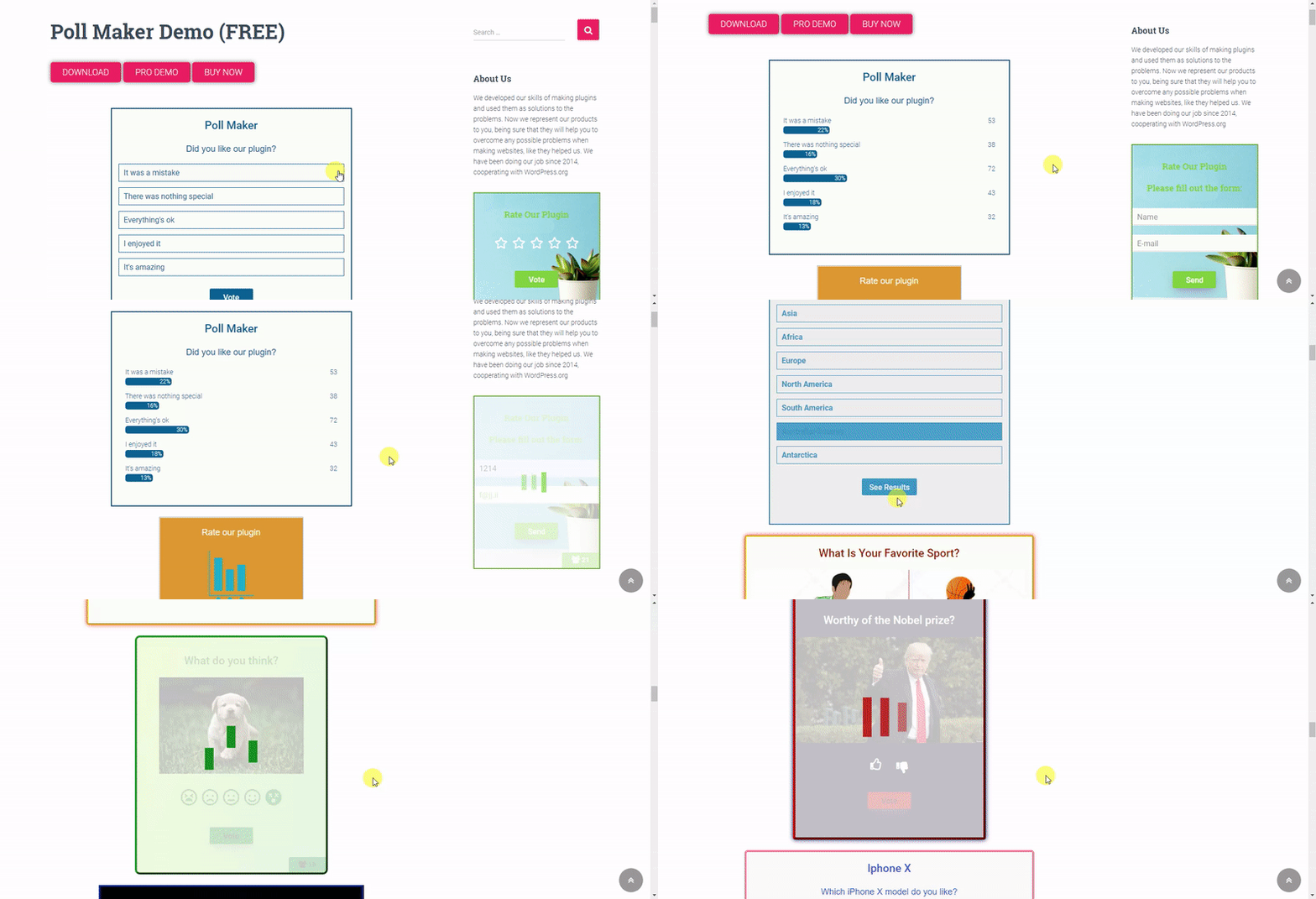
Poll Maker – front end poll preview gif 
Poll Maker – front end poll preview 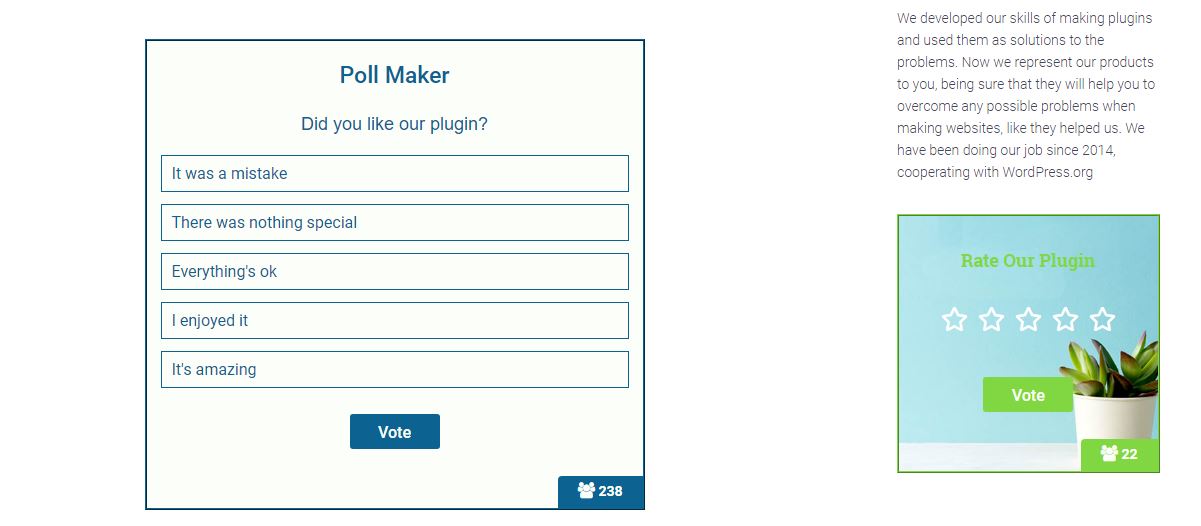
Poll Maker – front end poll preview 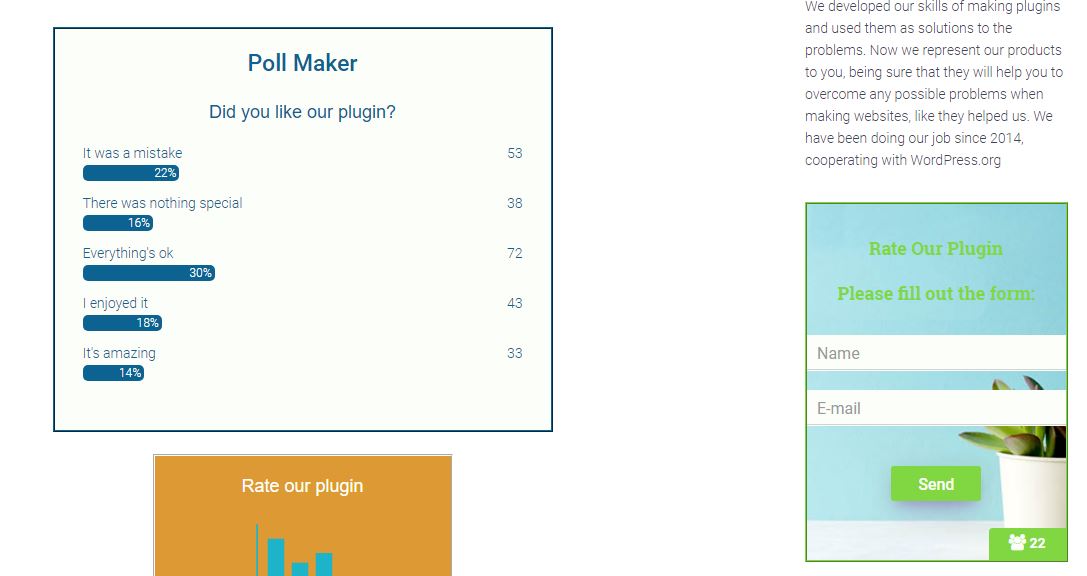
Poll Maker – dashboard polls list 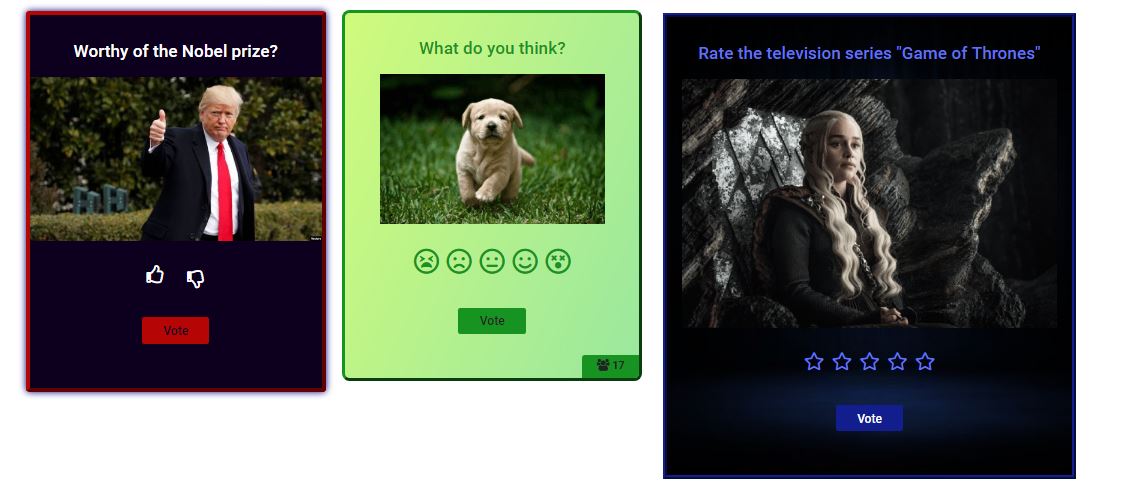
Poll Maker – dashboard edit poll 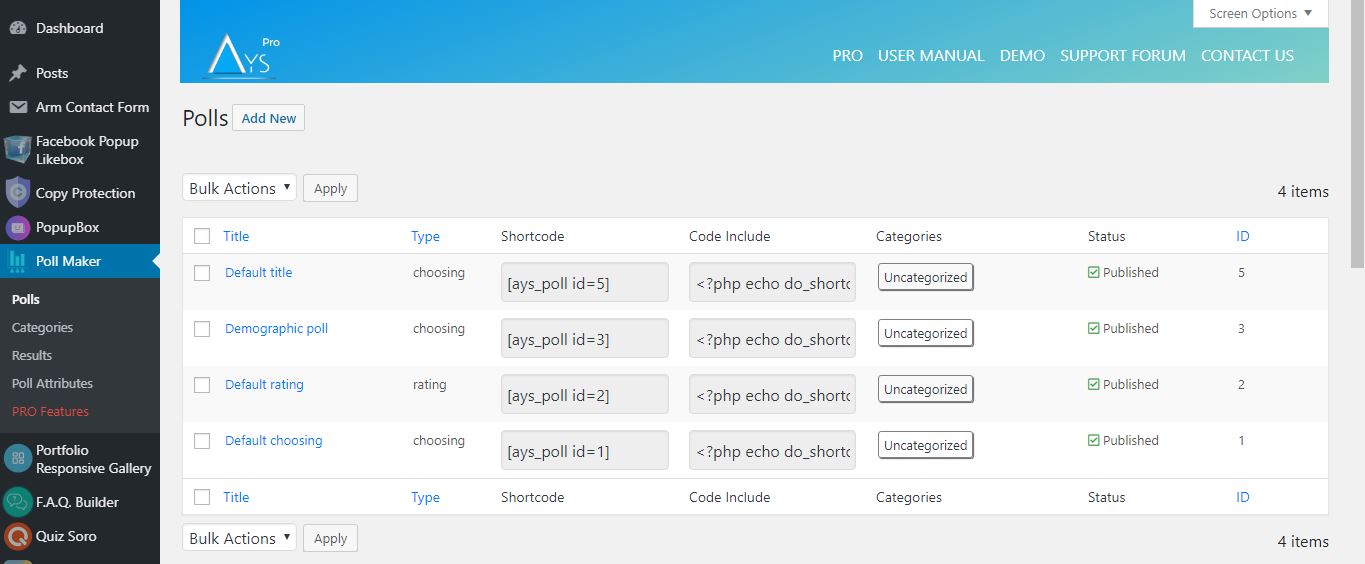
Poll Maker – dashboard edit poll 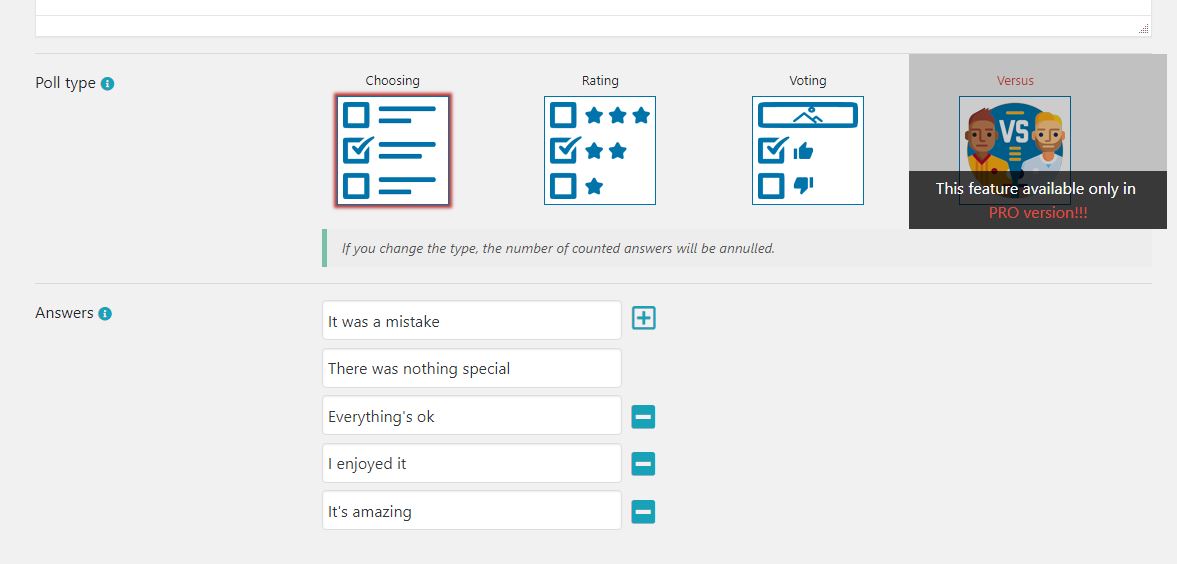
Poll Maker – dashboard edit poll style 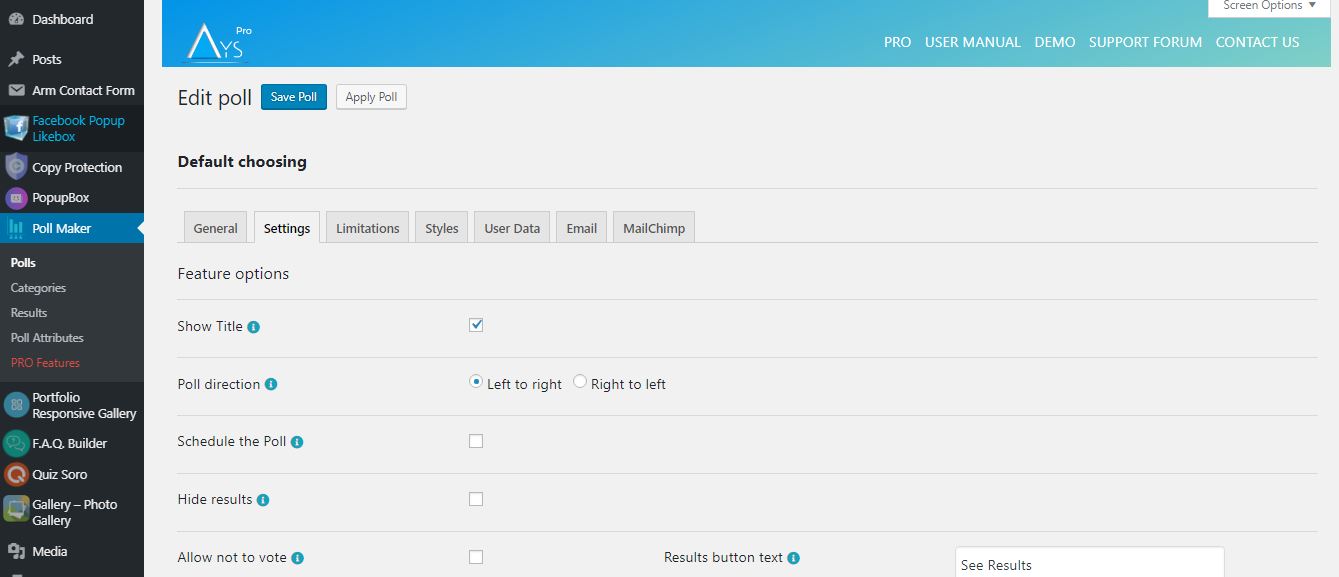
Poll Maker – dashboard poll results 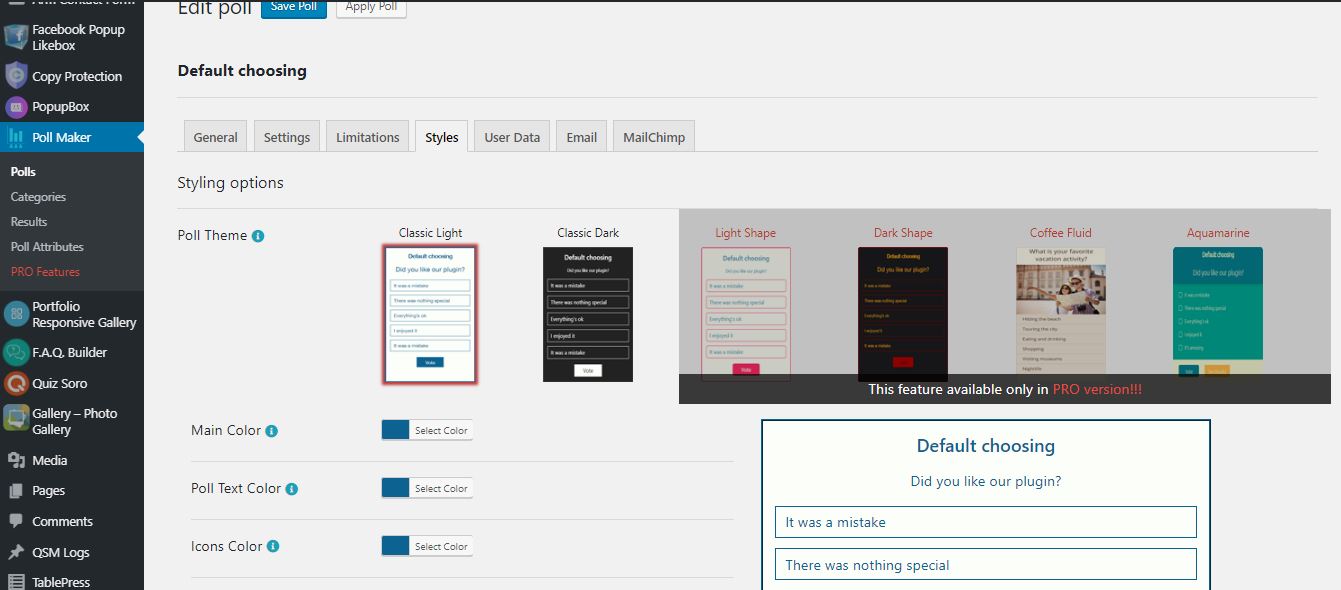
Poll Maker – dashboard preview gif 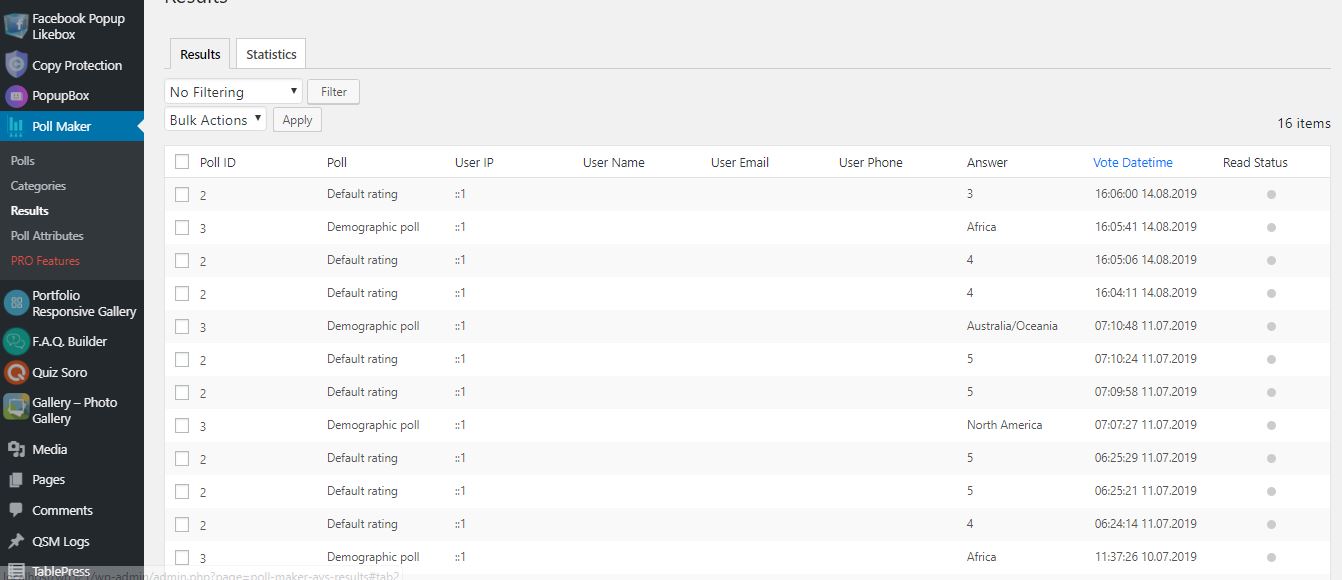


Bloki
Wtyczka dodaje 1 blok.
- Poll Maker
Instalacja
Są dwa sposoby instalacji narzędzia Kreator Sondaży: łatwiejszy, polegający na zainstalowaniu narzędzia Kreator Głsoowań z kokpitu WordPress, i trudniejszy, polegający na zainstalowaniu go z witryny WordPress.org.
- 1.1 Najprostszy sposób na korzystanie z Kreatora Głosowań:
- 1.1.1 Zaloguj się do kokpitu WordPress
- 1.1.2 Przejdź do wtyczek
- 1.1.3 Dodaj nową
- 1.1.4 Wyszukaj Kreator Głosowań (Poll Maker)
- 1.1.5 Kliknij, aby zainstalować
- 1.2 Druga metoda:
- 1.2.1 Pobierz plik zip ze strony https://wordpress.org/plugins/poll-maker/
- 1.2.2 Przejdź do wtyczek
- 1.2.3 Dodaj nową
- 1.2.4 Wczytaj wtyczkę
- 1.2.5 Wybierz plik ays poll_maker.zip
-
1.2.6 Kliknij, aby zainstalować
-
1.3 Aby zainstalować Kreator Głosowań z WordPress.org, musisz rozpakować archiwum i skopiować folder poll-maker do folderu plugins (\wp-content\plugins).
Po wykonaniu jednego z tych kroków możesz aktywować wtyczkę z menu „Wtyczki”.
Po aktywacji skonfiguruj dowolne opcje według uznania i możesz cieszyć się naszym Kreatorem Głosowań.
Najczęściej zadawane pytania
-
1. How can I add a Poll in my site?
-
At first, you need to install the plugin and create a Poll in it. After it, a shortcode will be
generated which you can add wherever you want in your site. And then you can see your Poll. -
2. Are there any limitations in the way of making questions for Poll.
-
The plugin has no limitation in the way of making questions Poll. You can make a Poll
yourself and can add as many Polls as you want. And, you can construct any kind of Poll
question such as video, photo, audio, etc. And you can insert whatever you want with shortcodes. -
3. Can I add the same poll in different pages?
-
Yes, of course. You can add the same Poll at the same time in different pages of the site. You
can also add the Polls in widgets on sidebar. And this does not interrupt the traffic of your site. -
4. How to check the results in Poll?
-
After the installation of the plugin you will need to open settings („Poll maker” in dashboard)
and entering „Results” section you will find the results of your Poll with the help of filters. -
5. How many types are there in the Poll?
-
Our Poll has the following types: voting, choosing, rating (rating-emoji, rating-stars)
-
6. What shall I do in case of any problem?
-
Our support team works very hard to provide answers within 24 hours. We do our best for
giving you thorough answers. For the future, we also plan many new and fantastic features and,
of course, new updates. -
7. How can I add a poll on the widget?
-
There are two Polls set by default in our plugin. For adding a Poll in widget you need to
follow the instruction: Go to the widget section and if you have a Poll in our plugin, you will see
there our widget. Then put it on the sidebar and select the Poll and a width for it. Afterward, we
can say that it is a widget poll. -
8. Gdzie znajdę wersję demonstracyjną tej wtyczki?
-
Check out the WordPress Poll plugin Free Demo page to find all the advanced features the plugin offers.
-
9. Can I collect personal information from my poll voters?
-
Sure! In order to achieve this, head to the Polls page > particular poll > User Data tab and tick the Enable Information Form option.
Then, select which fields the user should fill out. -
10. Jak zmienić przygotowane wcześniej motywy i szablony?
-
Want to change the style of the poll? Then, head to the Polls page > particular poll > Styles tab.
Select your preferred, ready-to-use template and customize it with the styling options available in the plugin. -
11. Czy jest jakaś dokumentacja albo przewodnik użytkownika dla tej wtyczki?
-
Sure, there is! Check out our official documentation(user guide) to find all the features/functionalities the plugin includes.
There you can see the detailed descriptions of the options, instructions for their usage, video guides, the installation process of the plugin, etc.
By the way, you are welcome to contact us via the Free Support Forum in case of having any questions/queries. -
12. Jak uaktualnić do wersji pro bez utraty danych?
-
All you need to do is to click on the Upgrade button (instead of the Deactivate) when deactivating the plugin.
By this, you will save your already created data (quizzes with questions). You can check out the Update Guide for further information.
Recenzje


Kontrybutorzy i deweloperzy
„Kreator sondaży – sondaże versus, sondaże anonimowe, sondaże obrazkowe” jest oprogramowaniem open source. Poniższe osoby miały wkład w rozwój wtyczki.
Zaangażowani
Wtyczka „Kreator sondaży – sondaże versus, sondaże anonimowe, sondaże obrazkowe” została przetłumaczona na 10 języków. Podziękuj tłumaczom za ich wkład.
Interesuje cię rozwój wtyczki?
Przeglądaj kod, sprawdź repozytorium SVN lub czytaj dziennik rozwoju przez RSS.
Rejestr zmian
6.1.7 ( December 24, 2025 )
- Ulepszono: Drobne zmiany w kokpicie administratora
6.1.6 ( December 16, 2025 )
- Added: Current month message variable on the general settings
6.1.5 ( December 09, 2025 )
- Added: Current day message variable on the general settings
6.1.4 ( December 05, 2025 )
- Ulepszono: Drobne zmiany w kokpicie administratora
- Zaktualizowano: Plik POT
6.1.3 ( December 02, 2025 )
- Added: Current time message variable on the general settings
- Ulepszono: Drobne zmiany w kokpicie administratora
- Tested: Compatible up to WP 6.9
6.1.2 ( November 25, 2025 )
- Ulepszono: Drobne zmiany w kokpicie administratora
6.1.1 ( November 20, 2025 )
- Added: „Black Friday Deal” Banner
6.1.0 ( November 18, 2025 )
- Added: Post author roles message variable on the general settings
- Ulepszono: Drobne zmiany w kokpicie administratora
6.0.9 ( November 11, 2025 )
- Added: Current poll author Website URL message variable on the general settings
- Ulepszono: Drobne zmiany w kokpicie administratora
6.0.8 ( November 04, 2025 )
- Zaktualizowano: Plik POT
- Fixed: Code correction on the admin dashboard
6.0.7 ( October 28, 2025 )
- Added: Current poll author display name message variable on the general settings
- Ulepszono: Drobne zmiany w kokpicie administratora
6.0.6 ( October 21, 2025 )
- Ulepszono: Drobne zmiany w kokpicie administratora
6.0.5 ( October 14, 2025 )
- Added: Post Author Website URL message variable on the general settings
- Ulepszono: Drobne zmiany w kokpicie administratora
6.0.4 ( October 08, 2025 )
- Ulepszono: Drobne zmiany w kokpicie administratora
6.0.3 ( October 03, 2025 )
- Added: Post Author Display name message variable on the general settings
- Ulepszono: Drobne zmiany w kokpicie administratora
6.0.2 ( September 23, 2025 )
- Improved: The banner style on the admin dashboard
6.0.1 ( September 16, 2025 )
- Added: Post Author Last name message variable on the general settings
- Ulepszono: Drobne zmiany w kokpicie administratora
6.0.0 ( September 09, 2025 )
- Added: Post Author First name message variable on the general settings
5.9.9 ( September 03, 2025 )
- Improved: Some styles on the admin dashboard
- Zaktualizowano: Pliki POT i PO
5.9.8 ( August 26, 2025 )
- Added: Post Author Nickname message variable on the general settings
- Ulepszono: Drobne zmiany w kokpicie administratora
5.9.7 ( August 19, 2025 )
- Improved: HTML structure for iframe embeds
- Ulepszono: Drobne zmiany w kokpicie administratora
5.9.6 ( August 12, 2025 )
- Fixed: See results in limitation user while Directly chosen
5.9.5 ( August 05, 2025 )
- Added: Post Author Email message variable on the general settings
5.9.4 ( July 29, 2025 )
- Dodano: Zmienna tekstowa adresu e-mail administratora w ogólnych ustawieniach
5.9.3 ( July 22, 2025 )
- Dodano: Zmienna tekstowa „Identyfikator wpisu” w ustawieniach ogólnych
- Sprawdzono: Zgodność z wersją 6.8.2
5.9.2 ( July 15, 2025 )
- Dodano: Hak w interfejsie użytkownika po oddaniu głosu
- Ulepszono: Powiadomienia o funkcjonalnościach
- Ulepszono: Drobne zmiany w kokpicie administratora
5.9.1 ( July 08, 2025 )
- Ulepszono: Drobne zmiany w kokpicie administratora
5.9.0 ( July 01, 2025 )
- Dodano: Podmenu kokpitu
- Ulepszono: Strona powitalna Kreatora sondaży
- Naprawiono: Problem z luką w zabezpieczeniach poczty e-mail administratora
5.8.9 ( June 24, 2025 )
- Dodano: Zmienna komunikatu tytułu witryny w ustawieniach ogólnych
5.8.8 ( June 17, 2025 )
- Dodano: Zmienna tekstowa „Strona główna” na stronie ustawień ogólnych
- Ulepszono: Drobne zmiany w kokpicie administratora
5.8.7 ( June 12, 2025 )
- Zaktualizowano: Pliki POT i PO
- Naprawiono: Problem z tłumaczeniami
5.8.6 ( June 10, 2025 )
- Dodano: Zmienna tekstowa „Tytuł wpisu” w ustawieniach ogólnych
- Naprawiono: Problem z animacją w kokpicie administracyjnym
5.8.5 ( June 03, 2025 )
- Dodano: Zmienna tekstowa „Adres e-mail autora bieżącego wpisu” w ustawieniach ogólnych
5.8.4 ( May 27, 2025 )
- Ulepszono: Zmiany kodu w kokpicie administratora
- Naprawiono: Konflikt z motywem sklepu Pixel Ebook Store
- Naprawiono: Konflikt z motywem Interactive Education
5.8.3 ( May 20, 2025 )
- Ulepszono: Drobne zmiany w kokpicie administratora
- Naprawiono: Problem z przyciskiem odrzucenia w kokpicie
- Naprawiono: Konflikt kodu CSS z wtyczką WP Social Login and Register
5.8.2 ( May 14, 2025 )
- Improved: Some styles on the admin dashboard
- Zaktualizowano: Pliki POT i PO
5.8.1
- Changed: The location of the Save as default button on the polls edit page
- Improved: Some styles on the admin dashboard
- Sprawdzono: Zgodność z wersją 6.8.1
5.8.0
- Fixed: issue with multisite logs and network deactivation
5.7.9
- Dodano: Wtyczkę Fox LMS na stronie naszych produktów
- Dodano: Automatyczne włączenie/instalacja wtyczki w podmenu Produkty
- Improved: Some styles on the admin dashboard
5.7.8
- Dodano: Przycisk „Zobacz sondaż” w wyskakującym okienku szybkiego quizu
- Improved: Some styles on the admin dashboard
- Naprawiono: Konflikt CSS z wtyczką odtwarzacza filmów HTML5
- Naprawiono: Konflikt CSS z wtyczką Panorama Viewer
- Fixed: Vulnerability issue with user vote limitation
5.7.7
- Dodano: Automatyczne generowanie niestandardowego wpisu w celu natychmiastowego podglądu sondażu w interfejsie użytkownika
- Dodano: Odnośnik podglądu w tabeli listy sondaży
- Dodano: Przycisk podglądu sondażu w oknie podręcznym „Podgląd utworzonego sondażu”
- Improved: Some styles on the admin dashboard
- Sprawdzono: Zgodność z wersją 6.8
5.7.6
- Improved: Some styles on the admin dashboard
5.7.5
- Changed: Subtitle icon on the Polls List Table
- Improved: Some styles on the admin dashboard
5.7.4
- Zaktualizowano: Pliki POT i PO
- Naprawiono: Kilka błędów
5.7.3
- Improved: Some styles on the admin dashboard
- Sprawdzono: Zgodność z wersją PHP 8.3+
5.7.2
- Added: Some sanitizing checks on the admin dashboard
- Naprawiono: Problemy ze stylem RTL w kokpicie administratora
5.7.1
- Added: Some sanitizing checks on the front end
- Naprawiono: Problem z wtyczką Elementor
5.7.0
- Zaktualizowano: Plik POT
- Naprawiono: Kilka błędów
5.6.9
- Dodano: Numerowanie liczbami rzymskimi dla odpowiedzi
5.6.8
- Improved: Some styles on the admin dashboard
- Sprawdzono: Zgodność z wersją 6.7.2
5.6.7
- Added: Buttons width mobile option in admin dashboard
5.6.6
- Fixed: Vulnerability issue connected to the poll results list table
5.6.5
- Added: Display of answer images in public page
5.6.4
- Fixed: Vote reason displaying issue on results page
- Fixed: Code correction for Live Preview mode
5.6.3
- Fixed: Some responsive styles on the admin dashboard
5.6.2
- Improved: Some styles on the admin dashboard
5.6.1
- Added: Answer hover color option
- Improved: Some styles on the admin dashboard
5.6.0
- Zaktualizowano: Plik POT
- Naprawiono: Niektóre style w kokpicie administracyjnym
5.5.9
- Naprawiono: Problem z odpowiedzią w kokpicie administracyjnym
- Added: Mobile Single Column View option in admin dashboard
5.5.8
- Naprawiono: Problem ze stylizacją na stronie Gutenberga
5.5.7
- Naprawiono: Problem związany z wyłączeniem sondażu
- Improved: Some styles on the admin dashboard
5.5.6
- Zmieniono: Styl banera w kokpicie administracyjnym
- Ulepszono: Optymalizacja kodu i poprawa czytelności
5.5.5
- Naprawiono: Problemy z bezpieczeństwem w kokpicie administratora i interfejsie uzytkownika
5.5.4
- Naprawiono: Problemy z bezpieczeństwem na kokpicie administratora
- Ulepszono: Drobne zmiany w kokpicie administratora
5.5.3
- Dodano: Zmienna wiadomości „Bieżąca data”
- Naprawiono: Niektóre style w kokpicie administracyjnym
- Zaktualizowano: Plik POT
5.5.2
- Naprawiono: Problem z duplikacją sondażu
- Ulepszono: Drobne zmiany w kokpicie administratora
- Sprawdzono: Zgodność z wersją 6.7.1
5.5.1
- Naprawiono: Problem bezpieczeństwa w kokpicie administracyjnym
- Sprawdzono: Zgodność z wersją 6.7
5.5.0
- Dodano: Opcja wyrównania tytułu sondażu na urządzeniach mobilnych
5.4.9
- Added: Results bar in RGBA option for the Quick Poll Popup
- Fixed: Security issue connected to the poll custom answer
5.4.8
- Dodano: Opcja „Włącz przycisk restartu” dla wyskakującego okienka szybkiego sondażu
- Naprawiono: Problem z tłumaczeniami.
5.4.7
- Dodano: Opcja „Pokaż tytuł” w wyskakującym okienku Szybki sondaż
- Dodano: Opcja „Pokaż datę utworzenia” w wyskakującym okienku Szybki sondaż
- Naprawiono: Problem bezpieczeństwa w kokpicie administracyjnym
5.4.6
- Added: Randomize answers option for the Quick Poll Popup
- Zaktualizowano: Plik POT
5.4.5
- Dodano: Opcja zaokrąglenia obrazka odpowiedzi
5.4.4
- Fixed: Issue connected to the only for logged in users limitation message
- Improved: Styles on the poll integrations page
5.4.3
- Improved: Some styles on the admin dashboard
5.4.3
- Improved: Some styles on the admin dashboard
- Sprawdzono: Zgodność z wersją 6.6.2
5.4.2
- Added: Info Text for the Elementor and Gutenberg blocks preview
- Improved: Some styles on the admin dashboard
5.4.1
- Fixed: Issue connected to the poll title
- Zaktualizowano: Plik POT
5.4.0
- Added: Expand/Collapse functionality for polls options on the Polls page
5.3.9
- Ulepszono: Style w kokpicie administracyjnym
5.3.8
- Fixed: Issue connected to the allow multivote option
- Naprawiono: Problemy ze stylem na stronie głównej
5.3.7
- Fixed: Polls search box issue on polls list table
- Naprawiono: Niektóre style w kokpicie administracyjnym
5.3.6
- Added: Autofill logged-in user data option
- Sprawdzono: Zgodność z wersją 6.6.1
5.3.5
- Dodano: Opcja adresu URL sondażu
- Sprawdzono: Zgodność z wersją 6.6
5.3.4
- Naprawiono: Problemy z tłumaczeniami
- Naprawiono: Problem wyrównania sondażu na stronie głównej
5.3.3
- Naprawiono: Problemy ze stylem na stronie głównej
- Fixed: PHP issue on the each results list table
5.3.2
- Improved: Plugin performance on the admin dashboard
- Sprawdzono: Zgodność z wersją 6.5.5
5.3.1
- Naprawiono: Problemy ze stylem na stronie głównej
- Naprawiono: Problemy ze stylem w kokpicie administratora
- Zaktualizowano: Plik POT
5.3.0
- Ulepszono: Niektóre style kokpitu
- Naprawiono: Problem z bezpieczeństwem adresu IP użytkownika
5.2.9
- Fixed: Issue connected to the text type poll statistics chart
- Naprawiono: Problemy ze stylem w kokpicie administratora
- Sprawdzono: Zgodność z wersją 6.5.4
5.2.8
- Fixed: Issue connected to the poll text type
5.2.7
- Naprawiono: Problemy ze stylem w kokpicie administratora
- Fixed: Issue connected to the poll categories shortcode
5.2.6
- Fixed: Issue connected to the poll text type
5.2.5
- Naprawiono: Problemy z tłumaczeniem kokpitu administratora
- Naprawiono: Problemy ze stylami na stronie głównej
5.2.4
- Naprawiono: Problemy z tłumaczeniem kokpitu administratora
- Zaktualizowano: Plik POT
5.2.3
- Naprawiono: Niektóre style w kokpicie administracyjnym
- Sprawdzono: Zgodność z wersją 6.5.3
5.2.2
- Ulepszono: Niektóre style stopki kokpitu
5.2.1
- Fixed: Issues connected to the poll fonts on the front page
5.2.0
- Fixed: Issue connected to the result message on the front page
- Naprawiono: Problemy z JS w kokpicie administracyjnym
5.1.9
- Fixed: Quick Poll security issue on the admin dashboard
- Fixed: Security issue connected to the change the author of the current poll option
5.1.8
- Naprawiono: Konflikt JavaScript z wtyczką Elementor
- Zaktualizowano: Plik POT
5.1.7
- Changed: The polls Edit page design
5.1.6
- Added: Hide results option for the Quick Poll Popup
- Sprawdzono: Zgodność z wersją 6.5
5.1.5
- Added: Show Author option for the Quick Poll Popup
5.1.4
- Fixed: Issue with the filter by type in polls list table (PHP 7.2)
- Zaktualizowano: Plik POT
5.1.3
- Changed: The polls list table design
5.1.2
- Added: User phone message variable on the general settings page
- Improved: Some styles on the admin dashboard
5.1.1
- Added: Show timer at the bottom suboption to display the timer at the bottom
5.1.0
- Added: The Message variables section for the Hide Results option
- Improved: Some styles on the admin dashboard
5.0.9
- Added: User Email message variable on the general settings page
- Fixed: Issue connected to the result message
5.0.8
- Fixed: Issue connected to the User Name message variable
- Zaktualizowano: Pliki PO
5.0.7
- Added: User Name message variable on the general settings page
- Zaktualizowano: Pliki PO
5.0.6
- Added: Allow not to vote option for the Quick Poll Popup
- Improved: Some styles on the admin dashboard
- Zaktualizowano: Plik POT
5.0.5
- Improved: Some styles on the admin dashboard
5.0.4
- Added: Information popup about the poll after creating a poll
5.0.3
- Added: Allow Multivote option for the Quick Poll Popup
- Fixed: Issue connected to the Allow Multivote option
5.0.2
- Added: Create Quick Poll functionality on the admin dashboard
5.0.1
- Added: User website message variable on the general settings page
- Dodano: Obsługa języka włoskiego
- Zaktualizowano: Pliki POT i PO
5.0.0
- Naprawiono: Niektóre style w kokpicie administracyjnym
- Naprawiono: Błąd widżetu Elementora
4.9.9
- Dodano: Przycisk „Anuluj” na stronie edycji sondażu
- Naprawiono: Niektóre style w kokpicie administracyjnym
4.9.8
- Improved: Message when no active polls found option on the poll categories page
- Naprawiono: Problem z oczyszczaniem obrazków
4.9.7
- Dodano: Boks potwierdzenia dla niezapisanych zmian w kokpicie administracyjnym
4.9.6
- Fixed: Images sanitizing problem on the admin/front page
- Sprawdzono: Zgodność z wersją 6.4.2
4.9.5
- Ulepszono: Drobne zmiany w kokpicie administratora
- Zaktualizowano: Pliki POT i PO
4.9.4
- Naprawiono: Niektóre style w kokpicie administracyjnym
- Naprawiono: Problemy ze stylami na stronie głównej
4.9.3
- Naprawiono: Niektóre style w kokpicie administracyjnym
- Fixed: PHP issue on the each results list table
4.9.2
- Naprawiono: Niektóre style w kokpicie administracyjnym
4.9.1
- Ulepszono: Drobne zmiany w kokpicie administratora
4.9.0
- Naprawiono: Niektóre style w kokpicie administracyjnym
- Fixed: PHP issue on the each results list table
4.8.9
- Naprawiono: Niektóre style w kokpicie administracyjnym
- Fixed: Some issues on the each results list table
4.8.8
- Naprawiono: Niektóre style w kokpicie administracyjnym
4.8.7
- Naprawiono: Problemy ze stylami na stronie głównej
- Zaktualizowano: Pliki POT i PO
- Sprawdzono: Zgodność z wersją 6.4.1
4.8.6
- Naprawiono: Niektóre style w kokpicie administracyjnym
- Fixed: Some responsive style issues on the results list table
4.8.5
- Naprawiono: Niektóre style w kokpicie administracyjnym
- Fixed: Filter and search options conflict on the polls list table
- Sprawdzono: Zgodność z wersją 6.4
4.8.4
- Zmieniono: Styl banera w kokpicie administracyjnym
4.8.3
- Added: Type filter on the polls list table
- Naprawiono: Niektóre style w kokpicie administracyjnym
4.8.2
- Ulepszono: Drobne zmiany w kokpicie administratora
- Sprawdzono: Zgodność z wersją 6.3.2
4.8.1
- Added: Height suboption for the Show results by option
- Fixed: Issue connected to the allow multivote option
4.8.0
- Naprawiono: Niektóre style w kokpicie administracyjnym
- Ulepszono: Styl przycisku „Zadaj pytanie w kokpicie administracyjnym”
4.7.9
- Naprawiono: Niektóre style w kokpicie administracyjnym
- Naprawiono: Problemy ze stylami na stronie głównej
4.7.8
- Naprawiono: Problem z sekundnikiem banera w kokpicie administracyjnym
- Fixed: Some issues conected to the loading effect size option
- Fixed: Some issues conected to the allow custom answer option
4.7.7
- Added: Confirmation Box before removing the polls/results and categories
- Naprawiono: Niektóre style w kokpicie administracyjnym
4.7.6
- Fixed: Banner security issue on the admin dashboard
- Fixed: Some issues connected to the allow custom answer option
4.7.5
- Added: Author filter on the polls list table
- Fixed: Responsive problem on the admin dashboard
- Sprawdzono: Zgodność z wersją 6.3.1
4.7.4
- Naprawiono: Niektóre style w kokpicie administracyjnym
- Fixed: Issue connected to the create post for poll option
4.7.3
- Added: 7 and 10-star rating options for the Rating Poll Type
- Ulepszono: Style w kokpicie administracyjnym
- Sprawdzono: Zgodność z wersją 6.3
4.7.2
- Naprawiono: Niektóre style w kokpicie administracyjnym
- Naprawiono: Problem bezpieczeństwa na stronie głównej
4.7.1
- Ulepszono: Style kokpitu nawigacyjnego
- Naprawiono: Problem bezpieczeństwa w kokpicie administracyjnym
4.7.0
- Added: Detailed Popup for the poll each result
- Zmieniono: Styl banera w kokpicie administracyjnym
- Naprawiono: Niektóre style w kokpicie administracyjnym
4.6.9
- Naprawiono: Niektóre style w kokpicie administracyjnym
- Improved: Min/Max values for the Allow multivote option
4.6.8
- Added: Status filter on the polls list table
- Ulepszono: Wyłącz styl wyskakującego okienka na stronie wtyczek
4.6.7
- Added: User phone column on the poll results list table
- Fixed: User name user email and vote reason displaying issue on the poll results list table
- Naprawiono: Problemy ze stylami na stronie głównej
4.6.6
- Fixed: Database error on the polls results page
- Naprawiono: Niektóre style w kokpicie administracyjnym
4.6.5
- Naprawiono: Niektóre style w kokpicie administracyjnym
- Naprawiono: Problem z JS w kokpicie administracyjnym
- Fixed: The default value for the alignment option in the text type
4.6.4
- Added: Introduction page for Poll Maker
- Dodano: Przewodnik konfiguracji
4.6.3
- Added: Create post for poll Option
- Added: Results column on the polls list table
- Added: Ability to copy the shortcode from the polls list table
- Dodano: Utwórz podmenu
- Added: Each poll results list table
- Zmieniono: Niektóre style w kokpicie administracyjnym
- Fixed: Security issue on the poll integrations page
- Improved: Polls results list table
4.6.2
- Added: Button background color changing option
- Sprawdzono: Zgodność z wersją 6.2.2
4.6.1
- Added: Option to be able to show results after schedule without button
- Sprawdzono: Zgodność z wersją 6.2.1
4.6.0
- Fixed: Select poll issue on the Gutenberg block
- Zaktualizowano: Pliki POT i PO
4.5.9
- Naprawiono: Błąd bloku Gutenberga
4.5.8
- Added: Button text color changing option
4.5.7
- Added: Functionality to insert message variables into the wp editor on the result message
4.5.6
- Naprawiono: Problemy ze stylem CSS w kokpicie administratora
- Sprawdzono: Zgodność z wersją 6.2
4.5.5
- Dodano: Opcja tytułu dla logotypu sondażu
- Naprawiono: Problemy ze stylem na stronie głównej
4.5.4
- Dodano: Domyślna wiadomość dla pola tekstowego
- Naprawiono: Niektóre zmiany w kokpicie
4.5.3
- Naprawiono: Korekta kodu na interfejsie użytkownika
- Naprawiono: Niektóre zmiany w kokpicie
- Zablokowano: Nowe funkcje pro
4.5.2
- Zmieniono: Styl banera w kokpicie administracyjnym
- Naprawiono: Niektóre zmiany w kokpicie
4.5.1
- Added: Shortcode attribute for ayspoll_results to show latest result
- Naprawiono: Niektóre zmiany w kokpicie
4.5.0
- Zmieniono: Problemy ze stylem CSS w kokpicie administratora
- Fixed: Categories list table pagination issue
- Fixed: The Search box and pagination conflict on all list tables
4.4.9
- Added: SVG poll icon in Gutenberg editor
- Fixed: Column width issue for logged-in users
- Zaktualizowano: Plik POT
4.4.8
- Dodano: Przycisk „Resetuj style” na pulpicie administratora
4.4.7
- Naprawiono: Problemy ze stylem CSS w kokpicie administratora
4.4.6
- Dodano: Podpowiedź dla przycisków „Zapisz” w kokpicie
- Zaktualizowano: Plik POT
4.4.5
- Zmieniono: Problemy ze stylem CSS w kokpicie administratora
4.4.4
- Zmieniono: Problemy ze stylem CSS w kokpicie administratora
- Fixed: Vertical scrolling issue on the admin dashboard
4.4.3
- Fixed: Default poll creation date in admin dashboard
- Zaktualizowano: Pliki POT i PO
4.4.2
- Naprawiono: Problemy ze stylem CSS w kokpicie administratora
4.4.1
- Zmieniono: Problemy ze stylem CSS w kokpicie administratora
- Naprawiono: Problem z duplikacją sondażu
4.4.0
- Changed: Change the poll author option design
- Naprawiono: Problemy ze stylami na stronie głównej
4.3.9
- Fixed: Multivote and answer redirection problem on the front page
- Fixed: Multivote and show correct answers problem on the front page
4.3.8
- Naprawiono: Problem ze stylem CSS na stronie administratora
4.3.7
- Added: Confirmation box for deleting poll answers
- Naprawiono: Problemy ze stylem CSS w kokpicie administratora
- Sprawdzono: Zgodność z wersją 6.1.1
4.3.6
- Naprawiono: Problem ze stylem sortowania tabeli odpowiedzi
- Naprawiono: Problemy ze stylami w kokpicie
4.3.5
- Dodano: Przekierowanie do innej funkcjonalności sondaży na stronie ankiet
- Naprawiono: Problem z kategorią sondaży na stronie wyników
4.3.4
- Fixed: CSS style issues on the front page
- Sprawdzono: Zgodność z wersją 6.1
4.3.3
- Naprawiono: Problemy ze stylem CSS w kokpicie administratora
4.3.2
- Naprawiono: Problemy ze stylem CSS w kokpicie administratora
4.3.1
- Dodano: Brakujące pliki
4.3.0
- Dodano: Odnośniki: Dokumentacja, Bezpłatne wsparcie i Oceń nas na stronie wtyczek
- Naprawiono: Problem z przekierowaniem odpowiedzi na stronie głównej
- Naprawiono: Problemy ze stylem CSS w kokpicie administratora
4.2.9
- Added: New loading effect on the admin dashboard
- Added: Read/unread functionality on the results list table
- Naprawiono: Problemy ze stylem CSS w kokpicie administratora
- Sprawdzono: Zgodność z wersją 6.0.3
4.2.8
- Added: Categories column on the results list table
- Fixed: CSS style issues on the front page
4.2.7
- Fixed: CSS style issues on the front page
4.2.6
- Naprawiono: Problem wyrównania na stronie głównej
- Fixed: Default poll choosing issue on the admin dashboard
4.2.5
- Naprawiono: Problemy ze stylem CSS w kokpicie administratora
- Zaktualizowano: Pliki POT i PO
4.2.4
- Naprawiono: Problem z wyborem sondażu w edytorze Gutenberga.
- Naprawiono: Problem z tłumaczeniem w podmenu „Jak używać”
- Sprawdzono: Zgodność z wersją 6.0.2
4.2.3
- Naprawiono: Problemy ze stylem CSS w kokpicie administratora
4.2.2
- Naprawiono: Problemy ze stylem CSS w kokpicie administratora
4.2.1
- Dodano: Nowy rodzaj wykresu paskowego na stronie głównej
4.2.0
- Dodano: Film, jak utworzyć sondaż w ciągu minuty na stronie galerii
- Naprawiono: Problemy ze stylem CSS w kokpicie administracyjnym
4.1.9
- Naprawiono: Problemy ze stylem CSS w kokpicie administracyjnym
4.1.8
- Zmieniono: Typ ankiety wybierającej projekt strony
4.1.7.1
- Naprawiono: Problem z wyborem funkcjonalności typu ankiety
4.1.7
- Ulepszono: Funkcjonalność wyboru typu ankiety podczas dodawania nowej ankiety
4.1.6
- Dodano: Zmienna tekstowa „Adres IP użytkownika” w ustawieniach ogólnych
- Naprawiono: Problem PHP w krótkim kodzie wyniku
4.1.5
- Dodano: Zmienna tekstowa „Odnośnik do strony aktualnego sondażu” w ustawieniach ogólnych
4.1.4
- Added: Show poll answers count shortcode
4.1.3
- Added: All passed polls count per user message variable
4.1.2
- Added: Demo links for poll types
- Fixed: Default poll issue on the results page
4.1.1
- Changed: Community section style on the How to use page
4.1.0
- Added: Youtube link to social media links option
4.0.9
- Changed: Our Products submenu Interface design
4.0.8
- Fixed: Share buttons heading’s shortcode problem
- Added: View Documentation link in admin page submenus
- Sprawdzono: Zgodność z wersją 6.0
4.0.7
- Zmieniono: Styl banera w kokpicie administracyjnym
4.0.6
- Added: Heading for social media links option
4.0.5
- Dodano: Opcja odnośników do mediów społecznościowych
4.0.4
- Added: Show current poll author shortcode on the general settings
4.0.3
- Added: Next Poll category button on the Poll categories edit page
4.0.2
- Added: Next Poll category button on the Poll categories edit page
- Naprawiono: Problemy z PHP w kokpicie
4.0.1
- Added: Poll pass count message variable
4.0.0
- Added: Show poll categories titles shortcode
1.0.1
- Dodano: Domyślny sondaż z oceną
- Dodano: Przycisk zatwierdzenia, gdy użytkownik chce utworzyć sondaż
- Naprawiono: Problem z aktywacją
