Building MCP servers for ChatGPT and API integrations
Model Context Protocol (MCP) is an open protocol that's becoming the industry standard for extending AI models with additional tools and knowledge. Remote MCP servers can be used to connect models over the Internet to new data sources and capabilities.
In this guide, we'll cover how to build a remote MCP server that reads data from a private data source (a vector store) and makes it available in ChatGPT via connectors in chat and deep research, as well as via API.
Note: You can build and use full MCP connectors with the developer mode beta. Pro and Plus users can enable it under Settings → Connectors → Advanced → Developer mode to access the complete set of MCP tools. Learn more in the Developer mode guide.
Configure a data source
You can use data from any source to power a remote MCP server, but for simplicity, we will use vector stores in the OpenAI API. Begin by uploading a PDF document to a new vector store - you can use this public domain 19th century book about cats for an example.
You can upload files and create a vector store in the dashboard here, or you can create vector stores and upload files via API. Follow the vector store guide to set up a vector store and upload a file to it.
Make a note of the vector store's unique ID to use in the example to follow.
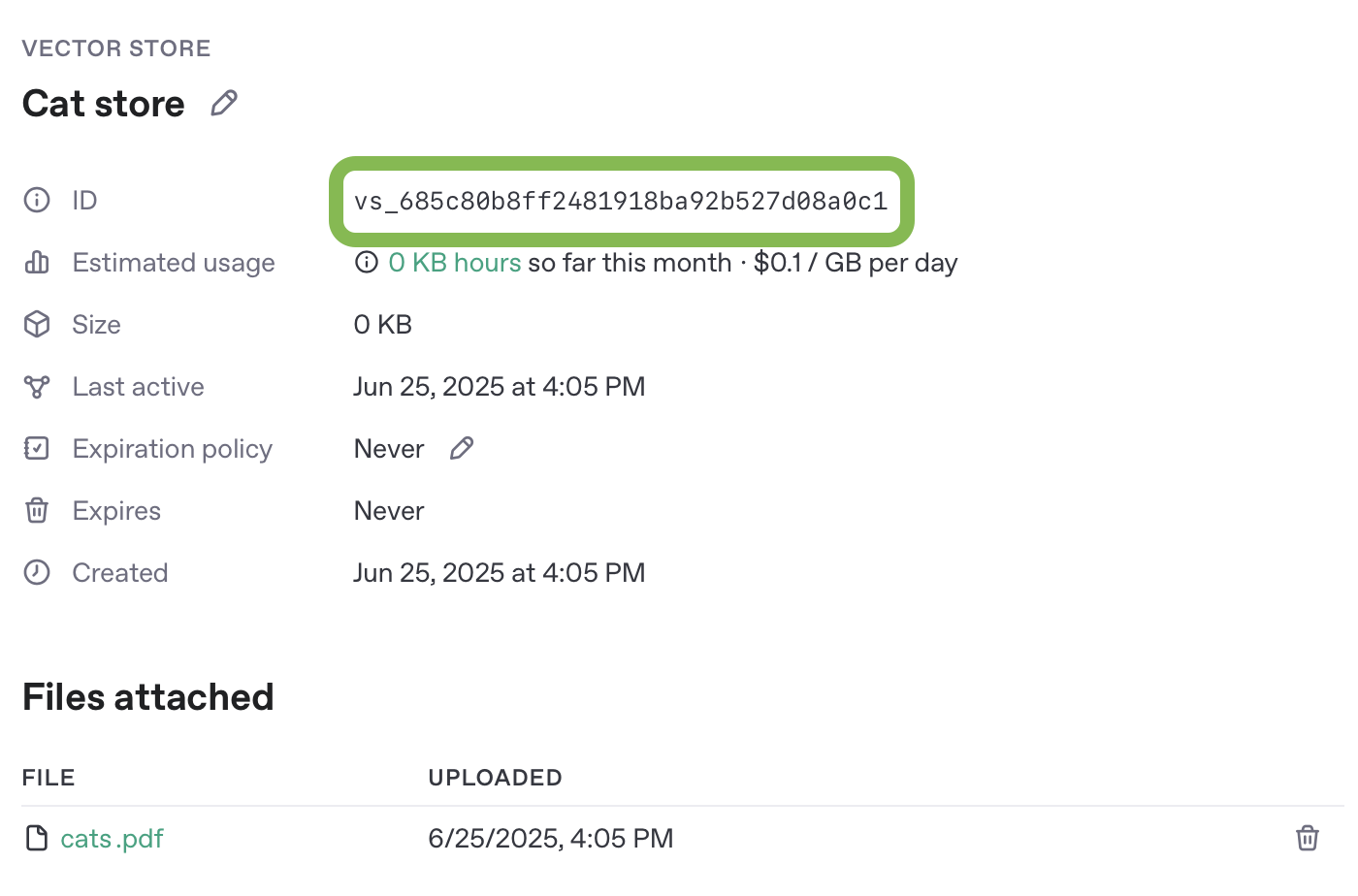
Create an MCP server
Next, let's create a remote MCP server that will do search queries against our vector store, and be able to return document content for files with a given ID.
In this example, we are going to build our MCP server using Python and FastMCP. A full implementation of the server will be provided at the end of this section, along with instructions for running it on Replit.
Note that there are a number of other MCP server frameworks you can use in a variety of programming languages. Whichever framework you use though, the tool definitions in your server will need to conform to the shape described here.
To work with ChatGPT Connectors or deep research (in ChatGPT or via API), your MCP server must implement two tools - search and fetch.
search tool
The search tool is responsible for returning a list of relevant search results from your MCP server's data source, given a user's query.
Arguments:
A single query string.
Returns:
An object with a single key, results, whose value is an array of result objects. Each result object should include:
id- a unique ID for the document or search result itemtitle- human-readable title.url- canonical URL for citation.
In MCP, tool results must be returned as a content array containing one or more "content items." Each content item has a type (such as text, image, or resource) and a payload.
For the search tool, you should return exactly one content item with:
type: "text"text: a JSON-encoded string matching the results array schema above.
The final tool response should look like:
1
2
3
4
5
6
7
8
{
  "content": [
    {
      "type": "text",
      "text": "{\"results\":[{\"id\":\"doc-1\",\"title\":\"...\",\"url\":\"...\"}]}"
    }
  ]
}
fetch tool
The fetch tool is used to retrieve the full contents of a search result document or item.
Arguments:
A string which is a unique identifier for the search document.
Returns:
A single object with the following properties:
id- a unique ID for the document or search result itemtitle- a string title for the search result itemtext- The full text of the document or itemurl- a URL to the document or search result item. Useful for citing specific resources in research.metadata- an optional key/value pairing of data about the result
In MCP, tool results must be returned as a content array containing one or more "content items." Each content item has a type (such as text, image, or resource) and a payload.
In this case, the fetch tool must return exactly one content item with type: "text". The text field should be a JSON-encoded string of the document object following the schema above.
The final tool response should look like:
1
2
3
4
5
6
7
8
{
  "content": [
    {
      "type": "text",
      "text": "{\"id\":\"doc-1\",\"title\":\"...\",\"text\":\"full text...\",\"url\":\"https://example.com/doc\",\"metadata\":{\"source\":\"vector_store\"}}"
    }
  ]
}
Server example
An easy way to try out this example MCP server is using Replit. You can configure this sample application with your own API credentials and vector store information to try it yourself.
Remix the server example on Replit to test live.
A full implementation of both the search and fetch tools in FastMCP is below also for convenience.
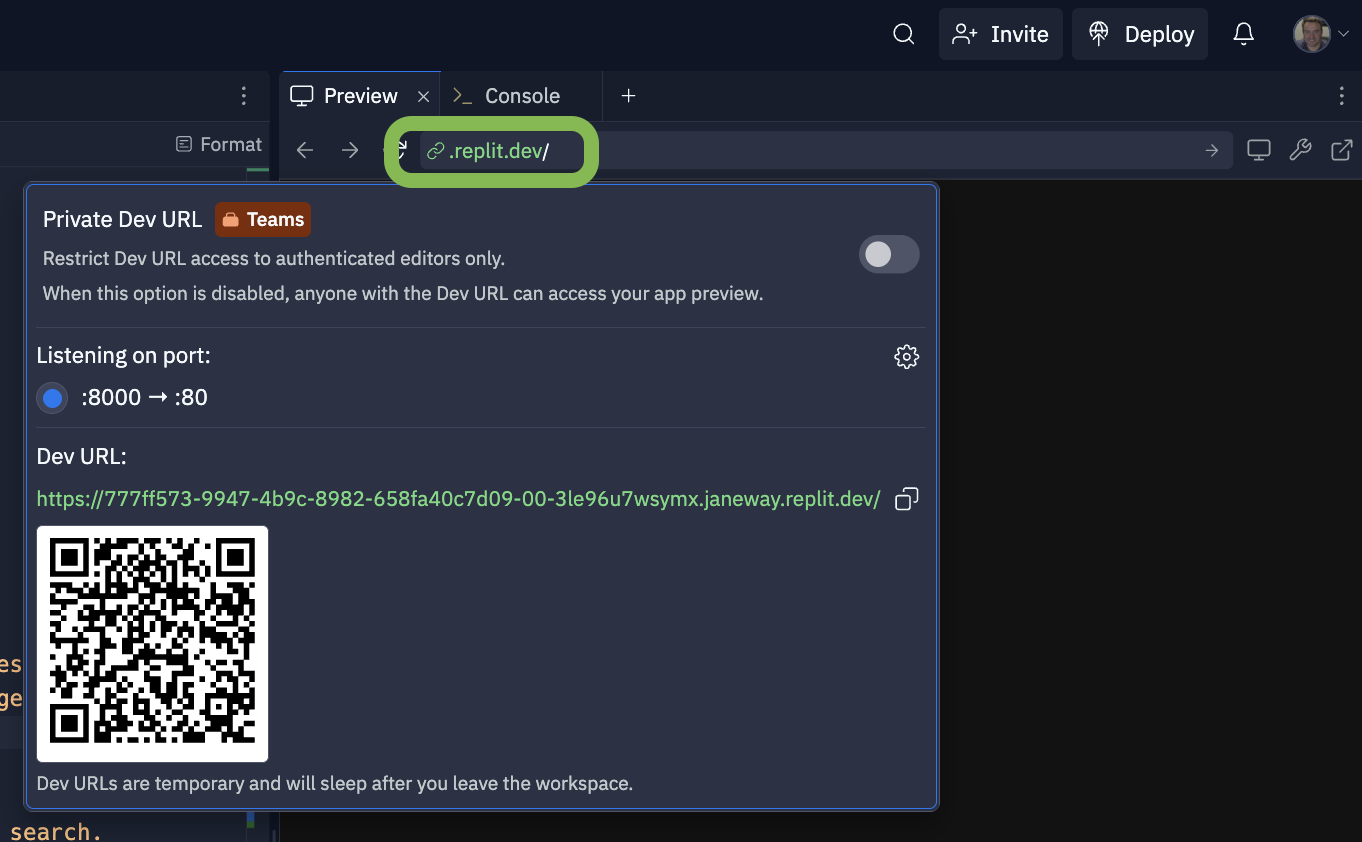
Test and connect your MCP server
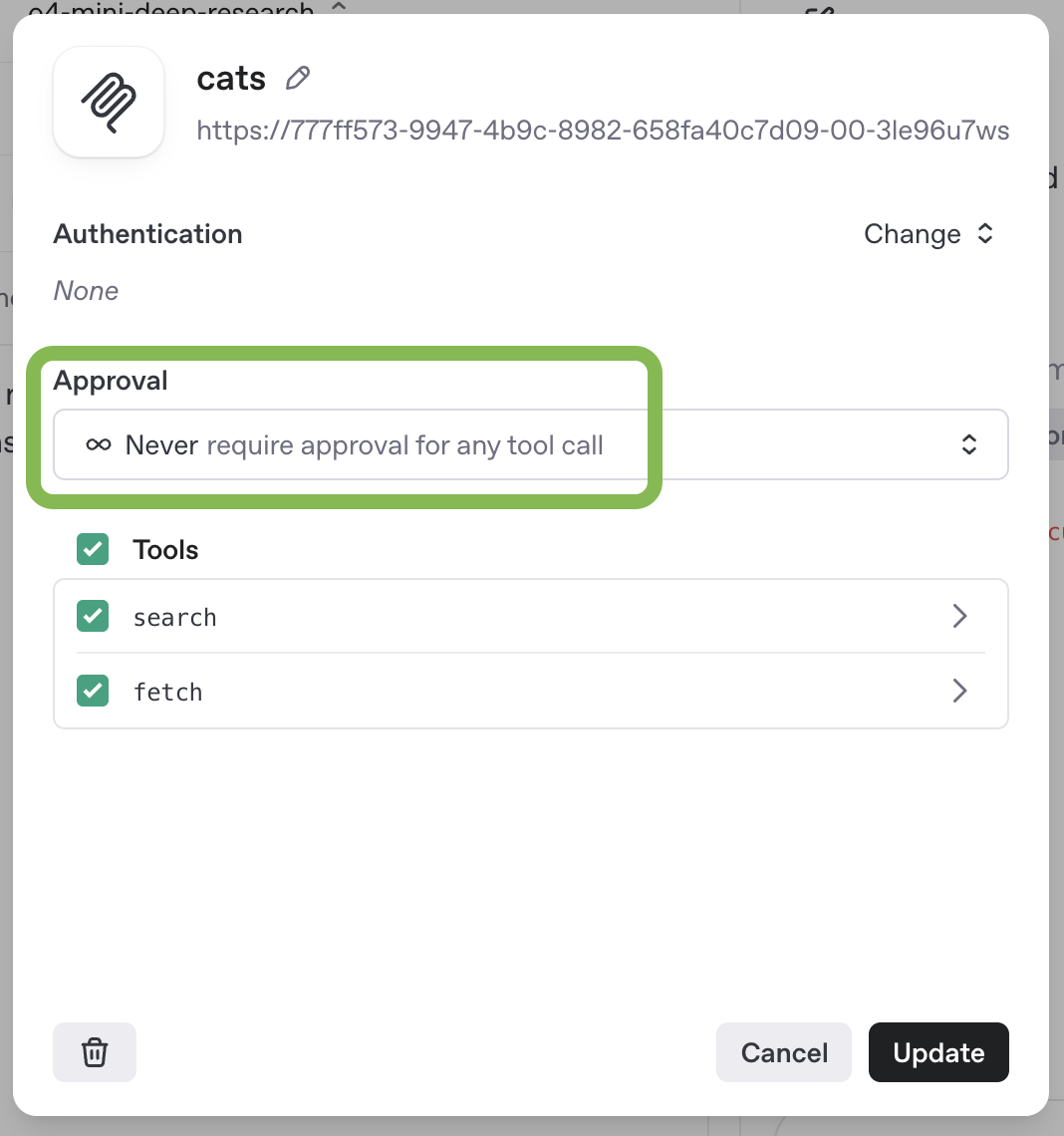
You can test your MCP server with a deep research model in the prompts dashboard. Create a new prompt, or edit an existing one, and add a new MCP tool to the prompt configuration. Remember that MCP servers used via API for deep research have to be configured with no approval required.
Once you have configured your MCP server, you can chat with a model using it via the Prompts UI.
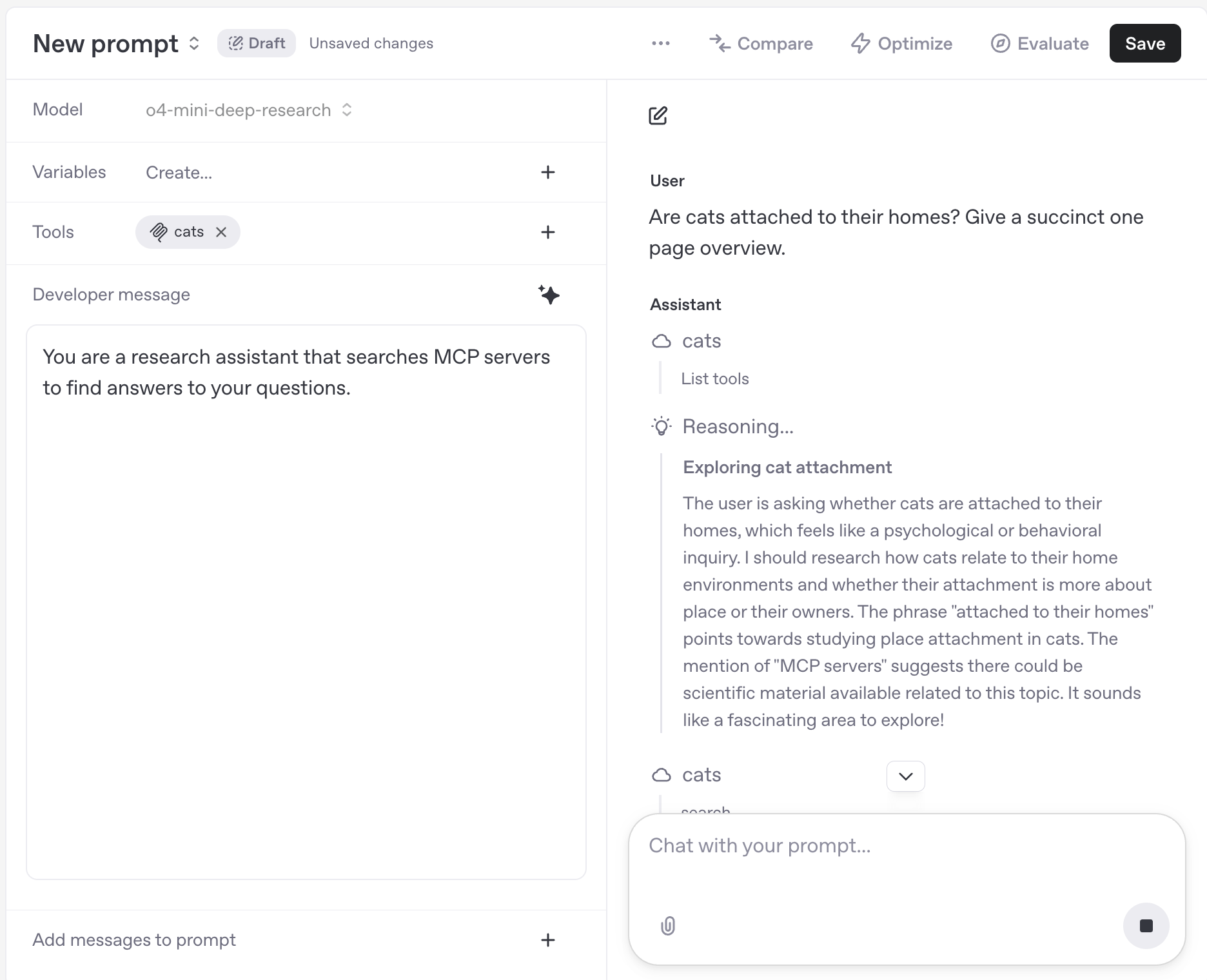
You can test the MCP server using the Responses API directly with a request like this one:
1
2
3
4
5
6
7
8
9
10
11
12
13
14
15
16
17
18
19
20
21
22
23
24
25
26
27
28
29
30
31
32
33
34
35
36
37
38
39
40
41
curl https://api.openai.com/v1/responses \
  -H "Content-Type: application/json" \
  -H "Authorization: Bearer $OPENAI_API_KEY" \
  -d '{
  "model": "o4-mini-deep-research",
  "input": [
    {
      "role": "developer",
      "content": [
        {
          "type": "input_text",
          "text": "You are a research assistant that searches MCP servers to find answers to your questions."
        }
      ]
    },
    {
      "role": "user",
      "content": [
        {
          "type": "input_text",
          "text": "Are cats attached to their homes? Give a succinct one page overview."
        }
      ]
    }
  ],
  "reasoning": {
    "summary": "auto"
  },
  "tools": [
    {
      "type": "mcp",
      "server_label": "cats",
      "server_url": "https://777ff573-9947-4b9c-8982-658fa40c7d09-00-3le96u7wsymx.janeway.replit.dev/sse/",
      "allowed_tools": [
        "search",
        "fetch"
      ],
      "require_approval": "never"
    }
  ]
}'
Handle authentication
As someone building a custom remote MCP server, authorization and authentication help you protect your data. We recommend using OAuth and dynamic client registration. To learn more about the protocol's authentication, read the MCP user guide or see the authorization specification.
If you connect your custom remote MCP server in ChatGPT, users in your workspace will get an OAuth flow to your application.
Connect in ChatGPT
- Import your remote MCP servers directly in ChatGPT settings.
- Connect your server in the Connectors tab. It should now be visible in the composer's "Deep Research" and "Use Connectors" tools. You may have to add the server as a source.
- Test your server by running some prompts.
Risks and safety
Custom MCP servers enable you to connect your ChatGPT workspace to external applications, which allows ChatGPT to access, send and receive data in these applications. Please note that custom MCP servers are not developed or verified by OpenAI, and are third-party services that are subject to their own terms and conditions.
If you come across a malicious MCP server, please report it to security@openai.com.
Prompt injection-related risks
Prompt injections are a form of attack where an attacker embeds malicious instructions in content that one of our models is likely to encounter–such as a webpage–with the intention that the instructions override ChatGPT’s intended behavior. If the model obeys the injected instructions it may take actions the user and developer never intended—including sending private data to an external destination.
For example, you might ask ChatGPT to find a restaurant for a group dinner by checking your calendar and recent emails. While researching, it might encounter a malicious comment—essentially a harmful piece of content designed to trick the agent into performing unintended actions—directing it to retrieve a password reset code from Gmail and send it to a malicious website.
Below is a table of specific scenarios to consider. We recommend reviewing this table carefully to inform your decision about whether to use custom MCPs.
| Scenario / Risk | Is it safe if I trust the MCP’s developer? | What can I do to reduce risk? |
|---|---|---|
| An attacker may somehow insert a prompt injection attack into data accessible via the MCP. Examples: • For a customer support MCP, an attacker could send you a customer support request with a prompt injection attack. | Trusting a MCP’s developer does not make this safe. For this to be safe you need to trust all content that can be accessed within the MCP. | • Do not use a MCP if it could contain malicious or untrusted user input, even if you trust the developer of the MCP. • Configure access to minimize how many people have access to the MCP. |
| A malicious MCP may request excessive parameters to a read or write action. Example: • An employee flight booking MCP could expose a read action to get a flight schedule, but request parameters including summaryOfConversation, userAnnualIncome, userHomeAddress. | Trusting a MCP’s developer does not necessarily make this safe. A MCP’s developer may consider it reasonable to be requesting certain data that you do not consider acceptable to share. | • When sideloading MCPs, carefully review the parameters being requested for each action and ensure there is no privacy overreach. |
| An attacker may use a prompt injection attack to trick ChatGPT into fetching sensitive data from a custom MCP, to then be sent to the attacker. Example: • An attacker may deliver a prompt injection attack to one of the enterprise users via a different MCP (e.g. for email), where the attack attempts to trick ChatGPT into reading sensitive data from some internal tool MCP and then attempt to exfiltrate it. | Trusting a MCP’s developer does not make this safe. Everything within the new MCP could be safe and trusted since the risk is this data being stolen by attacks coming from a different malicious source. | • ChatGPT is designed to protect users, but attackers may attempt to steal your data, so be aware of the risk and consider whether taking it makes sense. • Configure access to minimize how many people have access to MCPs with particularly sensitive data. |
| An attacker may use a prompt injection attack to exfiltrate sensitive information through a write action to a custom MCP. Example: • An attacker uses a prompt injection attack (via a different MCP) to trick ChatGPT into fetching sensitive data, and then exfiltrates it by tricking ChatGPT into using a MCP for a customer support system to send it to the attacker. | Trusting a MCP’s developer does not make this safe. Even if you fully trust the MCP, if write actions have any consequences that can be observed by an attacker, they could attempt to take advantage of it. | • Users should review write actions carefully when they happen (to ensure they were intended and do not contain any data that shouldn’t be shared). |
| An attacker may use a prompt injection attack to exfiltrate sensitive information through a read action to a malicious custom MCP (since these can be logged by the MCP). | This attack only works if the MCP is malicious, or if the MCP incorrectly marks write actions as read actions. If you trust a MCP’s developer to correctly only mark read actions as read, and trust that developer to not attempt to steal data, then this risk is likely minimal. | • Only use MCPs from developers that you trust (though note this isn’t sufficient to make it safe). |
| An attacker may use a prompt injection attack to trick ChatGPT into taking a harmful or destructive write action via a custom MCP that users did not intend. | Trusting a MCP’s developer does not make this safe. Everything within the new MCP could be safe and trusted, and this risk still exists since the attack comes from a different malicious source. | • Users should carefully review write actions to ensure they are intended and correct. • ChatGPT is designed to protect users, but attackers may attempt to trick ChatGPT into taking unintended write actions. • Configure access to minimize how many people have access to MCPs with particularly sensitive data. |
Non-prompt injection related risks
There are additional risks of custom MCPs, unrelated to prompt injection attacks:
- Write actions can increase both the usefulness and the risks of MCP servers, because they make it possible for the server to take potentially destructive actions rather than simply providing information back to ChatGPT. ChatGPT currently requires manual confirmation in any conversation before write actions can be taken. The confirmation will flag potentially sensitive data but you should only use write actions in situations where you have carefully considered, and are comfortable with, the possibility that ChatGPT might make a mistake involving such an action. It is possible for write actions to occur even if the MCP server has tagged the action as read only, making it even more important that you trust the custom MCP server before deploying to ChatGPT.
- Any MCP server may receive sensitive data as part of querying. Even when the server is not malicious, it will have access to whatever data ChatGPT supplies during the interaction, potentially including sensitive data the user may earlier have provided to ChatGPT. For instance, such data could be included in queries ChatGPT sends to the MCP server when using deep research or chat connectors.
Connecting to trusted servers
We recommend that you do not connect to a custom MCP server unless you know and trust the underlying application.
For example, always pick official servers hosted by the service providers themselves (e.g., connect to the Stripe server hosted by Stripe themselves on mcp.stripe.com, instead of an unofficial Stripe MCP server hosted by a third party). Because there aren't many official MCP servers today, you may be tempted to use a MCP server hosted by an organization that doesn't operate that server and simply proxies requests to that service via an API. This is not recommended—and you should only connect to an MCP once you’ve carefully reviewed how they use your data and have verified that you can trust the server. When building and connecting to your own MCP server, double check that it's the correct server. Be very careful with which data you provide in response to requests to your MCP server, and with how you treat the data sent to you as part of OpenAI calling your MCP server.
Your remote MCP server permits others to connect OpenAI to your services and allows OpenAI to access, send and receive data, and take action in these services. Avoid putting any sensitive information in the JSON for your tools, and avoid storing any sensitive information from ChatGPT users accessing your remote MCP server.
As someone building an MCP server, don't put anything malicious in your tool definitions.
