ESP32 vs Raspberry Pi Pico: When to Use Each in Your Projects
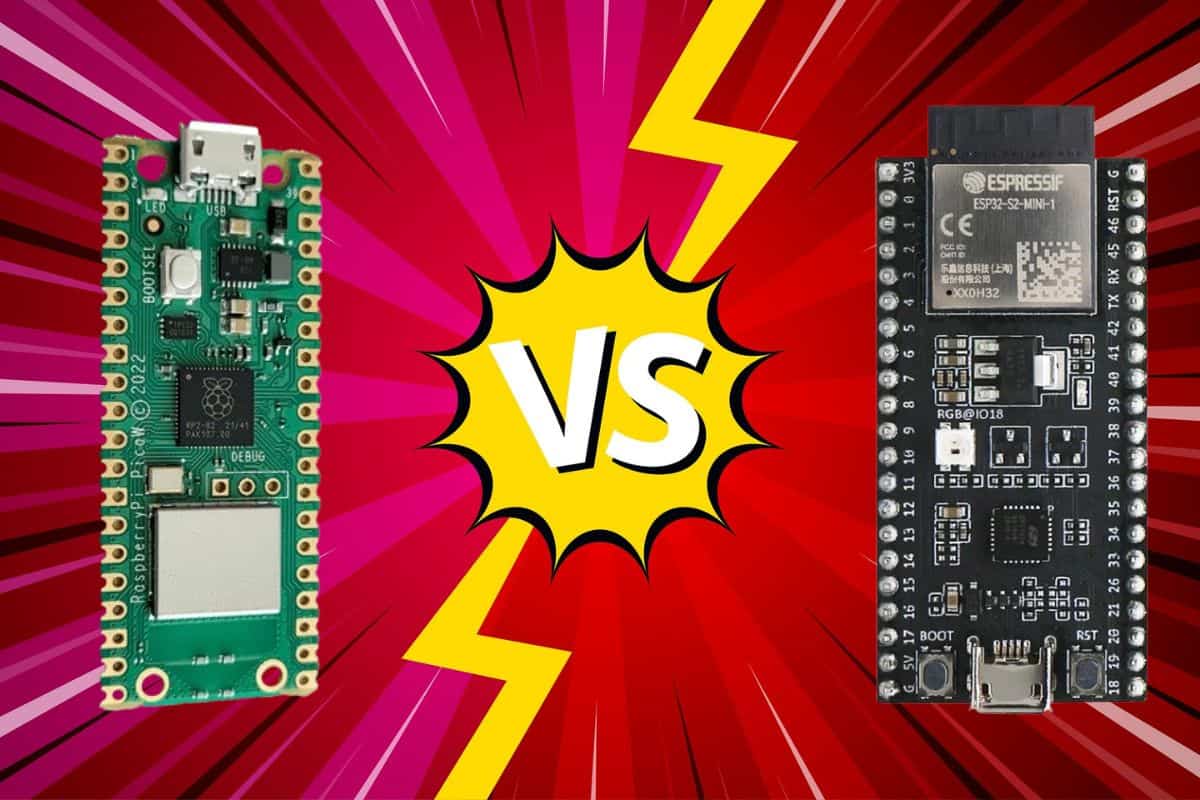
We are possibly living in a new golden era of microcontrollers, tiny boards that can add computing power to everything around us. If you’re daydreaming about this kind of project, you’re probably wondering which microcontroller to use: an ESP32 or Raspberry Pi Pico. In this post, I’ll be comparing the key differences between them.
The ESP32 is better for projects that need higher processing power, more complex wireless connectivity, or IoT integration. The Raspberry Pi Pico is better for projects that demand more flexible peripherals, precise timing, or battery operation.
I love both of these boards, but I’ll share my judgment on which is the “clear winner” for different use cases.
If you’re feeling lost in all the Raspberry Pi jargon, I’ve got something to help you out. I’ve created a free glossary that explains all the essential terms and abbreviations in a way that’s easy to understand. It’s a great resource to have by your side. Get your free copy here.
ESP32 vs Raspberry Pi Pico: What Are They?
If you’re still not quite sure what a microcontroller does exactly, here’s a definition from IBM:
[A microcontroller] is designed to manage specific tasks within an embedded system without requiring a complex operating system … Unlike general-purpose microprocessors, microcontrollers integrate processing, memory and input/output (I/O) peripherals … into one efficient and cost-effective standalone unit.
In simple language, if your project doesn’t require a full computer with an operating system, a microcontroller lets you achieve a goal with something smaller, simpler, and less expensive.
In this article, I’ll be comparing two of the most popular microcontrollers on the market right now: the ESP32 and the Raspberry Pi Pico.
You might also like: 15 Easy Projects for Raspberry Pi Beginners
They’re not SBCs (single-board computers) like the mainline Raspberry Pi models are. For instance, the Raspberry Pi Pico measures only 51 x 21 x 1 mm (as compared to the Raspberry Pi 5, which is 85 x 56 x 17 mm).
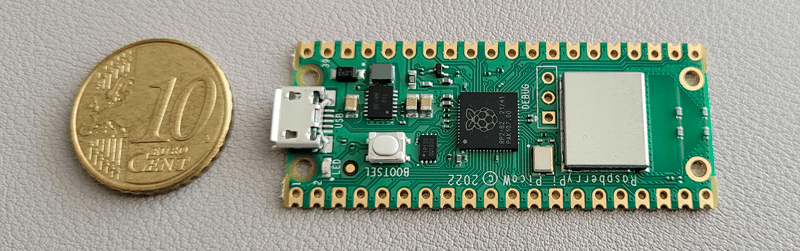
Similarly, an ESP32 microcontroller might roughly measure only 48 x 28 x 1.6 mm. From the picture below, you might be able to tell that it’s not a full motherboard but a single integrated circuit.
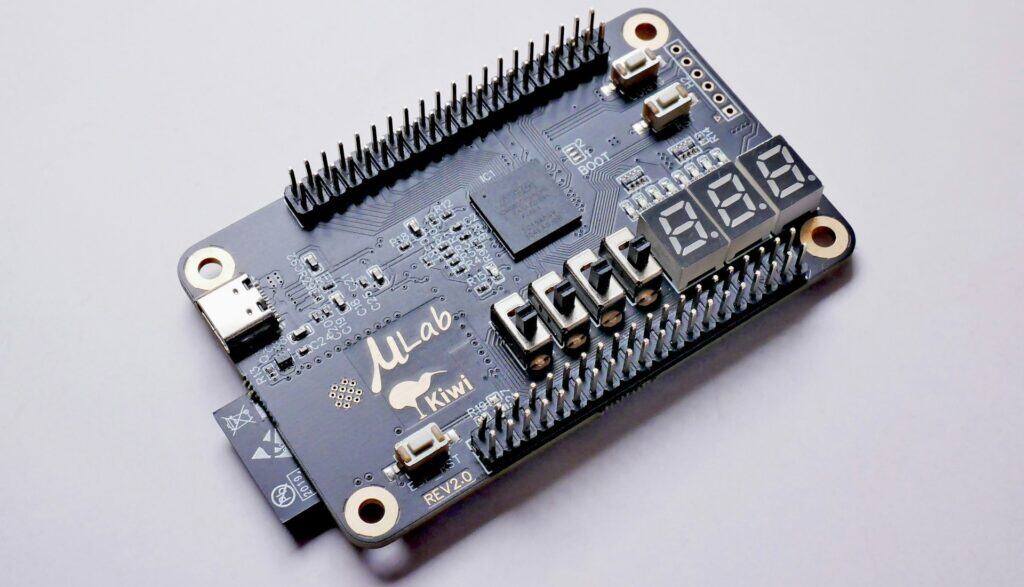
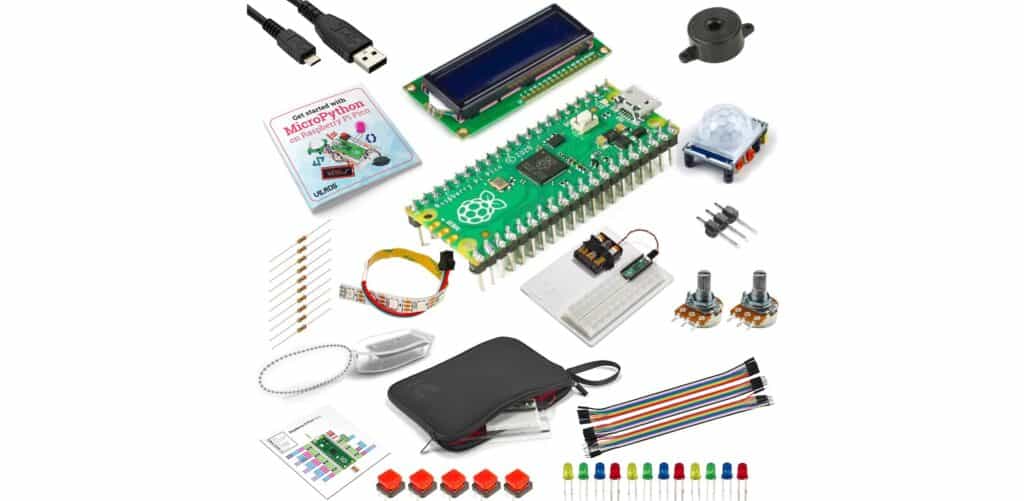
Besides being much smaller than something like a Pi 5, these microcontrollers also cost much less (e.g., $7 vs. $50 or more).
Now that you’ve got a general idea of what a microcontroller is, let’s see how the ESP32 and the Raspberry Pi Pico stack up against each other.
7 Key Differences between ESP32 and Raspberry Pi Pico
Let’s zoom in on what makers like you might care about when deciding which board to choose. In this section, I’m going to put the ESP32 and Raspberry Pi Pico head-to-head in different categories.
Note: When I refer to ESP32, it can mean any version (ESP32-WROOM, ESP32-S3, etc.), and the same goes for Raspberry Pi Pico (Pico H, Pico 2W, etc.). I’ll aim to bring in the most relevant board available for that specific comparison.
Peripheral Options
Perhaps the most important factor in choosing a microcontroller is whether it supports the peripherals you plan on connecting to your board. Both the ESP32 and Raspberry Pi Pico have similar features, but they do have significant functional differences.
If you are lost in all these new words and abbreviations, request my free Raspberry Pi glossary here (PDF format)!
Download now
GPIO
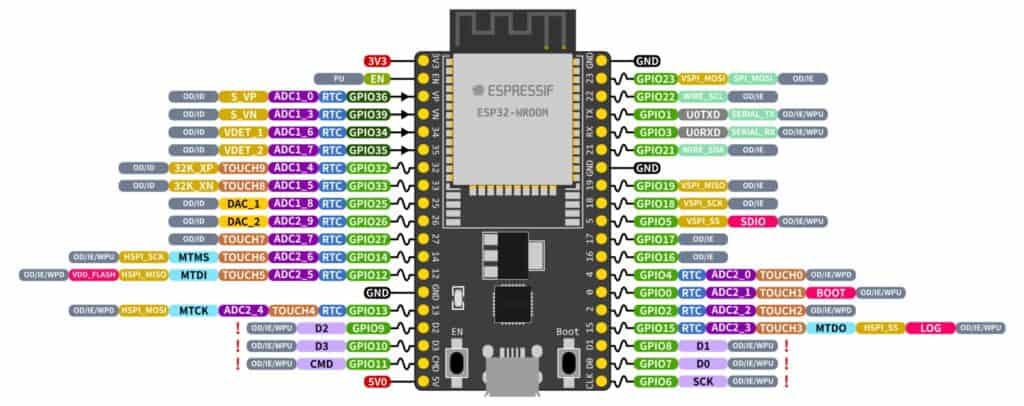 ESP32-DevKitC V4 – GPIO pinout diagram (credit: Espressif)
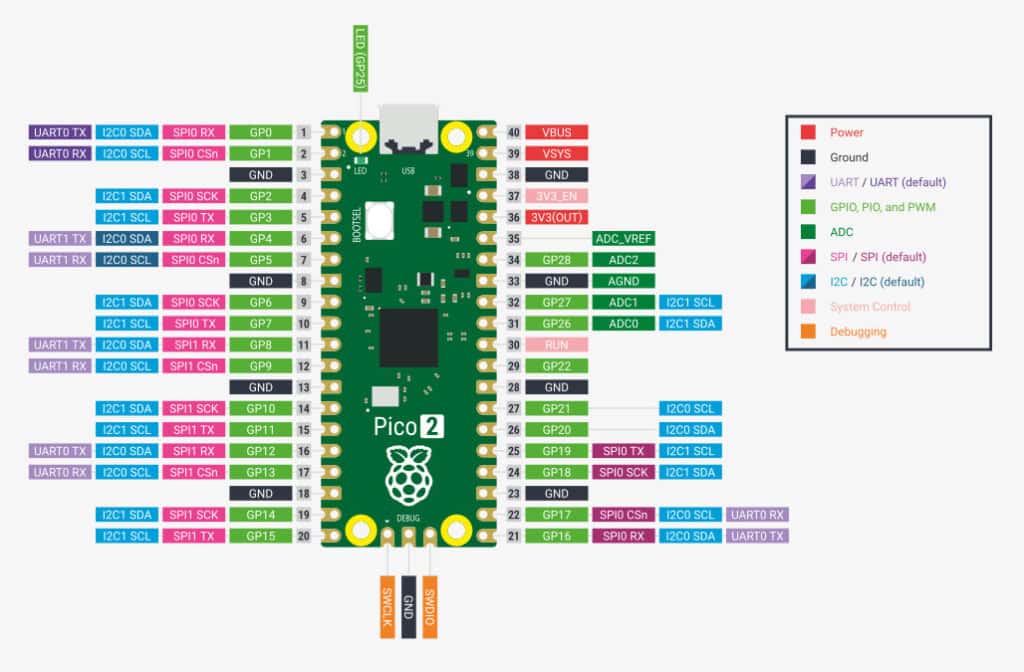 Raspberry Pi Pico 2 W – GPIO pinout diagram
In terms of GPIO, ESP32 models have more usable pins (~30-38) than the Raspberry Pi Pico (~26). So the ESP32 can potentially handle more peripherals at the same time.
The Pi Pico’s impressive GPIO capabilities, however, make up for that. First, suppose your project relies on an ADC for measuring analog signals, such as voltage or temperature. In that case, many tinkerers have said that the Pi Pico outperforms the ESP32, with the Pico having both higher ksps and lower signal noise.
Second, in terms of sensor responsiveness, there are many reports that the Pi Pico has faster interrupts than the ESP32, by as much as a factor of 10. Lastly, the Pi Pico has more flexible PIOs (programmable I/O), which can interface with lower-level hardware without additional circuitry.
USB
Older ESP32 boards didn’t have a USB port, but the newer ones do. So now both the ESP32 and Pico have USB 1.1; they aren’t significantly different.
Sensors
You can connect sensors to these microcontrollers via interfaces like UART, I2S, SPI, I2C, and PWM. In terms of which has more built-in sensor support, it’s the ESP32.
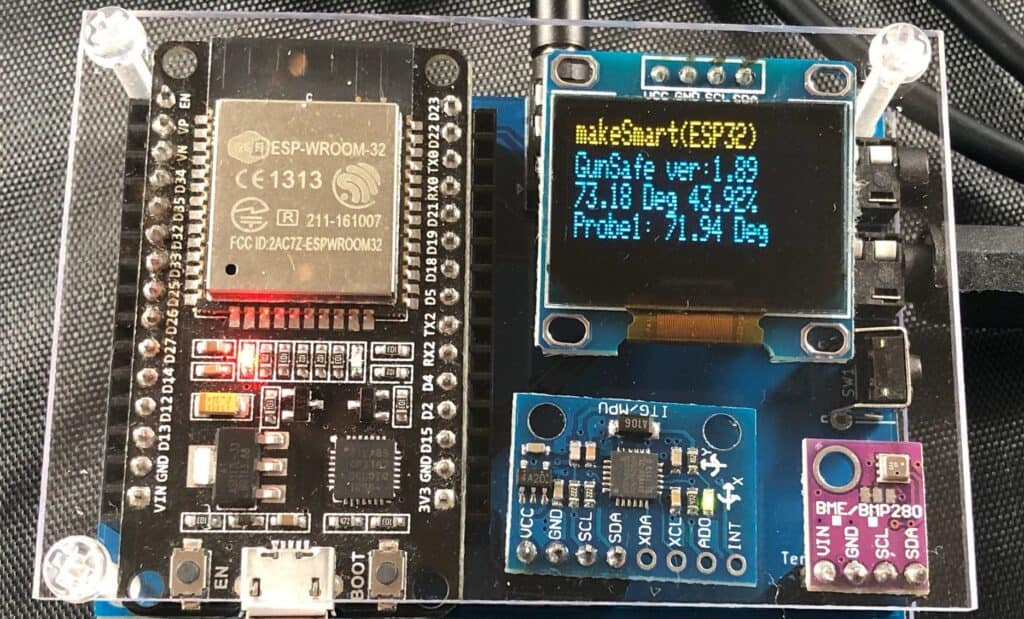
But if we’re talking peripheral flexibility, then the Raspberry Pi Pico is superior here because of its PIO support for custom protocols.
In short, the ESP32 can potentially connect more peripherals, but the Pico has faster responsiveness and broader support for different types of peripherals.
Read next: 15 Easy Projects for Raspberry Pi Beginners
The Winner: Raspberry Pi Pico.
Wireless Connectivity
It used to be that if you needed any wireless connectivity, the ESP32 would be the clear choice over the Raspberry Pi Pico. After all, the original Pi Pico didn’t even have Wi-Fi or Bluetooth capability.
However, that all changed with the release of the Raspberry Pi Pico 2 W, which comes with Wi-Fi/Bluetooth modules on board.
Here’s a quick summary of what standards these devices support:
If you are lost in all these new words and abbreviations, request my free Raspberry Pi glossary here (PDF format)!
Download now
| Model | Wi-Fi | Bluetooth |
|---|---|---|
| Raspberry Pi Pico 2 W | Wi-Fi 4 (802.11 b/g/n 2.4GHz) | BT 5.2 |
| ESP32-S3 | Wi-Fi 4 (802.11 b/g/n 2.4GHz) | BT 5.0 |
| ESP32-DevKitC V4 | Wi-Fi 4 (802.11 b/g/n 2.4GHz) | BT 4.2 |
| Raspberry Pi Pico | none | none |
At first glance, it might seem like the Pi Pico is superior for having the newer Bluetooth 5.2 standard. But the ESP32 has had the full BT classic and BLE stack for longer, and as a result, battle-tested compatibility with a broader range of devices.
A second big difference is that ESP32 is available with an external antenna, which you can use to boost Wi-Fi performance when the board sits inside a case.
Lastly, the ESP32 has built-in support for OTA (over-the-air) updates. I’ve used the OTA feature many times to flash new firmware. It makes testing super convenient because you don’t have to worry about bricking your device or removing it from deployment.
Check this: Pi5 vs. Pi4: I tested them, here's the result
The Winner: ESP32.
Performance
Let’s take a look at what chip is being used in these microcontrollers:
| Model | Processor | Memory | Arch. |
|---|---|---|---|
| ESP32-DevKitC V4 | Xtensa dual-core @ 240 Mhz | 520 KB | 32-bit |
| Raspberry Pi Pico 2 W | ARM Cortex-M33 dual-core @ 150 MHz | 520 KB | 32-bit |
In terms of raw performance, the ESP32 is more powerful, but requires more electricity. That being said, when you’re working with microcontrollers, small performance differences might not be as important to you as other factors.
The Winner: ESP32.
Want even more ideas? I put together a free resource with over 75 Raspberry Pi project ideas, each with a quick description, tutorial link, and hardware requirements. Whether you’re just starting out or looking for something to do this weekend, this list will keep you busy for a while. Just click here to get instant access.
Power Consumption
The power usage of these microcontrollers is minuscule. Exact specs are often hard to find, but most tests out there put the Raspberry Pi Pico as sipping significantly less power than its ESP32 counterparts:
| Model | Normal Load | Peak Usage |
|---|---|---|
| ESP32 | 40 – 50 mA | 240 mA |
| Raspberry Pi Pico | 25 – 30 mA | 91 mA |
You might assume that the amount of electricity here is so little as to be irrelevant. And you’d be mostly right, but I can think of two situations where it matters: 1) for battery-operated projects and 2) at scale (imagine a thousand devices).
You might also like: Tired of Raspberry Pi OS? Level up with these top-rated systems.
For instance, if your project requires running off AA or AAA batteries, the Raspberry Pi Pico will last longer than the ESP32.
Download the free PDF, keep it open, and stop wasting time on Google.
Download now
The Winner: Raspberry Pi Pico.
Programming
Both microcontrollers (ESP32 and Raspberry Pi Pico) have fantastic programming capabilities.
They both support the following languages:
- MicroPython
- C
- C++ (our guide here)
- Arduino IDE

I’d choose the Pi Pico for beginners as it’s easier to get started — plug it into a USB port on your PC and get going (whereas the ESP32 needs drivers and special flash commands). In addition, users report that Pico’s workflow is quite similar to Arduino’s, which makes it more accessible.
Another big difference is that the Raspberry Pi Pico has native MicroPython support, while the ESP32 does not. This means that the Pico can wake up from deep sleep and execute a program much faster.
Related: Getting Started with Raspberry Pi Pico: Setup & First Script
But if you’re developing something more enterprise, you might not be using MicroPython. If so, the ESP32 is probably preferred for more advanced code projects.
The Winner: Raspberry Pi Pico.
Community Support
All the hardware specs in the world don’t matter if you aren’t able to find help when you get stuck. Community support can factor into which platform you want to be on.
Both the ESP32 and Pi Pico provide official documentation on their websites:
- Espressif’s ESP32 official documentation
- Raspberry Pi official documentation for Pico-series Microcontrollers.
Some users report that the Pi Pico’s official documentation is easier to follow and better supported. Having searched through both of them to solve problems I’ve run into, I’m inclined to agree.
In terms of community support, however, I think the ESP32 takes the lead here. The ESP32 has been around longer, so more makers have posted example projects for you to build and ways to deal with common problems.
For example, when I was building an IoT device using an ESP32, I found out that there’s already a Home Assistant integration called ESPHome made for ESP32. And some newer ESP32 devices are now coming out with Matter/Zigbee support natively.

Download the free PDF, keep it open, and stop wasting time on Google.
Download now
The Pi Pico doesn’t have this same level of widespread community support. This situation will probably change in the future, given the Raspberry Pi’s great track record. For now, I think the ESP32 edges out ahead.
The Winner: ESP32.
Cost
Both the ESP32 and Raspberry Pi Pico are inexpensive and can often be purchased for less than $10 each. Here’s a general idea of what they sell for:
| Model | MSRP |
|---|---|
| ESP32 DevKitC V4 | $8 – $10 |
| Raspberry Pi Pico 2 W | $7 |
| Raspberry Pi Pico | $5 |
| ESP32-S3 | $4 – $7 |
If you care about having the most reputable retailers with clear policies, the Raspberry Pi Pico wins out, as long as you buy from an official vendor. A strong relationship with the Pi Foundation’s backing might matter to you if you’re buying bulk quantities for industrial use.
If you care about the absolute lowest cost possible, both appear to be on par at first. But if you’re willing to search online shops in Asia, you can purchase ESP32 devices for even cheaper than listed here, albeit with longer shipping times and less customer support.
I’ve gone this route before and was shocked at how little ESP32 devices can be purchased for. It’s great if you’re trying to IoT your whole home. But I still feel, and this is strictly my opinion, that the Raspberry Pi devices have a more trusted reputation.
The Winner: tie.
If you enjoy learning about Raspberry Pi, you’ll feel right at home in the RaspberryTips Community. It’s a friendly group of makers helping each other grow. Join us today for $1 and see what it’s like inside.
How to Choose Between ESP32 or Raspberry Pi Pico
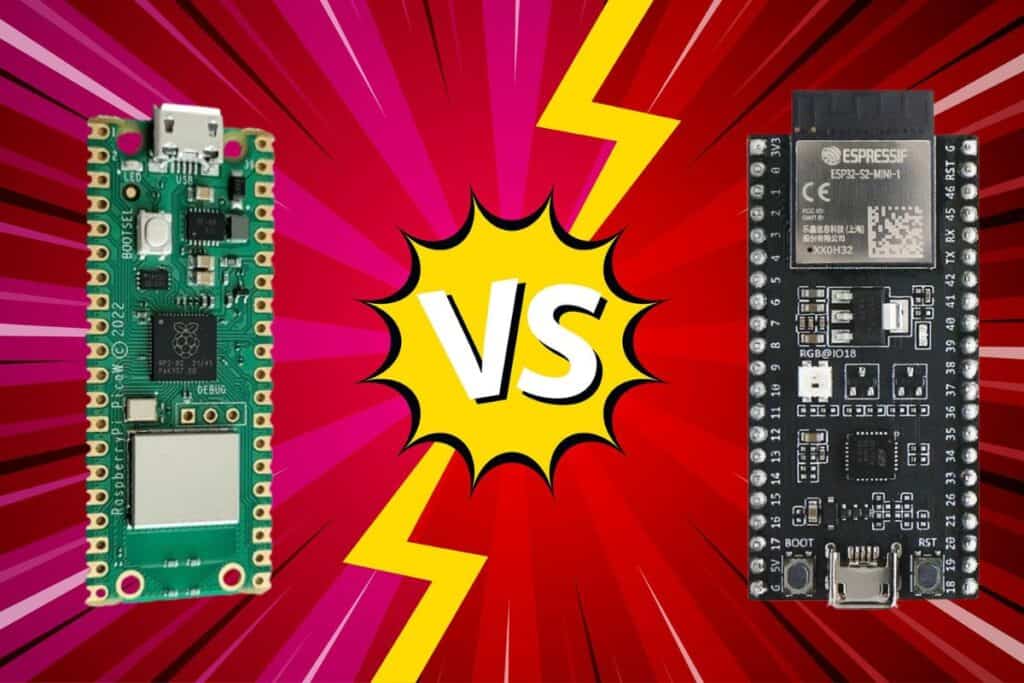
Are you still confused whether to choose the ESP32 or Raspberry Pi Pico as the microcontroller for your next project? Here’s a summary to help you make a decision.
Choose the Raspberry Pi Pico if your project is timing-critical, needs more flexibility for peripherals, or runs on battery power. The Pi Pico is better for those working with servos and motors, LED displays, or beginners who might have come over from Arduino.
Related: 11 Best Raspberry Pi Pico Projects You Need to Try in 2025
Choose an ESP32 board if your project depends on raw performance, advanced wireless capabilities, or smart home integration. The ESP32 is better for those coding complex projects, making wearable devices, or working with multitasking or data streaming.
Whichever one you choose, I think you’ll be quite happy with how deceptively versatile these small wonders are. They’re a low barrier to entry for prototyping new ideas, so I hope to see your inventions on the internet soon!
Whenever you’re ready, here are other ways I can help you:
Test Your Raspberry Pi Level (Free): Not sure why everything takes so long on your Raspberry Pi? Take this free 3-minute assessment and see what’s causing the problems.
The RaspberryTips Community: Need help or want to discuss your Raspberry Pi projects with others who actually get it? Join the RaspberryTips Community and get access to private forums, exclusive lessons, and direct help (try it for just $1).
Master your Raspberry Pi in 30 days: If you are looking for the best tips to become an expert on Raspberry Pi, this book is for you. Learn useful Linux skills and practice multiple projects with step-by-step guides.
Master Python on Raspberry Pi: Create, understand, and improve any Python script for your Raspberry Pi. Learn the essentials step-by-step without losing time understanding useless concepts.
You can also find all my recommendations for tools and hardware on this page.