
Kubernetes on Raspberry Pi: What’s Possible & How to Start
It seems like everywhere I go in the server world these days, I’ll hear someone mention Kubernetes. But what is Kubernetes used for exactly, and can it be installed on a Raspberry Pi? This post will give you an easy primer that cuts through the technobabble.
Kubernetes is the ultimate container manager, sitting above containers and making them easier to work with. To run Kubernetes on a Raspberry Pi, first set up a Pi cluster. Then, install a lightweight Kubernetes distribution, such as MicroK8s or K3s, on each node.
Read on to learn what Kubernetes is, what problems it solves, and how to use it on your Raspberry Pi. I’ll also give you a quick-start overview so you can create your own Kubernetes cluster.
If you’re new to Raspberry Pi or Linux, I’ve got something that can help you right away!
Download my free Linux commands cheat sheet – it’s a quick reference guide with all the essential commands you’ll need to get things done on your Raspberry Pi. Click here to get it for free!
What Is Kubernetes?

First off: how in the world do you pronounce Kubernetes?
You can say it like this: coo-buhr-net-ease. You might also see it referred to as K8s for short.
Kubernetes is software originally developed by Google to run billions of containers at scale. Kubernetes was released as open source in 2014 and is now considered the best orchestration layer for containers.
But what does being an “orchestration layer” actually mean?
Kubernetes Explanation for Beginners
First, to understand what Kubernetes does, you must know what containers are.
Container tools (like Docker) let you run apps as containers. A container is an image of an app that includes everything required to run it. Containerizing an app allows you to run any program on any OS (For more info on containers, check out our Docker guide.).
I’ve slowly warmed up to containers and have used them to run Plex, Nextcloud, and Home Assistant. Containers make it easy for me to run these servers without juggling conflicting dependencies.
Download the free PDF, keep it open, and stop wasting time on Google.
Download now
Today, container usage in big companies is the norm for managing their apps and services.
The Problem: Once you start deploying containers, some annoyances pop up.
- A container is great for a single app, but what if you want to host multiple services distributed across multiple machines?
- What if you want your containers to be able to talk to each other over a shared network?
Every time I try to do the above, I waste hours researching how for each app. Now imagine the time it takes if your company is running 100 or 1,000 containers.

The Solution: Kubernetes makes managing containers easier. It lets containers share resources across multiple servers and fixes containers if they break.
This comic strip from Google makes a great case for Kubernetes.
The Technical Benefits of Kubernetes
Perhaps you’re starting to get why it’s so popular.
Kubernetes provides functionalities that containers themselves don’t offer natively.

Some key ways that Kubernetes makes managing containers easier:
- Autoscaling apps & services: It automatically adjusts which containers get more resources depending on how much each service/app is being used, and it can allocate these resources across multiple machines.
- Self-healing: It autodetects when a container crashes and recovers the app by replacing it with functioning containers, which means high availability with no downtime.
- Load balancing: It can automatically route user traffic to different containers on different servers based on network load.
- Automated deployment & rollback: It can slowly transition containers to a new app version without you manually bringing them down and updating each one. If it detects that the newest version is breaking things, it can gradually roll back to an older version.
- Network communication: It can assign all containers to use the same network, which means apps can communicate with each other without having to write complex YAML configurations.
In other words, Kubernetes is the next step in the evolution of containers.
Kubernetes on Raspberry Pi: Will It Run?

Yes, Kubernetes can run on Raspberry Pi if approached with realistic goals.
Download the free PDF, keep it open, and stop wasting time on Google.
Download now
Here are my hardware recommendations for running Kubernetes on Raspberry Pi:
- Cluster size: I recommend running a cluster of at least 3 Raspberry Pis. Yes, you could install Kubernetes on a single Pi, but it’d be difficult to see its capabilities with just a single node.
- Raspberry Pi: A newer Raspberry Pi 5 or Pi 4 would be best for more computing power and ease of use. If you’re looking for an even less expensive setup, using multiple Pi 3Bs can work, but be warned that you’ll have to do extra legwork to get Kubernetes installed.
- Memory: Models with 4 GB memory minimum, 8 GB recommended.
- Storage: I highly suggest using external drives, as SD cards will be slow and get chewed up by constant writes. Faster USB ports are also why I recommend the Pi 5 or Pi 4.
And here are my software recommendations for running Kubernetes on Raspberry Pi:
- Operating System: Raspberry Pi OS Lite has no desktop environment, so it will conserve resources. You can also use Ubuntu Server or Arch Linux.
- Kubernetes Software: K8s is full-featured enterprise software, so it’s too heavy for a Raspberry Pi. A lightweight Kubernetes distribution, known as K3s, is meant for IoT and ARM devices. K3s is what I recommend for your Pi cluster.
Of course, there will be limitations on what you can do. Don’t get me wrong, you can still use Kubernetes on a Raspberry Pi cluster to calculate protein folding, but it’s not very practical.
So, what can you do with Kubernetes on Raspberry Pi? Let’s go over some use cases next.
Kubernetes Use Cases for Raspberry Pi
In general, companies might employ Kubernetes to host microservices for their apps, run databases or web servers, load balance traffic, or separate testing & production.
But what about in a home or hobbyist setting?
Let’s go over some use cases for running Kubernetes on Raspberry Pi.
Learning Kubernetes
Learning Kubernetes on a Raspberry Pi is a great way to upskill without spending thousands.
Download the free PDF, keep it open, and stop wasting time on Google.
Download now
Kubernetes is hot right now, and companies are hiring sysadmins who know Kubernetes. A Raspberry Pi cluster at home is an inexpensive way to experiment and learn how everything works. It sure beats accidentally breaking a production server at work.
Small Homelab
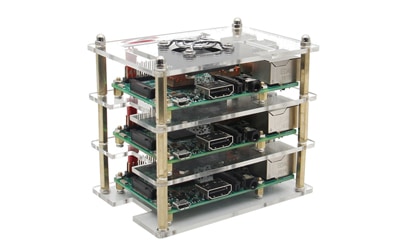
Kubernetes on a Raspberry Pi cluster is the ultimate compact homelab.
You might also like: Looking for a fun challenge? Start building your first Raspberry Pi robot!
By intelligently distributing hardware resources with Kubernetes, you open up many possibilities for your homelab. You can host VMs to your heart’s content, run parallel computing on Big Data, or even predict the future with a home-baked Nostradamus model.
IoT Applications
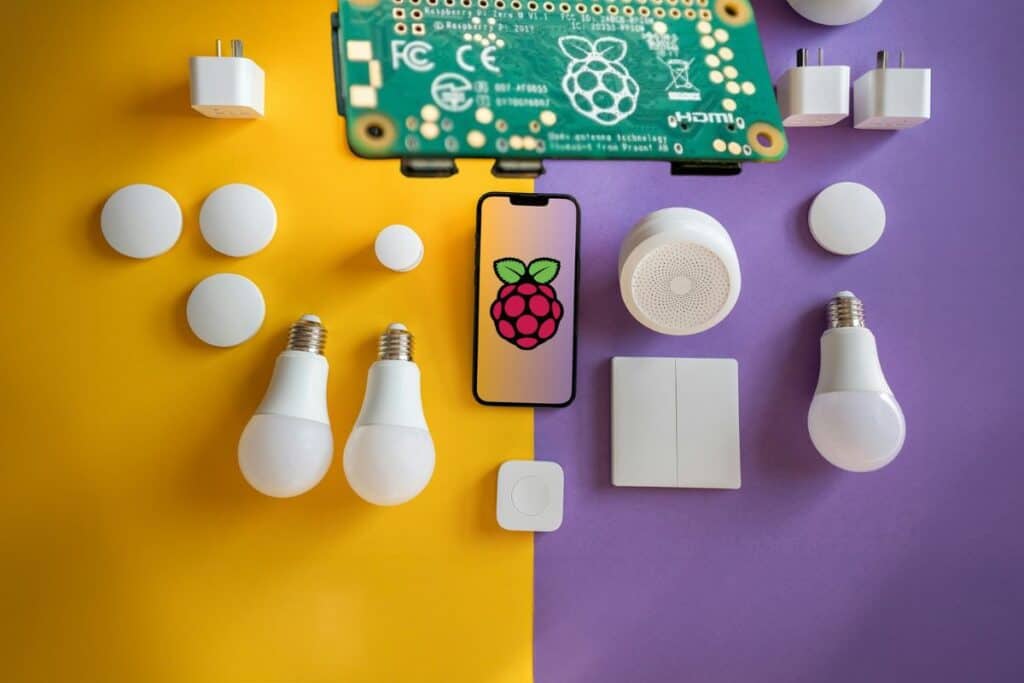
Kubernetes can ensure your smart home runs smoothly with 24/7 uptime.
Kubernetes is commonly used to deploy an army of IoT devices. Imagine Kubernetes running on Raspberry Pi nodes in different rooms in your house: you can use self-healing to keep the security system redundant and connect sensors in a way that lets them talk to each other.
Game Servers
Kubernetes can automatically allocate more resources to multiple different game servers.
I love hosting game servers, like Minecraft or Terraria. Kubernetes can balance and scale them when more players join a game. Even with limited resources, you can keep multiple game servers running.
You can extend this idea to any server, like a private cloud, where you self-host all of your applications. When you think about that, the power of Kubernetes becomes clear.
AI / Machine Learning

Did you think you could get away from hearing about AI? Sorry. With Kubernetes, you can run AI and machine learning workloads locally instead of paying for an expensive cloud server.
Download the free PDF, keep it open, and stop wasting time on Google.
Download now
You might also like: I've tested hundreds of Linux apps, here are the ones I recommend.
AI projects or machine learning may seem too intensive for a Raspberry Pi cluster, but you might be surprised. After all, some users have already gotten a Deepseek LLM to run on a Pi 5.
If you prefer watching videos instead of reading tutorials, you’ll love the RaspberryTips Community. I post a new lesson every month (only for members), and you can unlock them all with a 7-day trial for $1.
How to Set Up a Kubernetes Cluster with Raspberry Pi
Now that you understand some use cases for Kubernetes, how do you get it up and running on a Raspberry Pi?
This diagram shows an example of how to hook up the cluster:

The control plane is the Raspberry Pi that acts as the brain (AKA, the master node). The worker nodes are other Raspberry Pis connected to your main node. The workers run the pods. The pods hold the apps or services (containers) you want to run.
Once you’ve got them chained together, here’s an overview of the software installation:
- Install an operating system: such as Raspberry Pi OS Lite, on each Raspberry Pi.
- Install Kubernetes on the control plane: install K3s on your main Raspberry Pi. Run it to get the node tokens.
- Install Kubernetes on the worker nodes: install K3s on other Raspberry Pis in the cluster. Use the token above to tell the worker nodes to join the main node.
- Install a container tool: K3s includes containerd for you, so it’s easier to use for containers. But if you want something else like Docker, you’ll have to install it on every Pi.
- Create a deployment: write a YAML file outlining what containers to run on the cluster. Examples include Nginx, Home Assistant, Plex, or a Minecraft server.
For more detailed instructions, visit the official documentation for K3s on Raspberry Pi.
That’s it! I hope I’ve given you a quick primer on Kubernetes. If there’s more interest from readers in the community, we’ll write a full technical guide with step-by-step instructions. See you next time!
You might also like: I've tested hundreds of Linux apps, here are the ones I recommend.
Whenever you’re ready, here are other ways I can help you:
Test Your Raspberry Pi Level (Free): Not sure why everything takes so long on your Raspberry Pi? Take this free 3-minute assessment and see what’s causing the problems.
The RaspberryTips Community: Need help or want to discuss your Raspberry Pi projects with others who actually get it? Join the RaspberryTips Community and get access to private forums, exclusive lessons, and direct help (try it for just $1).
Master your Raspberry Pi in 30 days: If you are looking for the best tips to become an expert on Raspberry Pi, this book is for you. Learn useful Linux skills and practice multiple projects with step-by-step guides.
Master Python on Raspberry Pi: Create, understand, and improve any Python script for your Raspberry Pi. Learn the essentials step-by-step without losing time understanding useless concepts.
You can also find all my recommendations for tools and hardware on this page.