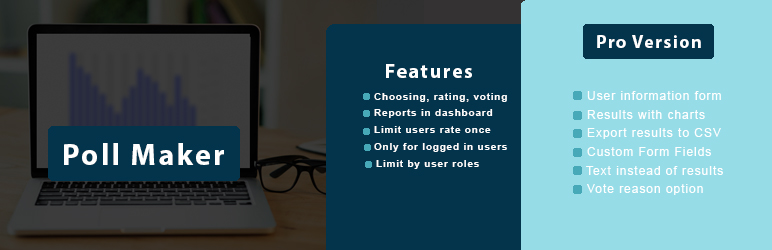

Описание
WordPress Poll Plugin
- Ценообразование плагина WordPress Poll
- Poll Maker Бесплатная демонстрация
- Демо-версия Poll Maker Pro
- Документация Poll Maker Pro
WordPress Poll plugin is a powerful poll plugin for WordPress that helps you create online polls and voting forms in minutes.
With this online poll plugin, you can easily build interactive polls, collect feedback, and increase audience engagement directly on your WordPress website.
Our poll builder allows you to create polls in WordPress using multiple poll types, advanced settings, and flexible design options.
Whether you need a WordPress voting plugin for opinion polling, user interaction, or feedback collection, Poll Maker gives you all the tools to run interactive polls and manage online voting with ease.
WordPress Polling Plugin gives impressive tools to create powerful and simple polls. You have 5 poll types to choose from, advanced settings, dozens of style options included 7 pre-build themes, and many more functionalities a professional poll builder will wish for.
Looking for the best poll plugin for WordPress via which you can create a poll in minutes? You are in the right place!
Create and publish your first poll in 3 simple steps:
- Нажмите на кнопку Добавить новый на странице Опросы,
- Выберите тип и заполните другую необходимую информацию, например, вопрос, ответы и т.д.
- Сохраните его, скопируйте сгенерированный шорткод и вставьте его в любой пост или страницу, чтобы сделать ваш опрос публичным.
Шорткод опроса
[ays_poll id=’your_poll_id’]
Data is an essential part of any business process, don’t you agree? Data-oriented companies are the most successful ones nowadays. So, if you want to compete with them, you need to have this lead generator tool that offers responsive polls. You need to imply the «give and take» rule: provide interactive content to your audience and get new leads.
The benefits of receiving new leads are many:
- Увеличить посещаемость вашего сайта
- Use the plugin as an effective marketing tool and build your Social Media strategy around social voting, including email marketing, SMM marketing, and more.
- Receive customer feedback, do market research, and track responses with live results.
- Get customer insights and take action: create an opinion poll, know more about your customers’ habits, preferences, interests, and so on.
PRO | DEMO | DOCUMENTATION
Плагин WordPress Poll maker особенности, преимущества
Вопрос опроса
This online voting plugin comes with the default WordPress classic editor for adding and editing poll questions, making it easy to format your content. You can create customizable polls, including image polls, video polls, or audio polls, depending on your needs.
If you have CSS or HTML skills, you are free to write your own code and design your question the way you wish it to be. Moreover, you can insert a shortcode of any other plugin easily. This WordPress Vote plugin’s developers continually do their best to build the Best WordPress Poll Plugin ever. All you need is to grab the chance and give it a try!
Типы опросов
Этот плагин WordPress Poll позволяет делать 7 типов онлайн-опросов:
- Выбор — Вы можете добавить столько вариантов для выбора, сколько захотите. Также есть возможность добавить пользовательскую опцию (Pro).
- Рейтинг — С помощью этого типа вы можете сделать формы голосования с оценкой одного продукта. Он позволяет выбрать тип рейтинга: со звездами или с эмодзи. Это зависит от темы, которую вы хотите рассмотреть.
- Голосование — С помощью этого типа вы можете сделать формы с голосованием. Здесь снова два типа: нравится/не нравится или эмодзи. Это простой способ понять, нравится пользователям ваш продукт или нет.
- Выпадающее меню (доступно только в версии Pro) — В поле «Ответы» необходимо написать возможные ответы, которых по умолчанию 2. Участникам необходимо выбрать один ответ из списка вариантов, представленных в выпадающем меню.
- Диапазон (доступен только в версии Pro) — Позволяет участнику выбрать ответы в диапазоне 1-100.
- VS (versus) (доступно только в версии Pro) — Это тип соревнования с двумя продуктами или лицами. Существуют замечательные стили для проведения голосований «против».
- Текст (доступно только в версии Pro) — Получение наиболее подробных ответов. Дайте участникам опроса возможность дать полные ответы на ваши вопросы, используя как краткие текстовые ответы, так и параграфы.
Демоверсии опросов (бесплатно)
Демоверсии опросов (Pro)
- Анонимные опросы
- Опрос против
- Опросы по рейтингу слайдера
- Опросы с открытым вопросом
- Опрос изображений
Multivote functionality: As part of the online voting system, you can activate Multivote functionality. It allows your respondents to choose more than one answer to your question.
Multivote improves audience engagement and provides richer data for poll analytics, helping you better understand how users interact with your polls.
Уведомить администратора по электронной почте
С помощью нашего плагина Vote вы можете получать уведомления по электронной почте каждый раз, когда голос подан. Все, что вам нужно, это включить опцию Уведомление о результатах по электронной почте в настройках вашей формы и ввести адрес электронной почты в соответствующее поле. Это позволит вам быть в курсе событий и не проверять часто панель администратора.
Экономьте свое время, а пока будьте в курсе событий с помощью нашего плагина WordPress Voting Plugin!
Ограничение по ролям пользователей
This feature enables user role based voting, allowing you to choose which WordPress user roles can access and participate in your poll. Only users with the selected user group can take it. Also, you can create a logged-in users only poll by restricting participation exclusively to authenticated users, ensuring controlled and secure voting.
Ограничение на голосование только один раз
Want to have accurate results? This online voting tool give it to you! To ensure fair participation, the plugin supports one vote per user and displays real-time results, allowing both you and your audience to instantly see how responses evolve.
By activating the Maximum number of attempts per user option, you will not receive multiple votes from the same person. The plugin offers 4 detection methods: By IP address, by WP user ID, by Cookie, by Cookie and IP.
Password Protected Poll
Create a password-protected poll to ensure privacy, limit participation to only authorized individuals, and safeguard sensitive information or opinions shared during the polling process. This security feature can be useful when the poll involves confidential information, or when the poll is intended for a specific audience or group of individuals. The given feature is available in the premium version of the plugin.
Информационная форма с пользовательскими полями
Хотите получить больше информации от посетителей вашего сайта с помощью плагина WP poll? Это возможно с помощью нашего плагина. Обратите внимание, что эта функция доступна только в версии Pro. Вы можете добавить информационную форму в ваш опрос. После или перед тем, как сделать выбор, пользователь должен заполнить свою информацию, например, имя, электронную почту, телефон или любую другую информацию, которую вы добавили в форму. Таким образом, это удобный инструмент для сбора данных пользователей и использования их в маркетинге.
Анонимные опросы
Anonymous polls are essential for trustworthy opinion polling, especially when you want honest feedback without linking responses to individual participants. This option is ideal for free online polls where privacy encourages higher user interaction and more accurate answers. After activating the allow anonymity option, WP User and the User IP will not be collected in your database. Furthermore, anonymous feedback can give valuable and more accurate answers. You can still present the outcomes as visual poll results, while fully protecting participant rights under GDPR. Please note that the option is available on the Premium version.
Шаблоны и параметры стиля
This easy poll plugin helps you create engaging interactive content using 7 ready-made templates (4 of them available only in the Pro version). There are 30+ style options for customizing the design. You can customize colors, images, borders, backgrounds.
As a lightweight poll plugin, it lets you choose a template and customize it using flexible style options in our free online poll maker — no coding required.
Дополнительные функциональные возможности (шорткоды)
Этот плагин предлагает несколько дополнительных функциональных возможностей в виде шорткодов. Шорткод для всех опросов будет печатать все опубликованные опросы друг за другом. Таким образом, посетители вашего сайта смогут одновременно участвовать во всех ваших опросах. Шорткод результат по ID отобразит только страницу результата конкретной формы. Предположим, что опрос уже закончился, и вы хотите показать результаты своим участникам. В этом случае данный шорткод будет вам полезен. Вы можете выбрать отображение результатов с помощью интерактивных диаграмм: Гистограмма, Круговая диаграмма или Столбчатая диаграмма. Другие два замечательных шорткода, которые предлагает плагин, — это шорткод Categories и Global leaderboard. Последний выводит список лучших пользователей, проголосовавших за ваши формы.
Voting Plugin
Use a voting form to engage your audience, gather information, and improve your company. Gain insights into topics like upcoming elections or office leadership while promoting democracy. With our image poll WordPress plugin, run photo contests and gather user feedback to enhance your features. Make interesting poll questions, diversify answer options, and choose the best WordPress voting plugin for optimal engagement.
Функции
- Типы опросов — выбор, рейтинг, голосование
- Неограниченное количество опросов
- Неограниченные ответы
- Неограниченные результаты
- Различные значки
- Категоризация опросов
- Категория-множественный вид
- Отчеты в Админ панели
- Кнопки Поделиться в соц. сетях
- Уведомление по электронной почте
- Ограничьте количество пользователей один раз
- Только для авторизованных пользователей
- Ограничение по ролям пользователей
- Настройки стиля (10+)
- Две темы
- Предварительный просмотр
- Опрос по расписанию
PRO Features
- Включает ВСЕ функции бесплатной версии и
- VS тип опроса (против)
- Форма информации о пользователе
- Возможность добавления пользовательской опции
- Дополнительные 4 темы
- Результаты с диаграммами
- Экспорт результатов в CSV
- Пользовательские поля формы
- Текст вместо результатов
- Вариант причины голосования
- Проголосовало местоположение пользователя
- Импорт/экспорт опросов
- Анонимный опрос
- Разрешить многократное голосование
- Опрос, защищенный паролем
- Сессия голосования
- Отправить письмо пользователю
- Сообщения, основанные на ответах
- Отображение шорткода категории
- Шорткод истории пользователей
- Список Лидеров
- Создание опроса пользователем
- Сообщения со сводками
- Включить защиту от копирования
- Multilingual polls
- Text to speech
- Больше в пути …
Connect with your Favorite Tools (PRO)
- MailChimp integration
- Campaign Monitor integration
- Zapier integration
- ActiveCampaign integration
- Slack integration
- SendGrid integration
- GamiPress integration
- Mad Mimi integration
- ConvertKit integration
- GetResponse integration
- Google sheet integration
- Klaviyo integration
- MyCred integration
- Aweber integration
- Mailpoet integration
Easy to Use
Если вы хотите создавать мощные и простые опросы, необходимо иметь в своем распоряжении такой инструмент, как этот Poll & Vote Plugin.
Ищете, как сделать опрос на вашем сайте? Ознакомьтесь со следующим руководством пользователя.
This WordPress easy polling plugin also has a widget possibility, and while installing the plugin, the widget is also installed. Many websites are most likely to place the form on the sidebar keeping it dominant. So your clients do not need to waste their time participating in some elections; they just do it on the spot with one click, which provides a huge amount of results.
Не забывайте, что в случае возникновения каких-либо проблем или вопросов, пожалуйста, свяжитесь с нами через этот БЕСПЛАТНЫЙ ФОРУМ ПОДДЕРЖКИ.
Other plugins from Ays Pro Team
- Quiz Maker for creating advanced quizzes and exams easily and quickly.
- Survey Maker for collecting data and analyze it.
- Fox LMS to create online courses with quizzes and certificates for your WordPress website.
- Popup Box, an easy way to create eye-catching and engaging popups.
- Secure Copy Content Protection to protect web content from being plagiarized.
- Chartify to build both static and dynamic charts, graphs and diagrams.
- Easy Form to create various forms for your website.
- AI ChatBot to generate high-quality content for your blog, and finding the answer to any questions in seconds.
- Personal Dictionary to create and organize their vocabulary lists, study and memorize the words.
- Image Slider give the aility to grab your audience’s attention with amazing and entertaining slideshows.
- Random Posts and Pages Widget for creating internal links and encouraging visitor engagement on your website.
- Photo Gallery for displaying responsive image gallery with awesome layout options.
Скриншоты
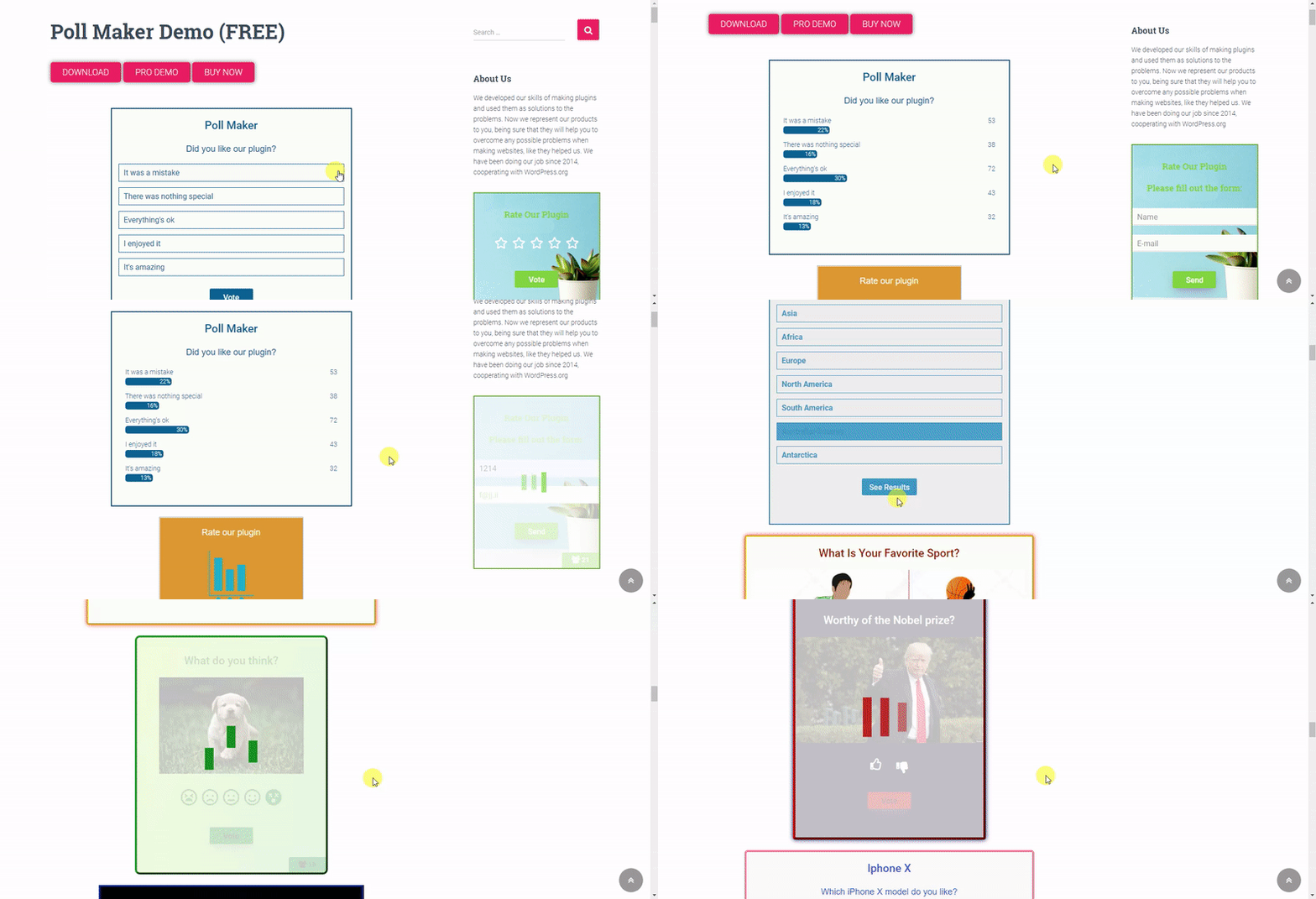
Poll Maker — предварительный просмотр gif для опросов на передней панели 
Poll Maker — предварительный просмотр опросов на передней панели 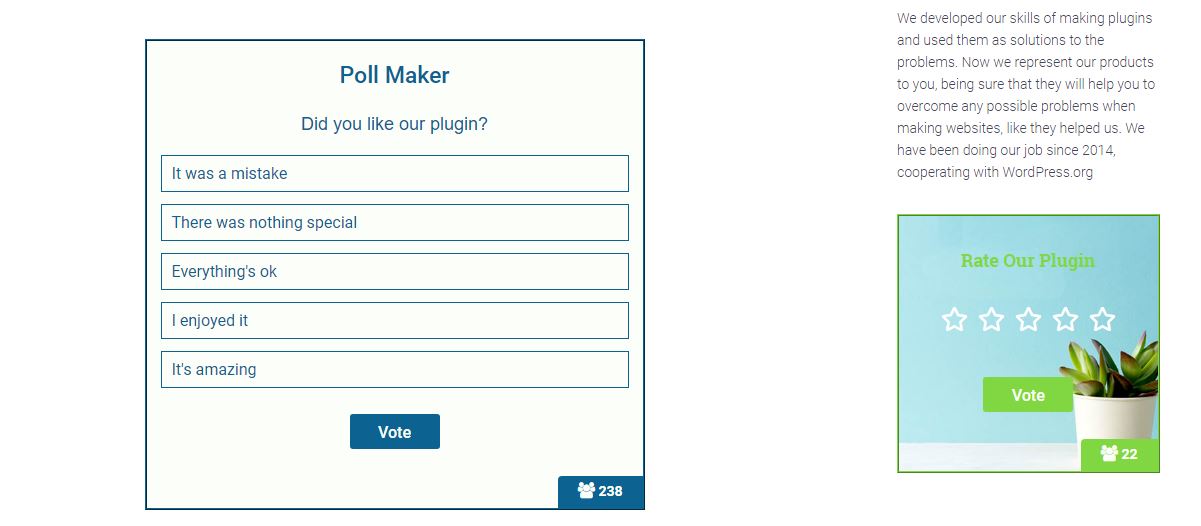
Poll Maker — предварительный просмотр опросов на передней панели 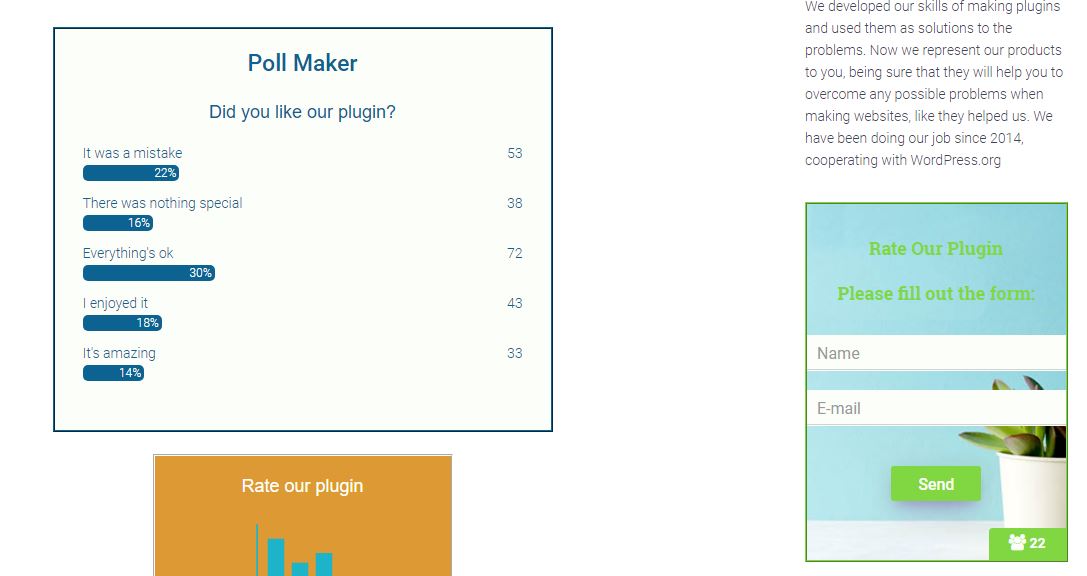
Poll Maker — список опросов на приборной панели 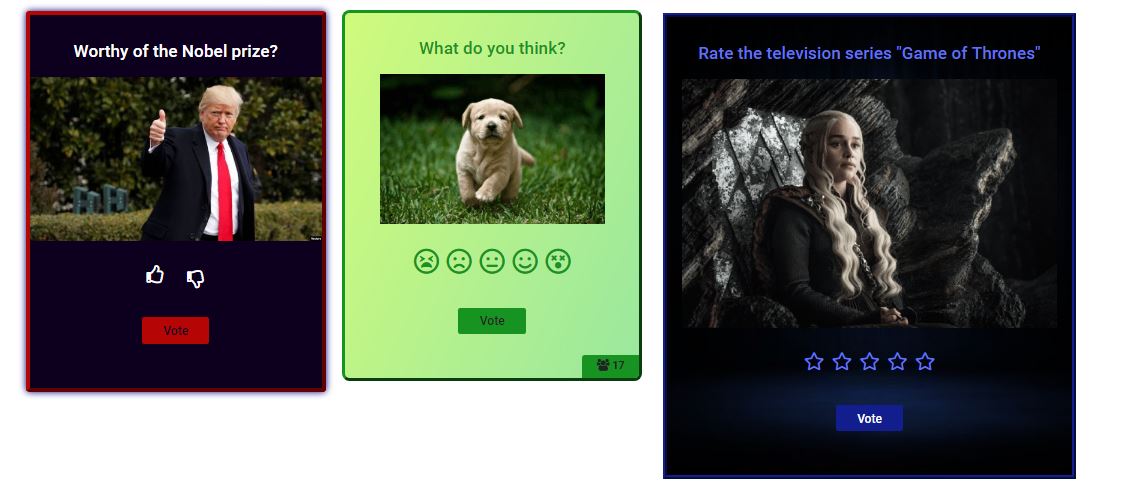
Poll Maker — редактирование опроса на приборной панели 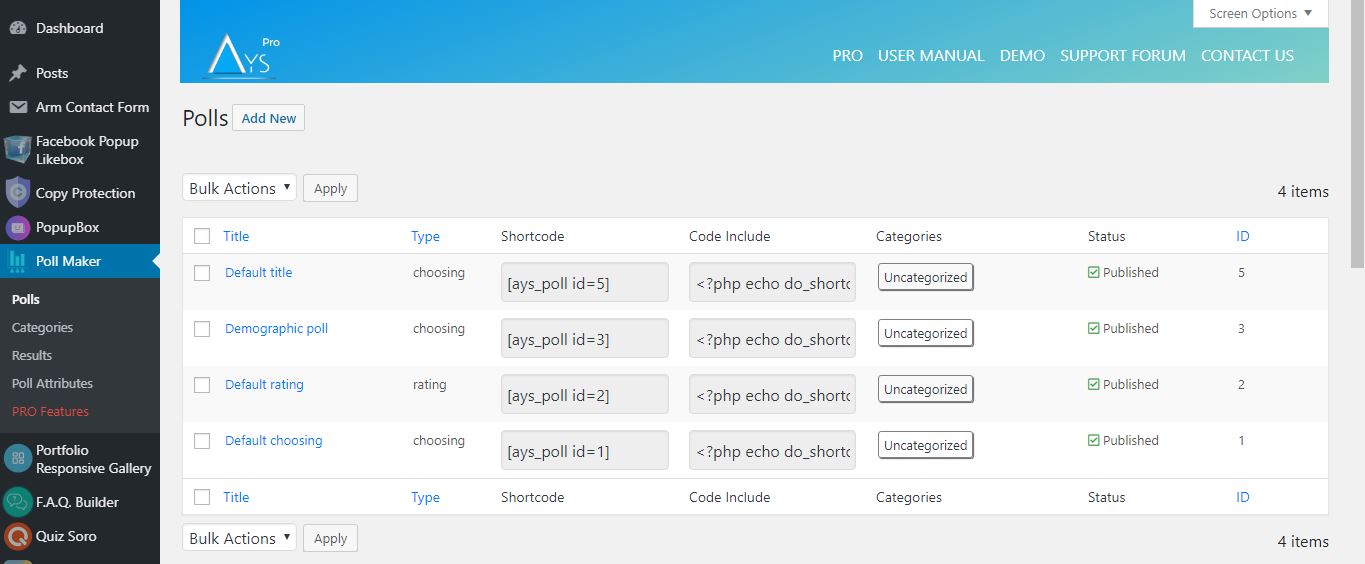
Poll Maker — редактирование опроса на приборной панели 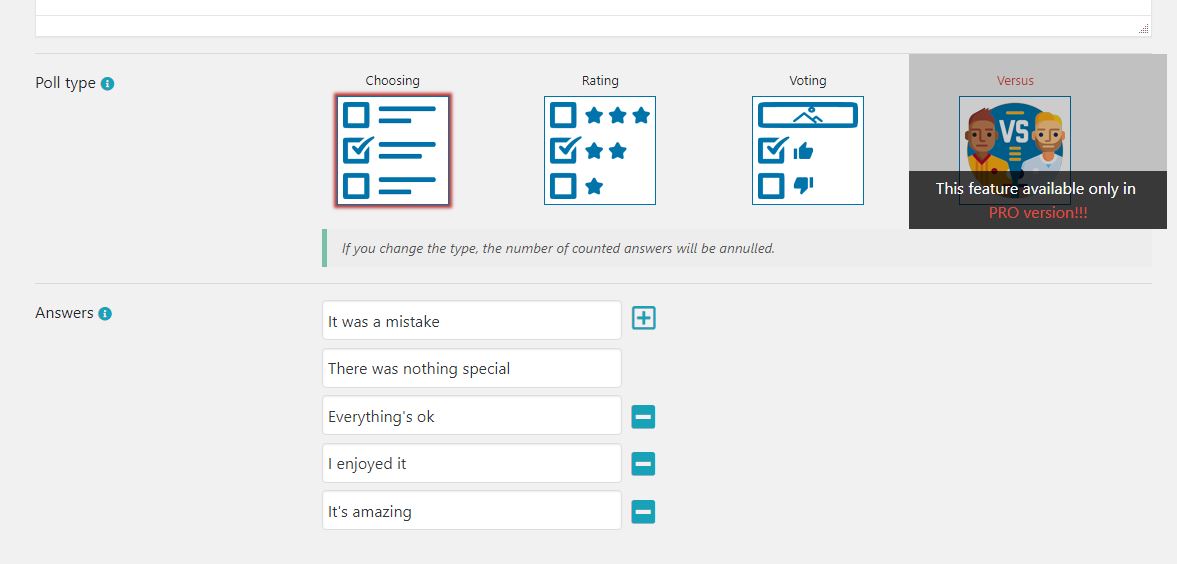
Poll Maker — редактирование стиля опроса на приборной панели 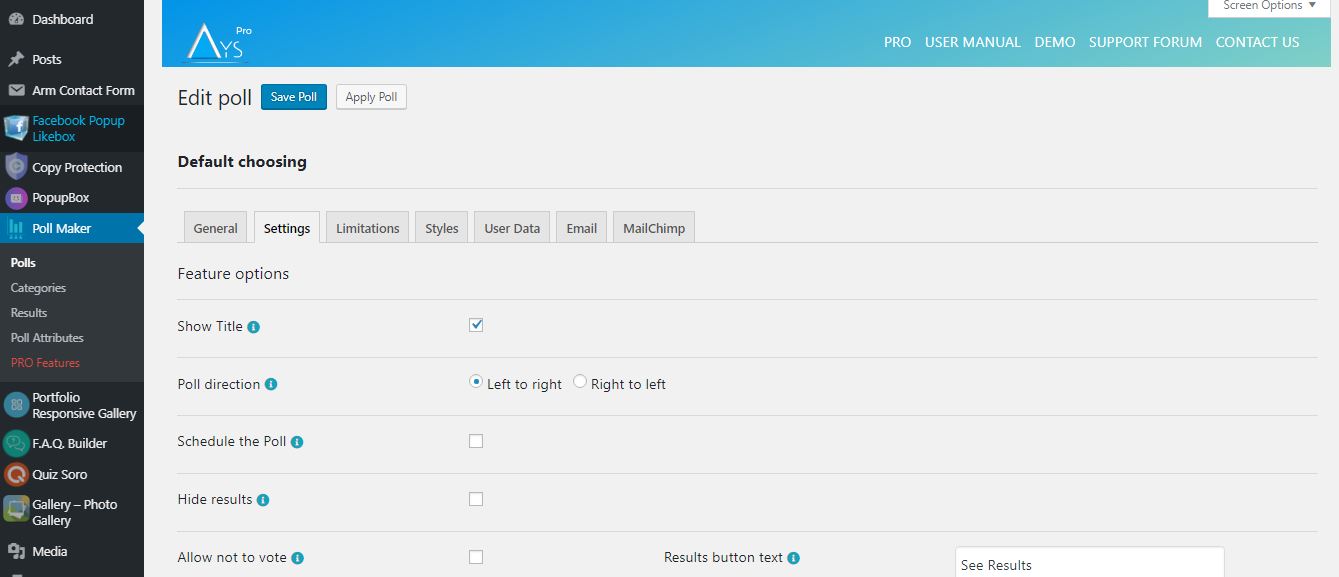
Poll Maker — приборная панель результатов опроса 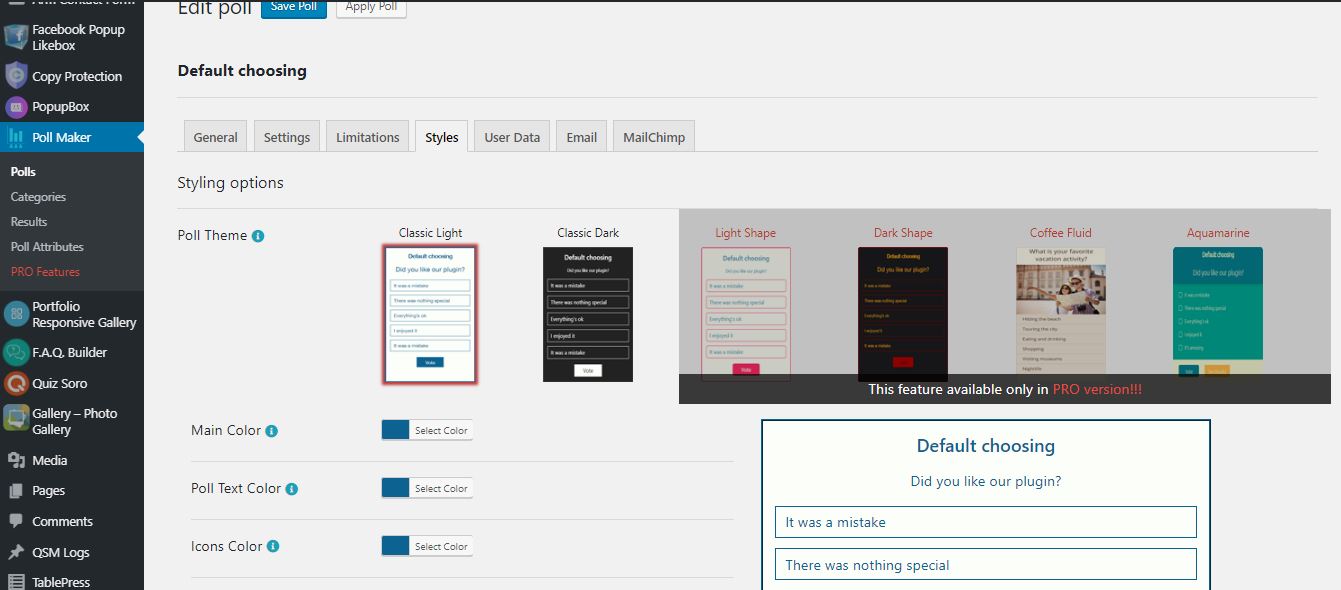
Poll Maker — панель предварительного просмотра gif 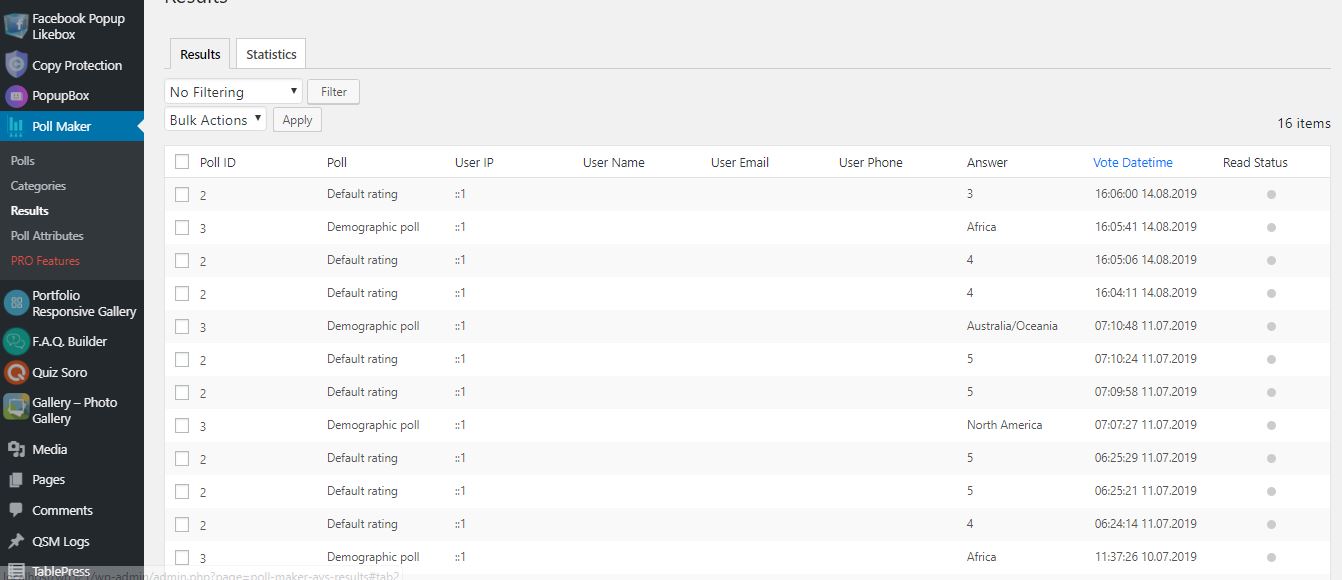


Блоки
Этот плагин предоставляет 1 блок.
- Poll Maker
Установка
Есть два способа установки Poll maker: простой путь, когда вы устанавливаете Poll maker из вашей панели WordPress, и не такой простой путь, когда вы устанавливаете его с сайта WordPress.org.
- 1.1 Простейший способ воспользоваться Poll Maker:
- 1.1.1 Войдите в свою приборную панель WordPress
- 1.1.2 Перейдите в раздел «Плагины
- 1.1.3 Добавить новый
- 1.1.4 Поиск Poll Maker
- 1.1.5 Нажмите для установки
- 1.2 Второй путь:
- 1.2.1Скачайте zip-файл с сайта https://wordpress.org/plugins/poll-maker/
- 1.2.2 Перейдите в раздел «Плагины
- 1.2.3 Добавить новый
- 1.2.4 Загрузить плагин
- 1.2.5 Выберите файл poll_maker.zip
-
1.2.6 Нажмите для установки
-
1.3 Чтобы установить генератор опросов с WordPress.org, необходимо разархивировать архив и скопировать папку с опросником в папку с плагинами (\wp-content\plugins).
После одного из этих шагов вы можете активировать плагин из меню «Плагины».
После активации настройте любые параметры по своему усмотрению, и вы можете наслаждаться нашим генератором опросов.
Часто задаваемые вопросы
-
1. Как я могу добавить опрос на свой сайт?
-
Сначала необходимо установить плагин и создать в нем Poll. После этого будет создан шорткод
который вы можете добавить в любое место вашего сайта. И тогда вы сможете увидеть свой опрос. -
2. Существуют ли какие-либо ограничения в составлении вопросов для Poll.
-
Плагин не имеет ограничений в создании вопросов Poll. Вы можете создать опрос
самостоятельно и можете добавить столько опросов, сколько захотите. Вы можете создать любой тип опроса
вопросы, такие как видео, фото, аудио и т.д. А с помощью шорткодов можно вставить все, что вы хотите. -
3. Могу ли я добавить один и тот же опрос на разных страницах?
-
Да, конечно. Вы можете добавить один и тот же Poll одновременно на разных страницах сайта. Вы
также можно добавить опросы в виджеты на боковой панели. И это не помешает трафику вашего сайта. -
4. Как проверить результаты в опросе?
-
После установки плагина вам нужно будет открыть настройки («Poll maker» в приборной панели)
и, войдя в раздел «Результаты», вы найдете результаты вашего опроса с помощью фильтров. -
5. Сколько типов существует в опросе?
-
Наш опрос имеет следующие типы: голосование, выбор, рейтинг (рейтинг-эмодзи, рейтинг-звезды)
-
6. Что мне делать в случае возникновения каких-либо проблем?
-
Наша служба поддержки прилагает все усилия, чтобы предоставить ответы в течение 24 часов. Мы делаем все возможное, чтобы
чтобы дать вам исчерпывающие ответы. В будущем мы также планируем много новых и фантастических функций и..,
конечно же, новые обновления. -
7. Как добавить опрос на виджет?
-
По умолчанию в нашем плагине установлены два опроса. Для добавления опроса в виджет вам необходимо
следовать инструкции: Перейдите в раздел виджетов и если у вас есть Опрос в нашем плагине, вы увидите
там наш виджет. Затем поместите его на боковую панель и выберите опрос и ширину для него. После этого мы
можем сказать, что это виджет опроса. -
8. Где я могу найти демо-версию этого плагина WordPress Poll Plugin?
-
Check out the WordPress Poll plugin Free Demo page to find all the advanced features the plugin offers.
-
9. Могу ли я собирать личную информацию у своих избирателей?
-
Sure! In order to achieve this, head to the Polls page > particular poll > User Data tab and tick the Enable Information Form option.
Then, select which fields the user should fill out. -
10. Как изменить готовый шаблон/тему?
-
Want to change the style of the poll? Then, head to the Polls page > particular poll > Styles tab.
Select your preferred, ready-to-use template and customize it with the styling options available in the plugin. -
11. Существует ли какая-либо документация или руководство пользователя для этого плагина опроса?
-
Конечно, есть! Ознакомьтесь с нашей официальной документацией (руководством пользователя), чтобы найти все возможности/функционал плагина.
Там вы найдете подробные описания опций, инструкции по их использованию, видеоинструкции, процесс установки плагина и т.д.
Кстати, если у вас возникнут вопросы или пожелания, вы можете связаться с нами через бесплатный форум поддержки. -
12. Как перейти на версию Poll PRO без потери данных?
-
Все, что вам нужно сделать, это нажать на кнопку Upgrade (вместо Deactivate) при деактивации плагина.
При этом вы сохраните уже созданные данные (викторины с вопросами). Для получения дополнительной информации вы можете ознакомиться с Руководством по обновлению.
Отзывы


Участники и разработчики
«Poll Maker — Versus Polls, Anonymous Polls, Image Polls» — проект с открытым исходным кодом. В развитие плагина внесли свой вклад следующие участники:
Участники
«Poll Maker — Versus Polls, Anonymous Polls, Image Polls» переведён на 10 языков. Благодарим переводчиков за их работу.
Перевести «Poll Maker — Versus Polls, Anonymous Polls, Image Polls» на ваш язык.
Заинтересованы в разработке?
Посмотрите код, проверьте SVN репозиторий, или подпишитесь на журнал разработки по RSS.
Журнал изменений
6.1.7 ( December 24, 2025 )
- Improved: Some changes on the admin dashboard
6.1.6 ( December 16, 2025 )
- Added: Current month message variable on the general settings
6.1.5 ( December 09, 2025 )
- Added: Current day message variable on the general settings
6.1.4 ( December 05, 2025 )
- Improved: Some changes on the admin dashboard
- Обновлено: Файл POT
6.1.3 ( December 02, 2025 )
- Added: Current time message variable on the general settings
- Improved: Some changes on the admin dashboard
- Проверено: Совместимость с W6.9
6.1.2 ( November 25, 2025 )
- Improved: Some changes on the admin dashboard
6.1.1 ( November 20, 2025 )
- Added: «Black Friday Deal» Banner
6.1.0 ( November 18, 2025 )
- Added: Post author roles message variable on the general settings
- Improved: Some changes on the admin dashboard
6.0.9 ( November 11, 2025 )
- Added: Current poll author Website URL message variable on the general settings
- Improved: Some changes on the admin dashboard
6.0.8 ( November 04, 2025 )
- Обновлено: Файл POT
- Fixed: Code correction on the admin dashboard
6.0.7 ( October 28, 2025 )
- Added: Current poll author display name message variable on the general settings
- Improved: Some changes on the admin dashboard
6.0.6 ( October 21, 2025 )
- Improved: Some changes on the admin dashboard
6.0.5 ( October 14, 2025 )
- Added: Post Author Website URL message variable on the general settings
- Improved: Some changes on the admin dashboard
6.0.4 ( October 08, 2025 )
- Improved: Some changes on the admin dashboard
6.0.3 ( October 03, 2025 )
- Added: Post Author Display name message variable on the general settings
- Improved: Some changes on the admin dashboard
6.0.2 ( September 23, 2025 )
- Improved: The banner style on the admin dashboard
6.0.1 ( September 16, 2025 )
- Added: Post Author Last name message variable on the general settings
- Improved: Some changes on the admin dashboard
6.0.0 ( September 09, 2025 )
- Added: Post Author First name message variable on the general settings
5.9.9 ( September 03, 2025 )
- Improved: Some styles on the admin dashboard
- Updated: POT and Po files
5.9.8 ( August 26, 2025 )
- Added: Post Author Nickname message variable on the general settings
- Improved: Some changes on the admin dashboard
5.9.7 ( August 19, 2025 )
- Improved: HTML structure for iframe embeds
- Improved: Some changes on the admin dashboard
5.9.6 ( August 12, 2025 )
- Fixed: See results in limitation user while Directly chosen
5.9.5 ( August 05, 2025 )
- Added: Post Author Email message variable on the general settings
5.9.4 ( July 29, 2025 )
- Added: Admin Email message variable on the general settings
5.9.3 ( July 22, 2025 )
- Added: Post ID message variable on the general settings
- Проверено: Совместимость до 6.8.2
5.9.2 ( July 15, 2025 )
- Added: After vote hook on front-end
- Improved: Notice functionality behavior
- Improved: Some changes on the admin dashboard
5.9.1 ( July 08, 2025 )
- Improved: Some changes on the admin dashboard
5.9.0 ( July 01, 2025 )
- Added: Dashboard submenu
- Improved: Poll Maker welcome page
- Fixed: Admin email vulnerability issue
5.8.9 ( June 24, 2025 )
- Added: Site title message variable on the general settings
5.8.8 ( June 17, 2025 )
- Added: Home page message variable on the general settings
- Improved: Some changes on the admin dashboard
5.8.7 ( June 12, 2025 )
- Updated: POT and Po files
- Fixed: Language translation proble
5.8.6 ( June 10, 2025 )
- Added: Post title message variable on the general settings
- Исправлено: Проблема с анимацией на приборной панели администратора
5.8.5 ( June 03, 2025 )
- Added: Current poll author email message variable on the general settings
5.8.4 ( May 27, 2025 )
- Improved: Code changes on the admin dashboard
- Fixed: Conflict with Pixel Ebook Store theme
- Fixed: Conflict with Interactive Education theme
5.8.3 ( May 20, 2025 )
- Improved: Some changes on the admin dashboard
- Fixed: Dismiss button problem on the admin dashboard
- Fixed: CSS conflict with the WP Social Login and Register plugin
5.8.2 ( May 14, 2025 )
- Improved: Some styles on the admin dashboard
- Updated: POT and Po files
5.8.1
- Changed: The location of the Save as default button on the polls edit page
- Improved: Some styles on the admin dashboard
- Проверено: Совместимость до 6.8.1
5.8.0
- Fixed: issue with multisite logs and network deactivation
5.7.9
- Added: Fox LMS Plugin to the Our Products page
- Added: Automatic activation/installation of the plugin on the Products submenu
- Improved: Some styles on the admin dashboard
5.7.8
- Added: Preview Poll button on the Quick Poll Preview Popup
- Improved: Some styles on the admin dashboard
- Fixed: CSS conflict with the HTML5 Video Player plugin
- Fixed: CSS conflict with the Panorama Viewer plugin
- Fixed: Vulnerability issue with user vote limitation
5.7.7
- Added: Auto-generate custom post for immediate poll preview on front-end
- Added: Preview link on the Polls List Table
- Added: Preview Poll button on the Preview Popup of the created poll
- Improved: Some styles on the admin dashboard
- Tested: Compatible up to 6.8
5.7.6
- Improved: Some styles on the admin dashboard
5.7.5
- Changed: Subtitle icon on the Polls List Table
- Improved: Some styles on the admin dashboard
5.7.4
- Updated: POT and Po files
- Fixed: Some issues
5.7.3
- Improved: Some styles on the admin dashboard
- Tested: Compatible up to PHP 8.3+
5.7.2
- Added: Some sanitizing checks on the admin dashboard
- Fixed: Some RTL styles issues on the admin dashboard
5.7.1
- Added: Some sanitizing checks on the front end
- Fixed: Issue with the Elementor Plugin
5.7.0
- Обновлено: Файл POT
- Fixed: Some issues
5.6.9
- Added: Roman numbering for answers
5.6.8
- Improved: Some styles on the admin dashboard
- Tested: Compatible up to 6.7.2
5.6.7
- Added: Buttons width mobile option in admin dashboard
5.6.6
- Fixed: Vulnerability issue connected to the poll results list table
5.6.5
- Added: Display of answer images in public page
5.6.4
- Fixed: Vote reason displaying issue on results page
- Fixed: Code correction for Live Preview mode
5.6.3
- Fixed: Some responsive styles on the admin dashboard
5.6.2
- Improved: Some styles on the admin dashboard
5.6.1
- Added: Answer hover color option
- Improved: Some styles on the admin dashboard
5.6.0
- Обновлено: Файл POT
- Fixed: Some styles on the admin dashboard
5.5.9
- Fixed: Responsive issue on the admin dashboard
- Added: Mobile Single Column View option in admin dashboard
5.5.8
- Fixed: Styling problem on the Gutenberg page
5.5.7
- Fixed: Issue connected to the poll deactivation
- Improved: Some styles on the admin dashboard
5.5.6
- Изменено: Стиль баннера на панели администратора
- Improved: Code optimization and Readability
5.5.5
- Fixed: Security issues on the admin dashboard and frontend
5.5.4
- Fixed: Security issues on the admin dashboard
- Improved: Some changes on the admin dashboard
5.5.3
- Added: Current date message variable
- Fixed: Some styles on the admin dashboard
- Обновлено: Файл POT
5.5.2
- Исправлено: Проблема дублирования опросов
- Improved: Some changes on the admin dashboard
- Tested: Compatible up to 6.7.1
5.5.1
- Fixed: Security issue on the admin dashboard
- Tested: Compatible up to 6.7
5.5.0
- Added: Poll title alignment on mobile option
5.4.9
- Added: Results bar in RGBA option for the Quick Poll Popup
- Fixed: Security issue connected to the poll custom answer
5.4.8
- Added: Enable restart button option for the Quick Poll Popup
- Fixed: Translation issue
5.4.7
- Added: Show title option for the Quick Poll Popup
- Added: Show creation date option for the Quick Poll Popup
- Fixed: Security issue on the admin dashboard
5.4.6
- Added: Randomize answers option for the Quick Poll Popup
- Обновлено: Файл POT
5.4.5
- Added: Answer image border radius option
5.4.4
- Fixed: Issue connected to the only for logged in users limitation message
- Improved: Styles on the poll integrations page
5.4.3
- Improved: Some styles on the admin dashboard
5.4.3
- Improved: Some styles on the admin dashboard
- Tested: Compatible up to 6.6.2
5.4.2
- Added: Info Text for the Elementor and Gutenberg blocks preview
- Improved: Some styles on the admin dashboard
5.4.1
- Fixed: Issue connected to the poll title
- Обновлено: Файл POT
5.4.0
- Added: Expand/Collapse functionality for polls options on the Polls page
5.3.9
- Improved: Styles on the admin dashboard
5.3.8
- Fixed: Issue connected to the allow multivote option
- Fixed: Some style issues on the front page
5.3.7
- Fixed: Polls search box issue on polls list table
- Fixed: Some styles on the admin dashboard
5.3.6
- Added: Autofill logged-in user data option
- Tested: Compatible up to 6.6.1
5.3.5
- Added: Poll main URL option
- Tested: Compatible up to 6.6
5.3.4
- Fixed: Translation issues
- Fixed: Poll alignment issue on the front page
5.3.3
- Fixed: Style issues on the front page
- Fixed: PHP issue on the each results list table
5.3.2
- Improved: Plugin performance on the admin dashboard
- Tested: Compatible up to 6.5.5
5.3.1
- Fixed: Style issues on the front page
- Fixed: Style issues on the admin dashboard
- Обновлено: Файл POT
5.3.0
- Improved: Some Styles on the admin dashboard
- Fixed: User IP security issue
5.2.9
- Fixed: Issue connected to the text type poll statistics chart
- Fixed: Style issues on the admin dashboard
- Tested: Compatible up to 6.5.4
5.2.8
- Fixed: Issue connected to the poll text type
5.2.7
- Fixed: Style issue on the admin dashboard
- Fixed: Issue connected to the poll categories shortcode
5.2.6
- Fixed: Issue connected to the poll text type
5.2.5
- Fixed: Translation issues on the admin dashboard
- Исправлено: Некоторые проблемы на главной странице
5.2.4
- Fixed: Translation issues on the admin dashboard
- Обновлено: Файл POT
5.2.3
- Fixed: Some styles on the admin dashboard
- Tested: Compatible up to 6.5.3
5.2.2
- Improved: Footer Style on the admin dashboard
5.2.1
- Fixed: Issues connected to the poll fonts on the front page
5.2.0
- Fixed: Issue connected to the result message on the front page
- Fixed: JS issues on the admin dashboard
5.1.9
- Fixed: Quick Poll security issue on the admin dashboard
- Fixed: Security issue connected to the change the author of the current poll option
5.1.8
- Fixed: JavaScript conflict with Elementor plugin
- Обновлено: Файл POT
5.1.7
- Changed: The polls Edit page design
5.1.6
- Added: Hide results option for the Quick Poll Popup
- Tested: Compatible up to 6.5
5.1.5
- Added: Show Author option for the Quick Poll Popup
5.1.4
- Fixed: Issue with the filter by type in polls list table (PHP 7.2)
- Обновлено: Файл POT
5.1.3
- Changed: The polls list table design
5.1.2
- Added: User phone message variable on the general settings page
- Improved: Some styles on the admin dashboard
5.1.1
- Added: Show timer at the bottom suboption to display the timer at the bottom
5.1.0
- Added: The Message variables section for the Hide Results option
- Improved: Some styles on the admin dashboard
5.0.9
- Added: User Email message variable on the general settings page
- Fixed: Issue connected to the result message
5.0.8
- Fixed: Issue connected to the User Name message variable
- Updated: PO files
5.0.7
- Added: User Name message variable on the general settings page
- Updated: PO files
5.0.6
- Added: Allow not to vote option for the Quick Poll Popup
- Improved: Some styles on the admin dashboard
- Updated: POT
5.0.5
- Improved: Some styles on the admin dashboard
5.0.4
- Added: Information popup about the poll after creating a poll
5.0.3
- Added: Allow Multivote option for the Quick Poll Popup
- Fixed: Issue connected to the Allow Multivote option
5.0.2
- Added: Create Quick Poll functionality on the admin dashboard
5.0.1
- Added: User website message variable on the general settings page
- Added: Italian language support
- Обновлено: Файлы POT и PO
5.0.0
- Fixed: Some styles on the admin dashboard
- Fixed: Elementor widget issue
4.9.9
- Added: Cancel button on the polls edit page
- Fixed: Some styles on the admin dashboard
4.9.8
- Improved: Message when no active polls found option on the poll categories page
- Fixed: Images sanitizing problem
4.9.7
- Added: Confirmation box for unsaved changes on the admin dashboard
4.9.6
- Fixed: Images sanitizing problem on the admin/front page
- Tested: Compatible up to 6.4.2
4.9.5
- Improved: Some changes on the admin dashboard
- Обновлено: Файлы POT и PO
4.9.4
- Fixed: Some styles on the admin dashboard
- Fixed: Some styles on the front page
4.9.3
- Fixed: Some styles on the admin dashboard
- Fixed: PHP issue on the each results list table
4.9.2
- Fixed: Some styles on the admin dashboard
4.9.1
- Improved: Some changes on the admin dashboard
4.9.0
- Fixed: Some styles on the admin dashboard
- Fixed: PHP issue on the each results list table
4.8.9
- Fixed: Some styles on the admin dashboard
- Fixed: Some issues on the each results list table
4.8.8
- Fixed: Some styles on the admin dashboard
4.8.7
- Fixed: Some styles on the front page
- Updated: POT and PO files
- Tested: Compatible up to 6.4.1
4.8.6
- Fixed: Some styles on the admin dashboard
- Fixed: Some responsive style issues on the results list table
4.8.5
- Fixed: Some styles on the admin dashboard
- Fixed: Filter and search options conflict on the polls list table
- Tested: Compatible up to 6.4
4.8.4
- Изменено: Стиль баннера на панели администратора
4.8.3
- Added: Type filter on the polls list table
- Fixed: Some styles on the admin dashboard
4.8.2
- Improved: Some changes on the admin dashboard
- Tested: Compatible up to 6.3.2
4.8.1
- Added: Height suboption for the Show results by option
- Fixed: Issue connected to the allow multivote option
4.8.0
- Fixed: Some styles on the admin dashboard
- Improved: Ask a question button style on the admin dashboard
4.7.9
- Fixed: Some styles on the admin dashboard
- Fixed: Some styles on the front page
4.7.8
- Fixed: Banner timer issue on the admin dashboard
- Fixed: Some issues conected to the loading effect size option
- Fixed: Some issues conected to the allow custom answer option
4.7.7
- Added: Confirmation Box before removing the polls/results and categories
- Fixed: Some styles on the admin dashboard
4.7.6
- Fixed: Banner security issue on the admin dashboard
- Fixed: Some issues connected to the allow custom answer option
4.7.5
- Added: Author filter on the polls list table
- Fixed: Responsive problem on the admin dashboard
- Tested: Compatible up to 6.3.1
4.7.4
- Fixed: Some styles on the admin dashboard
- Fixed: Issue connected to the create post for poll option
4.7.3
- Added: 7 and 10-star rating options for the Rating Poll Type
- Improved: Styles on the admin dashboard
- Tested: Compatible up to 6.3
4.7.2
- Fixed: Some styles on the admin dashboard
- Fixed: Security issue on the front page
4.7.1
- Improved: Dashboard styles
- Fixed: Security issue on the admin dashboard
4.7.0
- Added: Detailed Popup for the poll each result
- Изменено: Стиль баннера на панели администратора
- Fixed: Some styles on the admin dashboard
4.6.9
- Fixed: Some styles on the admin dashboard
- Improved: Min/Max values for the Allow multivote option
4.6.8
- Added: Status filter on the polls list table
- Improved: Deactivate popup style on the plugins page
4.6.7
- Added: User phone column on the poll results list table
- Fixed: User name user email and vote reason displaying issue on the poll results list table
- Исправлено: Некоторые проблемы на главной странице
4.6.6
- Fixed: Database error on the polls results page
- Fixed: Some styles on the admin dashboard
4.6.5
- Fixed: Some styles on the admin dashboard
- Fixed: JS issue on the admin dashboard
- Fixed: The default value for the alignment option in the text type
4.6.4
- Added: Introduction page for Poll Maker
- Added: Setup Guide
4.6.3
- Added: Create post for poll Option
- Added: Results column on the polls list table
- Added: Ability to copy the shortcode from the polls list table
- Added: Add new submenu
- Added: Each poll results list table
- Changed: Some styles on the admin dashboard
- Fixed: Security issue on the poll integrations page
- Improved: Polls results list table
4.6.2
- Added: Button background color changing option
- Tested: Compatible up to 6.2.2
4.6.1
- Added: Option to be able to show results after schedule without button
- Tested: Compatible up to 6.2.1
4.6.0
- Fixed: Select poll issue on the Gutenberg block
- Обновлено: Файлы POT и PO
4.5.9
- Fixed: Gutenberg block error
4.5.8
- Added: Button text color changing option
4.5.7
- Added: Functionality to insert message variables into the wp editor on the result message
4.5.6
- Исправлено: Проблемы со стилями CSS на приборной панели администратора
- Tested: Compatible up to 6.2
4.5.5
- Added: Title option for Poll logo
- Fixed: Some CSS style issues on the front-end
4.5.4
- Added: Default message for text type
- Исправлено: Некоторые изменения на приборной панели администратора
4.5.3
- Исправлено: Исправление кода на фронт-энде
- Исправлено: Некоторые изменения на приборной панели администратора
- Заблокировано: Новые возможности Pro
4.5.2
- Изменено: Стиль баннера на панели администратора
- Исправлено: Некоторые изменения на приборной панели администратора
4.5.1
- Добавлено: Атрибут Shortcode для ayspoll_results для показа последнего результата
- Исправлено: Некоторые изменения на приборной панели администратора
4.5.0
- Изменено: Некоторые проблемы со стилем CSS на панели администратора
- Исправлено: Проблема пагинации таблицы списка категорий
- Исправлено: Конфликт окна поиска и пагинации во всех таблицах списков
4.4.9
- Добавлено: SVG иконка опроса в редакторе Gutenberg
- Исправлено: Проблема ширины колонок для зарегистрированных пользователей
- Обновлено: Файл POT
4.4.8
- Добавлено: Кнопка сброса стилей на панели администратора
4.4.7
- Исправлено: Проблемы со стилями CSS на приборной панели администратора
4.4.6
- Добавлено: всплывающая подсказка для кнопок Сохранить на панели администратора
- Обновлено: Файл POT
4.4.5
- Изменено: Некоторые проблемы со стилем CSS на панели администратора
4.4.4
- Изменено: Некоторые проблемы со стилем CSS на панели администратора
- Исправлено: Проблема вертикальной прокрутки на приборной панели администратора
4.4.3
- Исправлено: Дата создания опроса по умолчанию в панели администратора
- Обновлено: Файлы POT и PO
4.4.2
- Исправлено: Проблемы со стилями CSS на приборной панели администратора
4.4.1
- Изменено: Некоторые проблемы со стилем CSS на панели администратора
- Исправлено: Проблема дублирования опросов
4.4.0
- Изменено: Изменить дизайн опции автора опроса
- Исправлено: Некоторые проблемы на главной странице
4.3.9
- Исправлено: Проблема с многоголосием и перенаправлением ответов на первой странице
- Исправлено: Проблема с мультиголосованием и показом правильных ответов на первой странице
4.3.8
- Исправлено: Проблема со стилями CSS на странице администратора
4.3.7
- Добавлено: Окно подтверждения для удаления ответов на опрос
- Исправлено: Проблемы со стилями CSS на приборной панели администратора
- Проверено: Совместимость до версии 6.1.1
4.3.6
- Исправлено: Проблема со стилем упорядочивания таблицы ответов
- Исправлено: Проблема со стилем на приборной панели администратора
4.3.5
- Добавлено: Функциональность перенаправления на другой опрос на странице опросов
- Исправлено: Проблема с категорией опросов на странице результатов
4.3.4
- Исправлено: Проблемы со стилями CSS на главной странице
- Проверено: Совместимость до 6.1
4.3.3
- Исправлено: Проблема со стилем CSS на панели администратора
4.3.2
- Исправлено: Проблемы со стилями CSS на приборной панели администратора
4.3.1
- Добавлено: Отсутствующие файлы
4.3.0
- Добавлено: Документация, бесплатная поддержка и ссылки Rate Us на странице плагинов
- Исправлено: Проблема с перенаправлением ответов на главной странице
- Исправлено: Проблема со стилем CSS на панели администратора
4.2.9
- Добавлено: Новый эффект загрузки на приборной панели администратора
- Добавлено: Функции чтения/непрочтения в таблице списка результатов
- Исправлено: Проблемы со стилями CSS на приборной панели администратора
- Проверено: Совместимость до версии 6.0.3
4.2.8
- Добавлено: Колонка «Категории» в таблице списка результатов
- Исправлено: Проблемы со стилями CSS на главной странице
4.2.7
- Исправлено: Проблемы со стилями CSS на главной странице
4.2.6
- Исправлено: Проблема выравнивания на первой странице
- Исправлено: Проблема выбора опроса по умолчанию на панели администратора
4.2.5
- Исправлено: Проблемы со стилями CSS на приборной панели администратора
- Обновлено: Файлы POT и PO
4.2.4
- Исправлено: Проблема с выбором опроса в редакторе Gutenberg
- Исправлено: Проблема перевода в разделе Как использовать подменю
- Проверено: Совместимость до версии 6.0.2
4.2.3
- Исправлено: Проблемы со стилями CSS на приборной панели администратора
4.2.2
- Исправлено: Проблемы со стилями CSS на приборной панели администратора
4.2.1
- Добавлено: Новый тип гистограммы на главной странице
4.2.0
- Добавлено: Как создать опрос за одну минуту видео на странице опросов
- Исправлено: Проблема со стилями CSS на панели администратора
4.1.9
- Исправлено: Проблемы со стилями CSS на приборной панели администратора
4.1.8
- Изменено: Тип опроса при выборе дизайна страницы
4.1.7.1
- Исправлено: Проблема с функциональностью выбора типа опроса
4.1.7
- Улучшено: Функциональность выбора типа опроса при добавлении нового опроса
4.1.6
- Добавлено: переменная сообщения IP-адреса пользователя в общих настройках
- Исправлено: PHP-проблема в шорткоде результата
4.1.5
- Добавлено: переменная сообщения о ссылке на текущую страницу опроса в общих настройках
4.1.4
- Добавлено: Показать шорткод подсчета ответов на опрос
4.1.3
- Добавлено: Все пройденные опросы считаются по переменной сообщения пользователя
4.1.2
- Добавлено: демонстрационные ссылки для типов опросов
- Исправлено: Проблема с опросом по умолчанию на странице результатов
4.1.1
- Изменено: Стиль раздела «Сообщество» на странице «Как пользоваться
4.1.0
- Добавлено: опция ссылки на Youtube в ссылках социальных сетей
4.0.9
- Изменено: Подменю «Наши продукты» Дизайн интерфейса
4.0.8
- Исправлено: Проблема с шорткодом заголовка кнопки «Поделиться
- Добавлено: Ссылка «Просмотр документации» в подменю страницы администратора
- Проверено: Совместимость до 6.0
4.0.7
- Изменено: Стиль баннера на панели администратора
4.0.6
- Добавлено: Заголовки для ссылок на социальные сети
4.0.5
- Добавлено: Опция ссылок на социальные сети
4.0.4
- Добавлено: Показывать шорткод автора текущего опроса в общих настройках
4.0.3
- Добавлено: кнопка «Следующая категория опроса» на странице редактирования категорий опросов
4.0.2
- Добавлено: кнопка «Следующая категория опроса» на странице редактирования категорий опросов
- Исправлено: Проблема с PHP на панели администратора
4.0.1
- Добавлено: Переменная сообщения о количестве проходов опроса
4.0.0
- Добавлено: Показать шорткод заголовков категорий опросов
1.0.1
- Added: Default poll with type Rating
- Added: Apply button when user trying to add new poll
- Fixed: Activation problem
