Backup and Restore Automation using SQLCMD and SQL Server agent

Database administrators are often requested to refresh a database, mostly to create a live copy of the production database to the test or development environment. This is done so that the development or the test environment closely resembles the production environment; this way, we prevent many undesirable issues when running the application in the production environment.

Many developers, at times, are required to write and debug code on the production copy of the database, so it makes more sense to refresh the database on regular basis.

Let’s build the process to automate the database refresh activity using a simple backup-and-restore method and scheduling it using SQL Server Agent.

  • Restore the database to the same server with a different nameImage


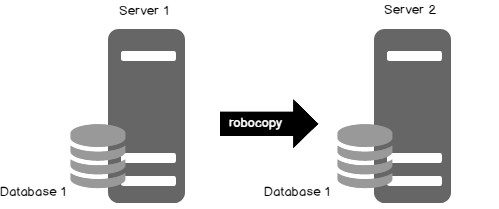
  • Restore the database to a different server using sqlcmd and Robocopy utility
Image

  • Schedule the job


Let’s take a closer look at the process to see how this works.

Continue reading Backup and Restore Automation using SQLCMD and SQL Server agent


Unknown's avatar

About Prashanth Jayaram

DB Technologist, Author, Blogger, Service Delivery Manager at CTS, Automation Expert, Technet WIKI Ninja, MVB and Powershell Geek My Profile: https://social.technet.microsoft.com/profile/prashanth jayaram/ http://www.sqlshack.com/author/prashanth/ http://codingsight.com/author/prashanthjayaram/ https://www.red-gate.com/simple-talk/author/prashanthjayaram/ http://www.sqlservercentral.com/blogs/powersql-by-prashanth-jayaram/ Connect Me: Twitter @prashantjayaram GMAIL [email protected] The articles are published in: http://www.ssas-info.com/analysis-services-articles/ http://db-pub.com/ http://www.sswug.org/sswugresearch/community/
This entry was posted in SQL Server Backup and tagged , , . Bookmark the permalink.

Leave a comment