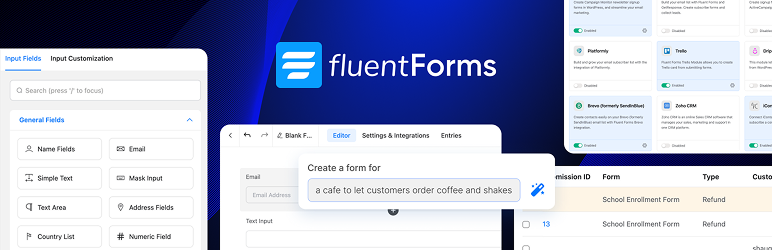

Mô tả
Fluent Forms là Trình tạo Biểu mẫu Liên hệ Nâng cao và Nhẹ
Fluent Forms là plugin biểu mẫu liên hệ WP kéo và thả, thân thiện với người dùng, có thể tùy chỉnh tối ưu, cung cấp cho bạn tất cả các tính năng mạnh mẽ. Đây là trình tạo biểu mẫu không cần viết mã hoàn hảo cho cả người mới bắt đầu và người dùng nâng cao.
Demo | User Guide | Youtube Video Tutorials | Get Support | Official Facebook Community | Official Fluent Forms Community
Từ biểu mẫu liên hệ đơn giản đến biểu mẫu thanh toán, bài kiểm tra hoặc máy tính nâng cao hơn, Fluent Forms có thể đáp ứng hầu như mọi nhu cầu của bạn.
Các Tính năng Mạnh mẽ có sẵn trong Phiên bản Miễn phí
- Trình tạo Kéo và Thả
- Logic có điều kiện thông minh
- Biểu mẫu đối thoại
- Built-in AI Form Builder
- Hơn 25 trường nhập sẵn sàng để sử dụng
- Gutenberg Form Styler
- Mẫu biểu mẫu có thể tái sử dụng
- Accept Payments with Stripe*
- Reporting Dashboard*
- Bố cục biểu mẫu nhiều cột có thể điều chỉnh
- Spam protection using reCAPTCHA, hCaptcha & more
- Thông báo email
- Lên lịch & hạn chế biểu mẫu
- Xuất/nhập biểu mẫu
- Xuất mục nhập ở định dạng CSV/Excel/ODS/JSON
- Filter entries & Form Finder
- Undo/redo & Form Edit history
- Role manager
- Form analytics & Visual data report
- Đặt giá trị mặc định cho các trường nhập hoặc điền từ các tham số URL
- CSS & JS Tùy chỉnh
- Hoàn toàn phản hồi nhanh & có thể truy cập cho người dùng có nhu cầu đặc biệt
- Chuyển đổi từ WPForms, Contact Form 7, Gravity Forms, Ninja Forms & Caldera Forms
Tính năng có sẵn trong phiên bản Pro
- 55+ trường nhập liệu
- Payment
- Numeric calculation
- Multi-step form
- Advanced form styler
- Quiz & survey module
- Inventory management
- Dynamic field
- Report module
- Advanced search filter
- Nhập mục nhập biểu mẫu
- Admin approval
- Tin nhắn xác nhận có điều kiện
- Xác nhận kép
- Xác thực biểu mẫu nâng cao
- Auto-delete entries
- Trang đích
- Nhà cung cấp vị trí địa lý
- Thông báo SMS
- Định tuyến email có điều kiện
- Đăng ký người dùng
- Advanced post/CPT creation
- Address autocomplete
- 60+ third-party integrations (and a lot more via Zapier)
Biểu mẫu Liên hệ Siêu Nhanh
Fluent Forms is optimized for speed, minimally impacting site performance with less than 30KB of combined CSS and JS for a standard form. This is significantly faster than most form builders, which load over 300KB of assets. Build the fastest online forms quickly.
Trình tạo Biểu mẫu Liên hệ Kéo và Thả
Trình tạo biểu mẫu kéo và thả của chúng tôi cho phép bạn dễ dàng tạo bất kỳ biểu mẫu nào bạn có thể tưởng tượng trong vài phút mà không cần viết bất kỳ dòng mã nào.
Trường Nhập
Available in the Free Version
- Name Fields
- Simple Text
- Mask Input
- Text Area
- Address Fields
- Country List
- Numeric Field
- Dropdown
- Radio Field
- Checkbox
- Multiple Choice
- Website URL
- Time & Date
- Custom HTML
- Hidden Field
- Section Break
- reCAPTCHA
- hCaptcha
- Turnstile
- Terms & Conditions
- GDPR Agreement
- Password Field
- Custom Submit Button
- One/Two/Three/Four/Five/Six Column Container
- Payment Item
- Subscription
- Custom Payment Amount
- Item Quantity
- Payment Method
- Payment Summary
Available in the Pro Version
- Image Upload
- File Upload
- Phone/Mobile
- Shortcode
- Action Hook
- Form Step
- Ratings
- Checkable Grid
- Range Slider
- Net Promoter Score
- Dynamic Field
- Chained Select
- Color Picker
- Repeat Field
- Post/CPT Selection
- Rich Text Input
- Save & Resume
- Quiz Score
- Coupon
- Post Title
- Post Content
- Post Excerpt
- Featured Image
- Post Update
- Post Taxonomy Fields (Categories, Tags, Formats)
- Container Repeater
- Accordion/Tab
Gutenberg Form Styler
Customize form colors, typography, spacing, and borders directly within the Gutenberg interface. No more switching between editors or hunting for CSS selectors, style your forms right where you build your pages.
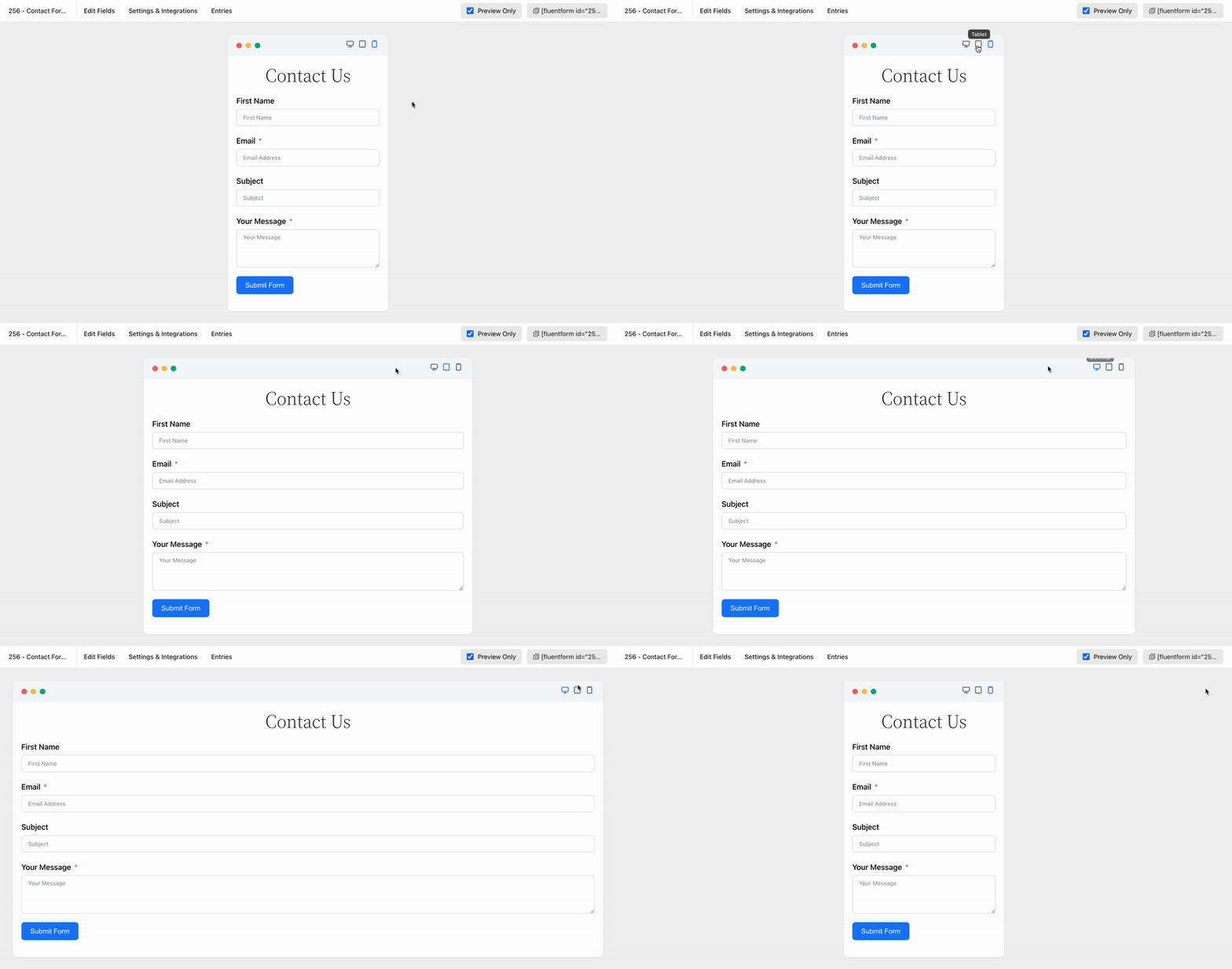
Biểu mẫu Đáp ứng Di động Hoàn toàn
Fluent Forms đã được phát triển để đảm bảo rằng nó đáp ứng các thiết bị với tất cả các kích thước hiển thị. Hiển thị các form của bạn trên tất cả các thiết bị mà không gặp bất kỳ rắc rối nào.
Mẫu Biểu mẫu Có thể tái sử dụng
Stop repetitive work. Fluent Forms offers pre-built forms with a single click, allowing quick tweaks and saving time. We provide dozens of useful templates for fast form building, including:
* Contact Form
* Support Form
* Event Registration Form
* Vendor Contact Form
* Patient Intake Form
* Volunteer Application Form
* Request for Quote Form
* Conference Proposal Form
* Report a bug Form
* Polling Form
* Tell A Friend Form
* My Directory Information Form
* Request for Leave Form
* Admissions Form
* Loan Application Form
* Job Listing Form
* Website Feedback Form
* Comment & Rating Form
* User Registration Form (Pro)
* Donation Form (Pro)
* Payment Form (Pro)
* Subscription Payments Form (Pro)
Biểu mẫu Đối thoại
Fluent Forms excels in creating various forms, notably its conversational forms. Unlike traditional forms, these present one question at a time, minimizing distraction and boosting completion rates. They offer multiple layout and sharing options (direct URLs, shortcodes, HTML embedding, etc.).
View Conversational Form Demo
Fluent Forms Pro offers advanced conversational forms. Users can navigate questions via scroll and key press, and customize fonts, colors, and backgrounds to align with their brand.
AI Form Builder
Say hello to Free AI Form Builder! Fluent Forms AI Form Builder simplifies and speeds up form creation. Just describe your needs to generate effective forms with all necessary fields.
Accept Payments with Stripe
Fluent Forms 6.0 now offers payment fields to free users, allowing Stripe payments for events, donations, or sales with a 1.9% transaction fee. Recurring payments are also included via the Subscription field. Pro removes the 1.9% fee, leaving only Stripe’s charges.
Fluent Forms Report Module
Fluent Forms Report Module provides powerful, data-informed insights through three sections: Overview, Payment, and Submissions. The free version includes basic analytics like submission/payment summaries, form ranking, API logs, and detailed charts. The Pro version unlocks advanced reporting, such as partial entry rates, submission data by country, and subscription analytics.
Công cụ Trực quan hóa Dữ liệu Tích hợp
Fluent Forms allows easy analysis of form submissions with pie, bar, or tabular charts. As a form or quiz builder, it simplifies data analysis, providing real-time graphical results for surveys or polls.
Thông báo email
Nhận thông báo mỗi khi có ai đó gửi đi một form và cũng gửi một email xác nhận đến người điền form. Để làm cho nó trở nên nâng cao hơn, bạn có thể sử dụng thông báo email có điều kiện để gửi email khi các điều kiện nhất định được đáp ứng.
Bố cục Biểu mẫu Nhiều cột
Xếp chồng các trường nhập trong nhiều cột và làm cho biểu mẫu dài, nhàm chán trở nên gọn gàng và thông minh. Điều này sẽ dẫn đến tỷ lệ từ bỏ biểu mẫu thấp hơn. Có sáu loại hộp chứa cột để lựa chọn.
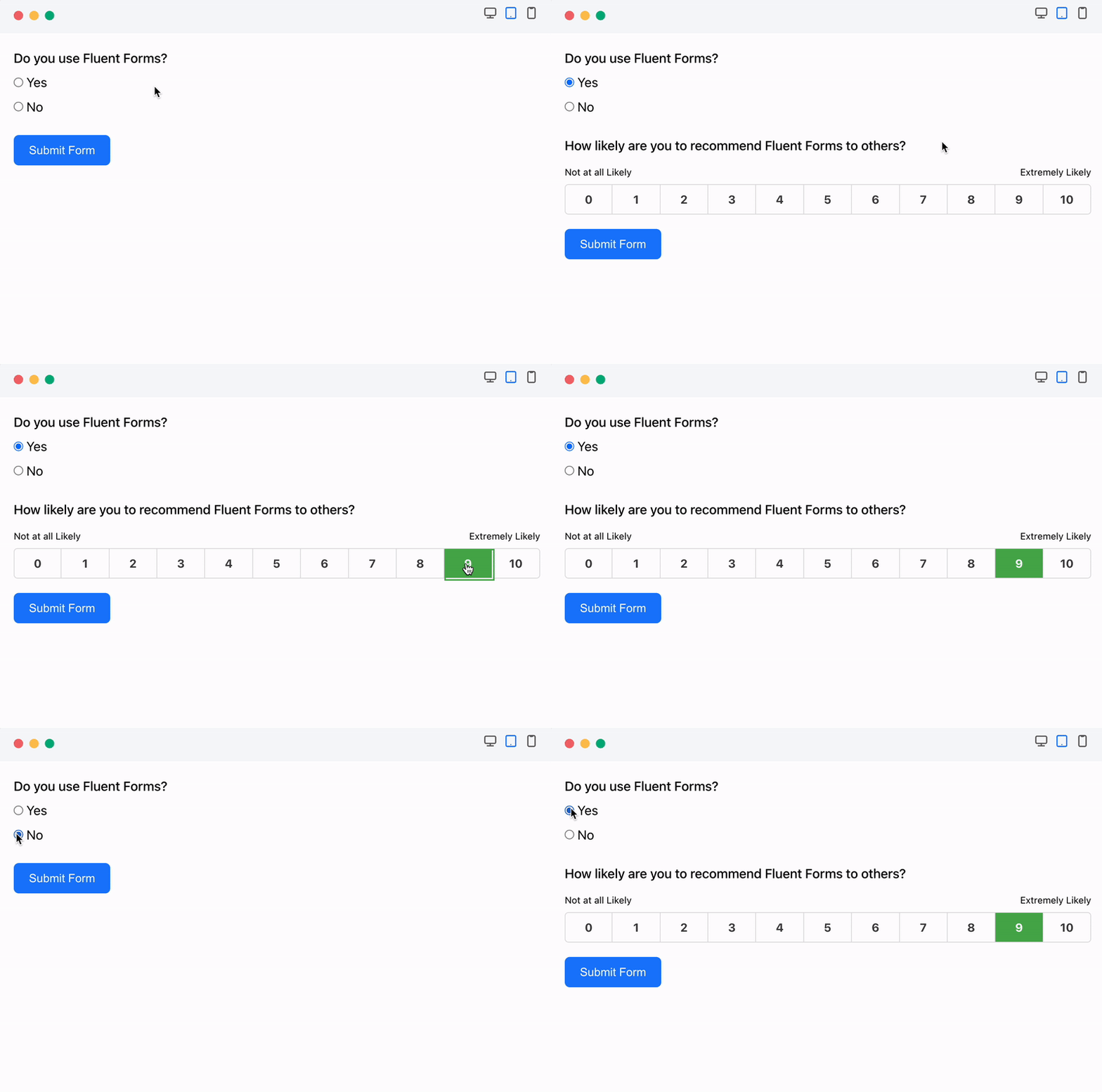
Logic Có điều kiện
Use conditional logic to show or hide form fields based on user behavior, preventing unnecessary clutter. Users can set multiple condition groups by selecting fields and defining rules (e.g., equal, greater than, includes). Conditional logic also allows for automatic email notifications and displaying different confirmation messages based on submission conditions.
Máy tính cho Tính toán Biểu mẫu Nâng cao
Fluent Forms’ numeric field enables creation of smart calculators like car loan, BMI, mortgage, or tax calculators with ease. You can define the acceptable range for these numerical inputs by setting minimum and maximum values.
Tạo Tệp PDF từ Biểu mẫu Đã gửi
Generate PDF from your submitted entries and let users download the PDF file or send it via email. You can use this feature to generate invoices, create reports, or provide order summaries.
Xác nhận Có điều kiện
Fluent Forms Pro cho phép bạn gửi thông báo xác nhận được tùy chỉnh đến người dùng của bạn nếu họ đáp ứng các điều kiện cụ thể.
Trình tạo kiểu biểu mẫu nâng cao
Fluent Forms Pro’s Advanced Form Styler allows easy contact form customization to boost conversions. Adjust colors, fonts, box shadows, borders, margins, and padding. You can also quickly import styles from previous forms.
Xây dựng Bài trắc nghiệm & Khảo sát
Fluent Forms Pro is a versatile tool, functioning as both a contact form and a powerful quiz builder. As a quiz plugin, it enables the creation of fun quizzes, personality tests, and trivia, with scoring assigned to questions. Users can see their performance immediately after submission or through email. It also supports running surveys and displaying the results.
Biểu mẫu Thanh toán
Fluent Forms Pro is a powerful solution for creating payment, product order, and donation forms, in addition to contact forms. It easily accepts credit card payments via integration with popular gateways like PayPal, Stripe, Razorpay, Paddle, Square, Paystack, Mollie and Authorize.net.
Trình di chuyển Một cú nhấp chuột
Nếu bạn đã đang sử dụng Contact Form 7, WPForms, Caldera Forms, Ninja Forms hoặc Gravity Forms và muốn chuyển sang Fluent Forms, bạn có thể thực hiện việc này chỉ bằng một cú nhấp chuột.
Fluent Forms CLI
Fluent Forms offers a powerful Command Line Interface (CLI) for managing forms without the graphical user interface. The CLI tool allows users to easily create, manage, import/export data, track submissions, and configure settings.
Tăng cường Định tuyến Email & Tự động hóa
Boost website efficiency by using query strings to pre-fill visitor details and direct forms to designated teams via email routing, auto-response, and conditions.
Tích hợp và tiện ích bổ sung có sẵn trong phiên bản miễn phí
- FluentCRM
- Fluent Support
- FluentBoards
- FluentSMTP
- Ninja Tables
- FluentBooking
- WP Social Ninja
- Fluent Forms PDF Generator
- MailChimp
- Slack
- Mautic
- Mailpoet
Tích hợp có sẵn trong Phiên bản Pro
- ActiveCampaign
- AffiliateWP
- Airtable
- amoCRM
- Automizy
- Brevo (formerly SendInBlue)
- BuddyBoss
- Campaign Monitor
- ChatGPT
- CleverReach
- ClickSend
- Constant Contact
- Kit, formerly ConvertKit
- Discord
- Drip
- Gist
- GetResponse
- Google Maps
- Google Sheets
- HubSpot
- iContact
- Insightly
- MailerLite
- Mailjet
- Mailster
- Mollie
- MooSend
- Notion
- OnePageCRM
- Paddle
- PayPal
- Paystack
- Pipedrive
- Platformly
- RazorPay
- Salesflare
- Salesforce
- SendFox
- Square
- Stripe
- Telegram
- Trello
- Twilo
- Đăng ký Người dùng
- WebHook
- Zapier
- Zoho CRM
- Authorize.net
Kiểm tra Tài liệu và Video Hướng dẫn
Fluent Forms có tài liệu hướng dẫn chi tiết từng bước. Một số tài liệu cần thiết được cung cấp dưới đây:
- Getting started with Fluent Forms
- Set up Form Submission Confirmation Message
- Setting up Email Notifications in Fluent Forms Plugin
- Send Email Notifications on Form Submission
- Managing the Submitted Entries in Fluent Forms
- Available Field Types in WordPress Forms
- Set up Forms with Conditional Logic
- WordPress Form Scheduling and Restriction Feature
- Global Inventory Manager in Fluent Forms
- All Available CRM and Marketing Tools Integration Modules
Người dùng nói gì về Fluent Forms
Fantastic Form Plugin!
I’ve tried a number of premium (and free) WP form plugins including Forminator Pro (by WPMU Dev) and Piotnet Forms. But I’ve come back to Fluent Forms as my favourite. It’s lightweight and easy to use!
– By @jeremywardkccBest form plugin ever with first class support
This is the lightest form plugin I’ve ever used (except basic CF7 which is not enough for me). Great performances, great UI, great features, and above all, amazing dev/support team!!!
Plugin is improving almost every week and they listen to you 🙂
– By @yankiaraAgency Owner / Web Designer
Fluent forms is a great contact form plugin that allows customization and advanced features and addons such as taking payments. As a web designer / agency owner wpmanageninja is my go to for a lot of my software. Sure the software is great, but it is their support that keeps me coming back. I can count on them to assist me when my back is against the wall.
– By @nickyeager123456Powerful Form Plugin
Fluent Forms is very intuitive and easy to use form plugin. I am not an expert in website creation, and learned how to use it very easily. The documentation available in their official website is very usefull, it helps me a lot when in doubt on how to do something. The Pro is even better, and includes some functionalities that are worth it (if you need them, of course). Good deal with lifetime licence. Thank you.
– By @francksdlExcellent Support
Excellent customer service. I have fluent forms and fluent CRM, both pro versions, and not only do they work great but the support you get is excellent. Can totally recommend
– By @facua1Free Version Has Options Found only in Premium Plugins
This is a fantastic email form. It’s fast (very light weight), easy to use, and the support is great. To boot, the free version also has options usually found only in premium email forms. Don’t waste your time looking for another form. I spent countless hours looking for the “right” form, and this one is it, hands down.
– By @nevrsmer
Follow Fluent Forms Social Media
X/Twitter | Facebook | Youtube | Instagram | LinkedIn | Official Fluent Forms Community
Các Plugin Khác của Nhóm WPManageNinja
- Fluent Forms PDF Generator Add-on
- Plugin Email Marketing, Bản tin, Tự động hóa Email và CRM dành cho WordPress của FluentCRM
- Ninja Tables – Plugin WP DataTables Tốt nhất dành cho WordPress
- Fluent Support – Plugin Bàn trợ giúp WordPress và Plugin Yêu cầu Hỗ trợ Khách hàng
- FluentSMTP – The Most Advanced SMTP, SES Plugin for WordPress
- Plugin Thanh toán Đơn giản & Đăng ký của Paymattic – Plugin Thanh toán Tốt nhất cho WP
- WP Social Ninja – Plugin Nguồn cấp dữ liệu Xã hội, Bài đánh giá Tốt nhất cho WordPress (Bài đánh giá trên Google, Nguồn cấp dữ liệu Ảnh, Trò chuyện & Khác)
- FluentBooking – The Ultimate WordPress Scheduling Plugin
- FluentBoards – Project Management, Task Management, Goal Tracking, Kanban Board, and, Team Collaboration
- FluentCommunity – Full-fledge Social Network, Community & LMS
- FluentCart: A New Era of eCommerce with WordPress – Faster, Lighter, and Simpler
Ảnh màn hình
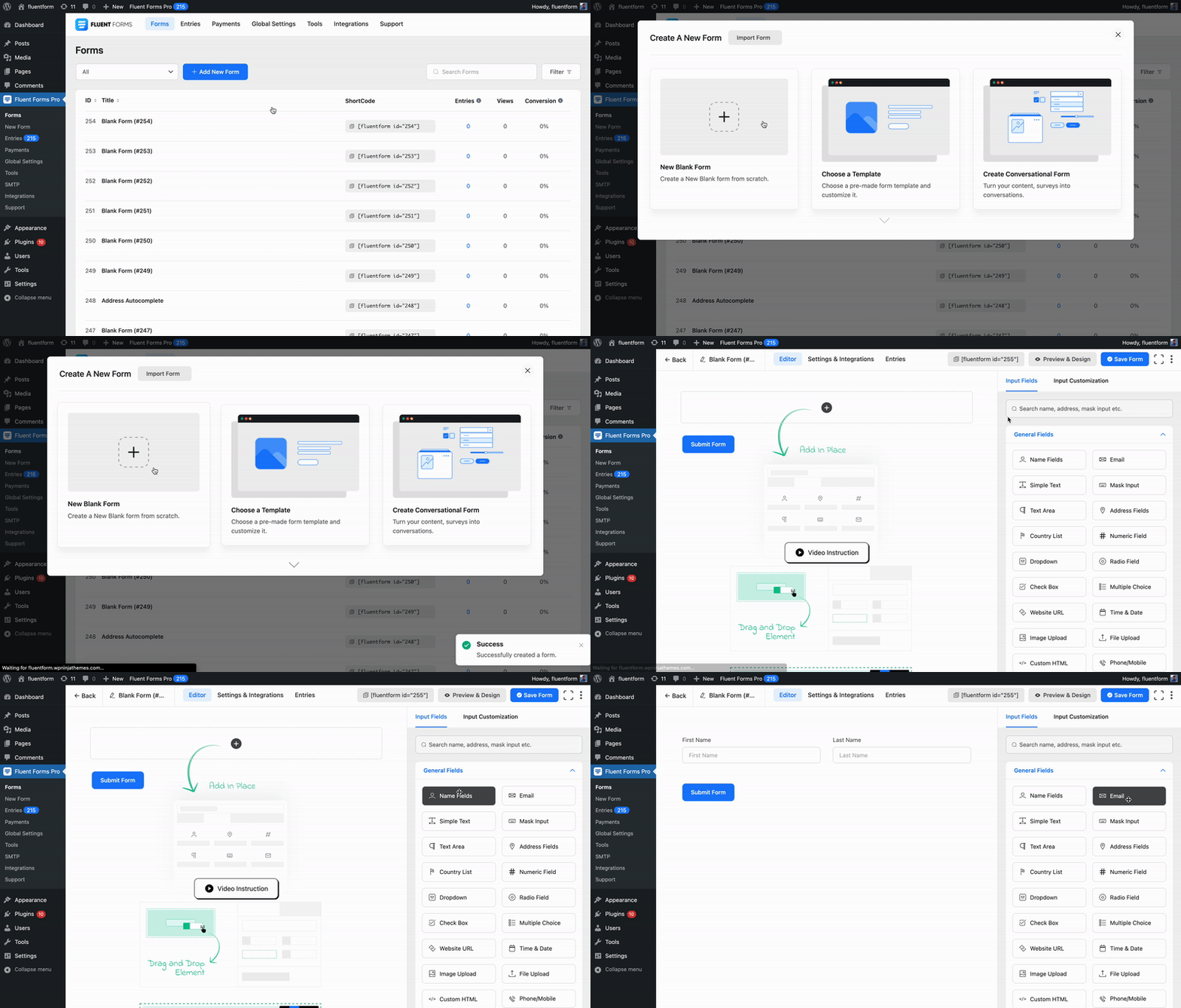
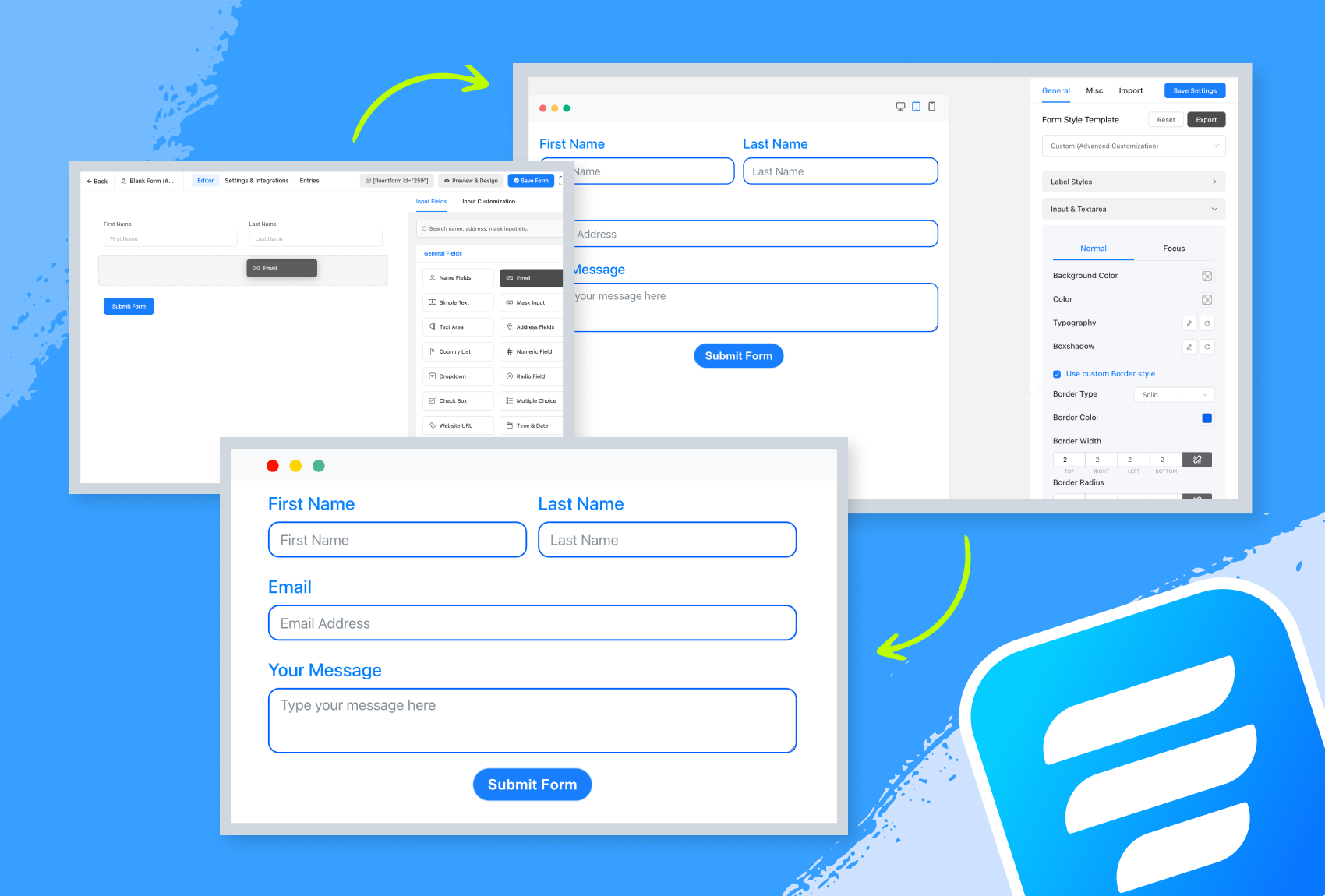
Trình tạo Biểu mẫu với Trình chỉnh sửa 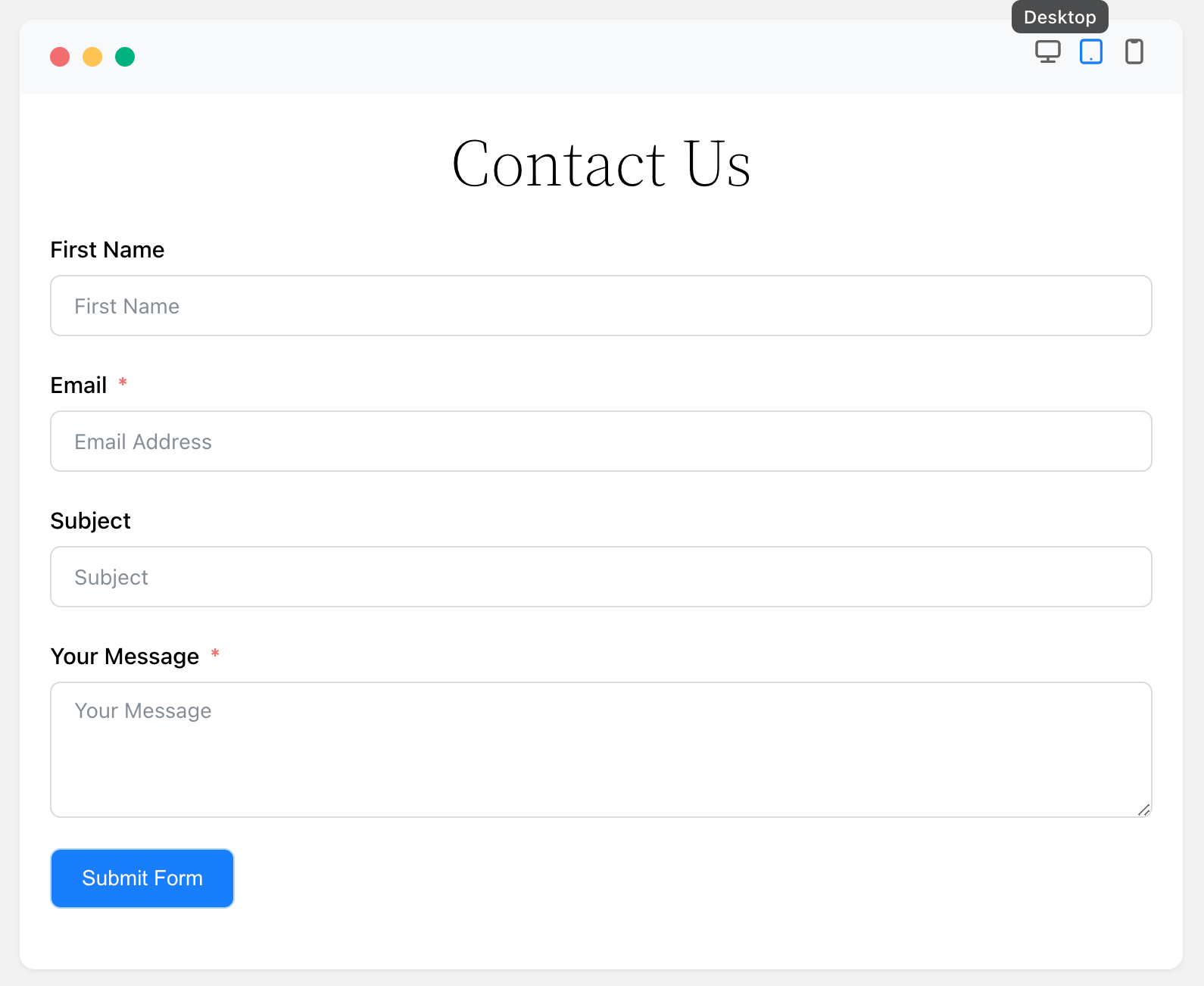
Xem trước Biểu mẫu 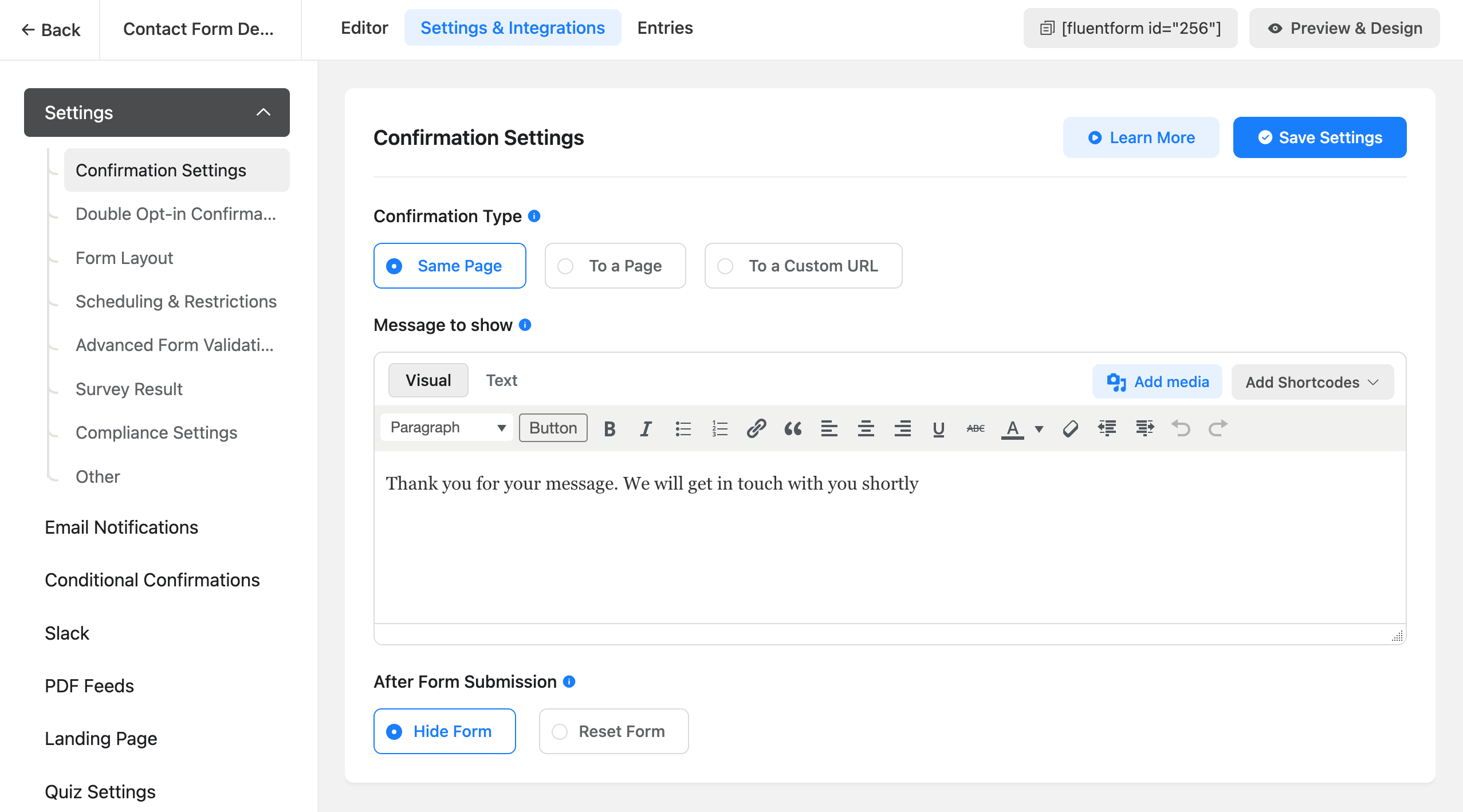
Cài đặt Biểu mẫu 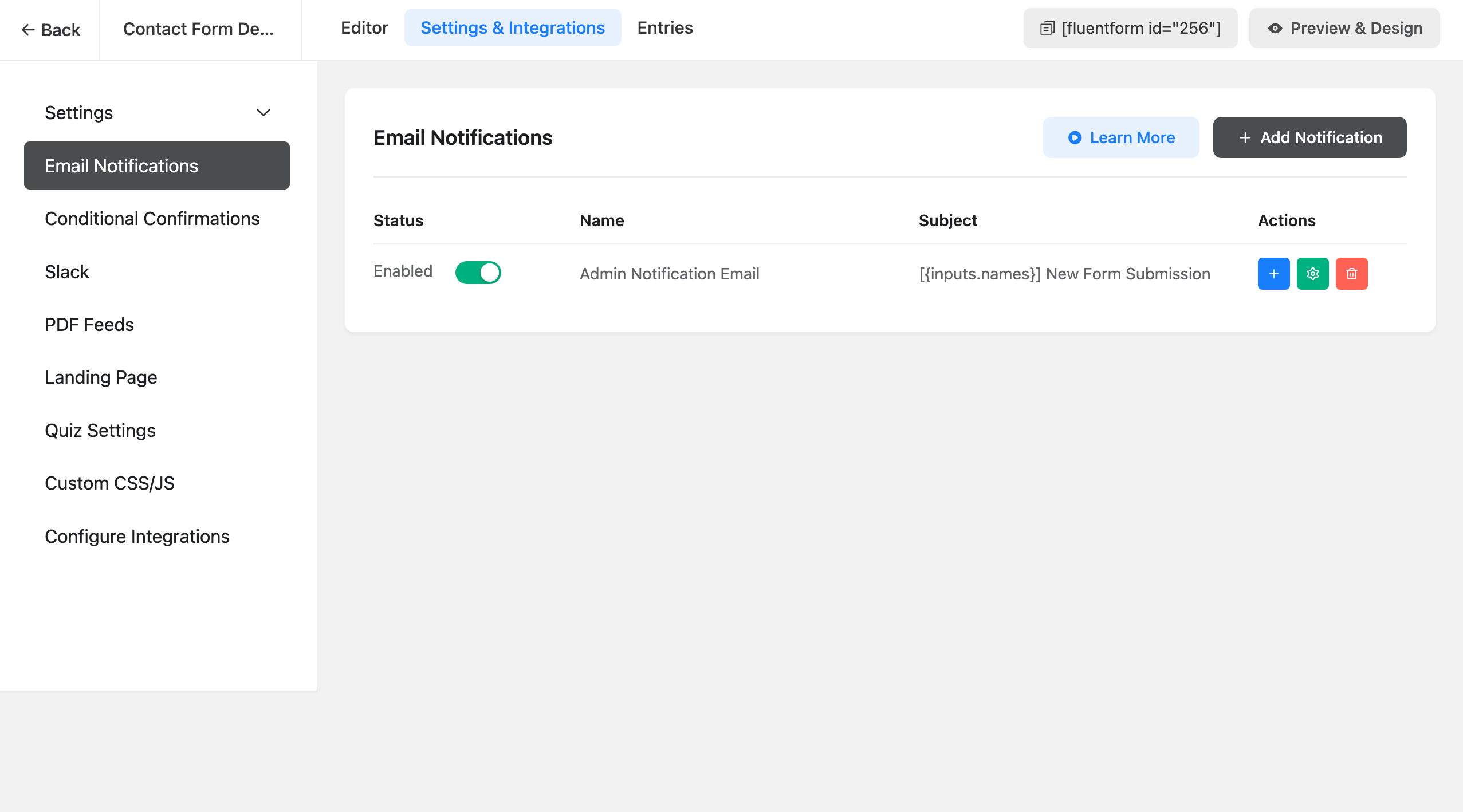
Cài đặt Thông báo Email 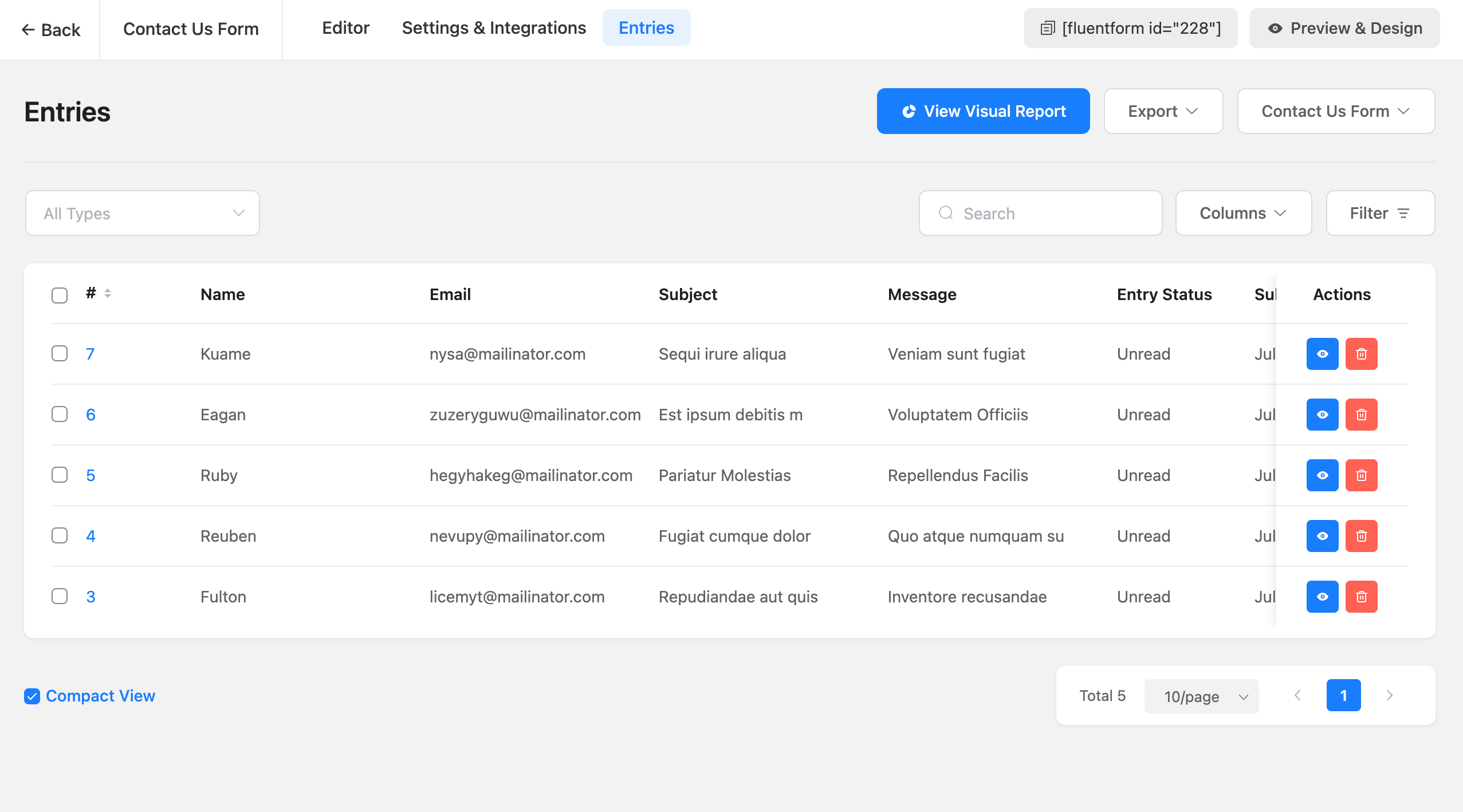
Danh sách Mục nhập 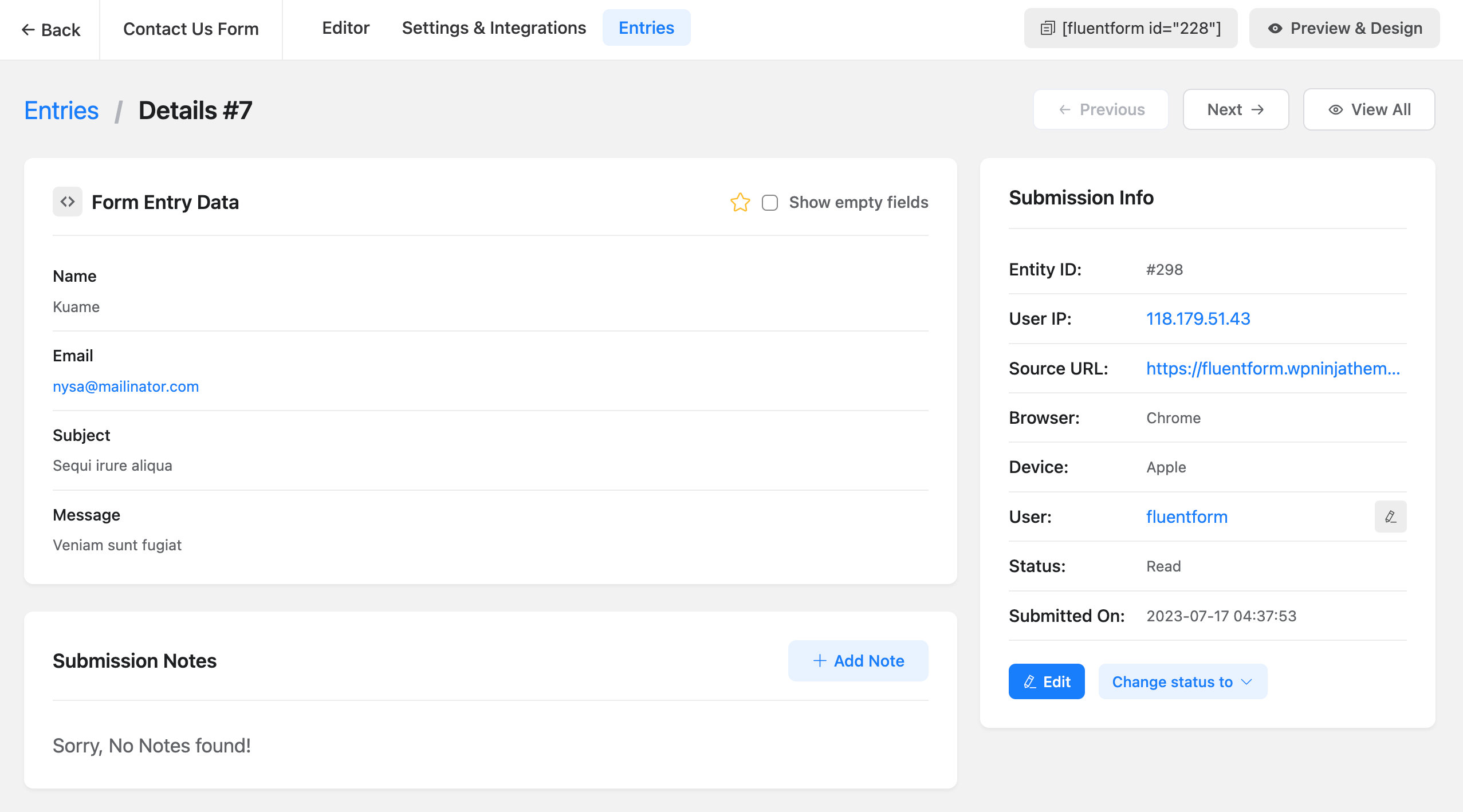
Chi tiết Mục nhập 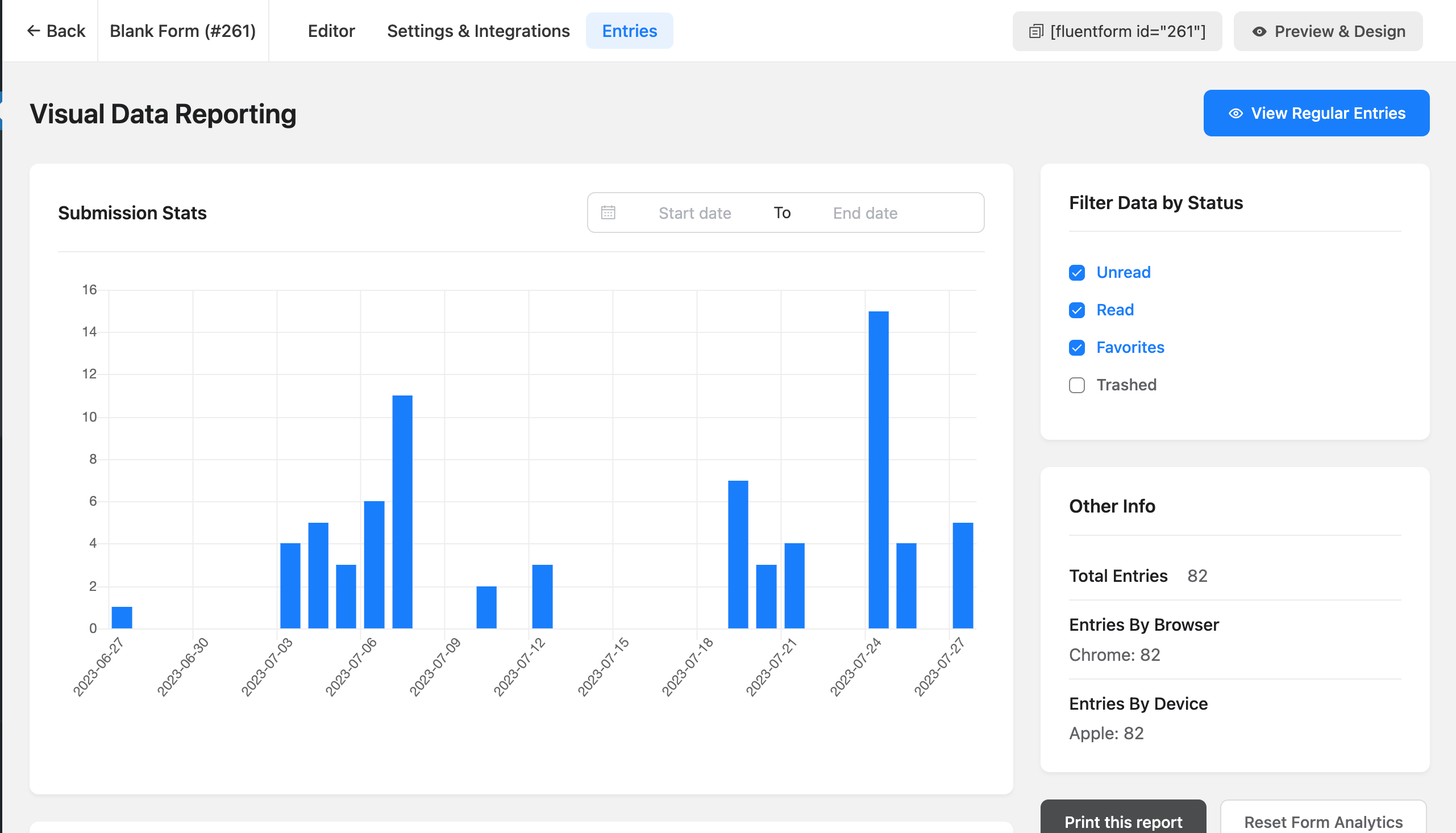
Báo cáo Dữ liệu 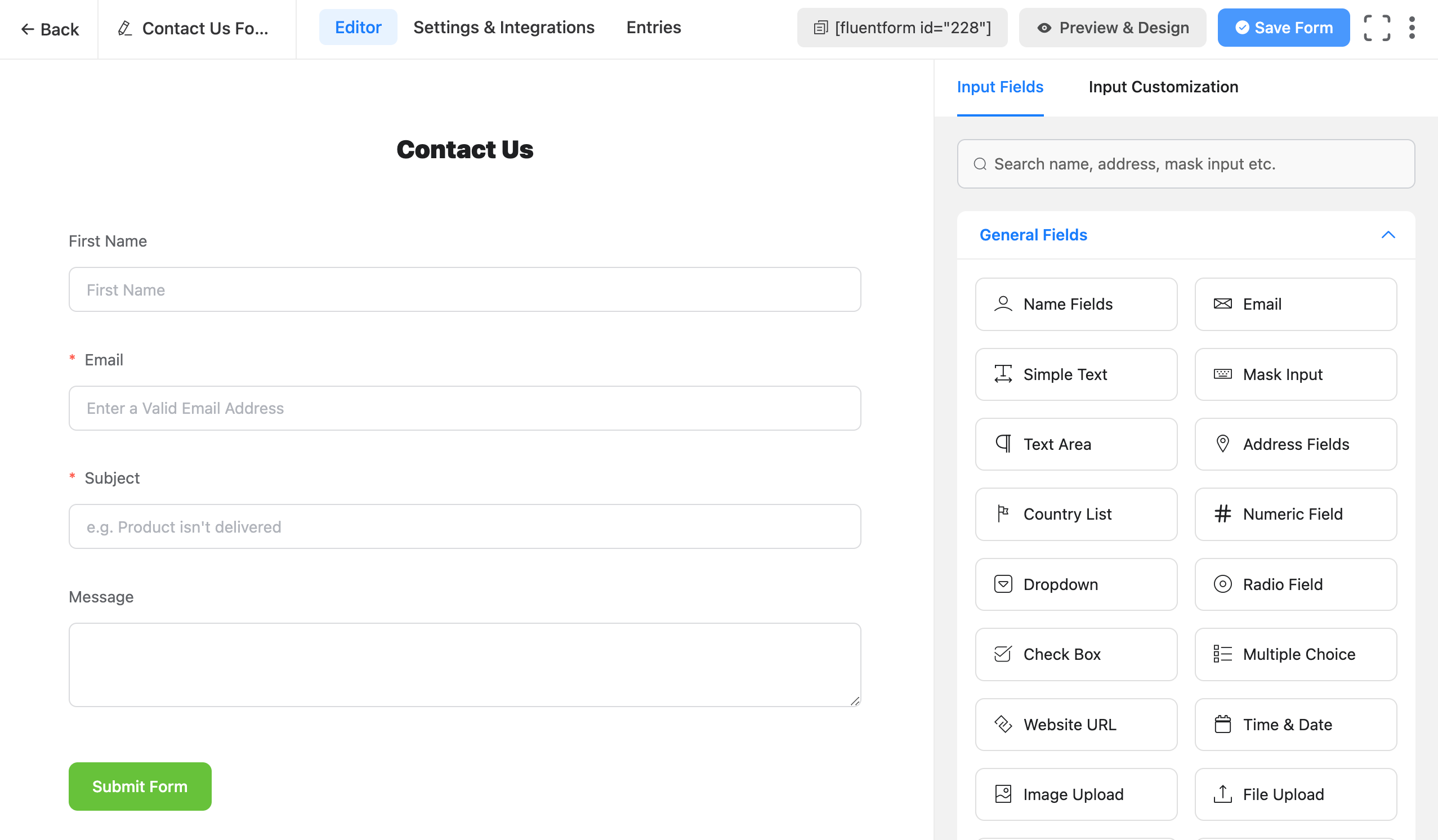
Trình chỉnh sửa Biểu mẫu Nâng cao 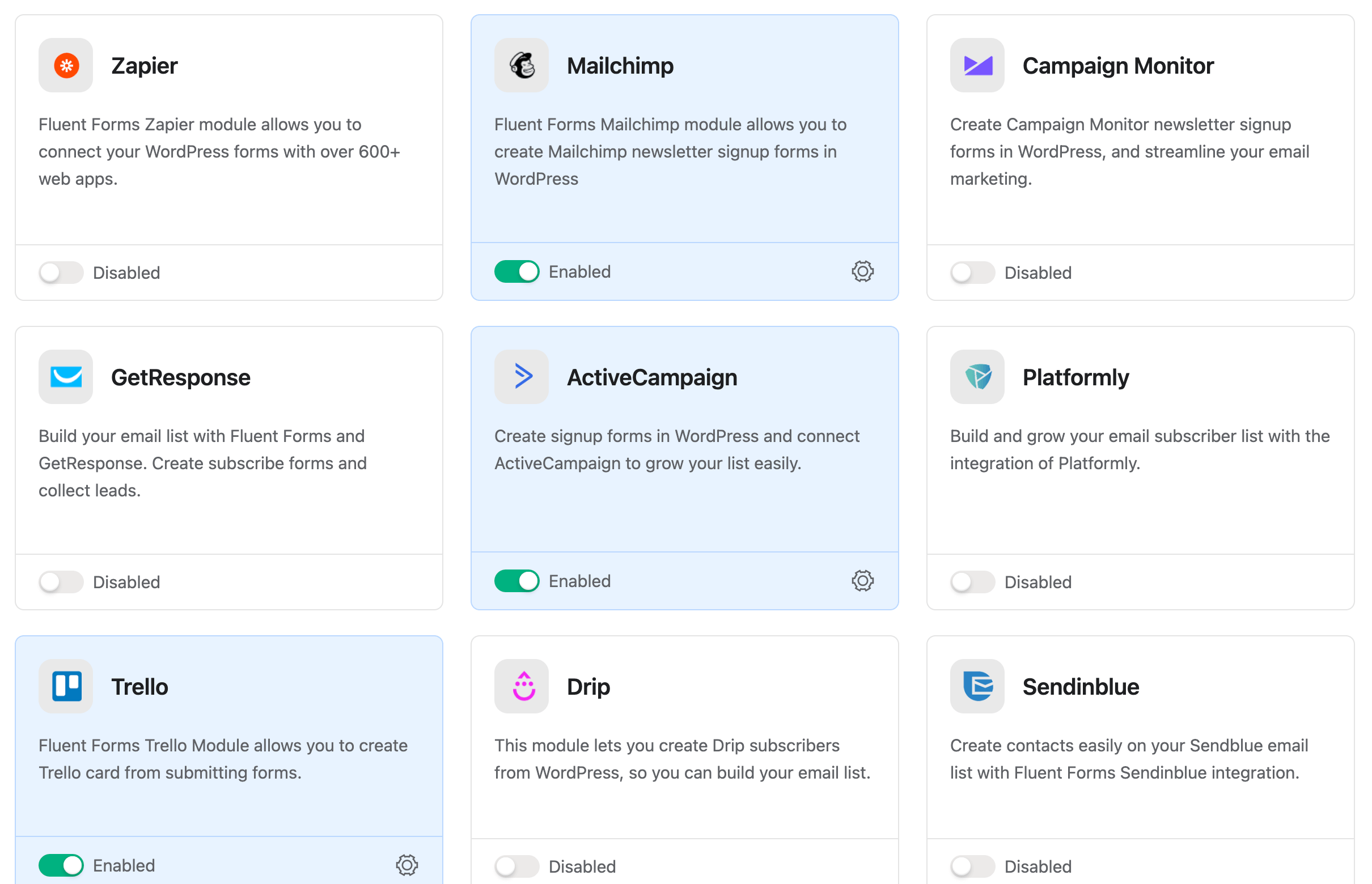
Trình quản lý Tích hợp Biểu mẫu 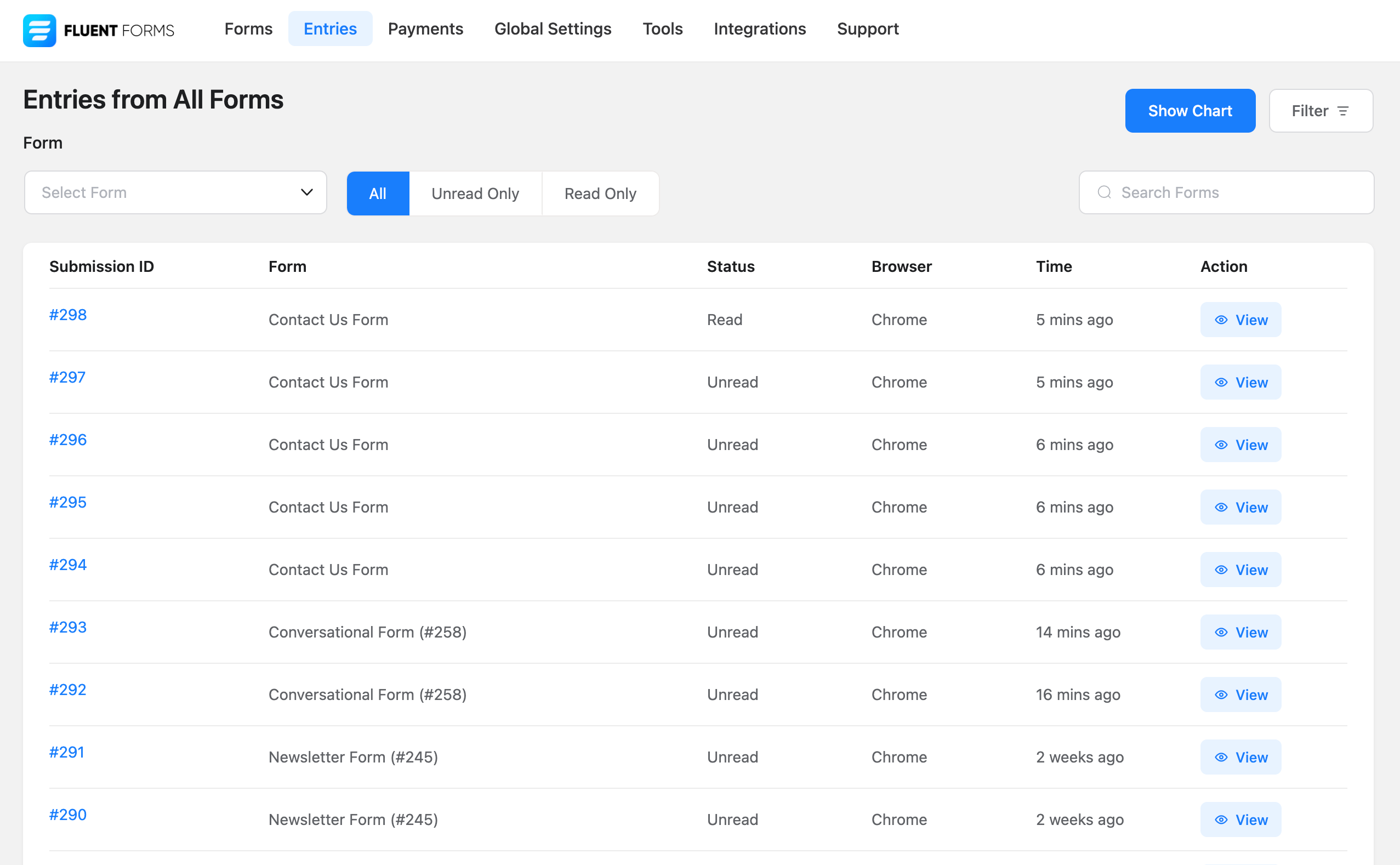
Biểu đồ Tất cả Lượt gửi theo Ngày 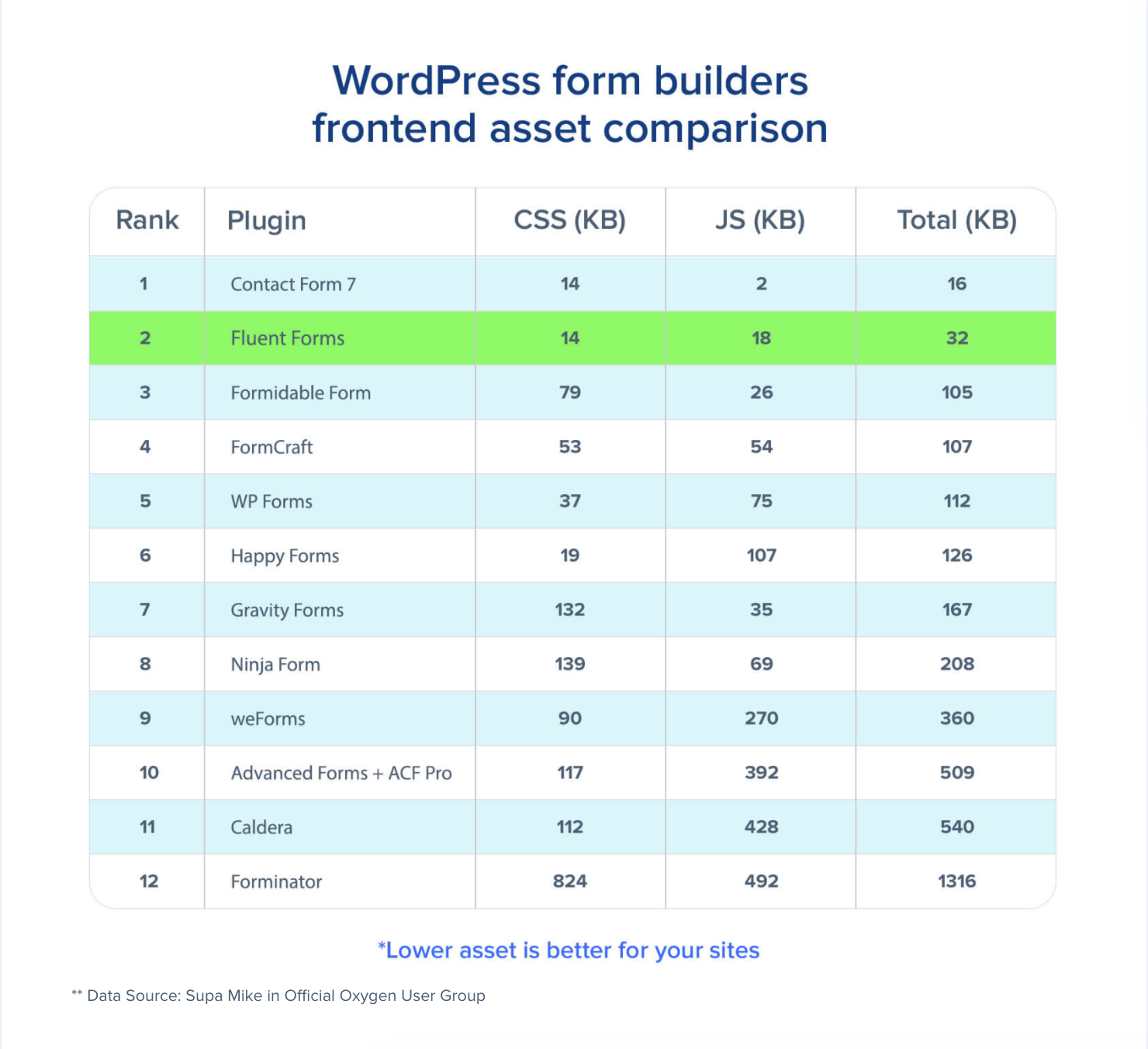
So sánh Tải Tài sản với các Plugin Khác 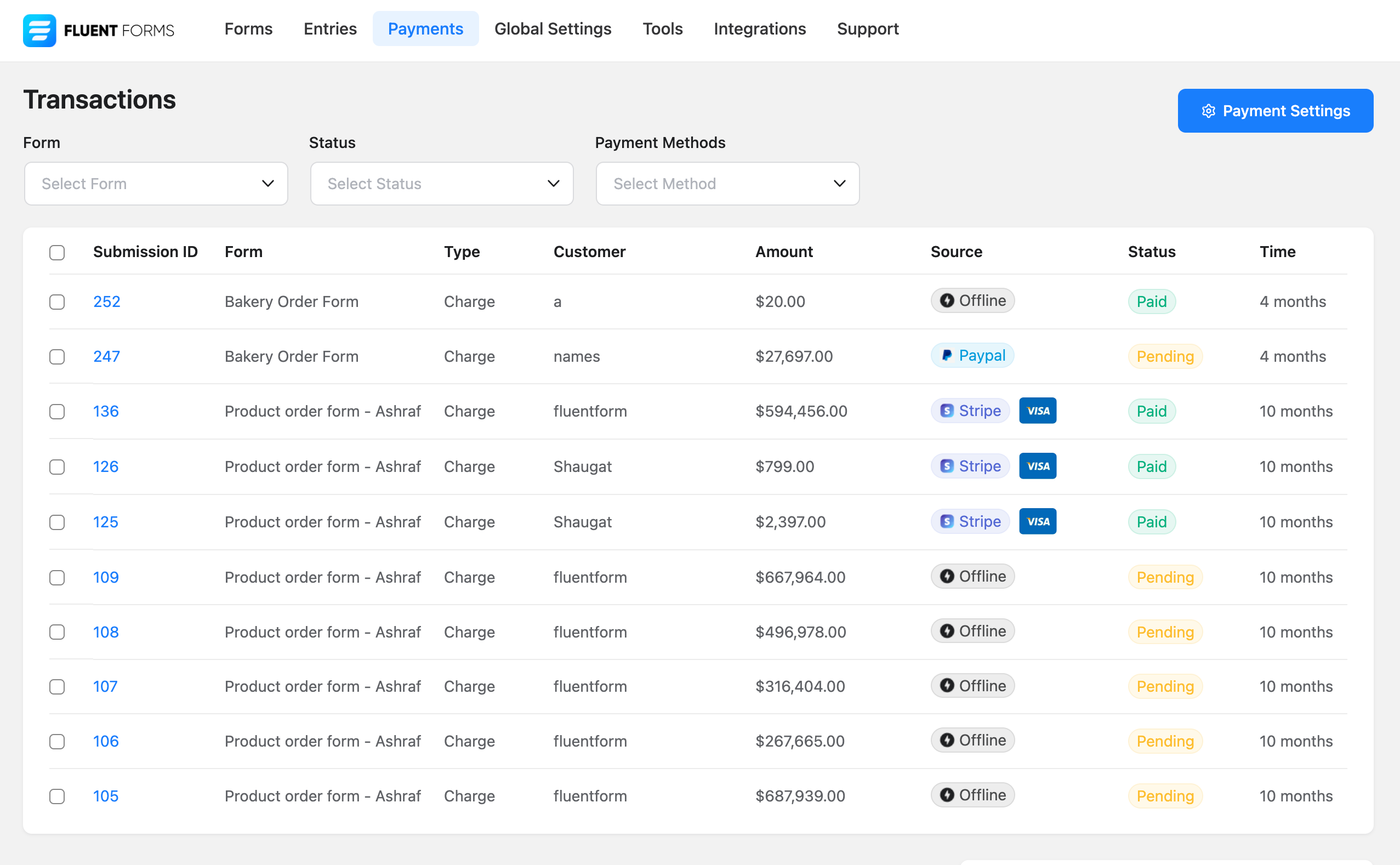
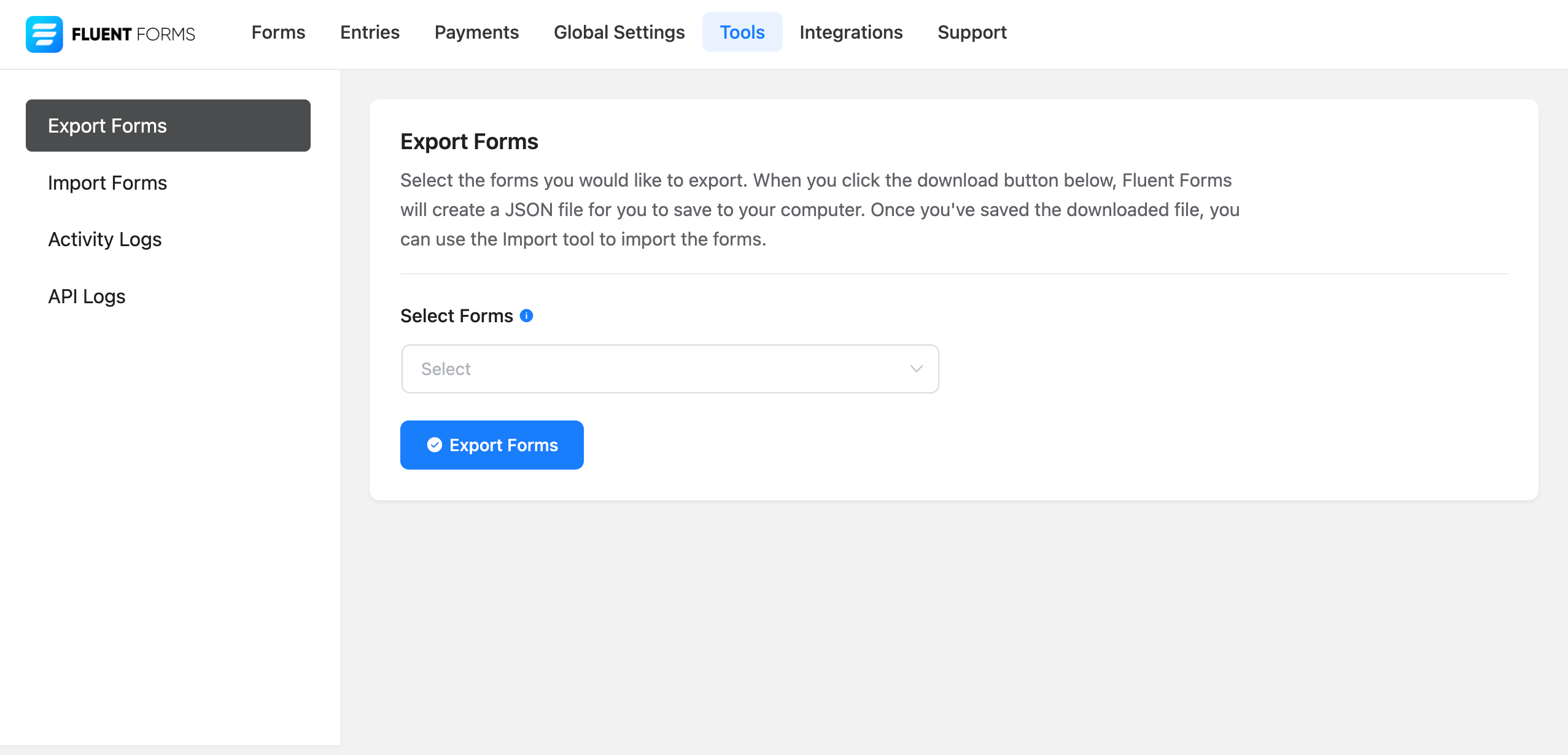
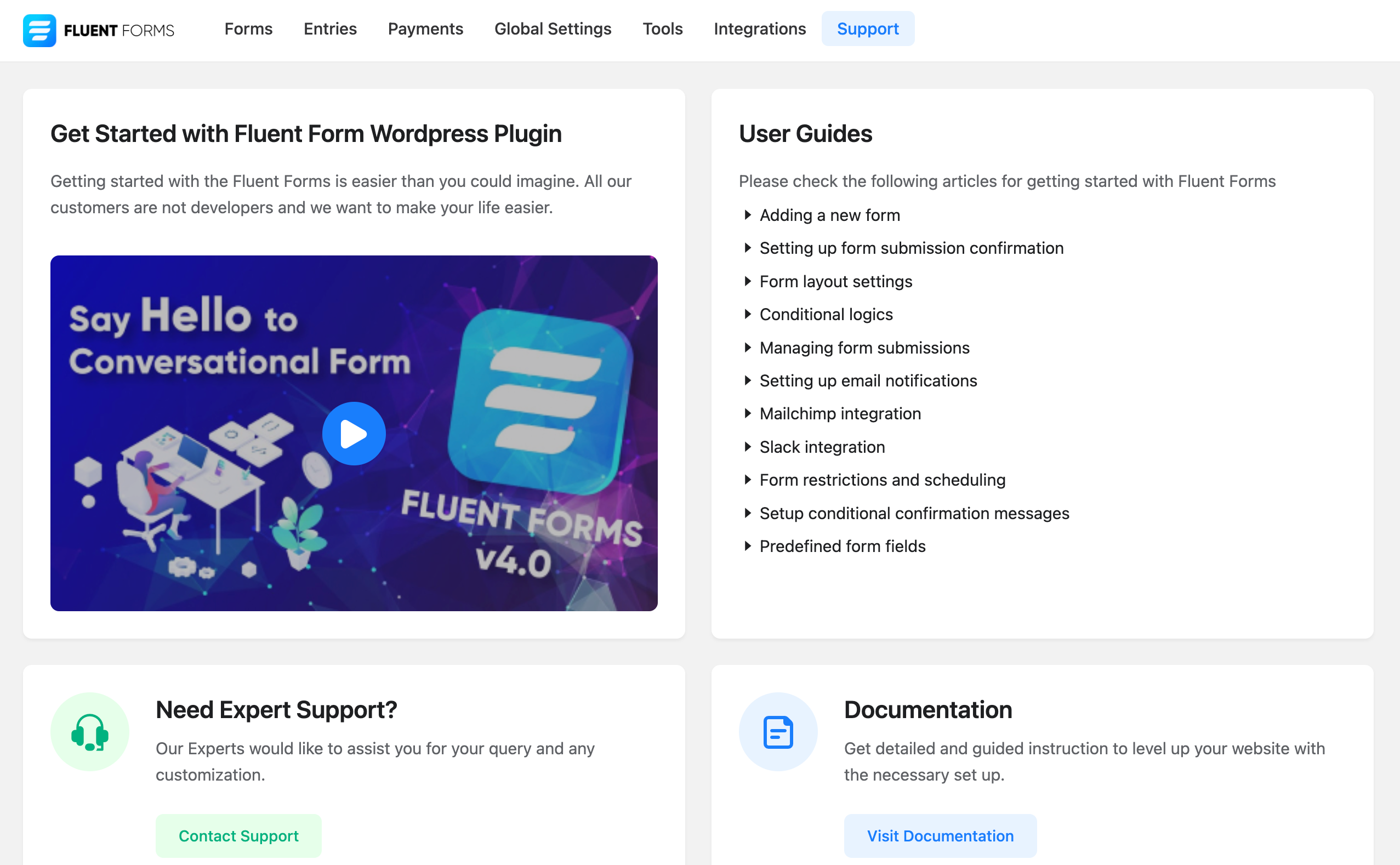
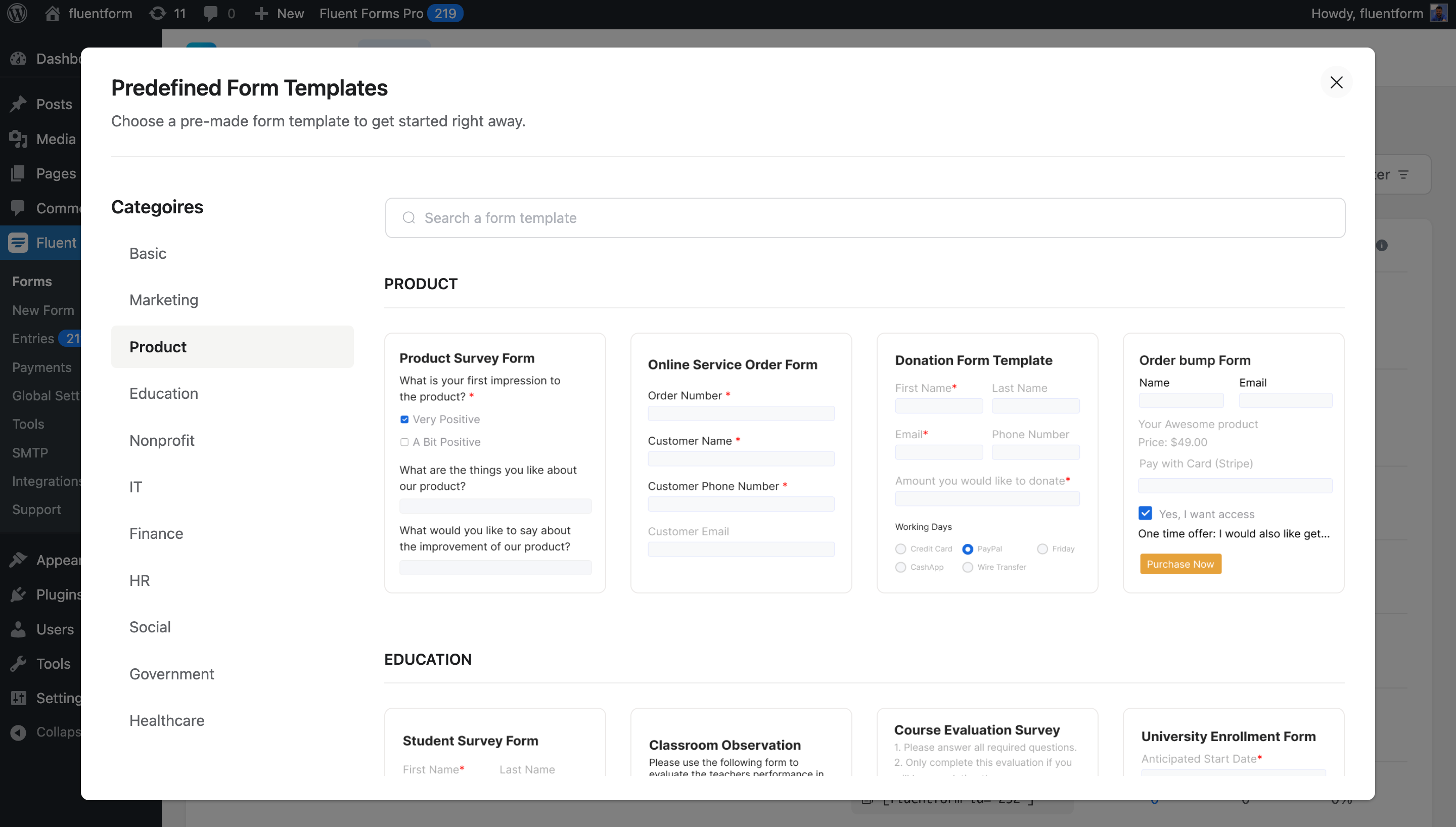


Khối
Plugin này cung cấp 1 khối.
- Fluentfom Guten Block
Cài đặt
Phần này mô tả cách cài đặt plugin và làm cho nó hoạt động.
- Tải lên các tệp plugin vào thư mục
/wp-content/plugins/fluentformhoặc cài đặt plugin trực tiếp thông qua màn hình plugin WordPress. - Kích hoạt plugin thông qua màn hình \’Plugins\’ trong WordPress
- Sử dụng màn hình
Fluent Forms->Cài đặt toàn cầuđể cấu hình plugin - (Hãy đảm bảo hướng dẫn của bạn phù hợp với quy trình người dùng mong muốn để kích hoạt và cài đặt plugin của bạn. Bao gồm bất kỳ bước nào có thể cần thiết cho mục đích giải thích)
Hỏi đáp
-
Tôi có cần kỹ năng viết mã để sử dụng Fluent Forms không?
-
Không, bạn không cần bất kỳ kiến thức lập trình tiên quyết nào để tạo biểu mẫu đẹp. Với các tính năng kéo và thả mạnh mẽ, bạn có thể tạo bất kỳ biểu mẫu đơn giản hoặc phức tạp nào.
-
Fluent Forms có làm chậm trang web của tôi không?
-
Hoàn toàn không. Chúng tôi xây dựng Fluent Forms rất cẩn thận và duy trì các tiêu chuẩn WP cũng như chúng tôi chỉ tải kiểu / tập lệnh trong các trang bạn sẽ sử dụng Fluent Forms. Fluent Forms nhanh hơn bất kỳ plugin tạo biểu mẫu nào. Fluent Forms chỉ tải ít hơn 30KB css và js kết hợp.
-
Tôi có thể sử dụng logic có điều kiện khi tạo biểu mẫu không?
-
Có, với bảng điều khiển logic có điều kiện mạnh mẽ của chúng tôi, bạn có thể tạo bất kỳ loại biểu mẫu phức tạp nào. Bạn có thể thêm một hoặc nhiều logic có điều kiện vào bất kỳ trường nào và nó sẽ hoạt động một cách kỳ diệu.
-
Tôi có thể tạo biểu mẫu nhiều cột không?
-
Có, bạn có thể sử dụng 2 cột hoặc 3 cột chứa và bạn có thể tạo biểu mẫu.
-
Tôi có thể xuất/nhập dữ liệu gửi biểu mẫu không?
-
Có, bạn có thể xuất dữ liệu của mình ở định dạng CSV, Excel, ODS, JSON. Bạn cũng có thể nhập dữ liệu trong phiên bản Pro.
-
Tôi có thể di chuyển từ WPForms không?
-
Có. Bạn có thể sử dụng tính năng Trình di chuyển của Fluent Forms để di chuyển từ WPForms. Để làm điều đó, chỉ cần vào Fluent Forms -> Công cụ -> Trình di chuyển và bạn sẽ tìm thấy một phần dành cho WPForms. Nhấp vào nút Nhập Biểu mẫu để di chuyển các biểu mẫu của bạn. Để nhập các mục nhập, hãy nhấp vào nút Nhập Mục nhập.
-
Tôi có thể di chuyển từ Gravity Forms không?
-
Có. Bạn có thể sử dụng tính năng Trình di chuyển của Fluent Forms để di chuyển từ Gravity Forms. Để làm điều đó, chỉ cần vào Fluent Forms -> Công cụ -> Trình di chuyển và bạn sẽ tìm thấy một phần dành cho Gravity Forms. Nhấp vào nút Nhập Biểu mẫu để di chuyển các biểu mẫu của bạn. Để nhập các mục nhập, hãy nhấp vào nút Nhập Mục nhập.
-
Tôi có thể di chuyển từ Ninja Forms không?
-
Có. Bạn có thể sử dụng tính năng Trình di chuyển của Fluent Forms để di chuyển từ Ninja Forms. Để làm điều đó, chỉ cần vào Fluent Forms -> Công cụ -> Trình di chuyển và bạn sẽ tìm thấy một phần dành cho Ninja Forms. Nhấp vào nút Nhập Biểu mẫu để di chuyển các biểu mẫu của bạn. Để nhập các mục nhập, hãy nhấp vào nút Nhập Mục nhập.
-
Tôi muốn báo cáo lỗi, báo cáo ở đâu?
-
Toàn bộ mã nguồn có sẵn trên github. Vui lòng fork và gửi yêu cầu kéo hoặc báo cáo lỗi.
Bạn có thể nhận được hỗ trợ từ luồng hỗ trợ chính thức của chúng tôi tại wpmanageninja.com/support-tickets
Đánh giá


Người đóng góp & Lập trình viên
“Fluent Forms – Customizable Contact Forms, Survey, Quiz, & Conversational Form Builder” là mã nguồn mở. Những người sau đã đóng góp vào plugin này.
Những người đóng góp


“Fluent Forms – Customizable Contact Forms, Survey, Quiz, & Conversational Form Builder” đã được dịch qua 13 ngôn ngữ. Cảm ơn những người tham gia dịch vì đóng góp của họ.
Muốn tham gia phát triển?
Duyệt code, check out SVN repository, hoặc theo dõi nhật ký phát triển qua RSS.
Nhật ký thay đổi
6.1.11 (Date: December 4, 2025)
- Fixes issue with saving showing invalid json
- Fixes default behavior of regex in advanced validation
6.1.10 (Date: December 2, 2025)
- Fix global settings save issue
- Support other option in Conversational Form
- Fix form submission delay issue for a large condition set
6.1.8 (Date: November 28, 2025)
- Improves client IP detection
- Improves sanitizations and security
6.1.7 (Date: November 21, 2025)
- Added autosave feature global settings for Form Editor
- Fix button issue with payment shortcode
- Fix date timezone issue with form schedule
6.1.6 (Date: November 12, 2025)
- Fix block css issue
- Fix conversational form shortcode warnings
6.1.5 (Date: November 12, 2025)
- Adds Gutenberg Block Form Style Customization
- Adds Conversational Form Editor shortcode support
- Adds Custom CSS/JS support in form AI creation (beta)
- Adds warning message for Name Attribute changes to prevent entry data loss
- Adds a dropdown in permission manager selection
- Add signature field support in conversational form (For signature addon)
- Updates export library to OpenSpout for better compatibility
- Updates action Scheduler library to latest version
- Improves database query performance with optimized indexes
- Improves accessibility improvements for screen readers
- Improves translations
- Improves Design Preview color handling with block themes
- Improves plugin security and escaping from plugin check suggestions
- Fixes Payment Form submission failures inside Elementor popups
- Fixes Custom style CSS backtick insertion issue
- Fixes country name from “Turkey” to “Türkiye”
- Fixes {user.meta.meta_key} shortcode for non-English languages
- Fixes Advanced Filter UX issue with persistent dialog box
- Fixes textarea line break in entry import/export
- Fixes Entries table showing option values instead of labels for radio/select fields
- Fixes Quantity field default value not working with conditional logic
6.1.4 (Date: September 23, 2025)
– Updates language files
6.1.3 (Date: September 23, 2025)
– Fixes Elementor backend editor not working when Fluent Forms was added
– Fixes the multiple choice field not working in Elementor popup
– Fixes Report Page UI not properly showing in RTL
– Fixes Stripe payment error when global auto-load CAPTCHA is enabled in conversational forms
– Fixes the Conversational Form Phone Field to return numbers in the full International format
– Fixes Custom User Meta Fields not populating
– Fixes the phone field search input style height
– Fixes email notification triggering for empty payment method form
– Fixes the PDF Download link in confirmation message
– Fixes PHP 8 compatibility issues with Excel exports
– Fixes the range slider in conversational forms causing incorrect progress percentage
6.1.2 (Date: August 29, 2025)
– Changes iplocation service for country restriction
– Fixes subscription payment translation issue
6.1.1 (Date: August 27, 2025)
– Adds Report module
– Adds conversational forms scroll to top option
– Adds close button to payment summary items
– Adds keyboard shortcut for delete input field in the editor
– Adds conversational forms terms and condition hide disagree button
– Adds injectable custom Vue component on form editor field view
– Improves Export entries fields by remembering last selected fields
– Improves IP detection
– Improves consistency of settings deletion of captcha
– Fixes form API empty title retrieval issue
– Fixes WPForm Migrator with empty forms
– Fixes radio field customization UI default value selection
– Fixes video playback in Support section
– Fixes CleanTalk/Akismet protection spam submitting forms twice
– Fixes integrations page sidebar menu selection indication on reload
– Fixes conversational forms GDPR checkbox implementation
– Fixes captcha conflict when global and form-specific settings differ
– Fixes hide after submission option setting for conversational forms
– Fixes Terms & Conditions field validation error messages for not Accepted
– Removes un used Reset Form button from conversational forms form settings
– Fixes payment method ‘Test’ Instead ‘Offline’ in payments shortcode
– Fixes multiple address field autocomplete in conversational forms
– Fixes submission on Enter key press with selected radio/checkbox using keyboard
– Fixes entries chart date range filtering
– Fixes database creation errors in WordPress Studio environments
– Fixed trailing comma in keyword restriction that incorrectly blocked all submissions
– Fixes WP Text Editor sanitizer removing links in success messages with search parameters
– Fixes Object Injection Vulnerability unserialize issue when using user profile specific shortcodes
6.1.0. (Date: August 26, 2025)
– Added Fluent Forms Report module
– Added conversational forms scroll to top option
– Added keyboard shortcut for delete input field in the editor
– Improved Export entries fields by remembering last selected fields
– Improved IP detection
– Improved consistency of settings deletion notifications
– Fixed form API empty title retrieval issue
– Fixed WPForm Migrator with empty forms
– Fixed radio field customization UI default value selection
– Fixed video playback in Support section
– Fixed CleanTalk/Akismet protection spam submitting forms twice
– Fixed integrations page sidebar menu selection indication on reload
– Fixed conversational forms GDPR checkbox implementation
– Fixed captcha conflict when global and form-specific settings differ
– Fixed hide after submission option setting for conversational forms
– Fixed Terms & Conditions field validation error messages for not Accepted
– Removed non-functional Reset Form button from conversational forms
– Fixed payment method ‘Test’ Instead ‘Offline’ in payments shortcode
– Fixed multiple address field autocomplete in conversational forms
– Fixed submission on Enter key press with selected radio/checkbox using keyboard
– Fixed entries chart date range filtering
– Fixed database creation errors in WordPress Studio environments
– Fixed trailing comma in keyword restriction that incorrectly blocked all submissions
– Fixed WP Text Editor sanitizer removing links in success messages with search parameters
– Fixed Object Injection Vulnerability unserialize issue when using user profile specific shortcodes
– Close button to payment summary items
6.0.4 (Date: May 29, 2025)
– Fixed the net promoter score field’s zero (0) value in the visual report
– Fixed the multi-select values in the submission including commas
– Fixed tooltip/help message
– Fixed conversational form address field default value meta smart code
– Fixed conversational form section break image layout position
– Fixed email attachment missing for WordPress subdirectory
– Fixed conversational form name and address fields prefilled using URL params
– Fixed keyword-based restriction if IPInfo access key is provided
– Fixed conversational form invisible turnstile autoload
– Fixed email notification/integration sending after payment status change to paid
– Fixed turnstile with WP Rocket compatibility
– Improved honeypot condition check
– Added support for WPML translation with the Multilingual Forms for Fluent Forms with WPML addon
…
