

Description
Interactions – WordPress Animations, Interactive Experiences for Gutenberg Blocks
Visit our website to learn more about how Interactions work.
Want to make your website feel alive and interactive? Interactions is the easiest way to add animations, effects, interactivity, and functional features to WordPress — directly inside the block editor. Check our samples page here to see a glimpse of what type of interactions you can create.
You don’t need coding skills or complex tools. With Interactions, you can:
- Pick from the Interactions Library – A collection of pre-built animations and effects (like images that move upon scrolling down the page, buttons that glow when hovered, and more). Just click and apply. Learn more
- Build your own custom effects – Use a simple Trigger Action system. Example: “On scroll Fade in block”, or “On click Play video”. Learn more
- Add functional features – Securely update post data, handle form submissions, display user info, copy text to clipboard, and more without coding. Learn more
Whether you want subtle hover effects, attention-grabbing story-telling animations, playful micro-interactions, or powerful functional features, Interactions makes it possible.
🚀 Features
Create custom interactions easily with a simple Trigger Action builder. Features include:
Animations & Visual Effects:
- Animations for WordPress blocks (fade, slide, zoom, rotate, shadow, etc.)
- Scroll effects – reveal content as users scroll down
- Hover effects – highlight and animate blocks on hover
- Click triggers – run actions when buttons, images, or sections are clicked
Basic Interactions:
- Mouse interactions – Click, hover, mouse move, mouse press
- Scroll interactions – Enter viewport, element scrolling, page scrolling
- Form interactions – Form submitted, input change, keypress
- Page interactions – Page load, page create
Basic Actions:
- Animation actions – Move, rotate, scale, skew, opacity
- Style actions – Background color, background image, text color, CSS rule, toggle class, update attribute
- Display actions – Display, visibility, focus
- Navigation – Redirect to URL
- Media – Toggle video
- Effects – Confetti
Core Features:
- Reusable Interaction Library – apply popular effects instantly
- Custom trigger action builder – advanced users can design unique effects
- Performance optimized – loads only what’s needed for your chosen interactions
- Works with any block and any theme
🎯 Perfect For
- Designers who want scroll animations without code
- Marketers who want attention-grabbing hover effects
- Bloggers who want dynamic storytelling with animations
- Site builders who want to bring their block designs to life, or create unique micro-interactions
- Developers who need functional features like post meta updates and data handling
- Anyone building modern interactive websites in WordPress
💎 What’s in Premium?
Check our pricing page to learn more about what’s in Interactions premium.
Advanced Interactions:
- Scroll Strength – Measure scroll intensity
- Page State – Monitor page state changes
- Page Exit – Detect when users try to leave
- URL Hash – Respond to URL hash changes
- Local Storage – Monitor storage changes
- Toggle Attribute/Class – Watch attribute and class changes
- HTML Events – Custom HTML and document events
Advanced Actions:
- Box Shadow – Dynamic shadow effects
- Slide Animations – Smooth slide up/down effects
- Content Management – Securely insert sanitized HTML, render shortcodes, copy to clipboard
- Data & Post Management – Update post/user meta (with permissions), get post data, local storage
- Navigation & UX – Scroll to element, tooltips, popups, confirmation dialogs
- Media – Video scrubbing, SVG animations (line draw, morph, motion path)
- Advanced Features – Animated counters, advanced automation
Premium Benefits:
- 40+ Premium Actions – Access to advanced functionality
- 10+ Premium Interactions – More trigger options
- Priority Support – Faster response times
- Regular Updates – New features and improvements
- Commercial License – Use in client projects
Source Code:
The source code for this plugin is available on GitHub:
https://github.com/gambitph/Interactions
Screenshots
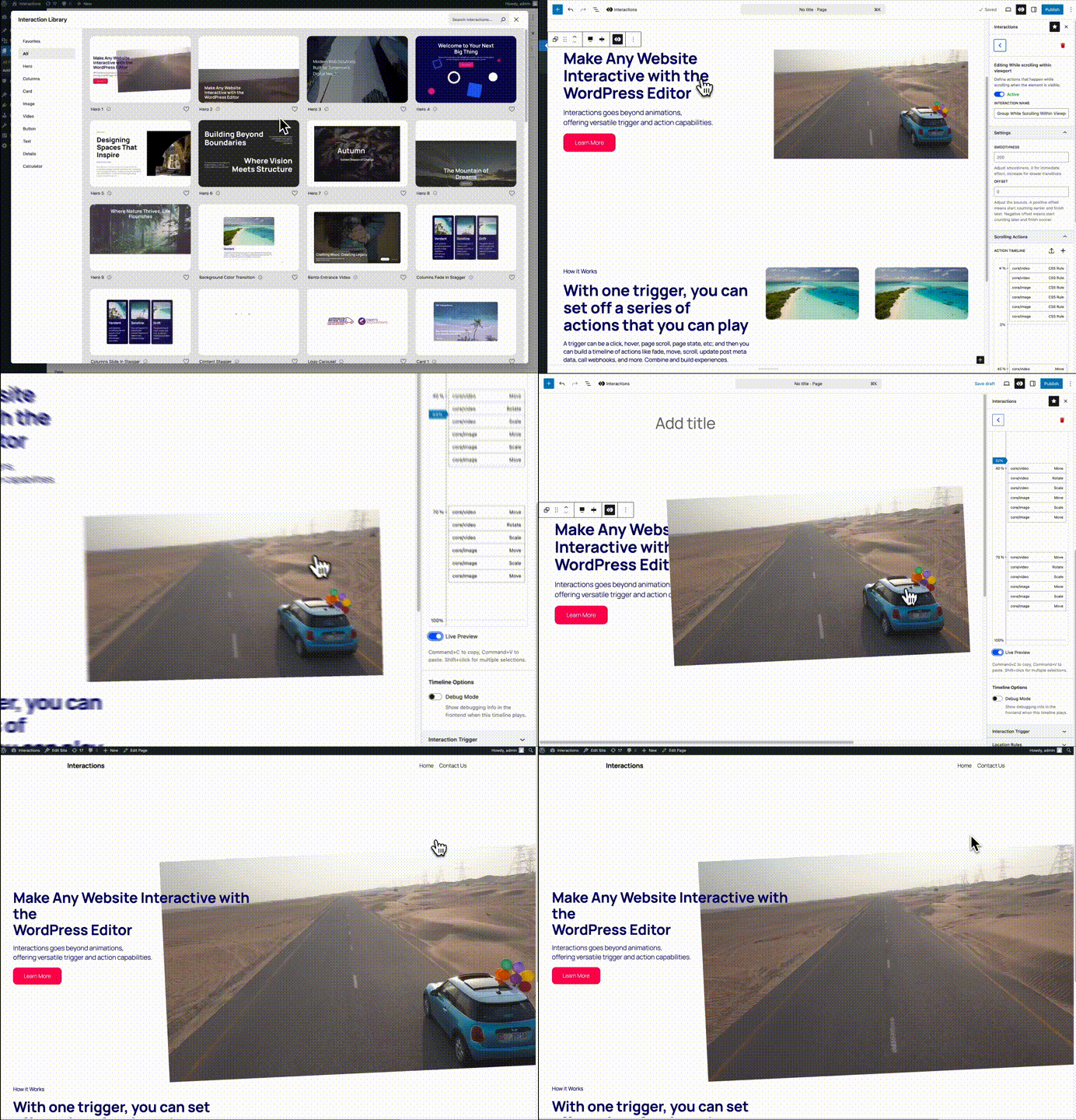
Adding from the Interaction Library – Pre-built animations and effects. 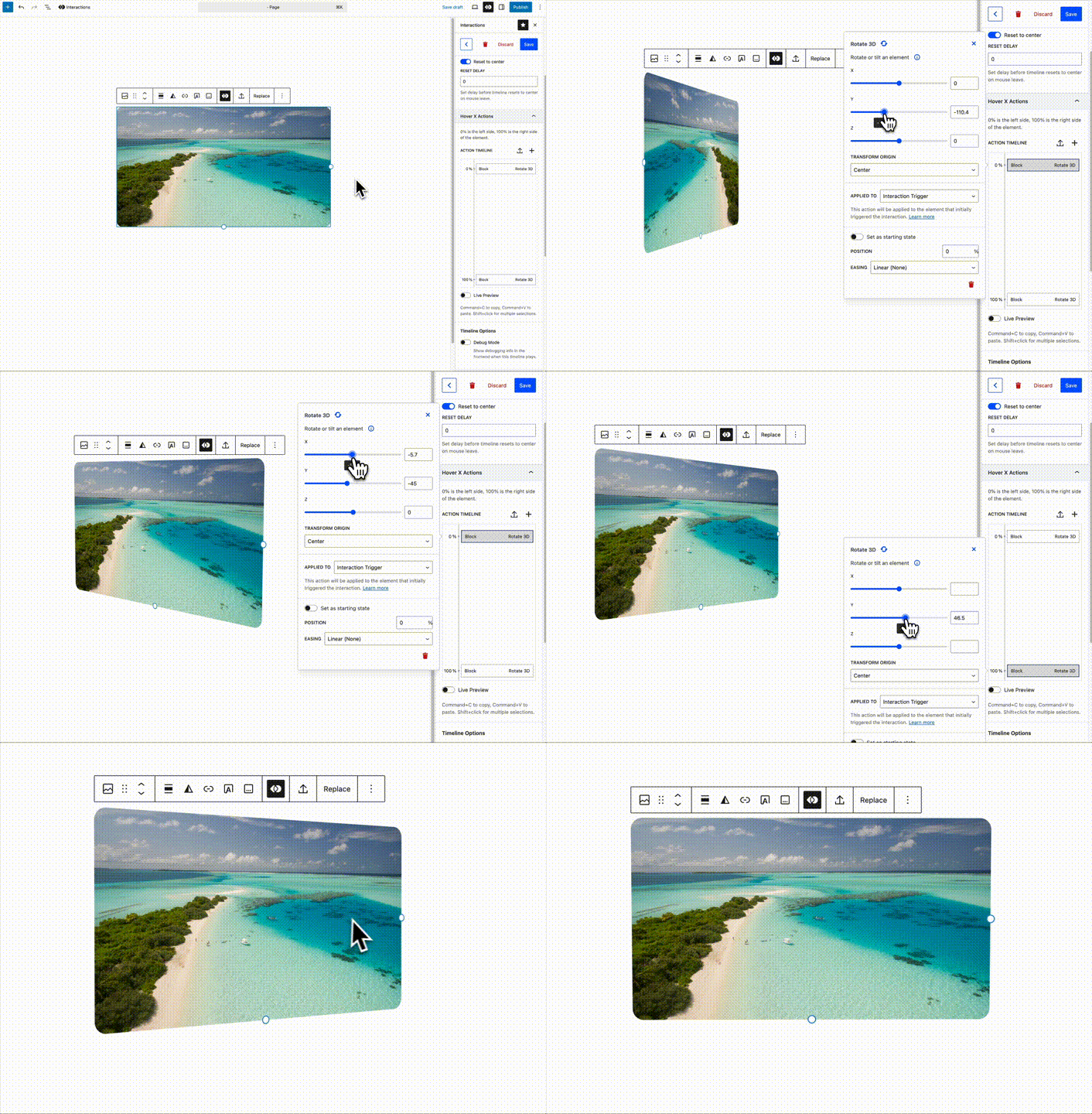
Advanced trigger and action timeline builder – Create custom interactions with flexible logic and multiple steps. 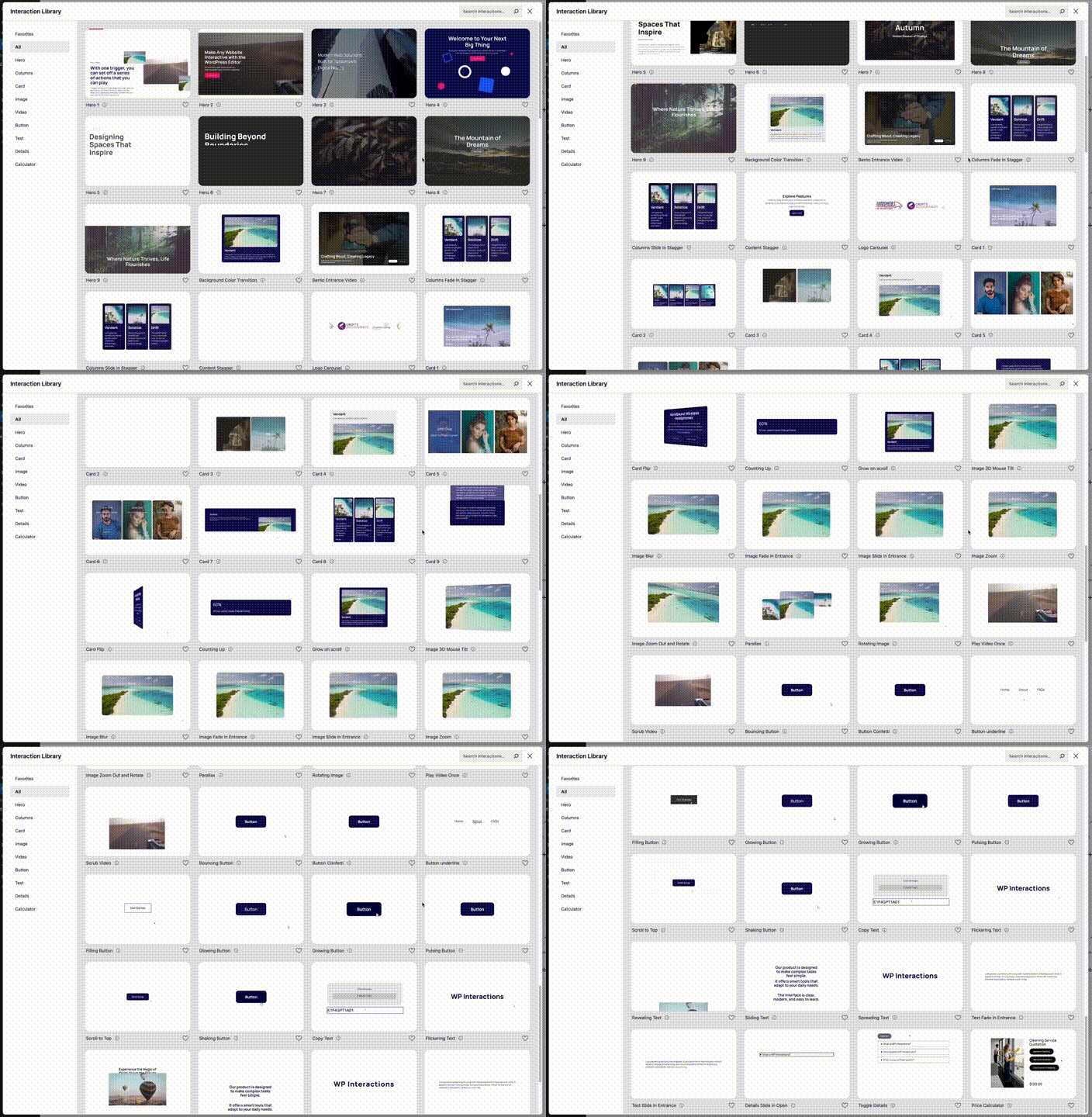
Interaction Library contents – Pre-built animations and effects.


Installation
- Install “Interactions” from the WordPress Plugin Directory, or upload it to
/wp-content/plugins/interactions/. - Activate the plugin from the “Plugins” menu.
- Edit a post or page with the block editor.
- Open the Interactions Library panel from the top and pick an effect.
– OR –
Create your own using the Trigger Action builder. - Save and preview your interactive blocks!
FAQ
-
Is this just an animation plugin for WordPress?
-
No! While Interactions excels at animations, it’s much more than that. It’s a comprehensive interaction system that includes functional features like updating post meta, triggering DOM events, copying text to clipboard, and much more. You can build both visual effects and powerful functional features.
-
Does it work with Elementor or other page builders?
-
No. Interactions is built specifically for the WordPress block editor (Gutenberg).
-
Can I add scroll animations to WordPress with this plugin?
-
Yes. You can animate blocks when they enter the viewport, fade in, slide in, or trigger other effects on scroll.
-
Can I update post meta or custom fields with this plugin?
-
Yes! The premium version includes “Update Post Meta” and “Update User Meta” actions that let you modify database values without coding. Perfect for counters, user preferences, and dynamic content.
-
Will it slow down my website?
-
No. Interactions only loads when they are used on the current page, in addition to this, only the effects you use are loaded, keeping performance fast.
-
Can I reuse animations across multiple pages?
-
Yes. You can use Location Rules to specify simple or complex rules on where or when interactions are loaded. This makes it simple to create a one-time effect for a specific area only, to a card hover effect present across your entire website.
-
The free version includes basic animations and interactions. Premium adds advanced functional features like post meta updates, data handling, logic flows, advanced automations, advanced animations, and much more.
Reviews
There are no reviews for this plugin.
Contributors & Developers
“Interactions – Create Interactive Experiences in the Block Editor” is open source software. The following people have contributed to this plugin.
Contributors

Translate “Interactions – Create Interactive Experiences in the Block Editor” into your language.
Interested in development?
Browse the code, check out the SVN repository, or subscribe to the development log by RSS.
Changelog
1.3.1
- Fixed: Updated readme info
- Fixed: Updated long name in the plugins page
- Fixed: License activation issue
1.3.0
- New: Interaction library
- New: Block name field is now searchable #70
- New: Import / export functionality #71
- New: Box shadow action #81
- New: 3D Rotate – new transform origin option
- Fixed: Hover interaction glitches when hovering too fast #9
- Fixed: On enter viewport doesn’t always trigger when on mobile #23
- Fixed: Confetti action – selecting window will no longer show a display target warning message #74
1.2.0
- New: Scroll strength interaction
- New: Toggle video action
- New: Get URL Parameter action
- Fixed: Rotate 3d action – default easing is now linear #76
- Fixed: Move & Rotate 3d actions – zero values are now valid #72
- Fixed: Interactions with optional targets no longer warn about missing trigger #24
- Fixed: If an interaction fails to load, continue loading the rest of the interactions #cc29210
1.1.2
- Fixed: Better error handling when an interaction fails to load #56
- Fixed: Action label does not update when changing interaction trigger types #61
- Fixed: License key is now hidden when managing license keys #67
- Fixed: License key sync has been removed #67
1.1.1
- Fixed: Editor error when creating a page interaction without a block selected #62
- Fixed: Scrub Video action: can now be previewed in the editor #59
1.1.0
- New: Scrub Video action
- New: WordPress 6.8 compatibility
- Fixed: Possible console error when using Scroll to Element Action #48
1.0.3
- New: Get text from element action #20
- New: Add post ID in Get Post Data action #34
- New: Added max-width utility classes
- Fixed: Now works if the main script is deferred by optimization plugins #4
- Fixed: When duplicating an interaction, the save button doesn’t disappear #22
- Fixed: Previewing the interaction doesn’t show properly if you have a starting state #27
- Fixed: Safari issue, buttons do not open the popup after the first time #28
- Fixed: When the block target is not available, the element interactions incorrectly uses the body as the target #31
- Fixed: When adding a number or symbol after text, the editor causes an error #29
- Fixed: Using commas in the applied to selector and using a “matching” option now works properly
- Fixed: interactions that are not applied to the current page, but match a block are visible in the block toolbar add interaction button
