
Description
WordPress Poll Plugin
WordPress Poll plugin is a powerful poll plugin for WordPress that helps you create online polls and voting forms in minutes.
With this online poll plugin, you can easily build interactive polls, collect feedback, and increase audience engagement directly on your WordPress website.
Our poll builder allows you to create polls in WordPress using multiple poll types, advanced settings, and flexible design options.
Whether you need a WordPress voting plugin for opinion polling, user interaction, or feedback collection, Poll Maker gives you all the tools to run interactive polls and manage online voting with ease.
WordPress Polling Plugin gives impressive tools to create powerful and simple polls. You have 5 poll types to choose from, advanced settings, dozens of style options included 7 pre-build themes, and many more functionalities a professional poll builder will wish for.
Looking for the best poll plugin for WordPress via which you can create a poll in minutes? You are in the right place!
Create and publish your first poll in 3 simple steps:
- Click on the Add new button on the Polls page,
- Choose the type, and fill out other necessary information such as a question, answers, etc.
- Save it and copy the generated shortcode and insert it into any post or page to make your poll public.
Poll shortcode
[ays_poll id=’your_poll_id’]
Data is an essential part of any business process, don’t you agree? Data-oriented companies are the most successful ones nowadays. So, if you want to compete with them, you need to have this lead generator tool that offers responsive polls. You need to imply the “give and take” rule: provide interactive content to your audience and get new leads.
The benefits of receiving new leads are many:
- Increase the traffic of your website
- Use the plugin as an effective marketing tool and build your Social Media strategy around social voting, including email marketing, SMM marketing, and more.
- Receive customer feedback, do market research, and track responses with live results.
- Get customer insights and take action: create an opinion poll, know more about your customers’ habits, preferences, interests, and so on.
PRO | DEMO | DOCUMENTATION
WordPress Poll maker plugin features, advantages
Poll question
This online voting plugin comes with the default WordPress classic editor for adding and editing poll questions, making it easy to format your content. You can create customizable polls, including image polls, video polls, or audio polls, depending on your needs.
If you have CSS or HTML skills, you are free to write your own code and design your question the way you wish it to be. Moreover, you can insert a shortcode of any other plugin easily. This WordPress Vote plugin’s developers continually do their best to build the Best WordPress Poll Plugin ever. All you need is to grab the chance and give it a try!
Poll types
This WordPress Poll plugin allows you to make 7 types of online polls:
- Choosing – You can add as many options for choosing as you want. There is also an option that allows users to add their custom option(Pro).
- Rating – With this type, you can make voting forms with rating a single product. It allows you to choose the type of rating: with stars or with emojis. It depends on the subject you want to examine.
- Voting – With this type, you can make voting forms with voting. Here are again two types: like/dislike or emojis. It is an easy way to understand users love your product or not.
- Dropdown (Available only in Pro version) – You need to write the possible answers in the field of ‘Answers’, which are 2 by default. The participants need to choose one answer from a list of choices presented in a dropdown menu.
- Range (Available only in Pro version) – It allows a participant to select answers in 1-100 range.
- VS (versus) (Available only in Pro version) – This is the type of competition with two products or persons. There are awesome styles for making versus votes.
- Text (Available only in Pro version) – Get the most detailed responses. Give poll participants the opportunity to provide full answers to your questions, using both Short Text answers and Paragraphs.
Poll Demos (Free)
Poll Demos (Pro)
Multivote functionality: As part of the online voting system, you can activate Multivote functionality. It allows your respondents to choose more than one answer to your question.
Multivote improves audience engagement and provides richer data for poll analytics, helping you better understand how users interact with your polls.
Notify admin by email
With our Vote plugin, you can be notified via email each time a vote is submitted. All you need is to enable the Results notification by email option from your form’s settings and enter your email address in the corresponding field. It allows you to be informed and doesn’t check your admin dashboard frequently.
Save your time, and in the meantime, be informed with our WordPress Voting Plugin!
Limit by User Roles
This feature enables user role based voting, allowing you to choose which WordPress user roles can access and participate in your poll. Only users with the selected user group can take it. Also, you can create a logged-in users only poll by restricting participation exclusively to authenticated users, ensuring controlled and secure voting.
Limit to vote only once
Want to have accurate results? This online voting tool give it to you! To ensure fair participation, the plugin supports one vote per user and displays real-time results, allowing both you and your audience to instantly see how responses evolve.
By activating the Maximum number of attempts per user option, you will not receive multiple votes from the same person. The plugin offers 4 detection methods: By IP address, by WP user ID, by Cookie, by Cookie and IP.
Password Protected Poll
Create a password-protected poll to ensure privacy, limit participation to only authorized individuals, and safeguard sensitive information or opinions shared during the polling process. This security feature can be useful when the poll involves confidential information, or when the poll is intended for a specific audience or group of individuals. The given feature is available in the premium version of the plugin.
Information form with custom fields
Want to get more info from your website visitors with the WP poll plugin? It is possible with the help of our plugin. Please note that the functionality is available only in the Pro version. You can add information form to your poll. After or before taking the choice, the user must fill in his information like name, email, phone, or any other information you have added into the form. So it is a handy tool for collecting user’s data and using it for your marketing.
Anonymous polls
Anonymous polls are essential for trustworthy opinion polling, especially when you want honest feedback without linking responses to individual participants. This option is ideal for free online polls where privacy encourages higher user interaction and more accurate answers. After activating the allow anonymity option, WP User and the User IP will not be collected in your database. Furthermore, anonymous feedback can give valuable and more accurate answers. You can still present the outcomes as visual poll results, while fully protecting participant rights under GDPR. Please note that the option is available on the Premium version.
Templates and style options
This easy poll plugin helps you create engaging interactive content using 7 ready-made templates (4 of them available only in the Pro version). There are 30+ style options for customizing the design. You can customize colors, images, borders, backgrounds.
As a lightweight poll plugin, it lets you choose a template and customize it using flexible style options in our free online poll maker – no coding required.
Additional functionalities(Shortcodes)
This plugin offers several additional functionalities in the form of shortcodes. The shortcode for all polls will print all published polls after each other. So your website visitors can participate in all your polls simultaneously. The Shortcode result by ID will display only the result page of the particular form. Assume that it is already over and you want to show the results to your participants. In that case, this shortcode will be of help to you. You can choose to show the results via interactive charts: Bar chart, Pie chart, or Column chart. Other two awesome shortcodes that the plugin offers are the Categories shortcode and Global leaderboard. The latter one prints the list of top users who have voted your forms.
Voting Plugin
Use a voting form to engage your audience, gather information, and improve your company. Gain insights into topics like upcoming elections or office leadership while promoting democracy. With our image poll WordPress plugin, run photo contests and gather user feedback to enhance your features. Make interesting poll questions, diversify answer options, and choose the best WordPress voting plugin for optimal engagement.
Features
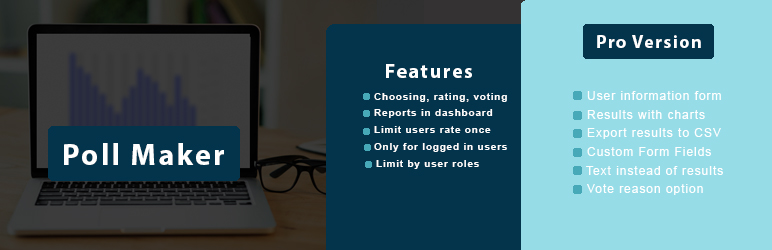
- Poll types – choosing, rating, voting
- Unlimited polls
- Unlimited answers
- Unlimited results
- Different icons
- Categorize polls
- Category-multiple view
- Reports in dashboard
- Social share buttons
- Notification by e-mail
- Limit users rate once
- Only for logged in users option
- Limit by user roles
- Style settings (10+)
- Two themes
- Live preview
- Schedule Poll
PRO Features
- Includes ALL Free version Features and
- VS type of poll (versus)
- User information form
- Ability to add custom option
- Extra 4 themes
- Results with charts
- Export results to CSV
- Custom Form Fields
- Text instead of results
- Vote reason option
- Voted user location
- Import/Export polls
- Anonymous poll
- Allow multivote
- Password protected poll
- Vote session
- Send mail to user
- Messages based on answers
- Display category shortcode
- User History shortcode
- Leaderboard
- Poll creation by user
- Summary emails
- Copy protection
- Multilingual polls
- Text to speech
- More on the way …
Connect with your Favorite Tools (PRO)
- MailChimp integration
- Campaign Monitor integration
- Zapier integration
- ActiveCampaign integration
- Slack integration
- SendGrid integration
- GamiPress integration
- Mad Mimi integration
- ConvertKit integration
- GetResponse integration
- Google sheet integration
- Klaviyo integration
- MyCred integration
- Aweber integration
- Mailpoet integration
Easy to Use
If you want to create powerful and simple polls, it is essential to have a tool like this Poll & Vote Plugin at your disposal.
Searching on how to make a poll on your website? Feel free to check out the following User Manual.
This WordPress easy polling plugin also has a widget possibility, and while installing the plugin, the widget is also installed. Many websites are most likely to place the form on the sidebar keeping it dominant. So your clients do not need to waste their time participating in some elections; they just do it on the spot with one click, which provides a huge amount of results.
Don’t forget that, in case of any problems or upcoming questions, please contact us via this FREE SUPPORT FORUM.
Other plugins from Ays Pro Team
- Quiz Maker for creating advanced quizzes and exams easily and quickly.
- Survey Maker for collecting data and analyze it.
- Fox LMS to create online courses with quizzes and certificates for your WordPress website.
- Popup Box, an easy way to create eye-catching and engaging popups.
- Secure Copy Content Protection to protect web content from being plagiarized.
- Chartify to build both static and dynamic charts, graphs and diagrams.
- Easy Form to create various forms for your website.
- AI ChatBot to generate high-quality content for your blog, and finding the answer to any questions in seconds.
- Personal Dictionary to create and organize their vocabulary lists, study and memorize the words.
- Image Slider give the aility to grab your audience’s attention with amazing and entertaining slideshows.
- Random Posts and Pages Widget for creating internal links and encouraging visitor engagement on your website.
- Photo Gallery for displaying responsive image gallery with awesome layout options.
Screenshots
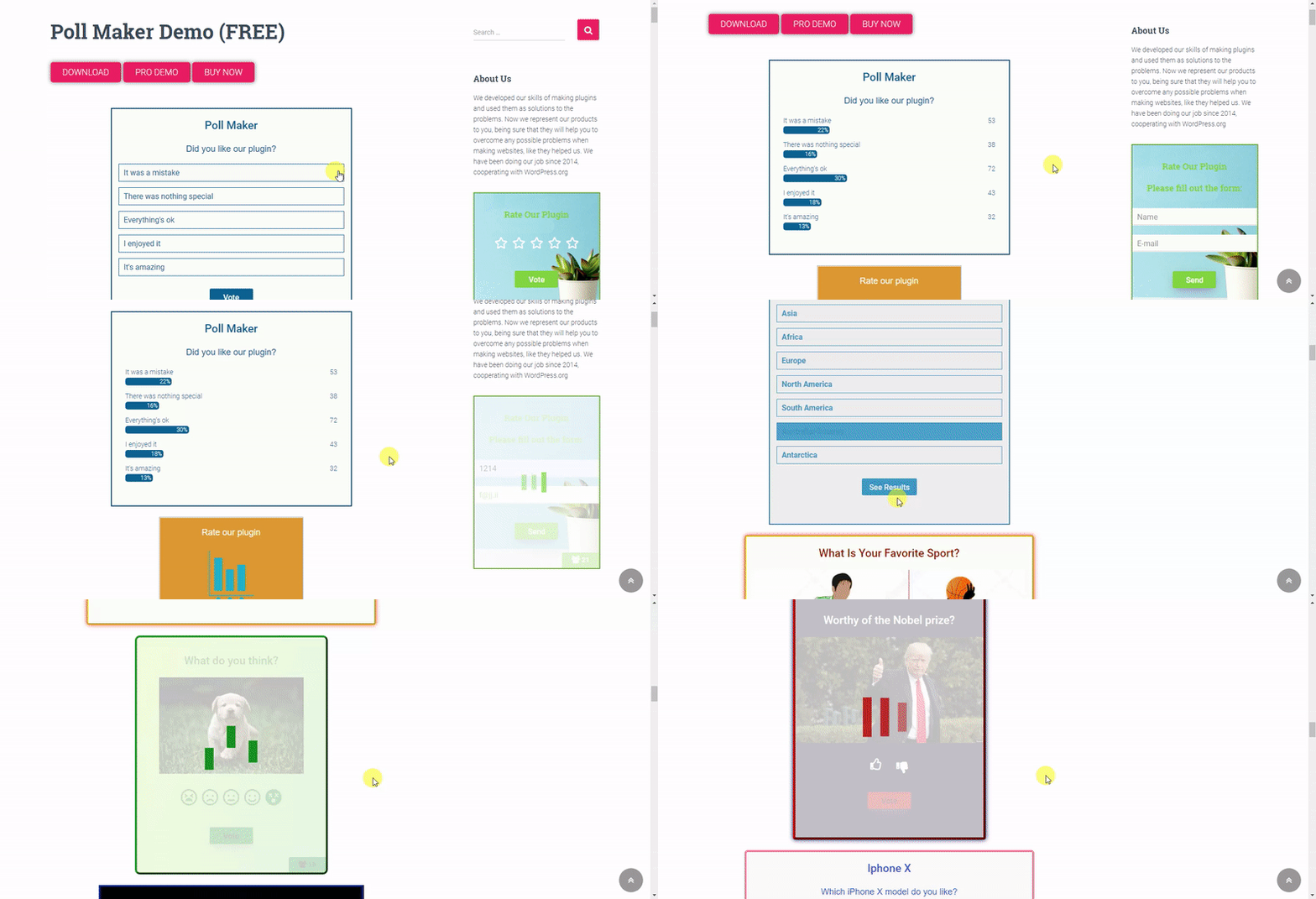
Poll Maker – front end poll preview gif 
Poll Maker – front end poll preview 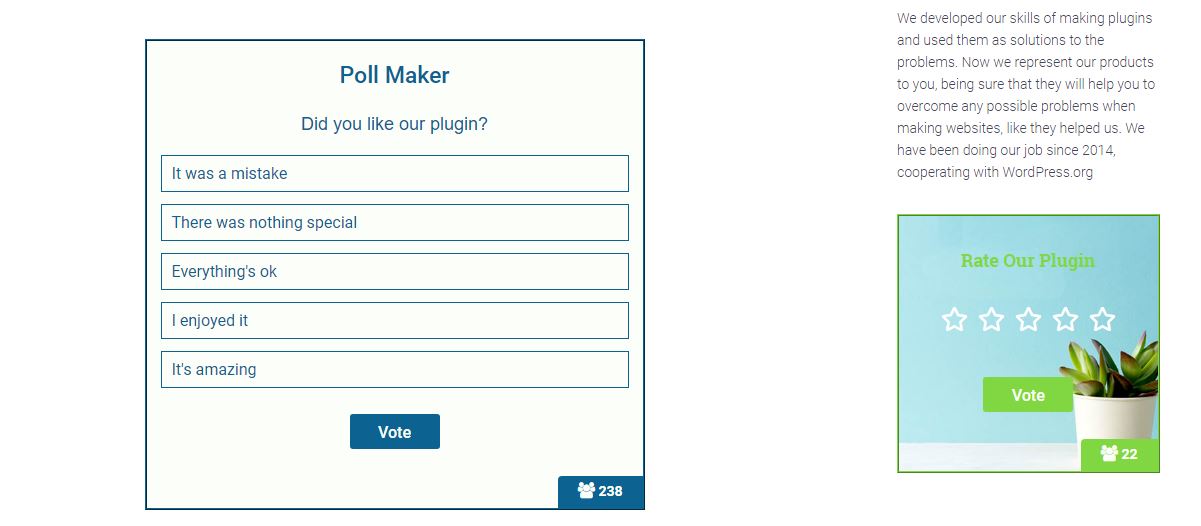
Poll Maker – front end poll preview 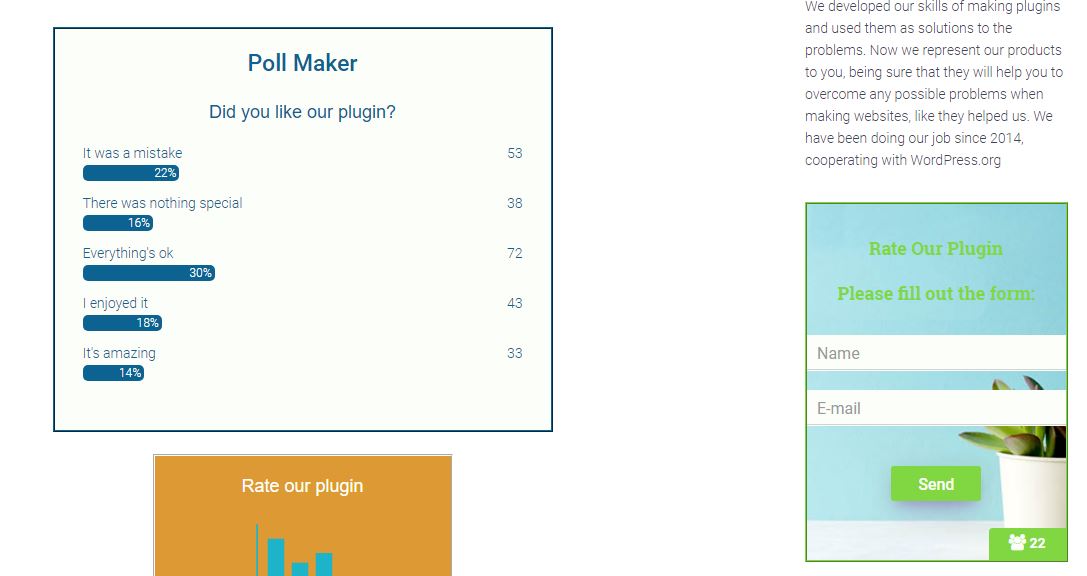
Poll Maker – dashboard polls list 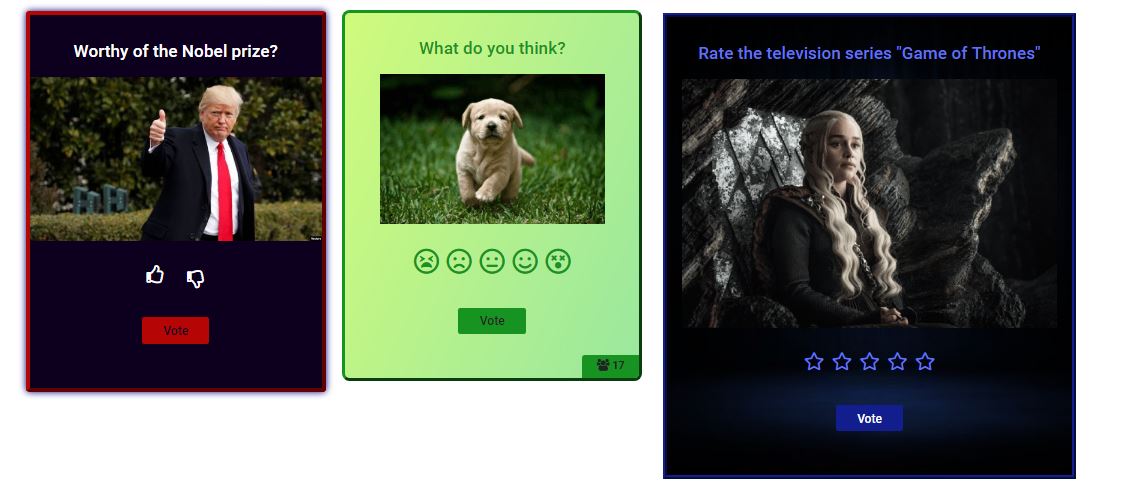
Poll Maker – dashboard edit poll 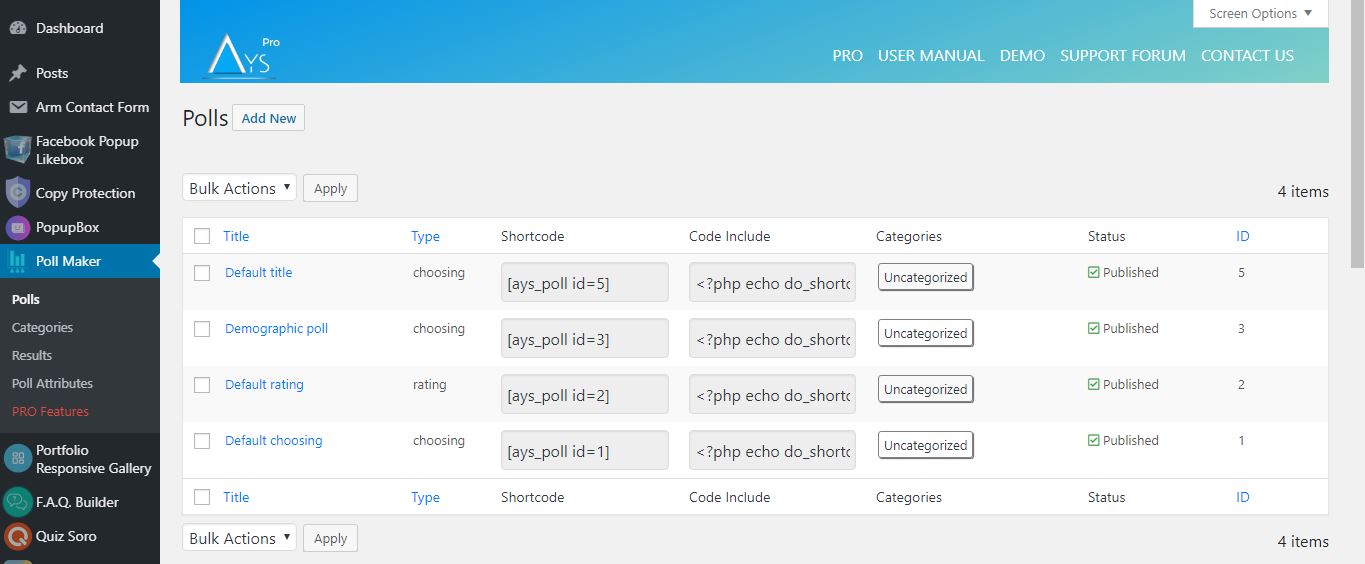
Poll Maker – dashboard edit poll 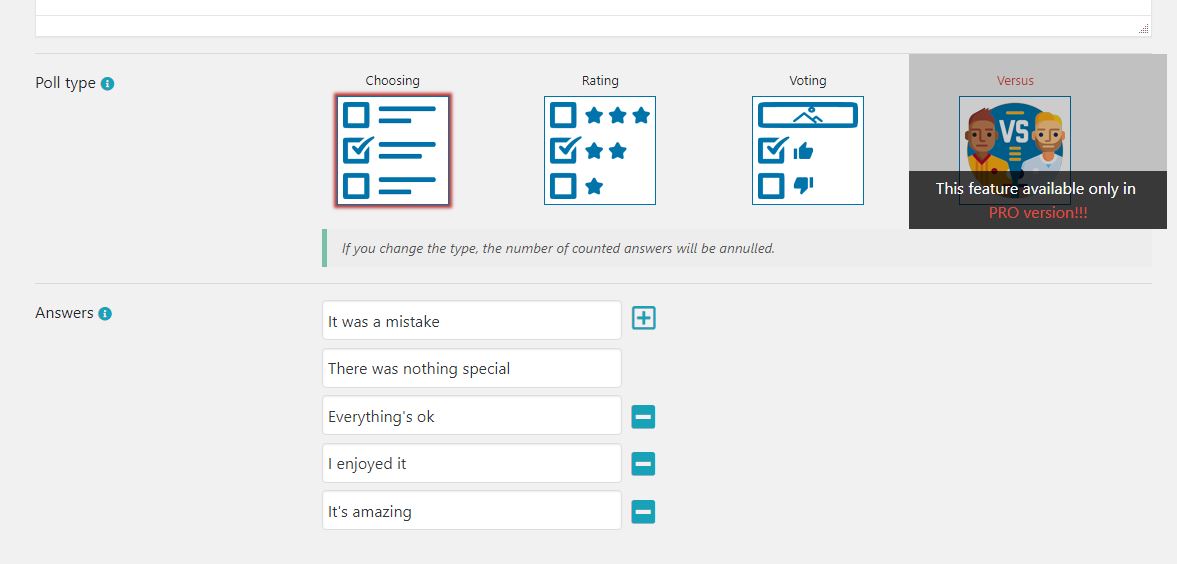
Poll Maker – dashboard edit poll style 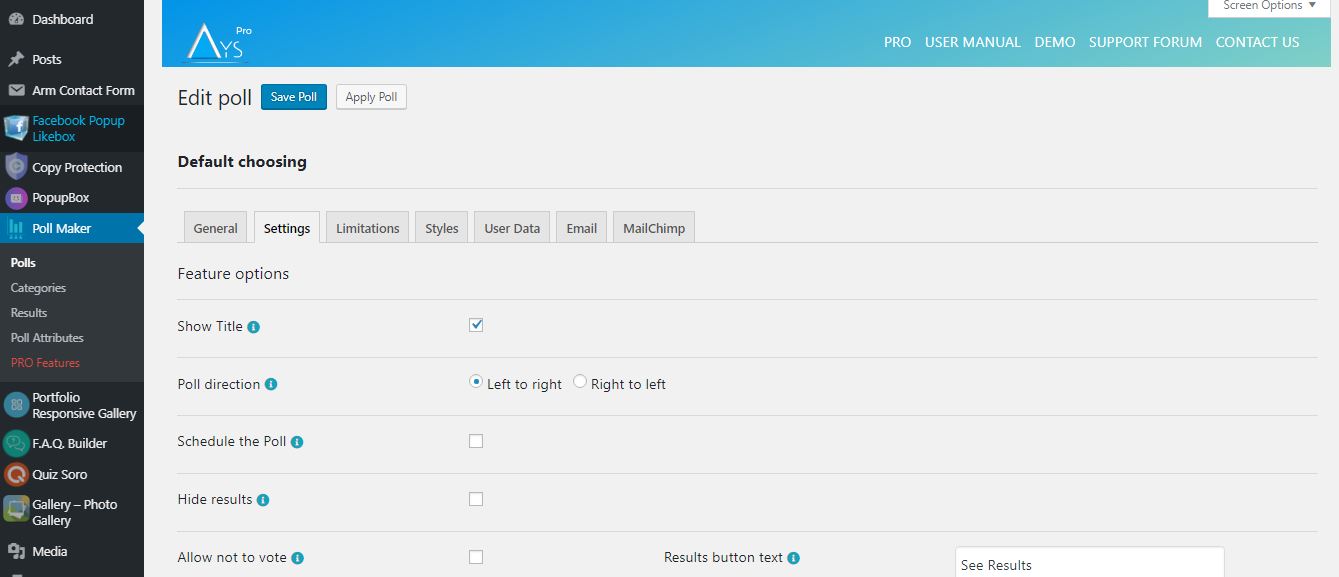
Poll Maker – dashboard poll results 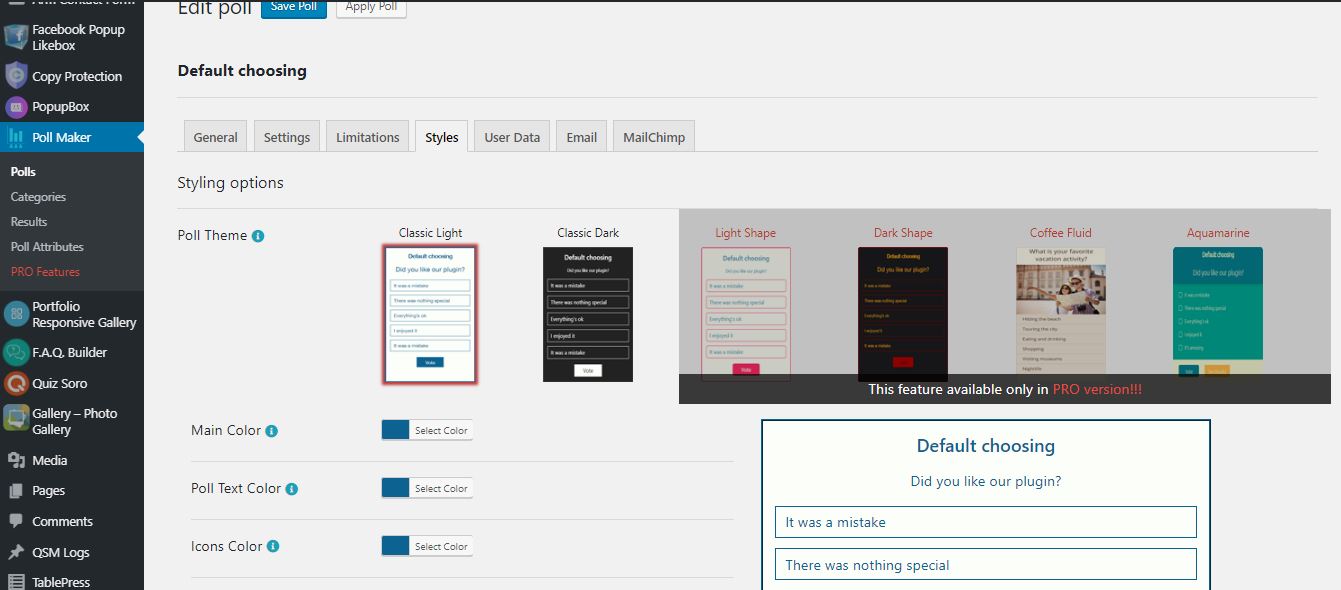
Poll Maker – dashboard preview gif 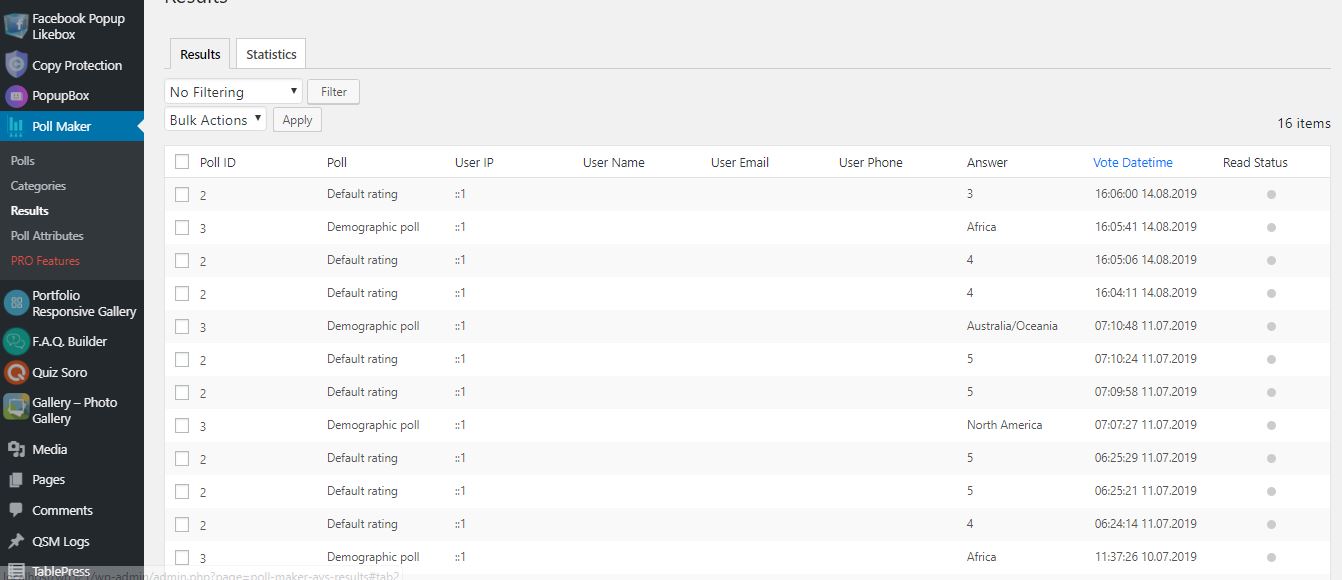


Blocks
This plugin provides 1 block.
- Poll Maker
Installation
There are two ways to install Poll maker: the easy way, when you install Poll maker from your WordPress dashboard, and the not so easy way, when you install it from WordPress.org.
- 1.1 The easiest way to enjoy Poll Maker:
- 1.1.1 Login to your WordPress dashboard
- 1.1.2 Go to Plugins
- 1.1.3 Add New
- 1.1.4 Search for Poll maker
- 1.1.5 Click to install
- 1.2 The second way:
- 1.2.1Download the zip file from https://wordpress.org/plugins/poll-maker/
- 1.2.2 Go to Plugins
- 1.2.3 Add New
- 1.2.4 Upload plugin
- 1.2.5 Choose file ays poll_maker.zip
-
1.2.6 Click to install
-
1.3 In order to install the Poll maker from WordPress.org you must unzip the archive and copy the poll-maker folder into your plugins folder (\wp-content\plugins).
After one ofthis steps you can activate the plugin from the Plugins menu.
Once activated configure any options as desired and you can enjoy our Poll maker.
FAQ
-
1. How can I add a Poll in my site?
-
At first, you need to install the plugin and create a Poll in it. After it, a shortcode will be
generated which you can add wherever you want in your site. And then you can see your Poll. -
2. Are there any limitations in the way of making questions for Poll.
-
The plugin has no limitation in the way of making questions Poll. You can make a Poll
yourself and can add as many Polls as you want. And, you can construct any kind of Poll
question such as video, photo, audio, etc. And you can insert whatever you want with shortcodes. -
3. Can I add the same poll in different pages?
-
Yes, of course. You can add the same Poll at the same time in different pages of the site. You
can also add the Polls in widgets on sidebar. And this does not interrupt the traffic of your site. -
4. How to check the results in Poll?
-
After the installation of the plugin you will need to open settings (“Poll maker” in dashboard)
and entering “Results” section you will find the results of your Poll with the help of filters. -
5. How many types are there in the Poll?
-
Our Poll has the following types: voting, choosing, rating (rating-emoji, rating-stars)
-
6. What shall I do in case of any problem?
-
Our support team works very hard to provide answers within 24 hours. We do our best for
giving you thorough answers. For the future, we also plan many new and fantastic features and,
of course, new updates. -
7. How can I add a poll on the widget?
-
There are two Polls set by default in our plugin. For adding a Poll in widget you need to
follow the instruction: Go to the widget section and if you have a Poll in our plugin, you will see
there our widget. Then put it on the sidebar and select the Poll and a width for it. Afterward, we
can say that it is a widget poll. -
8. Where can I find a demo for this WordPress Poll Plugin?
-
Check out the WordPress Poll plugin Free Demo page to find all the advanced features the plugin offers.
-
9. Can I collect personal information from my poll voters?
-
Sure! In order to achieve this, head to the Polls page > particular poll > User Data tab and tick the Enable Information Form option.
Then, select which fields the user should fill out. -
10. How to change the ready-made template/theme?
-
Want to change the style of the poll? Then, head to the Polls page > particular poll > Styles tab.
Select your preferred, ready-to-use template and customize it with the styling options available in the plugin. -
11. Is there any documentation or user guide for this poll plugin?
-
Sure, there is! Check out our official documentation(user guide) to find all the features/functionalities the plugin includes.
There you can see the detailed descriptions of the options, instructions for their usage, video guides, the installation process of the plugin, etc.
By the way, you are welcome to contact us via the Free Support Forum in case of having any questions/queries. -
12. How to upgrade to the Poll PRO version without losing my data?
-
All you need to do is to click on the Upgrade button (instead of the Deactivate) when deactivating the plugin.
By this, you will save your already created data (quizzes with questions). You can check out the Update Guide for further information.
Reviews


Contributors & Developers
“Poll Maker – Versus Polls, Anonymous Polls, Image Polls” is open source software. The following people have contributed to this plugin.
Contributors
“Poll Maker – Versus Polls, Anonymous Polls, Image Polls” has been translated into 10 locales. Thank you to the translators for their contributions.
Translate “Poll Maker – Versus Polls, Anonymous Polls, Image Polls” into your language.
Interested in development?
Browse the code, check out the SVN repository, or subscribe to the development log by RSS.
Changelog
6.1.7 ( December 24, 2025 )
- Improved: Some changes on the admin dashboard
6.1.6 ( December 16, 2025 )
- Added: Current month message variable on the general settings
6.1.5 ( December 09, 2025 )
- Added: Current day message variable on the general settings
6.1.4 ( December 05, 2025 )
- Improved: Some changes on the admin dashboard
- Updated: POT file
6.1.3 ( December 02, 2025 )
- Added: Current time message variable on the general settings
- Improved: Some changes on the admin dashboard
- Tested: Compatible up to WP 6.9
6.1.2 ( November 25, 2025 )
- Improved: Some changes on the admin dashboard
6.1.1 ( November 20, 2025 )
- Added: “Black Friday Deal” Banner
6.1.0 ( November 18, 2025 )
- Added: Post author roles message variable on the general settings
- Improved: Some changes on the admin dashboard
6.0.9 ( November 11, 2025 )
- Added: Current poll author Website URL message variable on the general settings
- Improved: Some changes on the admin dashboard
6.0.8 ( November 04, 2025 )
- Updated: POT file
- Fixed: Code correction on the admin dashboard
6.0.7 ( October 28, 2025 )
- Added: Current poll author display name message variable on the general settings
- Improved: Some changes on the admin dashboard
6.0.6 ( October 21, 2025 )
- Improved: Some changes on the admin dashboard
6.0.5 ( October 14, 2025 )
- Added: Post Author Website URL message variable on the general settings
- Improved: Some changes on the admin dashboard
6.0.4 ( October 08, 2025 )
- Improved: Some changes on the admin dashboard
6.0.3 ( October 03, 2025 )
- Added: Post Author Display name message variable on the general settings
- Improved: Some changes on the admin dashboard
6.0.2 ( September 23, 2025 )
- Improved: The banner style on the admin dashboard
6.0.1 ( September 16, 2025 )
- Added: Post Author Last name message variable on the general settings
- Improved: Some changes on the admin dashboard
6.0.0 ( September 09, 2025 )
- Added: Post Author First name message variable on the general settings
5.9.9 ( September 03, 2025 )
- Improved: Some styles on the admin dashboard
- Updated: POT and Po files
5.9.8 ( August 26, 2025 )
- Added: Post Author Nickname message variable on the general settings
- Improved: Some changes on the admin dashboard
5.9.7 ( August 19, 2025 )
- Improved: HTML structure for iframe embeds
- Improved: Some changes on the admin dashboard
5.9.6 ( August 12, 2025 )
- Fixed: See results in limitation user while Directly chosen
5.9.5 ( August 05, 2025 )
- Added: Post Author Email message variable on the general settings
5.9.4 ( July 29, 2025 )
- Added: Admin Email message variable on the general settings
5.9.3 ( July 22, 2025 )
- Added: Post ID message variable on the general settings
- Tested: Compatible up to 6.8.2
5.9.2 ( July 15, 2025 )
- Added: After vote hook on front-end
- Improved: Notice functionality behavior
- Improved: Some changes on the admin dashboard
5.9.1 ( July 08, 2025 )
- Improved: Some changes on the admin dashboard
5.9.0 ( July 01, 2025 )
- Added: Dashboard submenu
- Improved: Poll Maker welcome page
- Fixed: Admin email vulnerability issue
5.8.9 ( June 24, 2025 )
- Added: Site title message variable on the general settings
5.8.8 ( June 17, 2025 )
- Added: Home page message variable on the general settings
- Improved: Some changes on the admin dashboard
5.8.7 ( June 12, 2025 )
- Updated: POT and Po files
- Fixed: Language translation proble
5.8.6 ( June 10, 2025 )
- Added: Post title message variable on the general settings
- Fixed: Animation problem on the admin dashboard
5.8.5 ( June 03, 2025 )
- Added: Current poll author email message variable on the general settings
5.8.4 ( May 27, 2025 )
- Improved: Code changes on the admin dashboard
- Fixed: Conflict with Pixel Ebook Store theme
- Fixed: Conflict with Interactive Education theme
5.8.3 ( May 20, 2025 )
- Improved: Some changes on the admin dashboard
- Fixed: Dismiss button problem on the admin dashboard
- Fixed: CSS conflict with the WP Social Login and Register plugin
5.8.2 ( May 14, 2025 )
- Improved: Some styles on the admin dashboard
- Updated: POT and Po files
5.8.1
- Changed: The location of the Save as default button on the polls edit page
- Improved: Some styles on the admin dashboard
- Tested: Compatible up to 6.8.1
5.8.0
- Fixed: issue with multisite logs and network deactivation
5.7.9
- Added: Fox LMS Plugin to the Our Products page
- Added: Automatic activation/installation of the plugin on the Products submenu
- Improved: Some styles on the admin dashboard
5.7.8
- Added: Preview Poll button on the Quick Poll Preview Popup
- Improved: Some styles on the admin dashboard
- Fixed: CSS conflict with the HTML5 Video Player plugin
- Fixed: CSS conflict with the Panorama Viewer plugin
- Fixed: Vulnerability issue with user vote limitation
5.7.7
- Added: Auto-generate custom post for immediate poll preview on front-end
- Added: Preview link on the Polls List Table
- Added: Preview Poll button on the Preview Popup of the created poll
- Improved: Some styles on the admin dashboard
- Tested: Compatible up to 6.8
5.7.6
- Improved: Some styles on the admin dashboard
5.7.5
- Changed: Subtitle icon on the Polls List Table
- Improved: Some styles on the admin dashboard
5.7.4
- Updated: POT and Po files
- Fixed: Some issues
5.7.3
- Improved: Some styles on the admin dashboard
- Tested: Compatible up to PHP 8.3+
5.7.2
- Added: Some sanitizing checks on the admin dashboard
- Fixed: Some RTL styles issues on the admin dashboard
5.7.1
- Added: Some sanitizing checks on the front end
- Fixed: Issue with the Elementor Plugin
5.7.0
- Updated: POT file
- Fixed: Some issues
5.6.9
- Added: Roman numbering for answers
5.6.8
- Improved: Some styles on the admin dashboard
- Tested: Compatible up to 6.7.2
5.6.7
- Added: Buttons width mobile option in admin dashboard
5.6.6
- Fixed: Vulnerability issue connected to the poll results list table
5.6.5
- Added: Display of answer images in public page
5.6.4
- Fixed: Vote reason displaying issue on results page
- Fixed: Code correction for Live Preview mode
5.6.3
- Fixed: Some responsive styles on the admin dashboard
5.6.2
- Improved: Some styles on the admin dashboard
5.6.1
- Added: Answer hover color option
- Improved: Some styles on the admin dashboard
5.6.0
- Updated: POT file
- Fixed: Some styles on the admin dashboard
5.5.9
- Fixed: Responsive issue on the admin dashboard
- Added: Mobile Single Column View option in admin dashboard
5.5.8
- Fixed: Styling problem on the Gutenberg page
5.5.7
- Fixed: Issue connected to the poll deactivation
- Improved: Some styles on the admin dashboard
5.5.6
- Changed: The banner style on the admin dashboard
- Improved: Code optimization and Readability
5.5.5
- Fixed: Security issues on the admin dashboard and frontend
5.5.4
- Fixed: Security issues on the admin dashboard
- Improved: Some changes on the admin dashboard
5.5.3
- Added: Current date message variable
- Fixed: Some styles on the admin dashboard
- Updated: POT file
5.5.2
- Fixed: Poll duplication issue
- Improved: Some changes on the admin dashboard
- Tested: Compatible up to 6.7.1
5.5.1
- Fixed: Security issue on the admin dashboard
- Tested: Compatible up to 6.7
5.5.0
- Added: Poll title alignment on mobile option
5.4.9
- Added: Results bar in RGBA option for the Quick Poll Popup
- Fixed: Security issue connected to the poll custom answer
5.4.8
- Added: Enable restart button option for the Quick Poll Popup
- Fixed: Translation issue
5.4.7
- Added: Show title option for the Quick Poll Popup
- Added: Show creation date option for the Quick Poll Popup
- Fixed: Security issue on the admin dashboard
5.4.6
- Added: Randomize answers option for the Quick Poll Popup
- Updated: POT file
5.4.5
- Added: Answer image border radius option
5.4.4
- Fixed: Issue connected to the only for logged in users limitation message
- Improved: Styles on the poll integrations page
5.4.3
- Improved: Some styles on the admin dashboard
5.4.3
- Improved: Some styles on the admin dashboard
- Tested: Compatible up to 6.6.2
5.4.2
- Added: Info Text for the Elementor and Gutenberg blocks preview
- Improved: Some styles on the admin dashboard
5.4.1
- Fixed: Issue connected to the poll title
- Updated: POT file
5.4.0
- Added: Expand/Collapse functionality for polls options on the Polls page
5.3.9
- Improved: Styles on the admin dashboard
5.3.8
- Fixed: Issue connected to the allow multivote option
- Fixed: Some style issues on the front page
5.3.7
- Fixed: Polls search box issue on polls list table
- Fixed: Some styles on the admin dashboard
5.3.6
- Added: Autofill logged-in user data option
- Tested: Compatible up to 6.6.1
5.3.5
- Added: Poll main URL option
- Tested: Compatible up to 6.6
5.3.4
- Fixed: Translation issues
- Fixed: Poll alignment issue on the front page
5.3.3
- Fixed: Style issues on the front page
- Fixed: PHP issue on the each results list table
5.3.2
- Improved: Plugin performance on the admin dashboard
- Tested: Compatible up to 6.5.5
5.3.1
- Fixed: Style issues on the front page
- Fixed: Style issues on the admin dashboard
- Updated: POT file
5.3.0
- Improved: Some Styles on the admin dashboard
- Fixed: User IP security issue
5.2.9
- Fixed: Issue connected to the text type poll statistics chart
- Fixed: Style issues on the admin dashboard
- Tested: Compatible up to 6.5.4
5.2.8
- Fixed: Issue connected to the poll text type
5.2.7
- Fixed: Style issue on the admin dashboard
- Fixed: Issue connected to the poll categories shortcode
5.2.6
- Fixed: Issue connected to the poll text type
5.2.5
- Fixed: Translation issues on the admin dashboard
- Fixed: Some issues on the front page
5.2.4
- Fixed: Translation issues on the admin dashboard
- Updated: POT file
5.2.3
- Fixed: Some styles on the admin dashboard
- Tested: Compatible up to 6.5.3
5.2.2
- Improved: Footer Style on the admin dashboard
5.2.1
- Fixed: Issues connected to the poll fonts on the front page
5.2.0
- Fixed: Issue connected to the result message on the front page
- Fixed: JS issues on the admin dashboard
5.1.9
- Fixed: Quick Poll security issue on the admin dashboard
- Fixed: Security issue connected to the change the author of the current poll option
5.1.8
- Fixed: JavaScript conflict with Elementor plugin
- Updated: POT file
5.1.7
- Changed: The polls Edit page design
5.1.6
- Added: Hide results option for the Quick Poll Popup
- Tested: Compatible up to 6.5
5.1.5
- Added: Show Author option for the Quick Poll Popup
5.1.4
- Fixed: Issue with the filter by type in polls list table (PHP 7.2)
- Updated: POT file
5.1.3
- Changed: The polls list table design
5.1.2
- Added: User phone message variable on the general settings page
- Improved: Some styles on the admin dashboard
5.1.1
- Added: Show timer at the bottom suboption to display the timer at the bottom
5.1.0
- Added: The Message variables section for the Hide Results option
- Improved: Some styles on the admin dashboard
5.0.9
- Added: User Email message variable on the general settings page
- Fixed: Issue connected to the result message
5.0.8
- Fixed: Issue connected to the User Name message variable
- Updated: PO files
5.0.7
- Added: User Name message variable on the general settings page
- Updated: PO files
5.0.6
- Added: Allow not to vote option for the Quick Poll Popup
- Improved: Some styles on the admin dashboard
- Updated: POT
5.0.5
- Improved: Some styles on the admin dashboard
5.0.4
- Added: Information popup about the poll after creating a poll
5.0.3
- Added: Allow Multivote option for the Quick Poll Popup
- Fixed: Issue connected to the Allow Multivote option
5.0.2
- Added: Create Quick Poll functionality on the admin dashboard
5.0.1
- Added: User website message variable on the general settings page
- Added: Italian language support
- Updated: POT and PO files
5.0.0
- Fixed: Some styles on the admin dashboard
- Fixed: Elementor widget issue
4.9.9
- Added: Cancel button on the polls edit page
- Fixed: Some styles on the admin dashboard
4.9.8
- Improved: Message when no active polls found option on the poll categories page
- Fixed: Images sanitizing problem
4.9.7
- Added: Confirmation box for unsaved changes on the admin dashboard
4.9.6
- Fixed: Images sanitizing problem on the admin/front page
- Tested: Compatible up to 6.4.2
4.9.5
- Improved: Some changes on the admin dashboard
- Updated: POT and PO files
4.9.4
- Fixed: Some styles on the admin dashboard
- Fixed: Some styles on the front page
4.9.3
- Fixed: Some styles on the admin dashboard
- Fixed: PHP issue on the each results list table
4.9.2
- Fixed: Some styles on the admin dashboard
4.9.1
- Improved: Some changes on the admin dashboard
4.9.0
- Fixed: Some styles on the admin dashboard
- Fixed: PHP issue on the each results list table
4.8.9
- Fixed: Some styles on the admin dashboard
- Fixed: Some issues on the each results list table
4.8.8
- Fixed: Some styles on the admin dashboard
4.8.7
- Fixed: Some styles on the front page
- Updated: POT and PO files
- Tested: Compatible up to 6.4.1
4.8.6
- Fixed: Some styles on the admin dashboard
- Fixed: Some responsive style issues on the results list table
4.8.5
- Fixed: Some styles on the admin dashboard
- Fixed: Filter and search options conflict on the polls list table
- Tested: Compatible up to 6.4
4.8.4
- Changed: The banner style on the admin dashboard
4.8.3
- Added: Type filter on the polls list table
- Fixed: Some styles on the admin dashboard
4.8.2
- Improved: Some changes on the admin dashboard
- Tested: Compatible up to 6.3.2
4.8.1
- Added: Height suboption for the Show results by option
- Fixed: Issue connected to the allow multivote option
4.8.0
- Fixed: Some styles on the admin dashboard
- Improved: Ask a question button style on the admin dashboard
4.7.9
- Fixed: Some styles on the admin dashboard
- Fixed: Some styles on the front page
4.7.8
- Fixed: Banner timer issue on the admin dashboard
- Fixed: Some issues conected to the loading effect size option
- Fixed: Some issues conected to the allow custom answer option
4.7.7
- Added: Confirmation Box before removing the polls/results and categories
- Fixed: Some styles on the admin dashboard
4.7.6
- Fixed: Banner security issue on the admin dashboard
- Fixed: Some issues connected to the allow custom answer option
4.7.5
- Added: Author filter on the polls list table
- Fixed: Responsive problem on the admin dashboard
- Tested: Compatible up to 6.3.1
4.7.4
- Fixed: Some styles on the admin dashboard
- Fixed: Issue connected to the create post for poll option
4.7.3
- Added: 7 and 10-star rating options for the Rating Poll Type
- Improved: Styles on the admin dashboard
- Tested: Compatible up to 6.3
4.7.2
- Fixed: Some styles on the admin dashboard
- Fixed: Security issue on the front page
4.7.1
- Improved: Dashboard styles
- Fixed: Security issue on the admin dashboard
4.7.0
- Added: Detailed Popup for the poll each result
- Changed: The banner style on the admin dashboard
- Fixed: Some styles on the admin dashboard
4.6.9
- Fixed: Some styles on the admin dashboard
- Improved: Min/Max values for the Allow multivote option
4.6.8
- Added: Status filter on the polls list table
- Improved: Deactivate popup style on the plugins page
4.6.7
- Added: User phone column on the poll results list table
- Fixed: User name user email and vote reason displaying issue on the poll results list table
- Fixed: Some issues on the front page
4.6.6
- Fixed: Database error on the polls results page
- Fixed: Some styles on the admin dashboard
4.6.5
- Fixed: Some styles on the admin dashboard
- Fixed: JS issue on the admin dashboard
- Fixed: The default value for the alignment option in the text type
4.6.4
- Added: Introduction page for Poll Maker
- Added: Setup Guide
4.6.3
- Added: Create post for poll Option
- Added: Results column on the polls list table
- Added: Ability to copy the shortcode from the polls list table
- Added: Add new submenu
- Added: Each poll results list table
- Changed: Some styles on the admin dashboard
- Fixed: Security issue on the poll integrations page
- Improved: Polls results list table
4.6.2
- Added: Button background color changing option
- Tested: Compatible up to 6.2.2
4.6.1
- Added: Option to be able to show results after schedule without button
- Tested: Compatible up to 6.2.1
4.6.0
- Fixed: Select poll issue on the Gutenberg block
- Updated: POT and PO files
4.5.9
- Fixed: Gutenberg block error
4.5.8
- Added: Button text color changing option
4.5.7
- Added: Functionality to insert message variables into the wp editor on the result message
4.5.6
- Fixed: CSS style issues on the admin dashboard
- Tested: Compatible up to 6.2
4.5.5
- Added: Title option for Poll logo
- Fixed: Some CSS style issues on the front-end
4.5.4
- Added: Default message for text type
- Fixed: Some changes on the admin dashboard
4.5.3
- Fixed: Code correction on the front-end
- Fixed: Some changes on the admin dashboard
- Locked: New Pro features
4.5.2
- Changed: The banner style on the admin dashboard
- Fixed: Some changes on the admin dashboard
4.5.1
- Added: Shortcode attribute for ayspoll_results to show latest result
- Fixed: Some changes on the admin dashboard
4.5.0
- Changed: Some CSS style issues on the admin dashboard
- Fixed: Categories list table pagination issue
- Fixed: The Search box and pagination conflict on all list tables
4.4.9
- Added: SVG poll icon in Gutenberg editor
- Fixed: Column width issue for logged-in users
- Updated: POT file
4.4.8
- Added: Reset styles button on the admin dashboard
4.4.7
- Fixed: CSS style issues on the admin dashboard
4.4.6
- Added: Tooltip for Save buttons on the admin dashboard
- Updated: POT file
4.4.5
- Changed: Some CSS style issues on the admin dashboard
4.4.4
- Changed: Some CSS style issues on the admin dashboard
- Fixed: Vertical scrolling issue on the admin dashboard
4.4.3
- Fixed: Default poll creation date in admin dashboard
- Updated: POT and PO files
4.4.2
- Fixed: CSS style issues on the admin dashboard
4.4.1
- Changed: Some CSS style issues on the admin dashboard
- Fixed: Poll duplication issue
4.4.0
- Changed: Change the poll author option design
- Fixed: Some issues on the front page
4.3.9
- Fixed: Multivote and answer redirection problem on the front page
- Fixed: Multivote and show correct answers problem on the front page
4.3.8
- Fixed: CSS style issue on the admin page
4.3.7
- Added: Confirmation box for deleting poll answers
- Fixed: CSS style issues on the admin dashboard
- Tested: Compatible up to 6.1.1
4.3.6
- Fixed: Answer table ordering style problem
- Fixed: Style problem on the admin dashboard
4.3.5
- Added: Redirect to another polls functionality on the polls page
- Fixed: Polls category problem on the results page
4.3.4
- Fixed: CSS style issues on the front page
- Tested: Compatible up to 6.1
4.3.3
- Fixed: CSS style issue on the admin dashboard
4.3.2
- Fixed: CSS style issues on the admin dashboard
4.3.1
- Added: Missing files
4.3.0
- Added: Documentation, Free Support and Rate Us links on the plugins page
- Fixed: Answers redirect issue on the front page
- Fixed: CSS style issue on the admin dashboard
4.2.9
- Added: New loading effect on the admin dashboard
- Added: Read/unread functionality on the results list table
- Fixed: CSS style issues on the admin dashboard
- Tested: Compatible up to 6.0.3
4.2.8
- Added: Categories column on the results list table
- Fixed: CSS style issues on the front page
4.2.7
- Fixed: CSS style issues on the front page
4.2.6
- Fixed: Alignment issue on the front page
- Fixed: Default poll choosing issue on the admin dashboard
4.2.5
- Fixed: CSS style issues on the admin dashboard
- Updated: POT and PO files
4.2.4
- Fixed: Select poll issue on the Gutenberg editor
- Fixed: Translation issue on How to use submenu
- Tested: Compatible up to 6.0.2
4.2.3
- Fixed: CSS style issues on the admin dashboard
4.2.2
- Fixed: CSS style issues on the admin dashboard
4.2.1
- Added: New bar chart type on the front page
4.2.0
- Added: How to create a poll in one minute video on the polls page
- Fixed: CSS style issue on admin dashboard
4.1.9
- Fixed: CSS style issues on admin dashboard
4.1.8
- Changed: Poll type choosing page design
4.1.7.1
- Fixed: Poll type choosing functionality issue
4.1.7
- Improved: Poll type choosing functionality while adding a new poll
4.1.6
- Added: User IP address message variable on the general settings
- Fixed: PHP problem on the result shortcode
4.1.5
- Added: Current poll page link message variable on the general settings
4.1.4
- Added: Show poll answers count shortcode
4.1.3
- Added: All passed polls count per user message variable
4.1.2
- Added: Demo links for poll types
- Fixed: Default poll issue on the results page
4.1.1
- Changed: Community section style on the How to use page
4.1.0
- Added: Youtube link to social media links option
4.0.9
- Changed: Our Products submenu Interface design
4.0.8
- Fixed: Share buttons heading’s shortcode problem
- Added: View Documentation link in admin page submenus
- Tested: Compatible up to 6.0
4.0.7
- Changed: The banner style on the admin dashboard
4.0.6
- Added: Heading for social media links option
4.0.5
- Added: Social media links option
4.0.4
- Added: Show current poll author shortcode on the general settings
4.0.3
- Added: Next Poll category button on the Poll categories edit page
4.0.2
- Added: Next Poll category button on the Poll categories edit page
- Fixed: PHP problem on the admin dashboard
4.0.1
- Added: Poll pass count message variable
4.0.0
- Added: Show poll categories titles shortcode
1.0.1
- Added: Default poll with type Rating
- Added: Apply button when user trying to add new poll
- Fixed: Activation problem
