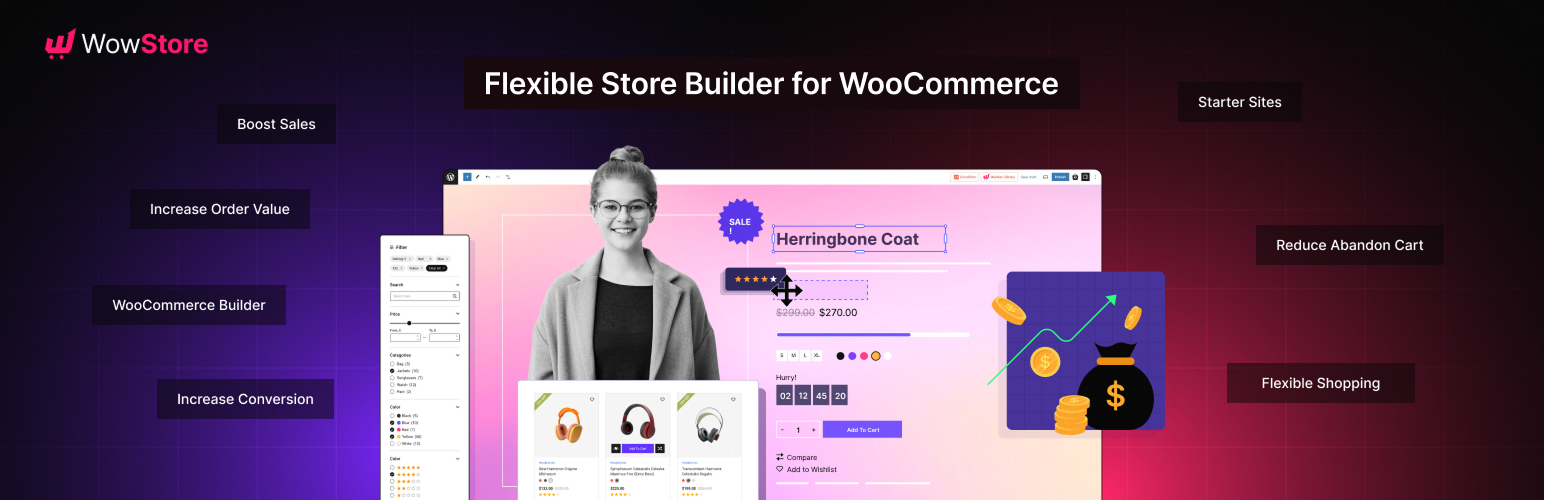

Description
🥇 First ever WooCommerce Builder for Gutenberg
📈 Build professional eCommerce stores and boost earnings
💕 A WPXPO plugin that supports over 60K businesses!
📞 Benefit from dedicated support, with a 4.9/5 Trustpilot customer rating!
😲 Free Demo | 🔥 WowStore Pro | 📃 Documentation
WowStore – #1 WooCommerce Builder & Blocks Plugin with Sales Boosting Features!
WowStore comes with numerous features to expand the default WooCommerce functionality. So you can give your eCommerce site a professional look. On top of that, its additional features help you to get more sales, boost conversions, and increase the average order value.
✅ Gutenberg WooCommerce Blocks
✅ WooCommerce Builder
✅ Product Grid Layout
✅ Product List Layout
✅ Product Slider and Carousel
✅ Advanced Product Filter
✅ WooCommerce Wishlist
✅ WooCommerce Compare
✅ WooCommerce Product Comparison
✅ Variation Swatches
✅ Quick View for WooCommerce
✅ WooCommerce Product Video
✅ WooCommerce Size Chart
✅ Preorder
✅ Backorder
✅ Partial Payments
✅ Call for Price
✅ Currency Switcher
✅ Stock Progress Bar
✅ Name Your Price
✅ Animated Add to Cart
✅ Add to Cart Text
✅ Sales Push Notification
✅ Sticky Add to Cart
✅ Cart Reserved Timer
✅ Up-Selling
✅ Cross-Selling
✅ Free Shipping Bar
WooCommerce blocks help you to display the products in an organized and professional way. WowStore has the following blocks.
✔ Product Grid Blocks
✔ Product List Blocks
✔ Product Slider Blocks
✔ Product Category Blocks
✔ List Blocks
✔ Product Search Blocks
✔ Button Group Blocks
✔ Row and Column Blocks
✔ Banner Maker Blocks
The Ultimate WooCommerce Builder for Gutenberg
WowStore helps you build store pages without leaving the Gutenberg ecosystem. It also comes with professionally designed templates for:
✔ Home Page
✔ Shop Page
✔ Product Archive Pages
✔ Product Category Pages
✔ Single Product Page
✔ Product Search Pages
✔ Cart Page
✔ Checkout Page
✔ My Account Page
✔ Thank You Page
✔ 404 Page
✔ And, Headers & Footers
Shopping Experience
After having a good-looking eCommerce website, the next step is to ensure a better shopping experience for the customers. And, WowStore has the right features for that.
Product Filter: Help shoppers find their desired products fast with product filtering – filter products by category, color, price, rating, and more.
Variation Swatches: Convert product variations to variation swatches to help shoppers select the right colors.
Wishlist: Let the potential buyers create a wishlist of interested products. So they can decide later whether they want to buy them or not.
Quick View: It helps customers to instantly view the product details in a pop-up without visiting the specific product pages.
Compare: Help customers make the buying decisions faster by letting them compare multiple products side by side.
Product Video: Replace featured images with product videos. The videos can be played upon clicking or continuously in the loop.
Size Chart: Create and add Size Charts to product pages. So the shoppers will be able to choose the right sizes.
Boost Your Sales
WowStore has multiple effective features to increase sales. Explore and implement them all to see major improvements in your sales!
Pre-Order: Showcase upcoming products in your stores with a countdown of releasing date and let shoppers preorder products.
Backorder: Enable backorder to keep taking orders for the products that are currently not available in stock but will be available soon.
Partial Payments: Split product prices into two parts with partial payment features and let shoppers book products with a deposit amount.
Call for Price: Hide product prices and the Add to Cart button with a “Call for Price” button. It encourages shoppers to call you to know the prices.
Currency Switcher: Let customers pay with their local currencies using WowStore’s currency switcher.
Stock Progress Bar: Create FOMO (Fear of Missing Out!) among customers by visually highlighting the total and remaining quantity of products.
Increase Conversion
Getting customers to your WooCommerce store is challenging and not being able to convert them is frustrating. Don’t worry, WowStore WooCommerce Builder has multiple features that help you to ensure better conversion rates.
Name Your Price: Empower your shoppers to purchase products with their desired price. You can add some suggested prices with minimum and maximum price restrictions.
Animated Add to Cart: Animate the Add to Cart buttons to encourage shoppers to buy sooner rather than later.
Add to Cart Button Text: Replace the text of the Add to Cart buttons effortlessly. You can add your desired text for all types of products including Simple, Variable, Grouped, and External products.
Sales Push Notification: Highlight recently purchased notifications to give your store’s visitors confidence to place orders.
Sticky Add to Cart: Make the Add to Cart button sticky while scrolling the product pages.
Reduce Cart Abandonment
WowStore also has solutions to reduce Cart Abandonment rates. Check out the features below:
Smart Cart Page: WowStore’s WooCommerce Builder gives you the control to make cart pages from scratch to ensure the process is simpler for the shoppers.
Cart Reserved Timer: It allows you to display a countdown timer and a FOMO message. So you can create an urgency among the customers to complete the buying process faster.
Increase Average Order Value
Increasing the average value can help you to increase revenue with the same number of sales that you usually get. WowStore has the right features for that as well.
Upsell Products: Showcase higher price alternatives as related products. The shoppers may buy any alternative product that makes them more profit.
Cross Selling: Displaying related supplementary products to the cart pages increases the chances of cross-selling.
Free Shipping Progress Bar: If you are offering free shipping based on purchase amount try adding the progress bar to the cart page. It highlights how much the customers need to spend to enjoy free shipping.
Other Wow Plugins by WPXPO
We are glad that you are considering WowStore. Please have a look at our other plugins that can also improve your WordPress and WooCommerce sites.
💲 WowRevenue: The all-in-one revenue-boosting plugin with various features like WooCommerce product bundles, mix-and-match product bundles, and more.
📦 WholesaleX: The ultimate dynamic pricing and discount solution with additional features to manage both B2B and B2C customers in the same store.
🧲 WowOptin: The most advanced and futuristic Optin plugin that helps to collect leads, increase sales, boost conversions, and reduce abandoned carts.
📃 PostX: #1 WordPress plugin to create complete News, Magazine, and Blogging sites. It helps you make your site ready in just three simple steps.
Author
Developed by WPXPO. Contribute to Gutenberg WooCommerce Blocks on Bitbucket and join the party.
Plugin Source
This plugin code is accesible and any contribution will be appretiated. Source Code
External services
IPinfo
This plugin connects to an API IPinfo to obtain the user’s IP address location with user consent when user wants to share their address.
Remote Files
This plugin uses External Files from Country Flags. This resources is open for all and owned by this plugin owner.
This shows the country flags in blocks. Uses example – Bangladeshi Flag
Screenshots
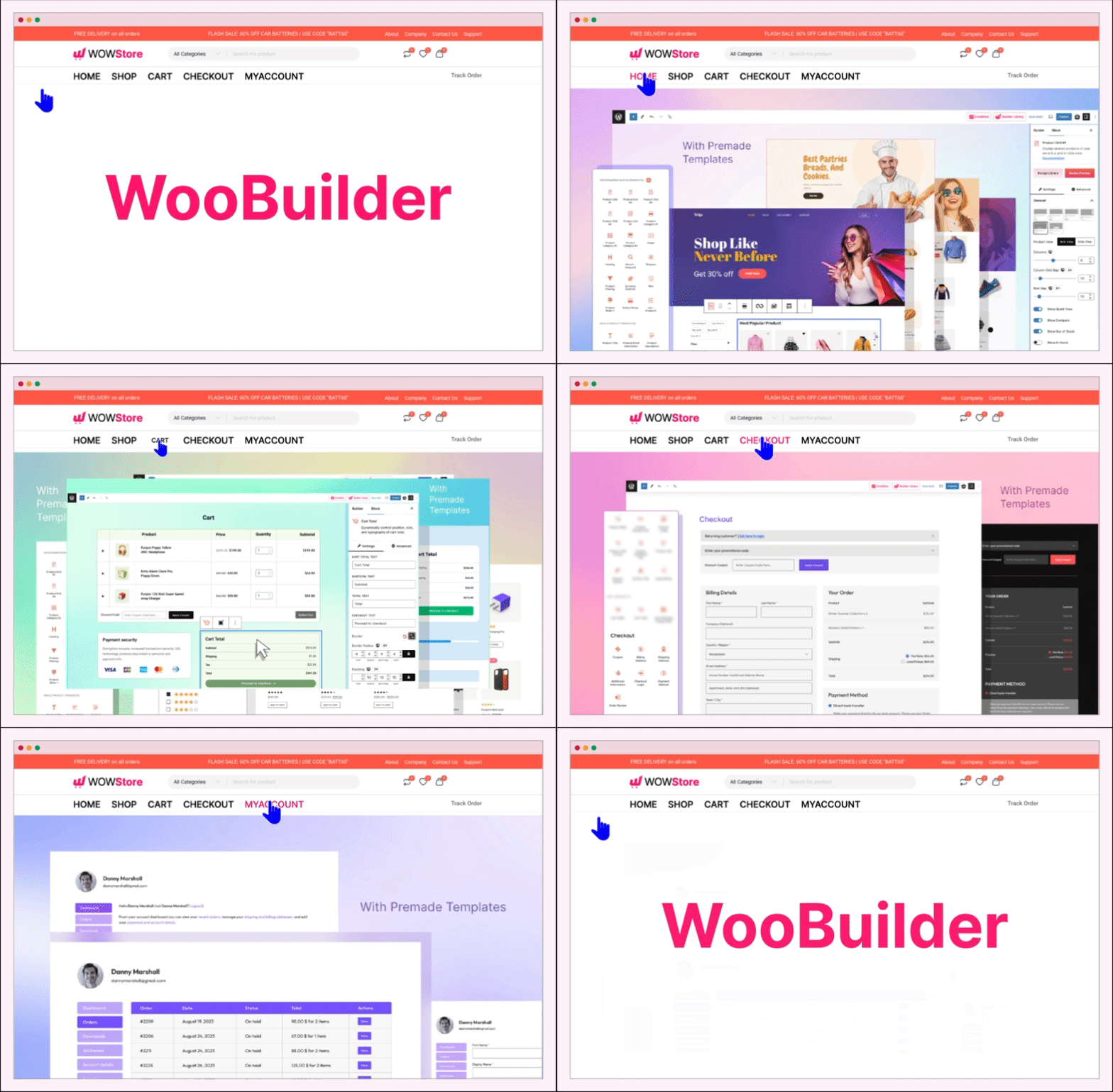
Woo Builder 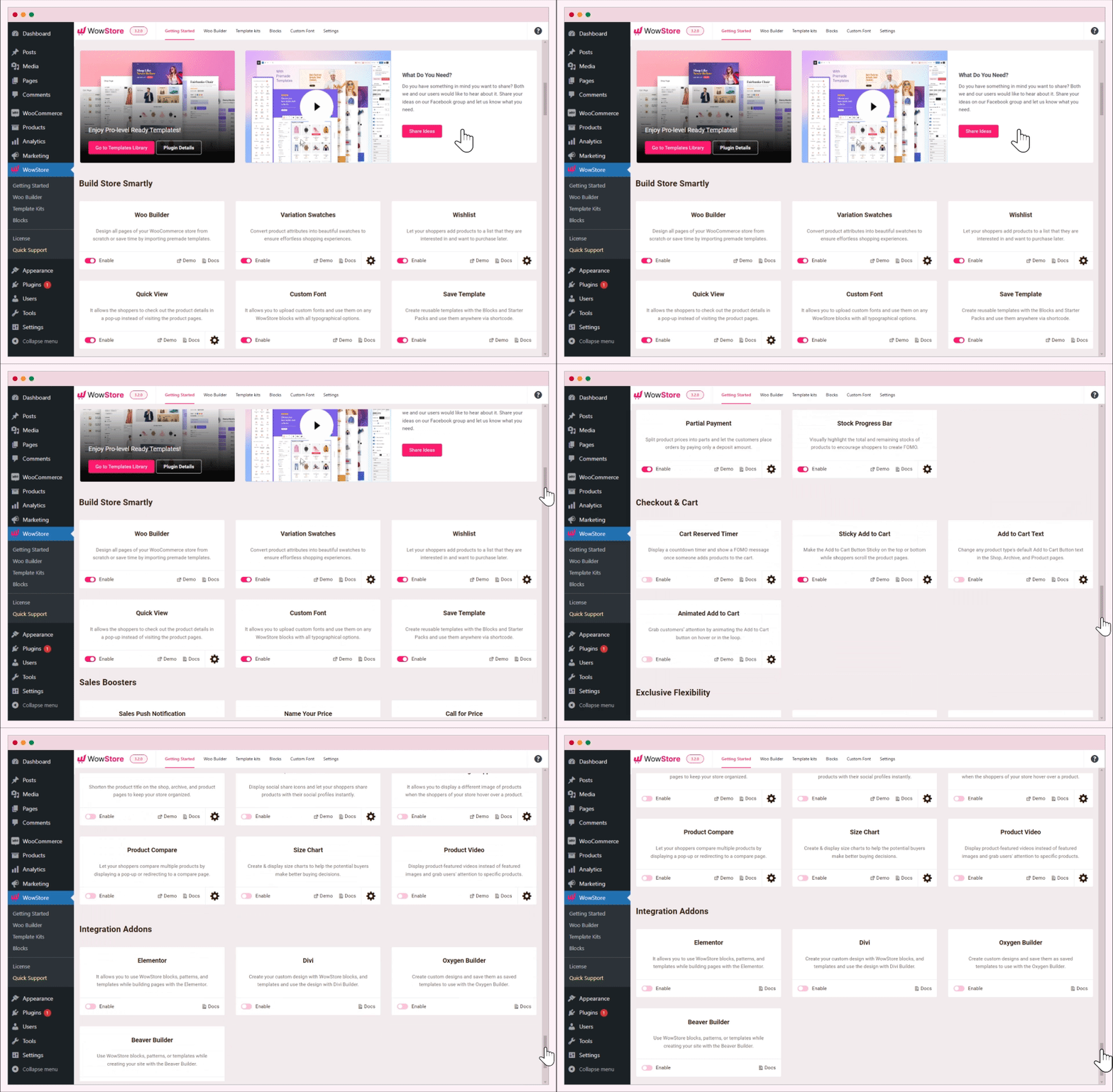
WowStore Dashboard 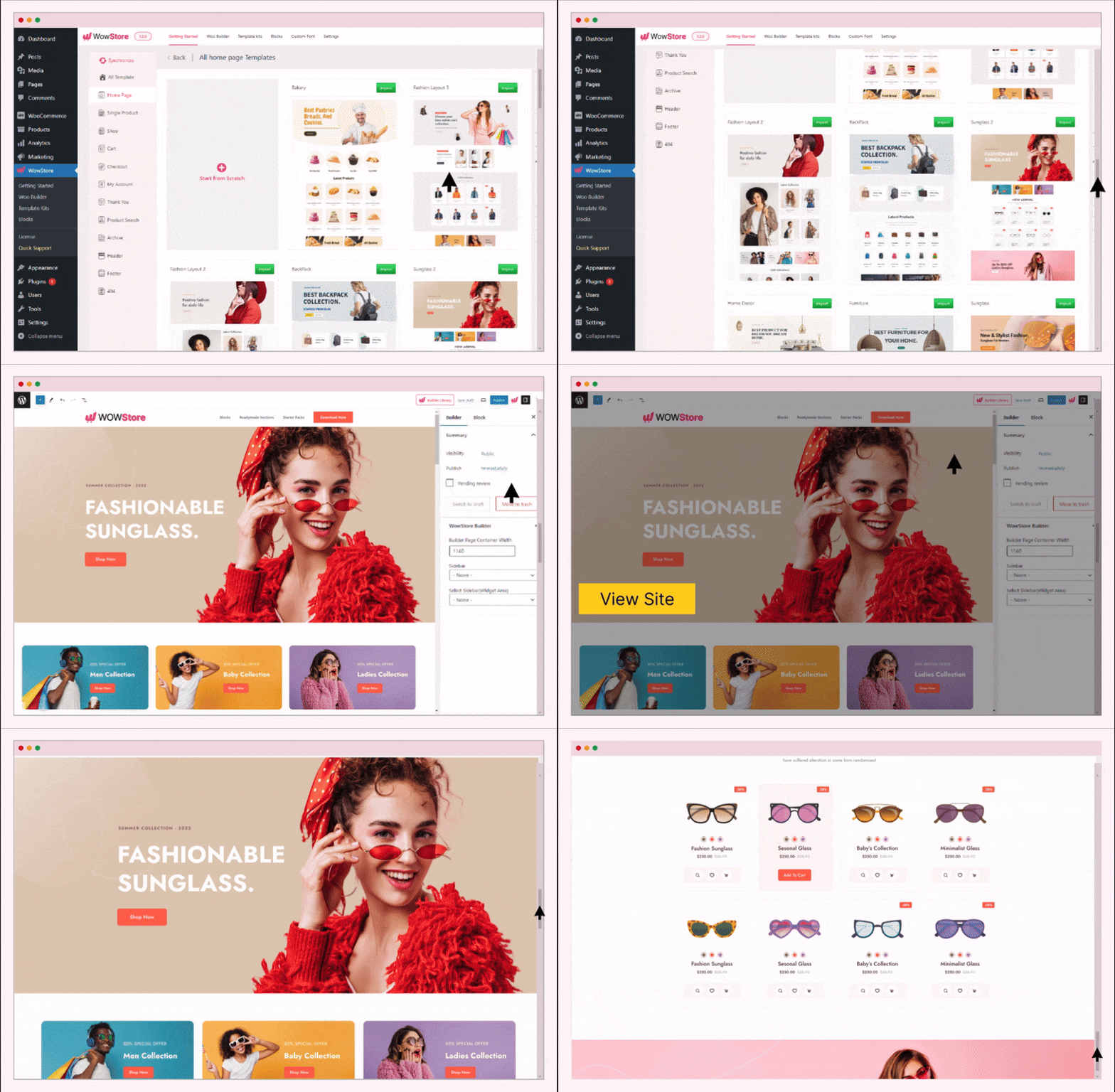
Premade Templates 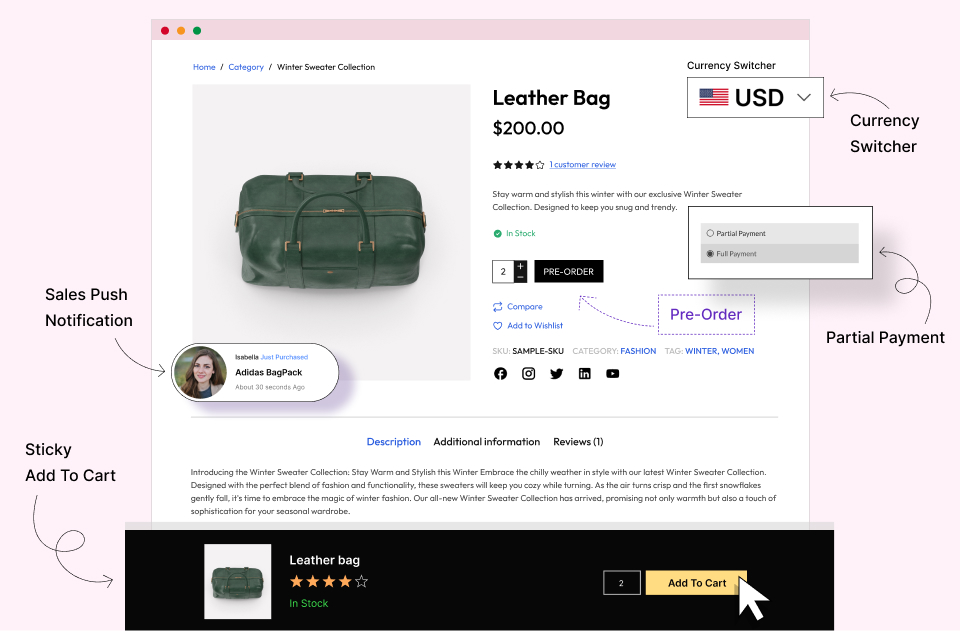
Sale Boosting Features 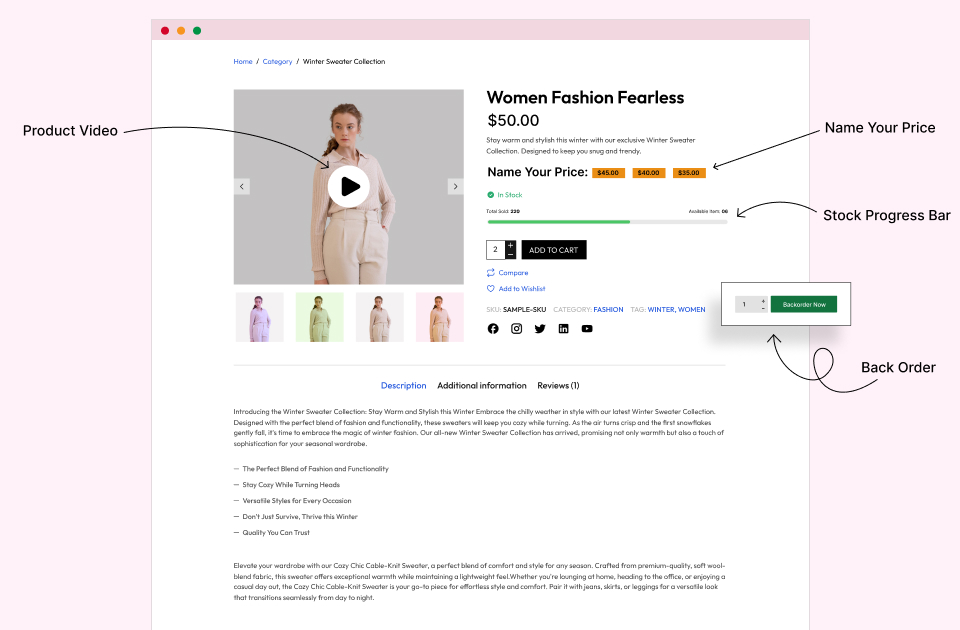
Conversion Focused Features 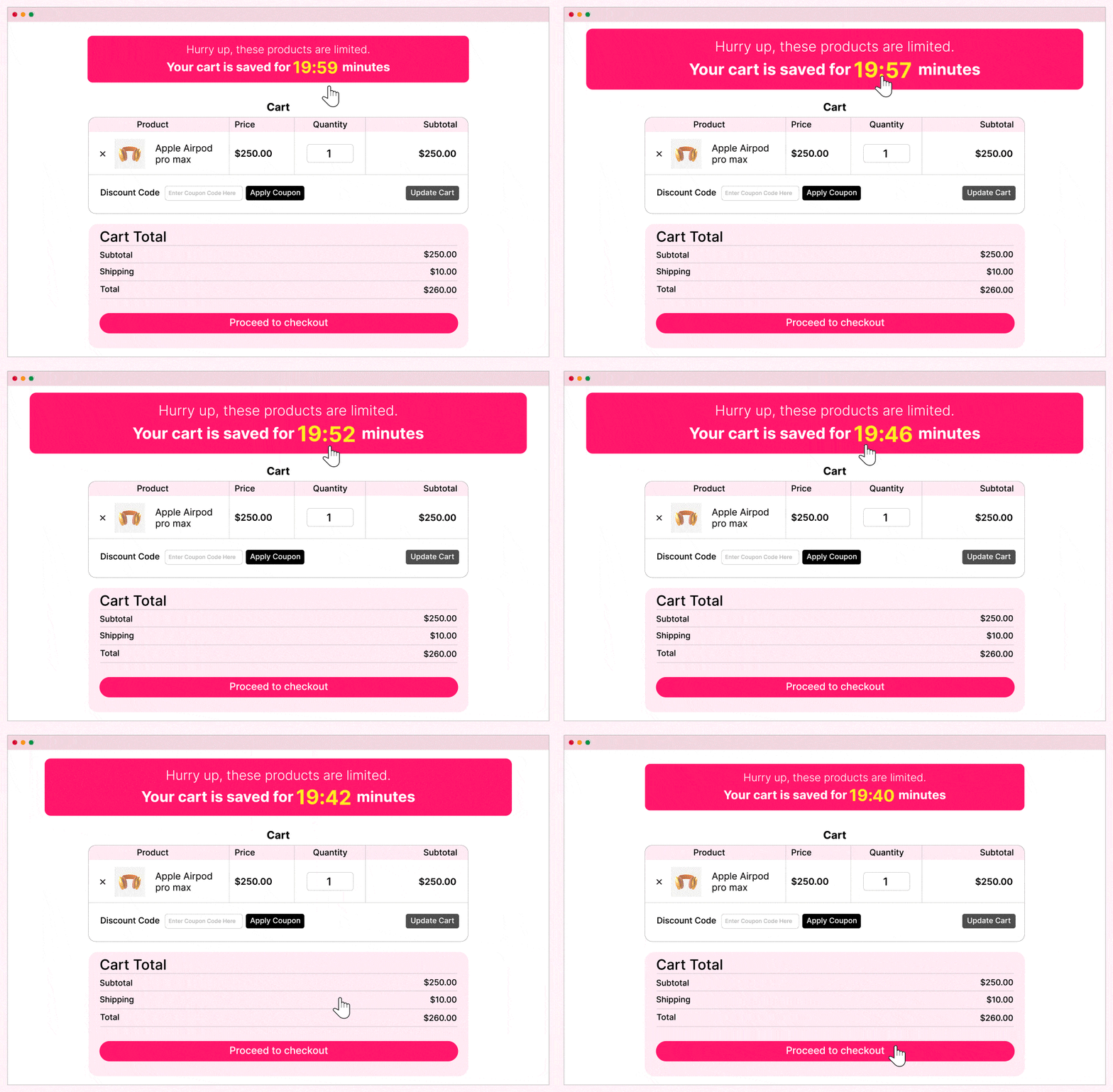
Cart Reserved Timers 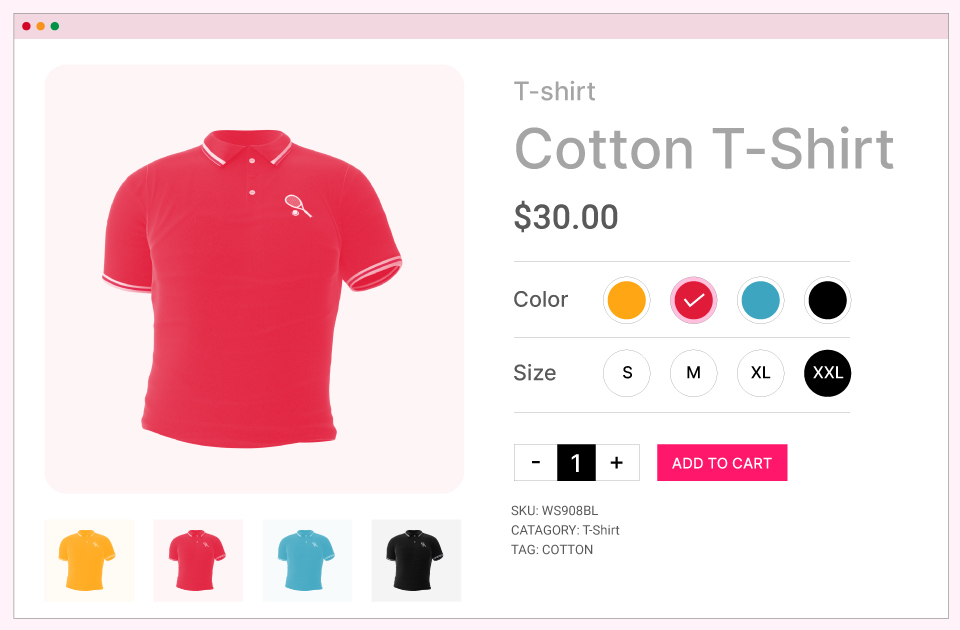
Variation Swatches 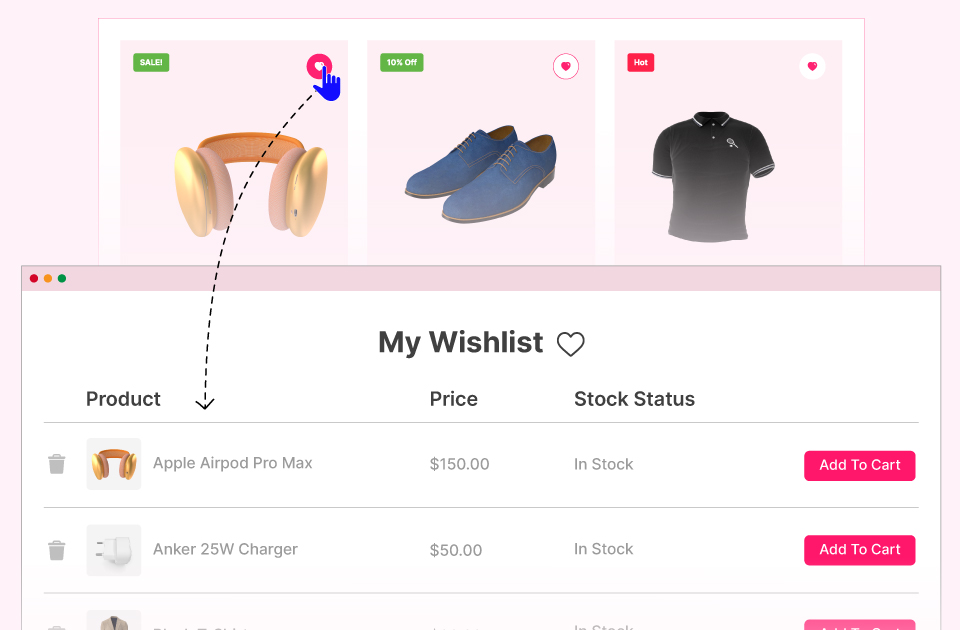
WooCommerce Wishlist 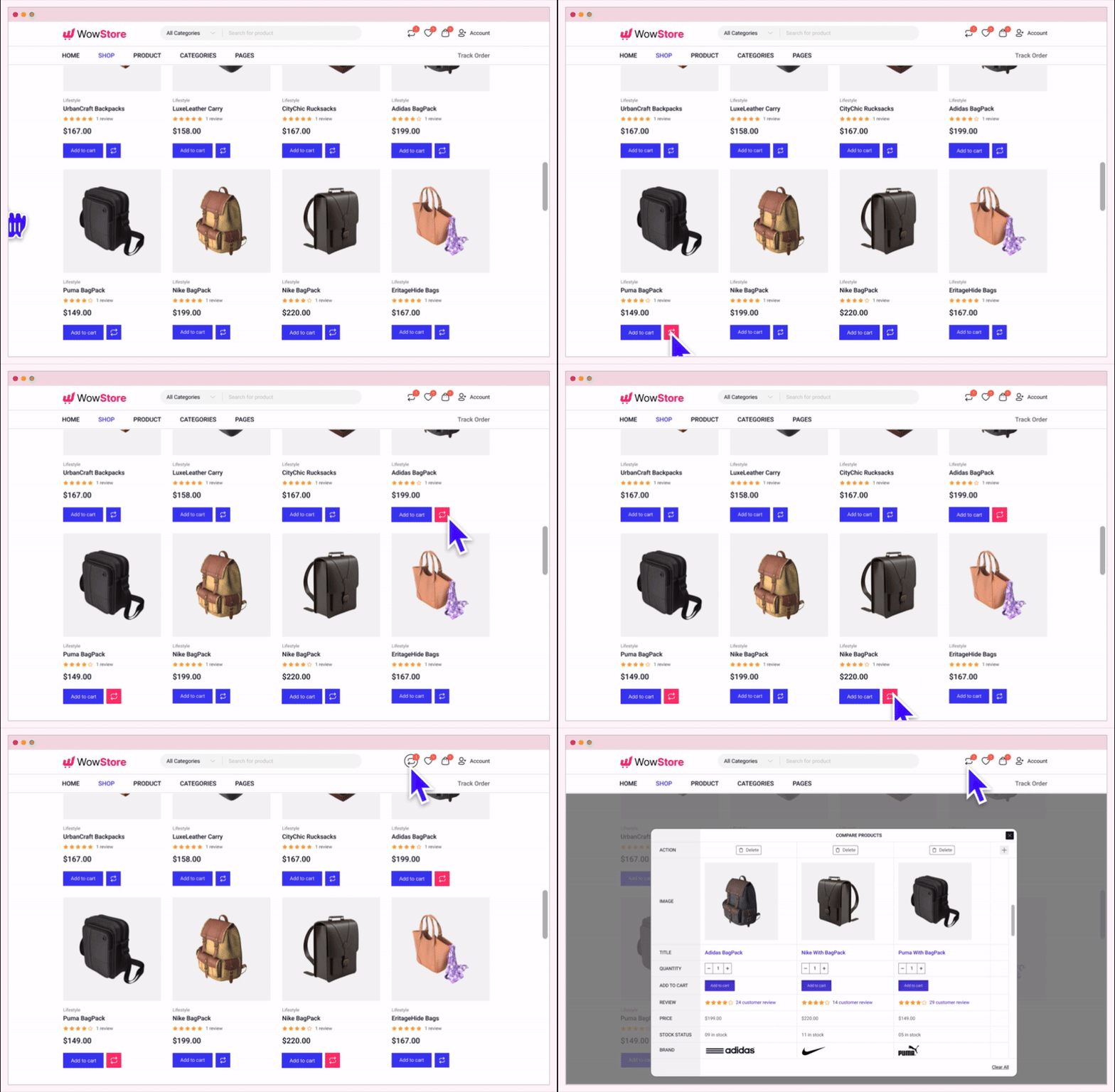
WooCommerce Compare


Blocks
This plugin provides 53 blocks.
- Advance List
- List
- Banner
- Button Group
- Button
- Currency Switcher
- List
- Product Search
- Product Slider
- row
- Column
- Social Share
- Heading
- Image
- Wrapper
- Product Grid #1
- Product Grid #2
- Product Grid #3
- Product List #1
- Product Category #1
- Product Category #2
- Product Title
- Product Short Description
- Product Description
- Product Stock
- Product Price
- Product Rating
- Product Meta
- Product Breadcrumb
- Product Image
- Product Add To Cart
- Product Additional Info
- Product Tab
- Product Review
- Cart Table
- Cart Total
- Free Shipping Progress Bar
- Archive Title
- Product Filtering
- Additional Information
- Billing Address
- Coupon
- Checkout Login
- Order Review
- Payment Method
- Shipping Address
- Order Confirmation
- Thank You Address
- Thank You Order Details
- Order Payment
- My Account
- Menu Compare
- Menu Wishlist
Installation
Minimum Requirements
- WordPress 5.0.0 or greater
- PHP version 7.3 or greater
- MySQL version 5.6 or greater
Automatic installation
Automatic installation is the easiest option as WordPress handles the file transfers itself and you don’t even need to leave your web browser.
- Go to your WordPress Plugin installation menu (Dashboard > Plugins > Add New)
- In the search field type “WowStore” and press enter.
- “Install Now” and then click “Active”
FAQ
-
Is WowStore a Gutenberg Blocks plugin?
-
Yes, but it is a Gutenberg WooCommerce Blocks plugin. It displays the products in a grid, listing, and slider blocks.
-
Where can I request new features?
-
You can share your feature request by clicking here, or directly contact us.
-
Where can I report bugs and contribute to the project?
-
Bugs can be reported on the WordPress support forum.
-
Is it working with older versions of WordPress?
-
It is a Gutenberg WooCommerce plugin and it works great with WordPress version 5.x.x or more. And WordPress older version with Gutenberg plugin.
Reviews


Contributors & Developers
“WowStore – Store Builder & Product Blocks for WooCommerce” is open source software. The following people have contributed to this plugin.
Contributors


“WowStore – Store Builder & Product Blocks for WooCommerce” has been translated into 5 locales. Thank you to the translators for their contributions.
Translate “WowStore – Store Builder & Product Blocks for WooCommerce” into your language.
Interested in development?
Browse the code, check out the SVN repository, or subscribe to the development log by RSS.
Changelog
4.3.8 – 29 October 2025
- Fix: Product Filter block
- Fix: Neve theme compatibility issue with Product Gallery Block
4.3.7 – 29 October 2025
- Fix: Cart Filter block taxonomy result issue
4.3.6 – 24 September 2025
- Fix: Grid Block content alignment issue
- Fix: Variable product stock status issue
- Fix: Gutenberg Customer Account Block Compatibility issue
4.3.5 – 31 August 2025
- Fix: WowStore builder pagination issue
- Fix: Product Image flipper addon issue
- Fix: Filter Block product sorting result issue
- Fix: WowStore Archive builder query reset issue
- Fix: Dynamic Placeholder text added in Filter Block search field
4.3.4 – 24 August 2025
- Fix: Compare addon issue
- Fix: Builder content broken issue
- Fix: Block overlay background color issue
- Fix: WowRevenue Campaign count query improved
- Fix: Free shipping broken issue in single product
4.3.3 – 13 August 2025
- Fix: Product Compare addon issue
4.3.2 – 10 August 2025
- Fix: Trademark Violation issue
4.3.1 – 5 August 2025
- Fix: WowStore notice updated
4.3.0 – 15 July 2025
- Fix: license page user experience improved
4.2.9 – 1 July 2025
- Fix: Variation Swatches Addon optimized
- Fix: WowStore Block pagination issue on the Search page.
4.2.8 – 18 June 2025
- Fix: Product Block Query issue in Search Page
4.2.7 – 28 May 2025
- Fix: Product Grid block image width issue
- Fix: Partial Payment subtotal price issue
- Fix: Add to Cart button layout issue in Product Quick View
- Fix: Quick View compatibility issue with Product Addon plugin
4.2.6 – 22 April 2025
- Fix: Search Block result duplicate issue
- Fix: Variation Swatches color field issue
- Fix: Dynamic label issue for Product Stock block
- Fix: Product SKU meta issue with Variable product
- Fix: Product Short Description block rendering issue on backend
- Fix: Compatibility issue with Elementor and WowStore Header builder
4.2.5 – 9 April 2025
- Fix: Additional Plugin installation issue
4.2.4 – 25 March 2025
- Fix: WooCommerce plugin installation access control issue
4.2.3 – 16 March 2025
- Fix: RTL support issue
- Fix: Ajax and non ajax Pagination issue
- Fix: Product Slider block add to cart and mini cart sync. issue
4.2.2 – 27 February 2025
- Fix: WowRevenue compatibility issue
4.2.1 – 23 February 2025
- Fix: Product Tab block navigation typography issue
- Fix: Product Tab block information and design visibility control issue
4.2.0 – 30 January 2025
- Fix: Add to cart css issue for Product Grid 2 block
- Fix: Setup Wizard CSS issue
4.1.8 – 29 January 2025
- Fix: Css issue for WowRevenue page
4.1.7 – 29 January 2025
- New: WowRevenue Integration
- Update: First Name showing in Sales Push Notification addons
- Fix: Child taxonomy not showing if parent taxonomy has no product
- Fix: Add to Cart icon not showing on hover in grid
4.1.6 – 20 January 2025
- Update: Search block placeholder dynamic
- Update: Free Shipping Progressbar text dynamic
- Compatibility: Variation Swatches for WooCommerce plugin compatibility with WowStore plugin
- Fix: Category image warning when image not found
- Fix: Search by SKU in Product Filtering and Product Search block
- Fix: Onsale query issue with Wholesalex
- Fix: Short description broken for description limit
- Fix: Single product image not showing in mobile view for specific user
- Fix: Product Slider block broken for short description
4.1.5 – 24 December 2024
- Fix: Quickview CSS issue fix
4.1.4 – 02 December 2024
- Compatibility: Germanized for WooCommerce plugin for compatibility in the Product Slider block
- Update: Buy Now button added to the Add to Cart block in the Single Product builder
- Update: Nofollow can be enabled or disabled for the Add to Cart button in the Product Grid block for SEO purposes
- Update: Username and Nickname options added to the Sales Push Notification
- Fix: Product image warning displayed if no image is found in the Single Product builder
- Fix: Variation dropdown is broken in Quickview for a specific theme
- Fix: Currency Switcher warning displayed if data is not found
- Fix: Product description does not render HTML tags in the Product Grid block
- Fix: Equal content height is not working properly in the Product Grid block
- Fix: Divi header conflict occurring for a specific user
- Fix: CSS for the dimension field type is removed when no value is provided
4.1.3 – 14 November 2024
- Fix: Product Filtering block is not displaying properly on the iPad device
- Fix: Category hide conflict with WholesaleX in Product Filtering block
- Fix: Product image gallery broken issue
- Fix: Checkout field broken for Grevo theme in Checkout Builder
4.1.2 – 10 November 2024
- Update: Video position added to the image gallery on the single product page
- Fix: Quantity input is broken in the Compare table with the Avada theme
- Fix: Header logo appears enlarged for the Flip Image effect
4.1.1 – 05 November 2024
- Update: Plus/Minus control added to the Cart Table block in the Cart Builder
- Update: Product Grid/List block overlay meta(Wishlist, Compare, Quickview) show only on hover option added
- Update: Flip Image no animation option
- Improvement: Product Filtering block query optimize
- Fix: Single Product template conflict with Oxygen builder
- Fix: Product Slider block broken issue with Avada theme
- Fix: Image settings popup not displaying in the Row/Column block
- Fix: “Add to Cart” action is not prevented when the “Login to See Price” option is enabled in WholesaleX
- Fix: Buy Now not working in Quickview
- Fix: Flip Image not working for first product
- Fix: Add To Cart button conflict with Bricks theme
- Fix: Product image preview not working for default image after changing product in Product Image block of the Single Product Builder
- Fix: Banner maker block Shape 2 badge broken issue
4.1.0 – 21 October 2024
- Update: Pagination gap option has been added to the Product Grid/List block
- Update: Category before/after title option has been added to the Product Grid 2 block
- Update: Background color option has been added to the image in the Product Grid block
- Improvement: Single product image compatibility added for the Organic Food theme
- Fix: Compare and Wishlist buttons aligned on the same line in Quickview popup.
- Fix: Translation issue in Compare and Product Filtering blocks.
- Fix: Deprecated issue in Quickview.
- Fix: PHP warning issue related to enabling Quickview on mobile in Forum.
- Fix: Pagination dots appearing in the wrong place in the Product Grid/List block.
- Fix: Click actions not working in the Product Grid block after a filter is applied via the Product Filtering block on iPhone.
- Fix: Currency Switcher input value now prevents negative values.
- Fix: Padding for navigation items not working in the Product Tab block of the Single Product builder.
- Fix: Undefined array key issue in Variation Swatches
- Fix: Hide Desktop issue in Row block

