

Description
WCPOS is a simple application for taking orders at the Point of Sale using your WooCommerce store. It’s great for phone orders too!
🕒 Install and start taking orders in less than 2 minutes.
🎥 DEMO
You can see a demo of the WCPOS plugin in action by going to demo.wcpos.com/pos with 🔑login/pass : demo/demo
Desktop Apps:
⬇️ Windows
⬇️ Mac (Intel)
⬇️ Mac (Apple Silicon)
Mobile Apps (Beta):
📱 iOS (TestFlight)
📱 Android (Google Play)
✨ FEATURES
- Cross-platform: Accessible via browser, desktop, iOS & Android (mobile apps in beta)
- Offline Storage: Fast product search and order processing
- Flexible Cart: Add products not listed in WooCommerce
- Barcode Support: Scan products directly into the cart
- Custom Receipts: Tailor receipt templates with PHP
- Multilingual: Available in most major languages
- Built-in Support: Access live chat for instant help
🔓 PRO FEATURES
- Stock Management: quickly adjust stock levels, pricing and more
- Order Management: re-open and print receipts for older orders
- Customer Management: create new customers and edit customer details
- Payment Gateways: use any gateway for checkout
- End of Day Reports: summarise daily sales, transactions, and cash flow for reconciliation
- Stores: Manage locations with unique tax settings, pricing and receipts
- Priority Discord support: one-on-one support via private chat
Discover all PRO features at wcpos.com/pro
📋 REQUIREMENTS
- WordPress >= 5.6
- WooCommerce >= 5.3
- PHP >= 7.4
Screenshots
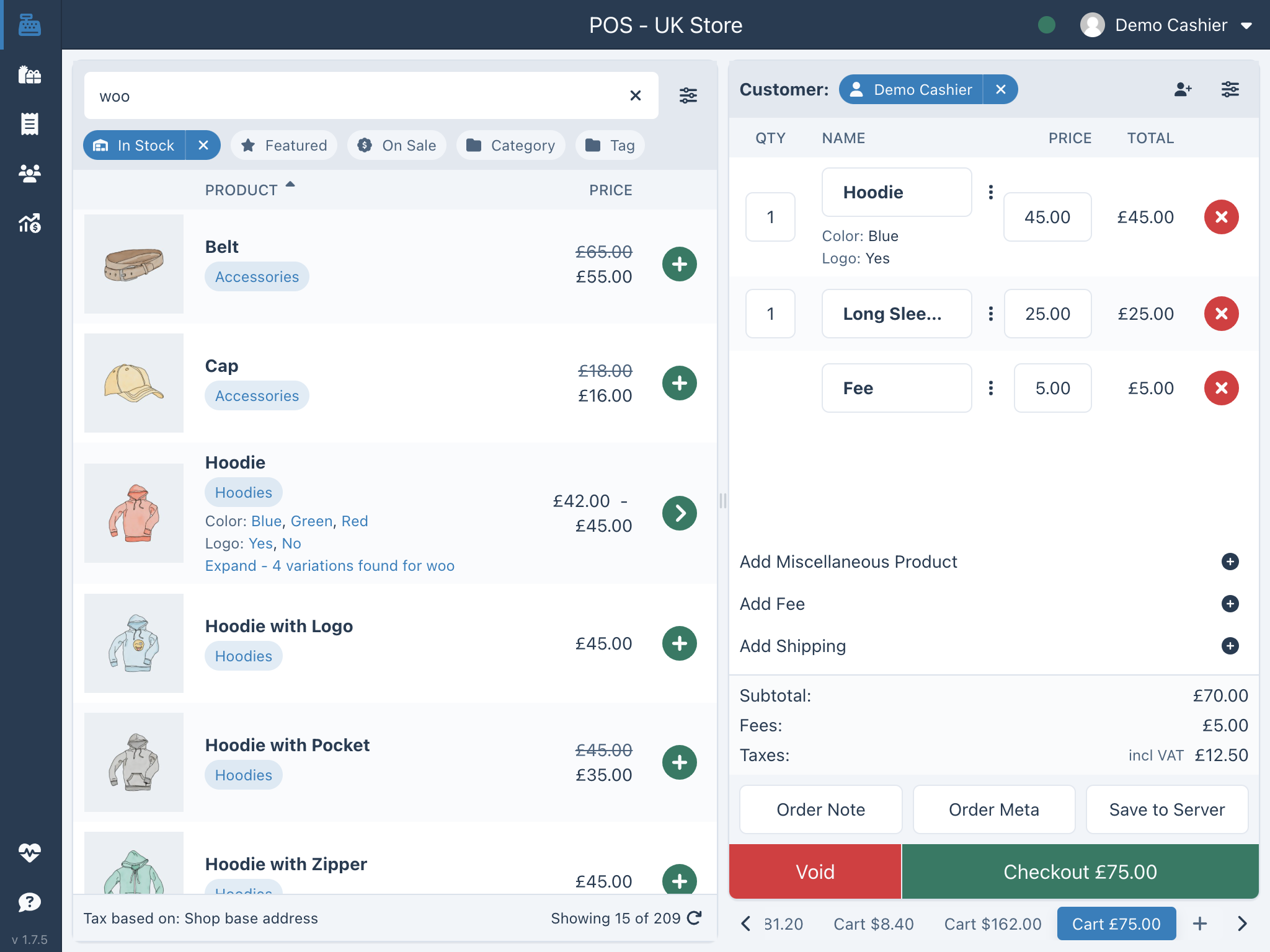
WCPOS main screen

Installation
Automatic installation
- Go to Plugins screen and select Add New.
- Search for “WCPOS” in the WordPress Plugin Directory.
- Install the plugin
- Click Activate Plugin to activate it.
Pro installation
If you have purchased a license for WCPOS Pro please follow the steps below to install and activate the plugin:
- Go to: http://wcpos.com/my-account/
- Under My Downloads, click the download link and save the plugin to your desktop.
- Then go to your site, login and go to the Add New Plugin page, eg: http://<yourstore.com>/wp-admin/plugin-install.php?tab=upload
- Upload the plugin zip file from your desktop and activate.
- Next, go to the POS Settings page and enter your License Key and License Email to complete the activation.
Manual installation
To install a WordPress Plugin manually:
- Download the WCPOS plugin to your desktop.
- If downloaded as a zip archive, extract the Plugin folder to your desktop.
- With your FTP program, upload the Plugin folder to the wp-content/plugins folder in your WordPress directory online.
- Go to Plugins screen and find the newly uploaded Plugin in the list.
- Click Activate Plugin to activate it.
FAQ
-
Where can I find more information on WCPOS?
-
There is more information on our website at https://wcpos.com.
- FAQ – https://wcpos.com/faq
- Documentation – https://wcpos.com/docs
- Blog – https://wcpos.com/blog
Reviews


Contributors & Developers
“WCPOS – Point of Sale (POS) plugin for WooCommerce” is open source software. The following people have contributed to this plugin.
Contributors
“WCPOS – Point of Sale (POS) plugin for WooCommerce” has been translated into 12 locales. Thank you to the translators for their contributions.
Translate “WCPOS – Point of Sale (POS) plugin for WooCommerce” into your language.
Interested in development?
Browse the code, check out the SVN repository, or subscribe to the development log by RSS.
Changelog
1.8.3 – 2025/12/23
- Fix: ‘Headers already sent’ warnings effecting some users
1.8.2 – 2025/12/19
- Fix: critical error when old Pro plugin installed and activated < 1.8.0
1.8.1 – 2025/12/19
- Fix: search not working after update
1.8.0 – 2025/12/18
🎉 Major Update – Native Mobile Apps & Improved Architecture
This release marks a significant milestone for WCPOS! The entire codebase has been rewritten to support our new native iOS and Android applications (currently in beta).
- New: Native iOS app now available via TestFlight
- New: Native Android app now available via Google Play Beta
- New: Theme support – choose between light and dark modes
- New: Receipt template editor (beta) – customize your receipts directly in the settings
- New: Session management – view and revoke active sessions from the POS Settings
- New: Support for WooCommerce Cost of Goods Sold (COGS) field
- New: Product Brands API endpoint for better brand management
- Improved: Error logging – no more mysterious “Invalid response from server” messages! Errors now provide clear, actionable information
- Improved: Authentication system with better security and session handling
- Improved: Styling updated to Tailwind v4 for a more consistent UI
- Pro: WCPOS Pro is now a standalone plugin – download from wcpos.com/my-account
⚠️ Note: This is a major update. We recommend updating when you have time to test the POS thoroughly. You can rollback to version 1.7.14 if needed.
1.7.14 – 2025/11/19
- Change: Plugin name changed from “WooCommerce POS” to “WCPOS” to comply with WooCommerce trademark requirements
- Note: This is a branding change only – all functionality remains the same
1.7.13 – 2025/08/06
- Fix: New Order emails to send after order calculations
1.7.12 – 2025/07/25
- Security Fix: POS receipts should not be publically accessible, NOTE: you may need to re-sync past orders to view the receipt
- Fix: Remove the X-Frame-Options Header for which prevents desktop application users from logging in
- Fix: Checkout email settings have been tested and should now work
1.7.12 – 2025/07/25
- Security Fix: POS receipts should not be publically accessible, NOTE: you may need to re-sync past orders to view the receipt
- Fix: Remove the X-Frame-Options Header for which prevents desktop application users from logging in
- Fix: Checkout email settings have been tested and should now work
1.7.11 – 2025/06/18
- Fix: is_internal_meta_key errors for barcodes as ‘_global_unique_id’
1.7.10 – 2025/05/27
- Fix: Undefined variable $cashback in Card gateway
- Fix: Allow non-protected meta_data in Customer response data
1.7.9 – 2025/05/21
- Security Fix: fix missing authorisation on reading POS settings API (low severity), reported by Marek Mikita (patchstack)
- Fix: Add SKU and prices to Miscellaneous Products
- Fix: Update Card Gateway for HPOS compatibility
1.7.8 – 2025/05/06
- Fix: disable Lite Speed caching for POS templates, causing issues with checkout
1.7.7 – 2025/04/14
- Fix: issue where variant was not saving properly in the Order Item meta data
1.7.5 – 2025/04/09
- Fix: $object->object_type error, use $object->get_type() instead
- Fix: increase woocommerce_get_checkout_order_received_url to ensure POS Thank You page is used for POS orders
1.7.4 – 2025/03/22
- Revert: changes to the default receipt template
1.7.3 – 2025/03/21
- Fix: default receipt template to display Miscellaneous Product Price and better match WooCommerce templates
- Fix: issue where customer data is not correctly clearing when switching from Customer to Guest
1.7.2 – 2024/12/27
- Fix: Negative fees with tax_status=’none’ and/or tax_class are now applied correctly to the order
- Fix: Remove routes from WP API index for POS to reduce request size
- Fix: Annoying issue where pagination resets while searching
- Fix: Minor cart display issues
- Fix: Add html decode for special characters
- Fix: Remove ‘low stock’ as an option in the products filter – this status does not exist
- Fix: Variation attributes doubling when barcode scanning
1.7.1 – 2024/11/14
- Fix: Error updating quantity for Product Variations when decimal quantities enabled
- Plugin Conflict: The wePOS plugin alters the standard WC REST API response, which in turn breaks WCPOS
This small update adds code to prevent WCPOS from being activated if wePOS is detected
1.7.0 – 2024/11/13
- Enhancement: Updated all React components to use modern standards (Tailwind, Radix UI), improving reliability and usability
- Enhancement: Improved the local database query engine for a more responsive POS experience
- Enhancement: Improved barcode scanning detection
- Fix: Popover positioning issues
- Fix: Customer search on Android devices
- Fix: Quick discounts calculation bug affecting some users
- Pro: New Reports page for End of Day Reporting (Z-Report)
