StringBuilder is a dynamic object used to handle mutable strings in C#. Unlike the immutable String class which creates a new object after every modification, StringBuilder updates the existing buffer and expands its memory as needed. This makes it suitable for scenarios involving frequent concatenation, insertion or removal operations.
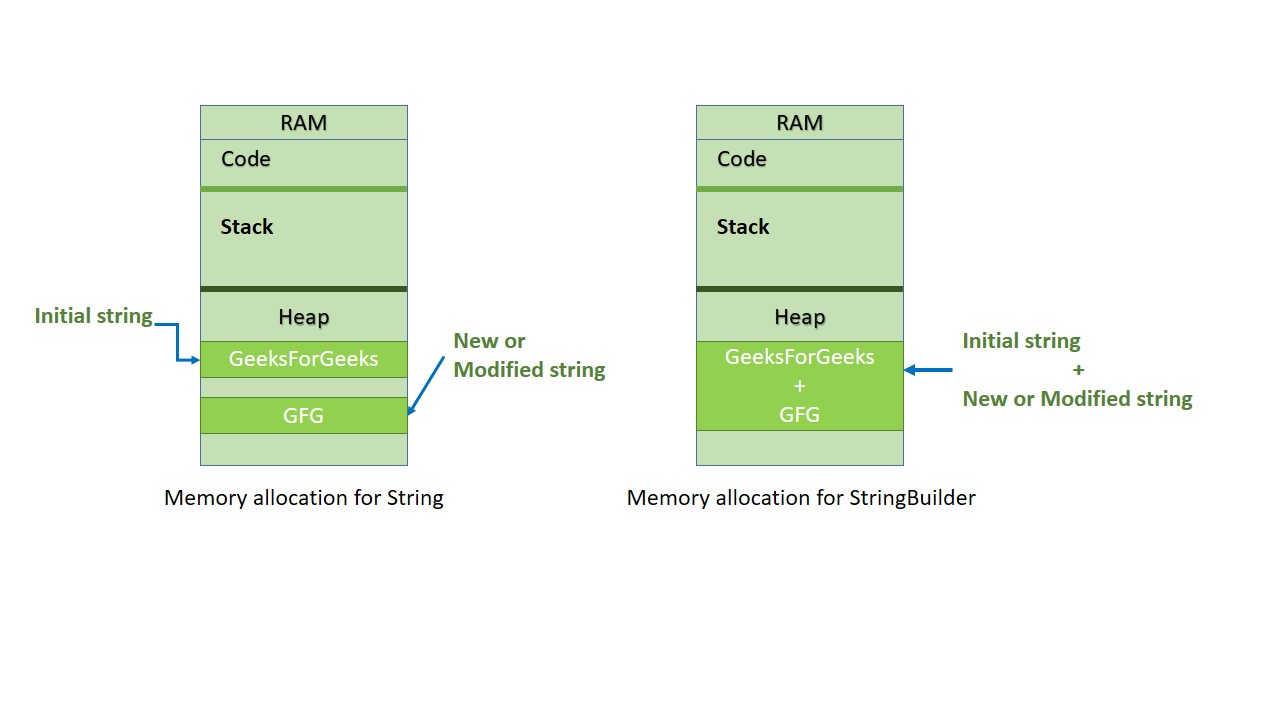 Memory Allocation for String vs StringBuilder in C#
Declaration and Initialization
StringBuilder is declared and initialized like any other class.
StringBuilder s = new StringBuilder();
or
StringBuilder s = new StringBuilder("GeeksForGeeks");
The variable s refers to an instance of the StringBuilder class. A string value can also be passed directly to its constructor.
Defining capacity
Although StringBuilder grows dynamically, you can specify its initial capacity which indicates the maximum number of characters it can hold before resizing.
StringBuilder s = new StringBuilder(20);
or
StringBuilder s = new StringBuilder("GeeksForGeeks", 20);
- In the first constructor an integer is passed representing the initial capacity.
- In the second constructor a string and a capacity value are provided.
Important Methods of StringBuilder
| Method | Description |
|---|
| Append(string value) | Appends a value to the end of the existing content. |
|---|
| AppendFormat() | Formats a string and appends the formatted result. |
|---|
| Insert(int index, string value) | Inserts a string at a specified index. |
|---|
| Remove(int start, int length) | Removes a defined number of characters starting at a given index. |
|---|
| Replace(oldVal, newVal) | Replaces occurrences of a specified value with another value. |
|---|
Example 1: Append Values
C#
using System;
using System.Text;

class Geeks {
    public static void Main() {

        StringBuilder s = new StringBuilder("HELLO ", 20);

        s.Append("GFG");
        s.AppendLine("GEEKS");
        s.Append("GeeksForGeeks");

        Console.WriteLine(s);
    }
}
OutputHELLO GFGGEEKS
GeeksForGeeks
C#
using System;
using System.Text;

class Geeks {
    public static void Main() {

        StringBuilder s = new StringBuilder("Your total amount is ");

        s.AppendFormat("{0:C} ", 50);

        Console.WriteLine(s);
    }
}
OutputYour total amount is ?50.00
Example 3: Insert at Specific Index
C#
using System;
using System.Text;

class Geeks {
    public static void Main() {

        StringBuilder s = new StringBuilder("HELLO ", 20);

        s.Insert(6, "GEEKS");

        Console.WriteLine(s);
    }
}
Example 4: Remove Characters
C#
using System;
using System.Text;

class Geeks {
    public static void Main() {

        StringBuilder s = new StringBuilder("GeeksForGeeks", 20);

        s.Remove(5, 3);

        Console.WriteLine(s);
    }
}
Example 5: Replace Characters
C#
using System;
using System.Text;

class Geeks {
    public static void Main() {

        StringBuilder s = new StringBuilder("GFG Geeks ", 20);

        s.Replace("GFG", "Geeks For");

        Console.WriteLine(s);
    }
}
Explore
Introduction
Fundamentals
Control Statements
OOP Concepts
Methods
Arrays
ArrayList
String
Tuple
Indexers