Callbacks and Events in NodeJS
Last Updated :
26 Aug, 2025
Callbacks and events are fundamental building blocks for asynchronous programming in NodeJS. They're important for handling operations that might take some time, ensuring your application handles asynchronous operations smoothly. They are functions that are passed as arguments to other functions and executed when the task completes. This is how NodeJS handles tasks that take time, like getting data from the internet, without making your program wait.
When an asynchronous function is executed, Node.js does not wait for it to complete. Instead, it moves on to the next task and invokes the callback function once the asynchronous operation finishes.
index.js
function fetchData(callback) {
    setTimeout(() => {
        const data = 'Sample Data';
        callback(null, data);
    }, 1000);
}
fetchData((error, data) => {
    if (error) {
        console.error('Error:', error);
    } else {
        console.log('Data:', data);
    }
});
Code Overview:
- fetchData simulates an asynchronous operation using setTimeout.
- It accepts a callback function to handle the result.
- After 1 second, it calls the callback with null (indicating no error) and the data.
- The callback checks for errors and logs the data if successful.
Output:
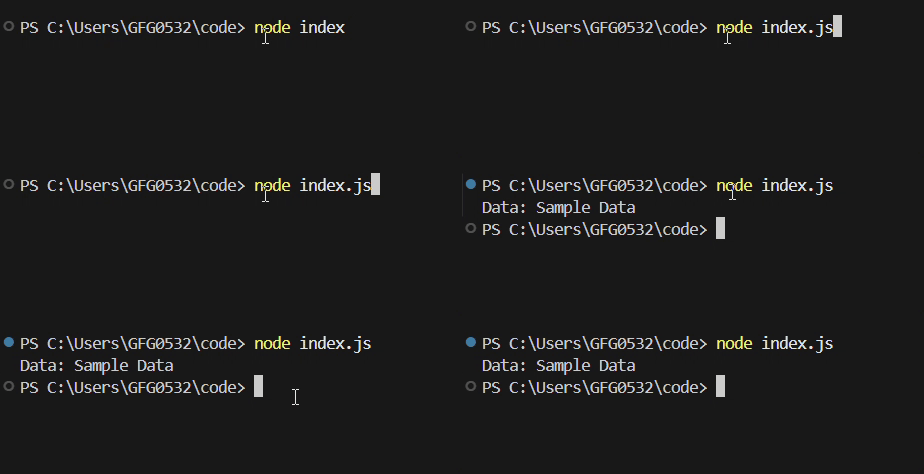 Callback in NodeJS
Types of Callbacks
- Synchronous Callback: A callback that is executed immediately within the same function execution.
- Asynchronous Callback: A callback that is executed after an asynchronous operation completes.
To learn more about callbacks, you can refer to the Article - Callback in NodeJS
Events in NodeJS
In NodeJS, events are actions or occurrences that the application can detect and respond to, such as 'data' or 'error'. The EventEmitter class enables objects to emit events and allows listeners to handle them asynchronously, handling non-blocking operations.
index.js
const EventEmitter = require('events');
// Create a new instance of EventEmitter
const eventEmitter = new EventEmitter();
// Register an event listener for the 'greet' event
eventEmitter.on('greet', () => {
    console.log('Hello, welcome to Node.js!');
});
// Emit the 'greet' event
eventEmitter.emit('greet');
Code Overview:
- We use EventEmitter to create something that can send and listen for events.
- eventEmitter.on is how we say "Hey, when the 'greet' event happens, run this code."
- eventEmitter.emit is how we actually make the 'greet' event happen. This triggers the code we set up to run.
Output:
 Events in NodeJS
To learn more about events in NodeJS, check out the article - Events in NodeJS
Callbacks vs Events
| Feature | Callbacks | Events |
|---|
Defintion | Function is passed as an argument in another function | A Signaling mechanism where an emitter triggers events and listeners respond.
|
| Execution Flow | Executes once per operation | Can be triggered multiple times |
| Code Structure | Nested and can lead to callback hell | More organized and manageable |
| Use Case | Used for single asynchronous operations | Used for handling multiple occurrences of an event |
What is the primary purpose of using a callback in an asynchronous function in NodeJS?
-
To make the operation run synchronously
-
To pause the event loop until the operation completes
-
To execute a function after an asynchronous task finishes
-
To convert synchronous code into event-based code
Explanation:
Callbacks allow NodeJS to continue running other code while waiting for async tasks. Once the operation completes, the callback runs.
In the given example, what does the argument null represent when calling callback(null, data)?
-
The data returned by the function
-
An indication that the asynchronous operation failed
-
A placeholder for preventing callback execution
-
An indication that no error occurred
Explanation:
NodeJS follows the error-first callback pattern.
callback(null, data) means:
null → no errordata → successful result
What happens when eventEmitter.emit('greet') is executed?
-
A new EventEmitter instance is created
-
All listeners registered to 'greet' using .on() are executed
-
-
The callback for fetchData is triggered
Explanation:
.emit() fires the event and invokes all listeners attached via .on('greet', ...).
Which of the following correctly describes the difference between callbacks and events?
-
Callbacks can run many times, while events run only once
-
Events require synchronous code execution, while callbacks require asynchronous code
-
Callbacks handle single operations; events handle repeated event occurrences
-
Events cannot pass data, but callbacks can
Explanation:
Callbacks → one-time execution for a single asynchronous task
Events → can be emitted multiple times, triggering listeners repeatedly
Quiz Completed Successfully
Your Score : 2/4
Accuracy : 0%
Login to View Explanation
1/4
1/4
< Previous
Next >
Explore
Introduction & Installation
Node.js Modules , Buffer & Streams
Node.js Asynchronous Programming
Node.js NPM
Node.js Deployments & Communication
Resources & Tools