How to retrieve data from MySQL database using PHP ?
Last Updated :
23 Jul, 2025
There are steps to understand for retrieving the data from the MySQL database.
Approach:
Now we understand each and every step as shown below.
Example 1: In this. we use PHPMyAdmin for the database handling. Start the server in the XAMPP as shown in the below image
Making sure that both Apache and MySQL are showing green color, means that the server is working.
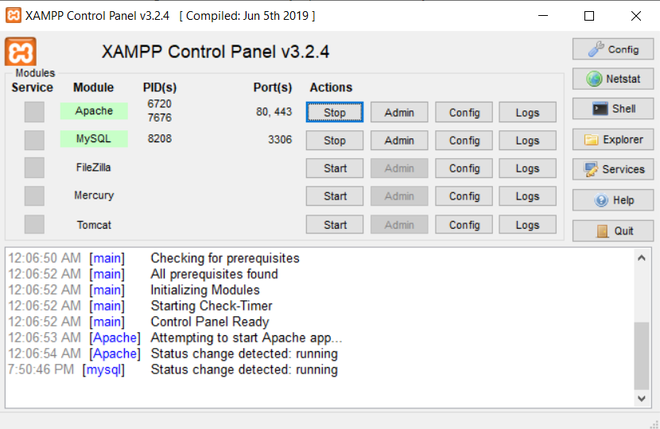 XAMPP PANEL
After that create the database in the PHPMyAdmin. Open the below URL.
http://localhost/phpmyadmin/index.php
Creating the database:
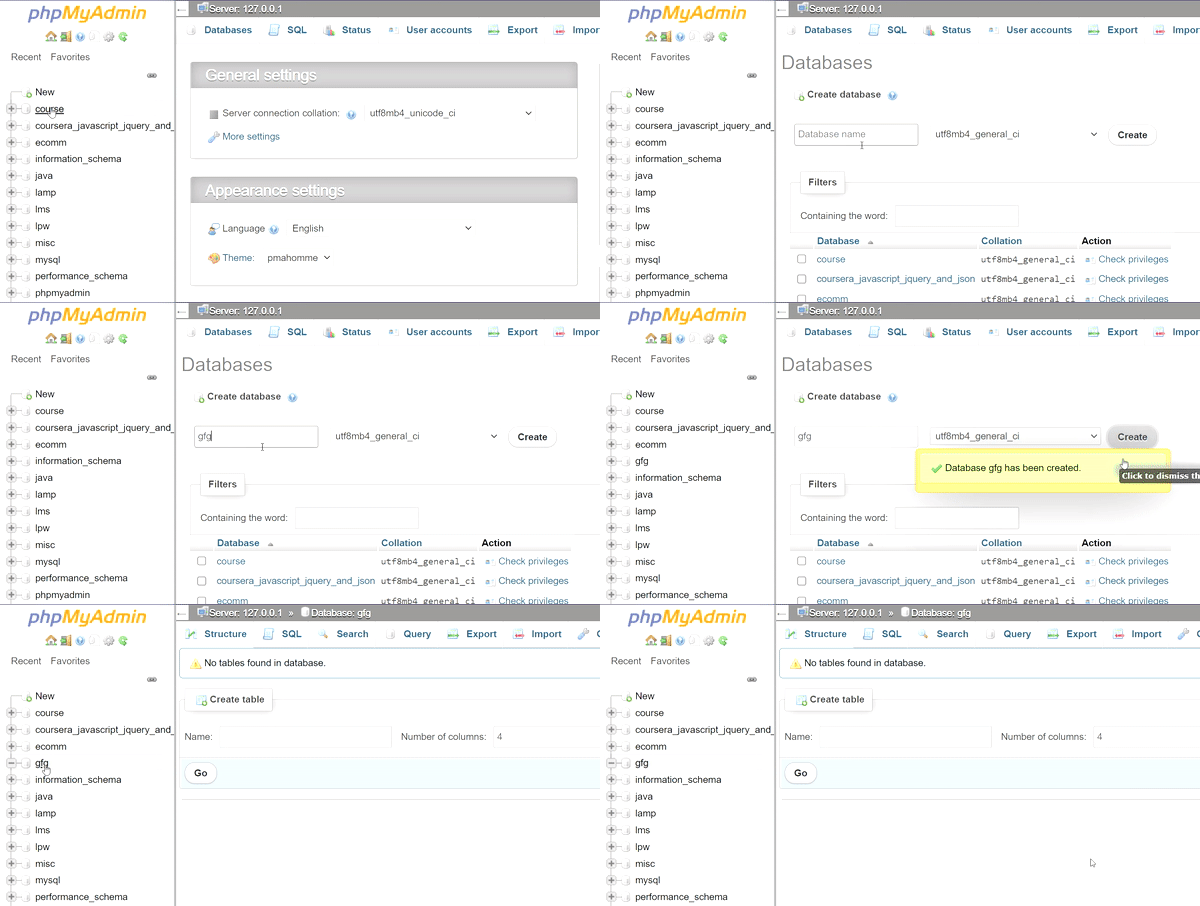 creating the database in MySQL PHPMyAdmin
Create the table: Execute the SQL query in the "gfg" database.
CREATE TABLE student
(
     name varchar(20),
    branch varchar(20),
    roll_no INT
);
Enter the data in the table.
INSERT INTO `student` ( `name`, `branch`, `roll_no`)
    VALUES ( 'Rohan', 'CSE', '1' );
After the data is inserted, the table will look like this.
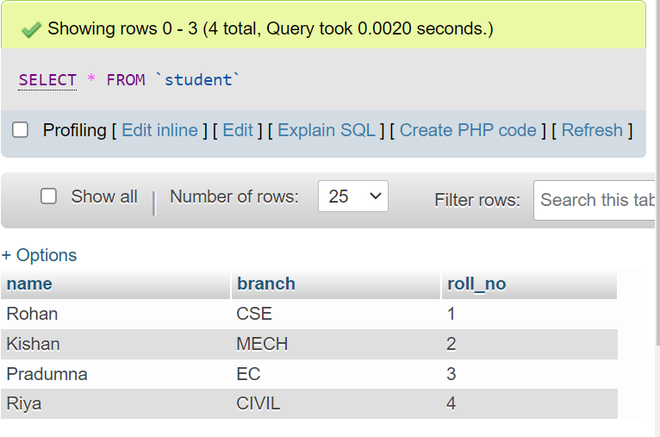 After entering the data in the table
PHP Code: Run the PHP script as shown below to fetch the data from the database.
PHP
<?php
   $servername = "localhost";
   $username = "root";
   $password = "";
   $dbname = "gfg";

   // connect the database with the server
   $conn = new mysqli($servername,$username,$password,$dbname);

    // if error occurs
    if ($conn -> connect_errno)
    {
       echo "Failed to connect to MySQL: " . $conn -> connect_error;
       exit();
    }

    $sql = "select * from student";
    $result = ($conn->query($sql));
    //declare array to store the data of database
    $row = [];

    if ($result->num_rows > 0)
    {
        // fetch all data from db into array
        $row = $result->fetch_all(MYSQLI_ASSOC);
    }
?>

<!DOCTYPE html>
<html>
<style>
    td,th {
        border: 1px solid black;
        padding: 10px;
        margin: 5px;
        text-align: center;
    }
</style>

<body>
    <table>
        <thead>
            <tr>
                <th>Name</th>
                <th>Branch</th>
                <th>Roll Number</th>
            </tr>
        </thead>
        <tbody>
            <?php
               if(!empty($row))
               foreach($row as $rows)
              {
            ?>
            <tr>

                <td><?php echo $rows['name']; ?></td>
                <td><?php echo $rows['branch']; ?></td>
                <td><?php echo $rows['roll_no']; ?></td>

            </tr>
            <?php } ?>
        </tbody>
    </table>
</body>
</html>

<?php
    mysqli_close($conn);
?>
Output:
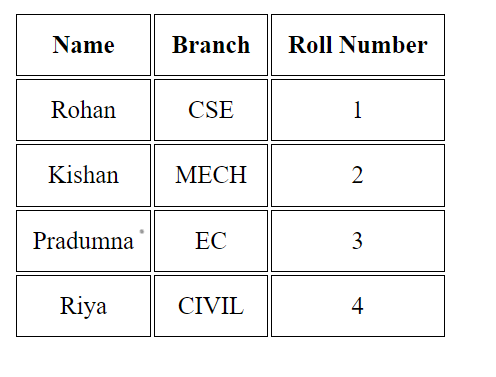 Output of the above PHP script
Explore
Basics
Array
OOPs & Interfaces
MySQL Database
PHP Advance