CreateView - Class Based Views Django
Last Updated :
26 Nov, 2025
A CreateView in Django is a built-in class-based view used to create and save a new record in the database with less manual code than a function-based view.
- Specify the model that will be used for creating new records.
- Define the form fields that should appear on the page.
- Set a success URL to redirect after the record is saved.
- Django automatically manages form display, validation, and saving.
Example: Consider a project named 'geeksforgeeks' having an app named 'geeks', then create a model of which we will be creating instances through our view.
In geeks/models.py:
Python
from django.db import models

# declare a new model with a name "GeeksModel"
class GeeksModel(models.Model):

    # fields of the model
    title = models.CharField(max_length = 200)
    description = models.TextField()

    # renames the instances of the model with their title name
    def __str__(self):
        return self.title
After creating this model, we need to run two commands in order to create Database for the same.
Python manage.py makemigrations
Python manage.py migrate
Class-Based Views automatically handle the entire setup process. It is only necessary to specify the model and the fields to be used. The CreateView class will then look for a template named app_name/modelname_form.html. Here, expected template path is geeks/templates/geeks/geeksmodel_form.html
In geeks/views.py:
Python
from django.views.generic.edit import CreateView
from django.urls import reverse_lazy
from .models import GeeksModel

class GeeksCreate(CreateView):
    model = GeeksModel
    fields = ["title", "description"]
    #specify where to redirect after a successful POST
    success_url = '/'
Now, create a url path to map the view in geeks/urls.py:
Python
from django.urls import path

# importing views from views..py
from .views import GeeksCreate
urlpatterns = [
    path('', GeeksCreate.as_view() ),
]
Create a template in templates/geeks/geeksmodel_form.html:
html
<form method="POST" enctype="multipart/form-data">

    <!-- Security token -->
    {% csrf_token %}

    <!-- Using the formset -->
    {{ form.as_p }}

    <input type="submit" value="Submit">
</form>
Now, visit on http://localhost:8000/
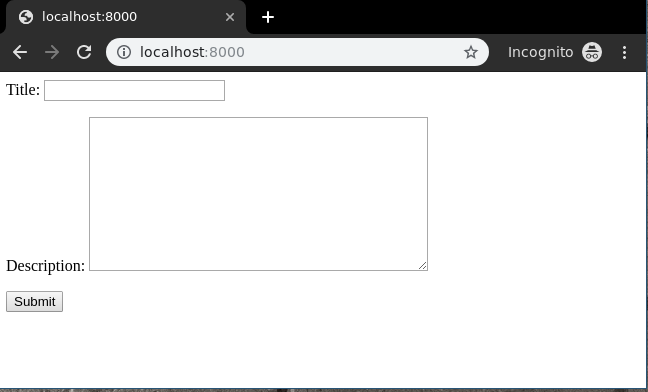 localhost:8000
Now let's enter data in this form:
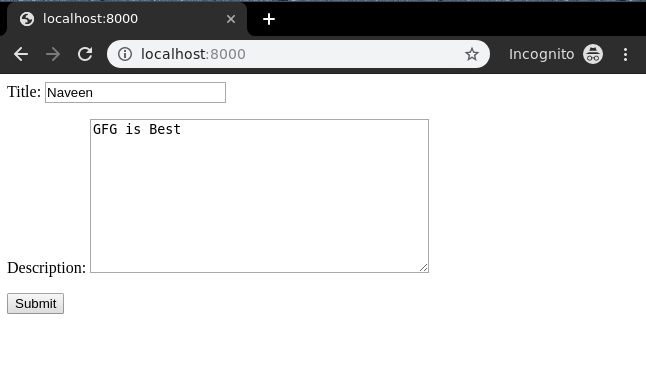 Data in Form
Now, CreateView is functioning as expected and its operation can be validated by inspecting the instance generated via the admin panel.
 Django Administration
What is the purpose of Django’s CreateView class based view?
-
To display a list of database records
-
To update an existing record
-
To create and save a new record in the database
-
Explanation:
CreateView simplifies creation of new model instances by providing built-in form display, validation, and saving logic.
When using CreateView which attributes must typically be specified?
-
model, fields (or form_class), success_url
-
url patterns, static files, media root
-
template, database name, views path
-
admin credentials, csrf token
Explanation:
CreateView needs the model to create, which fields to include in the form, and where to redirect after successful save.
How does CreateView handle HTTP GET and POST requests by default?
-
GET renders blank form, POST validates form and saves new object
-
GET deletes existing object, POST updates object
-
GET redirects to home page, POST shows list of objects
-
GET shows a list view, POST shows a detail view
Explanation:
CreateView automatically renders the form on GET and on valid POST saves the new record then redirects.
Quiz Completed Successfully
Your Score : 2/3
Accuracy : 0%
Login to View Explanation
1/3
1/3
< Previous
Next >
Explore
Python Fundamentals
Python Data Structures
Advanced Python
Data Science with Python
Web Development with Python
Python Practice