Django ModelFormsets allow managing multiple model-based forms on a single page. They enable creating, updating, or deleting multiple instances of a model at once, using a group of forms tied to the model's fields. Each form in the formset corresponds to a single model instance.
Using ModelFormsets
Consider a Django project with an app containing the GeeksModel model.
In models.py:
Python
from django.db import models

class GeeksModel(models.Model):
    title = models.CharField(max_length=200)
    description = models.TextField()

    def __str__(self):
        return self.title
- title and description are the fields representing model data.
- __str__ method helps display the model instances by their title.
To create a formset for this model, use Django’s modelformset_factory function.
Python
from django.forms import modelformset_factory
from .models import GeeksModel

GeeksFormSet = modelformset_factory(GeeksModel, fields=['title', 'description'])
This creates a formset class that generates forms based on the GeeksModel.
In views.py, create a view to render and process the formset:
Python
from django.shortcuts import render
from django.forms import modelformset_factory
from .models import GeeksModel

def modelformset_view(request):
    GeeksFormSet = modelformset_factory(GeeksModel, fields=['title', 'description'], extra=3)

    if request.method == 'POST':
        formset = GeeksFormSet(request.POST)
        if formset.is_valid():
            formset.save()  # Saves all valid forms to the database
    else:
        formset = GeeksFormSet()

    return render(request, 'home.html', {'formset': formset})
- extra=3 argument means three empty forms will be displayed for adding new entries.
- On POST, the formset is validated and saved automatically if valid.
In home.html, render the formset:
html
<form method="POST" enctype="multipart/form-data">
    {% csrf_token %}
    {{ formset.as_p }}
    <input type="submit" value="Submit">
</form>
- management_form is required to keep track of formset data and validate the forms correctly.
- formset.as_p renders each form’s fields wrapped in <p> tags.
Run the development server:
python manage.py runserver
Visit the development server: http://localhost:8000/:
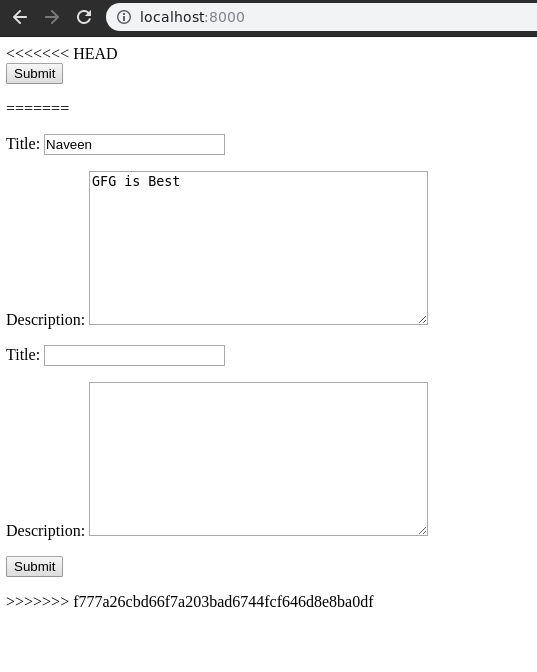 Model Form
Submitting the form saves data into GeeksModel, which can then be used throughout the application.
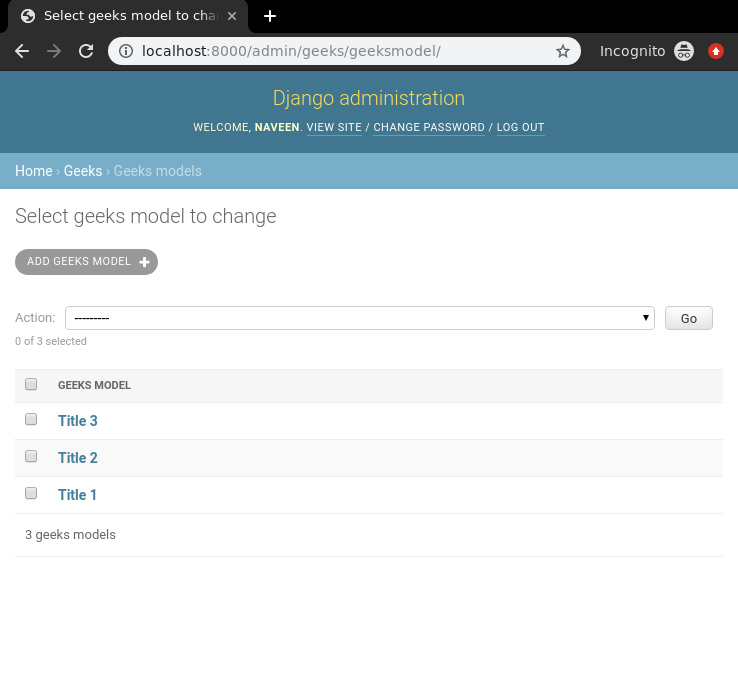 Django Formset
Explore
Python Fundamentals
Python Data Structures
Advanced Python
Data Science with Python
Web Development with Python
Python Practice