
Selenium offers a wide range of features that make it one of the most powerful tools for automation testing. From supporting multiple programming languages and browsers to enabling cross-platform testing, parallel execution and cloud-based integration, these features ensure faster, flexible and cost-effective web application testing.
Here are the main features of Selenium that make it a preferred choice for automation testing with Selenium WebDriver.
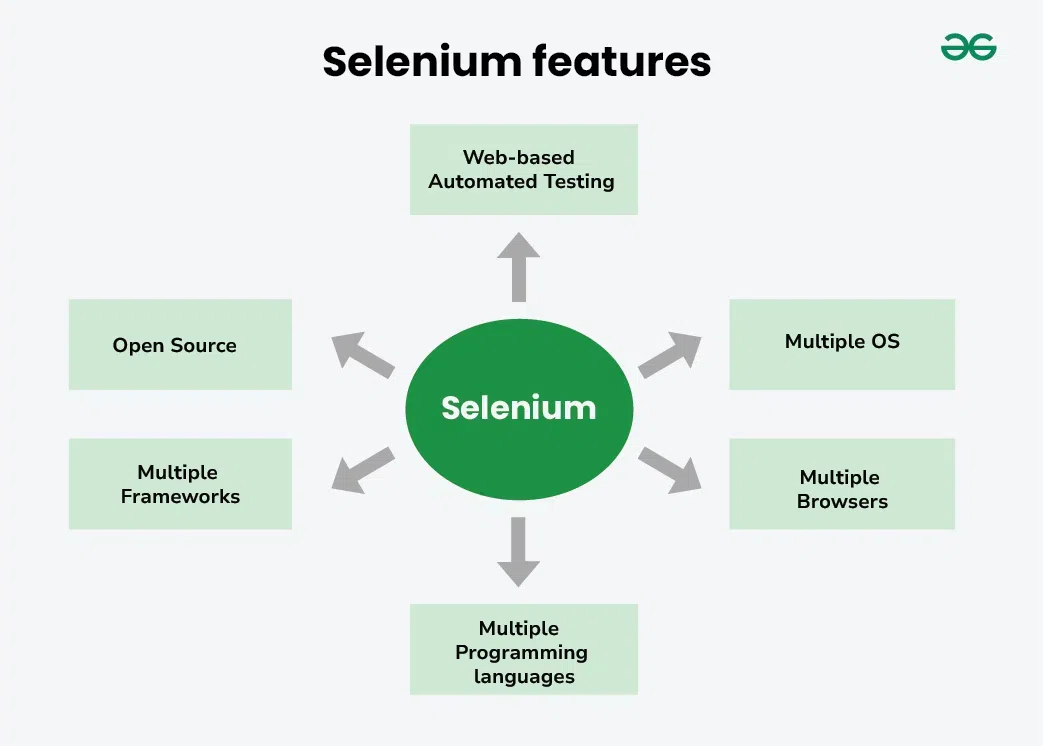
Below are the key features of Selenium that make it a preferred choice for automation testing:
- Language Support: Selenium supports multiple programming languages including Java, Python, C#, Ruby, PHP, and Perl. Testers can write scripts in the language they are most comfortable with, allowing easy adoption without the need to learn something new. This flexibility makes Selenium suitable for diverse teams.
- Multi-Browser Compatibility: Selenium works seamlessly across all major browsers like Chrome, Firefox, Safari, Edge, and Internet Explorer. This ensures reliable cross-browser testing, helping teams verify that web applications deliver a consistent user experience regardless of the browser.
- Cross-Platform Support: Selenium can run tests on Windows, macOS, Linux, and Unix environments. Its platform independence means teams don’t need separate tools or setups for different operating systems, simplifying test execution in diverse environments.
- Parallel Test Execution: Selenium allows running multiple tests simultaneously. By enabling parallel execution, it drastically reduces overall test execution time—an essential feature for large projects and CI/CD pipelines where speed is critical.
- Handling Pop-Ups and Alerts: Modern web applications often include pop-ups, alerts, and confirmation dialogs. Selenium provides built-in methods to handle them efficiently, ensuring test scripts run smoothly without manual interruptions.
- Large Community Support: With an extensive and active global community, Selenium users have access to documentation, tutorials, forums, and shared solutions. This community-driven ecosystem ensures quick troubleshooting and continuous improvement of the tool.
- Record and Playback Functionality: Through Selenium IDE, users can record their browser actions (clicks, inputs, navigation) and play them back as automated tests. This feature is especially useful for beginners, enabling them to create test scripts without writing code.
- Integration with Testing Frameworks: Selenium integrates seamlessly with frameworks like JUnit, TestNG, NUnit, and PyTest. These frameworks provide better test organization, reporting, and assertions, helping teams maintain scalable and structured test suites.
- Flexibility and Extensibility: Selenium is highly adaptable. It allows the addition of plugins, custom functions, and integration with third-party tools for reporting, CI/CD, and cloud execution. This extensibility makes it suitable for both small projects and enterprise-grade testing environments.
- Platform Independence: Once written, Selenium scripts can run across different systems without modification. This “write once, run anywhere” approach saves significant time and effort when testing across diverse environments.
- Ease of Use: Selenium’s API is simple and intuitive. Its well-structured classes and methods make writing tests straightforward even for those new to automation, reducing the learning curve significantly.
- Resource Efficiency: Unlike heavier automation tools such as UFT or QTP, Selenium requires minimal system resources. This lightweight nature makes it efficient for running tests on machines with limited hardware capabilities.
- Open-Source and Free: Selenium is completely free—no licensing or subscription costs. Its open-source nature encourages community contributions, making it a cost-effective solution for startups, SMEs, and large organizations alike.
- Cloud-Based Testing Support: With services like BrowserStack, Sauce Labs, and LambdaTest, Selenium tests can be executed on the cloud across multiple browsers, versions, and devices. This eliminates the need for maintaining physical test labs and provides scalable on-demand testing environments.
- Performance and Speed: Selenium WebDriver directly communicates with browsers without relying on intermediate components. This results in faster execution, higher accuracy and reduced overhead, making it much more efficient than older tools like Selenium RC.
