Image
Image
Image
Image
Image
Image
Image
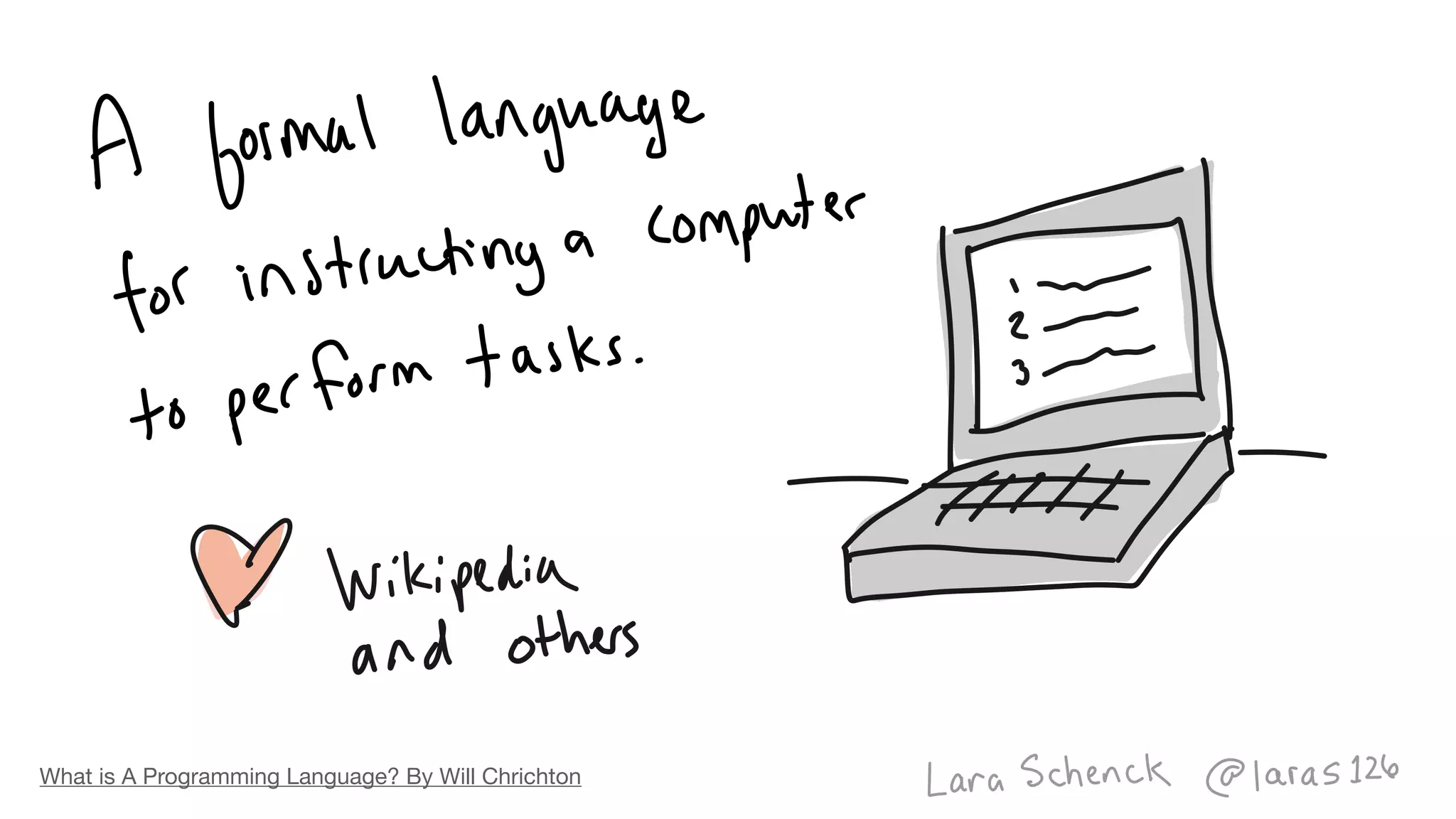
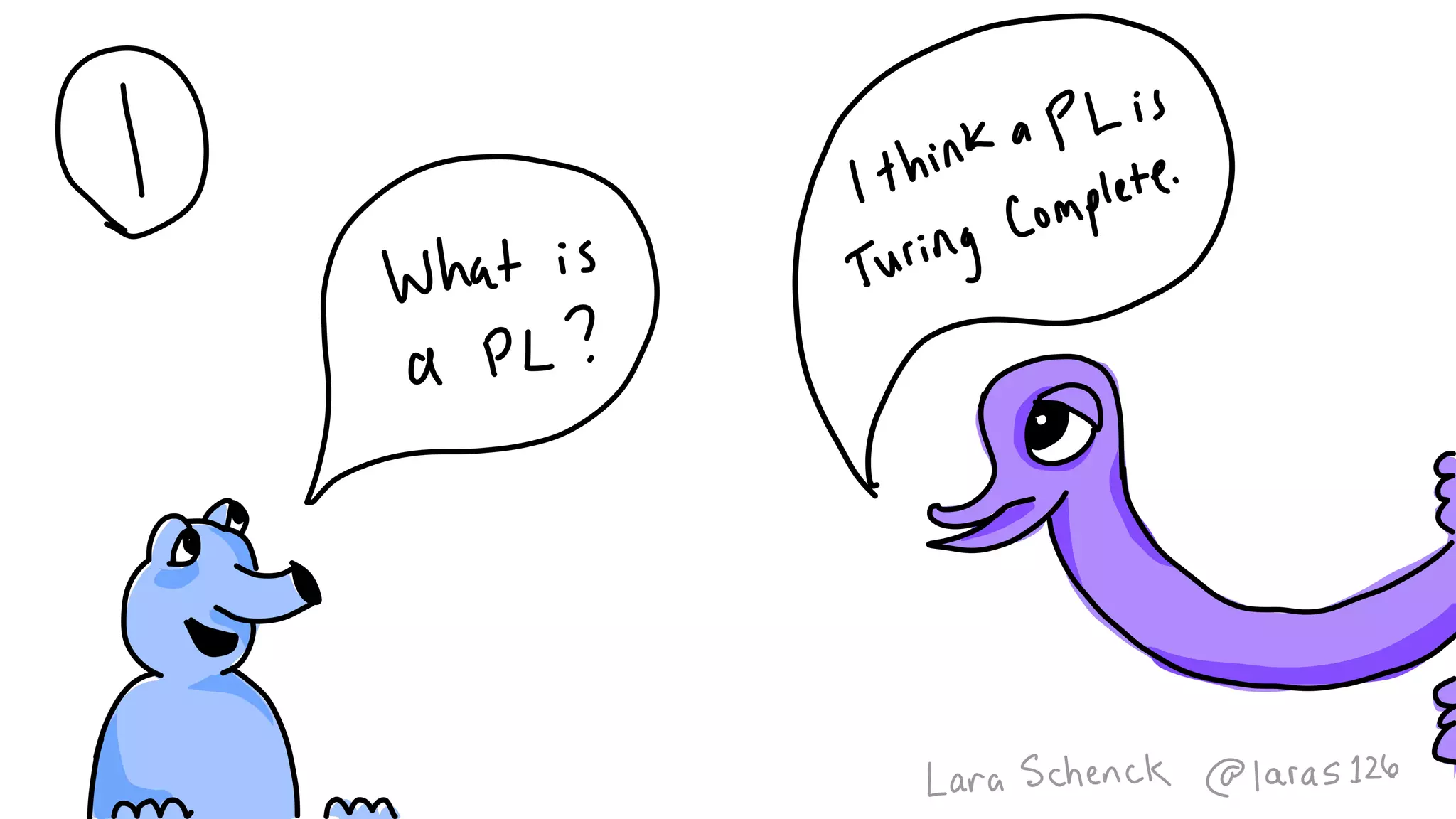
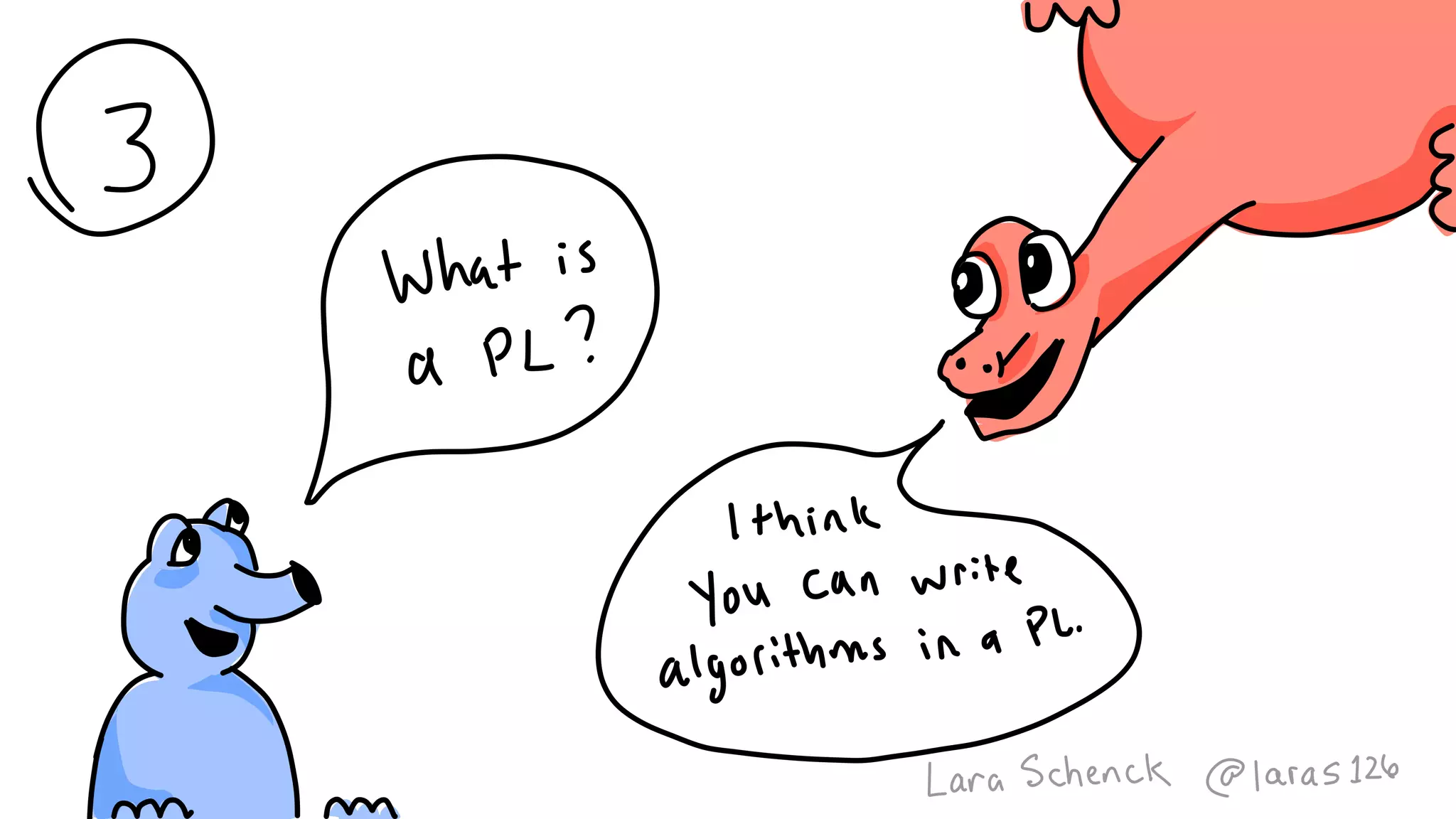
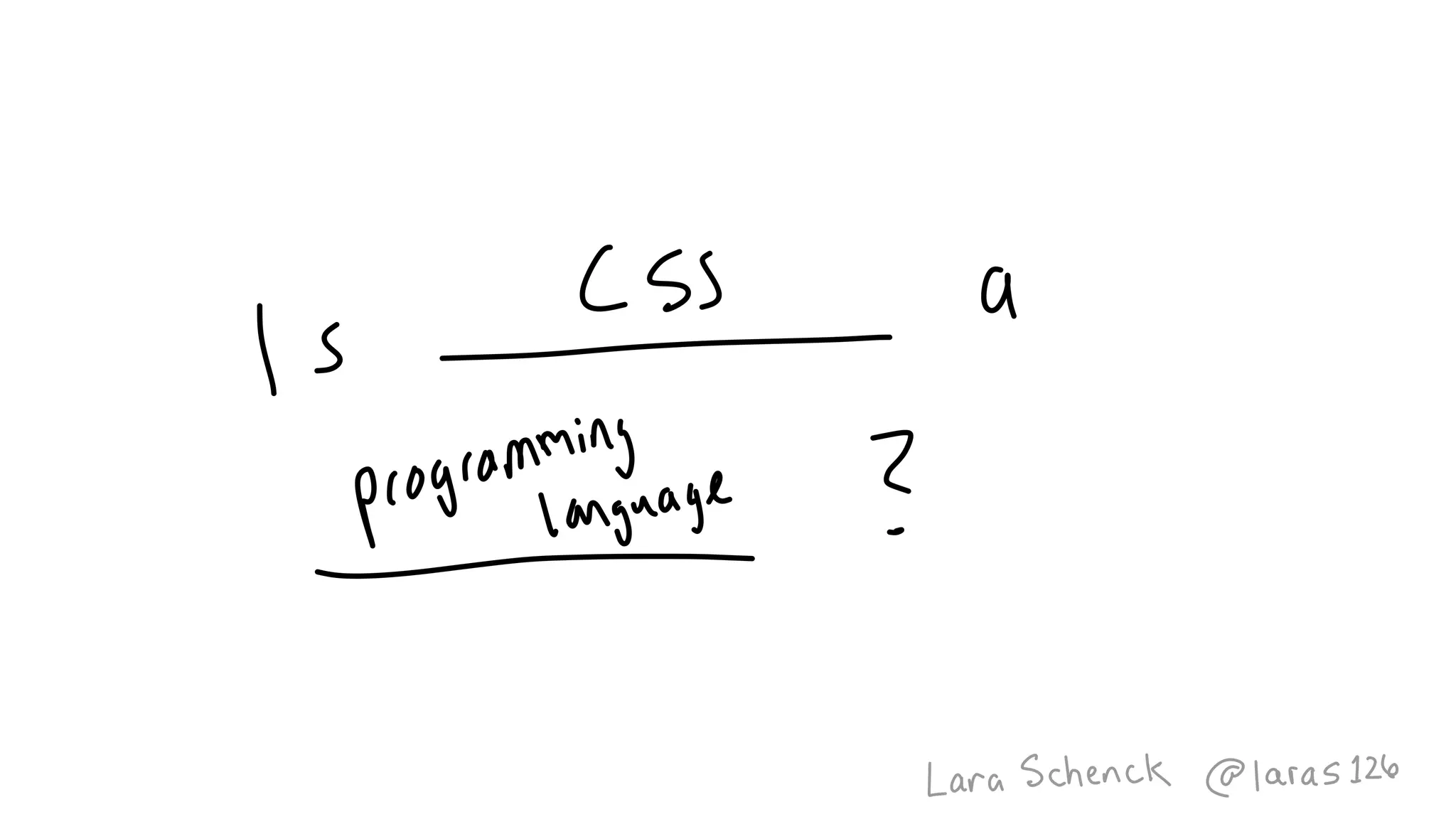
What is A Programming Language? By Will Chrichton
Image
Image
Image
Image
Link to the Tweet.
Link to the Tweet.
Image
Image
Image
Image
Image
Image
Image
Image
Image
Image
Image
Image
Image
Image
Image
Image
Image
Image
Image
Image
Image
Image
Image
Image
Image
Image
Image
Image
Image
Image
Image
Image
Image
Image
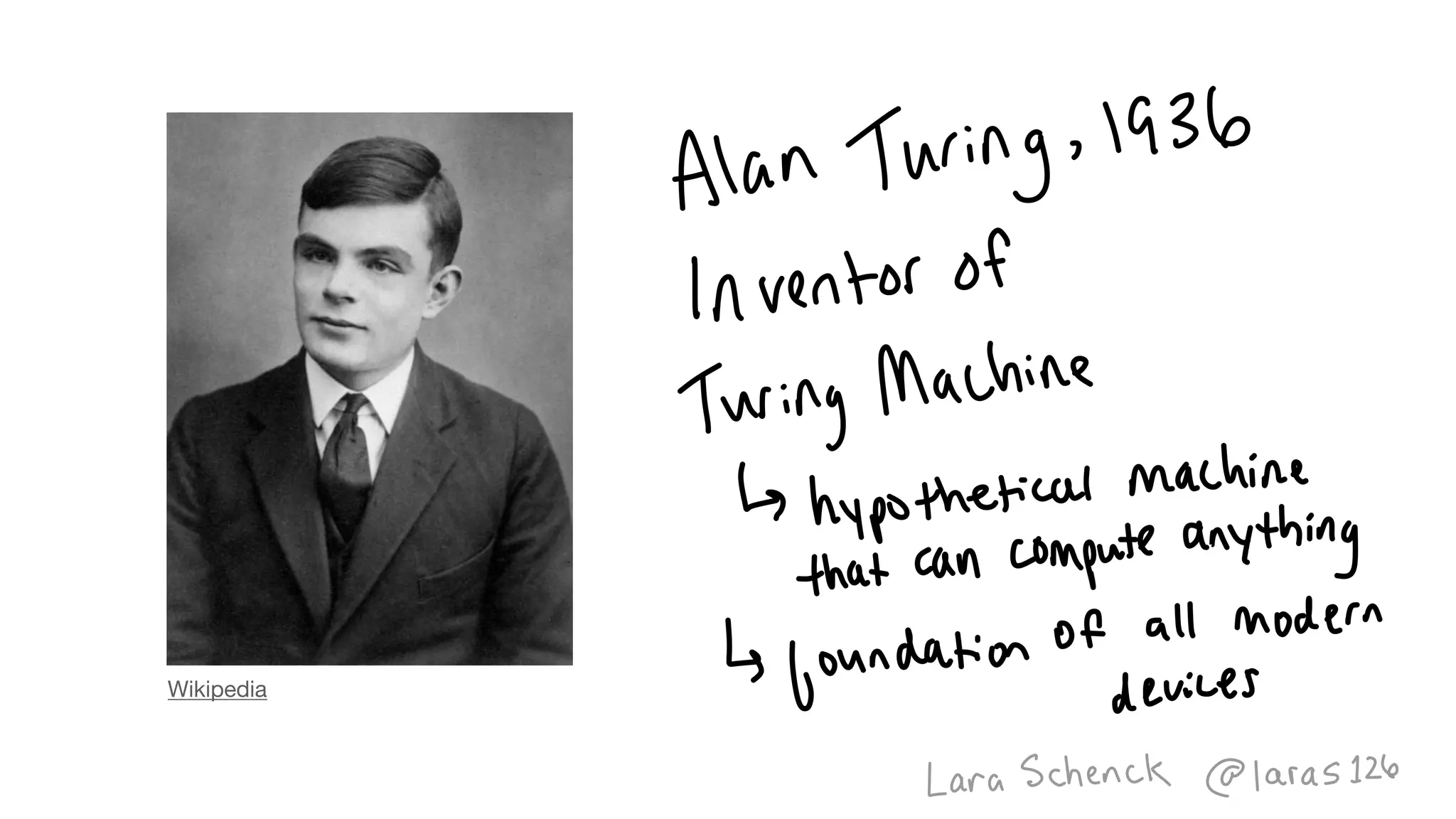
Wikipedia
Image
Image
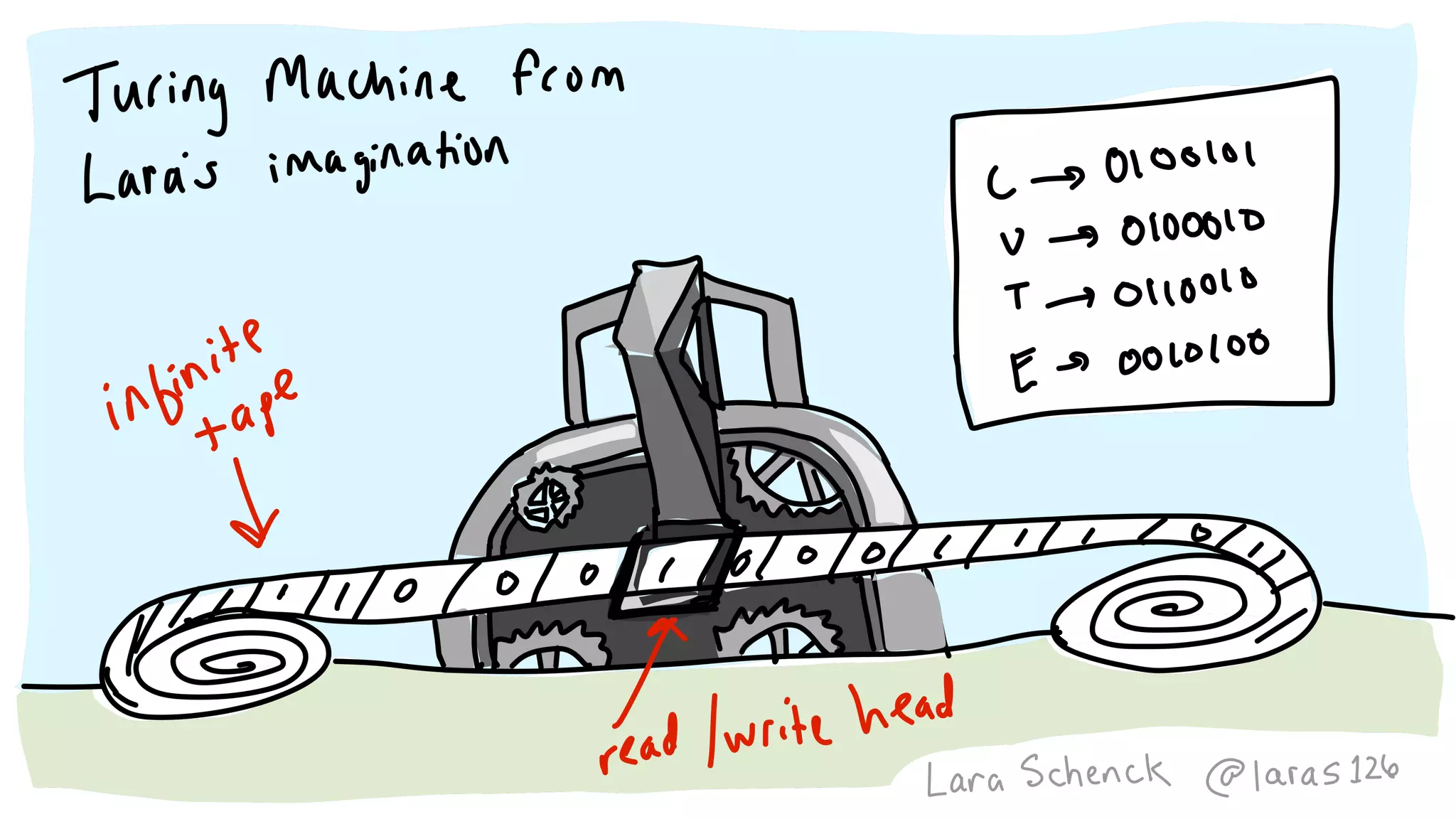
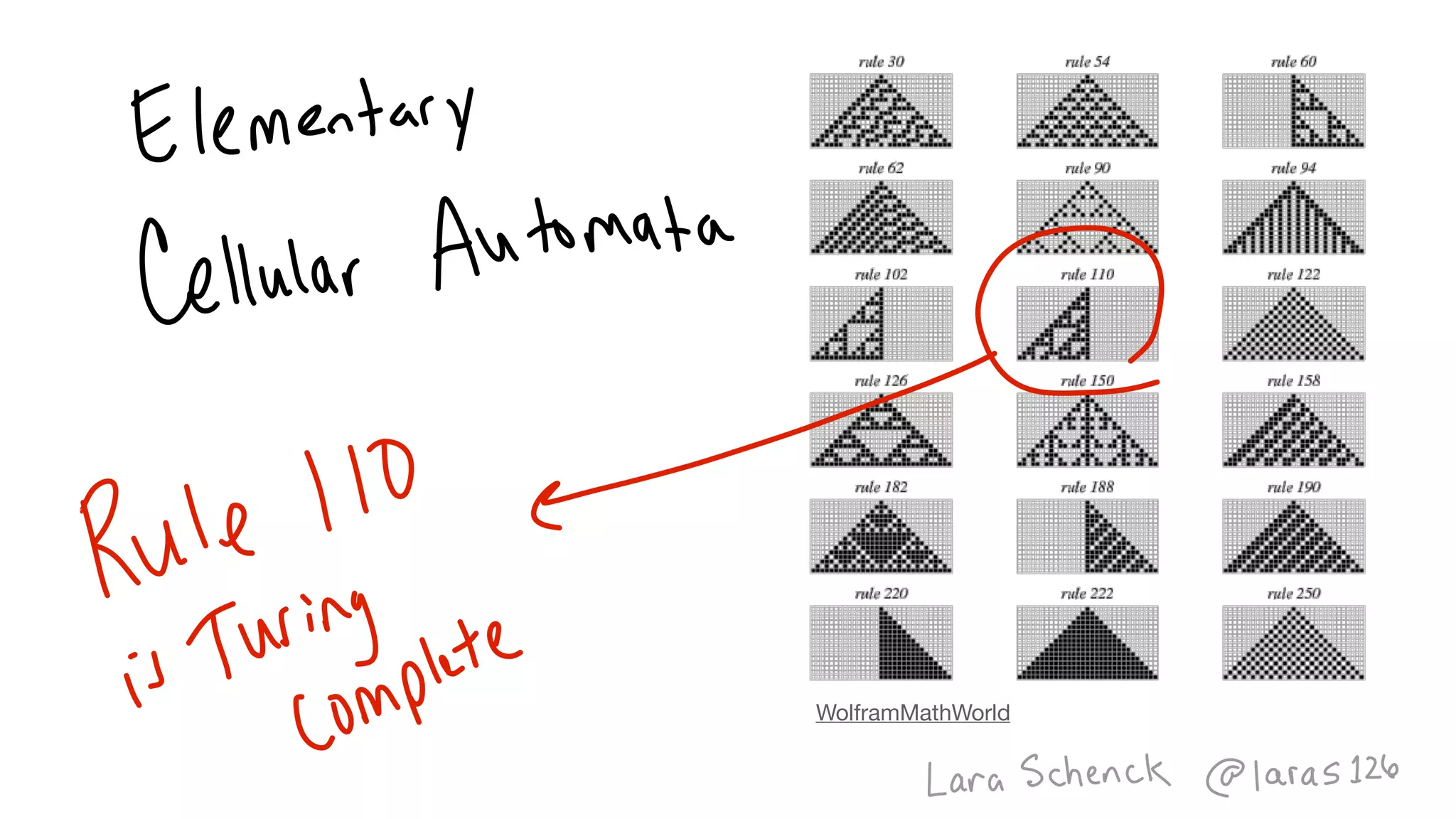
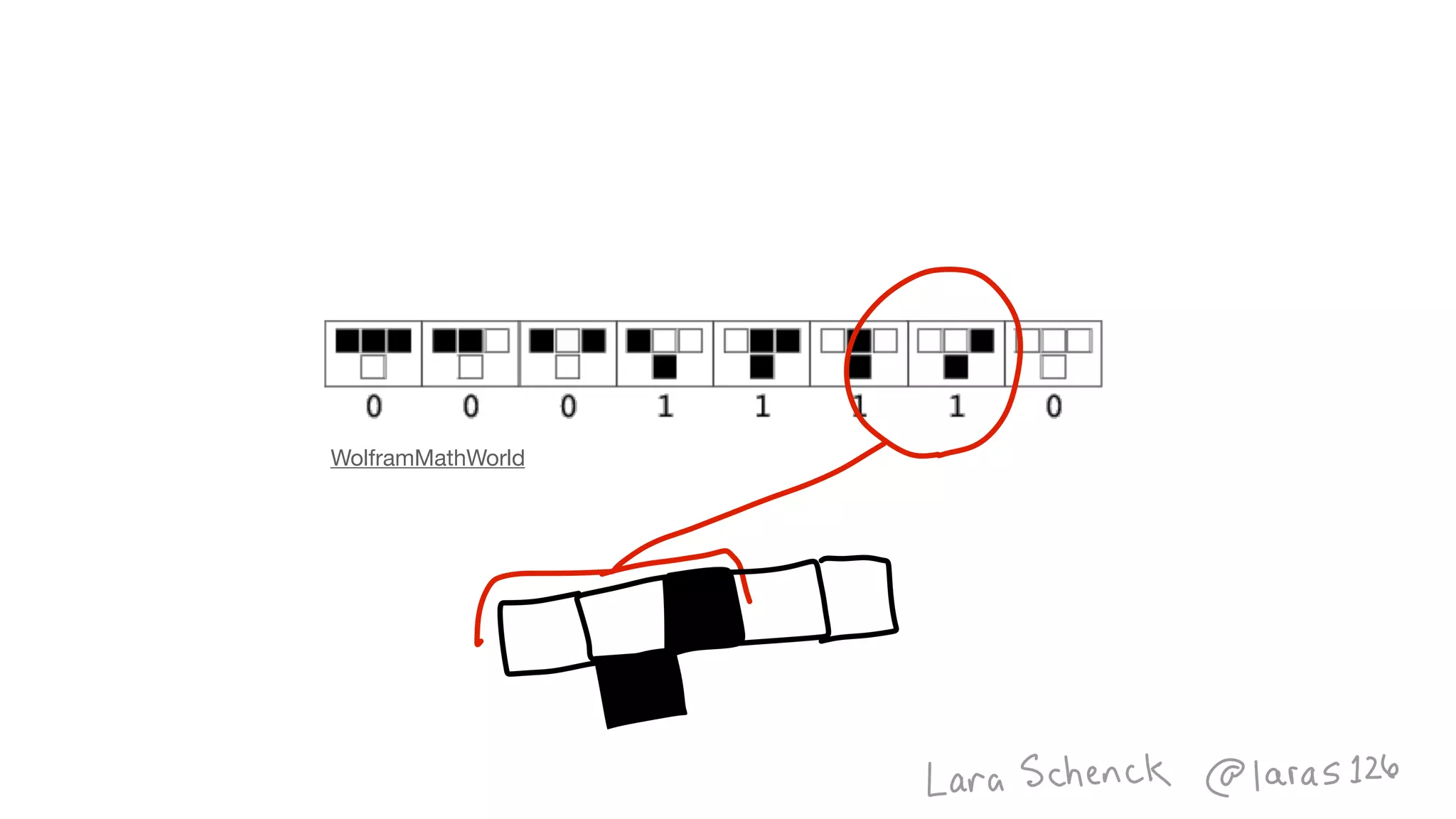
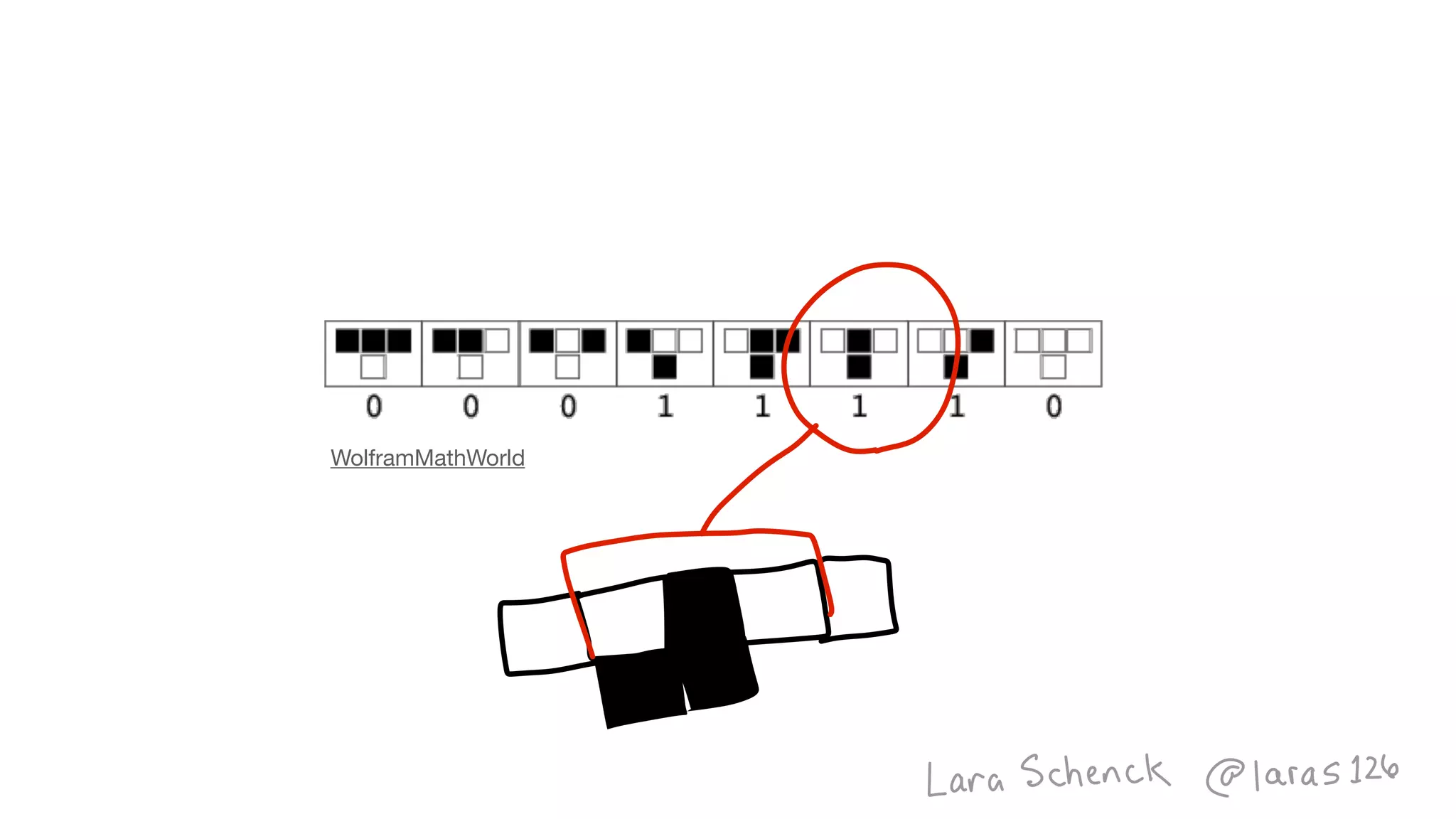
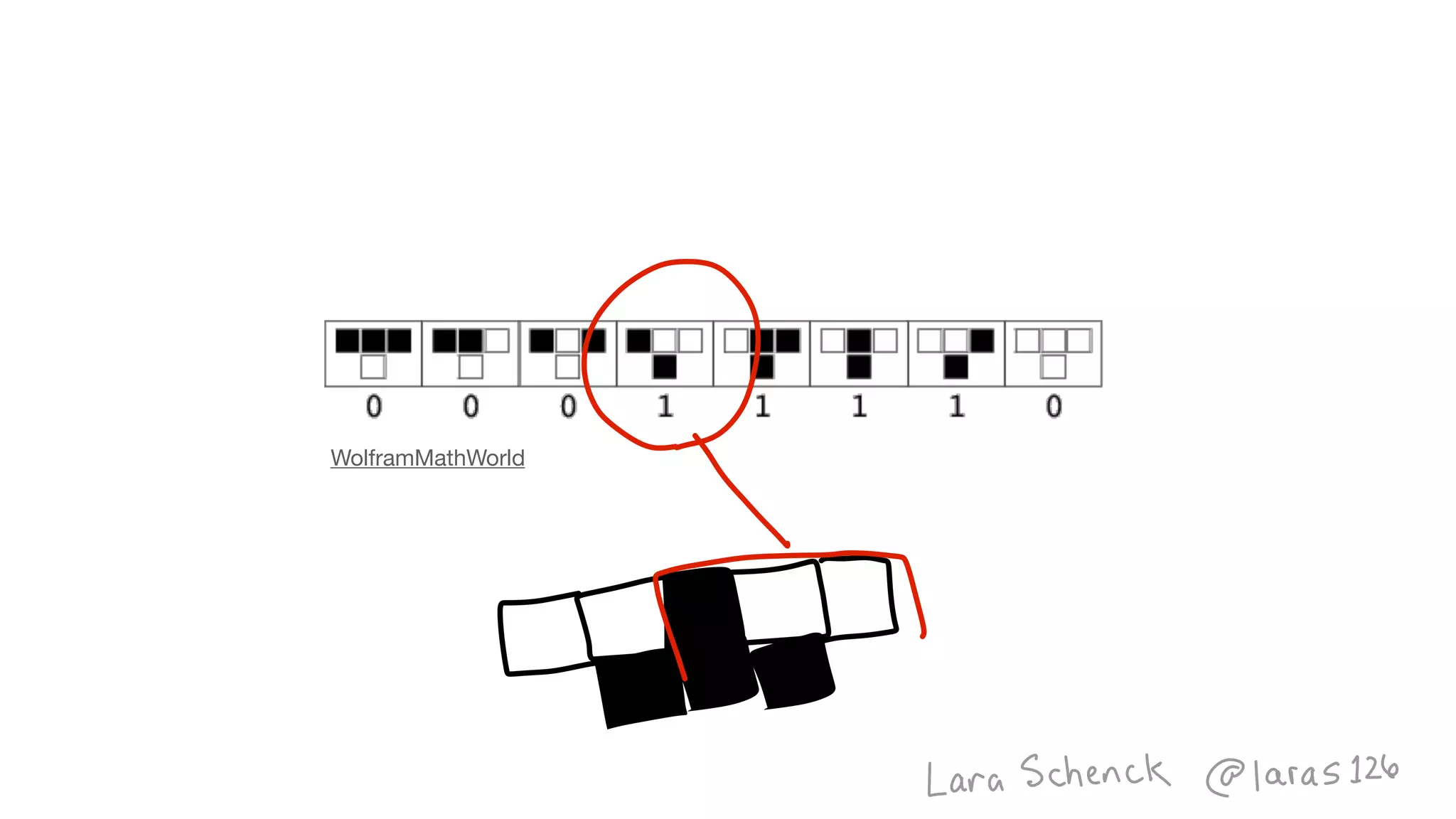
WolframMathWorld
WolframMathWorld
WolframMathWorld
WolframMathWorld
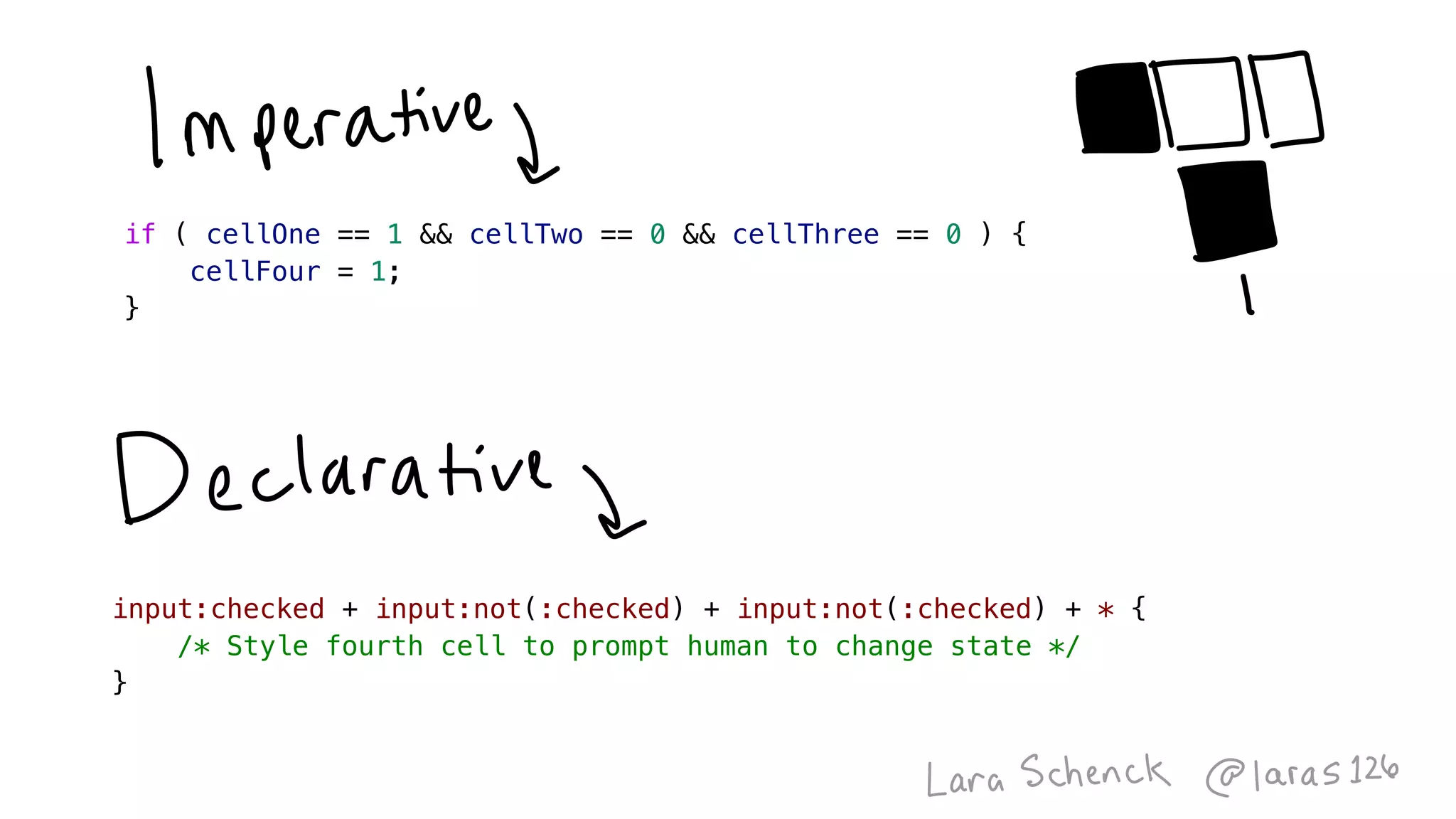
input:checked + input:not(:checked) + input:not(:checked) + * {
    /* Style fourth cell to prompt human to change state */
}
if ( cellOne == 1 && cellTwo == 0 && cellThree == 0 ) {
    cellFour = 1;
}
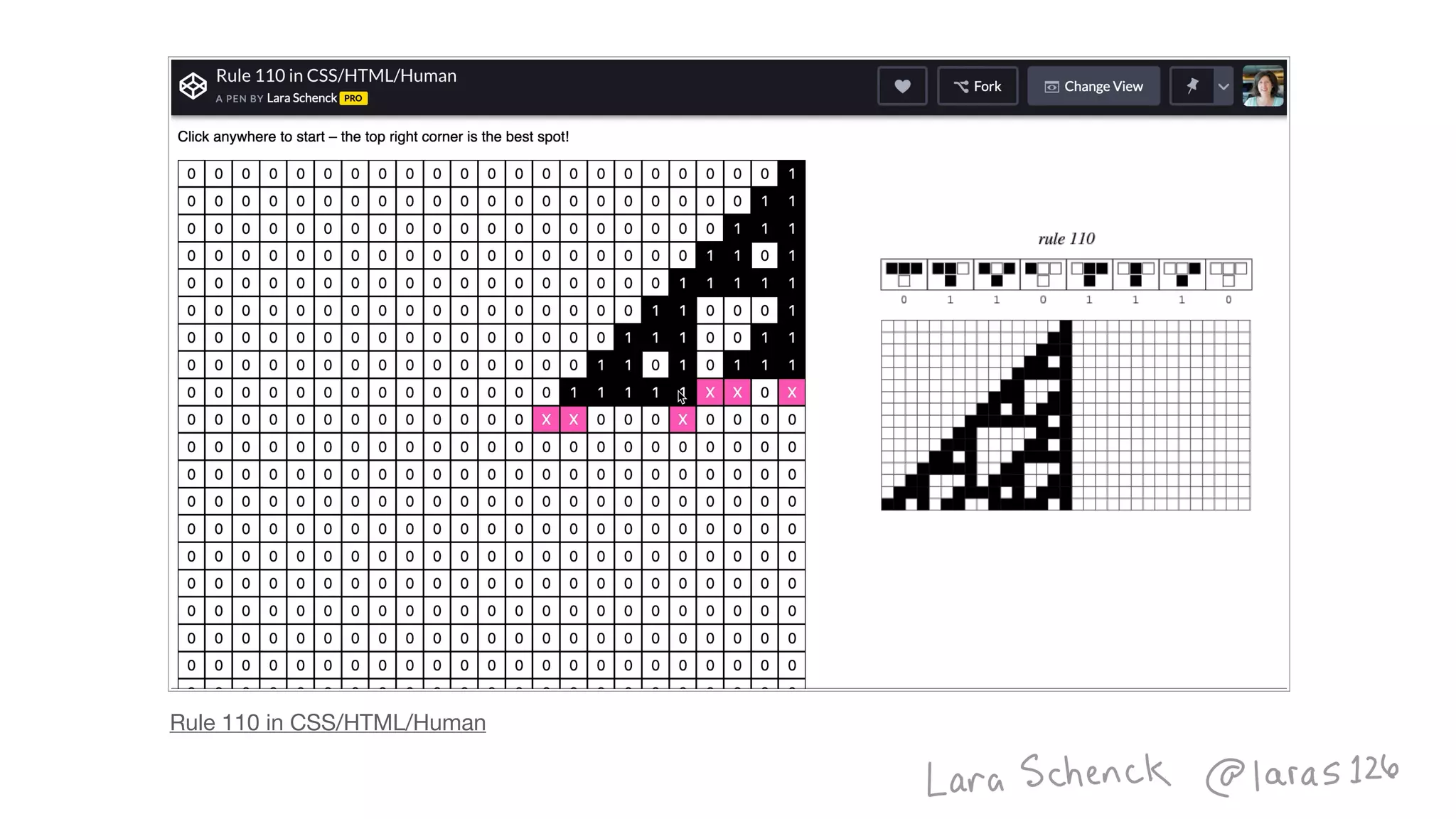
Rule 110 in CSS/HTML/Human
Image
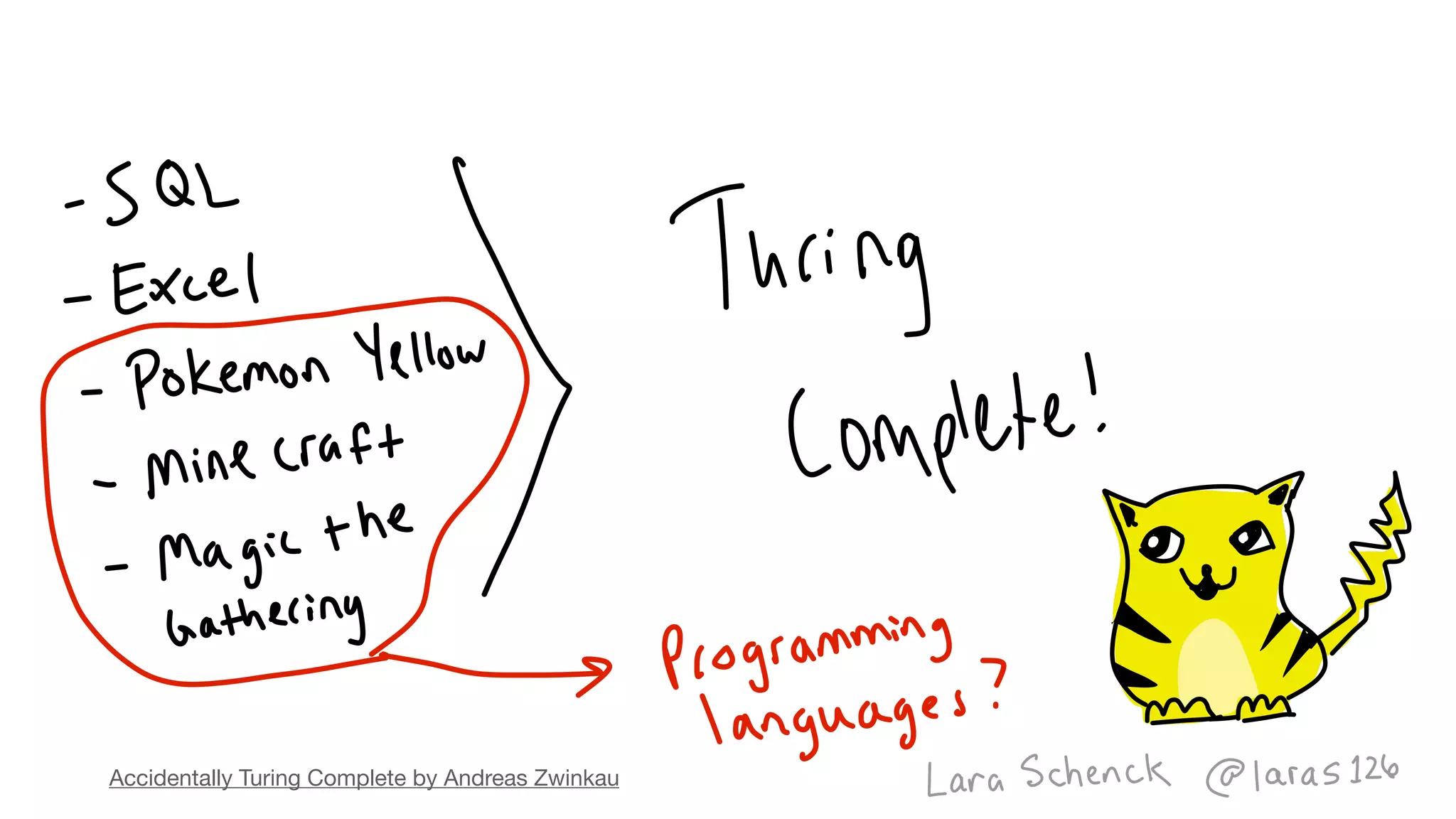
Accidentally Turing Complete by Andreas Zwinkau
Image
Image
Image
Image
Image
Image
Image
Image
Image
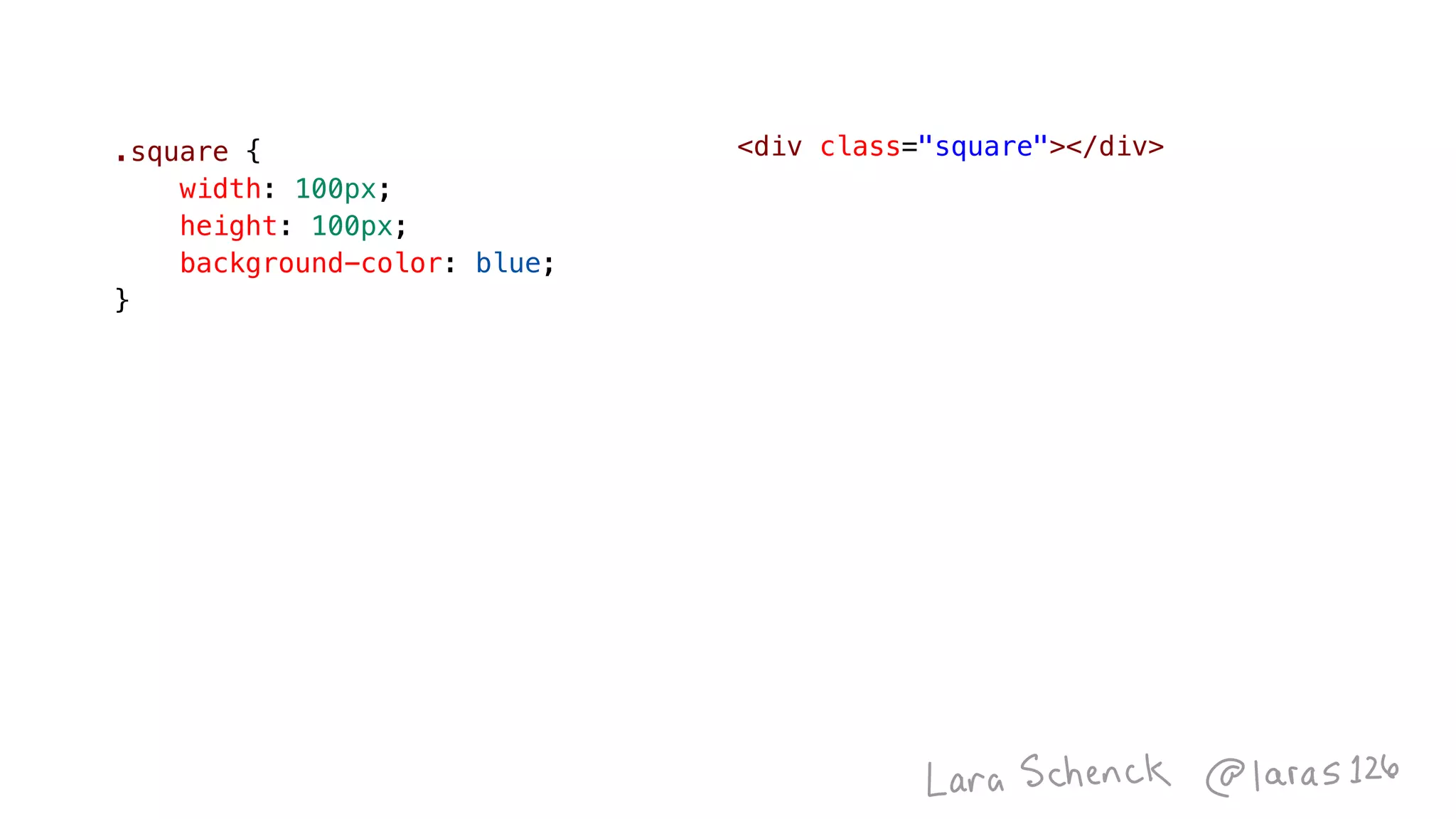
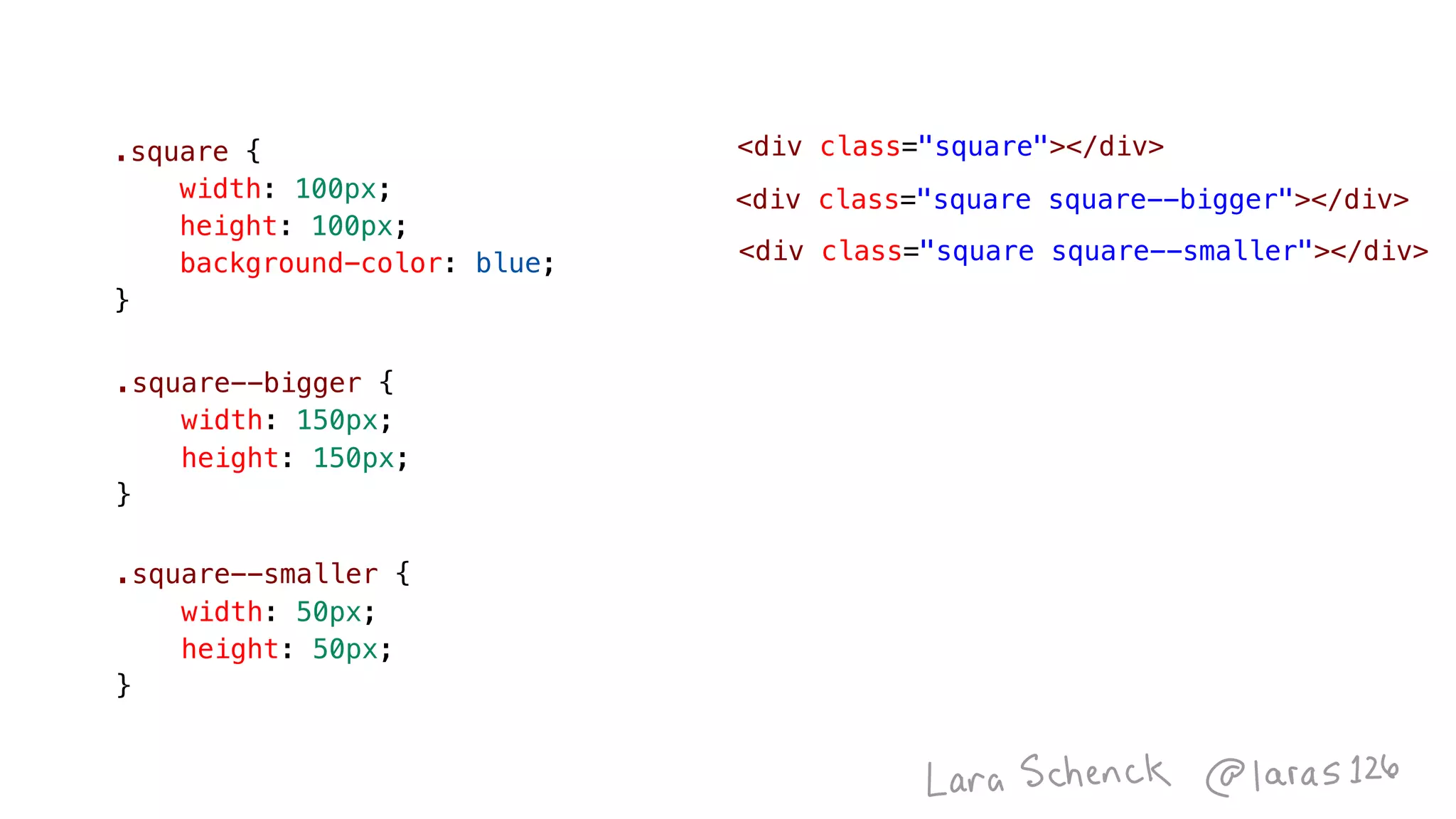
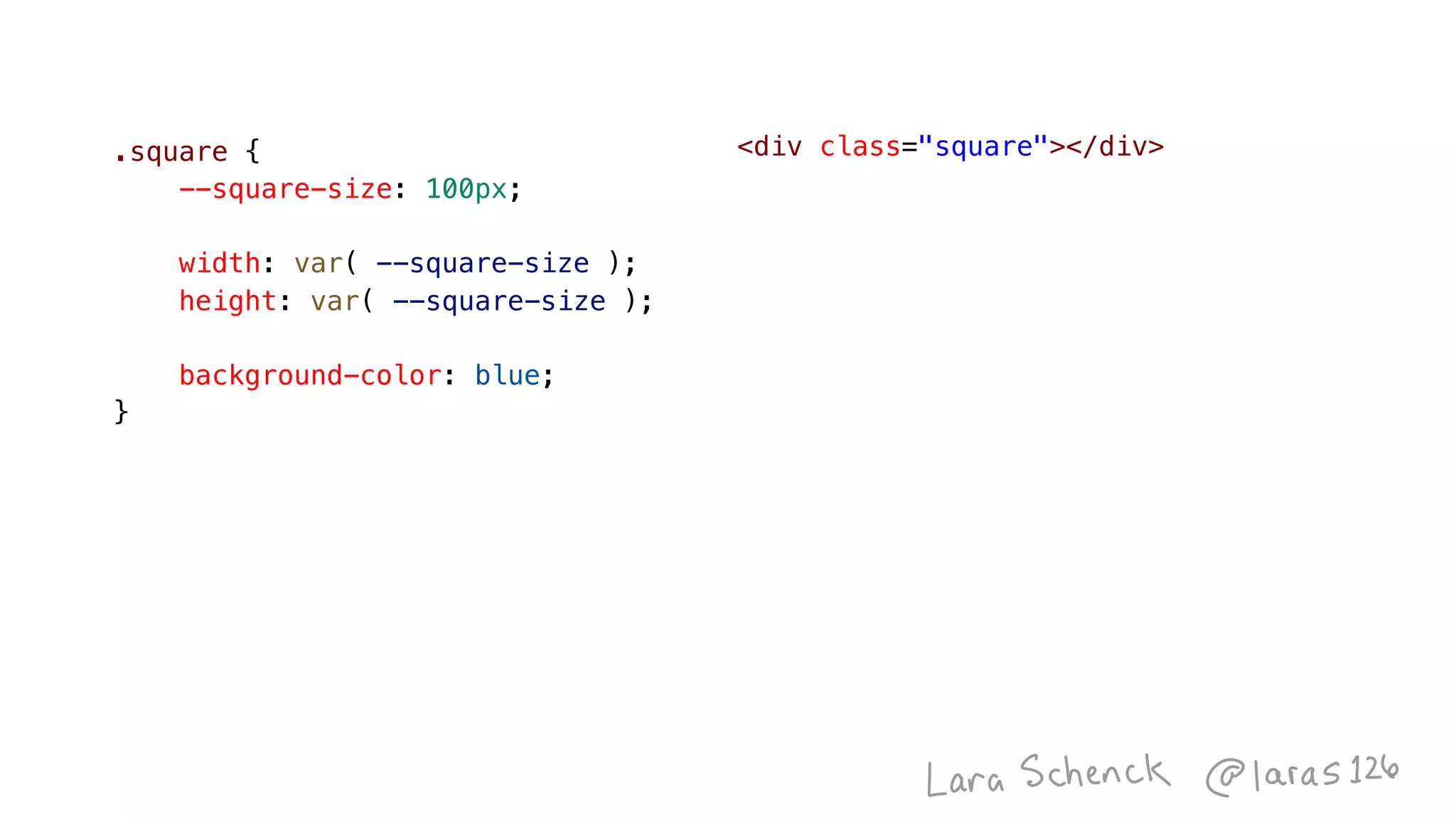
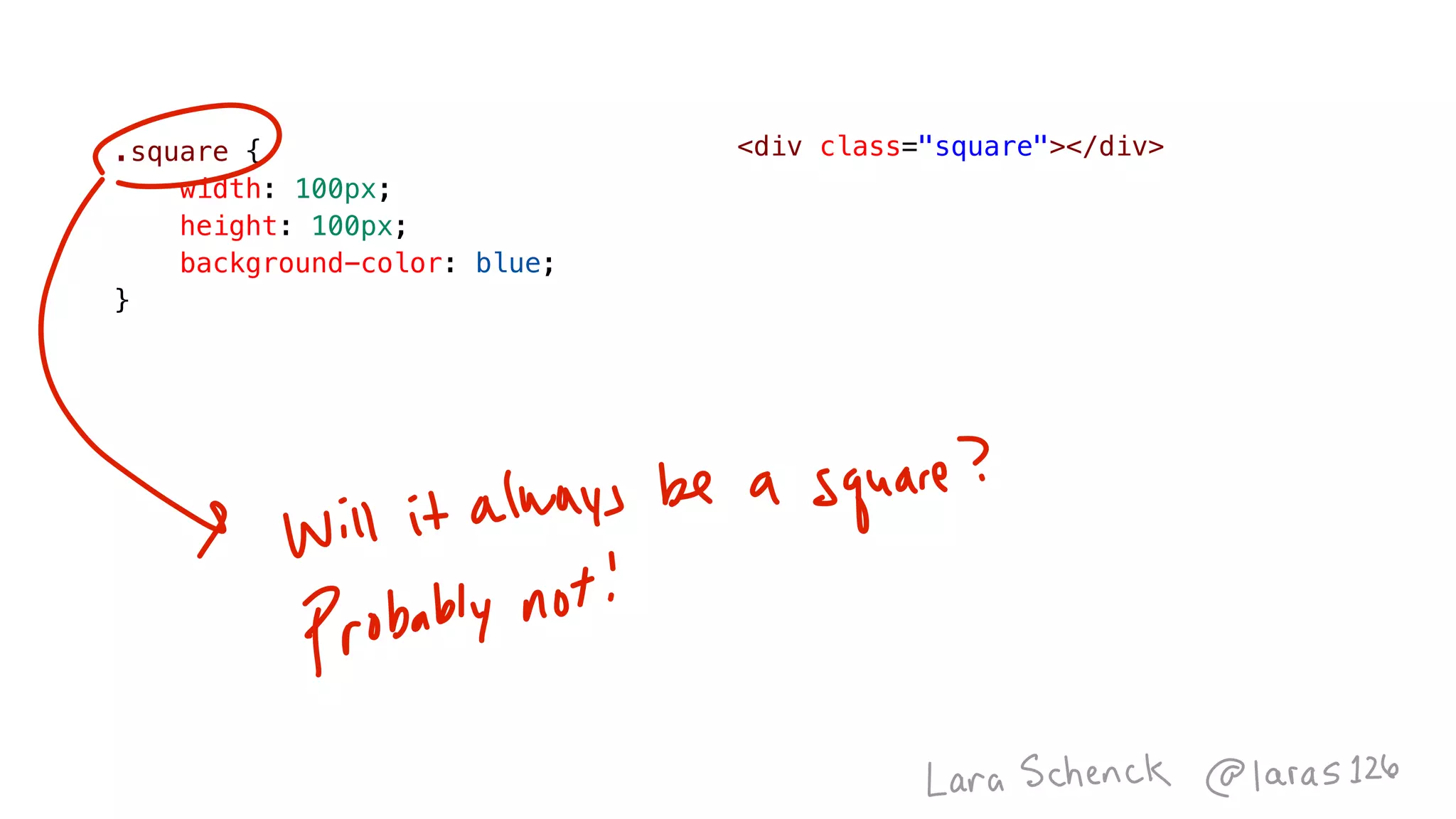
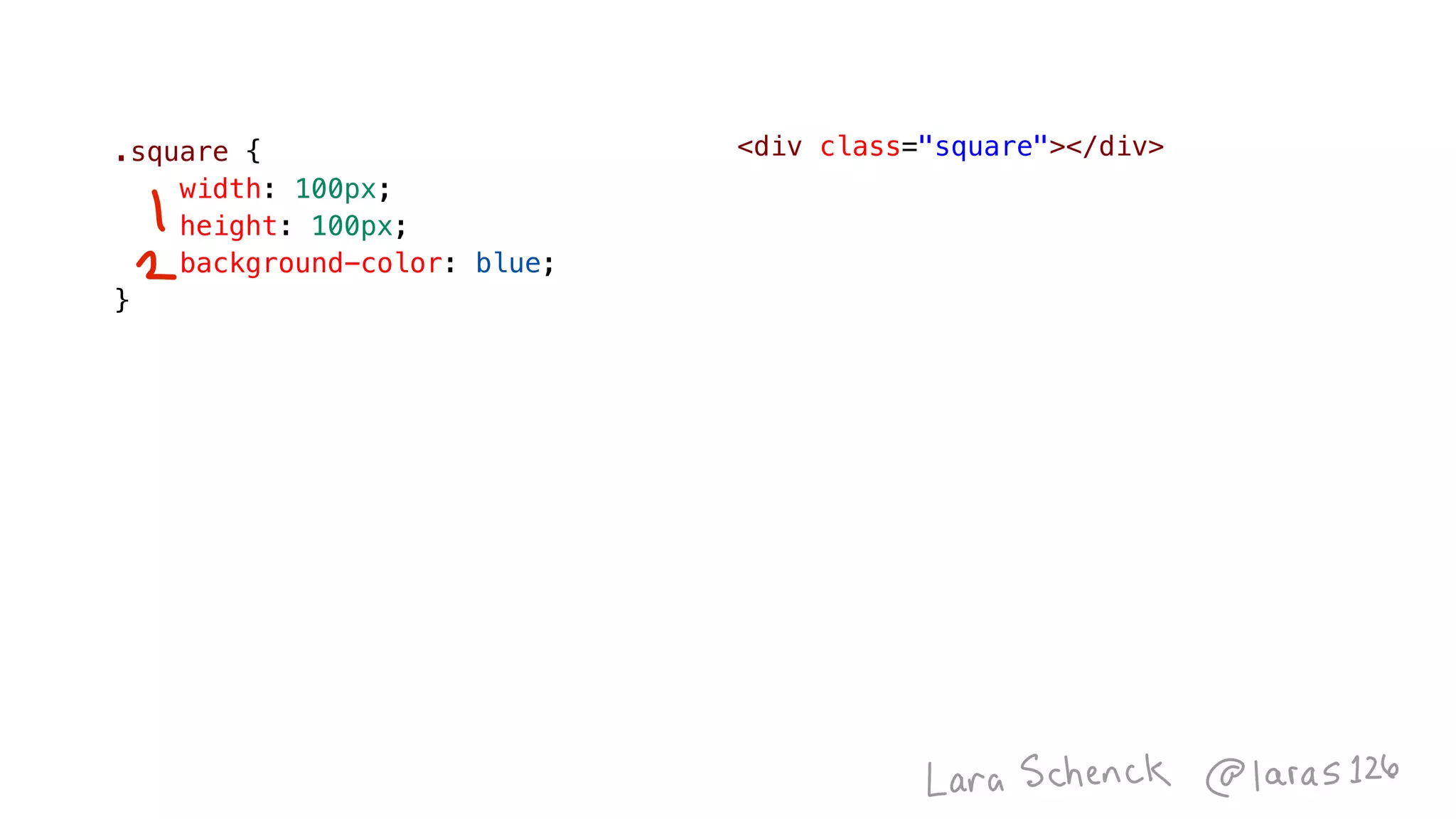
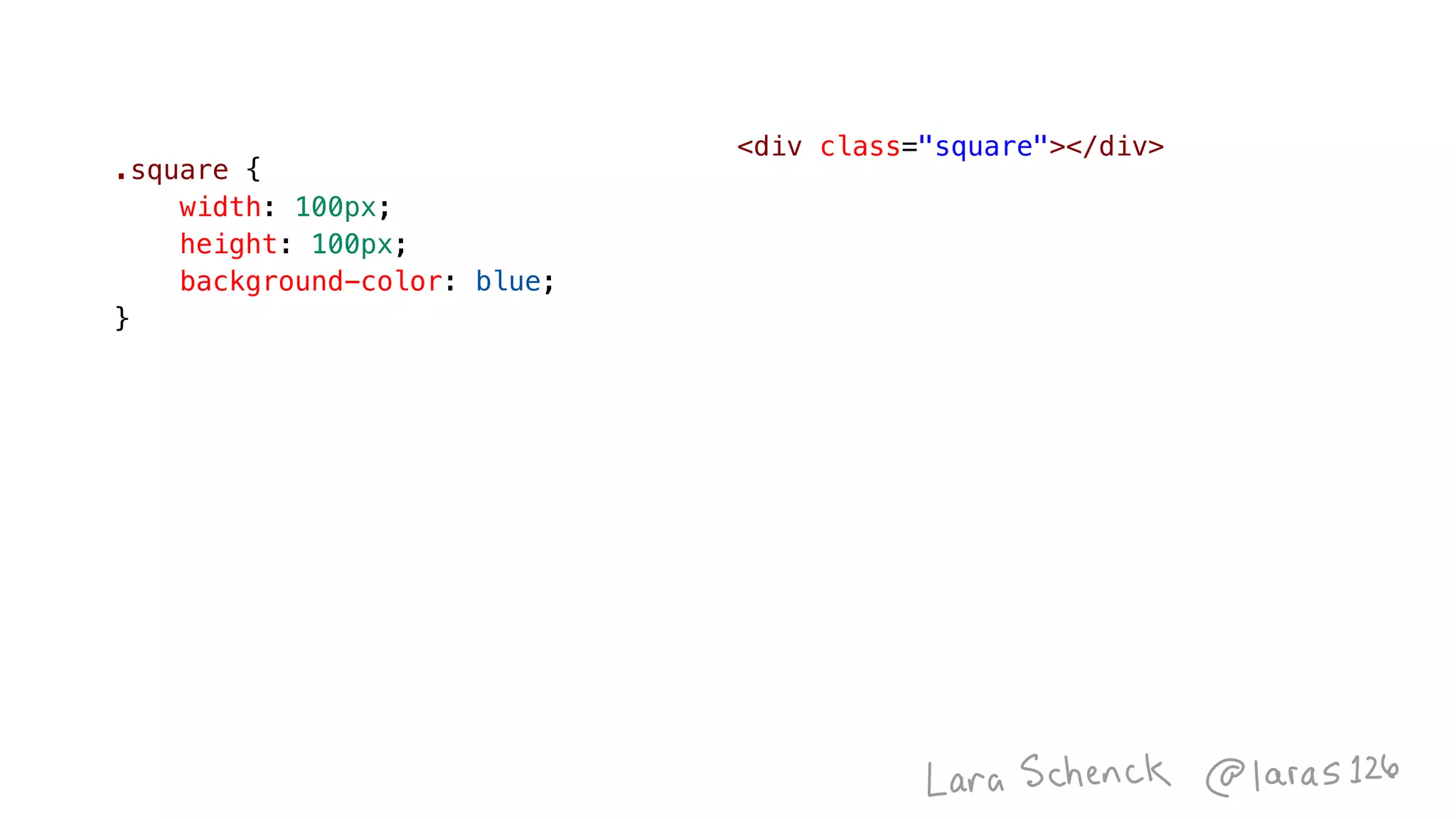
.square {
    width: 100px;
    height: 100px;
    background-color: blue;
}
<div class="square"></div>
.square--bigger {
    width: 150px;
    height: 150px;
}
.square--smaller {
    width: 50px;
    height: 50px;
}
<div class="square square--bigger"></div>
<div class="square square--smaller"></div>
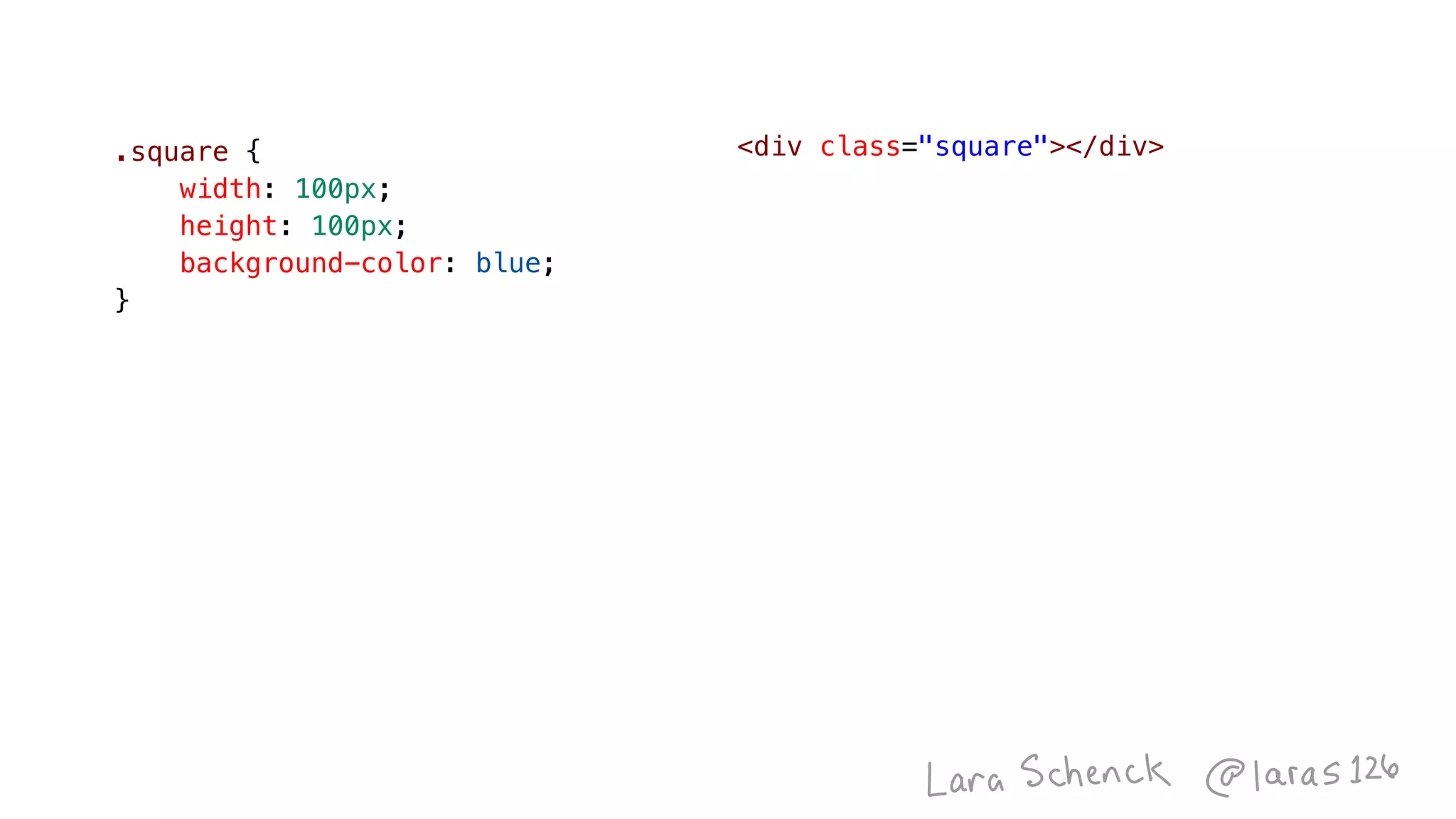
.square {
    width: 100px;
    height: 100px;
    background-color: blue;
}
<div class="square"></div>.square {
    width: 100px;
    height: 100px;
    background-color: blue;
}
<div class="box"></div>.square {
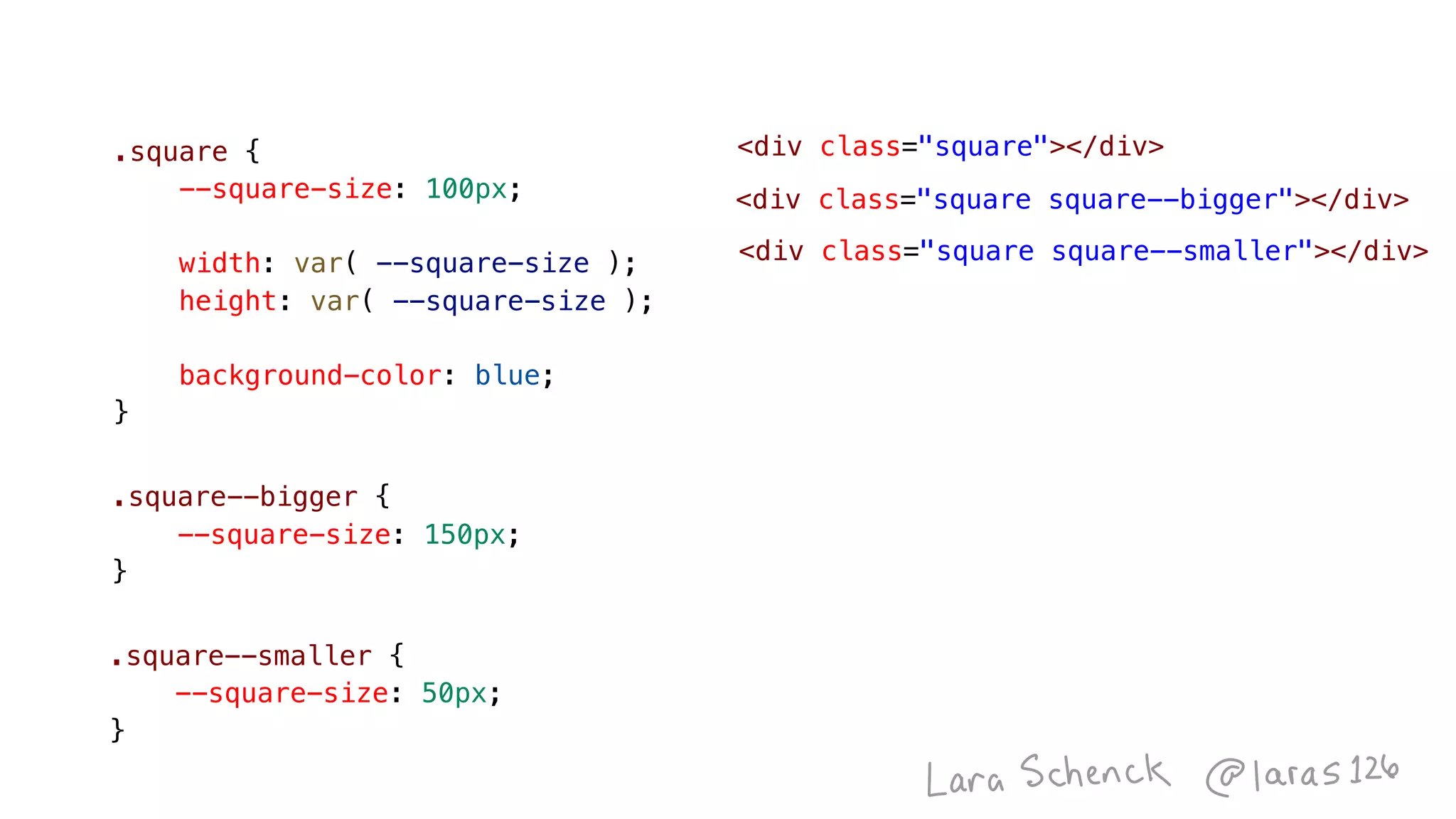
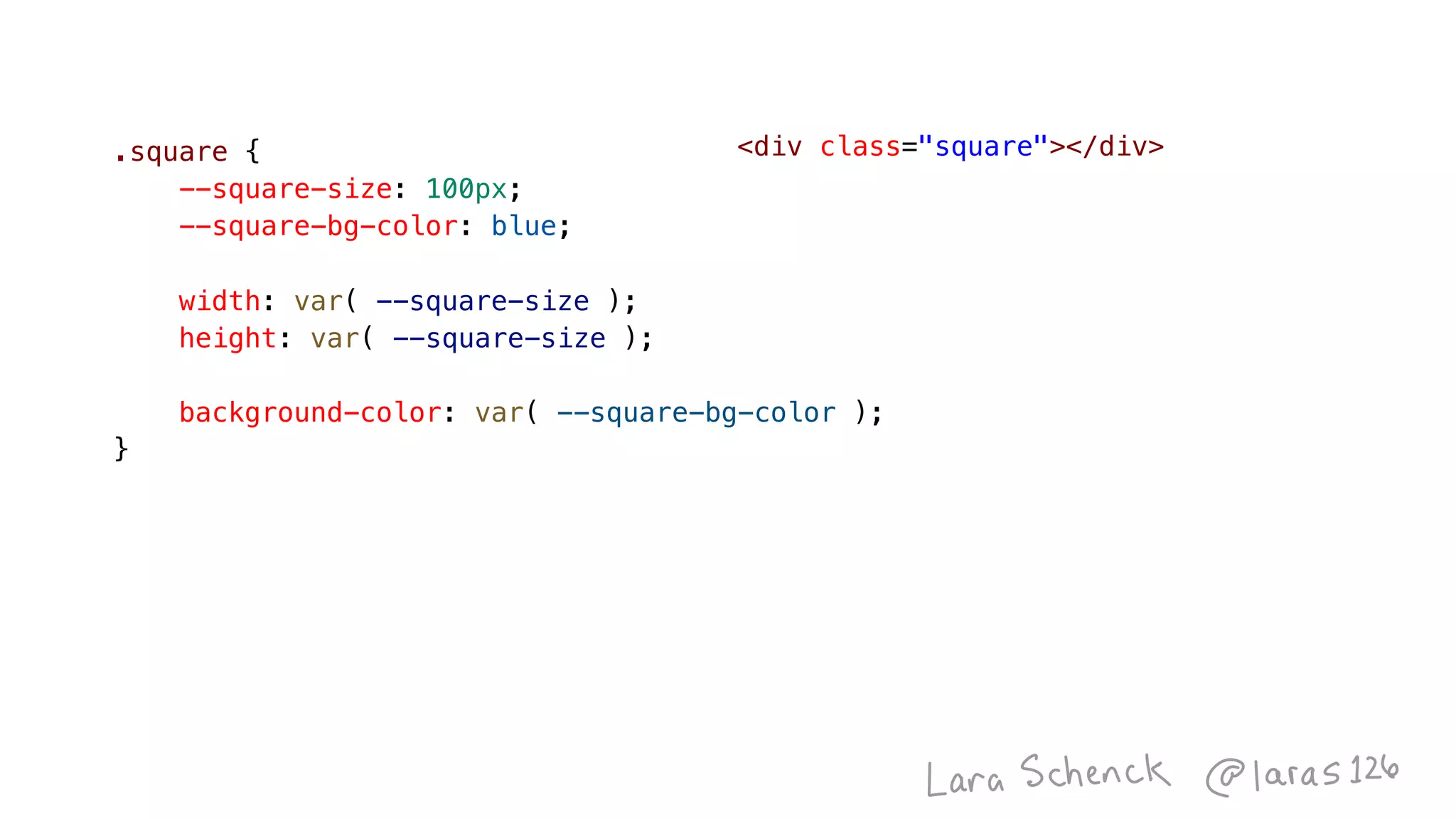
    --square-size: 100px;
    width: var( --square-size );
    height: var( --square-size );
    background-color: blue;
}
<div class="square"></div>
.square--smaller {
    --square-size: 50px;
}
.square--bigger {
    --square-size: 150px;
}
<div class="square"></div>
<div class="square square--bigger"></div>
<div class="square square--smaller"></div>
.square {
    --square-size: 100px;
    width: var( --square-size );
    height: var( --square-size );
    background-color: blue;
}
Image
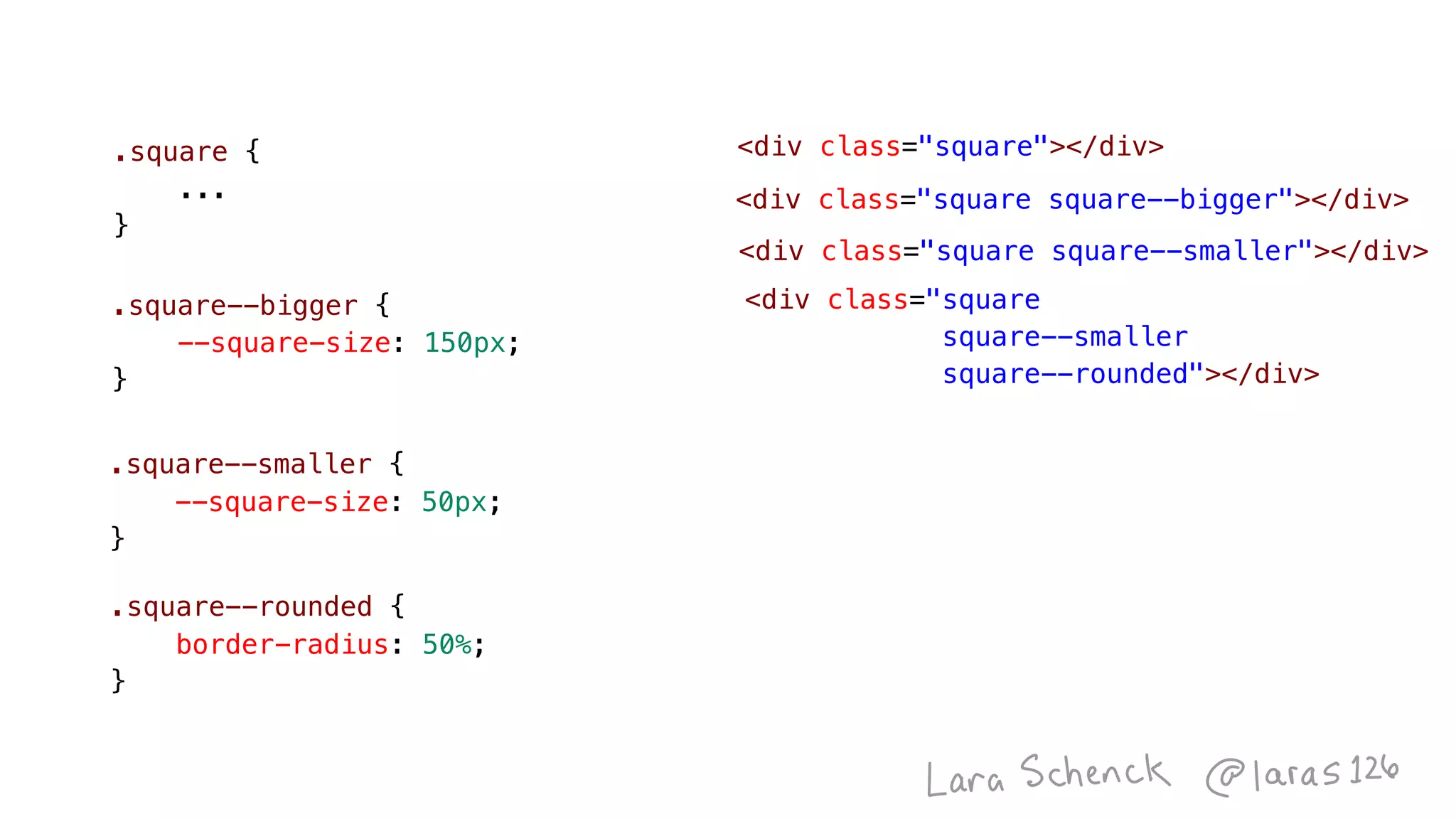
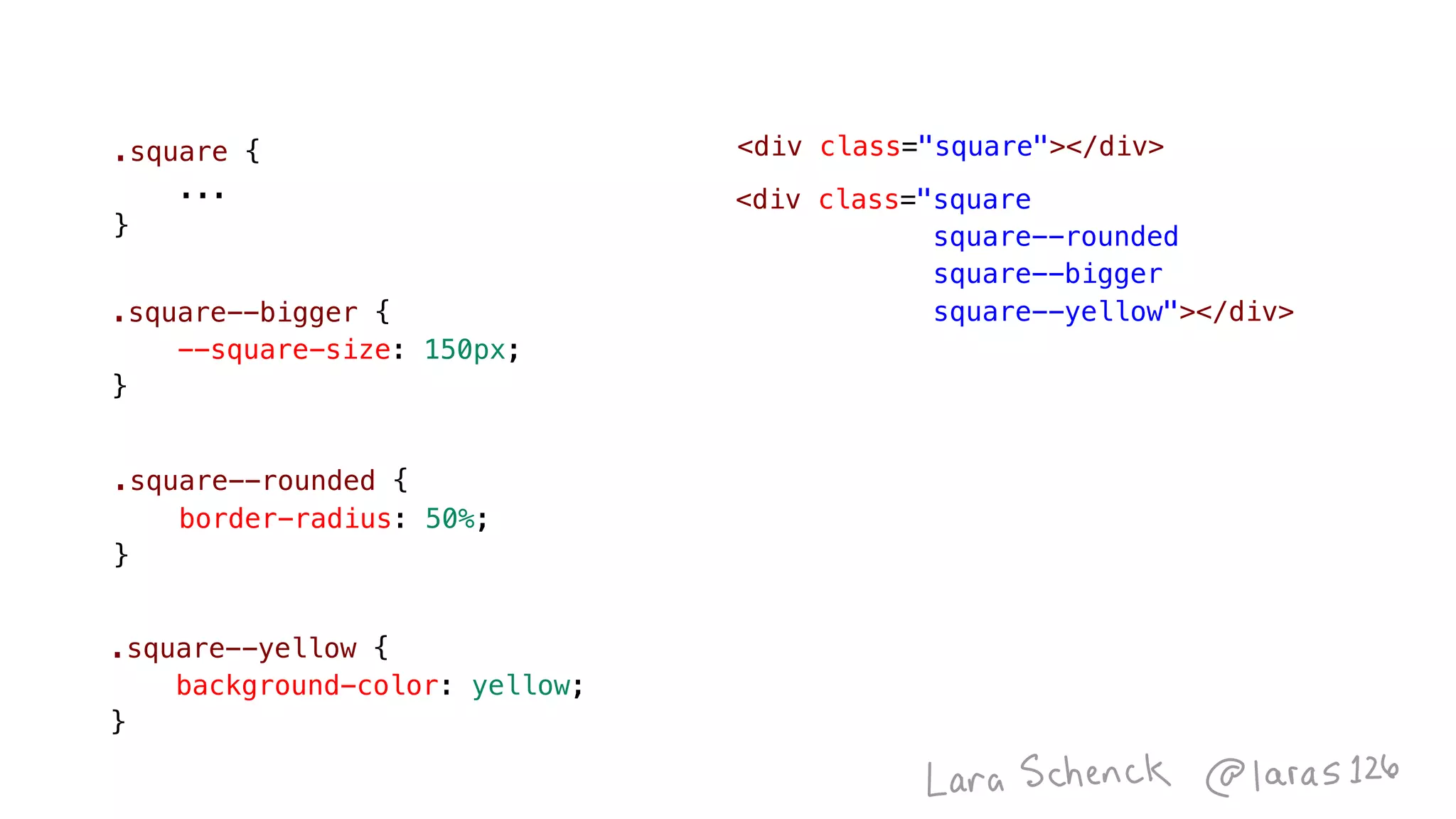
.square {
    ...
}
<div class="square"></div>
.square--smaller {
    --square-size: 50px;
}
.square--bigger {
    --square-size: 150px;
}
<div class="square square--bigger"></div>
<div class="square
square--smaller
square--rounded"></div>
<div class="square square--smaller"></div>
.square--rounded {
    border-radius: 50%;
}
Image
.square--rounded {
    border-radius: 50%;
}
.square {
    ...
}
<div class="square"></div>
<div class="square
square--rounded

square--bigger
square--yellow"></div>
.square--yellow {
    background-color: yellow;
}
.square--bigger {
    --square-size: 150px;
}
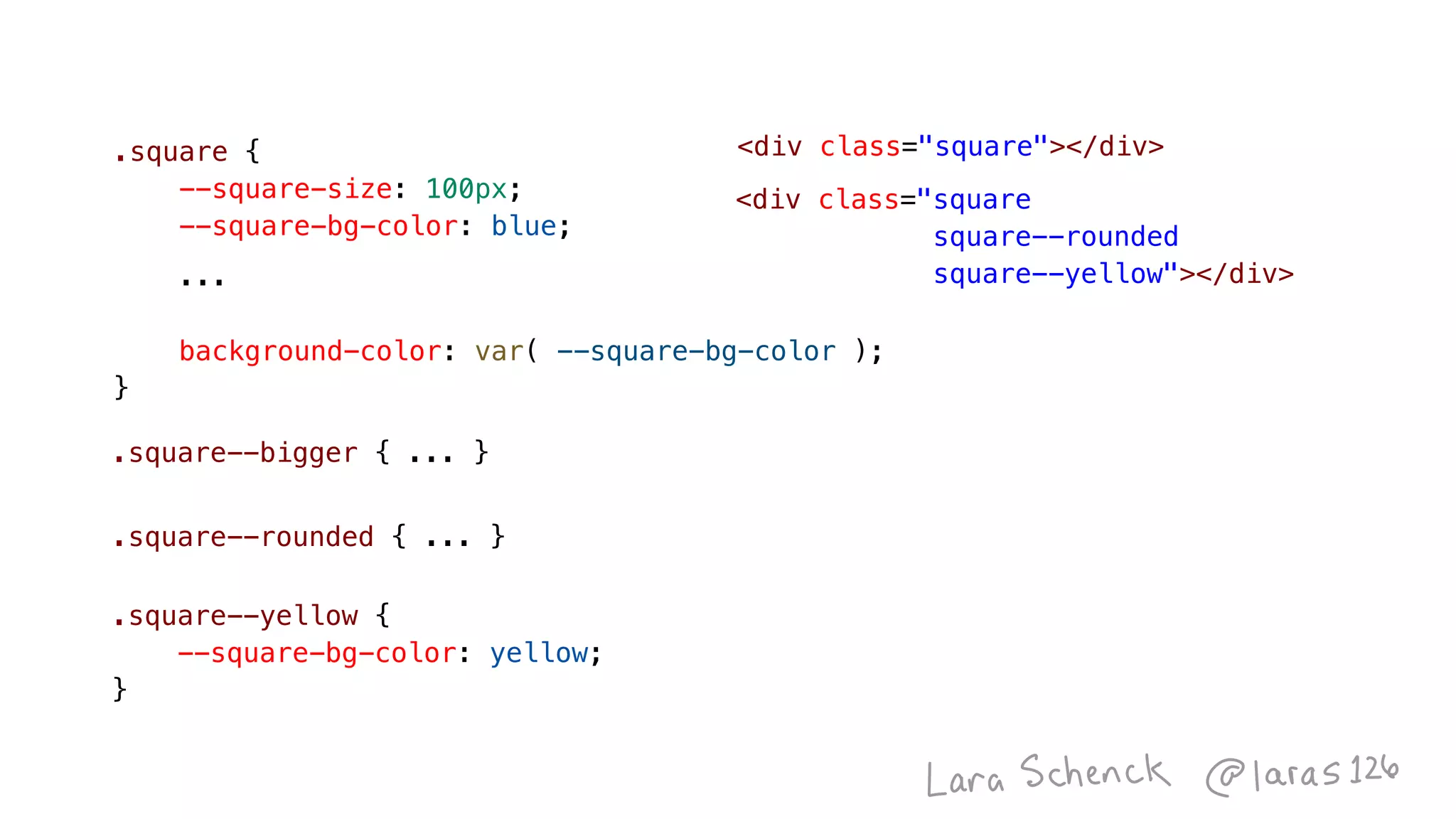
.square {
    --square-size: 100px;
    --square-bg-color: blue;
    ...
    background-color: var( --square-bg-color );
}
.square--yellow {
    --square-bg-color: yellow;
}
<div class="square"></div>
<div class="square
square--rounded
square--yellow"></div>
.square--rounded { ... }
.square--bigger { ... }
Image
<div class="square"></div>.square {
    --square-size: 100px;
    --square-bg-color: blue;
    width: var( --square-size );
    height: var( --square-size );
    background-color: var( --square-bg-color );
}
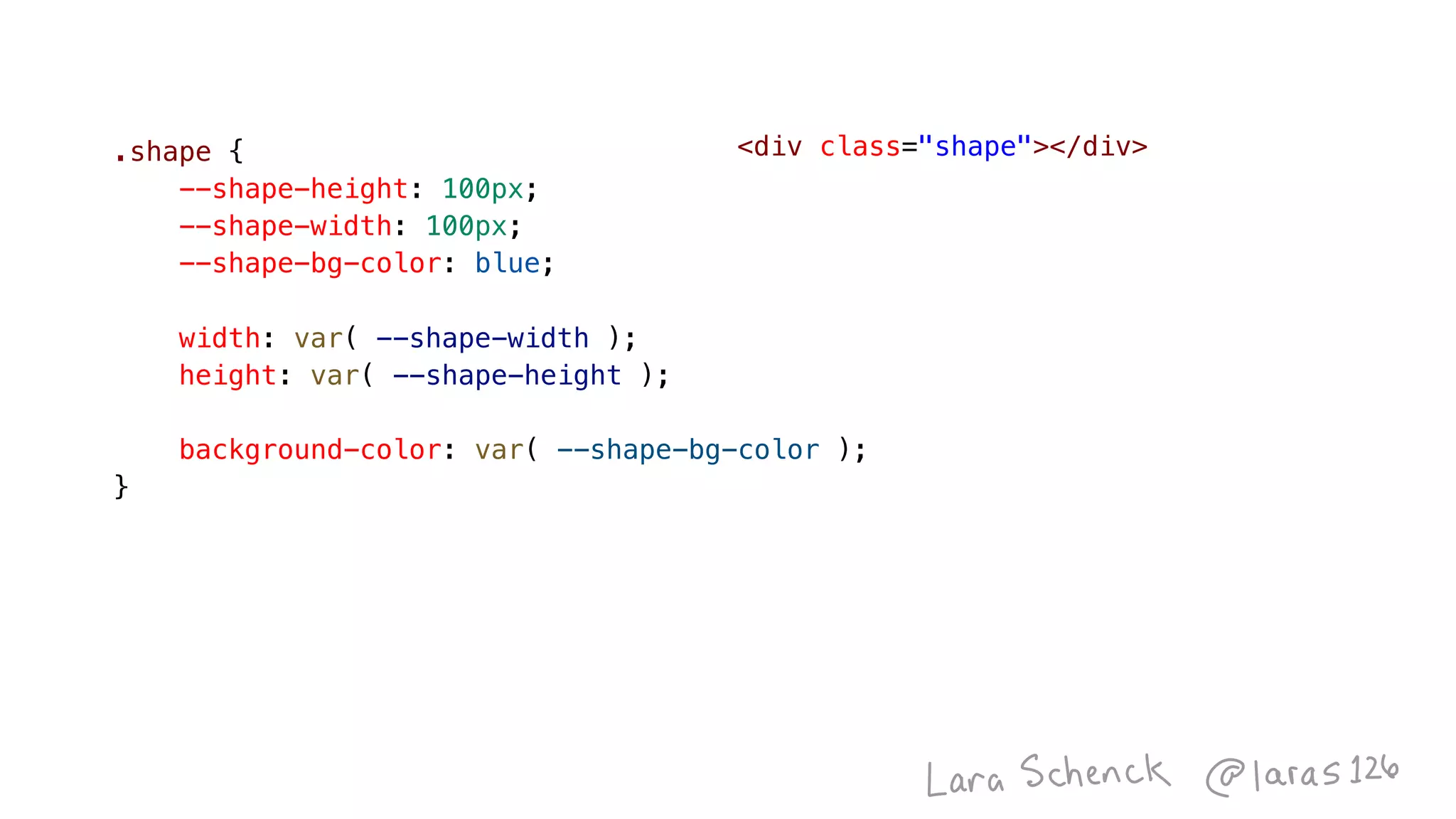
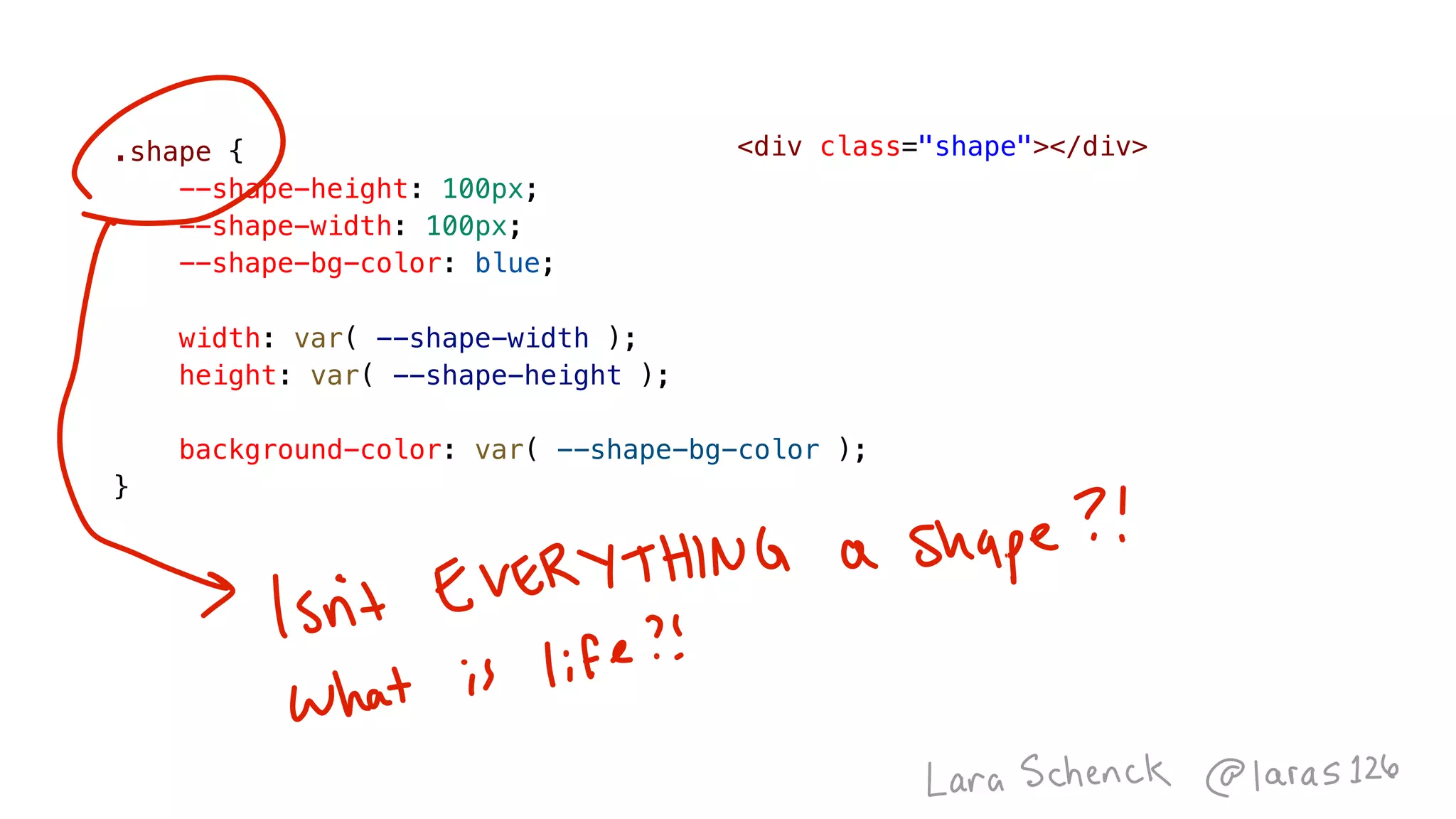
<div class="shape"></div>.shape {
    --shape-height: 100px;
    --shape-width: 100px;
    --shape-bg-color: blue;
    width: var( --shape-width );
    height: var( --shape-height );
    background-color: var( --shape-bg-color );
}
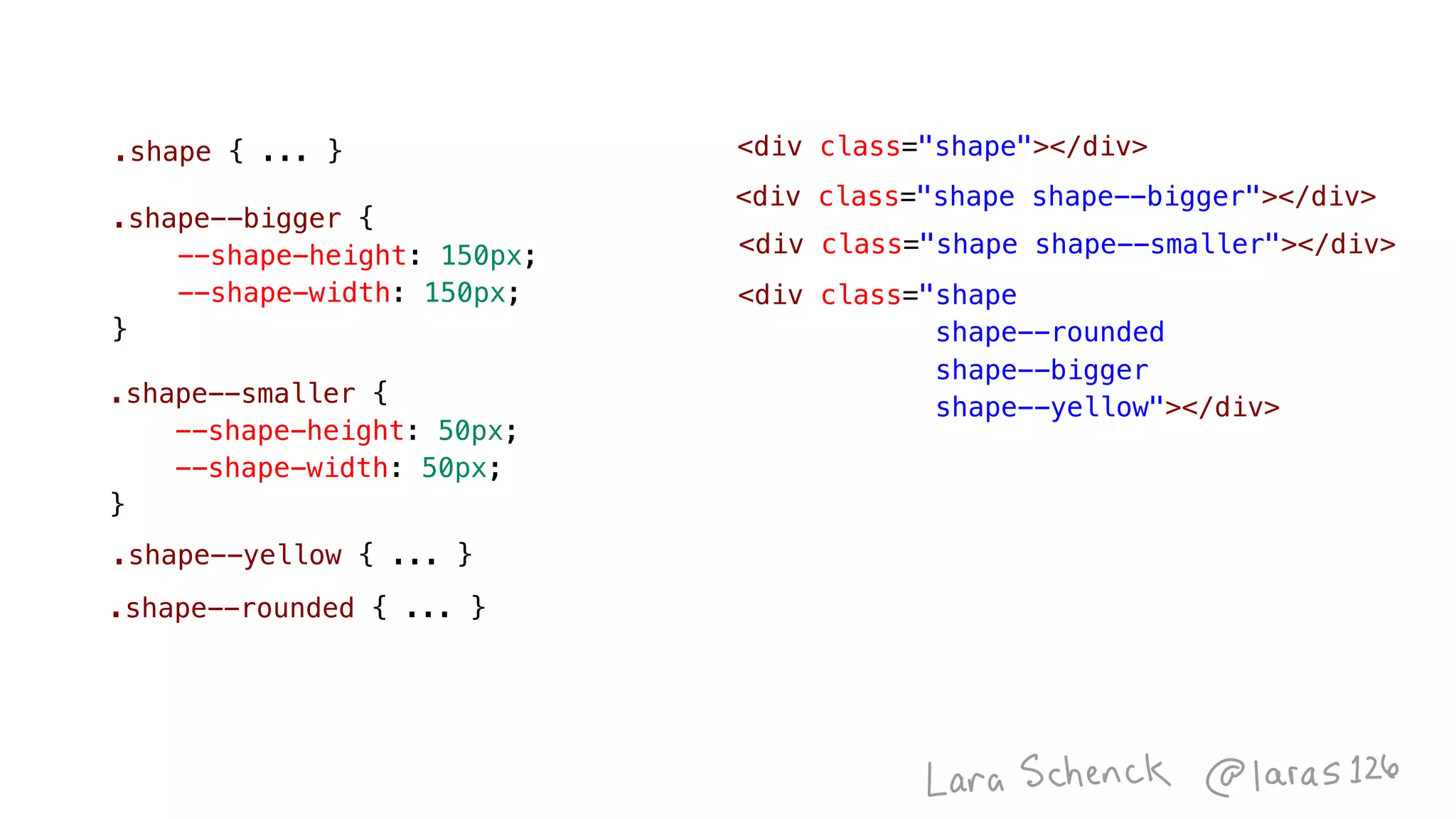
.shape { ... }
.shape--smaller {
    --shape-height: 50px;
    --shape-width: 50px;
}
.shape--bigger {
    --shape-height: 150px;
    --shape-width: 150px;
}
<div class="shape shape--bigger"></div>
<div class="shape shape--smaller"></div>
<div class="shape
shape--rounded

shape--bigger
shape--yellow"></div>
.shape--yellow { ... }
.shape--rounded { ... }
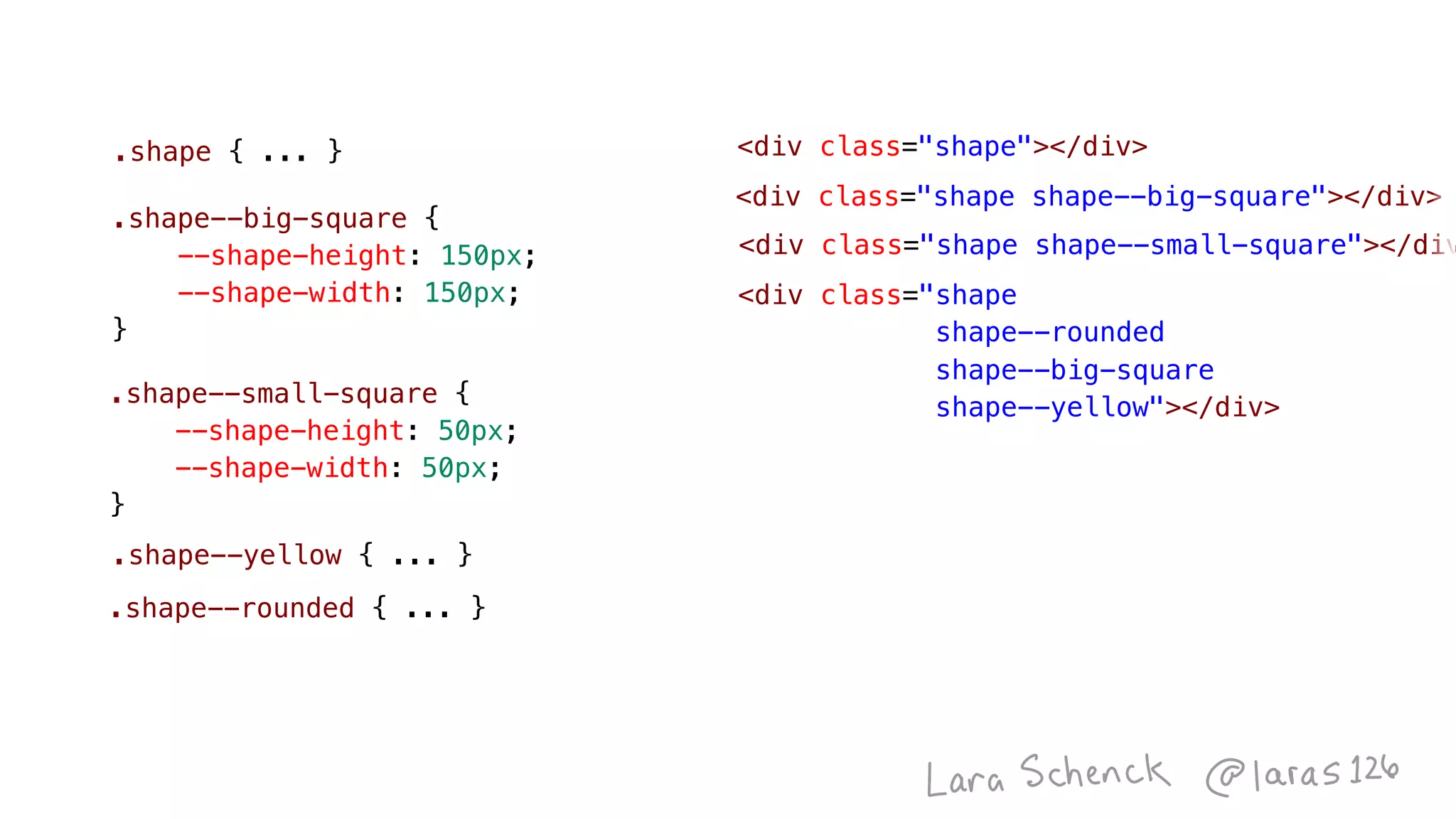
<div class="shape"></div>
<div class="shape shape--big-square"></div>
<div class="shape shape--small-square"></div
<div class="shape
shape--rounded

shape--big-square
shape--yellow"></div>
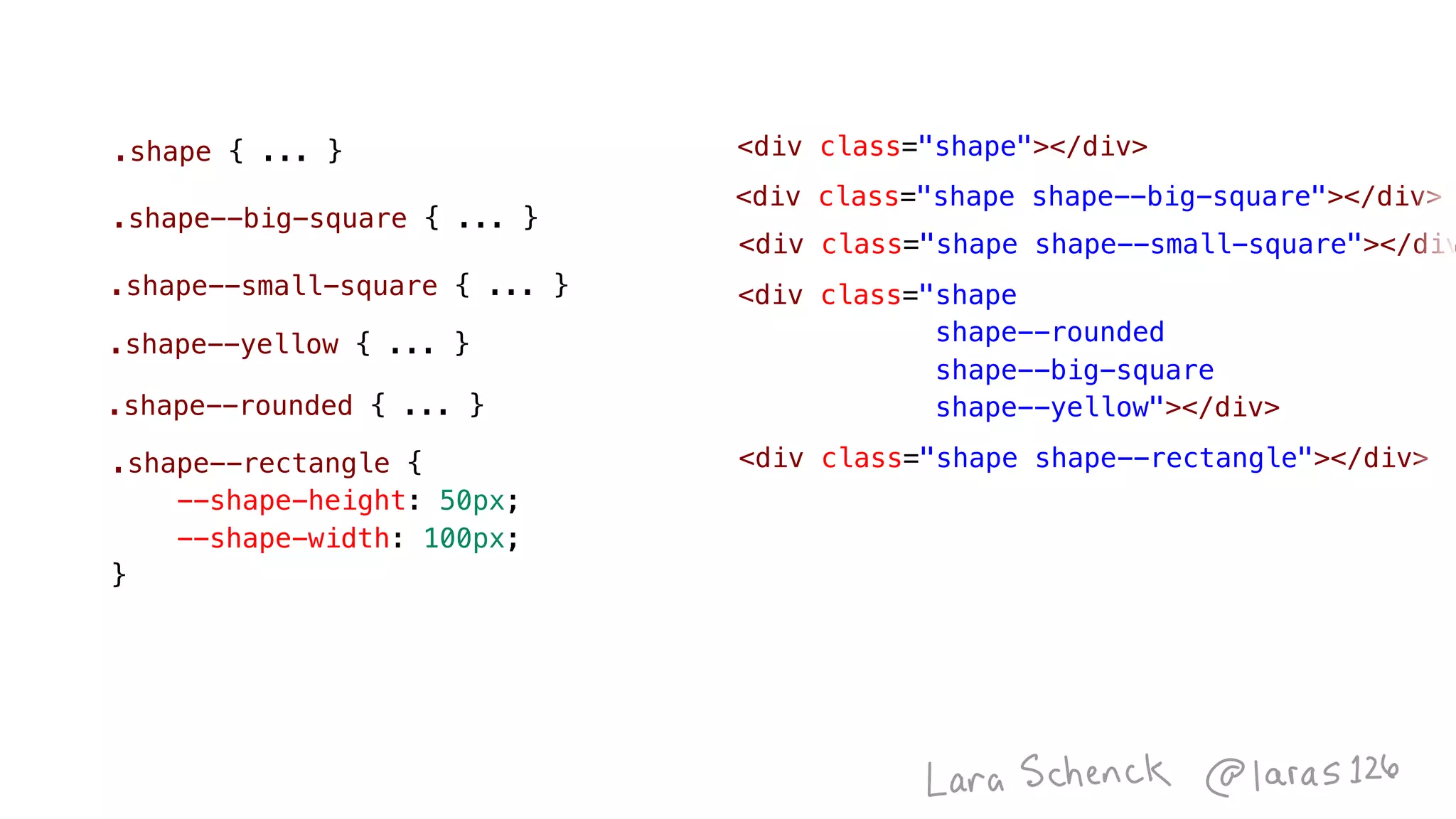
.shape { ... }
.shape--small-square {
    --shape-height: 50px;
    --shape-width: 50px;
}
.shape--big-square {
    --shape-height: 150px;
    --shape-width: 150px;
}
.shape--yellow { ... }
.shape--rounded { ... }
<div class="shape"></div>
.shape--small-square { ... }
<div class="shape shape--big-square"></div>
<div class="shape shape--small-square"></div
.shape--rectangle {
    --shape-height: 50px;
    --shape-width: 100px;
}
<div class="shape shape--rectangle"></div>
<div class="shape
shape--rounded

shape--big-square
shape--yellow"></div>
.shape--yellow { ... }
.shape--rounded { ... }
.shape { ... }
.shape--big-square { ... }
<div class="shape"></div>
Image
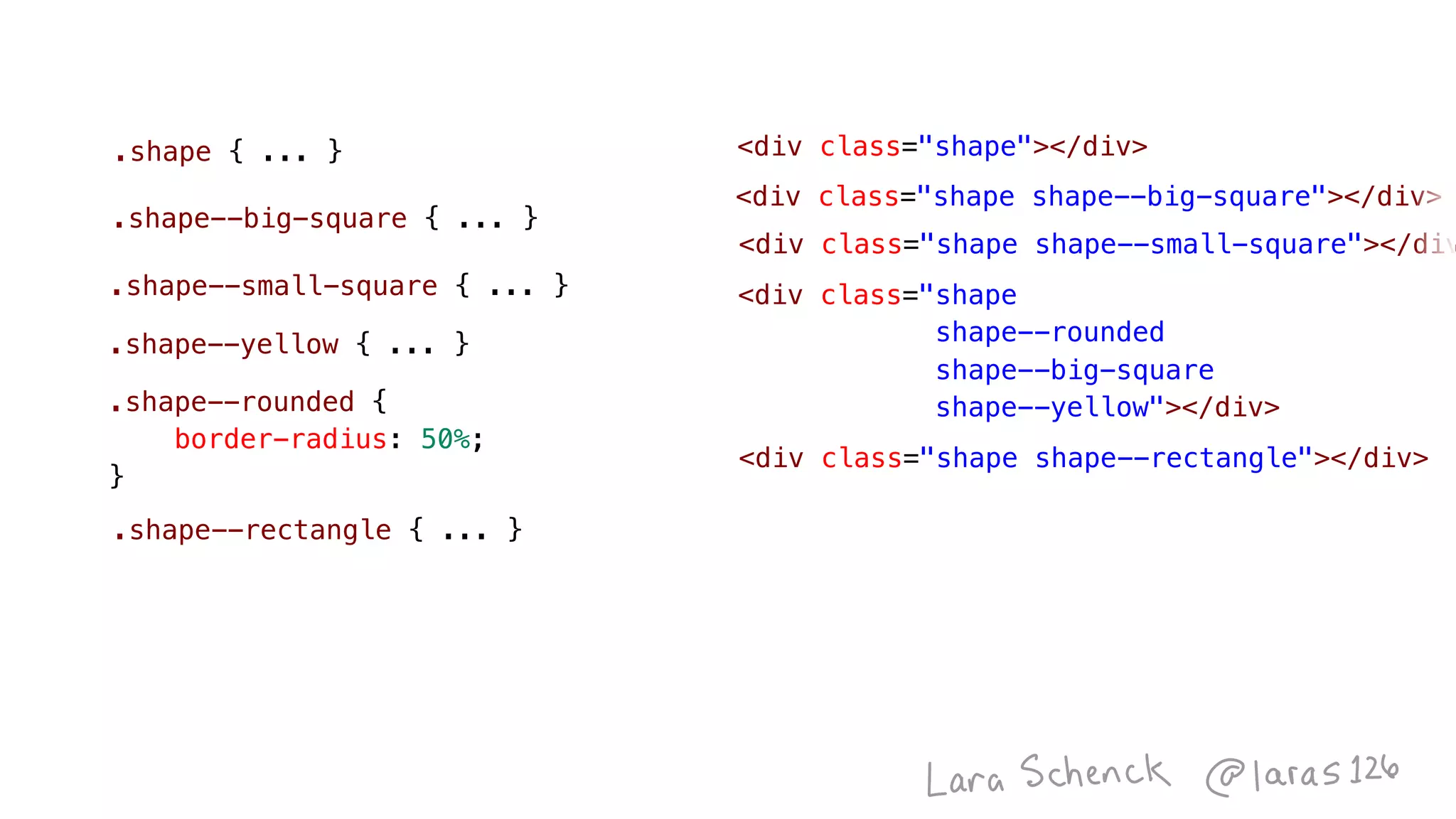
.shape--rounded {
    border-radius: 50%;
}
<div class="shape shape--big-square"></div>
<div class="shape shape--small-square"></div
<div class="shape
shape--rounded

shape--big-square
shape--yellow"></div>
<div class="shape shape--rectangle"></div>
<div class="shape"></div>
.shape--small-square { ... }
.shape--rectangle { ... }
.shape--yellow { ... }
.shape { ... }
.shape--big-square { ... }
<div class="shape shape--big-square"></div>
<div class="shape shape--small-square"></div
<div class="shape
shape--rectangle
shape--rounded"></div>
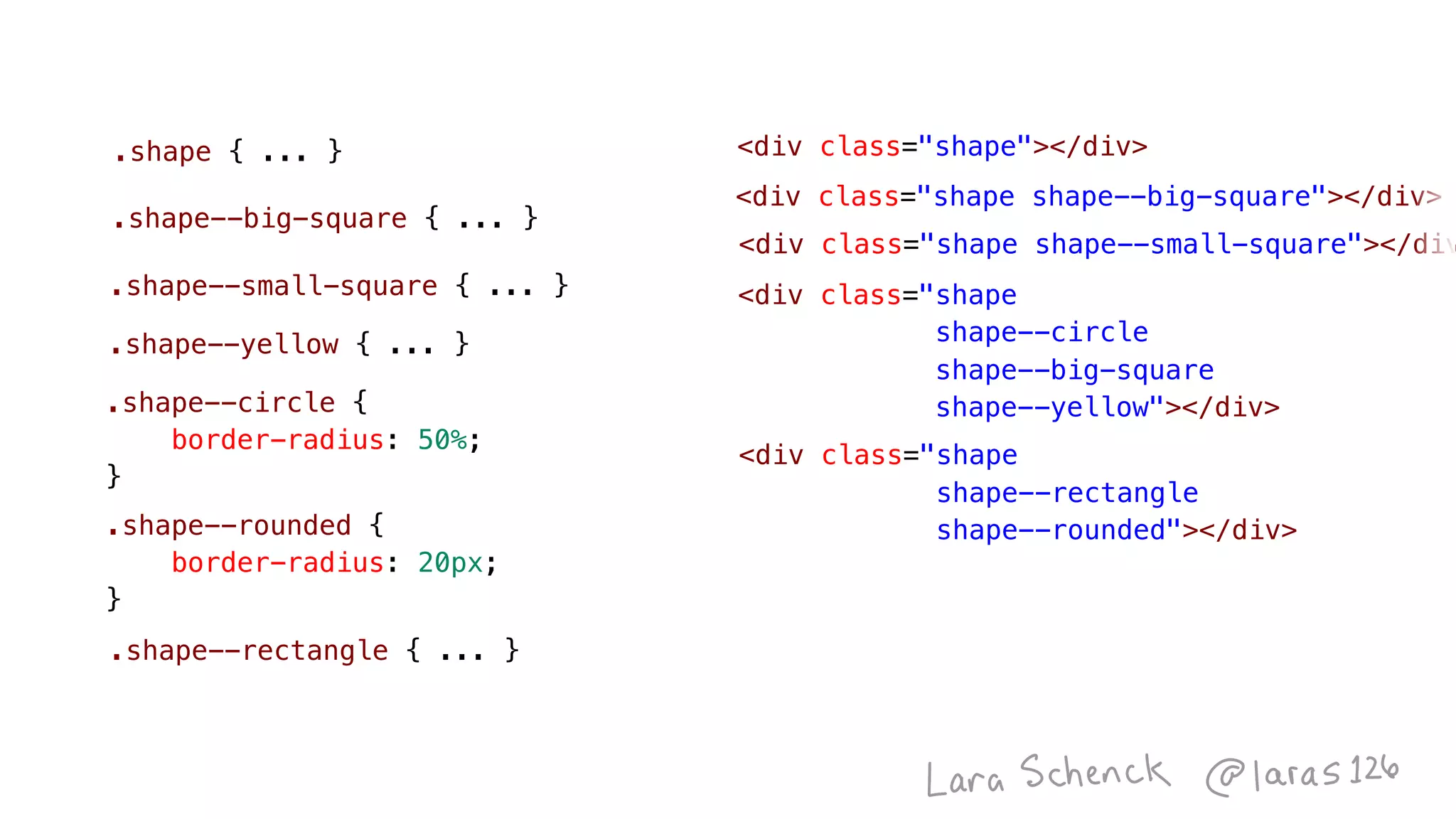
<div class="shape
shape--circle

shape--big-square
shape--yellow"></div>
.shape--rounded {
    border-radius: 20px;
}
.shape--circle {
    border-radius: 50%;
}
.shape--rectangle { ... }
<div class="shape"></div>
.shape--small-square { ... }
.shape--yellow { ... }
.shape { ... }
.shape--big-square { ... }
Sign Up For Our Newsletter
<div class="shape shape--big-square"></div>
<div class="shape shape--small-square"></div
.shape { ... }
.shape--small-square { ... }
.shape--big-square { ... }
.shape--yellow { ... }
.shape--circle { ... }
.shape--rounded { ... }
<div class="shape
shape--rounded-rectangle"></div>
<div class="shape
shape--circle

shape--big-square
shape--yellow"></div>
<div class="shape"></div>
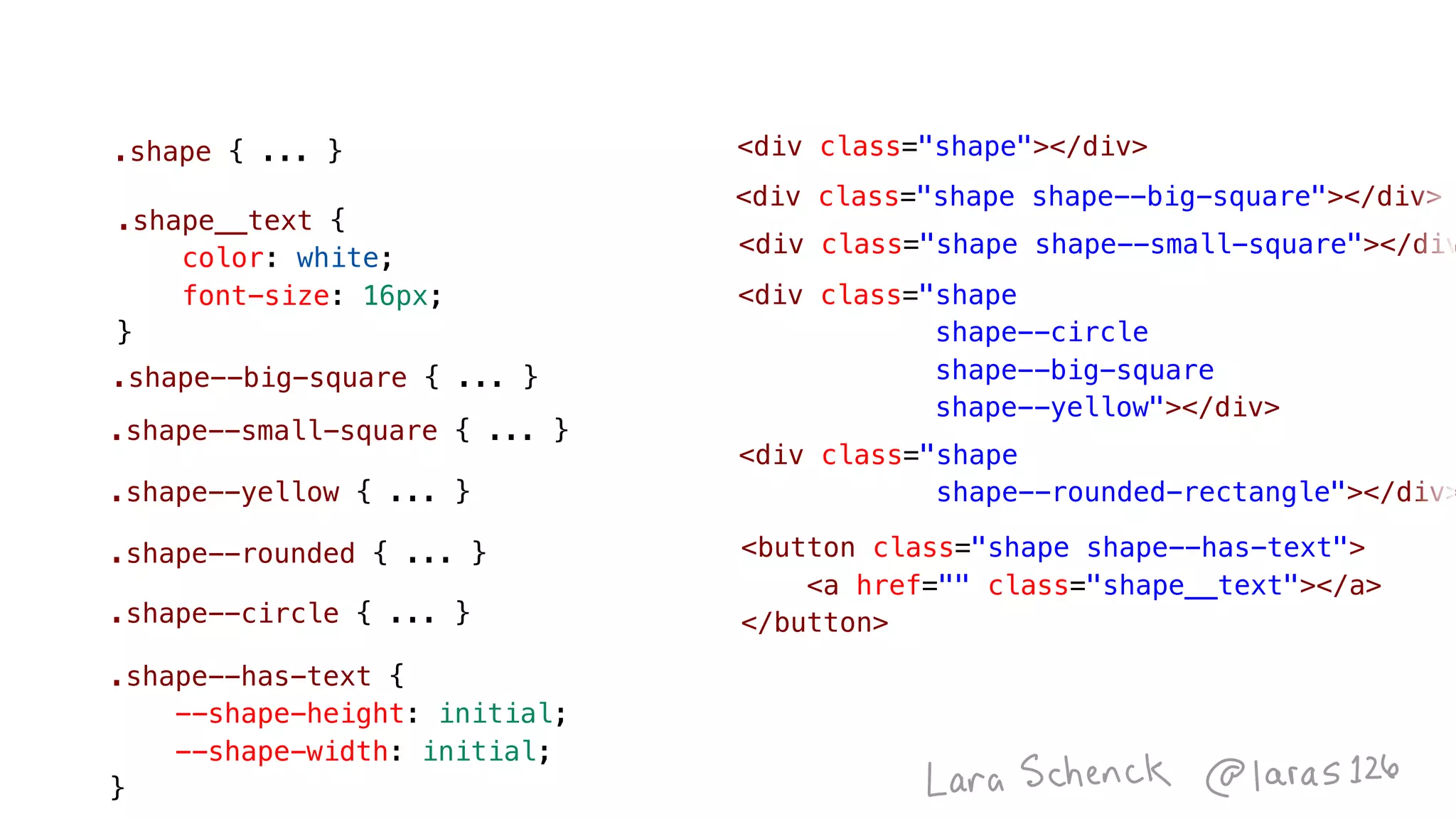
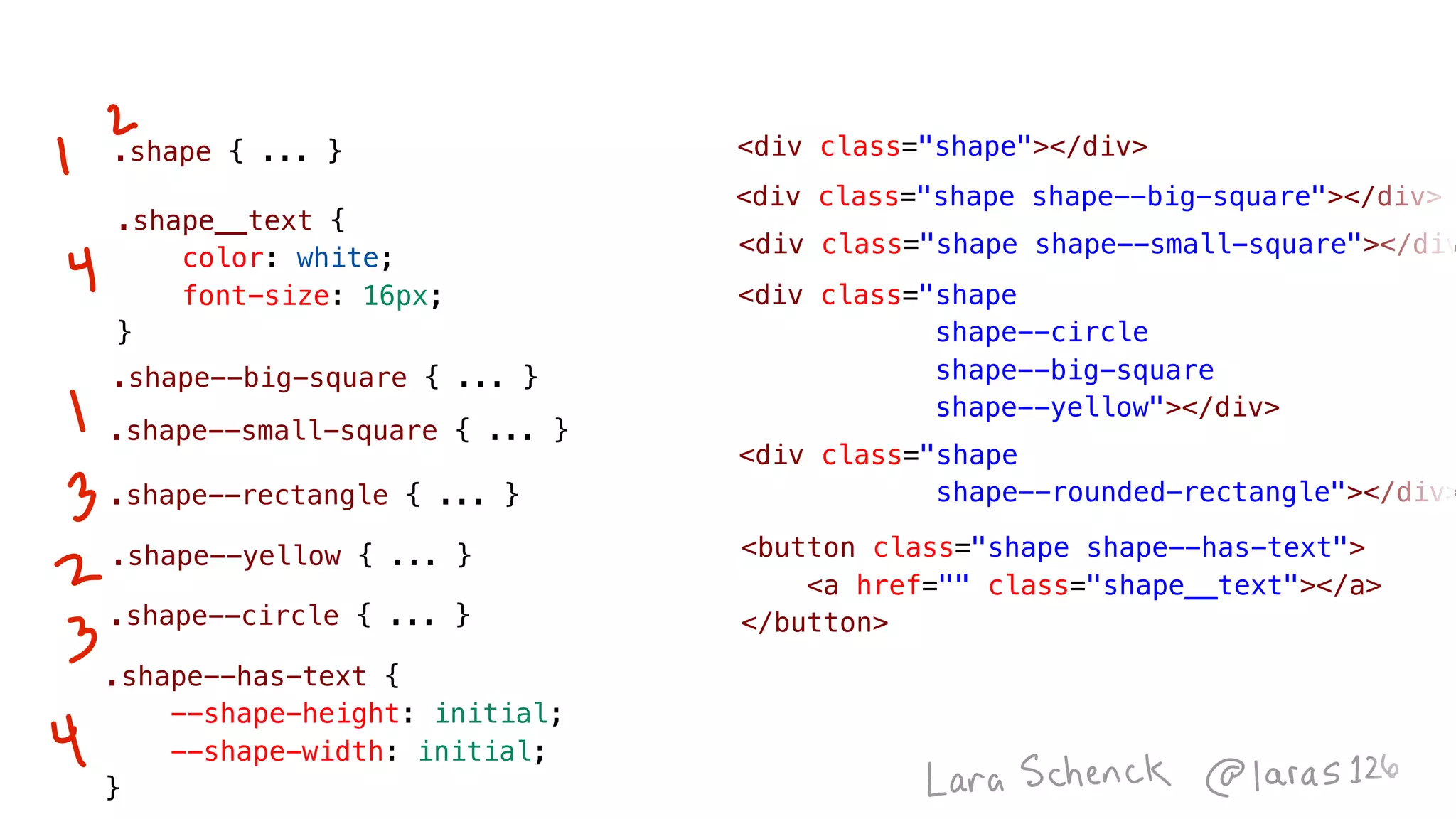
.shape--has-text {
--shape-height: initial;
    --shape-width: initial;
}
.shape__text {
    color: white;
    font-size: 16px;
}
<button class="shape shape--has-text">
    <a href="" class="shape__text"></a>
</button>
Sign Up For Our Newsletter 📝 Sign Up For Our Newsletter
<div class="shape shape--big-square"></div>
<div class="shape shape--small-square"></div
.shape { ... }
.shape--small-square { ... }
.shape--big-square { ... }
.shape--yellow { ... }
.shape--circle { ... }
.shape--rounded-rectangle { ... }
<div class="shape
shape--rounded-rectangle"></div>
<div class="shape
shape--circle

shape--big-square
shape--yellow"></div>
<div class="shape"></div>
.shape--has-text {
--shape-height: initial;
    --shape-width: initial;
}
.shape__text {
    color: white;
    font-size: 16px;
}
<button class="shape shape--has-text">
    <a href="" class="shape__text"></a>
</button>
Image
Image
Image
Image
Image
Image
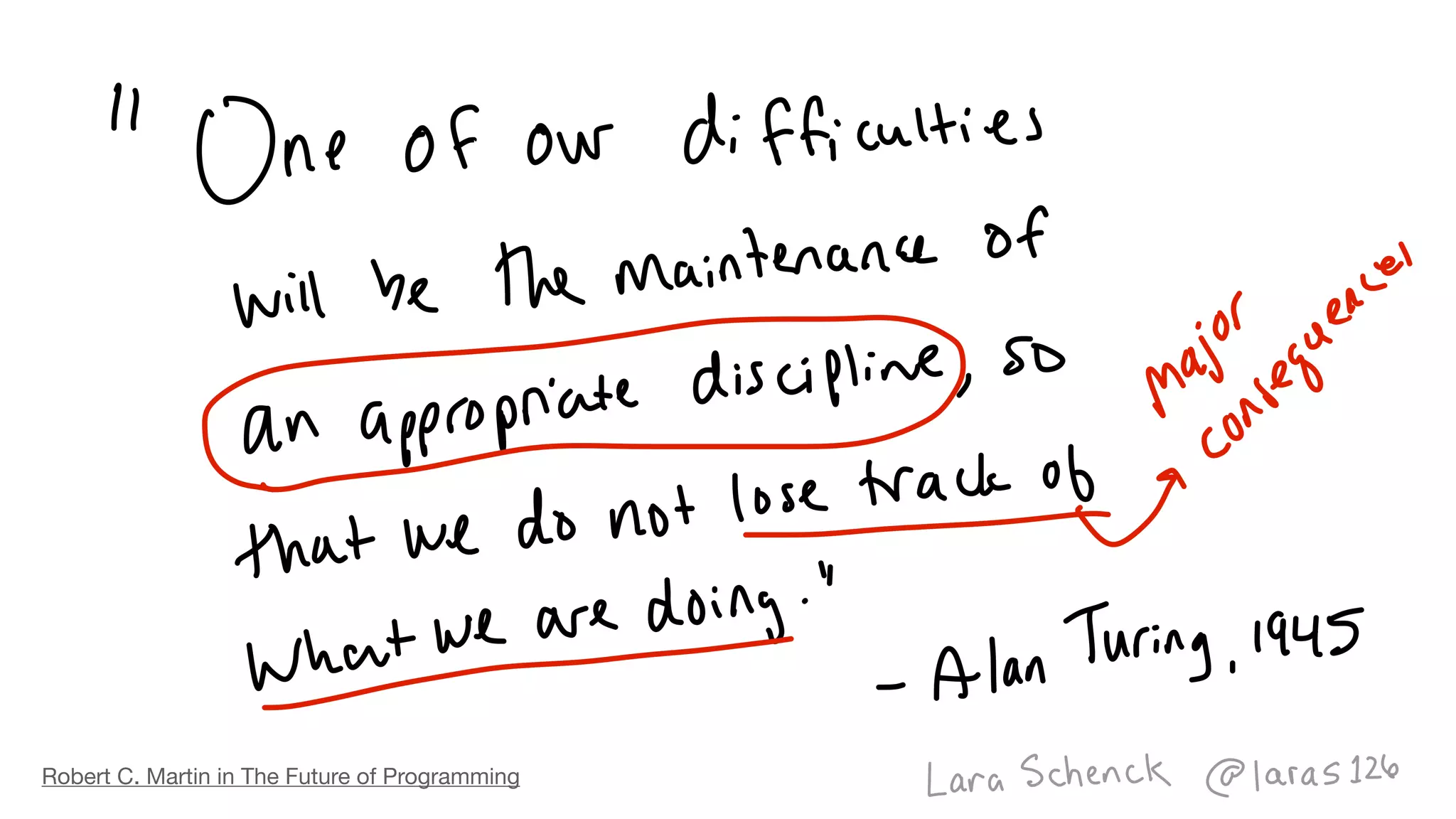
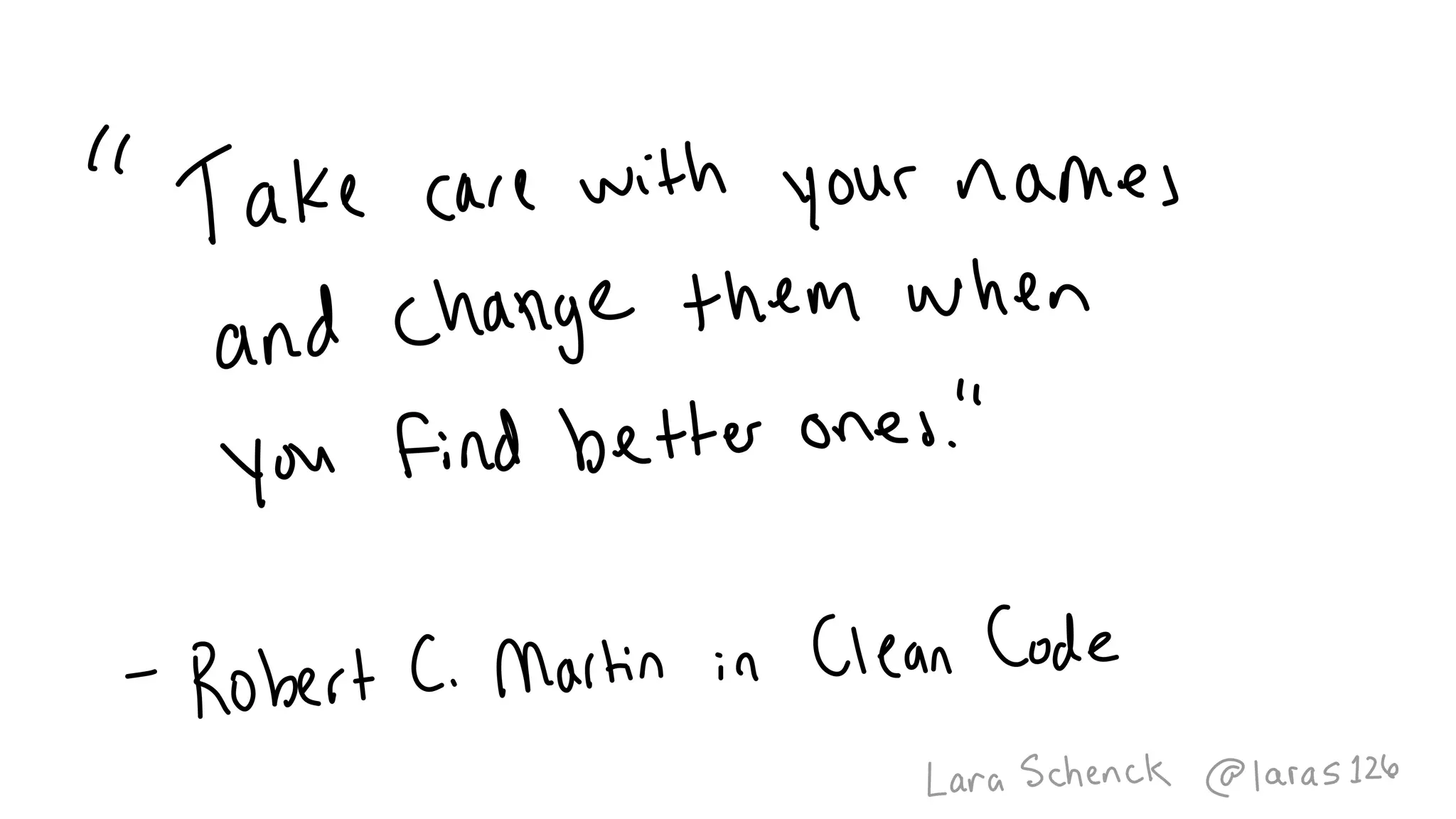
Robert C. Martin in The Future of Programming
Image
Image
Image
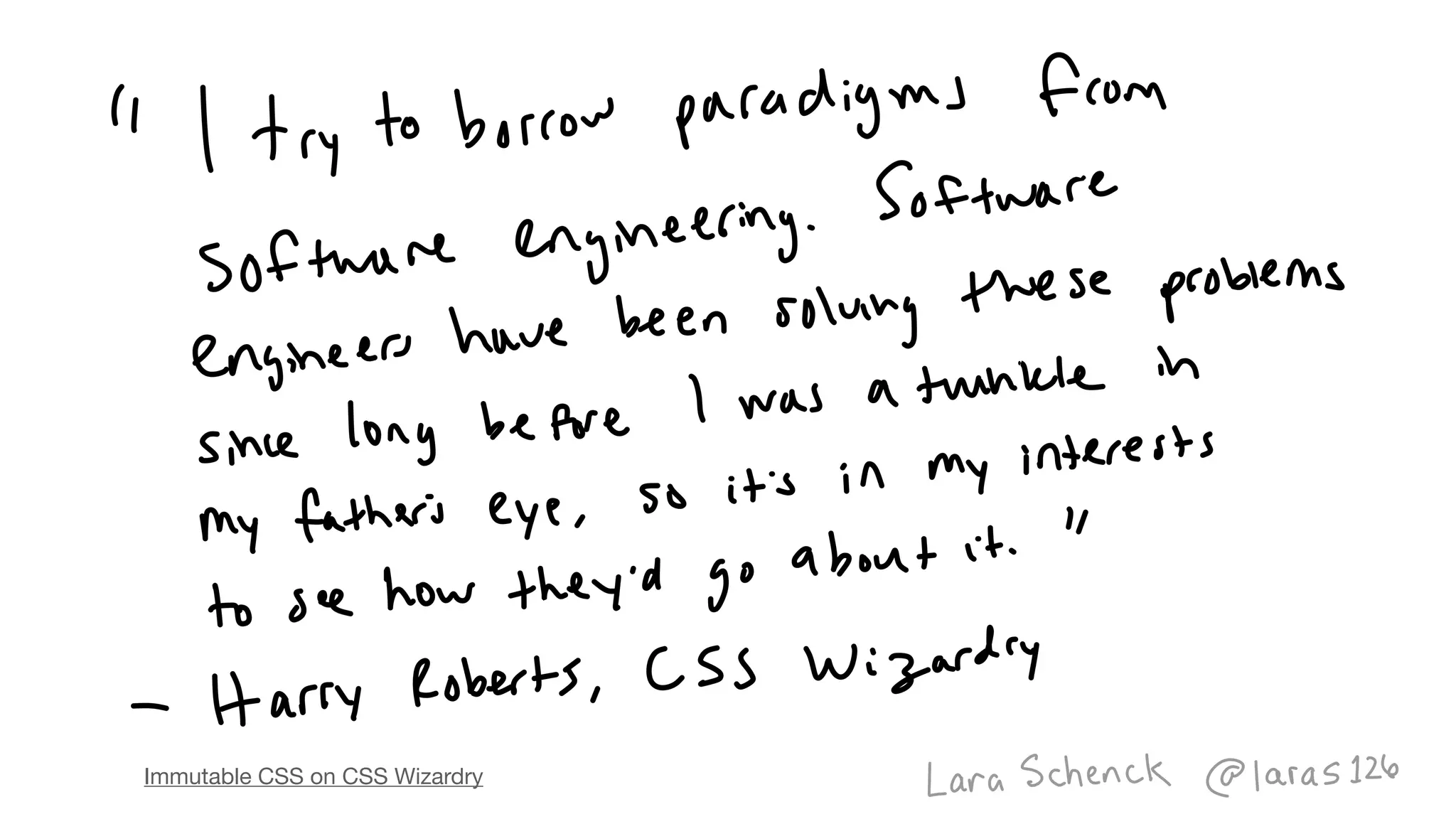
Immutable CSS on CSS Wizardry
Image
.square {
    width: 100px;
    height: 100px;
    background-color: blue;
}
<div class="square"></div>
<div class="shape"></div>.shape {
    --shape-height: 100px;
    --shape-width: 100px;
    --shape-bg-color: blue;
    width: var( --shape-width );
    height: var( --shape-height );
    background-color: var( --shape-bg-color );
}
Image
Image
Image
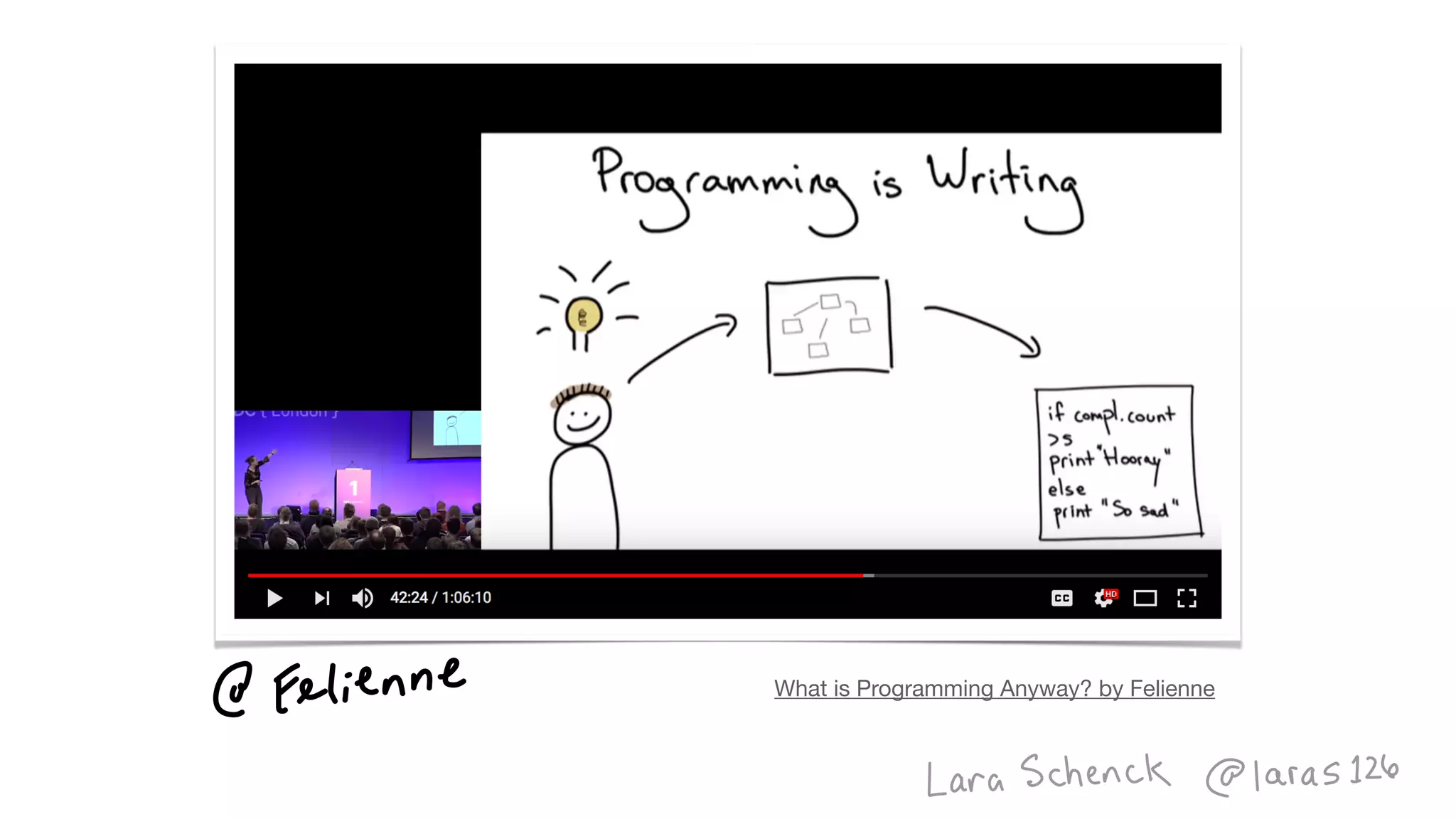
What is Programming Anyway? by Felienne
Image
Image
Image
Image
.square {
    width: 100px;
    height: 100px;
    background-color: blue;
}
<div class="square"></div>
<div class="shape shape--big-square"></div>
<div class="shape shape--small-square"></div
.shape { ... }
.shape--small-square { ... }
.shape--big-square { ... }
.shape--yellow { ... }
.shape--circle { ... }
.shape--rectangle { ... }
<div class="shape
shape--rounded-rectangle"></div>
<div class="shape
shape--circle

shape--big-square
shape--yellow"></div>
<div class="shape"></div>
.shape--has-text {
--shape-height: initial;
    --shape-width: initial;
}
.shape__text {
    color: white;
    font-size: 16px;
}
<button class="shape shape--has-text">
    <a href="" class="shape__text"></a>
</button>
.square {
    width: 100px;
    height: 100px;
    background-color: blue;
}
<div class="square"></div>
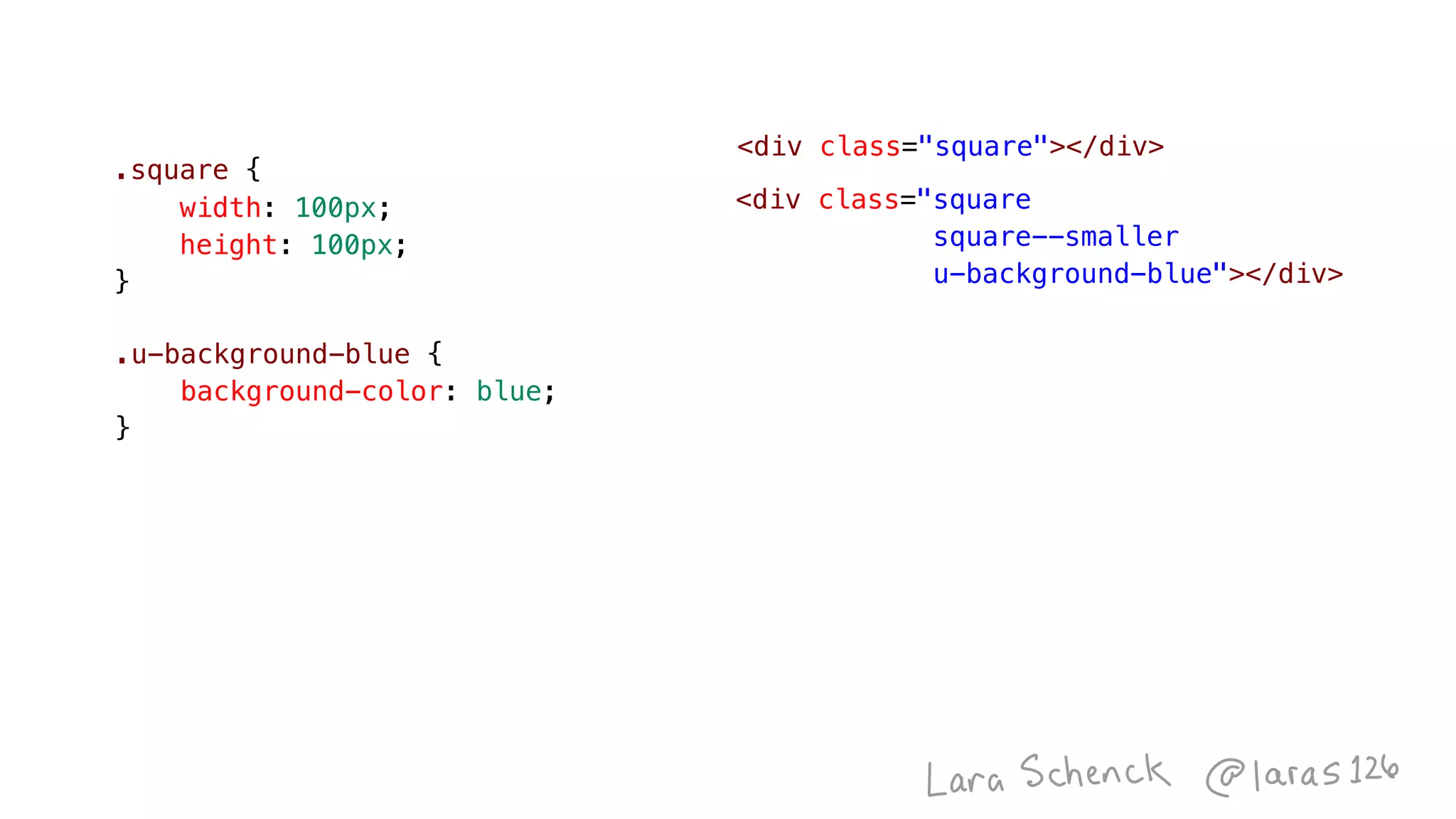
.square {
    width: 100px;
    height: 100px;
}
<div class="square"></div>
<div class="square
square--smaller
u-background-blue"></div>
.u-background-blue {
    background-color: blue;
}
Image
Image
Image
Image
Image
Image
Image
Image
Image
Image
function sort(array) {
for (let i = 0; i < array.length; i++) {
for (let ii = 0; ii < array.length; ii++) {
if (array[ii] > array[ii+1]) {
let temp = array[ii];
array[ii] = array[ii+1];
array[ii+1] = temp;
}
}
}
return array;
}
var sorted = sort([4, 2, 1, 3]);
Image
Image
.container {
    display: flex;
}
Image
.container {
    display: flex;
}
Image
Image
Image
Image
Image
Image
Image
Image
Image
Image
Image
Image
Image
Image
Image
Image
Image
Image
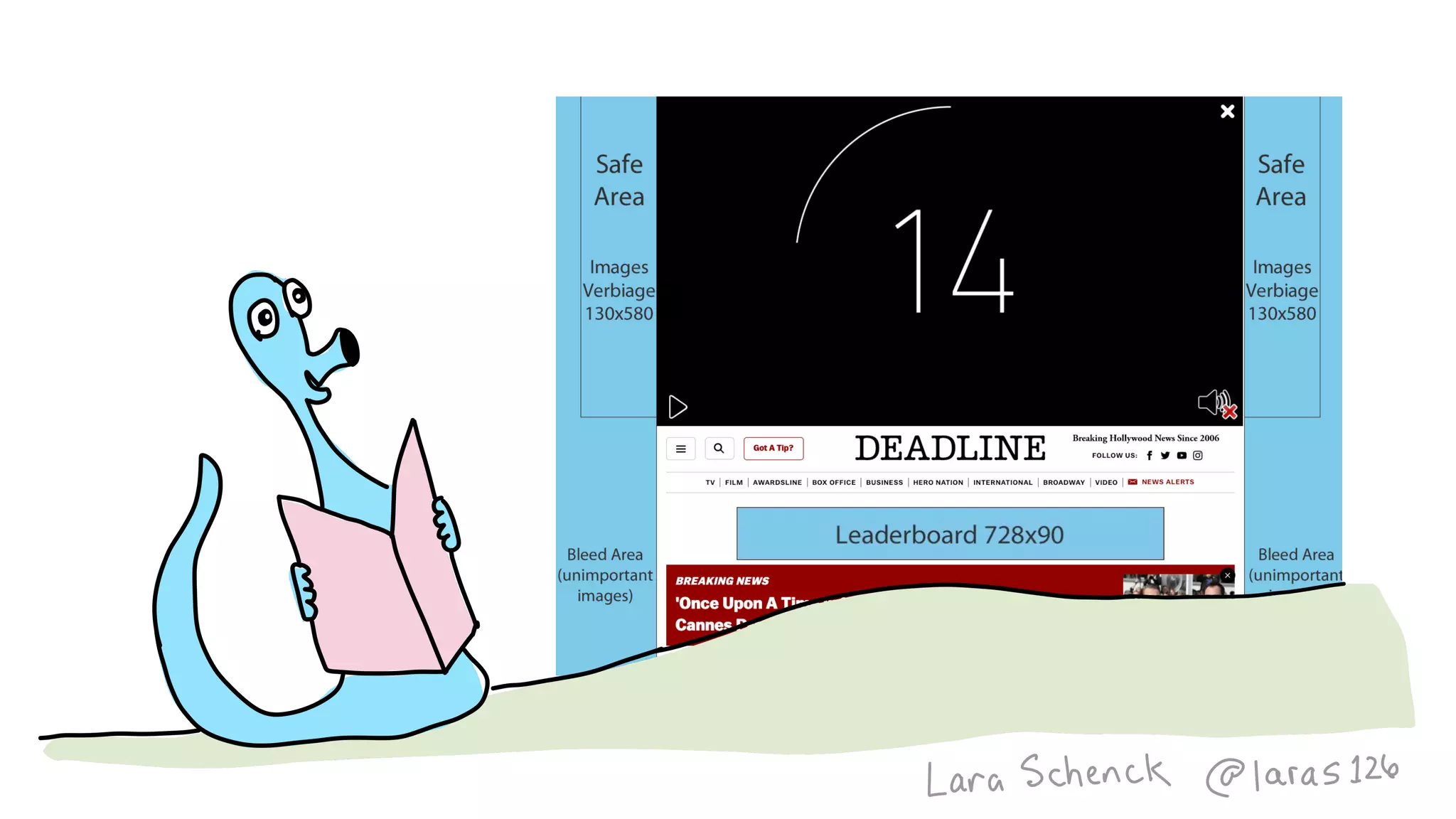
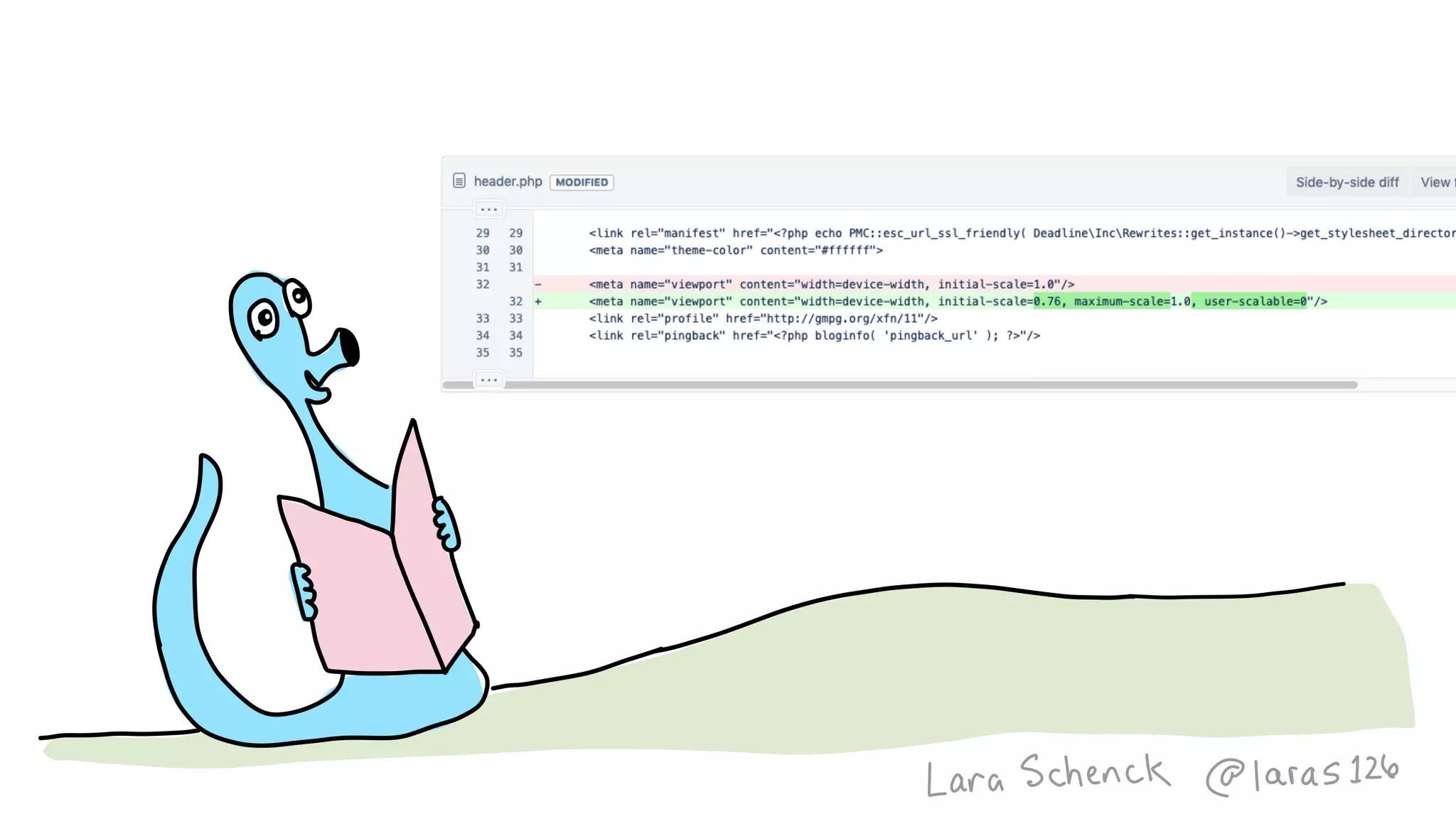
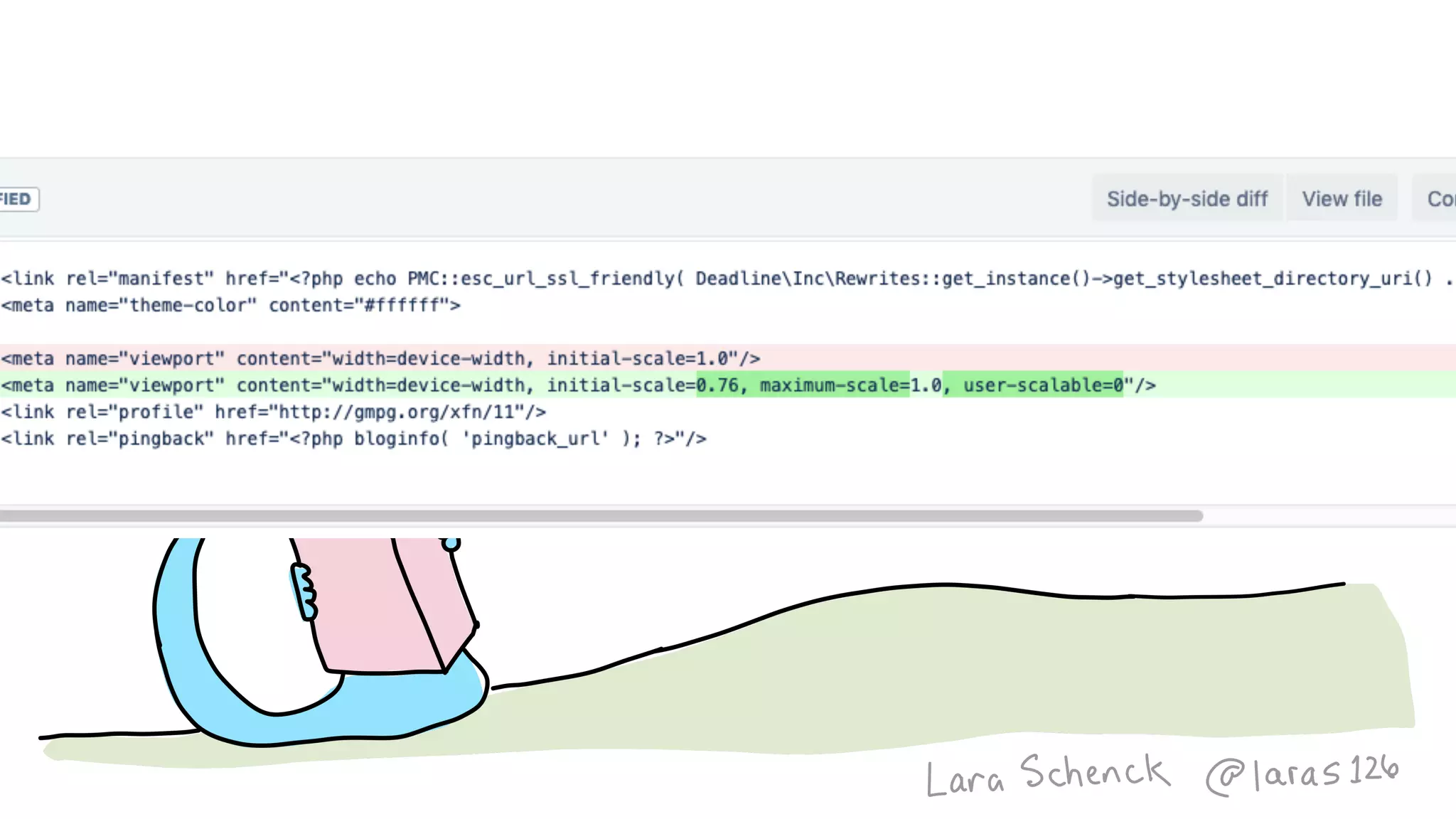
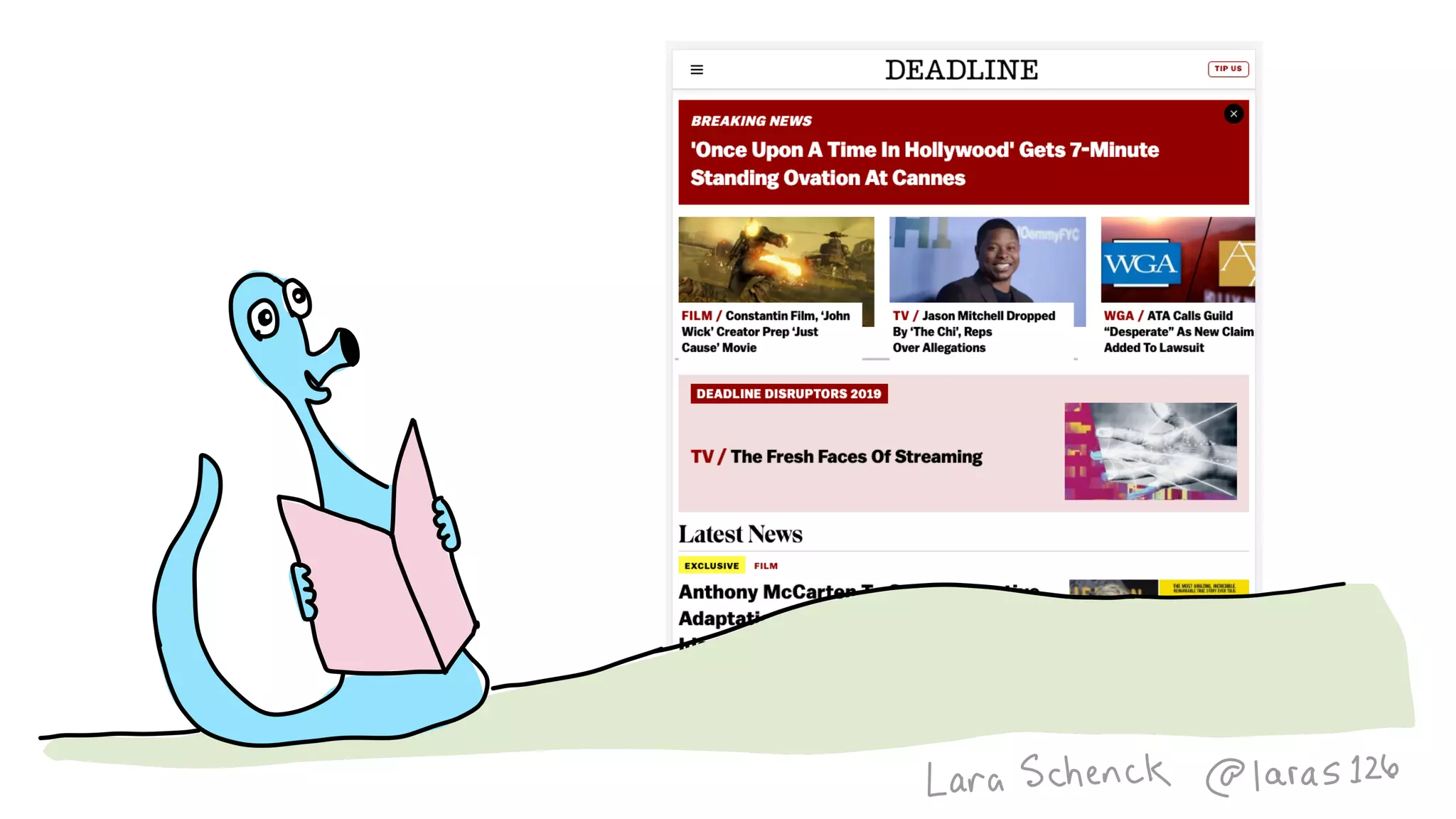
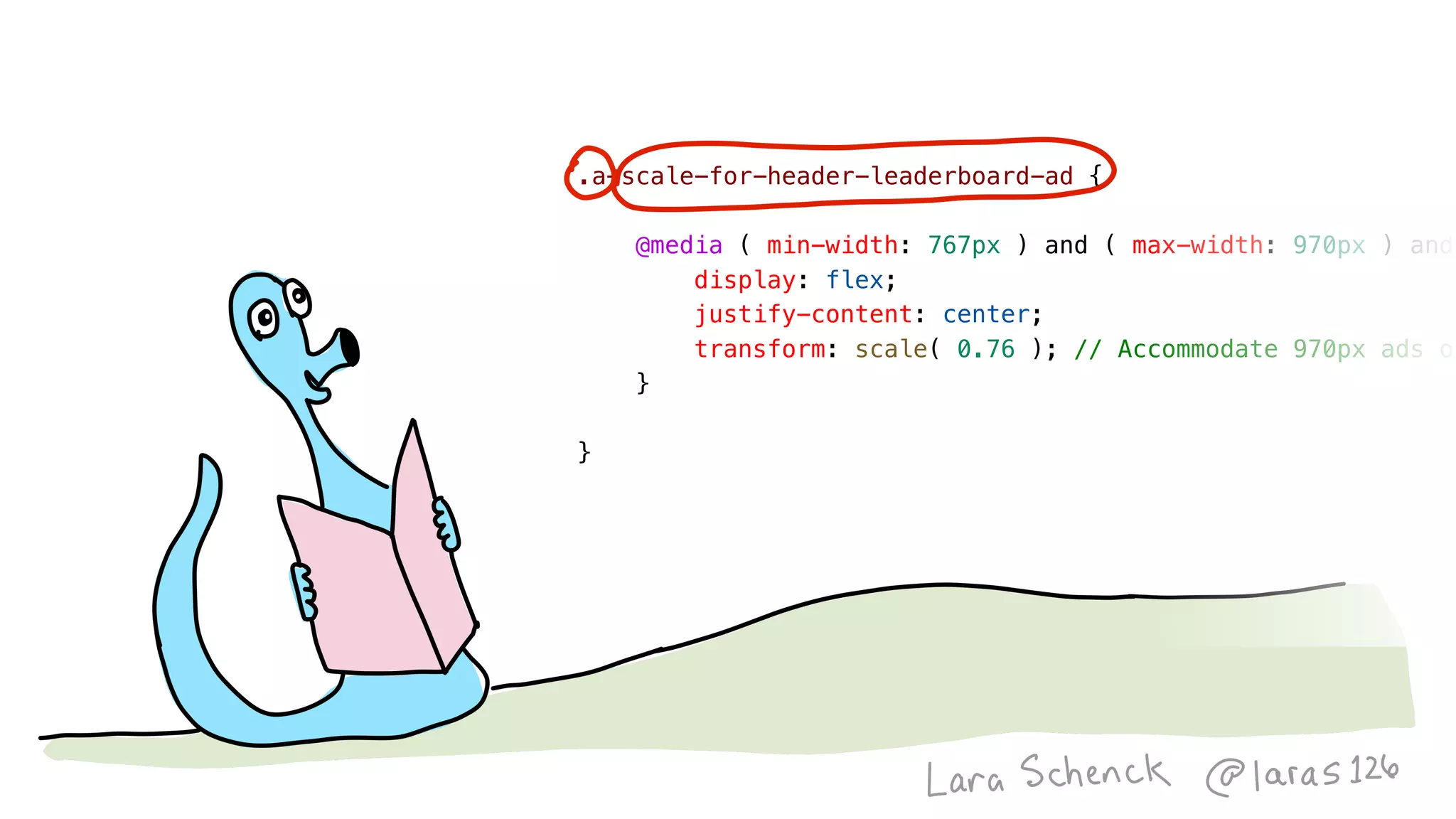
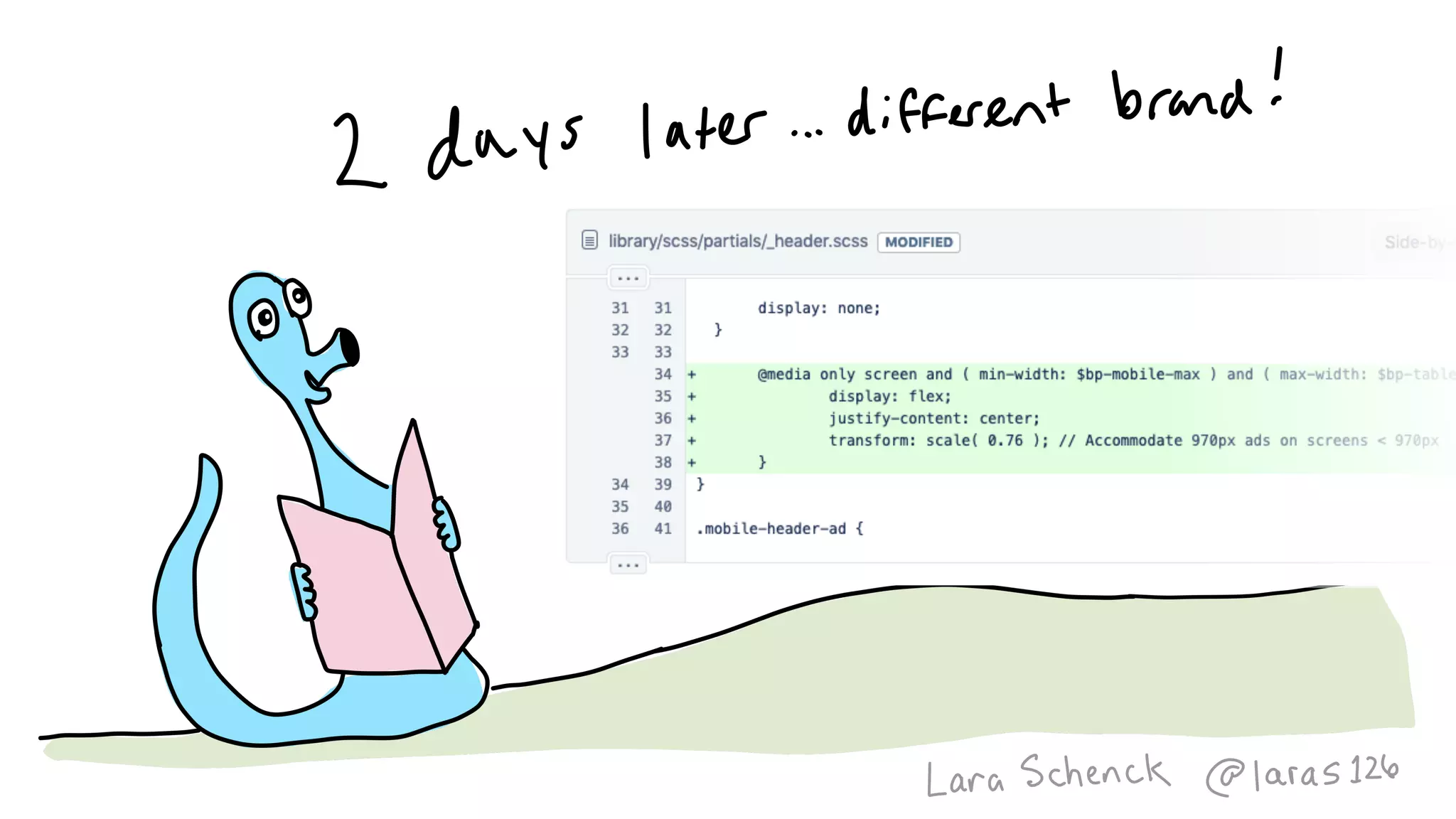
.a-scale-for-header-leaderboard-ad {
    @media ( min-width: 767px ) and ( max-width: 970px ) and
        display: flex;
        justify-content: center;
        transform: scale( 0.76 ); // Accommodate 970px ads on
    }
}
Image
Image
Image
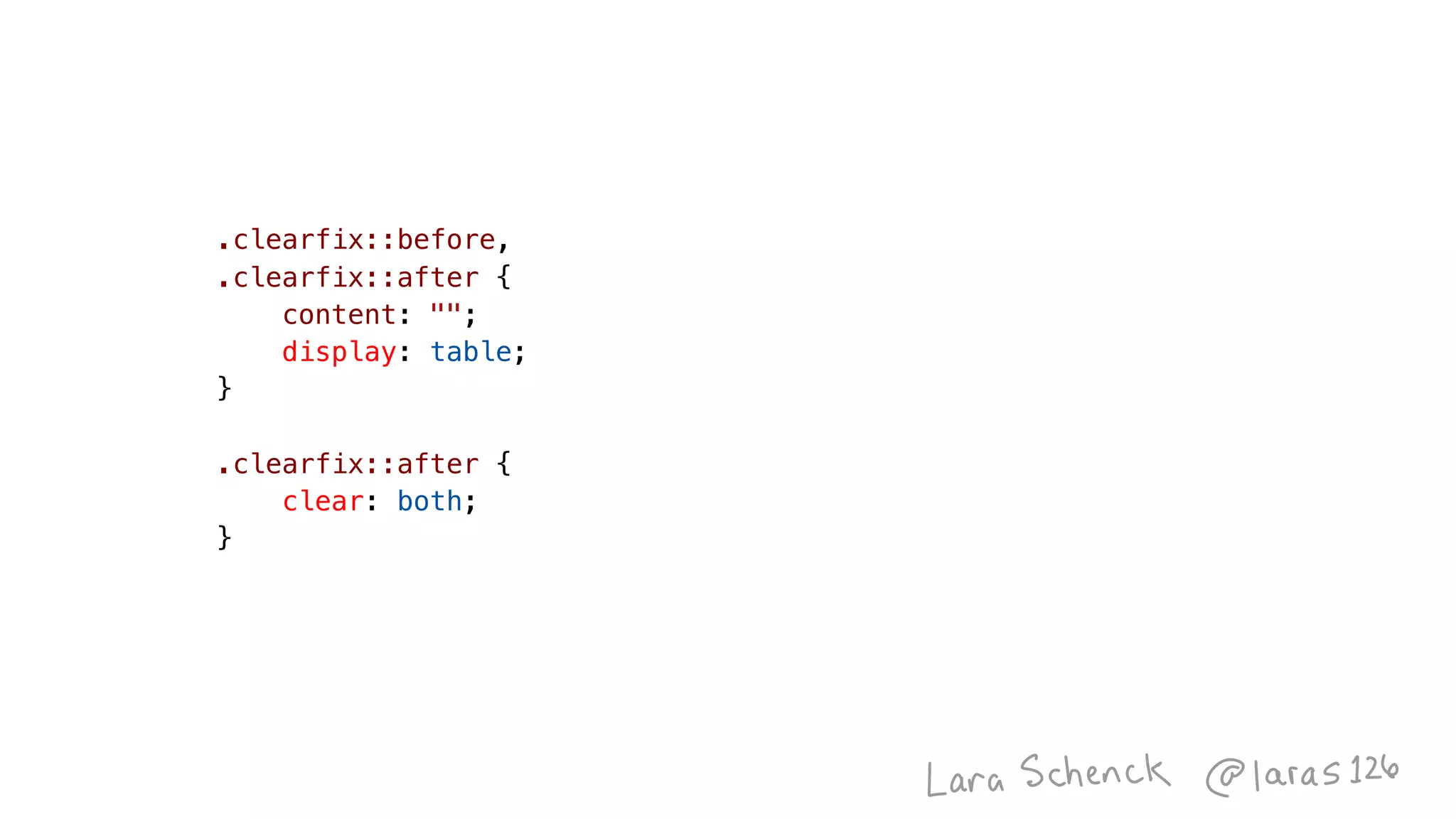
.clearfix::before,
.clearfix::after {
    content: "";
    display: table;
}
.clearfix::after {
    clear: both;
}
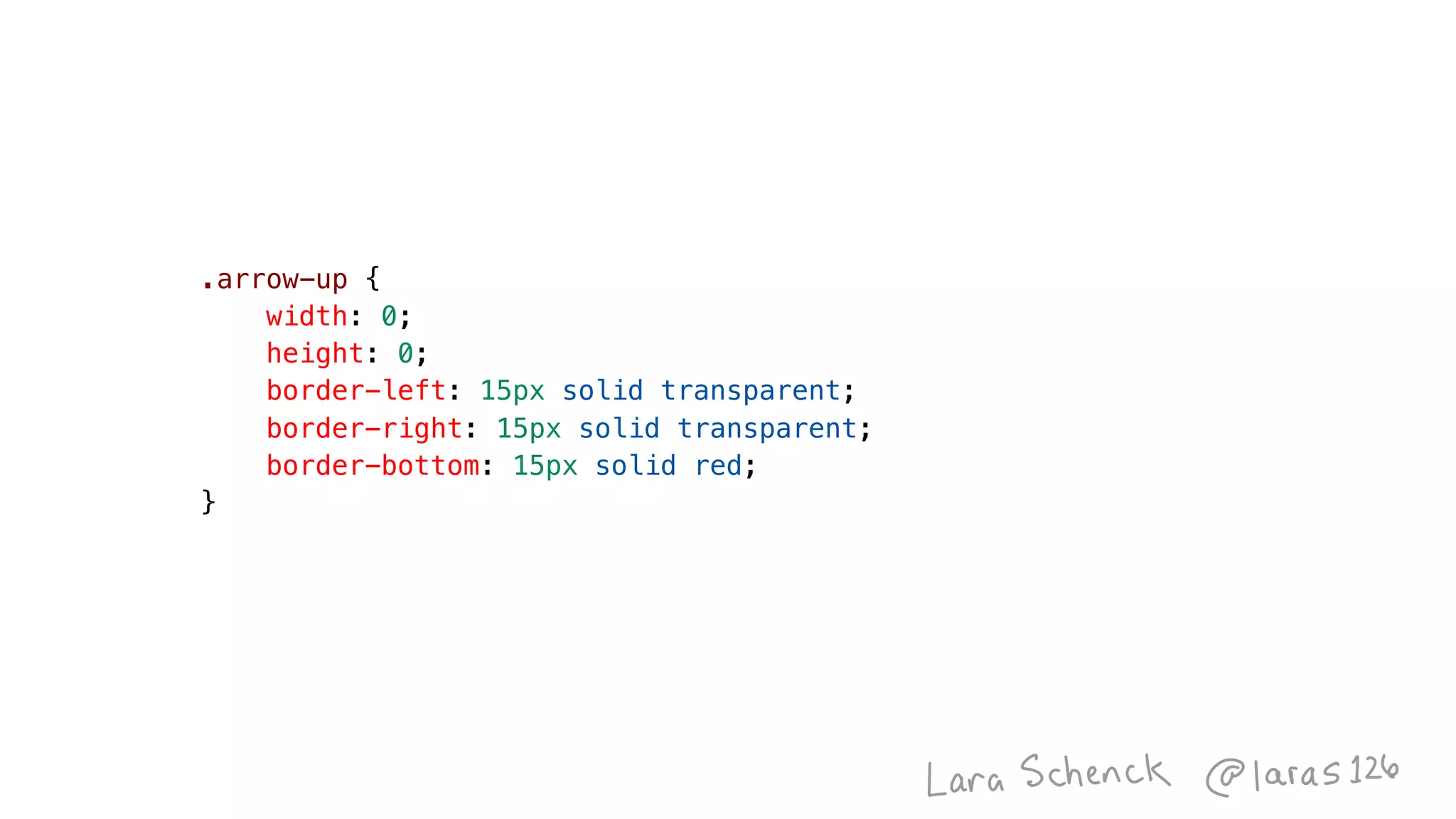
.arrow-up {
    width: 0;
    height: 0;
    border-left: 15px solid transparent;
    border-right: 15px solid transparent;
    border-bottom: 15px solid red;
}
Image
Image
Image
Image
Image
Image
Designgineering Chronicles
Image
Image
Image
Image
Image
Image
Image
Image
Image
Image
Image
Image
Image
Image
Image
Image
Image
Image
Image
Image
Image
Image
Image
Image
Image
Image
Image
Image
Image
Image
Image
Image
Image
Image
Image
Image
Image
Image
Image
Image
Image
Image
Image
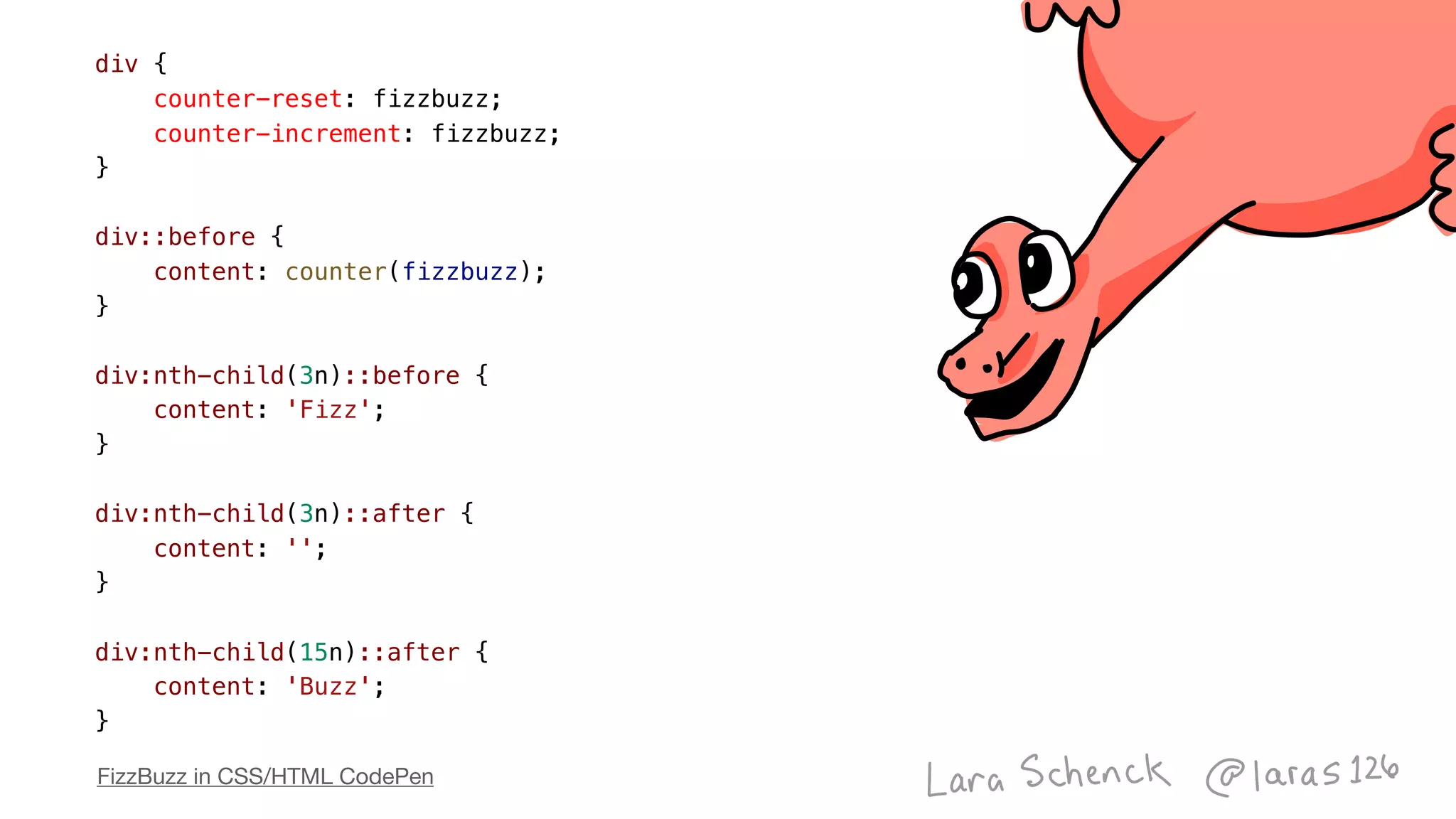
div {
    counter-reset: fizzbuzz;
    counter-increment: fizzbuzz;
}
div::before {
    content: counter(fizzbuzz);
}
div:nth-child(3n)::before {
    content: 'Fizz';
}
div:nth-child(3n)::after {
    content: '';
}
div:nth-child(15n)::after {
    content: 'Buzz';
}
FizzBuzz in CSS/HTML CodePen
Algorithms in CSS v3.1.0 | CSS Day 2019

Algorithms in CSS v3.1.0 | CSS Day 2019

  • 8.
    What is AProgramming Language? By Will Chrichton
  • 13.
  • 14.
  • 49.
  • 52.
  • 53.
  • 54.
  • 55.
  • 56.
    input:checked + input:not(:checked)+ input:not(:checked) + * {     /* Style fourth cell to prompt human to change state */ } if ( cellOne == 1 && cellTwo == 0 && cellThree == 0 ) {     cellFour = 1; }
  • 57.
    Rule 110 inCSS/HTML/Human
  • 59.
    Accidentally Turing Completeby Andreas Zwinkau
  • 69.
    .square {     width: 100px;     height:100px;     background-color: blue; } <div class="square"></div>
  • 70.
    <div class="square"></div> .square--bigger {     width:150px;     height: 150px; } .square--smaller {     width: 50px;     height: 50px; } <div class="square square--bigger"></div> <div class="square square--smaller"></div> .square {     width: 100px;     height: 100px;     background-color: blue; }
  • 71.
    <div class="square"></div>.square {     width:100px;     height: 100px;     background-color: blue; }
  • 72.
    <div class="box"></div>.square {     --square-size:100px;     width: var( --square-size );     height: var( --square-size );     background-color: blue; } <div class="square"></div>
  • 73.
    .square--smaller {     --square-size: 50px; } .square--bigger{     --square-size: 150px; } <div class="square"></div> <div class="square square--bigger"></div> <div class="square square--smaller"></div> .square {     --square-size: 100px;     width: var( --square-size );     height: var( --square-size );     background-color: blue; }
  • 75.
    .square {     ... } <div class="square"></div> .square--smaller{     --square-size: 50px; } .square--bigger {     --square-size: 150px; } <div class="square square--bigger"></div> <div class="square square--smaller square--rounded"></div> <div class="square square--smaller"></div> .square--rounded {     border-radius: 50%; }
  • 77.
    .square--rounded {     border-radius: 50%; } .square{     ... } <div class="square"></div> <div class="square square--rounded
 square--bigger square--yellow"></div> .square--yellow {     background-color: yellow; } .square--bigger {     --square-size: 150px; }
  • 78.
    .square {     --square-size: 100px;     --square-bg-color:blue;     ...     background-color: var( --square-bg-color ); } .square--yellow {     --square-bg-color: yellow; } <div class="square"></div> <div class="square square--rounded square--yellow"></div> .square--rounded { ... } .square--bigger { ... }
  • 80.
    <div class="square"></div>.square {     --square-size:100px;     --square-bg-color: blue;     width: var( --square-size );     height: var( --square-size );     background-color: var( --square-bg-color ); }
  • 81.
    <div class="shape"></div>.shape {     --shape-height:100px;     --shape-width: 100px;     --shape-bg-color: blue;     width: var( --shape-width );     height: var( --shape-height );     background-color: var( --shape-bg-color ); }
  • 82.
    .shape { ...} .shape--smaller {     --shape-height: 50px;     --shape-width: 50px; } .shape--bigger {     --shape-height: 150px;     --shape-width: 150px; } <div class="shape shape--bigger"></div> <div class="shape shape--smaller"></div> <div class="shape shape--rounded
 shape--bigger shape--yellow"></div> .shape--yellow { ... } .shape--rounded { ... } <div class="shape"></div>
  • 83.
    <div class="shape shape--big-square"></div> <divclass="shape shape--small-square"></div <div class="shape shape--rounded
 shape--big-square shape--yellow"></div> .shape { ... } .shape--small-square {     --shape-height: 50px;     --shape-width: 50px; } .shape--big-square {     --shape-height: 150px;     --shape-width: 150px; } .shape--yellow { ... } .shape--rounded { ... } <div class="shape"></div>
  • 84.
    .shape--small-square { ...} <div class="shape shape--big-square"></div> <div class="shape shape--small-square"></div .shape--rectangle {     --shape-height: 50px;     --shape-width: 100px; } <div class="shape shape--rectangle"></div> <div class="shape shape--rounded
 shape--big-square shape--yellow"></div> .shape--yellow { ... } .shape--rounded { ... } .shape { ... } .shape--big-square { ... } <div class="shape"></div>
  • 86.
    .shape--rounded {     border-radius: 50%; } <divclass="shape shape--big-square"></div> <div class="shape shape--small-square"></div <div class="shape shape--rounded
 shape--big-square shape--yellow"></div> <div class="shape shape--rectangle"></div> <div class="shape"></div> .shape--small-square { ... } .shape--rectangle { ... } .shape--yellow { ... } .shape { ... } .shape--big-square { ... }
  • 87.
    <div class="shape shape--big-square"></div> <divclass="shape shape--small-square"></div <div class="shape shape--rectangle shape--rounded"></div> <div class="shape shape--circle
 shape--big-square shape--yellow"></div> .shape--rounded {     border-radius: 20px; } .shape--circle {     border-radius: 50%; } .shape--rectangle { ... } <div class="shape"></div> .shape--small-square { ... } .shape--yellow { ... } .shape { ... } .shape--big-square { ... }
  • 88.
    Sign Up ForOur Newsletter
  • 89.
    <div class="shape shape--big-square"></div> <divclass="shape shape--small-square"></div .shape { ... } .shape--small-square { ... } .shape--big-square { ... } .shape--yellow { ... } .shape--circle { ... } .shape--rounded { ... } <div class="shape shape--rounded-rectangle"></div> <div class="shape shape--circle
 shape--big-square shape--yellow"></div> <div class="shape"></div> .shape--has-text { --shape-height: initial;     --shape-width: initial; } .shape__text {     color: white;     font-size: 16px; } <button class="shape shape--has-text">     <a href="" class="shape__text"></a> </button>
  • 90.
    Sign Up ForOur Newsletter 📝 Sign Up For Our Newsletter
  • 91.
    <div class="shape shape--big-square"></div> <divclass="shape shape--small-square"></div .shape { ... } .shape--small-square { ... } .shape--big-square { ... } .shape--yellow { ... } .shape--circle { ... } .shape--rounded-rectangle { ... } <div class="shape shape--rounded-rectangle"></div> <div class="shape shape--circle
 shape--big-square shape--yellow"></div> <div class="shape"></div> .shape--has-text { --shape-height: initial;     --shape-width: initial; } .shape__text {     color: white;     font-size: 16px; } <button class="shape shape--has-text">     <a href="" class="shape__text"></a> </button>
  • 98.
    Robert C. Martinin The Future of Programming
  • 102.
    Immutable CSS onCSS Wizardry
  • 104.
    .square {     width: 100px;     height:100px;     background-color: blue; } <div class="square"></div>
  • 105.
    <div class="shape"></div>.shape {     --shape-height:100px;     --shape-width: 100px;     --shape-bg-color: blue;     width: var( --shape-width );     height: var( --shape-height );     background-color: var( --shape-bg-color ); }
  • 109.
    What is ProgrammingAnyway? by Felienne
  • 114.
    .square {     width: 100px;     height:100px;     background-color: blue; } <div class="square"></div>
  • 115.
    <div class="shape shape--big-square"></div> <divclass="shape shape--small-square"></div .shape { ... } .shape--small-square { ... } .shape--big-square { ... } .shape--yellow { ... } .shape--circle { ... } .shape--rectangle { ... } <div class="shape shape--rounded-rectangle"></div> <div class="shape shape--circle
 shape--big-square shape--yellow"></div> <div class="shape"></div> .shape--has-text { --shape-height: initial;     --shape-width: initial; } .shape__text {     color: white;     font-size: 16px; } <button class="shape shape--has-text">     <a href="" class="shape__text"></a> </button>
  • 116.
    .square {     width: 100px;     height:100px;     background-color: blue; } <div class="square"></div>
  • 117.
    .square {     width: 100px;     height:100px; } <div class="square"></div> <div class="square square--smaller u-background-blue"></div> .u-background-blue {     background-color: blue; }
  • 128.
    function sort(array) { for(let i = 0; i < array.length; i++) { for (let ii = 0; ii < array.length; ii++) { if (array[ii] > array[ii+1]) { let temp = array[ii]; array[ii] = array[ii+1]; array[ii+1] = temp; } } } return array; } var sorted = sort([4, 2, 1, 3]);
  • 131.
  • 133.
  • 152.
    .a-scale-for-header-leaderboard-ad {     @media (min-width: 767px ) and ( max-width: 970px ) and         display: flex;         justify-content: center;         transform: scale( 0.76 ); // Accommodate 970px ads on     } }
  • 156.
    .clearfix::before, .clearfix::after {     content: "";     display:table; } .clearfix::after {     clear: both; }
  • 157.
    .arrow-up {     width: 0;     height:0;     border-left: 15px solid transparent;     border-right: 15px solid transparent;     border-bottom: 15px solid red; }
  • 164.
  • 208.
    div {     counter-reset: fizzbuzz;     counter-increment:fizzbuzz; } div::before {     content: counter(fizzbuzz); } div:nth-child(3n)::before {     content: 'Fizz'; } div:nth-child(3n)::after {     content: ''; } div:nth-child(15n)::after {     content: 'Buzz'; } FizzBuzz in CSS/HTML CodePen