Summary: in this tutorial, you will learn how to create a new database in SQL Server and execute the script to load the sample database.
First, you need to download the following zip file if you have not done so:
Download SQL Server Sample Database
Second, uncompress the zip file, you will see three SQL script files:
-
BikeStores Sample Database - create objects.sql– this file is for creating database objects including schemas and tables. -
BikeStores Sample Database - load data.sql– this file is for inserting data into the tables -
BikeStores Sample Database - drop all objects.sql– this file is for removing the tables and their schemas from the sample database. It is useful when you want to refresh the sample database.
Third, let’s create a database, create the schemas and tables, and load the sample data.
Step 1 #
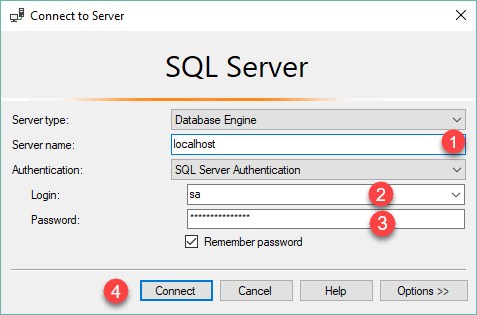
Connect to the SQL Server by (1) choosing the server name, (2) enter the user and (3) password and (4) click the Connect button.
Step 2 #
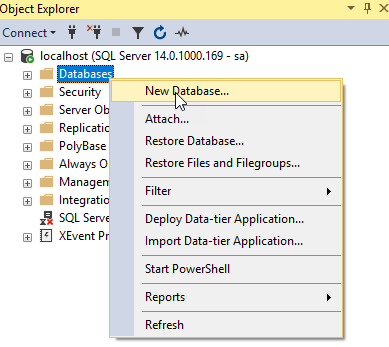
Right-click the Databases node in the Object Explorer and select the New Database… menu item
Step 3 #
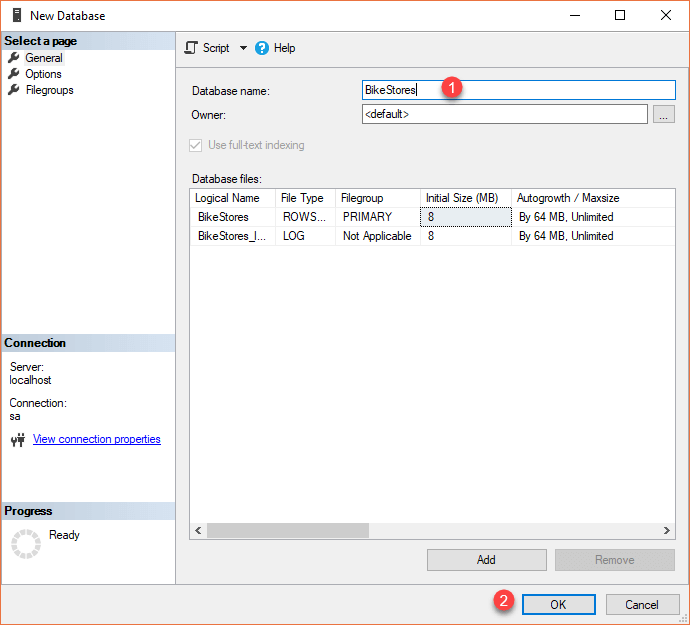
(1) Enter the Database name as BikeStores and (2) click the OK button to create the new database.
Step 4 #
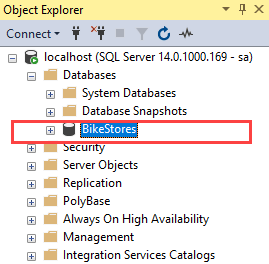
If everything is fine, you will see the database BikeStores appears under Databases node as shown in the screenshot below:
Step 5 #
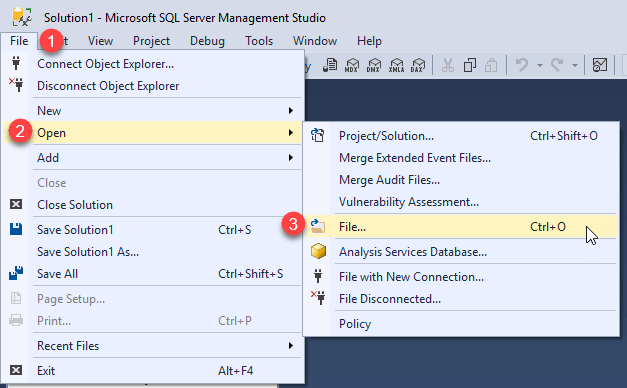
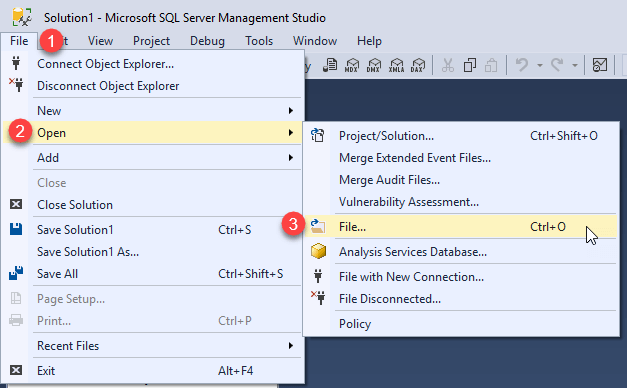
From the File menu, choose Open > File… menu item to open a script file.
Step 6 #
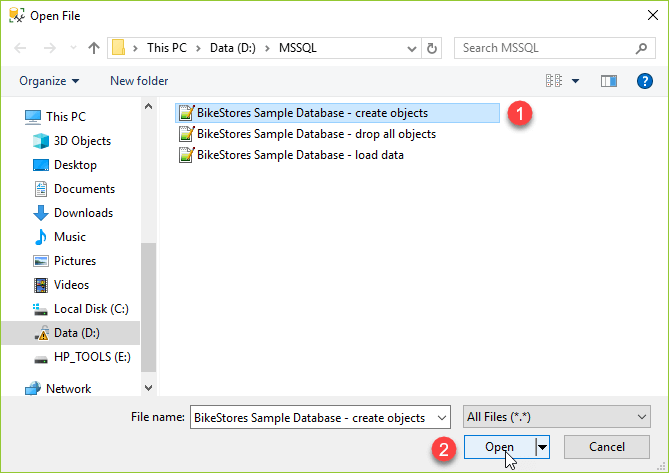
Select the BikeStores Sample Database – create objects.sql file and click the Open button
Step 7 #
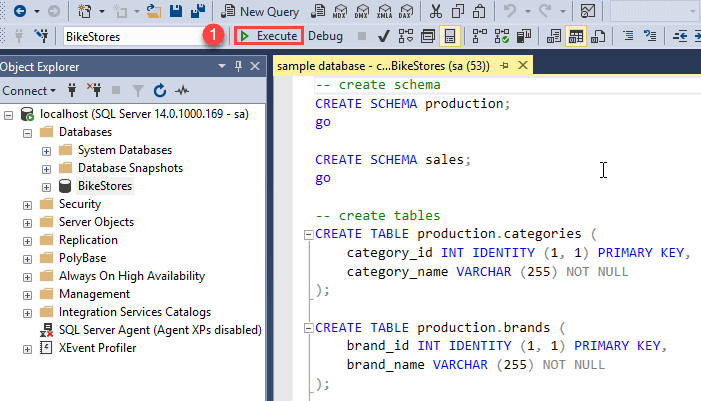
Click the Execute button to execute the SQL script.
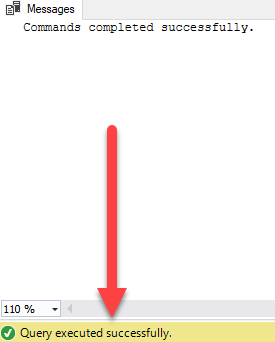
You should see the following result indicated that the query executed successfully.
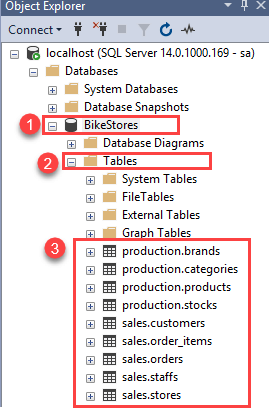
If you expand the BikeStores > Tables, you will see the schemas and their tables are created as shown below:
Step 8 #
Open the file for loading data into the tables.
Step 9 #
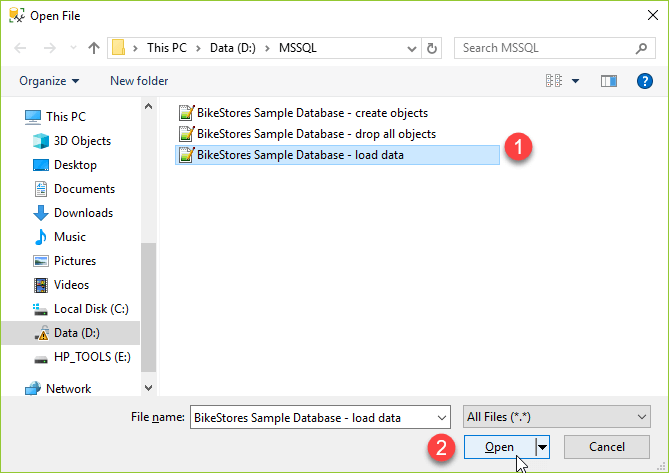
Choose the BikeStores Sample Database – load data.sql file and click the Open button.
Step 10 #
Click the Execute button to load data into the tables.
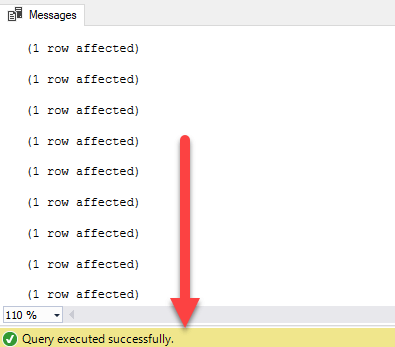
You should see the following message indicating that all the statements in the script were executed successfully.
In this tutorial, you have learned how to load the BikeStores sample database into the SQL Server.


