Robust crypto trading for your PC
Download Binance for Windows to experience one of the world’s leading cryptocurrency exchanges in a dedicated desktop environment. The Binance Windows application gives users fast access to real-time crypto trading tools, market insights, and account management directly from their PC—without relying on a browser. Whether you’re a casual trader or a crypto veteran, Binance’s desktop platform provides a feature-rich, secure, and customizable environment to manage your digital assets quickly and confidently.
Binance’s expansion to Windows desktops reflects its global appeal and its commitment to delivering seamless performance across devices. From placing trades to analyzing charts, this app is designed to streamline your workflow and keep you connected to the market at all times. Its optimized desktop design also reduces browser clutter and memory load, freeing up resources for multitasking with other trading tools or research platforms.
Why download Binance for Windows?
When you get Binance for Windows, you get access to a high-performance trading terminal explicitly built for the desktop experience. It offers faster loading times, better stability under heavy trading conditions, and a distraction-free interface that gives you total control over your crypto portfolio.
With native desktop support, Binance users can multitask, monitor charts, and execute trades simultaneously—something that’s harder to manage on mobile or in browser tabs. For day traders, the ability to keep a real-time dashboard open and running continuously is a major productivity boost. The added benefit of desktop notifications is that they allow traders to stay informed of price movements without constantly monitoring the screen.
Key features
Advanced trading tools
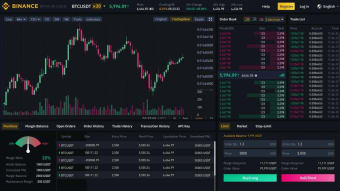
Use multiple chart views, set up limit and market orders, track open positions, and access advanced tools like stop-loss, OCO (One Cancels the Other), and grid trading strategies.
Real-time charts and market data
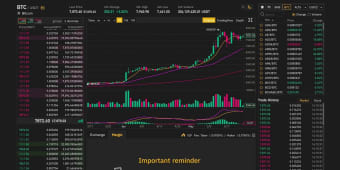
Binance offers detailed candlestick charts, technical indicators, depth charts, and live order books—allowing you to make informed trading decisions quickly.
Secure login and two-factor authentication (2FA)
Account safety is a top priority. The app supports 2FA, biometric login (where supported), and device whitelisting to protect your funds.
Customizable interface
You can rearrange your trading windows, create watch lists, and set alerts for price movements. The interface is designed for flexibility, letting you build your ideal trading layout.
Multi-language support
The app supports dozens of languages, making it accessible to users from around the world.
Low resource usage
Despite its powerful features, the Binance Windows app is lightweight and optimized for performance, even on mid-range systems.
Frequent updates
The desktop app receives regular updates to improve security, functionality, and market accessibility, ensuring you always have the latest trading features at your fingertips.
Compatibility and system requirements
Binance for Windows is built to run smoothly on most modern Windows systems. It is regularly updated to support the latest security protocols and interface improvements.
Supported operating systems:
- Windows 10 and Windows 11 (64-bit)
Minimum system requirements:
- Processor: Dual-core 2.0 GHz or faster
- RAM: 4 GB minimum (8 GB recommended)
- Storage: 150 MB available disk space
- Internet: Stable broadband connection
- GPU: Integrated graphics supported; dedicated GPU recommended for chart-heavy workflows
The app can be downloaded directly from the official Binance website, and setup takes only a few minutes. Installation is quick and does not require technical expertise. You’ll need to log in or create a Binance account to access your dashboard, fund your wallet, and start trading.
New users can verify their identity, deposit fiat currencies or crypto, and begin trading, all from within the desktop platform. Existing accounts can be accessed on desktop, mobile, and browser interchangeably. The unified account system ensures that your balance, history, and settings stay consistent across all devices.
Why Binance for Windows is a top choice for desktop crypto trading
Download Binance for Windows to experience professional-grade cryptocurrency trading on your desktop in a fast, reliable, and highly secure environment. The intuitive layout, real-time performance, and extensive toolkit make it perfect for both beginners looking to get started and advanced traders who need maximum control.
As the crypto market continues to expand, having a dependable platform that provides direct access to your assets and trading tools is essential. The desktop version of Binance allows you to manage your portfolio more effectively, spot market opportunities faster, and customize your trading setup to your specific needs. It’s an excellent solution for active traders who value speed, stability, and full-screen productivity.
You can also explore other complementary tools in the ecosystem to expand your crypto capabilities further. OKX is another major exchange offering futures, options, and DeFi services alongside spot trading, with an emphasis on innovation and global reach. MetaMask is a browser-based wallet ideal for interacting with decentralized apps, managing NFTs, and securely storing Ethereum-based tokens across multiple networks. Crypto Voucher provides a convenient way to purchase crypto using prepaid vouchers, which is especially useful for those new to the market or seeking a simple, card-free onramp to digital assets. Together, these tools create a well-rounded crypto toolkit that enhances every aspect of Windows's trading, investment, storage, and asset management process while offering flexibility for both centralized and decentralized finance users.
If you want to manage your digital assets securely while enjoying the speed and power of a native desktop application, download Binance for Windows and elevate your crypto trading experience today.