མཐུད་སྣེ་འགྲེལ་བྱང་།: adminbar
-

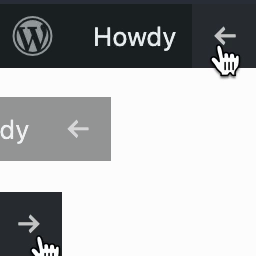
Hide Admin Bar from Non-Admins
Hides the WordPress toolbar (admin bar) for all non-admin users. Simple plugin with no settings to configure.
-
-

Better Admin Bar
The WordPress Admin Bar reimagined. Replace the default WordPress admin bar and provide logged-in users the user experience they deserve.
-
Bottom Admin Toolbar
Natively WordPress doesn't offer the possibility to change your admin bar position. With that simple extension you can stick it at the bottom for …
-
-
-
-

Contextual Adminbar Color
Use custom admin bar colors and favicons to differentiate your environments (staging/prod)
-

Admin Bar Fix
Fix broken layout when too many items are displayed in the admin bar, remove annoying top margin, hide some unnecessary items from your admin bar
-

Custom Adminbar Menus
This is a simple plugin for adding custom navigation menus to your WordPress Adminbar.
-

Admin Bar Wrap Fix
Fixes the wrap behavior of the WordPress admin bar when it has too many items. Keep it neat; don't spill/overflow into the content.
-

Toggleable Admin Bar
Allows you to toggle the admin bar on the front end. Useful for websites with fixed positioned elements where the admin bar is in the way.
-
-

Admin Bar Menu Packer
Gather many menu items on toolbar into one menu to prevent the bar from getting cluttered. Simple and easy but useful.
-

Tambar – Bottom Admin Bar
The sticky header is a widely used feature on many websites, but it can conflict with the WordPress admin bar. Tambar effectively resolves this issue!
-

Apermo AdminBar
This plugin allows you to add links between a development, staging and live version of your website, and adds them to the AdminBar.
-
-

Admin Bar in Fullscreen Mode
Adds the missing WordPress admin bar in WordPress Gutenberg editor when it is fullscreen.