
Description
Paid Member Subscriptions is the #1 WordPress membership plugin focused on growing recurring revenue.
Increase conversions and generate subscription revenue with a feature-packed membership solution. It lets you accept recurring payments, register and manage new members, create subscription plans and restrict access to premium content.
Paid Member Subscriptions is designed to help you kickstart your subscription business in just a few minutes and begin generating income as quickly as possible.
Integrates with WooCommerce, allowing you to restrict product viewing and purchasing to members-only as well, offer special discounted product price based on subscription plans as well as allow your customers to purchase subscription plans through the WooCommerce Checkout.
You can also use it to setup an Elementor membership site fast and easy.
Free Demo | Compare Free vs Pro | Documentation
Optimize Membership Monetization And Boost Your Revenue
Offer premium access and exclusive benefits for members, establishing a thriving paid community that generates income through membership fees or subscription plans. This is ideal for:
* Paid Membership Services
* Online Courses
* Online Coaching
* Online Consultancy Services
Automate Revenue Streams With Our Proven Membership Tools
Keep your focus on content creation while Paid Member Subscriptions takes care of consistently generating revenue for you through its automated recurring revenue model. This is ideal for:
* Content restriction on blogs, news sites, and content hubs
* Members-only content subscriptions
* Private WooCommerce Stores
* Members-Only WooCommerce Stores
Build And Grow Your Community While Also Monetizing It
Communities are all about collaboration. By giving members the opportunity to gain exposure, promote their services or create networking opportunities, you’re building a valuable community that people are willing to pay to be a part of. This is ideal for:
* Business Directories
* Member Directories
* Online Associations and Clubs
* Online Communities
Shortcodes & Blocks for Member Registration, Login, Content Restriction and managing Membership Plans
You can use one of the following shortcodes or available blocks to get started:
- [pms-register] – adds a front-end user registration form where users can purchase a membership level
- [pms-login] – create a front-end member login form
- [pms-restrict subscription_plans=”9,10″] Special content for members subscribed to the subscription plans that have the ID 9 and 10! [/pms-restrict] – to restrict content based on subscription plans or logged in status
- [pms-account] – setup a WordPress members area where members can easily edit their account information and manage their subscription plan(s)
- [pms-payment-history] – adds a front-end table with the member’s payment history
- [pms-recover-password] – adds a recover password password form, that enables users to reset their password if needed
Membership Modules:
Content Restriction
You’ll find it really simple to restrict entire posts, pages or custom post types or just portions of them.
Restrict Content offers you options to:
- display content based on logged in status
- show content to members only, setup private pages for subscribers
- partial content display by using the [pms-restrict][/pms-restrict] shortcode
- display another template for restricted posts
-
restrict Gutenberg blocks
Integrates with Elementor page builder allowing you to restrict content for Elementor sections and widgets based on logged in status or subscription plans, by using the visual interface.
Membership Payments
Accept PayPal or direct credit card payments from your subscribers. You can keep track of all member payments, payment statuses and purchased subscription plans. Access to detailed payment logs.
Recurring Payments
Ability to accept recurring payments through the PayPal or Stripe payment gateways. The recurring setting can be forced or you can let the user choose whether he wants to subscribe for a recurring subscription or not.
Hierarchical Subscription Plans
You can create an unlimited number of hierarchical subscription plans (eg: Free, Silver, Gold). Each new user can choose a membership plan (subscription) during the registration process.
Existing users can purchase a subscription plan from a page with the [pms-register] shortcode, similar to new users.
Members can upgrade their subscription plan from the [pms-account] page, the same page also allows the member to Renew, Cancel or Abandon his subscription.
Subscription plans can offer free and/or paid memberships on your website.
Discount Codes
Create an unlimited number of discount codes and offer percentage or flat rate based discounts for your memberships.
Members Management
Have an overview of all your members and their subscription plans. Easily add/remove members or edit their subscription details.
Membership Emails and Messages
Customize default member emails and setup member messages sent/displayed on certain user actions.
Admin emails can also be customized.
Free Trial and Sign-up Fees
You can configure your subscription to have a free trial period and a sign-up fee, allowing you to have more control on your subscription setup.
Pay in Installments
Configure a subscription that ends after a certain amount of billing cycles.
Stripe
Effortlessly process credit card payments, both one-time and recurring, directly on your website with Stripe. Stripe provides a secure and intuitive payment solution that seamlessly integrates with your WordPress site, ensuring smooth transaction management and an enhanced user experience.
Accept a wide range of additional payment methods including Apple Pay, Google Pay, Bancontact, iDeal, Giropay, and more. Allow your users to save their cards and make one click purchases.
Reports and Exports
Whether you prefer to maintain your own records of your members’ database, do custom reports , or you simply need to import records into another service or application, such as MailChimp or Excel, you can do that with Paid Member Subscriptions. Export all member records to a CSV at anytime.
Payment history can be exported to a CSV file, letting you then import the payment data into Excel, QuickBooks, or other accounting software that can process a CSV file.
WooCommerce Integration
Paid Member Subscriptions integrates beautifully with WooCommerce, allowing you to do the following out of the box:
- Create a Members-only Store – restrict access to the Shop page to members-only
- Restrict Product Viewing and Purchasing – control who can see or purchase a WooCommerce product based on logged in status and subscription plan. Easily create members-only products.
- Offer discounted product prices to members – offer special product prices to members based on their active subscription. Set membership discounts per product or subscription plan.
- Sell subscription plans as products – associate products with Subscription Plans to offer customers a membership with a product purchase or allow customers to purchase Paid Member Subscriptions plans using the WooCommerce Checkout
Others
- automatic refunds directly from your WordPress dashboard
- GDPR
- automatically log users in
- hide admin bar
- prevent account sharing
- redirect default WordPress pages
- setup a WordPress members area
- enable reCaptcha v2 or v3 on your forms
Powerful Add-ons
Paid Member Subscriptions has a range of premium Add-ons that allow you to extend the power of the membership plugin:
Basic Add-ons (available in the Agency, PRO or Basic versions)
- Global Content Restriction – add global content restriction rules to subscription plans, based on post type, taxonomy and terms
- Email Reminders – create multiple automated email reminders that are sent to members before or after certain events take place (subscription expires, subscription activated etc.)
- Advanced Subscription Toolkit – extend your Subscription Plans and Discount Codes with extra options like automatic downgrade after expiration, limit member count, schedule availability for subscription plans and more
- LearnDash – create multiple automated email reminders that are sent to members before or after certain events take place (subscription expires, subscription activated etc.)
- Navigation Menu Filtering – dynamically display menu items based on logged-in status as well as selected subscription plans
- Fixed Period Membership – create subscriptions plans that end at a specific date, no matter when a member subscribes to it.
- Pay What You Want – accept donations and let subscribers pay what they want when purchasing a subscription plan
- bbPress – integrate Paid Member Subscriptions with the popular forums plugin, bbPress, to restrict your forums and topics.
Pro Add-ons (available in the Agency & PRO versions only)
- Gift Subscriptions – Let members purchase subscription plans as gifts for others. Perfect for holidays, special occasions, or rewarding team members with instant or claimable subscriptions
- Pause Subscriptions – Allow members to temporarily pause recurring subscriptions without canceling. Maintain membership relationships while billing is suspended with flexible pause durations and limits
- Multiple Currencies – Enable visitors to pay in their local currency, either through automatic location detection or by manually selecting their preferred currency
- Pro Rate – Pro-rate subscription plan Upgrades and Downgrades, offering users a discount based on the remaining time for the current subscription
- Tax & EU VAT – collect tax or vat from your users depending on their location, with full control over tax rates and who to charge
- Group Memberships – sell group subscriptions to your users
- Content Dripping – create schedules for your content, making posts or categories available for your members only after a certain time has passed since they signed up for a subscription plan
- Multiple Subscriptions per User – setup multiple subscription level groups (e.g. Physics, Math) and allow members to sign up for more than one subscription plan, one per group (e.g. Physics Beginner and Math Advanced)
- Invoices – both you and your members will be able to download PDF invoices for each payment that has been completed
- Files Restriction – secure your valuable content and ensure it reaches only those who have subscribed and paid for access
- Mailchimp – integrate Mailchimp to keep your membership audience up to date. Automatically add or update subscribers, enable Double Opt-In, and sync custom fields between Mailchimp and member profiles
- Brevo – sync your members with Brevo to manage contacts smoothly. Automate newsletter subscriptions, use Double Opt-In for compliance, and link custom fields between Brevo and your member data
The Ultimate Membership Bundle
Combine user registration, memberships, and recurring revenue in one powerful plugin bundle called the Ultimate Membership Bundle.
Get access to both Paid Member Subscriptions Pro and our all in one user management plugin, Profile Builder Pro. These two plugins are designed to work perfectly together, offering you a powerful toolkit for managing and expanding your user base while generating revenue through paid memberships and recurring revenue.
Paid Member Subscriptions in your Language
We’re focusing on translating Paid Member Subscriptions in as many languages as we can. So far, the translations for 10 languages are almost complete, but we still need help on a lot of other languages, so please join us at translate.wordpress.org
You will be able to download all the available language packs as well as help us translate Paid Member Subscriptions in your language.
For more information please visit our documentation page
Website
https://www.cozmoslabs.com/wordpress-paid-member-subscriptions/
Documentation
https://www.cozmoslabs.com/docs/paid-member-subscriptions/
Addons
https://www.cozmoslabs.com/paid-member-subscriptions-add-ons/
Screenshots

Member Registration Form (Account Details + Select Payment Method) 
Membership options: Group Memberships, Fixed Period Subscription & Pay What You Want & more 
Select your subscription plan and billing details form in Paid Member Subscriptions 
Member Account – Subscription Plan Details 
Member Profile – Edit Account and Billing Details 
Member discounted products for WooCommerce store 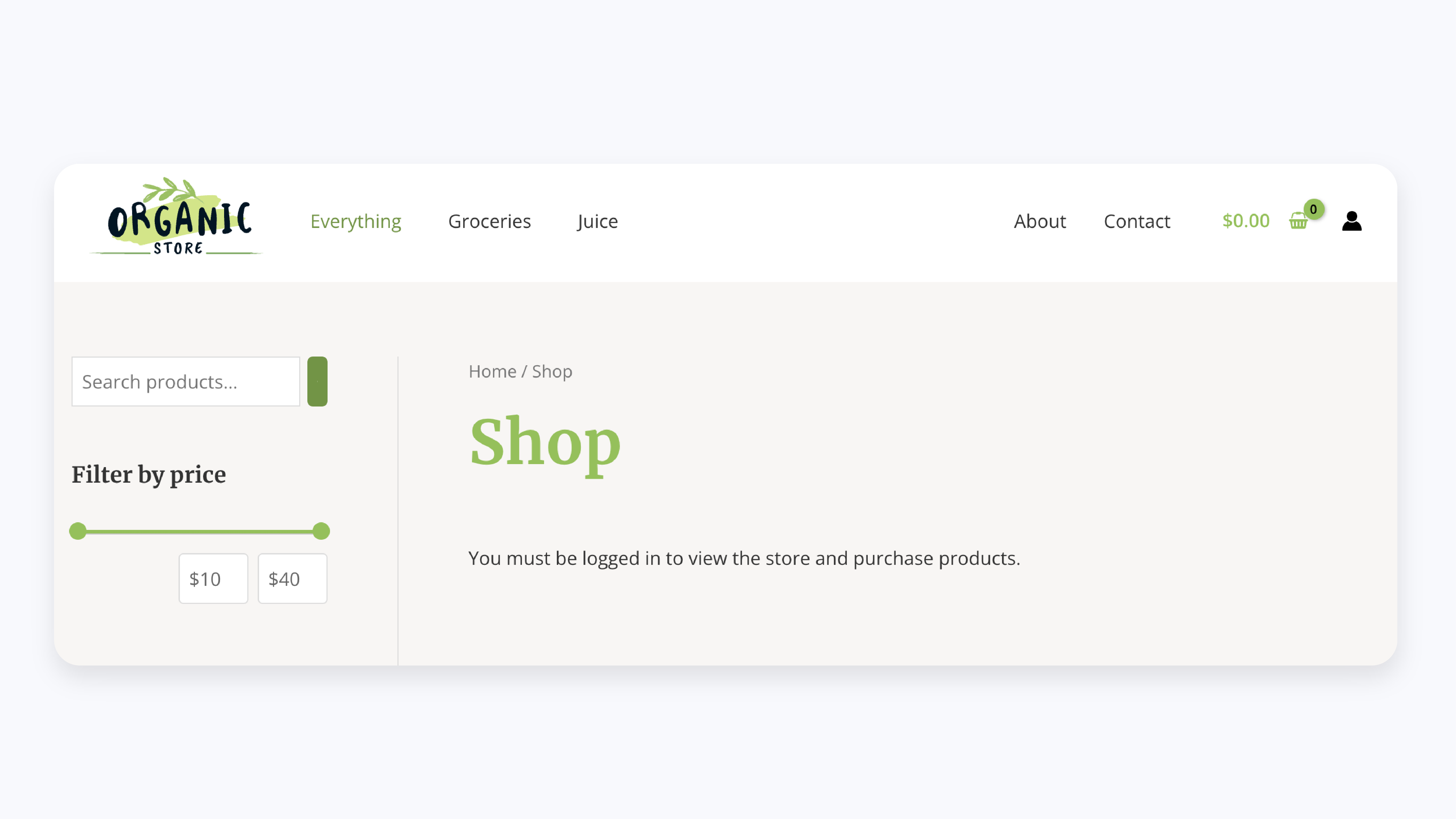
WooCommerce shop page restricted on the front-end for non-members 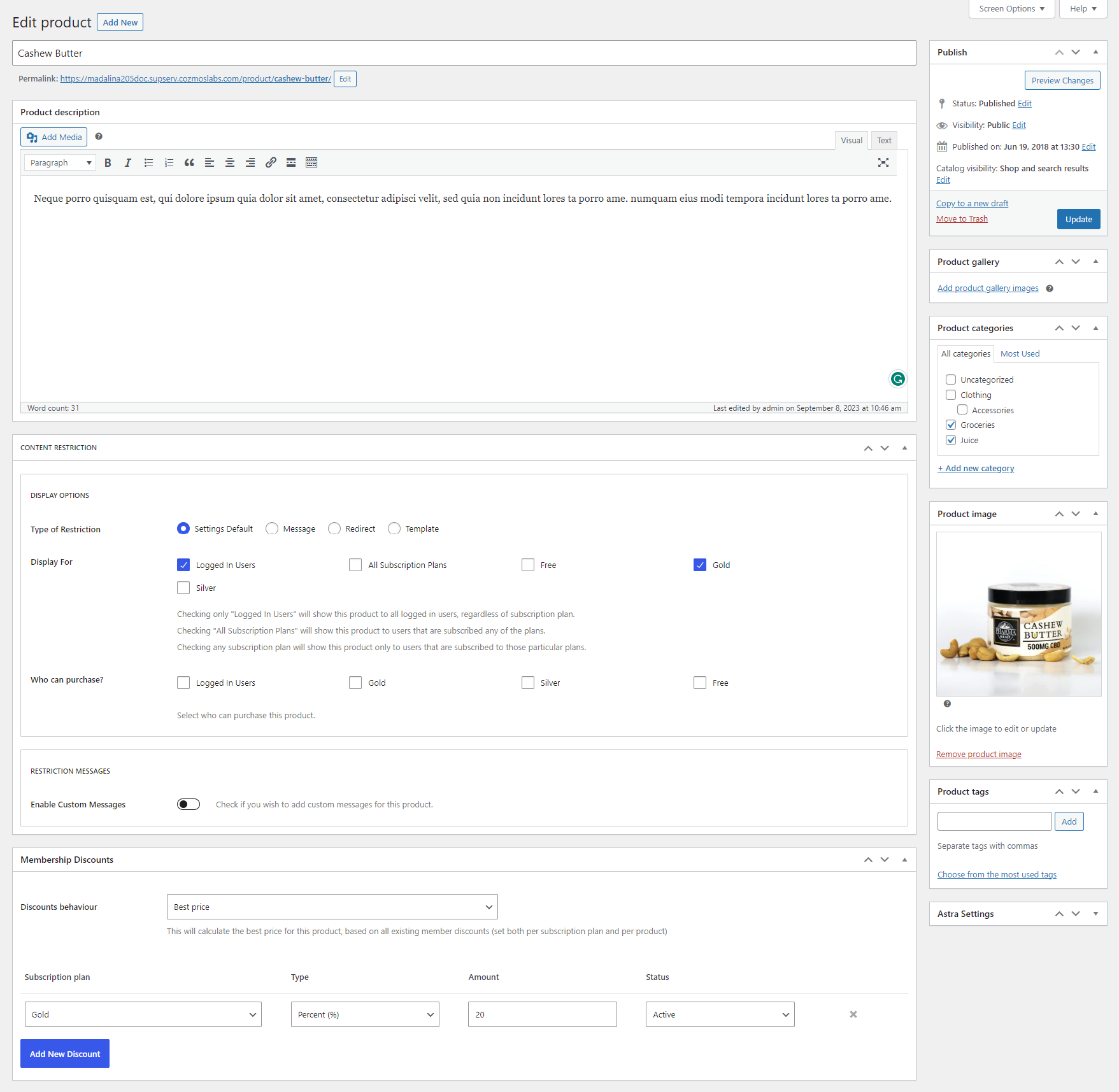
WooCommerce product discounts for members and restriction settings for individual product 
Paid Membership Subscriptions onboarding wizard 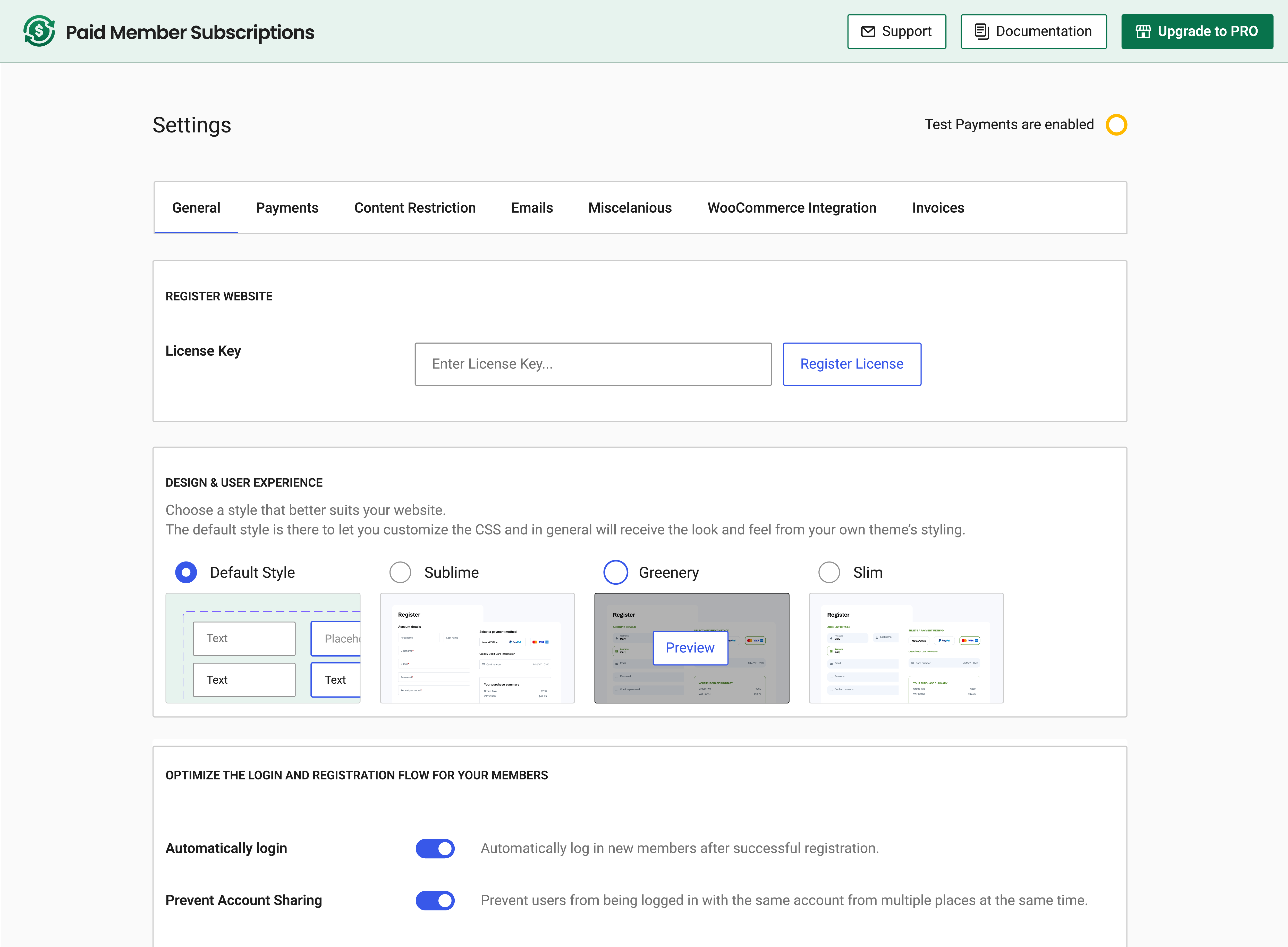
Settings interface – Membership, Recurring Payments, Content Restriction & more 
Subscription Plans listing from Paid Member Subscriptions – membership plugin 
Members Management 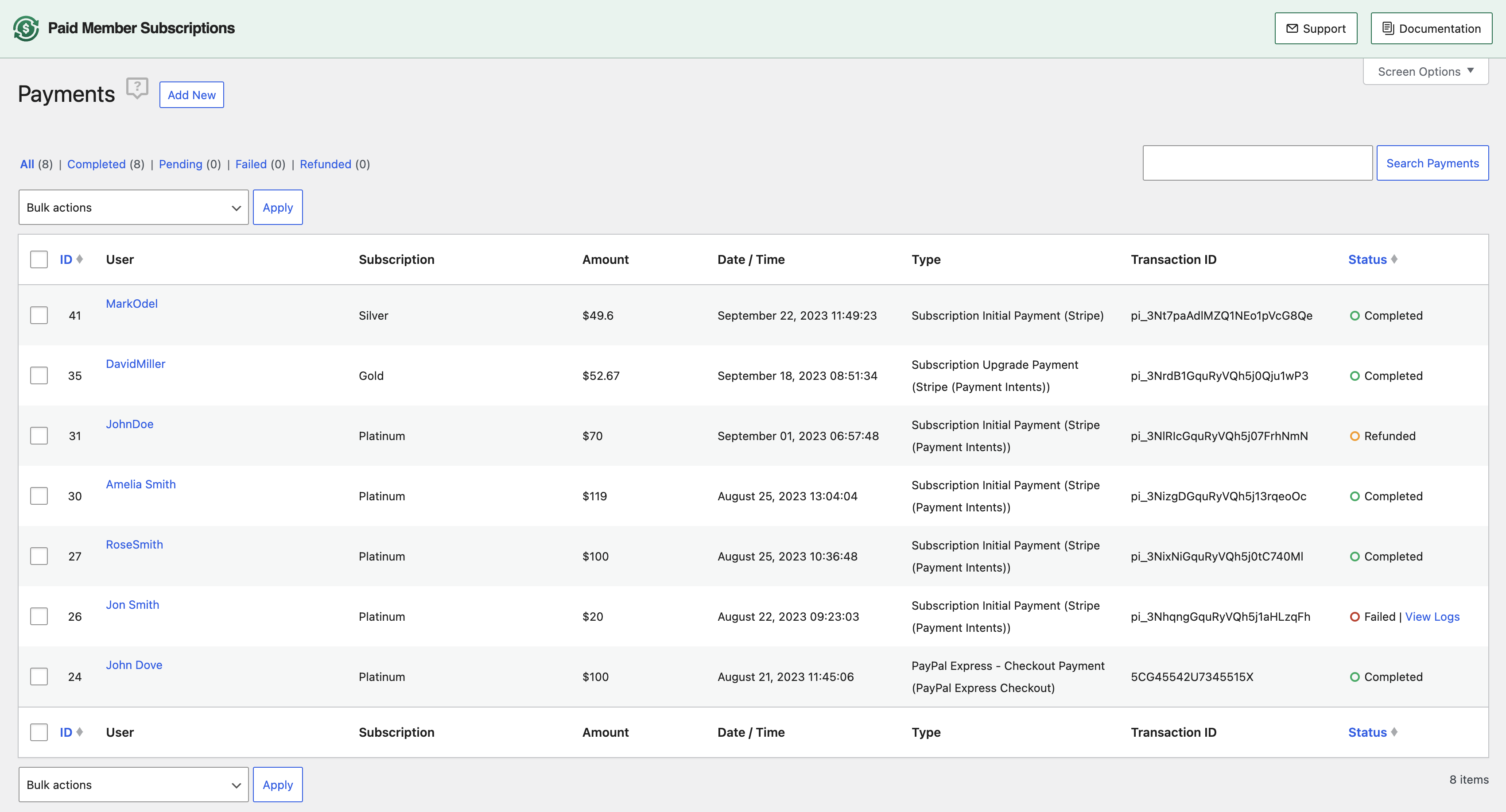
Membership Recurring Payments Details 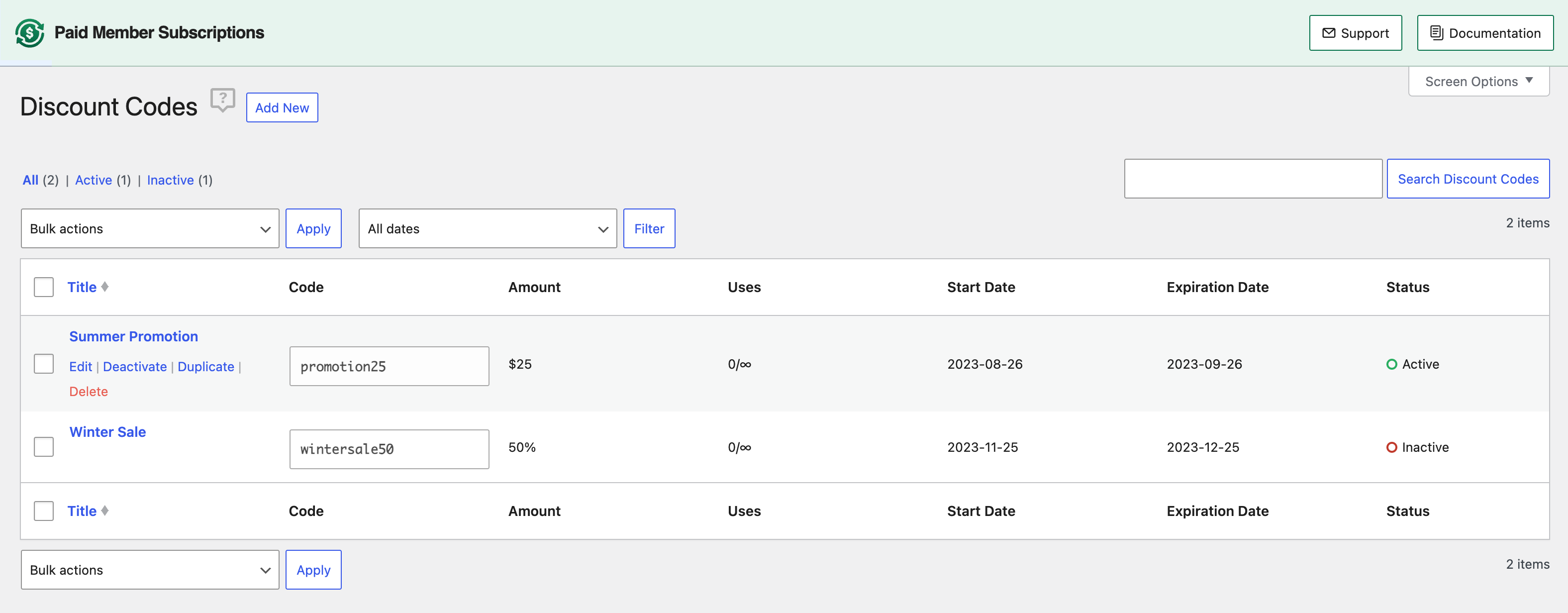
Discount Codes for Membership Plans 
Available Add-ons for extending your membership site


Blocks
This plugin provides 6 blocks.
- PMS Account Displays the Paid Member Subscriptions Account Form.
- PMS Register Displays the Paid Member Subscriptions Registration Form.
- PMS Recover Password Displays the Paid Member Subscriptions Recover Password Form.
- PMS Content Restriction Start The first element of a Content Restriction block pair.
- PMS Login Displays the Paid Member Subscriptions Login Form.
- PMS Content Restriction End The final element of a Content Restriction block pair.
Installation
- Upload the paid-member-subscriptions folder to the ‘/wp-content/plugins/’ directory
- Activate the plugin through the ‘Plugins’ menu in WordPress
- Create a new page and use one of the shortcodes available. Publish the page and you’re done!
FAQ
-
What type of membership sites can I create?
-
Here are some examples of what you could sell from your membership site: premium tutorials, newsletter, magazine, database, online community, software, apps, videos, ebooks, audio files, discount codes, fan clubs, consulting, coaching etc.
-
What type of memberships can I sell?
-
You can sell one-time or recurring memberships with any custom duration you wish.
You can also give users a free trial to your plans and/or charge a sign-up fee.
-
Can I offer both free and paid memberships at the same time?
-
Yes, you can have both free and paid memberships on your site.
-
Can I create discount codes for special promotions?
-
Yes, you can create percent or fixed-amount discount codes that are available for selected subscriptions. You can limit the uses of a discount code, make it available only to new users, have a set period in which the discount is available, and many more. Learn more
-
Yes, the plugin allows you to restrict content and make it available to paid members only.
Any type of content can be restricted including posts, pages, and custom post types. We also have an integration with WooCommerce so you can restrict access (or purchase) to these products
We also offer an Elementor integration which lets you restrict any Section or Widget and make it available only to paid users.
You can also restrict Gutenberg blocks and Divi Modules
-
Can I customize the registration form?
-
Yes, the registration form can be customized using Profile Builder.
You can change the order of the form fields, remove fields that aren’t required and also add extra fields to the form like Inputs, Checkboxes, Selects, Radio buttons, and more. Learn More -
Can I ask users to confirm their Email Address before they can register and pay?
-
Yes, this is possible through Profile Builder as well using its Email Confirmation feature. In this case, the payment will happen after the user has clicked the link he received in the confirmation email after registering. Learn more
-
Can my members pay using a credit card?
-
Yes! Users can pay with a credit or debit card without leaving your website through the Stripe payment gateway.
Through Stripe you can also access additional payment gateways like iDeal, Bancontact, Giropay and more.
-
Can my members pay using Apple Pay or Google Pay?
-
Users can pay using Apple Pay and Google Pay by using the Stripe payment gateway and enabling these Payment Methods. Learn More
Revolut Pay or Alipay can also be used, alongside the Stripe specific Link payment method.
-
Where can I find out more information?
-
For more information please check out Paid Member Subscriptions documentation.
Reviews


Contributors & Developers
“Paid Membership Subscriptions – Effortless Memberships, Recurring Payments & Content Restriction” is open source software. The following people have contributed to this plugin.
Contributors


“Paid Membership Subscriptions – Effortless Memberships, Recurring Payments & Content Restriction” has been translated into 24 locales. Thank you to the translators for their contributions.
Interested in development?
Browse the code, check out the SVN repository, or subscribe to the development log by RSS.
Changelog
2.17.0
Migration:
- The Bulgarian Lev currency is being deprecated in favor of the Euro on 01.01.2026
- This version handles this currency transition for Stripe
- All recurring payments generated by the plugin starting with 29.12.2025 will be automatically converted from BGN to EUR, at the government agreed exchange rate of 1 EUR = 1.95583 BGN
- For new payments to work correctly, if your default currency is BGN, you are required to manually switch to EUR by going to Settings -> Payments and also modify your Subscription Plan prices accordingly
Enhancements:
- Added an option when editing Member Subscriptions as an admin that can be checked in order to not send any emails in relation to the changes you are doing
- Allow full subscription management by the admin through the back-end interface with the use of a filter: pms_edit_subscription_enable_billing_next_payment_editing
Fixes:
- Security issue related to Insecure Direct Object Reference when cancelling subscriptions. Thanks to daroo and the Patchstack team
- Issue with PayPal button appearing when Manual / Offline payment gateway was selected by default
- The automatically inserted link from the GDPR field is now opening in a new tab
- Disable the ability for admins to modify the Expiration Date field for PayPal recurring subscriptions
- Fix a notice that could be triggered in some cases from the WooCommerce Integration
- A notice that was triggered when the Stripe webhook URL was accesed manually
- An error that could be triggered from reCaptcha in some situations
- Error being thrown from TutorLMS integration when an admin was manually adjusting the subscription plan from the back-end
- Properly show Billing Fields errors on the Profile Builder form when an AJAX checkout is performed
Compatibility
- Compatibility changes for the new Pause Subscriptions and Gift Subscriptions add-ons
Happy Holidays from the Cozmoslabs team!
2.16.9
- Enhancement: Added compatibility for Stripe payment forms with Elementor Pro Popups. The purchase form should now load the credit card fields correctly and allow the form to be submitted
- Enhancement: Added extra field to the Profile Builder integration that allows you to insert the Paid Member Subscriptions Billing Field inside a Profile Builder Edit Profile form
- Fix: Correctly handle the Email Address free trial restriction when logged in Account page actions are performed
- Fix: A scenario when the payment details would not load in a purchase form added through Elementor when a single subscription plan was showing
- Misc: Fix a potential notice
- Misc: Added a filter over the type column of the Payments List table: pms_payments_list_table_column_type
- Misc: Added classes to some more rows from the Account output
2.16.8
- Fix: Issue with Stripe 3D secure authentication failing to continue payment processing on the website without webhooks enabled
2.16.7
- Enhancement: Reduce memory consumption when querying for Payments in the Reports interface roughly doubling performance
- Fix: Issue with the Exclude Restricted Posts From Queries functionality breaking Ultimate Member profile edits in some cases
- Misc: Compatibility with the new Email Marketing add-ons for Mailchimp and Brevo
Click Here to view the full changelog.
