Opis
Dan's Annotator lets logged-in users (and email based collaborators) highlight elements on any page and discuss them in threaded comments. It adds a floating UI to create, browse, and close annotation threads, plus @-mentions with email notifications.
Features
– Custom database tables for threads, comments, tags, and collaborators (created on activation).
– Admin bar toggle to enable/disable annotation mode for logged-in users.
– Front-end badges showing counts and a side panel UI for reading/posting comments.
– @username tagging with autocomplete and email/admin-notice notifications.
– REST API endpoints used by the front-end JavaScript.
– Support for outside collaborators with email-based or link-based access.
Usage
@ Completion (User Tagging)
To mention a registered WordPress user in an annotation comment:
1. Type @ followed by the username or email
2. An autocomplete dropdown will appear showing matching users
3. Select the user from the list or continue typing their username
4. The tagged user will receive a notification (admin notice for logged-in users)
Example: @john or @admin
@email Collaborators (Email-Based Access)
To invite external collaborators who don't have WordPress accounts:
1. In a comment, type @ followed by their email address
2. Example: @[email protected]
3. The collaborator will automatically be created and receive an email with a secure magic link
4. They can click the link to access and comment on the specific thread without creating an account
5. Email-based collaborators are scoped to only the threads they're tagged in
Note: The magic link is unique and secure, tied to their email address. Enable this feature in Settings Annotator Outside Collaborators.
!@link Collaborators (Link-Based Access)
For lightweight collaborator access without requiring an email:
1. In a comment, type !@ followed by a name/identifier
2. Example: !@mike or !@designer
3. A token-based collaborator is created with a shareable link
4. Copy the generated link from the comment and share it directly
5. Anyone with the link can participate using that collaborator identity
6. Link-based collaborators are also scoped to the threads they're tagged in
Note: Enable token-based collaborators in Settings Annotator Token-based collaborators. This is useful for quick feedback without email verification.
License
This plugin is licensed under the GNU General Public License v2.0 or later.
Slike ekrana
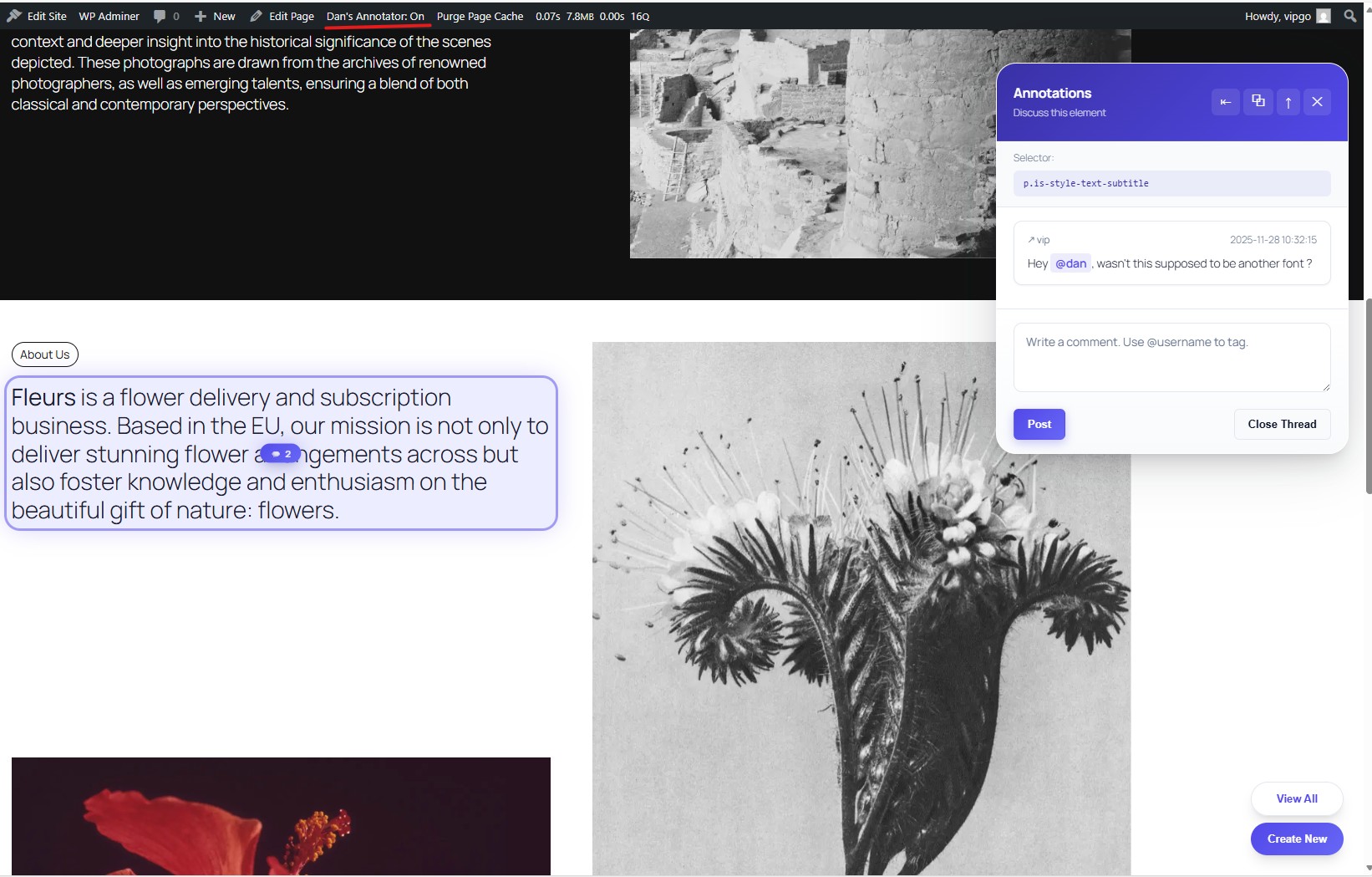
Logged in view of the panel 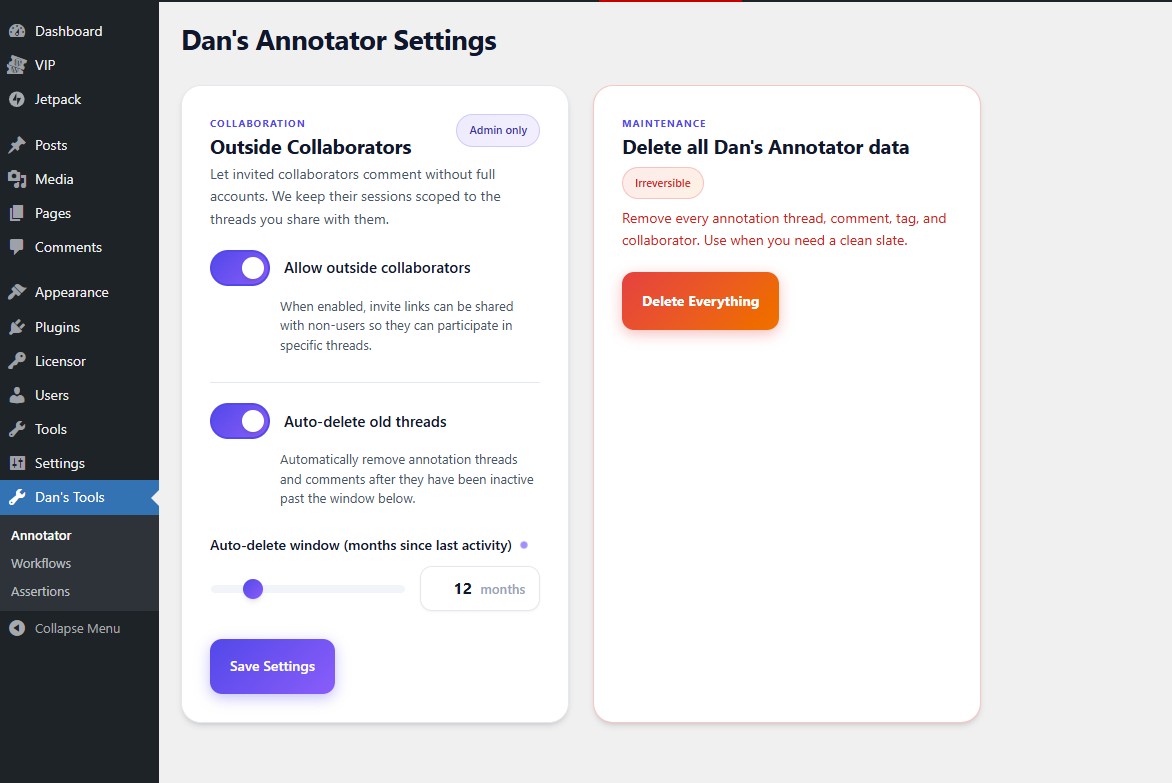
Settings page


Instalacija
- Upload the
dans-annotatordirectory to yourwp-content/pluginsfolder. - Activate the plugin in WP Admin (tables are created on activation).
- While logged in, use the admin bar toggle to enable annotation mode on the front-end.
Recenzije
Nema recenzija za ovaj dodatak.
Saradnici i programeri
“Dan's Annotator” is open source software. The following people have contributed to this plugin.
Doprinositelji
Prevedi “Dan's Annotator” na vaš jezik.
Zainteresirani za razvoj?
Pregledajte kôd, pogledajte SVN spremišteili se pretplatite na dnevnik razvoja od RSS.
