

Descripció
Video Gallery helps you showcase YouTube and Vimeo videos on your WordPress site in an organized, visually appealing grid format. Whether you run a business website, portfolio, blog, or entertainment site, this plugin makes it simple to create professional video galleries without any coding knowledge.
View Pro Demo: Video Gallery Premium
More About Pro: YouTube and Vimeo Video Gallery Premium
Where To Buy: Buy YouTube Gallery Premium
Watch The Setup Tutorial
How It Works
After installation, you get a dedicated “Video Gallery” section in your dashboard. From there, you can add videos by entering their YouTube or Vimeo IDs, upload custom thumbnail images, and organize them into galleries. Each gallery generates a unique shortcode that you can paste into any page, post, or widget area.
What You Can Build
- Product demonstration galleries for e-commerce sites
- Tutorial and course video collections
- Music and entertainment video showcases
- Client testimonial video walls
- Event highlight reels
- Portfolio presentations for creative professionals
Key Capabilities
Multiple Video Sources
Add videos from YouTube and Vimeo in the same gallery. The plugin handles both platforms seamlessly.
Responsive Grid Layouts
Galleries adapt to different screen sizes automatically. Your visitors get a smooth viewing experience whether they browse on desktop, tablet, or mobile.
Lightbox Video Playback
Videos open in an overlay player when clicked, keeping visitors on your page while they watch.
Column Flexibility
Choose from 1 to 4 columns per row. Adjust the layout separately for phones, tablets, laptops, and large displays.
Custom Thumbnails
Upload your own poster images instead of using auto-generated thumbnails for a more polished look.
Simple Shortcode System
Copy and paste shortcodes like [VDGAL id=123] to display galleries anywhere on your site.
Free Features
- YouTube video galleries
- Vimeo video galleries
- Mixed video galleries (YouTube + Vimeo together)
- Responsive grid layouts
- 4 column layout options (1, 2, 3, or 4 columns)
- Lightbox video popup player
- Custom video thumbnail upload
- Video title and description fields
- Shortcode embedding
- Custom CSS support
- Mobile-friendly design
Pro Features
Upgrade to Video Gallery Pro for additional capabilities:
- YouTube API integration – auto-fetch videos from channels
- Vimeo API integration – import videos automatically
- YouTube Playlist import by ID
- Multiple playlist support
- Masonry gallery layout
- Gallery load more button
- Local video file upload and playback
- Advanced lightbox customization (colors, opacity, animations)
- Glow and fade effects
- Z-index controls for theme compatibility
- Full-screen video option
- Premium support
Must See Our Demo
Our Recommended Plugins
Captures

YouTube Video Gallery With Two Columns 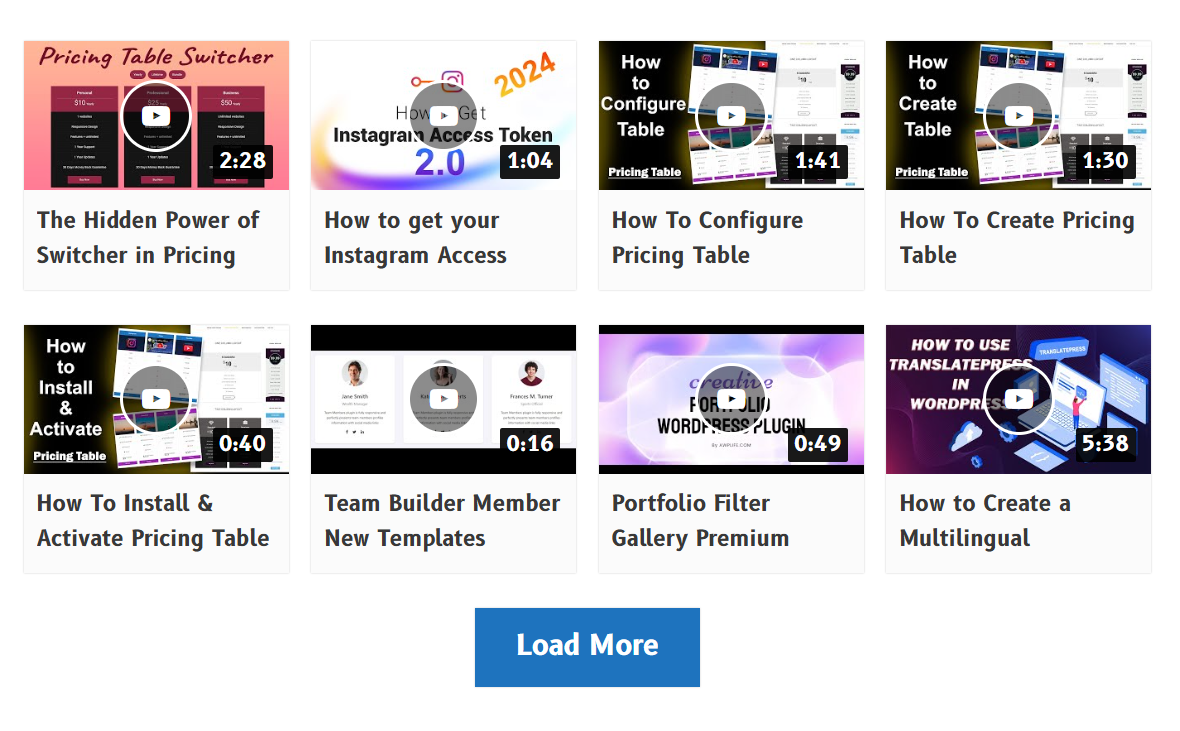
YouTube Video Playing in Lightbox Preview 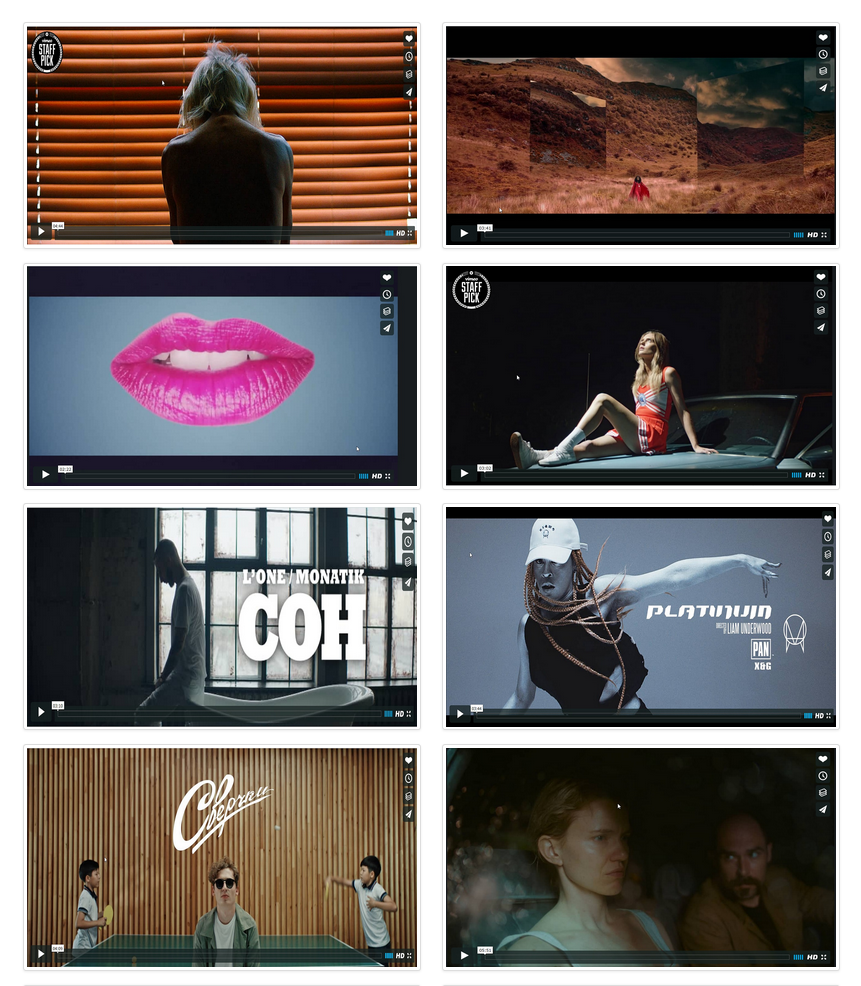
Vimeo Video Gallery With Two Columns 
Vimeo Video Playing in Lightbox Preview 
YouTube And Vimeo Mixed Videos Gallery 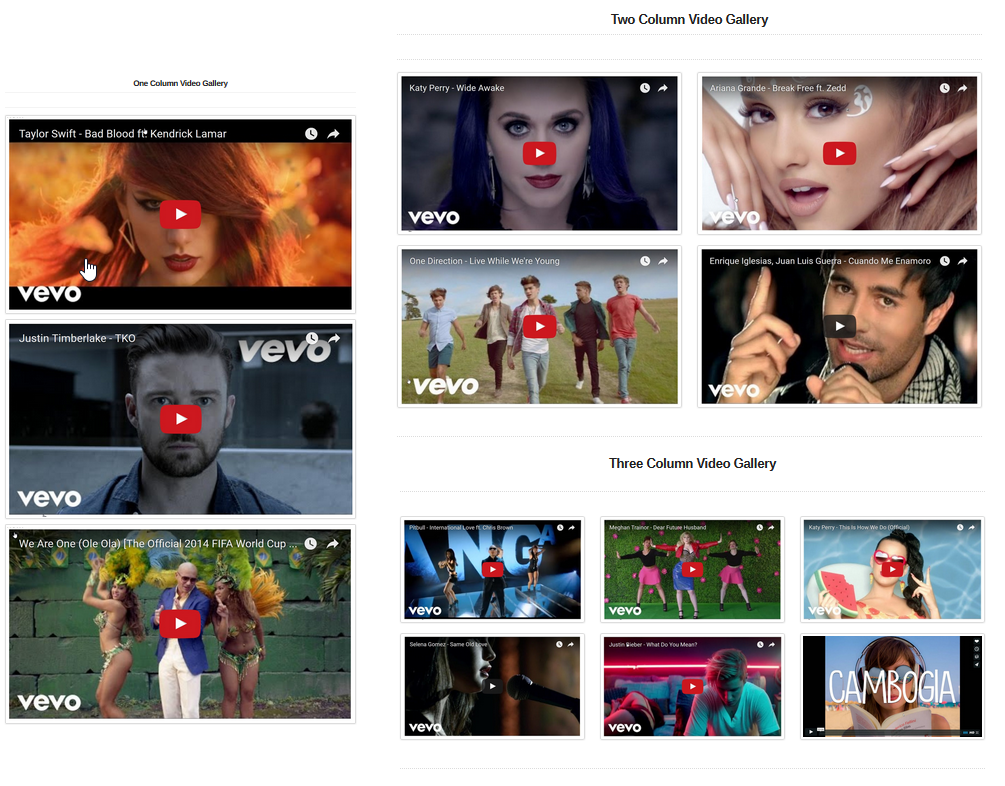
Video Gallery Column Layout Options 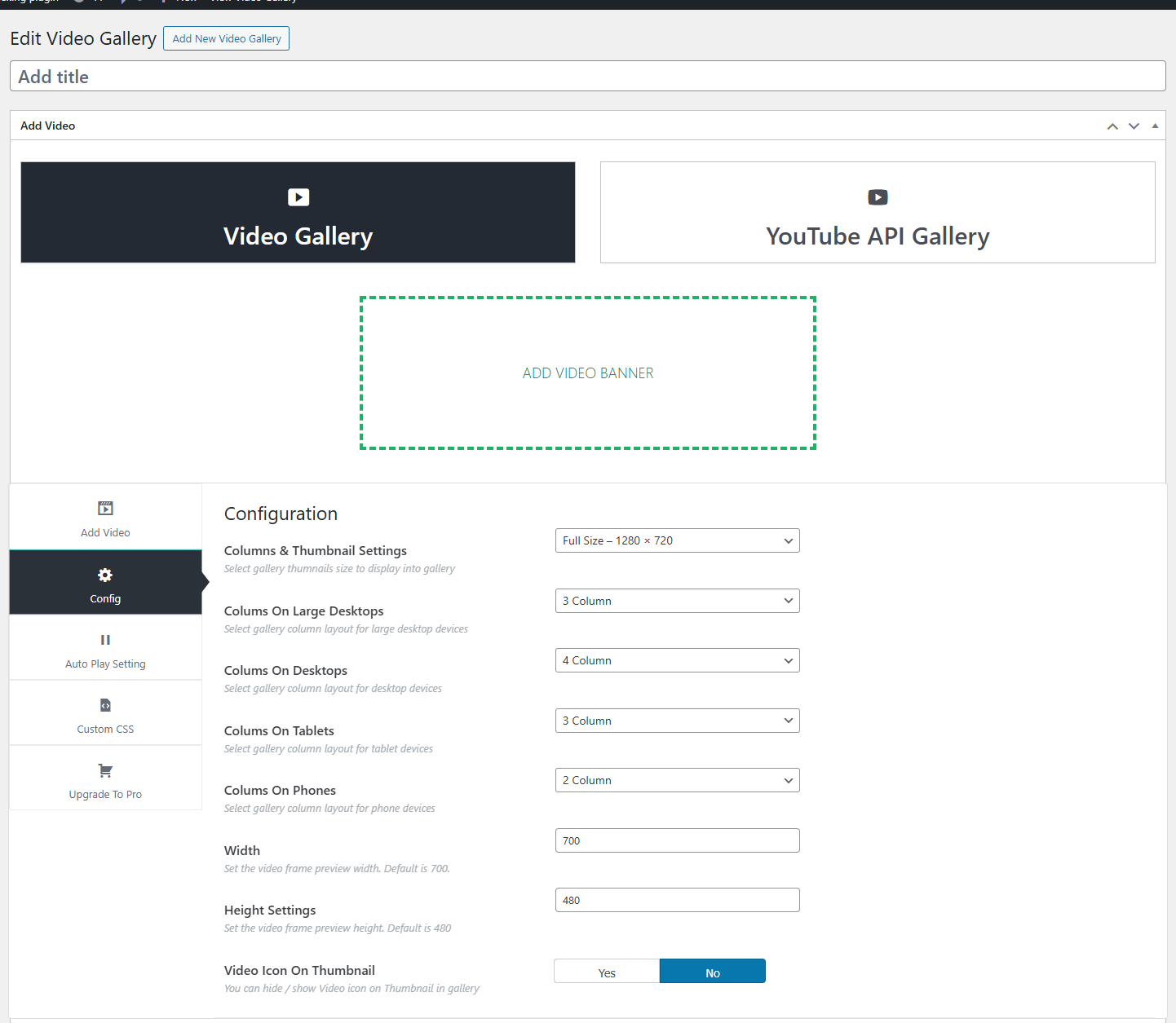
Video Gallery Admin Settings Panel


Instal·lació
- Upload the plugin files to the
/wp-content/plugins/new-video-gallery/directory, or install through the WordPress plugins screen. - Activate the plugin through the ‘Plugins’ menu in WordPress.
- Navigate to “Video Gallery” in your WordPress dashboard.
- Click “Add Video Gallery” to create your first gallery.
- Add videos by uploading thumbnails and entering YouTube/Vimeo video IDs.
- Save the gallery and copy the generated shortcode.
- Paste the shortcode into any page, post, or widget to display your gallery.
PMF
-
How many videos can I add to a single gallery?
-
There is no fixed limit. You can add as many videos as needed for your gallery.
-
Can I use both YouTube and Vimeo videos in the same gallery?
-
Yes, the plugin supports mixed galleries where you can combine videos from both YouTube and Vimeo.
-
Is the gallery mobile responsive?
-
Yes, galleries automatically adjust their layout based on screen size. You can also set different column counts for phones, tablets, and desktops.
-
Does the video play in a popup or on the same page?
-
Videos play in a lightbox popup overlay by default, allowing visitors to watch without leaving your page.
-
Can I add custom thumbnails for videos?
-
Yes, you can upload your own poster images for each video instead of using the default thumbnails.
-
How do I display a gallery on my website?
-
Copy the shortcode shown in the gallery editor (e.g.,
[VDGAL id=123]) and paste it into any page, post, or text widget. -
Can I add titles and descriptions to videos?
-
Yes, each video has fields for a custom title and description that display in the gallery.
-
Does it work with page builders like Elementor or Divi?
-
Yes, you can use the shortcode in any page builder that supports shortcode widgets or blocks.
-
How do I get a YouTube API key for the Pro version?
-
In the Pro version, you can generate an API key through the Google Cloud Console. Documentation is provided with the premium plugin.
-
Can I have multiple galleries on the same page?
-
Yes, you can add multiple gallery shortcodes on a single page, each displaying a different video collection.
-
Is the plugin translation-ready?
-
Yes, the plugin is fully translatable and works with standard WordPress translation methods.
-
Where can I get support if I have issues?
-
For the free version, please use the WordPress.org support forum. Pro users receive dedicated support through the developer website.
Ressenyes


Col·laboradors i desenvolupadors
«Video Gallery YouTube Vimeo» és programari de codi obert. La següent gent ha col·laborat en aquesta extensió.
Col·laboradors


“Video Gallery YouTube Vimeo” s’ha traduït a 3 configuracions regionals. Gràcies als traductors per les seves aportacions.
Traduïu «Video Gallery YouTube Vimeo» a la vostra llengua.
Interessats en el desenvolupament?
Navegueu pel codi, baixeu-vos el repositori SVN, o subscriviu-vos al registre de desenvolupament per fisl de subscripció RSS.
Registre de canvis
1.6.4
- Tested with WordPress 6.8.3
- Bug fixes
1.6.3
- Tested with WordPress 6.8.3
1.6.2
- Bug fix: PHP compatibility improvements
- Security patches applied
- Input sanitization improvements
- Tested with WordPress 6.8.1
1.6.1
- Bug fix: PHP compatibility improvements
- Tested with WordPress 6.8
1.6.0
- Bug fixes and improvements
- Tested with WordPress 6.7.2
