

Descripció
A Complete Testimonial Solution for Customer Review, Rating, and Feedback
Starter Testimonial helps you showcase customer feedback and client reviews on your WordPress website. Whether you run a small business, agency, or e-commerce store, displaying genuine testimonials builds trust with potential customers.
Check Pro Demo: Testimonial Premium
More About Pro: Testimonial Premium Details
Where To Buy: Buy Testimonial Premium
How To Use
This testimonial plugin creates a dedicated post type for managing reviews. Add client names, photos, designations, and website links for each testimonial. Once saved, embed your testimonials anywhere using a simple shortcode.
Why Use Testimonials on Your Website?
Customer reviews influence buying decisions. When visitors see positive feedback from real clients, they feel more confident about your products or services. A well-placed testimonial section can:
- Build credibility with first-time visitors
- Highlight your track record and expertise
- Increase conversions on landing pages
- Add social proof to service pages
Core Features
Easy Testimonial Management
Add testimonials like regular posts. Include client name as the title, feedback in the editor, and upload a profile photo using the featured image option.
Client Information Fields
Each testimonial includes fields for client designation (job title or role) and website URL. Display these details alongside the review.
Shortcode Integration
Generate a shortcode to place testimonials in pages, posts, or text widgets. Works with any theme.
Responsive Slider Display
Testimonials appear in a slider format that adapts to mobile, tablet, and desktop screens. Visitors can browse through reviews smoothly.
Template Options
Choose from 8 layout designs to match your website style. Each template presents testimonials differently.
Color Customization
Adjust colors for title text, designation, and testimonial content. Match the display with your brand colors.
Star Ratings: (If applicable) Visualize customer satisfaction.
Autoplay Control
Enable or disable automatic sliding. Configure pagination bullets for manual navigation.
Column Settings
Control how many testimonials appear per row based on your layout preferences.
How It Works
- Go to Testimonial Maker menu in your dashboard
- Click “Add New Testimonial”
- Enter client name as title and feedback in the editor
- Add designation and website link in the meta fields
- Set a featured image for the client photo
- Publish and configure display settings
- Copy the shortcode and paste it where you want testimonials to appear
Use Cases
- Service Businesses – Show client feedback on your homepage or services page
- Freelancers – Add testimonials to your portfolio
- Online Stores – Display product reviews in a slider widget
- Agencies – Feature client success stories
Free vs Pro Comparison
Free Version Includes:
- Unlimited testimonials
- 8 template designs
- Video Testimonial (Youtube Video)
- Star Ratings
- Star Rating Color
- Video Playback Mode
- Box Shadow
- Border Radius
- Animation Speed
- Hover Effect
- Animation Speed
- Image Shape
- Lazy Loading
- Responsive slider
- Basic color options (title, designation, description)
- Single transition effect
- Autoplay toggle
- Pagination bullets
- Column layout settings
- Shortcode embedding
- Widget compatible
Testimonial Premium Version Adds:
- 27 template designs
- Video Testimonial (Youtube,Vimeo,Local)
- Star Ratings
- Star Rating Color
- Video Playback Mode
- Star Ratings Hide & Show
- Testimonial Order
- Auto Height Content
- RTL Support
- Autoplay toggle
- Image Shape
- Multiple animated transition effects
- Transition speed control
- Unlimited color customization
- Font size adjustment
- 2 pagination styles
- Column layout settings
- Custom CSS input field
- Priority support
Testimonial Slider Works With
- All standard WordPress themes
- Page builders (using shortcode blocks)
- Widget areas and sidebars
- Custom post layouts
Our More Free Plugins
Captures

Testimonial preview 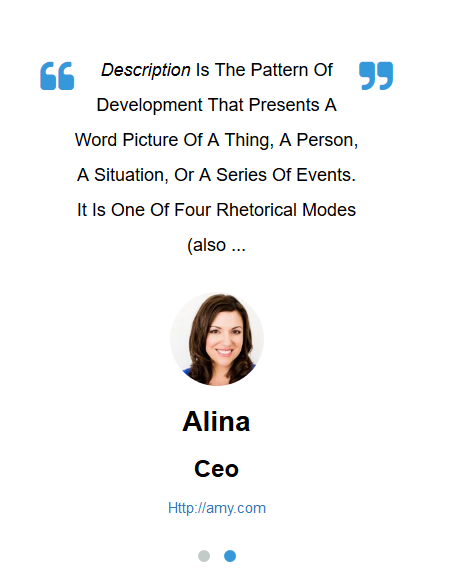
Testimonial preview 
Testimonial preview 
Testimonial preview 
Testimonial preview 
Testimonial preview 
Testimonial preview 
Testimonial preview


Instal·lació
- Upload the plugin folder to
/wp-content/plugins/directory or install directly from the WordPress plugin repository - Activate the plugin through the Plugins menu
- Navigate to Testimonial Maker in your admin menu
- Click “Add New Testimonial” to create your first testimonial
- Configure display settings under “Testimonial Setting”
- Copy the generated shortcode and paste it into any page or post
PMF
-
How do I add a new testimonial?
-
Go to Testimonial Maker > Add New Testimonial. Enter the client’s name as the title, write their feedback in the content editor, and optionally add a featured image for their photo.
-
Where do I find the shortcode?
-
After saving your testimonials, visit the Testimonial Setting page. The shortcode will be displayed there. Copy and paste it into any page, post, or text widget.
-
Yes. Add a Text widget to your sidebar and paste the testimonial shortcode inside it. The testimonials will display in the widget area.
-
Does this plugin work with my theme?
-
The plugin is designed to work with any properly coded WordPress theme. The responsive design adapts to different theme layouts.
-
How do I change the testimonial colors?
-
Go to Testimonial Setting in your admin menu. You will find color options for title, designation, and description text.
-
Can I control how many testimonials show at once?
-
Yes. The settings page includes column options to display testimonials in different grid layouts.
-
Is the slider mobile friendly?
-
The testimonial slider is fully responsive. It automatically adjusts for smartphones, tablets, and desktop screens.
-
How do I disable autoplay on the slider?
-
Navigate to Testimonial Setting and find the autoplay toggle option. You can turn off automatic sliding from there.
-
Can I add a client website link?
-
When creating a testimonial, you will see a field for “Client Website URL”. Enter the URL and it will be linked with the testimonial.
-
What is the difference between free and pro version?
-
The free version includes 4 templates, basic colors, and standard slider features. The pro version offers 23 templates, animated transitions, unlimited colors, font customization, and custom CSS options.
-
How do I upgrade to the pro version?
-
Visit awplife.com/ to purchase the premium version with additional features.
-
Where can I get support?
-
For free version support, use the WordPress.org support forum. Pro users receive priority support through the AWP Life website.
Ressenyes


Col·laboradors i desenvolupadors
«Testimonial Customer Feedback» és programari de codi obert. La següent gent ha col·laborat en aquesta extensió.
Col·laboradors


“Testimonial Customer Feedback” s’ha traduït a 2 configuracions regionals. Gràcies als traductors per les seves aportacions.
Traduïu «Testimonial Customer Feedback» a la vostra llengua.
Interessats en el desenvolupament?
Navegueu pel codi, baixeu-vos el repositori SVN, o subscriviu-vos al registre de desenvolupament per fisl de subscripció RSS.
Registre de canvis
1.2.6
- Template 5,6,7,8 Added
- Video Testimonial Added
- Testimonial Star Rating Added
- Tested up to WordPress 6.9
1.2.5
- Fixed: Translation loading notice in WordPress 6.7+ (_load_textdomain_just_in_time warning)
- Changed textdomain loading from ‘plugins_loaded’ to ‘init’ hook for WordPress 6.7 compatibility
- Tested up to WordPress 6.9
1.2.4
- Tested with WordPress 6.8.3
1.2.3
- Tested with WordPress 6.8.1
1.2.2
- Tested with WordPress 6.7.2
1.2.1
- Fixed color selection issue
- Tested with WordPress 6.7.1
