
Free, Chromium-based browser
When it comes to web browsers derived from the diverse and reliable Chromium platform, Google Chrome has certainly taken the spotlight. However, there are other alternatives based on Chromium out there that have their unique tools and features. The Chedot browser is one of those. Characterized by the funky icon that depicts a Che Guevara bird, this app offers more than your basic internet browsing tools. It has a bundle of interesting features that you don’t often see even in mainstream browsers.
More than your usual browser
Chedot offers five specialized tools that work to enhance your browsing experience. The first tool is a VPN service integrated to allow you to access geo-restricted websites and hide your IP address. The second tool, meanwhile, offers quick access to your Facebook account and various sections of it. But what makes the app more amazing is the fact that it lets you download music and videos. With the third tool, called the Media Downloader, you can download YouTube videos in both MP4 and MP4a formats. More, you can also save music from the popular music streaming service, SoundCloud.
The fourth tool in the app is called the Download Manager. As the name suggests, this feature makes it easier for you to keep track of all the items you downloaded. Finally, the fifth tool is a screen capture tool. With it, you can effortlessly grab the entire window or selected areas within it. This tool also comes with a small set of annotation functions, which allows you to enhance your screenshots.
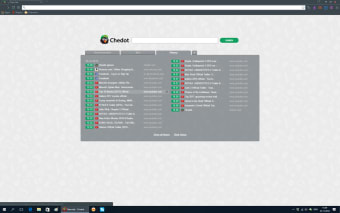
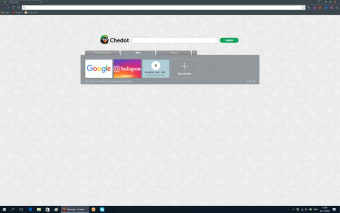
While all these might sound great, there are a few things regarding the browser that you need to be aware of. To start, the first tab in the app is locked. While you can use it to browse the internet, you cannot close it or have it unpinned. More, there is a custom intro screen that will pop up whenever you start a new tab. This start screen displays various categories and lots of ads. To make it worse, you cannot deactivate this custom intro screen.
A promising alternative
If you are looking for an alternative to Google Chrome, then Chedot is worth a try. To summarize, this browser lets you visit geo-restricted websites, download videos and music, take screenshots and even access your Facebook easily. However, while it might be promising, there are some annoying usability issues that you need to put up with.
















.png)