Image

Xavier Slim

Updated last year

A portable and convenient console emulator

The cmder app is a free app you may download as a mini version of just 6MB, or as a full version with just 40MB. It is a console emulator that you may also transfer to a USB drive, which means it is highly portable. There are other free emulators for Windows, but this app was created out of frustration because of the lack of “nice” emulators for Windows.

More of a software package

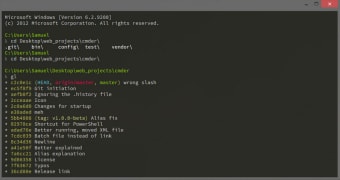
Try not to think of cmder as a single app because it is more like a software package. For example, the emulator has tabs such as command line, Macro, Console and DosBox. It is far easier to use this program than it is to use something such as Git Bash prompt for all your git command-line tasks. You may also play around with this program and do fancy things such as basic UNIX commands like mv, ls, cp, cat, grep and so forth. There are also things such as built-in aliases, such as the one for Windows explorer where you type “.e” and at your current location you will see an explorer window open.

Better than the rest

Cmder will probably win you over because it supports for ^C and ^V for Copy and Paste. If you go online and do a little searching, you will find all the other basic commands you can use with the program. It may not seem overly fantastic, but compared to the alternatives, it is a top performer.


Image

Xavier Slim

    Xavier Slim has experience in English writing supported by academic recognition and creative competitions. He has worked on tutoring and editorial projects, developing content that balances clarity with creativity. His interests in writing and technology inform his practical approach to reviewing digital tools.

    • Pros

      • Ideal if you are already on the Git and GitHub bandwagon
      • A great command line tool
      • Good for people that work simultaneously with Visual Studio and command line
    • Cons

      • Difficult to understand for the uninitiated
      • Very little is explained on the website
      • The user manual is not very good
    Image
     0/1

    App specs

    • License

      Free

    • Version

      1.3.25
    • Latest update

    • Platform

      Windows

    • OS

      Windows 7

    • Language

      English

    • Downloads

      107.3K

      Last month's downloads

      • 556
    • Size

      165.67 MB

    • Developer

    Program available in other languages


    Icon of program: cmder

    cmder for PC

    • Free
    • 4.1
      121
    • 107.3K
    • V1.3.25

    User reviews about cmder

    Have you tried cmder? Be the first to leave your opinion!

    Add review

    You may also like

    Alternatives to cmder

    Explore Apps

    Latest articles

    Laws concerning the use of this software vary from country to country. We do not encourage or condone the use of this program if it is in violation of these laws.
    Softonic

    Is cmder safe?

    100/100

    Score result: Clean

    This file passed a comprehensive security scan using VirusTotal technology. It is safe to download.

    • Virus free
    • Spyware free
    • Malware free
    • Verified by Security Partners

      VirusTotal logo

    Scan Info

    Last scan
    Wednesday, December 4, 2024
    Scan provider
    VirusTotal · Full report

    File Integrity

    File
    cmder_V1.3.25.zip
    SHA256
    9fa50466e9ba270b91ca915c4865cdc55ffd431b44507eef999506117b0a4ec6
    SHA1
    d067295383da2e106d32cb49afa183beaad5b5c7

    Softonic security commitment

    cmder has been thoroughly scanned by our advanced security systems and verified by industry-leading partners. This file comes from the official developer and has passed all our security checks, showing no signs of viruses, malware, or spyware. For more information, visit our Security and Trust Center