
描述
WordPress调查插件
WordPress调查插件 is a powerful, yet easy-to-use WordPress plugin designed for collecting data from a particular group of people and analyze it. You just need to write a list of questions, configure the settings, save and paste the shortcode of the test into your website. Then just start receiving submissions!
Do you want to conduct research for your research paper, gather leads for your company, extract insights for your market research, test concepts, or just get to know your audience? Why look elsewhere?
Why choose us among other WordPress survey plugins? We are specialized ONLY in form building! Our professional development team is doing its best to create a must-have, feature-rich questionnaire builder and constantly improve it so it will match your needs perfectly. Our feedback form plugin offers a great set of features for implementation. You can check other successful and powerful plugins of ours created by the same logic: Poll Maker, Quiz Maker.
调查演示(免费)
调查演示(专业版)
- 具有跳转逻辑的调查(分支)
- Form with Conditional Results
- 对话式调查(聊天)
- Questionnaire with question types
- Net Promoter Score(NPS)调查
- 联系表格
- 弹出式调查
- Social Media Test (Modern theme)
- 健康问卷(优雅主题)
- Demographic Quiz (Business theme)
- Password-Protected Form
易于使用 | 用户友好 | 响应式设计
Not a tech person? No problem. The plugin is 100% beginner-friendly and no coding skills are required. You can easily create engaging and at the same time advanced forms that will fulfill all your needs. Also, this WordPress survey plugin is mobile-friendly, so your responders can take the quiz with all types of screens such as mobile devices or tablets. And, most importantly, our support care specialists are easily accessible and always happy to help you and answer any questions you might have! Feel free to post them on the following FREE SUPPORT FORUM.
有什么比这更完美的呢?现在开始更好地服务于您的客户和消费者!
在设置了调查的设置后,您只需复制其短代码并将其嵌入到WordPress网站上的任何帖子或页面中:
调查短代码
[ays_survey id=’您的调查ID’]
20+种类型的调查问题
Survey Maker提供了用于创建成功问卷的最著名的问题类型:
- 单选按钮
- 复选框
- 下拉
- 段落
- 短文本
- 数字
- 是或否
- 日期(专业版)
- 时间 (专业版)
- 日期和时间 (专业版)
- 星级评分(专业版)
- 排名 (专业版)
- 线性刻度(专业版)
- 矩阵刻度(专业版)
- 矩阵刻度复选框(专业版)
- 滑块(专业版)
- 上传文件(专业版)
- 星级列表(专业版)
- 滑块列表 (专业版)
- 隐藏(专业版)
- HTML(专业版)
- 电话 (专业版)
- 净推荐度分数(专业版)
- 名称字段
- 电子邮件字段
和更多内容即将推出!
You can create either open-ended questions as well as close-ended ones with predefined responses. Once you’re familiar with the type of questions our form builder offers, you’ll be able to connect all touchpoints to understand precisely what your responders want, need, or expect. The best survey plugin for conducting simple questionnaires, customer feedback forms, customer satisfaction tests, employee feedback forms, and many more! Simple, easy and fast!
MULTI-PAGE TESTS, UNLIMITED SECTIONS
The #1 Plugin for creating multi-step forms. Organize and group the questions into separate sections within the form. Break down your form into separate pages with the help of this functionality in order to make it engaging and interesting to take. You can choose a different number of questions to be shown per page. Moreover, the form builder plugin allows you to re-arrange questions within a section by drag and dropping it. You can give a title to the section, write a brief description, and add as many questions as you want. You can create unlimited questions, unlimited sections, and unlimited surveys with our Survey form maker.
JavaScript coding is implemented for changing the sections in the front-end.
提交和实时报告
Are you planning to receive LARGE Data while conducting your survey form? However, you do not have enough time to read them one by one or not all questions’ answers are important to be viewed. So it’s not the volume of data that’s important, but what companies or individual conductors do with the data is matters. And here, the Survey Maker comes to be of help. Our reports, charts, and statistics will help you to analyze and interpret the data without any third-party tool.
So, the Survey Maker plugin is the best solution for those companies who employ a data-driven approach.
高级样式
The WordPress Survey plugin can be used for companies as well as for individual research conductors. Whether you’re conducting research or collecting feedback, you can create engaging online test with our test builder plugin. It offers 6 themes for creating interactive set of questions that keep users engaged: Classic Light, Classic Dark, Minimal, Modern, Business, Elegant.
The plugin is fully customizable. You can build beautiful tests without having or being a designer, which will perfectly fit your website’s colors and style. The possibilities are plenty: Theme, Background color, Button text color, Question font size (px), Answer view, and dozens more!
限制
Are you looking for trends, customer buying behaviors, or do you need to see beyond the big picture? It is possible to do with the Survey Maker plugin. But, it is important to understand who is going to be your target market. One of the powerful functionality that our form builder offers is the Only for logged-in users option. After enabling it, you will start to precisely target the audience, and not receive unneeded submissions from those, who have not signed in on your website. But it is not yet all, that our feedback form builder offers. It also has a functionality called the Maximum number of attempts per user. It will help you to not receive multiple submissions from the same respondent, which can cause a deviation from the accuracy of your results. The Survey plugin suggests two methods to prevent repeat voting from the same person. Those are the Detect users by IP or Detect users by WP user ID.
创建智能和交互式调查(专业版)
Create a form using the jump logic (skip logic) function and don’t annoy the participants with unrelated questions. Due to this feature, the system will automatically select which question to ask based on the participants’ answers.
As far as they are mainly used as a questionnaire, create anonymous surveys and give the participants a chance to stay private and share their honest opinion with you.
Survey Maker gives you the ability to make the quizzes more engaging for the users. Just activate the chat mode option, and the users will have the feeling of having a face-to-face chat with the device.
All the above-mentioned options are available for the premium version
NPS 调查(专业版)
With our NPS surveys, you’ll receive clear and actionable feedback from your WordPress website users. It will allow you to better identify their needs and preferences and make strategic decisions regarding your business.
Net Promoter Score (NPS) tests categorize respondents into three groups: Promoters, Passives, and Detractors. It measures customer loyalty and the satisfaction level(brand advocates, satisfied clients, or dissatisfied clients) of your customers. Check out the How to Create NPS(Net Promoter Score) Survey for WordPress video tutorial for more detailed information.
更多详细信息,请查阅文档。
Free Features
- 无限数量的调查
- 无限数量的部分
- 无限数量的问题
- 6种问题类型
- 响应式设计
- 包含不同数量问题的部分
- 个人提交
- 提交摘要
- 问题图片
- 调查样式选项(20+)
- 随机问题
- 随机答案
- 根据IP和用户ID限制
- 仅限已登录用户
- 结果消息
- 提交后重定向
- 弹出调查
专业版功能
- 包括所有的免费版本功能和
- Linear Scale
- Matrix Scale
- Matrix Scale Checkbox
- Ranking Question Type
- Net Promoter Score (NPS)
- Star List
- Slider List
- Star Rating
- Slider
- Date
- Time
- Date and Time
- Upload
- Phone
- Hidden
- HTML
- 发送邮件给用户
- 发送邮件给管理员
- 电子邮件配置
- 调查计划
- Mailchimp集成
- Campaign Monitor集成
- Slack集成
- ActiveCampaign集成
- Stripe Integration
- PayPal Integration
- Klaviyo Integration
- MyCred Integration
- 用户历史短代码
- 设置必填问题
- 按用户角色授权
- 限制尝试次数
- 带图表的结果
- Export and import
- 提交汇总导出
- 个别提交导出
- PDF 导出
- Password protected form
- Google表格集成
- Zapier集成
- SendGrid 集成
- GamiPress 集成
- MadMimi整合
- GetResponse整合
- ConvertKit集成
- 按用户角色访问
- 对话式调查
- 逻辑跳转
- 条件结果
- Conditional Mailing
- 摘要电子邮件
- URL参数选项
- Multilingual Forms
- Text To Speech
- ChatGPT Integration
- Calculation
- Woocommerce Integration
- 更多即将到来…
Didn’t find the feature you’re looking for in the Survey Maker plugin? You’re welcome to suggest a new feature.
New Fox LMS plugin: A powerful WordPress LMS plugin to create, manage, and deliver online courses directly from your WordPress site.
如有任何问题或即将提出的问题,请随时通过以下免费支持论坛与我们联系。
屏幕截图
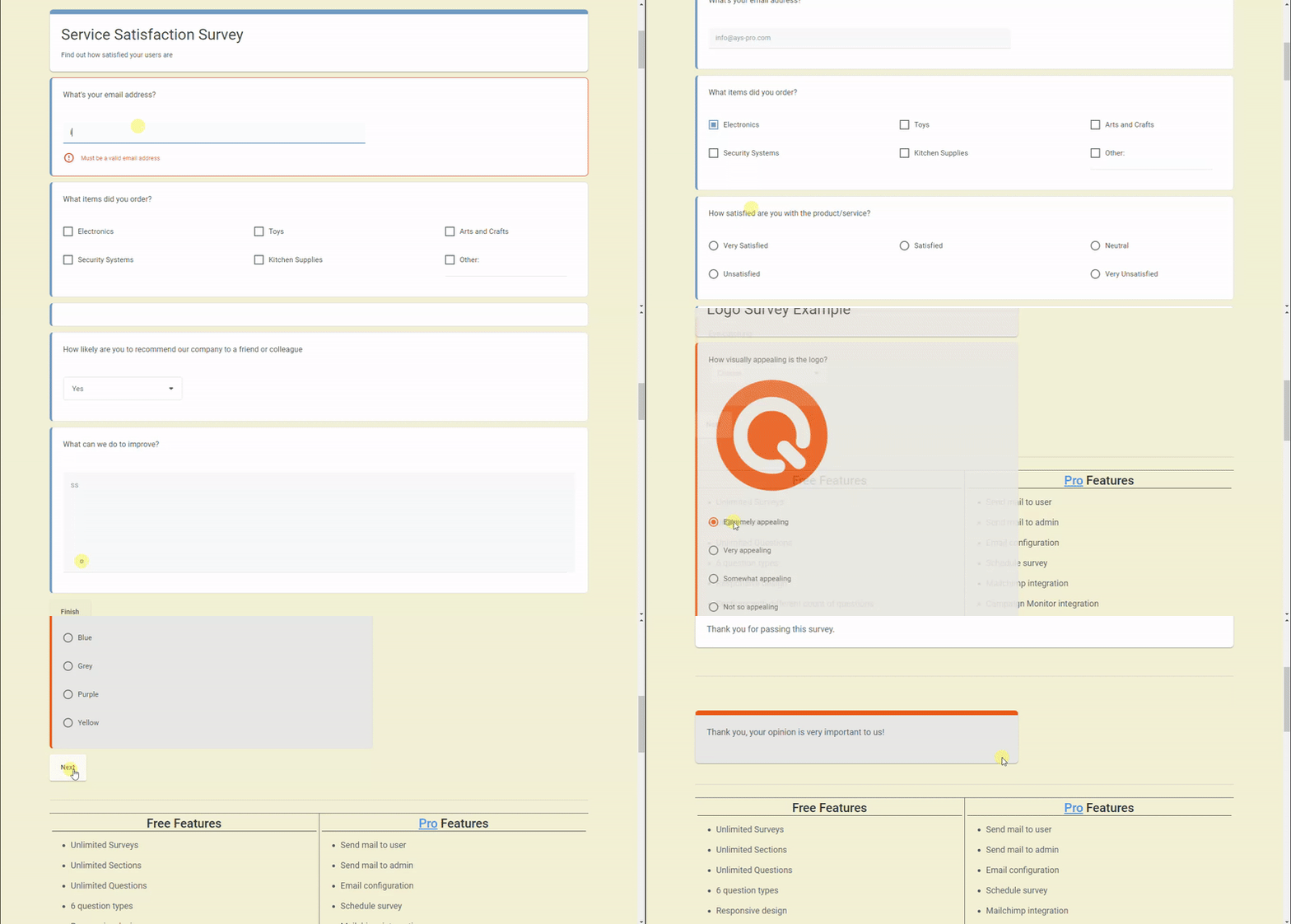
WordPress Survey Plugin – front end test preview in action 
WordPress调查插件 – 仪表盘调查设置的实时预览 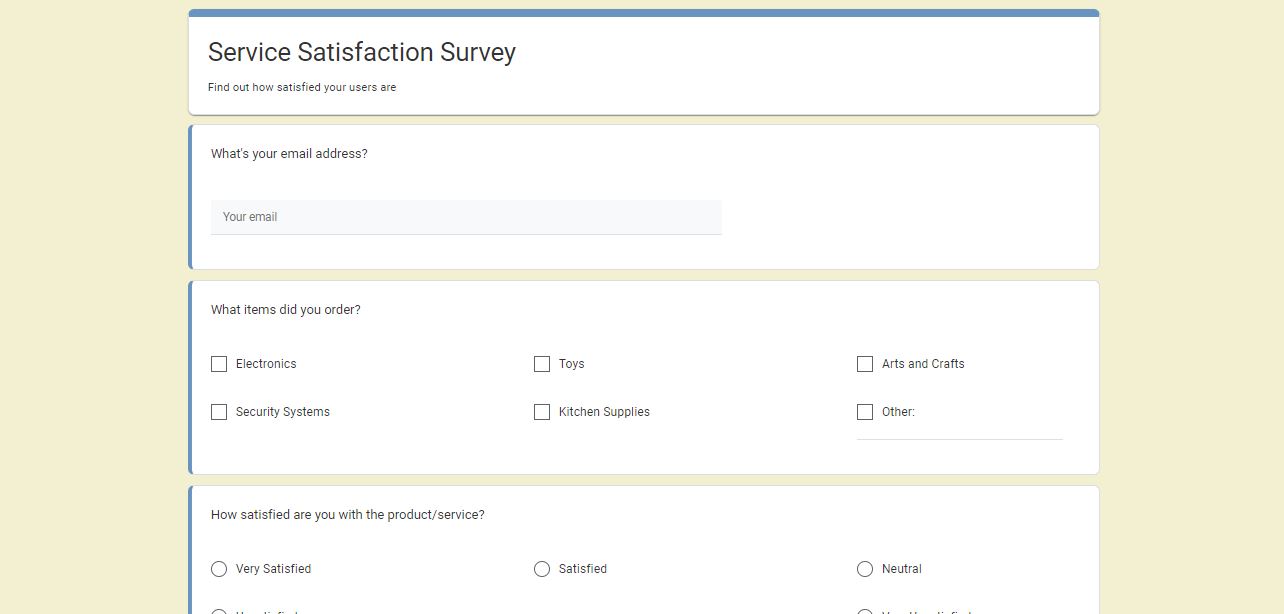
WordPress Survey Plugin – questionnaire example with different question types 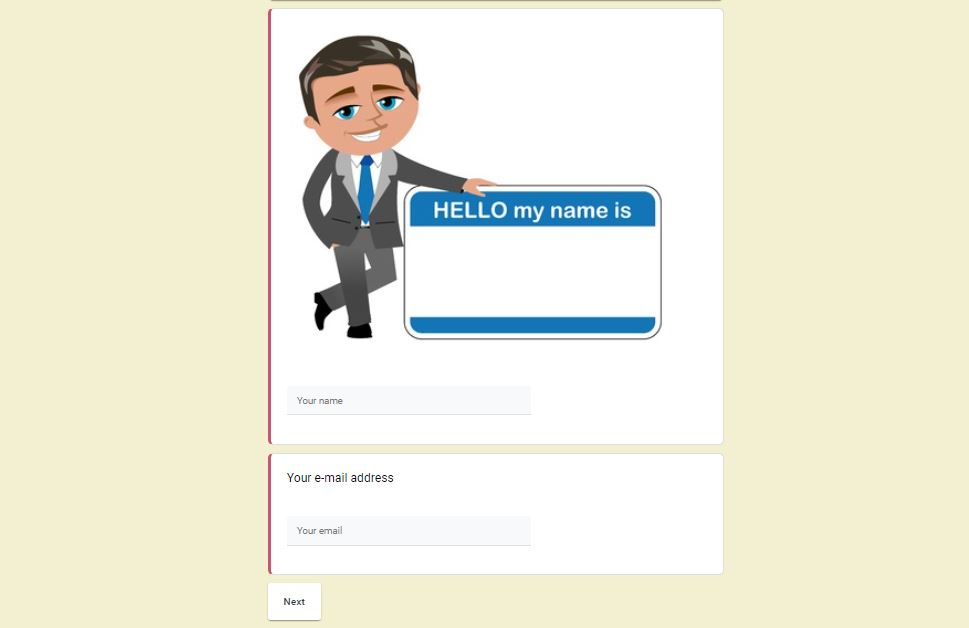
WordPress Survey Plugin – questionnaire example with image 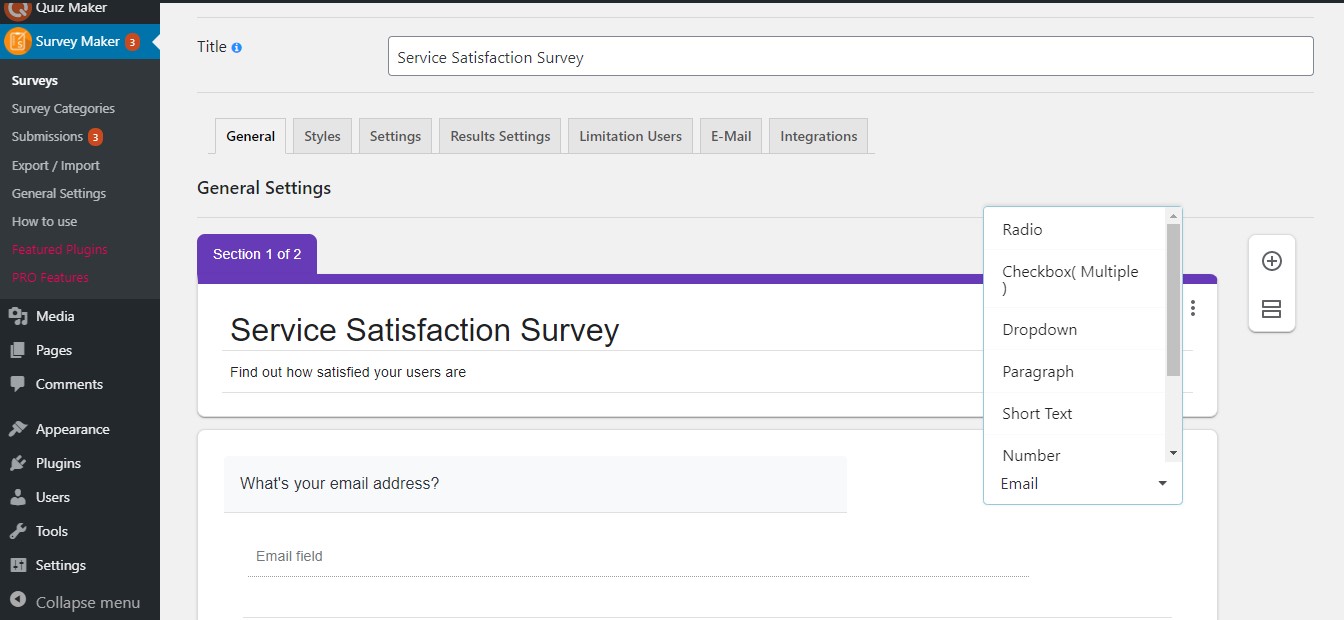
WordPress调查插件 – 调查仪表盘 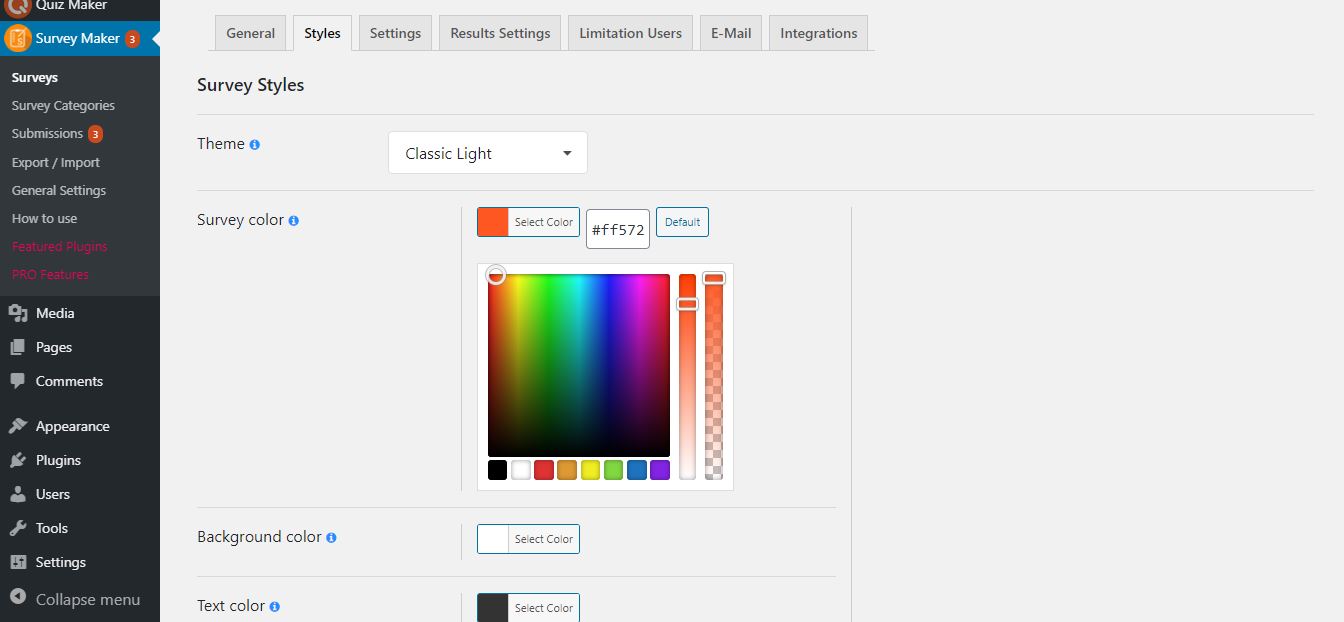
WordPress调查插件 – 调查样式选项 
WordPress Survey Plugin – form submissions summary with charts


区块
该插件提供了 1 个区块.
- Survey Maker
安装
There are two ways to install Survey maker: the easy way, when you install Survey maker from your WordPress dashboard, and the not so easy way, when you install it from WordPress.org.
- 1.1 The easiest way to enjoy Survey Maker:
- 1.1.1 Login to your WordPress dashboard
- 1.1.2 Go to Plugins
- 1.1.3 Add New
- 1.1.4 Search for Survey maker
- 1.1.5 Click to install
- 1.2 The second way:
- 1.2.1Download the zip file from https://wordpress.org/plugins/survey-maker/
- 1.2.2 Go to Plugins
- 1.2.3 Add New
- 1.2.4 Upload plugin
- 1.2.5 Choose file survey_maker.zip
-
1.2.6 Click to install
-
1.3 In order to install the Survey maker from WordPress.org you must unzip the archive and copy the survey-maker folder into your plugins folder (\wp-content\plugins).
After one ofthis steps you can activate the plugin from the Plugins menu.
Once activated configure any options as desired and you can enjoy our Survey maker.
常见问题
-
1. 如何将调查插入帖子或页面?
-
There are two ways of inserting the form – via shortcode or via block.
In the first case, you should copy the shortcode of your own wp survey, go to the All Posts/All Pages section, click Add New(or go to existing post), and paste the shortcode there. Afterward, you should publish it and go to the generated link. The link will lead you directly to your test, and you will be able to view and take it.In the second case, you should click on the Add Block(+) button and type in a survey in the block search field. Then, click on the Survey Maker block, select your preferred test from the dropdown list and that’s all!
Survey Maker allows you to insert your surveys inside any post, page, or widget area in WordPress. It is one of the best survey plugins 2021. It allows to create free online questionnaire, create a quiz with images and no technical background is required. Start your experience right now and see how quickly and easily you will create your survey! This video is a quick guide on doing a feedback form and inserting it into a post.
-
2. 有多少种类型的问题?
-
7 different types of questions are available in the free version. Those include 单选按钮 type with requires to choose only one correct answer, 复选框 allows to have more than one right answer choice, Dropdown, Paragraph, Short text, Number, Yes or No, plus E-Mail and Name fields. The Pro version provides extra 4 types such as Date, Star Rating, Linear Scale, Matrix Scale. You can create one-page or multi-page advanced questionnaires, gain data and measure customer satisfaction by adding the various types of questions offered by our plugin.
Different types allow creating any kind of tests that you have in your mind. It is one of the most advanced WordPress survey plugins on the market. It has never been so easy to create, send, and analyze data! This free, easy form creator allows you to use a survey maker with unlimited questions, sections and create tests with images. You can create custom forms like Survey Monkey (without the high costs), online petition form, feedback contact form, market research questionnaire, etc. After collecting survey reports, you can make necessary changes to your product or service and boost engagement and traffic.
-
3. 我可以创建多少个调查?
-
You can make unlimited surveys and include as many questions as you want! Both Free and Premium users have the opportunity to create unlimited surveys with unlimited questions! Isn’t it amazing? Furthermore, no limitation exists on the number of participants of the questionnaires. Don’t lose your chance to try!
Generate an unlimited number of forms for your website and analyze the information from your users with the help of pie charts and bar graphs. Did you know that you can also add photos both to the main questions and answer choices? With Survey Maker, you can make your questions required. Moreover, you can send emails after completion of the test to thank users or redirect them to any page on your WordPress website.
-
4. 我可以使用免费版本创建多步骤调查吗?
-
You can! With the help of the plugin, you can create unlimited online tests with multi sections. Quick, easy, and reliable for creating surveys interesting and engaging to take. A drastic increase in conversion rate is guaranteed.
-
5. 如何在Survey Maker中每页只显示一个问题?
-
要实现这一点,您需要将调查分成单独的部分,并为每个部分编写一个问题。如果您想要获得更多流量并将其用作潜在客户生成器,那么该插件对您的需求非常适合。 构建调查表不需要任何编码,但易于自定义。
-
6. 如何在WordPress中创建调查表单?
-
This question is already an easy answerable one, thanks to the user guide. This WordPress free form plugin is a cheaper alternative to survey monkey. I am happy to inform you that you can easily create surveys forms and analyze the data with interactive reports. The best survey forms are waiting for you! So do not miss your chance to use the best free survey maker plugin!
-
7. 升级到专业版后,我会丢失数据吗?
-
不,您不需要!即使切换到专业版,插件的所有数据(调查、设置和提交)也将保持不变。您无需重新做您已经使用免费版本创建的内容。 如需要进一步详细的说明,请查阅插件的升级指南。
-
8. 我在哪里可以找到调查统计数据?
-
Survey statistics are available on the Submissions page. It consists of 4 different sections; Summary, Individual, Submissions, and Analytics. In the Summary section, you can observe finalized answers. Meanwhile, you can interpret results with graphs and charts. The Submissions section demonstrates all the submissions. In the Analytics section, you can see a graph displaying the submissions count per page and a chart illustrating the passed users by user role. Furthermore, you can export submissions.
Survey Maker is a flexible WordPress plugin for questionnaire surveys. This free online questionnaire survey plugin allows you to create the best anonymous surveys and receive real-time feedback. While using this free tool for online surveys you can create sophisticated surveys and include different types of questions.
-
9. 我可以在哪里找到我的提交的摘要报告?
-
To do that, please go to the Submissions page of the plugin. There you will find plenty of analysis tools. Want to analyze data from a test? The plugin is just what you needed. Collect user feedback and interpret them via reports, charts, and statistics.
-
10. 如何将所有调查表从一个网站转移到另一个网站?
-
正在寻找一个令人惊叹且灵活的插件吗?您来对地方了!我们竭尽全力让我们客户的时间更加可管理。您可以使用JSON格式将已创建的调查表从一个网站导入到另一个网站,并导出。 不错的插件,对吧?
-
11. 有没有文档或用户指南?
-
当然有。您可以在官方网站上找到一份快速用户指南文档。它包括了详细的用户指南和关于如何创建调查的说明。您可以找到Survey Maker提供的有关功能的必要信息;问题类型、样式选项、逻辑跳转、弹出式调查等等。
Survey Maker Free Demo and Pro Demo are available! You can test the samples to make sure of high quality and flexible design. Below the demo versions of surveys, you can find all the features listed for both the Pro and Free versions. By the way, subscribe to our YouTube channel if you want to learn more about the plugin’s details.
-
12. Survey Maker免费版可以获得支持吗?
-
我们愉快地支持我们的社区。我们的支持专家随时准备帮助您更有效地使用产品。虽然插件易于设置和使用,并具有简单的界面,但如果您有任何疑虑,请随时与我们联系。团队可能会在24小时内回复您的问题。有关免费插件的问题,请在WordPress支持论坛上发布,否则(售前问题/专业支持) ,请通过此表格与我们联系。 我们保证提供优质服务!
-
如何添加无限数量的问题?
-
你必须知道我们的插件没有限制,Survey Maker可以提供无限数量的部分、问题和答案。然而,如果你遇到了这样的问题,那就与你的服务器有关。要解决这个问题,你必须访问你的cPanel,找到你的PHP值并增加数字,如果你自己无法做到这一点,那么联系你的主机提供商,让他们为你做这个工作。
max_input_vars 10000
max_execution_time 600
max_input_time 600
post_max_size 256M
评价


贡献者及开发者

更新日志
5.2.0.2 ( Dec 24, 2025 )
- Improved: Some changes on the admin dashboard
5.2.0.1 ( Dec 09, 2025 )
- Added: Current Month message variable on the general settings
5.2.0.0 ( Dec 05, 2025 )
- Improved: Some changes on the admin dashboard
- Updated: POT file
5.1.9.9 ( Dec 02, 2025 )
- Added: Current Day message variable on the general settings
- Improved: Some changes on the admin dashboard
- Tested: Compatible up to WP 6.9
5.1.9.8 ( Nov 25, 2025 )
- Improved: Some changes on the admin dashboard
5.1.9.7 ( Nov 20, 2025 )
- Added: “Black Friday Deal” Banner
5.1.9.6 ( Nov 18, 2025 )
- Improved: Some changes on the admin dashboard
- Updated: POT file
5.1.9.5 ( Nov 12, 2025 )
- Improved: Some changes on the admin dashboard
- Fixed: Code correction on the admin dashboard
- Fixed: Capability check in Display survey summary shortcode
5.1.9.4 ( Nov 04, 2025 )
- Added: Change the author of the current survey option
- Improved: Some changes on the admin dashboard
5.1.9.3 ( Oct 28, 2025 )
- Improved: Some changes on the admin dashboard
5.1.9.2 ( Oct 21, 2025 )
- Improved: Some changes on the admin dashboard
5.1.9.1 ( Oct 14, 2025 )
- Added: Survey Maker Welcome page
5.1.9.0 ( Oct 8, 2025 )
- Improved: Some changes on the admin dashboard
5.1.8.9 ( Oct 3, 2025 )
- Updated: POT file
- Fixed: Code correction on the front-end and admin dashboard
5.1.8.8 ( Sep 23, 2025 )
- Improved: Some changes on the admin dashboard
- Improved: The banner style on the admin dashboard
- Tested: Compatible up to 6.8.2
5.1.8.7 ( Sep 16, 2025 )
- Improved: Some changes on the admin dashboard
5.1.8.6 ( Sep 9, 2025 )
- Fixed: Related data now deleted with survey
5.1.8.5 ( Sep 2, 2025 )
- Added: Question border radius option
5.1.8.4 ( Aug 25, 2025 )
- Fixed: Vulnerability issue in survey categories page
5.1.8.3 ( Aug 19, 2025 )
- Improved: Some changes on the admin dashboard
5.1.8.2 ( Aug 12, 2025 )
- Updated: POT file
- Improved: Some changes on the admin dashboard
5.1.8.1 ( Aug 5, 2025 )
- Improved: Some changes on the admin dashboard
5.1.8.0 ( Jul 29, 2025 )
- Fixed: Limitation of the number of characters in numeric types
- Fixed: Date type question width issue
5.1.7.9 ( Jul 14, 2025 )
- Added: Auto-scroll in drag and drop question on admin page
- Improved: Notice functionality behavior
- Fixed: User local language issue
5.1.7.8 ( Jul 8, 2025 )
- Improved: Our products page
- Fixed: Stored XSS vulnerability in survey category description field
5.1.7.7 ( Jun 30, 2025 )
- Added: Question caption text color mobile option
- Improved: Some changes on the admin dashboard
- Fixed: Some styles issue on the admin dashboard
5.1.7.6 ( Jun 26, 2025 )
- Improved: Styles on the admin dashboard
- Updated: POT file
5.1.7.5 ( Jun 23, 2025 )
- Added: Start page title position option for mobile devices
5.1.7.4 ( Jun 19, 2025 )
- Added: Start page title position option
5.1.7.3 ( Jun 16, 2025 )
- Improved: Some changes on the admin dashboard
5.1.7.2 ( Jun 12, 2025 )
- Fixed: Summary shortcode issue with the Modern/Minimal theme
- Fixed: Language translation problem
5.1.7.1 ( Jun 9, 2025 )
- Added: Schedule the Survey functionality
5.1.7.0 ( Jun 5, 2025 )
- Added: Feedback popup after deactivating plugin
- Improved: Some changes on the admin dashboard
5.1.6.9 ( Jun 2, 2025 )
- Added: Popup Title text color option for mobile devices
5.1.6.8 ( May 29, 2025 )
- Fixed: Conflict with Pixel Ebook Store theme
- Fixed: Conflict with Interactive Education theme
- Updated: POT file
5.1.6.7 ( May 26, 2025 )
- Added: Login button text option for each survey
- Improved: Styles on the admin dashboard
5.1.6.6 ( May 22, 2025 )
- Added: Start button text option for each survey
5.1.6.5 ( May 19, 2025 )
- Fixed: CSS conflict with the WP Social Login and Register plugin
- Fixed: Edit question with the wp editor issue
5.1.6.4 ( May 14, 2025 )
- Added: Clear selection button text option for each survey
- Fixed: Code correction on the front-end
5.1.6.3
- Added: Exit button text option for each survey
5.1.6.2
- Added: Restart button text option for each survey
5.1.6.1
- Added: Previous button text option for each survey
5.1.6.0
- Added: Next button text option for each survey
5.1.5.9
- Added: Fox LMS Plugin to the Our Products page
- Added: Finish button text option for each survey
5.1.5.8
- Improved: Styles on the surveys page
5.1.5.7
- Added: Show detailed report popup on the submissions page
- Tested: Compatible up to 6.8
5.1.5.6
- Fixed: CSS conflict with the HTML5 Video Player plugin
5.1.5.5
- Improved: Code correction on the admin dashboard
5.1.5.4
- Fixed: Style issue on the surveys page
5.1.5.3
- Improved: Styles on the surveys page
5.1.5.2
- Added: Date and time question type
5.1.5.1
- Improved: Styles on the admin dashboard
5.1.5.0
- Added: Start button position option for mobile devices
5.1.4.9
- Added: Change Start page button text functionality on the General settings
5.1.4.8
- Added: Time question type
5.1.4.7
- Added: Start page for surveys
5.1.4.6
- Added: Popup title background color option for mobile devices
5.1.4.5
- Improved: Security performance on the submissions page
- Updated: POT file
5.1.4.4
- Added: Pagination items positioning on mobile option
5.1.4.3
- Fixed: Select user filter issue on the submissions page
- Fixed: Style tab style issue on the surveys page
5.1.4.2
- Improved: Security performance on the admin dashboard
5.1.4.1
- Improved: Code correction on the admin dashboard
- Updated: POT file
- Tested: Compatible up to 6.7.2
5.1.4.0
- Added: Customization option for the Redirection Message text
- Fixed: PHP problem on the front-end
5.1.3.9
- Added: Popup Background On Mobile option
5.1.3.8
- Added: Progress bar text color for mobile devices
5.1.3.7
- Fixed: Mobile style issue on the Surveys page
- Updated: POT file
5.1.3.6
- Fixed: Show trashed survey submissions count issue
- Fixed: Email validation error text security issue
5.1.3.5
- Added: Survey logo position option for mobile devices
5.1.3.4
- Fixed: Question title security issue
5.1.3.3
- Added: Global Collapse/Expand functionality on the surveys page
5.1.3.2
- Added: New design for the Surveys page
5.1.3.1
- Added: Progress bar text transform option for mobile devices
5.1.3.0
- Fixed: Styles issue on the settings tab of the Surveys page
5.1.2.9
- Improved: Top banner styles on the admin dashboard
5.1.2.8
- Fixed: Style issue on the surveys page
5.1.2.7
- Added: Button border-radius on mobile option
5.1.2.6
- Added: New style for Survey cover photo image Position
5.1.2.5
- Added: Top save button on the Popup Survey page
5.1.2.4
- Added: Popup title Border radius option for mobile devices
5.1.2.3
- Added: Answer image sizing mobile option
5.1.2.2
- Improved: Styles issue on the surveys page
5.1.2.1
- Fixed: Style issue on the surveys styles page
5.1.2.0
- Added: Question image sizing on mobile option
5.1.1.9
- Improved: Styles on the Surveys page
5.1.1.8
- Added: Question image height on mobile option
5.1.1.7
- Improved: Admin dashboard styles
5.1.1.6
- Added: Question image width on mobile option
- Tested: Compatible up to 6.7.1
5.1.1.5
- Added: Answer image size on mobile option
5.1.1.4
- Added: Date question type
5.1.1.3
- Improved: Some changes on the admin dashboard
5.1.1.2
- Added: Popup height mobile option for Popup Survey
5.1.1.1
- Added: Popup width mobile option for Popup Survey
5.1.1.0
- Added: Confirmation box for unsaved changes on the admin dashboard
5.1.0.9
- Fixed: Survey style issue on Elementor block
5.1.0.8
- Fixed: Styling problem on the Surveys list table page
- Updated: POT file
- Tested: Compatible up to 6.7
5.1.0.7
- Improved: Styles on the Survey style page
5.1.0.6
- Added: Text transform on mobile option for Popup Survey
5.1.0.5
- Added: Minimal theme
5.1.0.4
- Improved: Styles on the Popup Survey page
5.1.0.3
- Added: Question caption text transform on mobile option
5.1.0.2
- Improved: Styles on the Survey page
5.1.0.1
- Added: Buttons top distance on mobile option
5.1.0
- Fixed: Save buttons style issue on the surveys page
5.0.9
- Added: Button alignment on mobile option
5.0.8
- Fixed: Number question type limitation issue on the front page
5.0.7
- Added: Survey section description alignment on mobile option
5.0.6
- Added: Survey section title alignment on mobile option
5.0.5
- Fixed: Styling problem on the Gutenberg page
- Updated: POT file
5.0.4
- Improved: Styles on the admin dashboard
5.0.3
- Improved: Security on the survey categories page
5.0.2
- Added: Answer gap on mobile option
5.0.1
- Added: Star rating question type
5.0.0
- Added: Question padding on mobile option
1.0.1
- Fixed: Some style issues
