Free secondary screen for your computer
Deskreen is an open-source utility tool created by an indie developer named Pavlo Buidenkov for Windows PCs. This particular software enables you to turn any device into a secondary screen for your computer as long as it has a working web browser. Not only that, but it also has a notable and user-friendly feature to conduct screen-sharing. All of these robust functions and features can be freely experienced by any type of user.
Rich in handy features
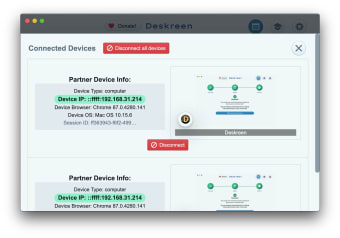
Using Deskreen, you will be able to utilize any device with a web browser as a second screen for your computer through this app's Virtual Display Adapter feature. As mentioned, you will be able to share your computer's entire screen, as well, with various devices that meet its requirements. Unfortunately, though it puts a limitation to how many applications can be viewed to a single app one only.
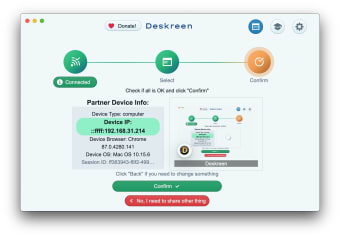
Regardless, you can still connect as many devices as you want at the same time and even share your screen with all of them. In three easy steps, you will be able to connect with the app. Its design is user-oriented wherein all the features that you will probably need are seen in its interface. You can even change picture quality while sharing a screen because of the auto quality change it supports.
Furthermore, it is built with security in mind. It is evidently seen through the industry-standard of end-to-end encryption provided. This utility tool can share screens over WIFI without the need for any kind of cable. Although, it is important to note that its efficiency will still heavily depend on your WiFi connection. It will definitely work faster and much smoother if you have a stable connection and be able to have a good user experience.
Sufficient enough
Deskreen can hardly be considered as a cutting-edge application because of some drawbacks and issues. However, it offers a huge advantage that should not be overlooked like its user-friendly interface that will prove to be attractive to average users. Although, it is no doubt that it needs more configuration options with regards to its overall quality and screen sharing capabilities. Nevertheless, it's still a great and recommended tool for the job.