-
-
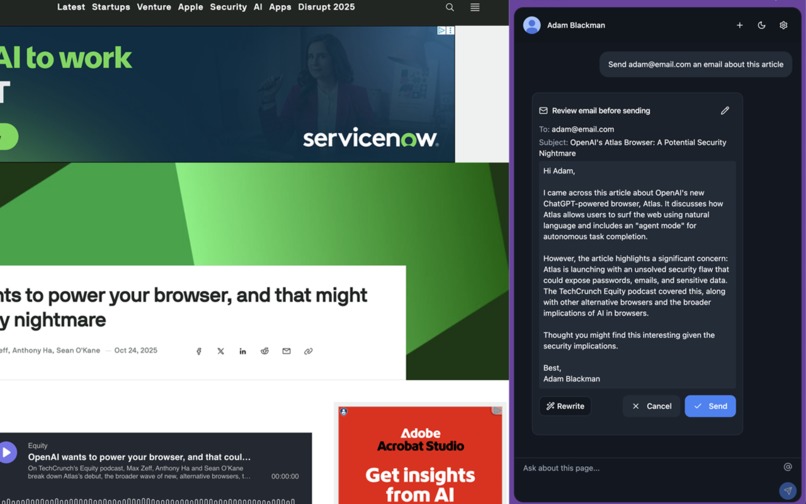
Instantly send an email about an article that catches your eye without ever leaving the page, full customizability after initial draft.
-
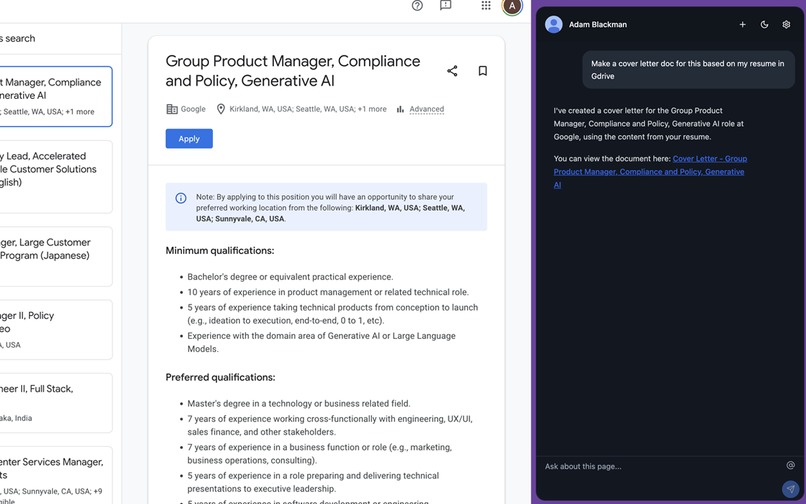
Create a cover letter for a job while on the page, just say the word. It already knows about your resume and the job posting.
-
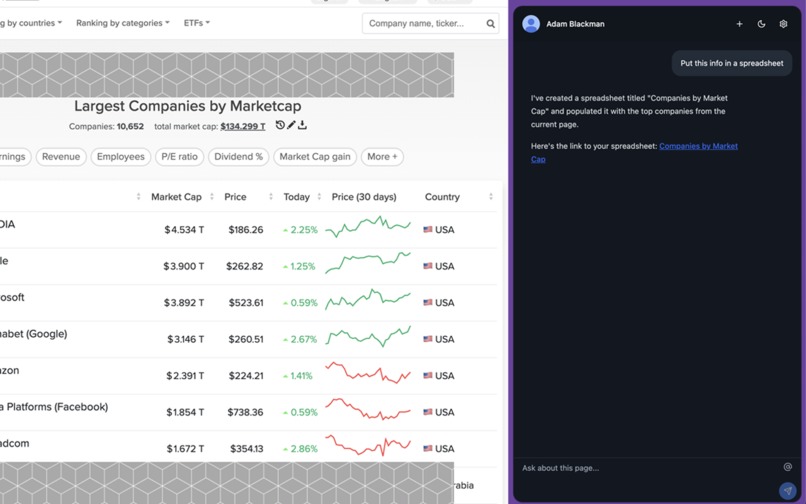
Scrape valuable data from any website into spreadsheets seamlessly.
-
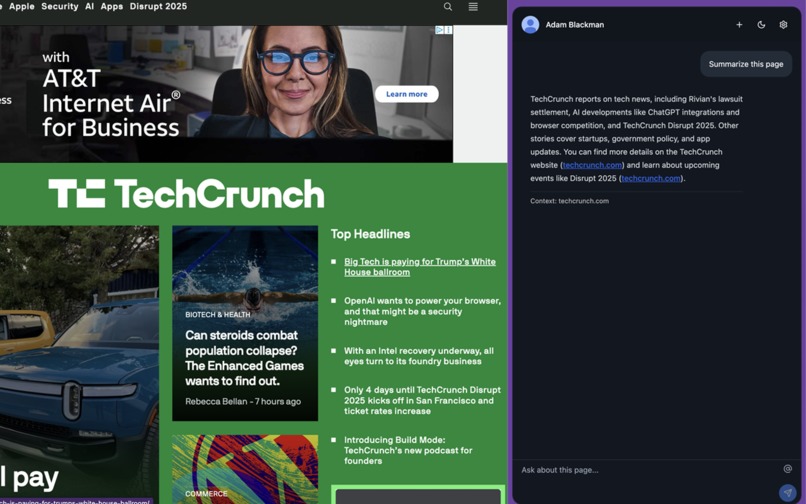
Simple use of summarizer API with page context, always a helpful and convenient use case.
-
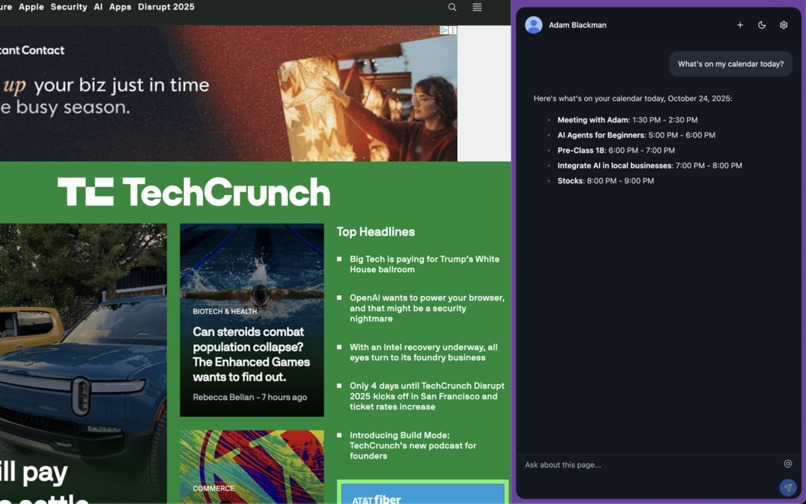
Checking your calendar while you catch up on the news in the morning without ever switching tabs.


Inspiration
Contextua was inspired by The Browser Company's Dia for its useful use of tab context and Comet from Perplexity for its agentic Google Workspace integrations. The goal was to integrate these functions seamlessly into the most widely used browser to be used as a modular add-on rather than the entire use case of the browser.
What it does
Contextua is a context-aware AI agent for Chrome built around the new client-side APIs. It combines on-device intelligence (open tabs, bookmarks, search history) with deep Google Workspace integration, letting you summarize, draft, extract, translate, and automate tasks directly from the page.
Using the Chrome Built-in AI, Contextua runs five local tools:
- Summarizer API – Quickly condenses long pages or emails into short, readable summaries.
- Proofreader API – Edits grammar, tone, and clarity in documents or email drafts.
- Translator API – Translates selected text between languages instantly.
- Writer API – Creates new content such as drafts, messages, or notes.
- Rewriter API – Refines or rephrases text for clarity or tone.
Beyond text tasks, Contextua uses on-device browser tools to search your tabs, history, and bookmarks, and cloud-based Google Workspace APIs to access Gmail, Drive, and Calendar.
In total, Contextua orchestrates 21 tools: 5 local AI, 1 browser, and 15 Google Workspace integrations, bringing true context-aware functionality into Chrome.
How I built it
I started the project in Lovable for UI scaffolding and then developed it in Cursor for full integration with the Chrome APIs. The system uses Gemini 2.5 Flash*as the cloud-based orchestrator to interpret user intent and route commands. On-device client-side AI handles local tasks and relevant Google Workspace tool calls. The frontend executes the selected client-side APIs and streams the results.
Challenges I ran into
Getting an AI agent to coordinate across both local and cloud models with so many available tools was extremely difficult. Managing routing logic, maintaining context, and ensuring privacy while keeping latency low required careful design and prompt tuning.
Accomplishments that we're proud of
I am proud that Contextua can now handle multi-step tasks that combine both local and cloud functions, like summarizing your resume from Drive to help write a cover letter Google Doc for the job posting you're looking at — all within a few seconds.
What we learned
I learned how critical prompt structure and context management are when working with multiple AI models and a lot of tools.
What's next for Contextua
Next, I plan to continue refining the architecture by studying Microsoft’s AI Agents for Beginners course to learn more about best practices in orchestrator design and multi-agent collaboration. The goal is to make Contextua more modular, faster, and allow it to gain user preferences and learn overtime.
Built With
- gemini
- google-calendar
- google-drive
- google-gmail
- google-spreadsheets
- lovable
- supabase


Log in or sign up for Devpost to join the conversation.