-
-
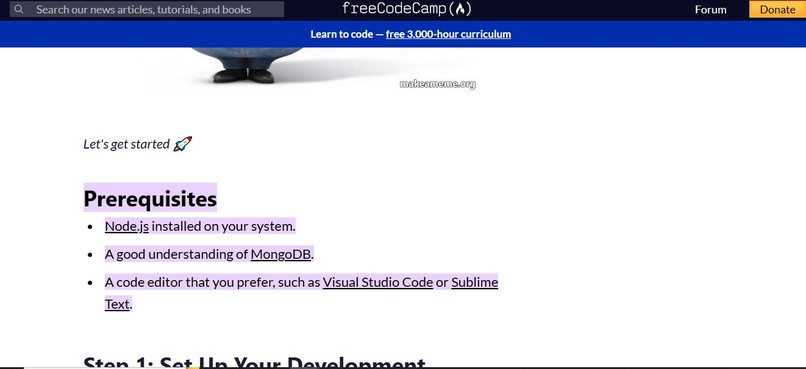
sample tutorial taken from freeCodeCamp
-
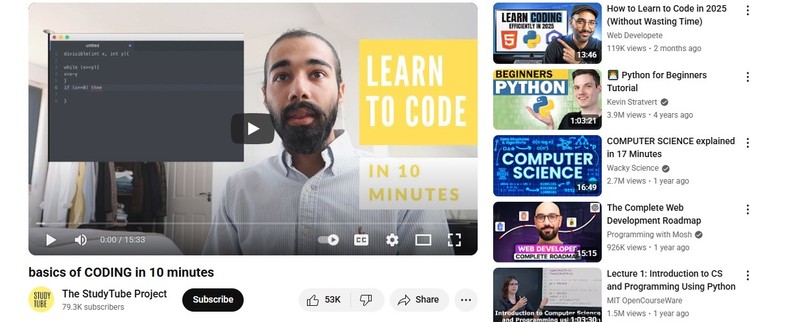
sample tutorial taken from YouTube


Inspiration
Learners experience "blank page syndrome" also known as a "mental block" or "writer's block" when the "working knowledge" they need to complete a task is insufficient. "Working knowledge" is information about a topic that is already memorized and can be easily and quickly recalled to start a task.
What it does
cuED illustrates how Cued Recall solves the "blank page syndrome" problem. Cued Recall is the process of using simple verbal, image or text cues to reference information. The learner only memorizes the cues they list on Google Sheets and can then click on the cue to reference hyperlinked content that is specific to the cue.
How we built it
Step 1: find a tutorial that you want to use to build an app.
Step 2: After reading and understanding the tutorial, use the "To-Do List Template" on Google Sheets to create a list of short phrases, or cues that describe each paragraph/section of the tutorial.
Step 3: Highlight the portion of the tutorial relevant to the cue and hyperlink it to the cue in Google Sheets. Google Sheets has a tool that enables this.
Step 4: Briefly review the cues you list in Google Sheets. When you are about to start building the app and are faced with the dreaded blank page syndrome, look at your list on Google Sheets to identify which cue you need. Then you can click on the cue to go to the relevant portion of the tutorial for specific information.
Challenges we ran into
It takes a few minutes to get the hang of adjusting the sizes of the cells in Google Sheets, using the highlight feature in Chrome to select/highlight the tutorial content, and then hyperlinking the relevant content back to Google Sheets
Accomplishments that we're proud of
Improving learning accessibility by demonstrating how Cued Recall provides a simple yet powerful solution to a debilitating phenomenon.
The process of hyperlinking cues to specific sections of content saves learners time since they no longer have to scour through oftentimes extensively documented content, from the beginning, in order to locate the relevant information. They simply click the cue which opens up a new tab to the content they highlighted.
For text tutorials, the "read aloud" feature in Chrome can be used throughout this process to hear cues and/or tutorial content. This will help learners with low-vision and other needs.
This project can also be replicated with video tutorials. With the "copy video at URL time" feature in YouTube video, cues can be linked to specific times in the video, significantly reducing the time and effort needed to pore through video.
What we learned
Learners can remix the note-taking process and improve their productivity through the use of Google Sheets. In addition, accessibility is enhanced with features in Chrome that enable learners with low-vision to hear information. Teachers can also employ Cued Recall as a useful tool in their toolbox to facilitate the learning process for students who struggle with recalling information.
What's next for cuED
Explore the use of AI to enhance the process


Log in or sign up for Devpost to join the conversation.