-
-
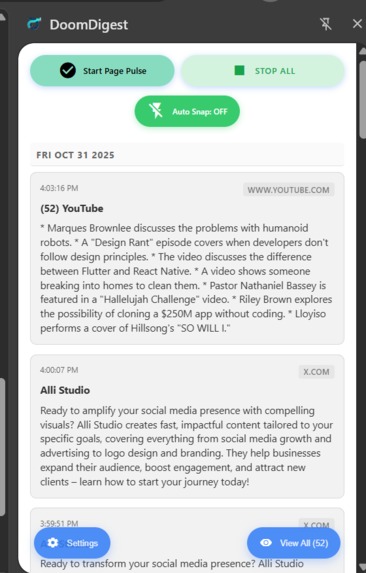
Sidebar shows Start Page Pulse and Auto Snap toggle, plus a preview of recent summaries (digests).
-
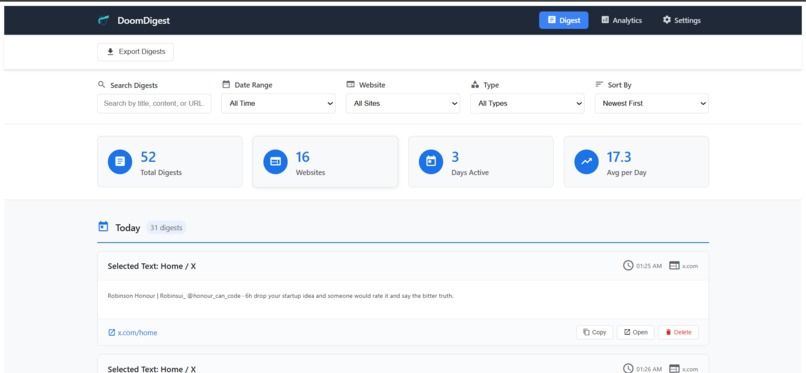
Digest page to search, filter, and sort captured digests by date, site, or type. It also displays content metrics (e.g., 17.3 avg per day).
-
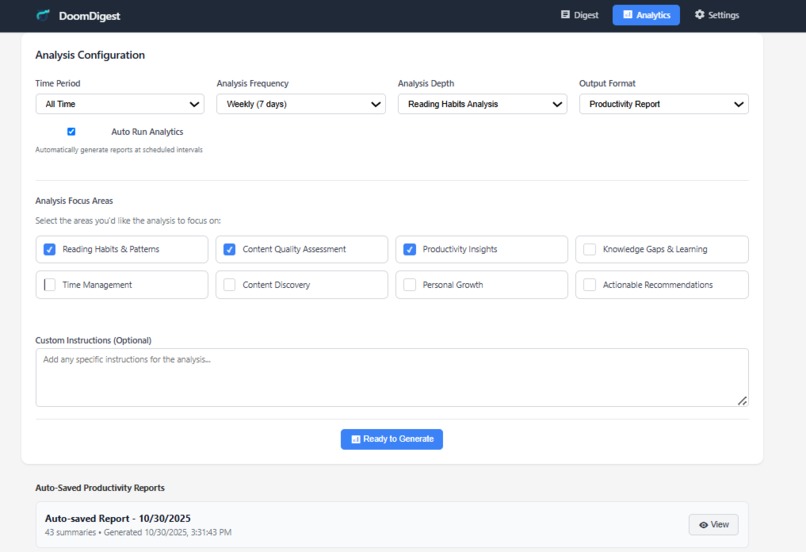
Analytics page allows users to set up and generate scheduled Reports based on Reading Habits, Content Quality, and desired focus areas.
-
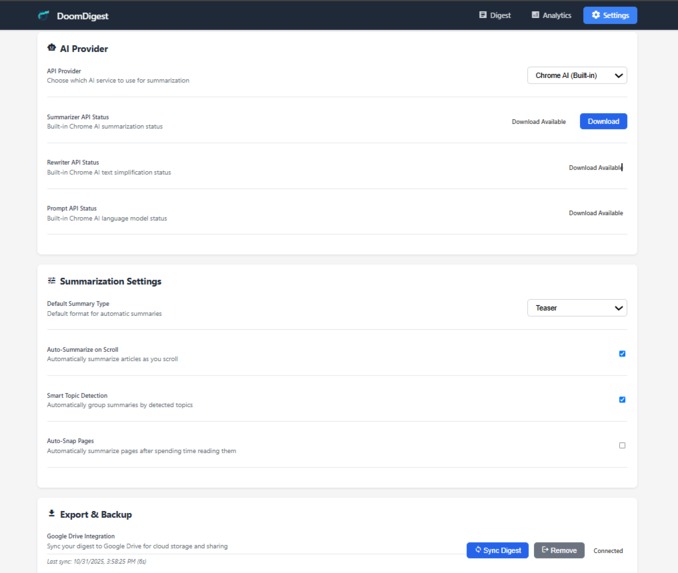
Settings page to select the AI Provider(Gemini API or ChromeAI) and configure summarization methods like Auto-Summarize on Scroll
-
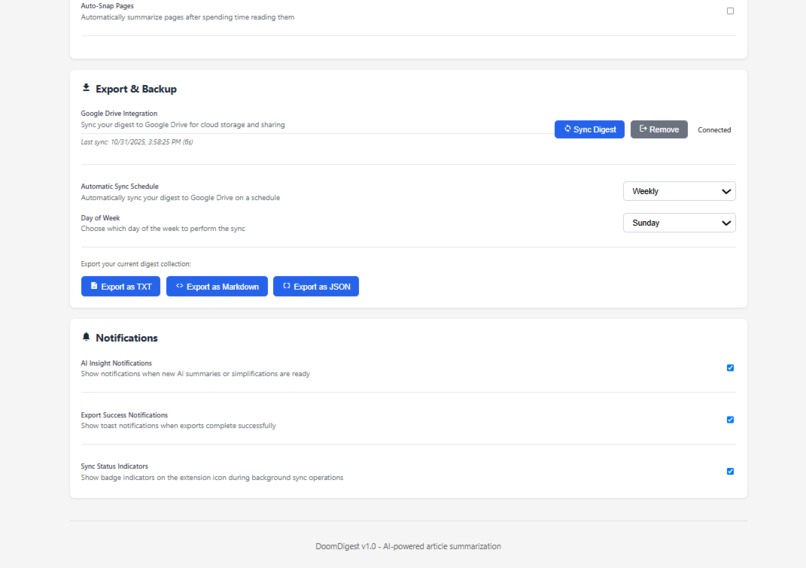
Settings (Export & Backup) to sync digest data to Google Drive, connect to drive and export the digests as TXT, Markdown, or JSON.


🌍 Inspiration
We spend hours daily consuming information online; articles, social posts, research papers, and technical documentation; but rarely retain or organize it efficiently. DoomDigest was inspired by the need for an AI-driven tool that automatically summarizes, tracks, and syncs content without interrupting browsing or reading flow.
Whether you’re a student studying, a developer breaking down API docs, or a professional reading industry news; DoomDigest helps you learn, remember, and organize smarter.
⚙️ What It Does
DoomDigest is a Chrome extension that:
- Automatically detects and summarizes web pages and social media feeds using Chrome AI or Gemini. Smart Content Detection: Automatically detects and summarizes articles, emails, social media posts and feeds using Chrome AI or Gemini.
- Allows readers, students, and developers to take quick notes while reading; notes are automatically saved and synced.
- Generates daily/weekly productivity analytics on what you read or studied.
- Syncs summaries, notes, and reports directly to Google Drive.
- Exports digests in multiple formats (TXT, Markdown, JSON) for easy sharing or import into Notion, Obsidian, or Docs.
- Works seamlessly in the background, even when the sidebar isn’t open.
🛠️ How We Built It
- Frontend: HTML + Vanilla JS + Tailwind, bundled with Rollup for modular builds and fast load times.
- Background Logic: Chrome extension service worker manages all core features; Drive sync/export, alarms, content detection, and background AI summarization.
- AI Integration: Chrome built-in AI via Prompt API, with fallback to Google Gemini API for reliability and richer summaries.
- Storage: IndexedDB for local content caching and deduplication; Chrome storage for preferences and sync settings.
- Architecture: Multi-context setup with a background service worker, popup, sidepanel, and settings page communicating via message passing.
- Google Drive Sync: Implemented directly in
background.jsusing OAuth tokens obtained throughchrome.identity, removing the need for any backend or cloud function.
💥 Challenges We Ran Into
- Background async ops closed message ports prematurely.
- Managing consistent data flow between content, background, and UI scripts.
- Hit
chrome.storage.sync8KB quota → migrated to IndexedDB. - Handling model download states, prompt length errors, and timeouts.
- Making context menu actions work even when sidebar isn’t open.
🏆 Accomplishments We’re Proud Of
- Built a fully modular Chrome AI extension with Drive integration.
- Achieved zero external dependencies for AI summarization (all local).
- Smooth offline experience with persistent storage.
- Automated analytics generation and cross-device data sync.
- Expanded functionality for note-taking and developer documentation breakdown — all directly in the browser.
📚 What We Learned
- Deep understanding of Chrome’s AI and extension APIs.
- Handling async messaging and CSP in MV3 service workers.
- Designing privacy-friendly AI tools that run locally.
- Managing OAuth without exposing secrets.
- Building multipurpose tools usable by both casual readers and technical users.
🚀 What’s Next for DoomDigest
- Smart Email Reports: Automatically email weekly or daily digests to users.
- Team Analytics: Shared reading and study reports for teams or study groups.
- PDF Annotation & Smart Notes: Highlight text in PDFs or web docs and auto-generate AI summaries per section.
- Browser Cross-Sync: Support for Edge and Firefox AI APIs.
- Custom AI Models: Integrate user-specific Gemini prompts for personalized summaries and note styles.
Built With
- chrome
- extension
- gemini
- google-drive
- google-font
- javascript
- promptapi
- rewriterapi
- summarizerapi



Log in or sign up for Devpost to join the conversation.