-
-
Introduction into the App
-
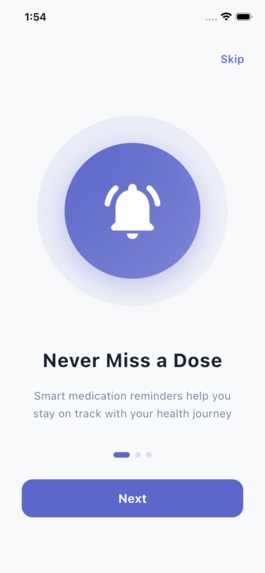
Short description of app
-
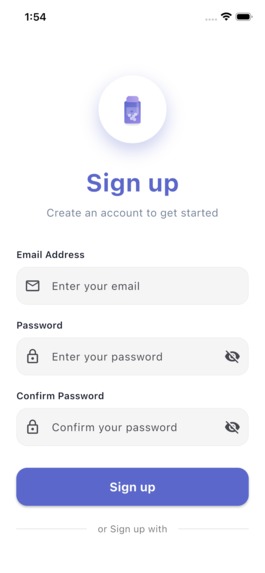
Sign-Up page. Passwords must match and email must be valid.
-
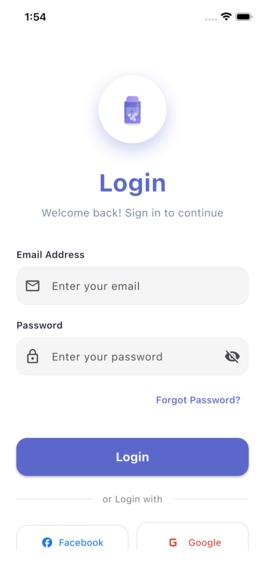
Log in Page for existing users.
-
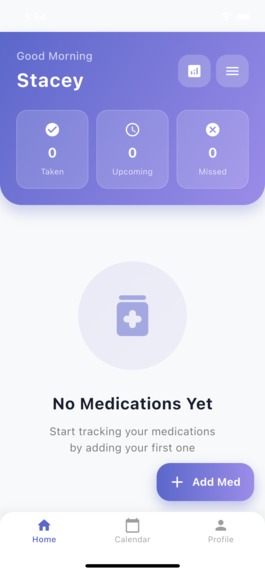
Homepage where users can add their medication as well as look at the number of missed, upcoming and taken medication (can unmark medication)
-
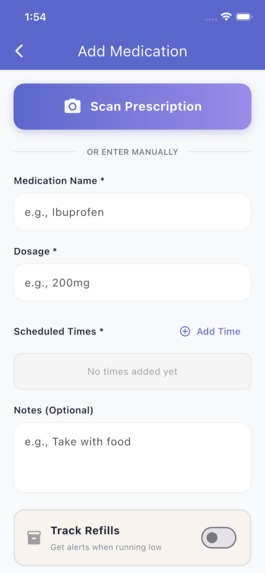
User can choose to scan or manually input prescription.
-
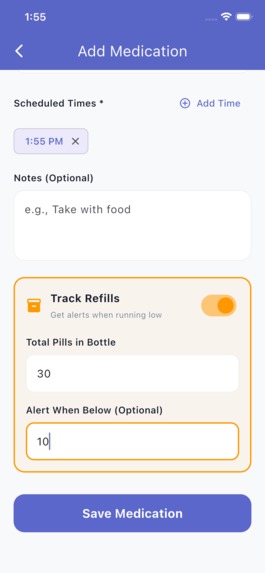
Refill count that counts how many pills you have left after each take and alerts you when you are running low.
-
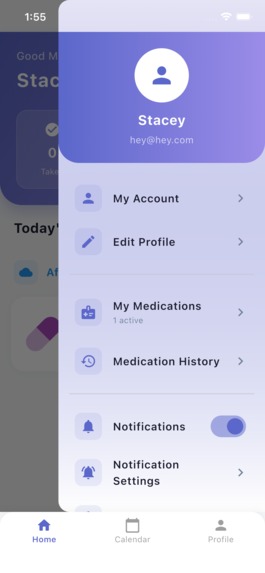
Sidebar to make it easier for users to access profile
-
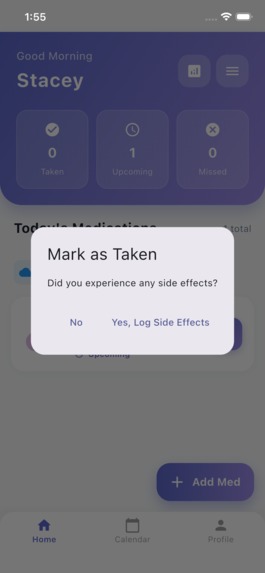
Users can mark medicine as taken when they have taken it.
-
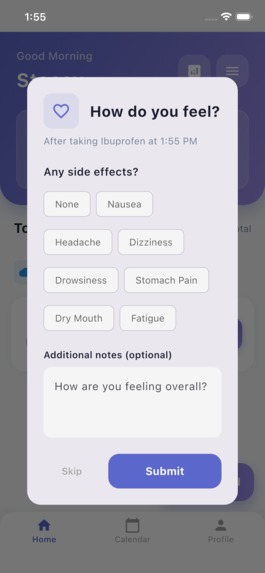
A notification pops up after 30 minutes asking users if they experienced any side effects.
-
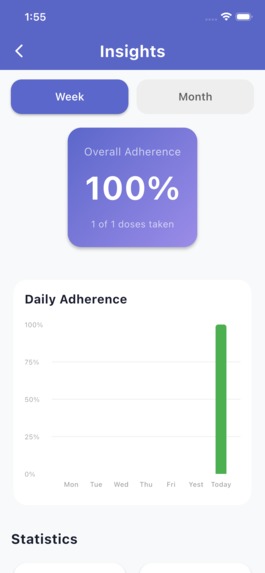
Analytics page, users can see their report.
-
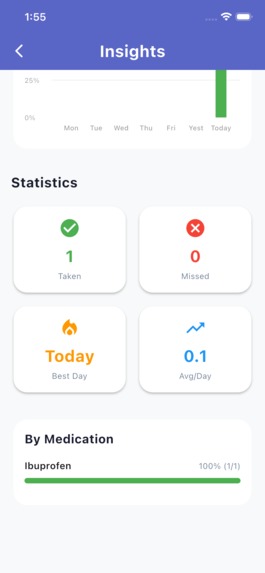
Analytics page where users can see their consistency and the number of taken and missed medicine.
-
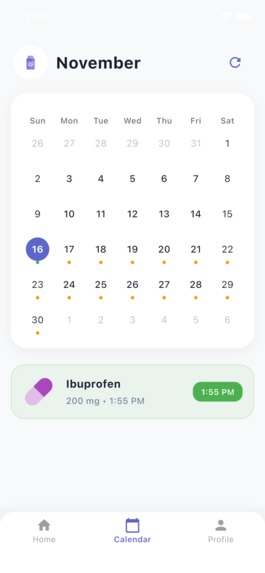
Calendar page shows users the days they take each medicine. When user clicks on medicine they can see the history log of side effects.
-
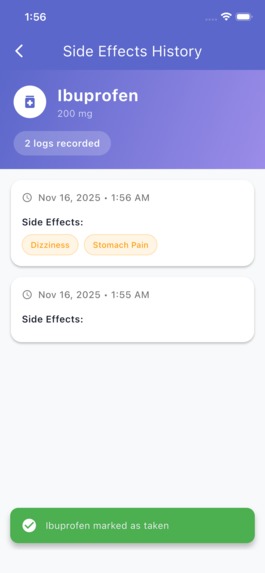
History log of side effects.
-
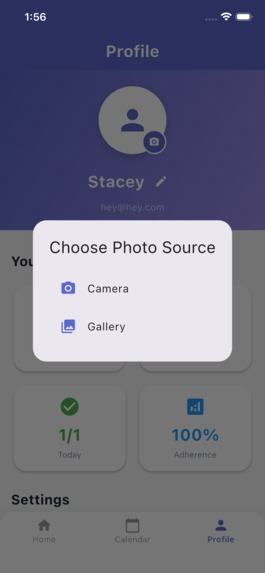
Users can upload pics for their profile as well as change their username
-
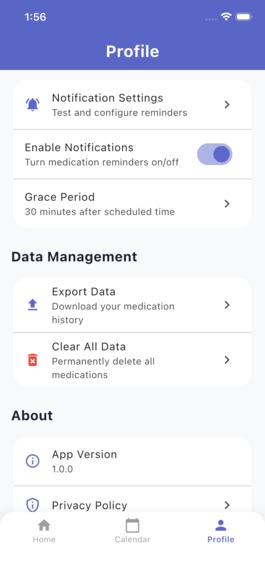
Users can export and clear all data as well as log out of account.


DoseBuddy: Your Medication Companion Inspiration
When my mum had back surgery, she had to manage several medications with different schedules. Keeping track of everything was overwhelming, and it made me realize how difficult medication management can be when someone is already recovering. My grandparents face similar challenges, and their caretakers still track doses on paper even though they use their phones for everything else. DoseBuddy grew out of wanting to make this process easier for them.
What I Built
DoseBuddy is a Flutter + Dart app designed to help users:
Track multiple medications and schedules
Receive reminders for each dose
Mark doses as taken
View daily and weekly history
Manage refills
Keep all medication information in one organized place
What I Learned
How to structure a Flutter project from scratch
State management and keeping data consistent across screens
Using Hive for persistent local storage
Implementing notifications reliably
Designing accessible interfaces for elderly users
Troubleshooting complex dependency and YAML issues
Challenges I Faced
- Dependencies
Getting all the required Flutter packages to work together was a challenge. Hive, notification plugins, and calendar packages often conflicted. Fixing version issues and troubleshooting YAML errors took time and patience.
- “Mark as Taken”
This feature was more complicated than expected. A medication might have several dose times in one day, so I had to track each scheduled instance and update the pill count accurately.
void markAsTakenOn(DateTime date, String scheduledTime) { takenLog!.add({ 'date': _formatDate(date), 'scheduledTime': scheduledTime, 'takenAt': DateTime.now().toIso8601String(), });
pillsRemaining = pillsRemaining! - pillsPerDose; }
Refill prediction uses:
Days Remaining
⌊ Pills Remaining Doses Per Day × Pills Per Dose ⌋ Days Remaining=⌊ Doses Per Day×Pills Per Dose Pills Remaining
⌋
- Logo Design
Creating a logo that felt clean, simple, and trustworthy took several iterations. I eventually settled on a rounded pill-bottle design with a calm gradient to match the app’s tone.
How to Build It
Clone and install
git clone https://github.com/yourusername/dosebuddy.git cd dosebuddy flutter pub get
Generate Hive adapters
flutter pub run build_runner build
Run the app
flutter run
Key Dependencies: hive, flutter_local_notifications, table_calendar, shared_preferences


Log in or sign up for Devpost to join the conversation.