-
Welcome to FreshVentory!
-
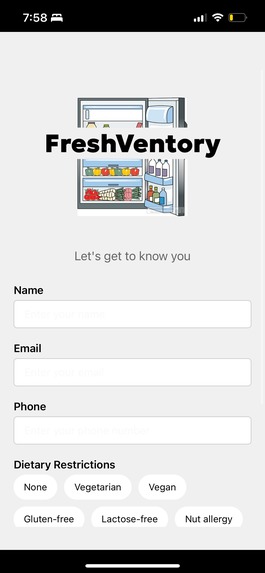
This is where users can fill in their information!
-
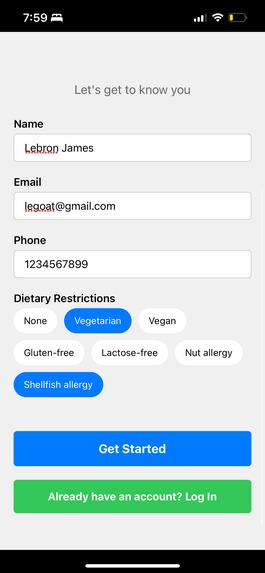
Lebron has inputted his information
-
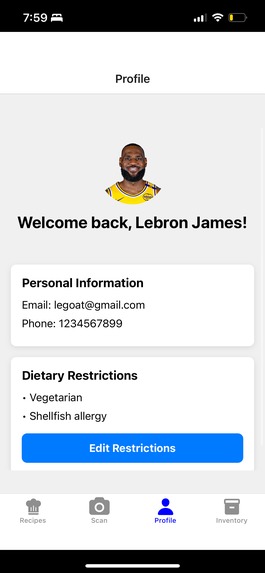
Profile Section!
-
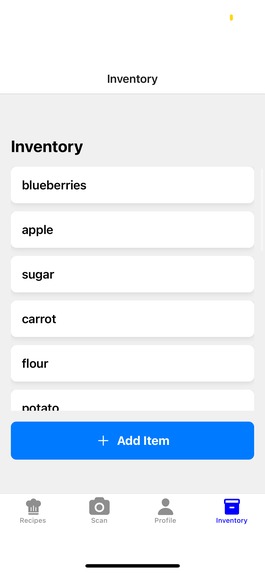
Inventory
-
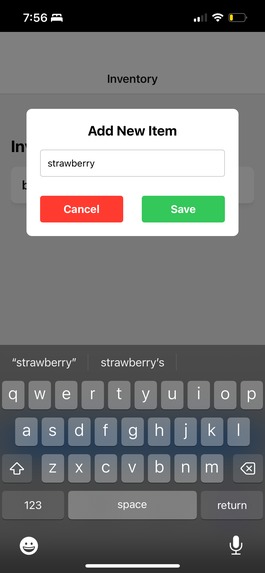
Adding items to inventory
-
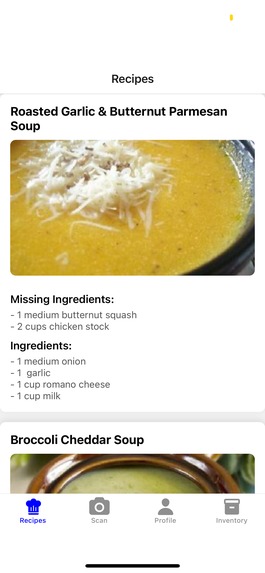
Customized recipes based on your inventory
-
-
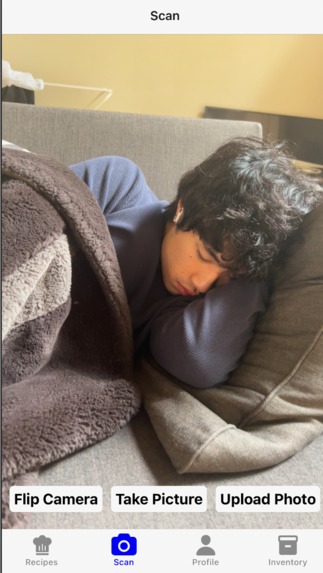
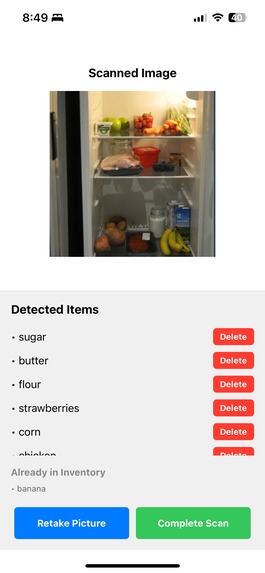
Camera feature for scanning for food!
-

No food items found:(
-
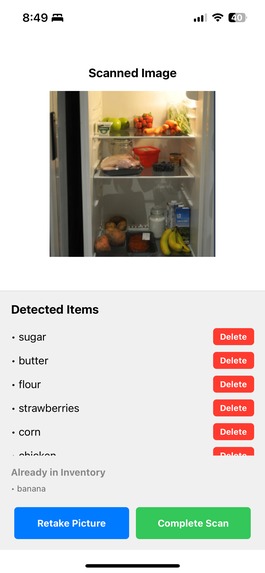
Scanned image with its listed food items


Inspiration
The idea for Freshventory was inspired by personal experiences—throwing away rotting vegetables we forgot about, discovering chicken that expired days ago, or simply running out of ideas to cook. These are challenges that many face, especially college students, who often struggle to keep track of what’s in their fridge and find themselves in repetitive cooking routines. We wanted to create a solution that not only simplifies meal planning but also helps prevent food waste, making everyday life a little easier.
What it does
Freshventory generates recipes based on the ingredients detected from a fridge image and keeps track of what is currently available in the fridge. Users can use their camera to scan the fridge, and the app detects ingredients automatically.
How we built it
We used Firebase to store data in the backend and React Native for the frontend. For Fridge ingredient detection, we integrated a pre-trained Roboflow AI Cook API trained with over 1000 images, which uses object detection to identify ingredients from fridge images, and we were able to use the Spoonacular API to find new recipes that match our ingredient inventory.
Challenges we ran into
As first-time React Native users, learning the framework and understanding its quirks was a significant challenge. Additionally, connecting the frontend to the backend presented its own set of difficulties, such as handling API responses and managing real-time updates. Finding the right vision detection tool to use for accurate ingredient recognition was another hurdle.
Accomplishments that we're proud of
We’re proud of successfully integrating an AI-based object detection API with our app, allowing for real-time ingredient recognition. Despite being new to React Native, we managed to build a functional and intuitive user interface. Another accomplishment was setting up Firebase to handle backend data storage effectively. Overall, we’re proud of creating a seamless experience that brings the idea of Freshventory to life, and for presenting a potential solution for other college students who struggle with this same issue.
What we learned
This project taught us how to build a full-stack application using React Native and Firebase. We gained valuable experience working with image recognition APIs and learned how to process images for real-time functionality. We also improved our debugging skills and learned how to handle errors when integrating multiple services. Additionally, we enhanced our communication and planning skills, ensuring effective collaboration and smooth project execution. Furthermore, we were able to brush up on our Git skills, which is a critical skill for collaboration and version control in real-world projects.
What's next for Freshventory
We plan to expand Freshventory’s features to include direct links to detailed online recipes, allowing users to view full instructions for meal preparation. Additionally, we aim to introduce a meal-planning feature, enabling users to plan meals for the week based on their fridge inventory and dietary restrictions.
Other features we’re considering include:
- Barcode Scanning: Allowing users to add non-detectable items to their inventory manually.
- Inventory Notifications: Alerts for low-stock or expiring ingredients to reduce food waste.
- Multi-User Support: Enabling shared fridge management for households or roommates.
Furthermore, we aim to refine the AI detection model to recognize a wider variety of food items with improved accuracy. These enhancements will make Freshventory a more comprehensive and user-friendly tool for managing food inventory and meal preparation.
Built With
- firebase
- python
- react-native
- roboflow
- spoonacular
- typescript


Log in or sign up for Devpost to join the conversation.