-
-
-
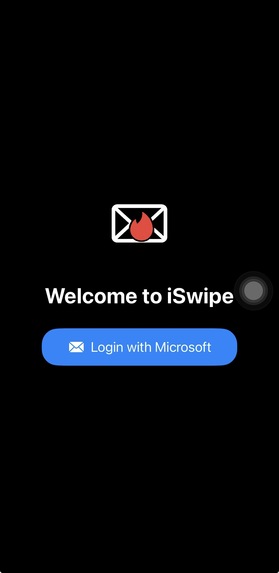
Login page
-
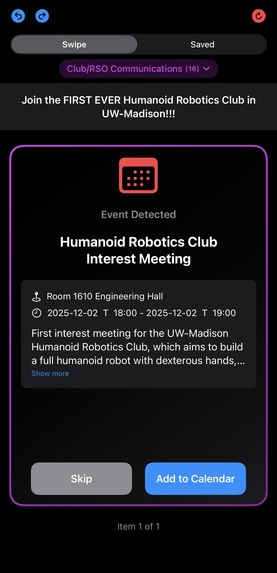
Event
-
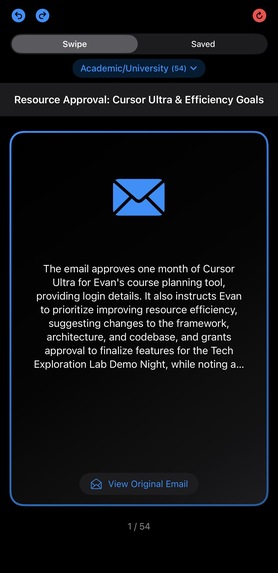
Email Card
-
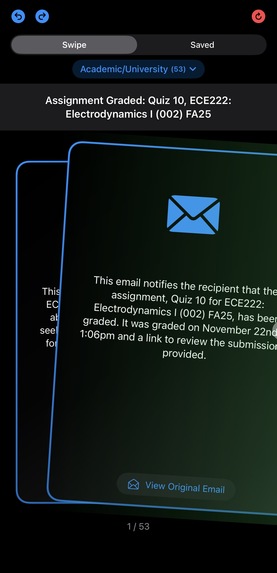
Swipe right
-
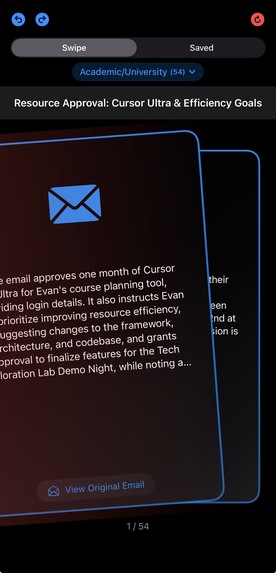
Swipe left
-
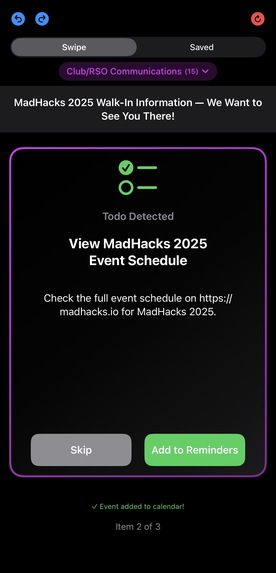
To-do
-
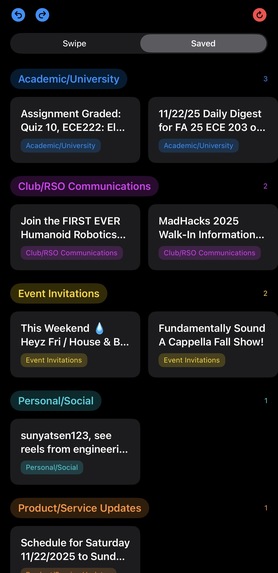
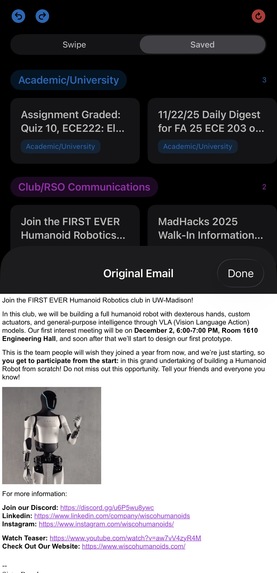
Saved
-
Original Video


Inspiration
iSwipe was inspired by the need for more integration between our most common sources of information, our emails, and the productivity platforms that we use to organize our lives. Out of this necessity, the idea for iSwipe was born. Why do we still need to manually add events to our calendars? Why do we have to manually create To-Dos? Why must we still manually write down important information in our notes or other places to retain information while keeping a clean inbox? These problems may be minimized when in the same ecosystem of technology, but sometimes we do not get to exclusively pick which ecosystem we are a part of. In the case of UW-Madison students, and possibly many others, we are forced to use Outlook to read our emails, while many are on Apple ecosystems. As a result, much of what would be integrated under the same ecosystem is now a manual and much more effortful process. iSwipe is an attempt to bridge that ecosystem gap and make the process of clearing your Outlook on iPhone a much more effortless and streamlined process.
What it does
iSwipe is an iOS app that integrates with your Microsoft account to read and process your emails for you into digestible cards of information. These cards, which are created from each of your emails, contain a summary of the individual email first. If the user decides to save this email, then any relevant To-Dos or Events detected in the email will provide extra cards to ask if you want to directly add these To-Dos and Events to your reminders and calendar app. Otherwise, if the user doesn't want to keep the email or it is not relevant, swiping left simply discards the email. We figured this swiping format is a simple way to allow people to go through their inbox, with swiping right to save the email, prompting the user to further consider any important information from the email they might want to add to their Apple productivity apps.
How we built it
For the frontend, we utilized Swift to create a clean app that matched the style of other iOS apps. For the backend, we utilized Python to manage the complex Microsoft Azure Graph API calls required for accessing Microsoft Outlook, processing them with the Gemini API, and ultimately receiving an output with data models we defined in Python. We defined essential data models, such as the structure of an email, To-Do objects, Event objects, and summary containers. Standardizing these fundamental models allowed further integration with the Apple reminders app and calendar app to be much easier and straightforward.
We mainly used Cursor as our IDE and XCode to test builds of our project.
Challenges we ran into
Microsoft Workaround (App Password), so we used Microsoft Azure Graph One of our first challenges that we faced in implementing our idea was trying to access Microsoft Outlook from our application. Since UW-Madison has disabled making app passwords for our student emails, we had to find a workaround that still allowed us access to our emails without the use of an app password. With some research, we found that by utilizing the Microsoft Azure Graph API, we could directly fetch data from Outlook without needing an app password.
Prompt Engineering and data modeling to effectively use LLMs For a large part of our project, the output we were receiving from our Gemini API was unpolished and not standardized in a clear and effective way. One of the first things we did to improve the quality of our output was to provide Gemini with the standard data models we had created in Python. This ensures that its processing of emails resulted in objects that we could easily and effectively utilize in our application. Later on, we further tweaked our prompts, especially for the email summaries, which were often too long or focused on unimportant elements of the email. Combining our better prompts alongside improved UI allowed our AI summaries to fit effectively into our interface while also providing relevant and essential information.
Swipe logic, and constant UI tweaking for polish and usability. Implementing our ideas for the user interface of this project was a constant battle and point of focus. We knew from the beginning that having a simple, intuitive, straightforward, and clean interface was vital for our goal of making processing your inbox a more effortless process. As a result, we were constantly iterating on the UI, making small tweaks alongside backend development to ensure that our swiping idea felt natural and was a good fit for our app. We consistently tested the UI with each other, making even the smallest of tweaks to maximally improve the user experience.
Accomplishments that we're proud of
Clean user interface and intuitive user experience As a result of our constant work on the UI of the app, we are proud to have a very clean, intuitive, and simple interface that essentially completely matches our vision of the product.
Smooth integration of Apple Reminders and Calendar Once emails were processed by Gemini from the Microsoft ecosystem into our specified data models, it was actually surprisingly straightforward to integrate reminder and calendar functionality. Throughout the project, the integration of these apps was simple and robust, allowing us to focus on other, more complex functionalities such as handling and improving Gemini's output.
Handling complex APIs such as Microsoft Azure Graph and Gemini. While this was the largest pain point and hardest learning curve of the project, finally handling and effectively using these complex and powerful APIs is something we are very proud of. By effectively leveraging these technologies, we have created something that is not only useful but is also very intuitive and natural. While they are still very complex processes that we do not entirely understand, we are proud to wrangle them in a good enough state to utilize effectively in our project.
What we learned
Defining data models early in the production pipeline is essential. We realized early on that without effective models for our data, it was difficult for us to get anything done individually, as anything we worked on without standardized data models would inevitably result in merge conflicts. After facing this realization, we made sure to get our basic data models out of the way to allow us to each effectively work on separate parts of the project.
In addition, we experienced firsthand how helpful having a minimal viable product is in terms of both building confidence in your idea in terms of feasibility, and managing expectations of what is producible in the time we have. Our team was able to get a basic build of an iOS app up relatively quickly, within the first hours of the hackathon, because of great build tools such as XCode. This allowed us to quickly iterate on ideas and effectively determine what the highest priority next steps were.
Overall, on the ideation and project management side, it was extremely useful to learn how to trim down our ideas or potential features for the sake of producing a polished, useful, and complete project. We learned to simplify UI and focus on implementing easy UI structures in order to reduce development time. It is very satisfying to see our time, resources, and knowledge conscientiousness pay off towards the end of the hackathon, allowing us to sleep well with a finished, polished product that we can be proud of.
What's next for iSwipe
Allow emails to be saved for later, sending them to the back of the stack. Currently, users can only decide between processing emails now or discarding them immediately; no option to move on to the next email without deciding on the current one.
Reading / Processing Images: Currently, Gemini is only processing the HTML tags and text content of the emails. For any emails that are just a link to an image or have lots of information within the linked images, we are currently unable to extract information from those images. Next steps would be to create an alternate API call to process email information specifically contained within images.
Integration with more productivity platforms To make iSwipe more useful, we may want to add features that allow users to choose which calendar, to-do, or general notes app they want to export Event and To-Do objects to. This would require greater levels of integration and data modeling flexibility on the backend, but would drastically increase the use cases and audience for iSwipe.
Reading emails from different email providers and accounts Adding the ability to process emails from other accounts, such as Gmail.com, iCloud.com, and other email providers, would drastically improve the number of users iSwipe could serve. This would require a more rigorous login and account system within the backend, but it is a vital feature to drastically expand the use cases of iSwipe.


Log in or sign up for Devpost to join the conversation.