-
-
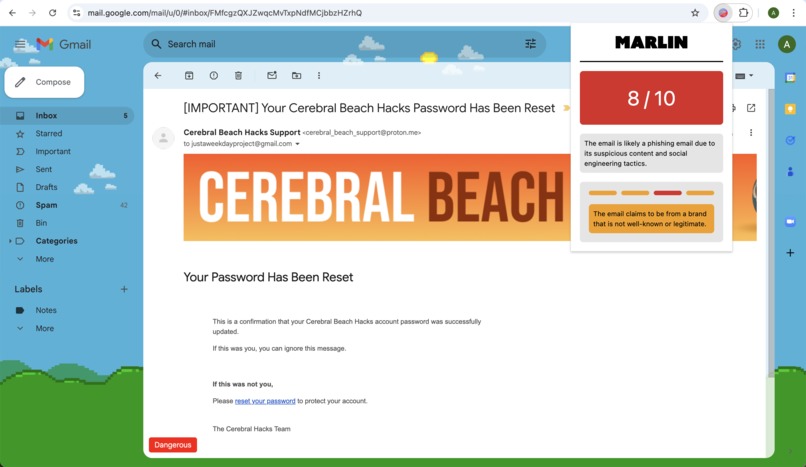
Marlin detecting the phishing email being suspicious despite looking believable.
-
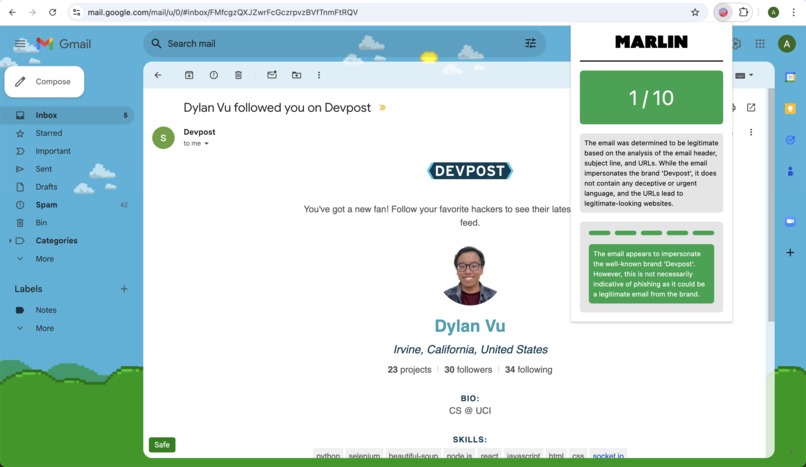
Marlin giving its review on a non-phishing email.
-
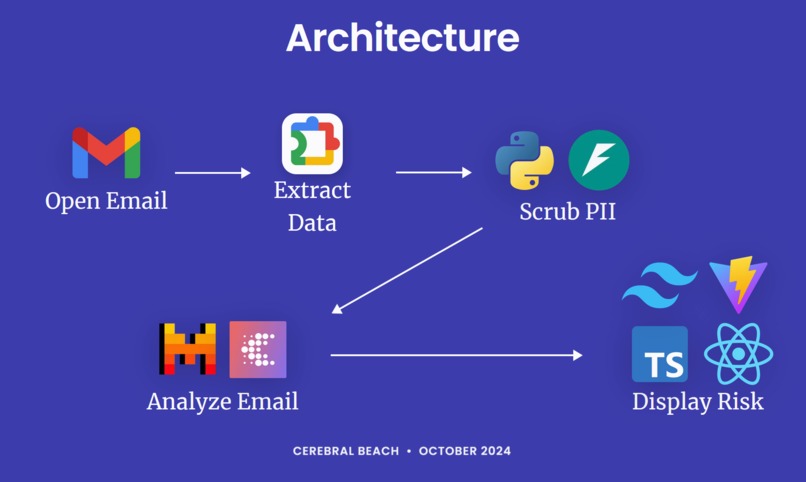
Marlin's Architecture Diagram
-
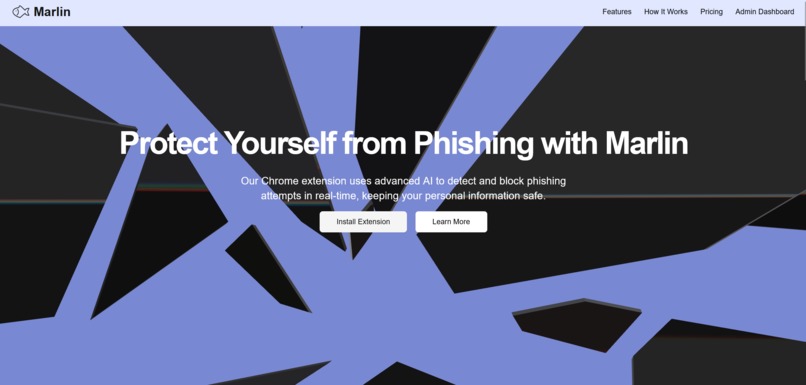
Landing page for Marlin
-
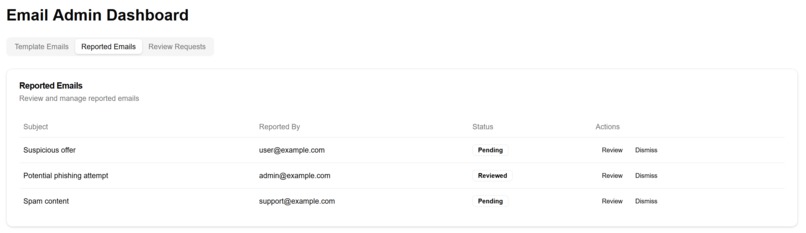
Admin dashboard for reported phishing attacks


Videos
Idea Presentation (3 minutes)
Functionality Video Demo (1 minute 30 seconds
Inspiration
In 2023, the FBI reported over 2.9B dollars in adjusted losses related to business email compromise. The weakest link in cybersecurity is the susceptibility of the human element to social engineering attacks such as phishing. Marlin is a Chrome extension that solves this issue by making it easy and accessible to securely analyze emails of any kind for hints of a phishing attempt.
The problem Marlin solves
There are many solutions in Cybersecurity to help protect against email phishing, such as spam detection, url blockers, and employee trainings. However, despite the best efforts of companies to guard against phishing, fake emails still do make it past all these measures. In any airtight cybersecurity plan, the weakest link is always humans.
Marlin adds a layer of defense in the client-side by analyzing emails for signs of phishing, and flagging them. As most solutions are mainly email service side and server-side, we are filling a unique gap in defenses: the user end and what the humans see.
We believe that no such solution exists in email cybersecurity space at the moment. Through our testing and demo, we have seen that targeted attacks crafted by individuals do make it past the Gmail spam filters, but get flagged by Marlin.
Additionally, Marlin analyzes the email language (through the prompting API) to determine if the email contains language similar to phishing emails, as many phishing emails use the same language to trick or incite fear into its users to act rashly without thinking. We foresee using LLMs and similar AI as an additional layer embedded into email clients, and would like to see our idea get adopted by all email clients, including Gmail.
What it does
First, Marlin extracts data from an email and removes identifying information, such as usernames, date of births, and email addresses aside from the domain names. Next, it sends the email content to the Google Chrome Built-in AI for evaluation. Finally, Marlin shows the user what is suspicious about the email and what the best course of action is.
Project history
We originally submitted this to Cerebral Beach Hacks for AI in LA, getting recognized as top three in the cybersecurity track. In actuality, we were recognized as part of a three-way tie! This project was started in the duration of the Chrome Built-In AI Challenge, though. In between Cerebral Beach Hacks, we updated the project to use the Built-in Chrome Prompt AI and had to deal with the much lower token limit. We also fixed some small UI/UX issues in the extension end, and some inconsistent behavior.
How we built it
On the frontend, we worked heavily with Chrome browser primitives and utilized Vite for faster code execution. We used React for an advanced UI, TypeScript for type safety, and Tailwind CSS for styling. On the backend, we utilized FastAPI. Once the email data is obtained, we used scrubadub in Python to remove any personal identifying information. Once that is done, we implemented data cleaning best practices based on prior academic research to reduce the load on the AI.
Initially, we experimented with Kindo AI's low-code agents but found that while it produced details thinking steps, the response time was too long for our liking. We wanted quick and reliable insights. We played around with a bunch of models via the Kindo AI API, including WhiteRabbitNeo 33B. However, the response accuracy and quality were not satisfactory. We found great results with the open-source Mixtral model. Not only is this model very accurate, but it also helped us reach our privacy goals and enabled faster inference since only necessary data is sent to the AI.
Then, we discovered the Google Chrome Built-in AI, which remedied this LLM key security concern. Now, the sensitive email data can be analyzed with the Google Prompting AI in the chrome extension.
Challenges we ran into
- Balancing security with privacy
- Minimizing alarm fatigue while still informing users of threats
- Integrating the web extension with the Chrome Built-In AI and its low token limit compared to other LLMs like ChatGPT, Gemini, and Mixtral.
- Learning to build a chrome web extension for the first time
- Unfamiliarity with the cybersecurity domain, developing the extension with the best practices in cybersecurity as we could think of
Accomplishments that we're proud of
Even though we are sending potentially sensitive email data to an LLM, we have minimized the risks associated with this by locally removing identifiable information before sending it to the cloud. We also used the built-in Chrome AI as an additional step in ensuring user data is not used for nefarious purposes.
Alarm fatigue was something we were vastly aware of, so we took steps while designing the UX to mitigate this as much as possible. One big aspect of our extension is transparency with easily available information while not overwhelming the user with too much information such that they end up ignoring it altogether.
Our interactive data visualization system allows the user to understand the risk level of the email on a macro level at just a glance. If the user would like to know exactly which parts of the email are considered risky they can hover over color-coded bars to deep dive on a micro level what the AI is thinking.
Just like in the healthcare industry, Marlin targets multiple levels of prevention. This extension focuses on primary and secondary prevention, meaning we help users not fall victim to phishing attacks and identify phishing attacks themselves.
What's next for Marlin
- Fine-tuning the model using public datasets of ham and spam eml files
- Improving the UI and UX of the Chrome extension by finding alternatives to grab the eml file without opening and closing a new tab
- Building an analytics dashboard that collects organization statistics
- Direct integration with email clients like Gmail or Outlook
- Implement PII Scrubbing in the Extension, so no data is sent out!
Sources
Built With
- beautiful-soup
- chrome
- fastapi
- kindo-ai
- mixtral
- pydantic
- python
- react
- tailwind
- typescript
- vite


Log in or sign up for Devpost to join the conversation.