-
-

Sign up
-

Logo
-
Chat
-
Flashcards
-
Home


NINJA BRAIN!
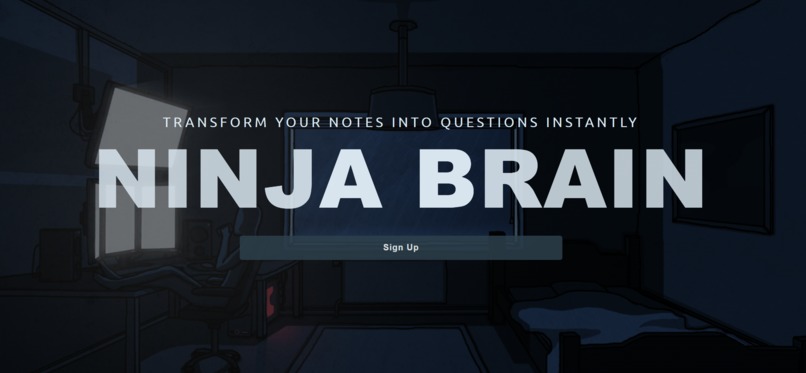
Transform Your Notes Into Questions Instantly
🥷 The Idea Behind Ninja Brain
Navigating school can be a maze of challenges—test anxiety, managing time, and the ever-present task of studying. We've all been there: diligently taking notes, but when it comes time to use them, they often fall short.
We began brainstorming ways to make the notes we invest so much time in actually effective for studying.
Amidst a whirlwind of ideas, we finally discovered a solution... NINJA BRAIN!
⚒️ How Ninja Brain Works
To get started, head over to the Signup page. If you’re new, create an account to begin, or simply log in if you already have one.
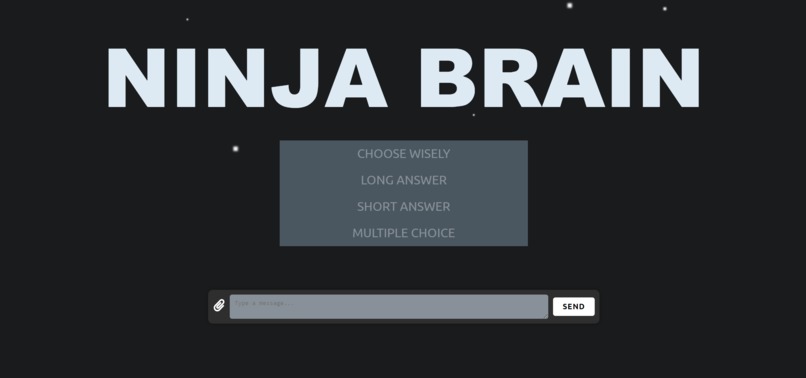
Once you’re logged in, capture a clear photo of your notes and upload it directly into the Ninja Brain search bar. This is where the magic begins.
Next, choose the type of questions you want to generate from your notes:
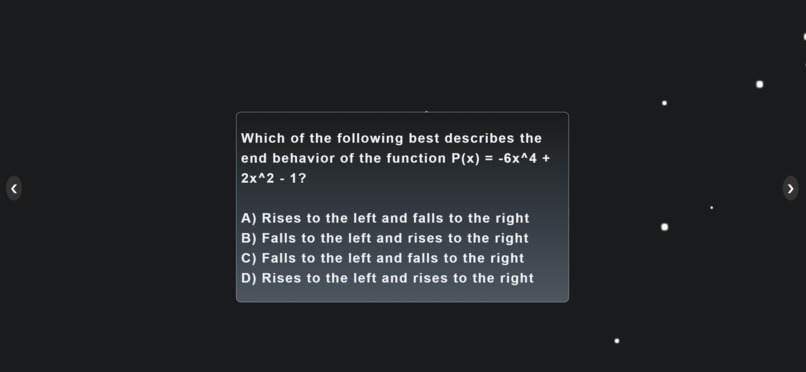
a. Multiple Choice – Perfect for testing your understanding of key concepts with a range of options. b. Short Answer – Ideal for assessing your ability to recall and articulate specific details. c. Long Answer – Great for deeper comprehension and explanation of complex topics.
🪄 Click SEND and watch the magic unfold 🪄
These question cards are designed to help you review and retain information effectively, making your study sessions more productive.
Dive into your new study materials and get ready to ace your exams!
🏗️ How we built Ninja Brain
We combined a react front-end with a flask back-end, setting up multiple API endpoints to ensure seamless user interaction. The UI was designed to attract users and provide a certain calm aesthetic, which is fitting of a study environment. We called Gemini and Wolfram API to provide accurate latex translations, questions, and answers.
🧠 Challenges We Overcame
As this was our first hackathon as a team, we struggled a lot in source control. Our branches were messy and sometimes we encountered git merge conflicts, or commit problems. At times, we committed our own venv folder on accident, which erased the existing venv folders and caused issues. However, we pushed through and made sure everyone was on the same page before continuing making changes, because we know that it is key to a successful hackathon.
🐺 Implementation Of Wolfram
After processing the latex notes using Gemini, we customized the prompts to Wolfram Full Response API to ensure it matched the user question type. For example, if we wanted multiple choice, we had a condition to detect it, and we asked Wolfram to generate a multiple choice question based on the notes. Then, once we got the question, we asked for
🎨 Designing A Stylish UI
We had two web developers design the UI and everyone on the team agreed on the designs they proposed. We think the UI stands out a lot while the backend is the subtle backbone to the project.
🚀 Lessons Learned
The main lesson is to construct a well-thought out plan before ANY code is actually written and that everyone is on the same page. We gave it our best effort and ended up working 12 hours straight in a messy manner to finish this project.
🏆 Accomplishments
We were able to successfully link multiple API calls and have it seamlessly interact with one another to produce the desired output. The UI is also extremely clean and crisp, encouraging the users to continue using the app.
🌟 The Future of Ninja Brain
As we look to the future, our primary focus is on enhancing the accuracy and efficiency of the questions and answers generated by NinjaBrain. To achieve this, we're planning to fine-tune our own machine learning model that is specifically designed to understand and improve the quality of study materials produced by the application.


Log in or sign up for Devpost to join the conversation.