-
-
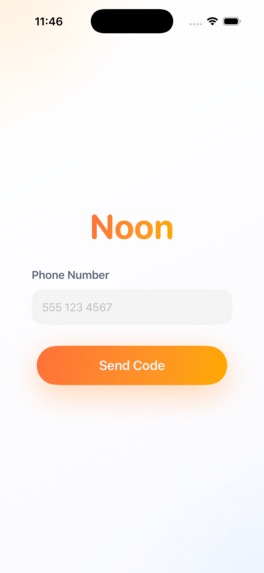
onboarding flow
-

empty state for voice input
-
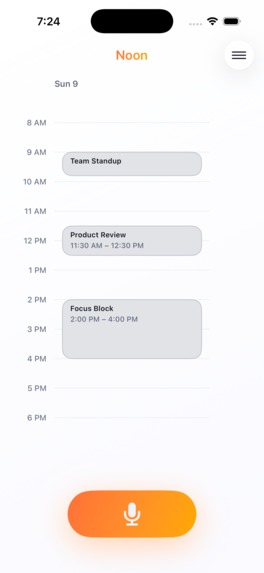
interface to view daily events


Inspiration
Calendars take too much time. We waste attention on scheduling instead of doing things. We wanted a simple voice shortcut that hears what you want and gets it on your calendar.
What it does
- Listens to your voice and turns it into text
- Understands the intent and produces concrete Google Calendar operations
- Executes create, update, delete, list, and get on your calendar
- Confirms the result in a clean, fast flow
How we built it
iOS app (Swift/SwiftUI)
- Press and hold recording using AVFoundation
- Simple networking with URLSession for auth, linking, and calendar actions Voice to text
- FastAPI microservice with Deepgram (Nova-3)
- REST endpoint for prerecorded audio and a WebSocket for streaming partials Intent to plan
- FastAPI service that uses OpenAI structured outputs with strict Pydantic models
- Returns an ordered plan of Google Calendar operations with validated args
- Rule-based fallback for common queries if the model is unavailable Backend and linking
- FastAPI backend with Supabase for phone OTP auth and user profiles
- Google OAuth using state tokens, code exchange, and profile fetch
- Syncs Google calendars into Supabase for the user Calendar execution
- Google Calendar API wrapper for CRUD and listing with clear responses
Challenges we ran into
- Ambiguity: when to act immediately and when to ask the user for more context/permission
- LangGraph to structured outputs: we started with graphs, then moved planning to a typed structured layer for speed/ease of implementation
- OAuth: state, expiry, refresh, and real callback flows
- Latency: audio to text to plan to Google in one fast loop
Accomplishments that we're proud of
- No heavy calendar UI required
- Feels fast because transcripts stream and confirmations are quick
- Frontend looks beautiful
What we learned
- Nail single player before multi user
- Typed structured outputs make agent behavior reliable and testable
- Streaming partial outputs changes how fast the system feels
What's next for Noon
- Multi user scheduling: “Find time with Sarah next week” and let agents negotiate between themselves
- Proactive time management: protect focus time and rebalance crowded days
Built With
- deepgram
- fastapi
- google-gmail-oauth
- langgraph
- oauth
- pydantic
- python
- supabase
- swift
- uvicorn


Log in or sign up for Devpost to join the conversation.