-
-
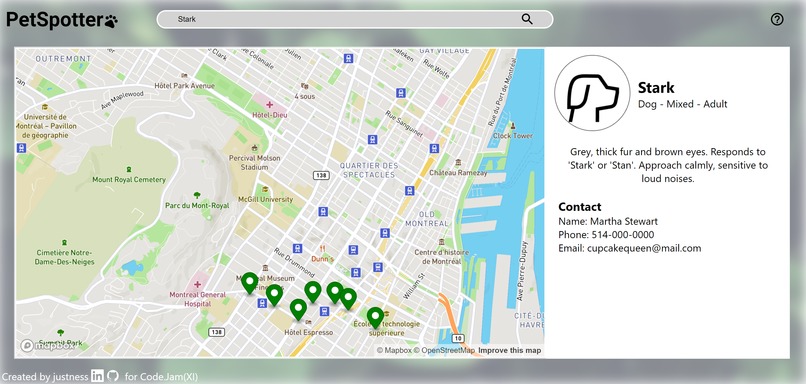
Search and view info from the database.
-
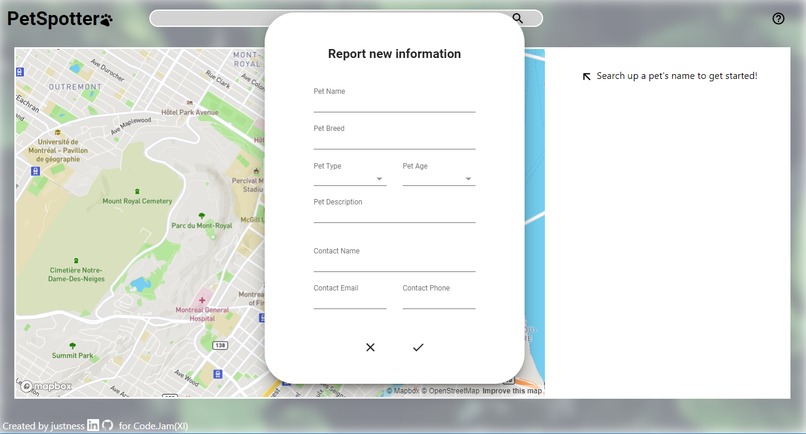
Fill out form to submit an entry to the database.
-
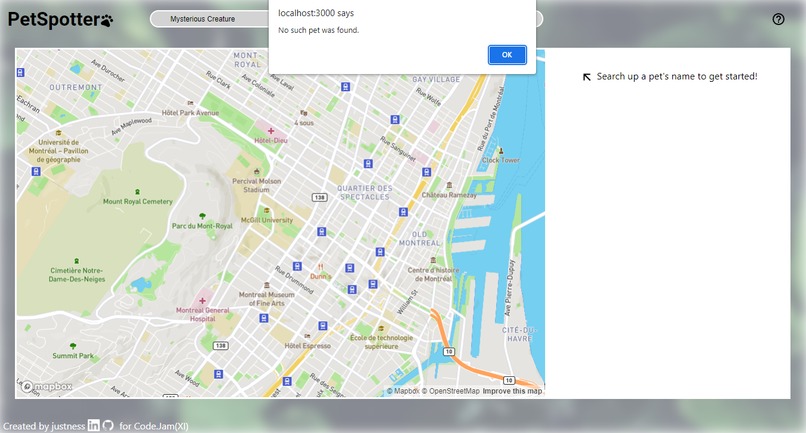
Basic error handling.
-
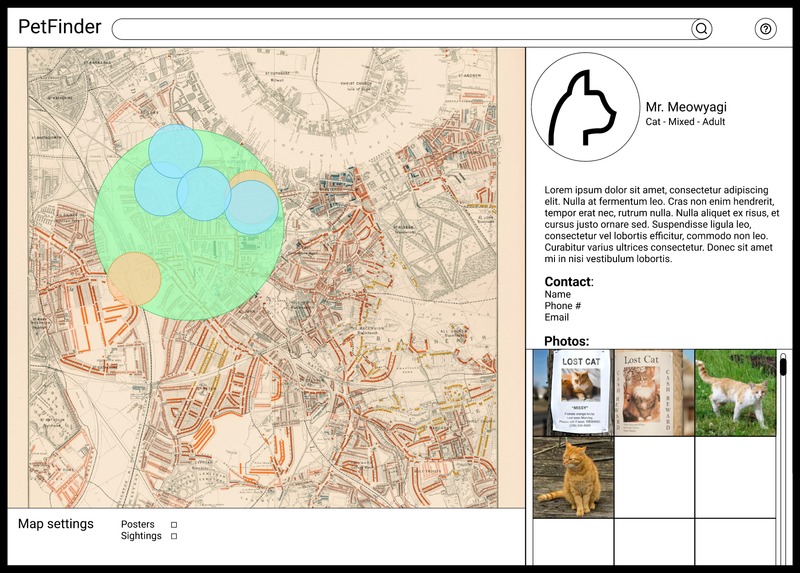
Initial Figma static prototype.


Inspiration
Last summer, I spent plenty of time on walks in the suburbs to keep active given the combination of a WFH internship and the continuing strain of the Covid-19 pandemic. One thing I noticed was countless posters of missing cats and dogs, ranging from time-worn to fresh-off-the-printer. It got me thinking - with the technological advances we've had in the past decades, we have plenty of methods to spread simple information quickly and to a large-scale audience. Why not create such a platform for lost pets, who may necessitate anything as urgent as emergency response, yet are still so valued in our everyday lives?
What it does
PetSpotter is a web app with two main components: a dynamic map that allows for navigation and user annotation, and a database of lost pet information that can be updated and read through the web app. Likewise, there are two main user flows. The first involves a user looking to report lost pet information, whether because they are the unlucky owner, or they saw a lost pet poster and would like to contribute to the community pool of knowledge. They would interact with the map to create a marker, then fill out a form to digitize information such as the pet's name, description, and owner contact information. The second involves a user looking to search up a pet. Starting with the search bar, the user can pull up information about a specific pet by name, view location data reported on this pet by other users through markers on the map, and finally review information about the pet and contact details for the pet's owner.
How we built it
- The first hour of Code.Jam(XI) was spent creating a visual prototype in Figma, accessible at this link: https://www.figma.com/file/qspqfOMhcdPUwDpruZ6mAb/PetFinder?node-id=0%3A1
- Afterwards, a default ReactJS app was created and built upon following the now identified functional and visual goals. Features were implemented one at a time, starting with creating a basic "grey box" website to assess space available and adaptability to a few desktop/window sizes.
- Then, the Mapbox API was implemented, allowing for the visualization of the map element and user interaction for creating marker objects.
- Last of all, an Amazon DynamoDB database was set up to allow for testing with stored values rather than dummy objects, and allow for both the posting and getting of pet objects, which each contained: pet name, pet type, pet breed, pet age, description, contact name, contact phone number, contact email, and list of coordinates for submitted markers.
Challenges we ran into
While I have previously worked with Map API such as Google Maps and Leaflet, my experience with the Mapbox API and its functions was minimal, especially in a ReactJS context. As well, I had never previously worked with any kind of database before, therefore Amazon DynamoDB was a great leap into the dark compared to my usual comfort zone. I remember one of the bugs I spent the longest time on was designing the UpdateExpression query string, as I hadn't realized that lists could be set with a list_append method. Furthermore, the database has a 400kb limit to entries, meaning that larger files such as photos and pdfs could not be stored. The biggest challenge however, was conceptualizing many ambitious goals during the initial prototyping in Figma, then having to scope down into what was feasible for a hackathon with a 46-hour time limit, and as a solo-developer team.
Accomplishments that we're proud of
It's a wonderful feeling seeing both the front end and back end of a project come together into a functional (and as-intended) machine. I'm happy that the end result looked and performed very similarly to the initial visual prototype, albeit with some cut features.
What we learned
During hackathons, my biggest challenge tends to be with scoping, and as bugs and obstacles pile on during the length of the hackathon, so does the intensity of the last few hours of developing, often leading to last-minute errors or unreliable band-aid solutions by the time of submission. During this hackathon, I tried to create a prototype that was simpler, but more confident in its functionality and presentation. At the same time, I made sure to create a project that can be extended upon in the future, when time is less of a concern.
What's next for PetSpotter
Photo storage
While Amazon DynamoDB does not seem like the right choice for large file uploads, a technology like Amazon S3 would allow for photo storage in a database. This could allow for users to upload images of posters and sightings directly to the site, adding a more valuable visual component for the recognition and tracking of lost pets.
Advanced Search
Google Maps has a much more complex search function for geospatial information. PetSpotter currently only allows for searches based on pet name, and could eventually be expanded to search for owner names, pet type, etc. As well, having a more complex search function would allow for the web app to dynamically show nearby lost pet data as users navigated around the map.
Security and Reporting
Some kind of security (user accounts) or reporting function may be important to avoid users uploading inappropriate or offensive entries irrelevant to the intended purpose of the web app.
Non-pets?!?!
When pitching the idea to friends, they jokingly said that this kind of app could be used for other purposes as well, such as stalking celebrities (illegal!), finding lost elderly (too urgent!), or drawing silly pictures with markers (this one's okay). For the time being, the use of this platform is limited to the search of lost pets.


Log in or sign up for Devpost to join the conversation.