-
-
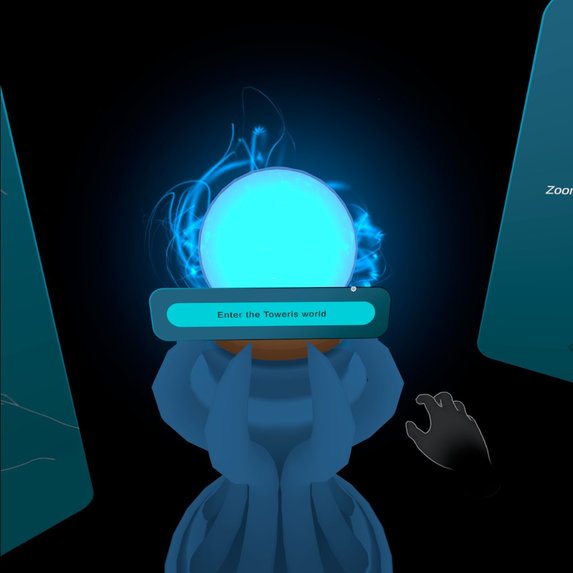
Enter the Toweris
-
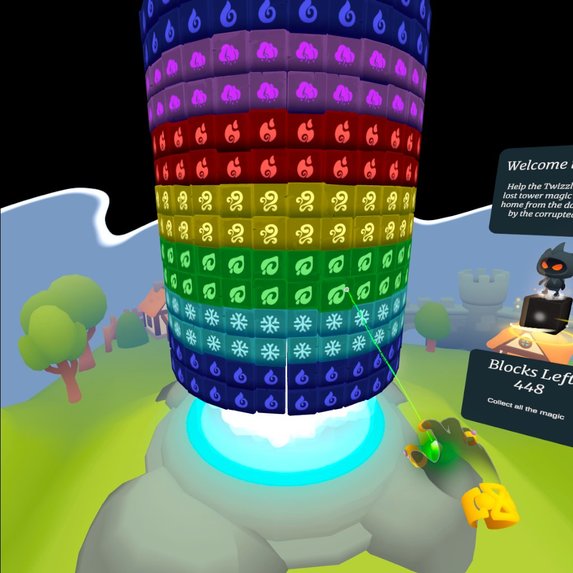
Puzzle mode
-
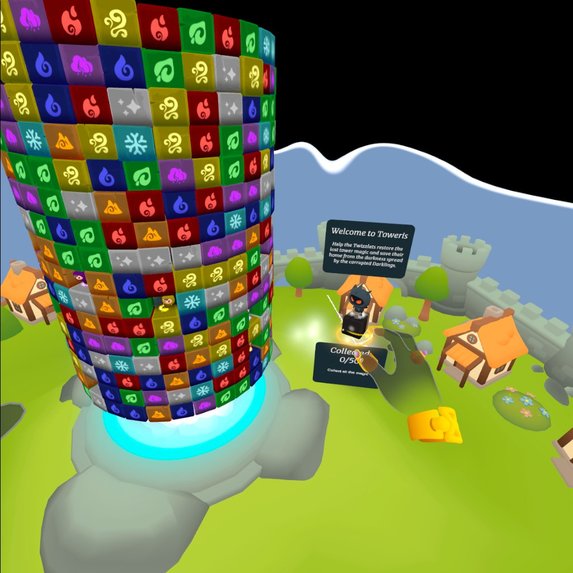
Infinite mode
-
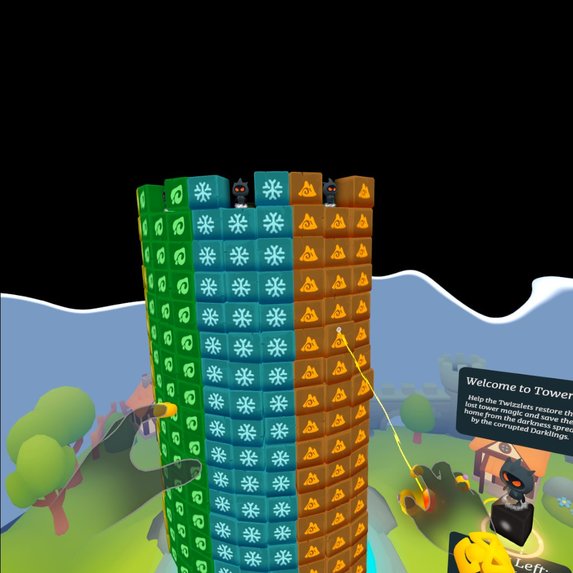
Fight the Darklings
-

Play with your hands
-

Merry Christmass
-

Fight the boss


Inspiration
Toweris VR was inspired by classic match-3 games, reimagined for immersive VR. For more than ten years, I kept returning to this idea—experimenting with different block-matching mechanics and prototypes. We even started on mobile, but the 3D tower never felt right there; half the gameplay was always hidden on the far side of the tower.
I loved old PC match games, especially those with rich worlds or combat systems (PuzzleQuest, Heroes of Hellas), and the simple joy of Clickomania, which I played back in university. Getting an Oculus Quest 2 was the turning point—it finally felt like the technology this idea had been waiting for. VR offered the peaceful, cozy environment I believe kids are missing, and a way to bring more casual players and families into the VR space.
Another big spark was Meta’s Microgestures presentation. They demonstrated a match-3 mini-game using microgestures, and it felt like lightning struck: This is the control scheme Toweris needed. Pinching the air has never felt tactile enough to me—I always wanted more “physicality.” And of course, I wanted my own tiny tower sitting on my table, with all its little inhabitants running around.
What it does
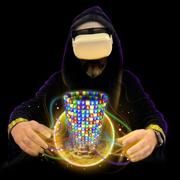
Toweris VR turns match-3 gameplay into a 360° tower-climbing adventure. Players rotate, grab, and match blocks to restore magic, save the Twizzlets, and purge the Darklings corrupting the world.
You play as a magician overseeing the many realms of Toweris through a magic globe in your chamber. The little world inside needs your help—regather its magic, defeat enemies, and cleanse the ancient energy sources it depends on.
Players can rotate the tower using the controller joystick or microgestures, and move vertically the same way. Blocks are cleared by aiming and clicking with the controller trigger or tapping the right thumb. Magic rings collect colorful energy, and during boss levels, blocks emit energy to damage the Octoboss who tries to steal that magic.
Players can also toss naughty Darklings off the tower, sending them to the cleansing well, and rescue trapped Twizzlets hidden inside the tower. The game features Puzzle levels (clean the entire tower) and Challenge levels (complete objectives—e.g., gather 20 units of green energy).
Two zoom modes are available via the left menu button:
Tabletop mode — a small tower right in front of your hands (my personal favorite).
Distance mode — interact using rays from your hands or controllers, suitable for standing or sitting.
How we built it
We built Toweris VR in Unity, using Meta Quest’s Interaction SDK and a custom cylindrical grid system. Because the idea is old, I didn’t want to build a single fixed game—I wanted a modular system that could adapt to new mechanics. Unity’s ScriptableObjects became the backbone of this architecture, allowing visuals, block behaviors, and power-ups to be plugged in without rewriting core systems. This flexibility let me prototype quickly without waiting for final art.
The Level Editor uses the same interaction system as the main game: we “paint” blocks onto a black tower using our palette—essentially a second, fully integrated gameplay mode, similar to Paint by Pixel.
The control system is also modular. Since I work on a Mac and can’t test in VR directly in the editor, we created alternative desktop controls with mouse input and mobile tap input. Switching to Unity’s new Input Actions made it possible to keep all these systems synced and reliable.
For mixed-reality passthrough and raycasts, Meta’s Building Blocks were incredibly helpful—intuitive and easy to integrate.
Challenges we ran into
Microgestures were the biggest technical hurdle. They define the game’s core “feel,” but integrating them took over a week due to conflicts with the enabled hands profile. Examples from Meta and the community helped a lot, but it was still a complex system to stabilize.
We also ran into FPS issues, which were solved after removing development logs and unnecessary memory allocations.
Another challenge was unifying all control methods—controllers, hands, and microgestures. Players can swap between controllers and hands at any moment, so the system had to detect and adapt seamlessly.
Accomplishments that we’re proud of
We created a seamless 360° puzzle experience, brought the Twizzlets and Darklings to life, and designed a satisfying blend of action, strategy, and immersion. The signature tower-rotation mechanic finally feels right.
For the first time, Toweris looks and feels like a real world instead of a collection of placeholders and prototypes. Microgestures are fully implemented—and I still can’t get enough of them.
And a huge shout-out to the artist who brought the blocks and creatures to life. Thanks to them, Toweris finally has its own beautiful visual identity.
What we learned
After a year participating in Meta Horizon Worlds hackathons, returning to Unity VR development felt refreshing. The ecosystem improved dramatically: new Building Blocks, Microgestures, clearer documentation, helpful YouTube tutorials, and fast passthrough integration. Meta’s Interaction SDK also provided excellent samples and UI tools.
What’s next for Toweris VR
My dream is to bring fully realized realms to life—Desert, Forest, Water, and more—each with its own environment, magic, and inhabitants. I want different gameplay styles across these realms: classic match-3, object-matching, paint-by-pixel, and others. We’ve already experimented with bombs, locked blocks, and special energy mechanics. Next up is a richer narrative campaign full of stories from this colorful world, new bosses, expanded combat, and multiplayer support.
Toweris VR has many worlds yet to grow into.



Log in or sign up for Devpost to join the conversation.