-
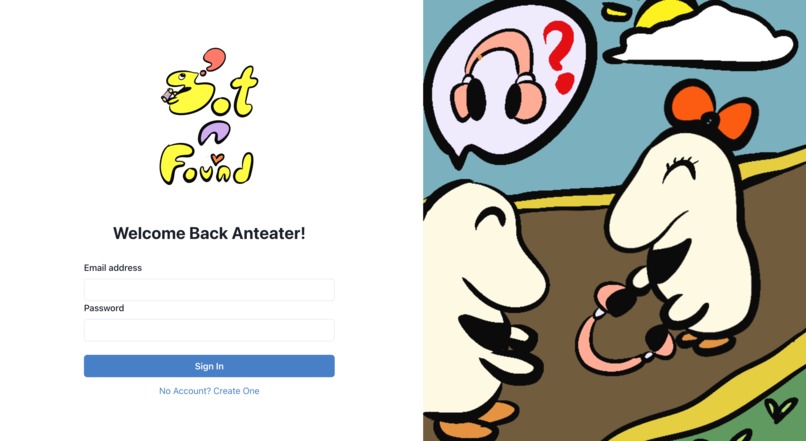
Login Page
-
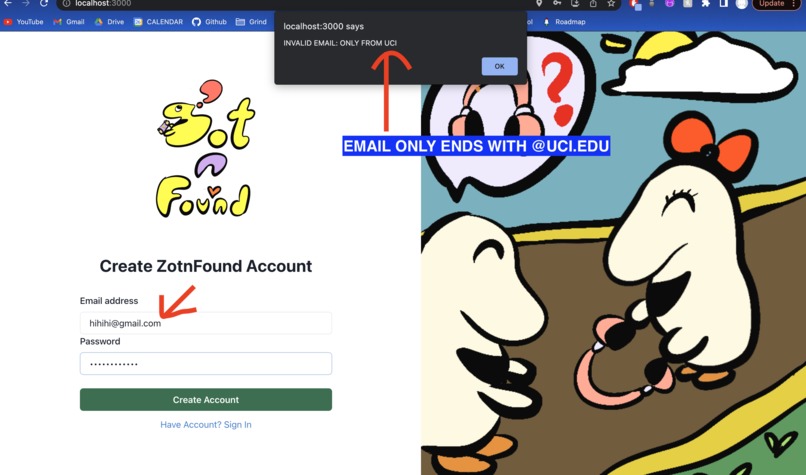
Create Account
-
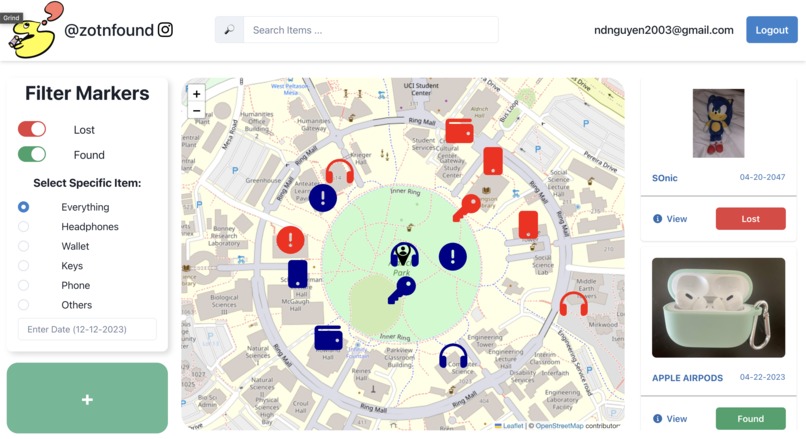
ZotnFound Home Page
-
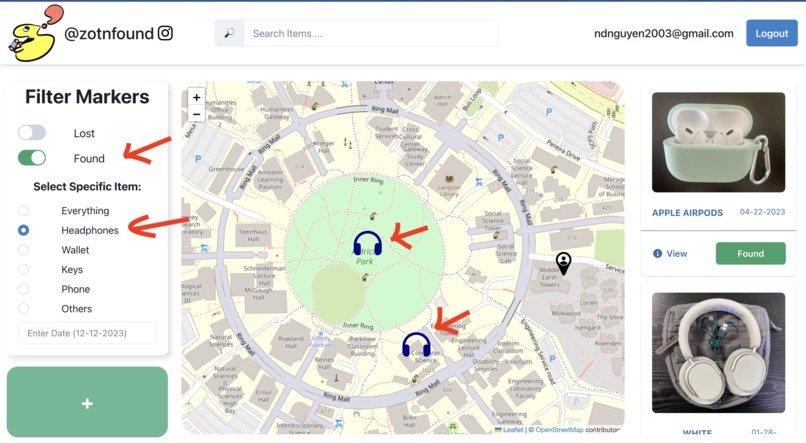
Map and Results Filter
-
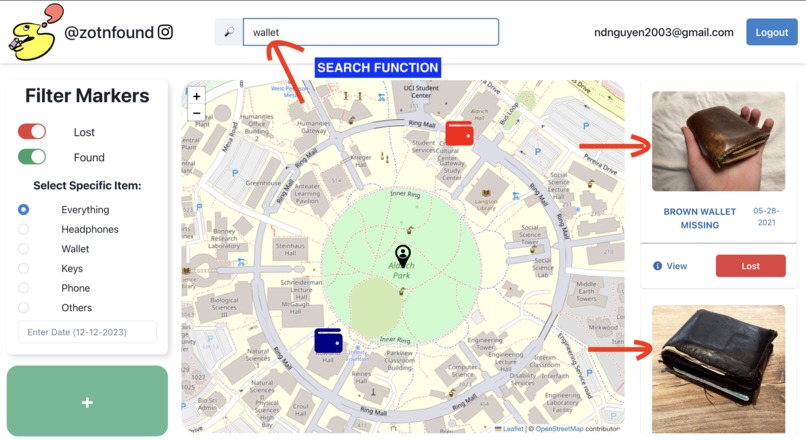
Search Bar for Markers and Results
-
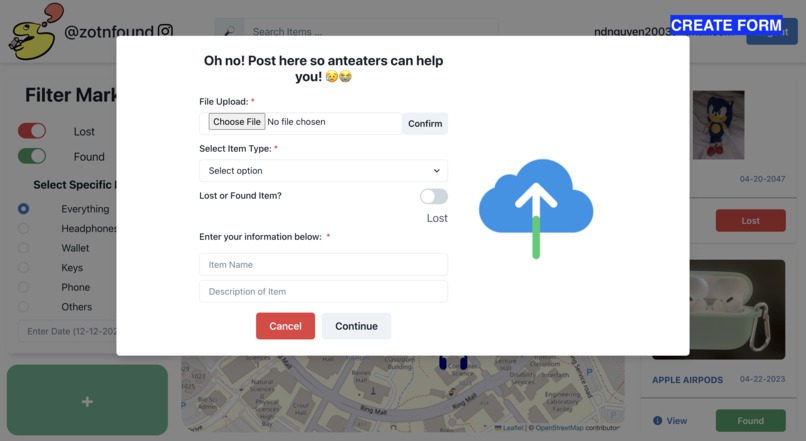
Create a Marker For Lost/Found Item
-
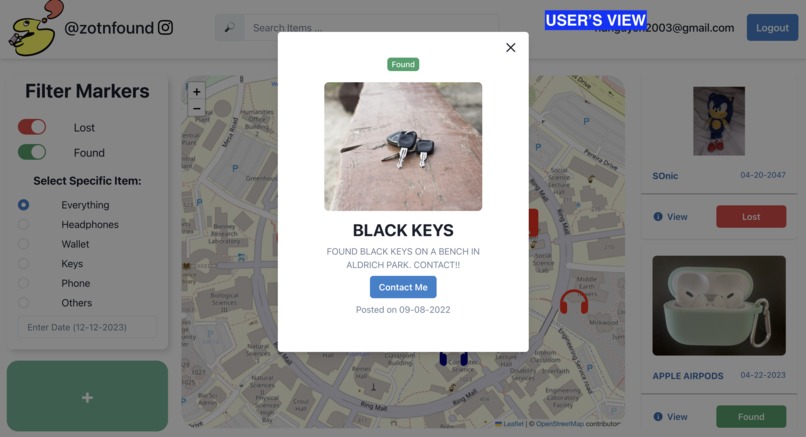
Item Info (Not Creator of Post POV)
-
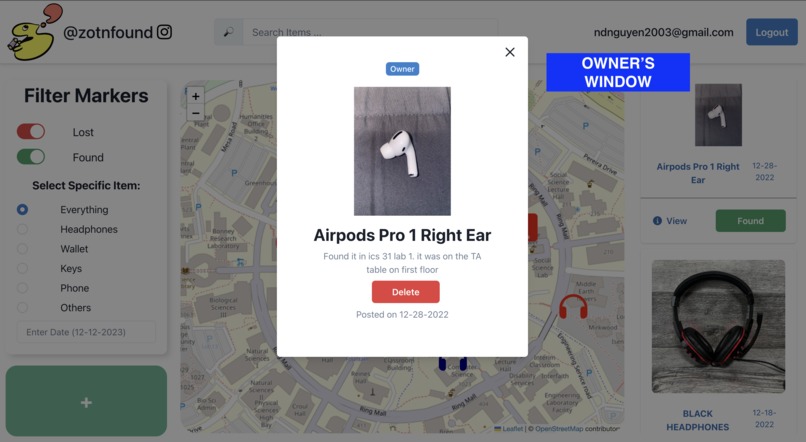
Item Info (Creator of Post POV)


Inspiration/ Why ZotnFound?
ZotnFound is an interactive lost and found website for students that was developed out of a desire to lessen the stress and trouble associated with lost property. More than often, we lose things we need daily or items that have significant meaning. The large campus and buildings make it difficult to retrace steps, and the chance of finding a lost item can sometimes be close to 0. We imagined a digital network that would enable students to quickly find lost objects or to help out by posting about a lost item. We wanted to create a user-friendly website for the whole complicated process of finding a lost item and searching through the web to find out who it belongs to. Our website attempts to close the gap between lost objects and their owners by integrating interactive elements including searchable databases, photo uploads, and communication protocols between the finder. The ultimate inspiration was to offer a practical and effective solution that would not only make students happy when they found their lost belongings, but also encourage a sense of community amongst students.
What it does
ZotnFound is an interactive website that acts as a platform for lost and found exchanges between students. The website starts with a login page that allows for account creation or signing in with an existing account. The user can only sign in and view features if they have an account created, else the website will continuously redirect the user back to the login page until they have created an account. This feature would prevent anyone who isn’t being serious about finding or losing items to flood the page with nonsense. These accounts would have to be created with a UCI email, which makes this app targeted for students and faculty on campus. Upon establishing an account, its information is stored in our database with a unique ID. The user will see an interactive navigable map in the middle with location markers indicating lost/found items. To the left of the map is a panel with editable filters and on the right there is a results panel that will show items based on the requested filters. We also have a live search bar implemented. Users can filter or search through various lost or found items or create a post for a found item. There is a large green button on the bottom of the left panel which will open up a form for the users to enter all the information about the item. Each item has an information card with a more detailed description and a way to contact the person who found/lost the item.
How we built it
We started off with brainstorming and creating prototypes with Figma and Google Docs. We used a top-down integration model by creating a user interface with Chakra UI without functionality first and then slowly diving into each component of the project to create its functionality using React. The interface and component designs were created by integrating Chakra UI and CSS styling while the functionality of the project utilized Leaflet, ReactJS, and Firebase. We have a login page that supports user authentication and verification (Firebase) as well as a home page with an interactive navigable map (Leaflet). The login page does not allow the user to access any other content before creating an account which is done through authorization protection in Firebase. The map allows for the placement of location markers when a form for a found/lost object is submitted (JS). Each user is stored within the Firebase database with a special ID and attributes that can be accessed. Additionally, we have a mapped display of items on the right-hand side that upon interaction shows a more detailed description of the object and has a means of communication through a mailing application (HTML and Chakra). We also have a live search bar implemented (JS) as well as filters that can be applied which will change the results that are currently being displayed (JS + Chakra + Leaflet). We also implemented a logout button for the user (Firebase) and their account email will be displayed at the top (Chakra).
Challenges we ran into
It was our first time using Firebase and Chakra UI so a lot of our concerns were about using new technology. We had to watch Youtube crash course videos on the implementation and usage of the database within Firebase as well as its different integrations. Additionally, a couple of us were unfamiliar with React so it was a learning process along the way. It was also difficult to render the display in ways that we imagined so we spent a lot more time deciding on either new layouts or sacrificing a better-looking layout for an efficient and constructible one. We also decided to learn more about Git branches when working on this project as a way to split up the work amongst us. This was extremely challenging as we were very used to doing VSCode Liveshare instead.
Accomplishments that we're proud of
We are proud of being able to create a finished product with all of the planned functionality that we had brainstormed in the beginning. Although the project was time-consuming and a bit brain-hurting, our team made some good memories and had a good time creating something together. We are also very proud of being able to learn new technology in a short period of time; especially Firebase, Chakra UI, Figma, and Git branches. We all know that these are very important skills to have in our journey to become better developers.
What we learned
We learned the basics of Chakra UI, using Firebase along with React, and how to manipulate a lot of different styling elements. We also learned how to prioritize various features based on their importance and how useful it is in our project. Git branching is another skill that we have learned and are extremely proud about. The challenges that we have gone through have taught us how to work together efficiently and effectively to get projects done in time.
Built with
Leaflet, react, firebase, chakra-ui, css
What's next for ZotnFound
We plan to integrate more features and make the display a lot more professional. Some of these future features that we plan to add are: Google Log-in with UCI, Reddit API that searches through all the posts that are related to lost and found which will then generate more markers on the map, and matching algorithm that will check that the item user created has been posted before. We also want the website to be accessible across multiple platforms and deploy it as a live website for actual students to use.


Log in or sign up for Devpost to join the conversation.