

Description
Best text to speech plugin to convert your post or page content into natural-sounding audio with the most advanced audio player available for WordPress. Our AI voice technology features precise sentence and word highlighting as it’s spoken.
Reinvent WP Text to Speech (formerly Natural Text To Speech) is a comprehensive text to speech solution that turns any article into a high-quality audio experience.
Read aloud your content using realistic AI voices—perfect for enhancing accessibility and boosting user engagement. With our text to speech engine, you can provide an alternative way for your audience to consume content via a beautiful audio player.
Simple, Powerful Audio: Install now and see the play button on your posts!
No complex setup, no API key required for basic use, no credit card. Just install and let your visitors listen to your content with professional text to speech voices!
This plugin features an automatic setup that is triggered right after you activate the plugin, ensuring your audio player is ready in seconds.
✅ Free version: Cloud-based Text to Speech API (ReinventWP Cloud Free 20K characters / month or ElevenLabs 10K characters/month). Use our free voices to start your text to speech journey today.
🚀 PRO version: Connects to premium Text to Speech APIs for the most natural audio. Integrated with OpenAI TTS, ElevenLabs, Google Cloud TTS, Amazon Polly, and Azure AI Speech.
Upgrade to PRO here for the highest quality lifelike voices powered by advanced audio file generation.
🎬 Try it now — Experience High-Quality ElevenLabs Voices
Our free version includes integration with ElevenLabs voices. Receive FREE 10,000 characters / month to experience the future of AI text to speech.
🎬 OpenAI Text to Speech for WordPress
Implement the latest OpenAI Text to Speech voices on your WordPress site with ease using the Reinvent WP Text To Speech Audio Player.
Reinvent WP Text To Speech – The Ultimate Audio Experience
Reinvent WP Text To Speech is THE ONLY WordPress Text to Speech plugin that combines a high-performance audio player with high-quality voices and real-time word highlighting.
Accessibility Focused: Our plugin is designed to help you meet WCAG accessibility standards. By providing a “read aloud” option, you improve web accessibility for visually impaired users and those with reading difficulties. Learn why our accessibility features make us enterprise-ready
Advanced Audio Player: Unlike other basic tts plugins, our audio player is customizable, mobile-responsive, and features immersive glowing effects that activate as the audio is played. Convert any written text to audio and give your visitors the voice they prefer.
Support
Do you have any questions? Feel free to reach us or chat with our AI customer support, available 24/7 in real time on our website https://reinventwp.com
Or email: [email protected]
Use-cases for Text to Speech & Audio
- News & Blogs – Let readers listen to your articles with a natural voice on the move.
- e-Learning – Provide audio narration for tutorials, lessons, and online courses.
- Web Accessibility – Provide a WCAG-compliant text to speech alternative for better accessibility.
- Content Conversion – Convert your post into an audio file for YouTube or social media. No need for expensive voiceovers; let AI voices do the work.
- Podcasting – Use our audio generation to convert blog posts to audio episodes automatically.
- YouTube Voicing – Generate high-quality audio voiceovers without hiring voice actors.
- Audiobooks – Create immersive audio versions of your long-form WordPress content.
- Marketing – Create compelling voice ads and audio clips from your written marketing copy.
- SEO Optimization – Increase time-on-site by giving users the option to listen to audio.
Supported Languages
We support many languages and voices because this plugin is a bridge that connects to many text to speech (TTS) cloud API providers like OpenAI TTS, ElevenLabs, Google Cloud TTS, Amazon Polly, and Microsoft Azure.
So the supported languages and voices extend according to the text to speech cloud API provider you choose:
- OpenAI TTS: 57 languages and 11 voices.
- ElevenLabs: 29+ languages and 1000+ voices.
- Google Cloud TTS: 40+ languages/variants and 200+ voices
- Amazon Polly: 41 languages/variants and 100+ voices.
- Microsoft Azure Neural TTS: 140+ languages/variants and 400+ voices.
In total: this plugin gives you access to approximately 140+ unique languages / language-variants and 1,000+ unique voices across providers.
All languages are supported, except Kannada and Thai.
The following languages have been tested and confirmed working, click the link on the language name to see the live demo.
Afrikaans, Arabic, Armenian, Azerbaijani, Belarusian, Bosnian,
Bulgarian, Catalan, Chinese, Croatian, Czech, Danish,
Dutch, English, Estonian, Finnish, French, Galician, German,
Greek, Hebrew, Hindi, Hungarian, Icelandic, Indonesian, Italian,
Japanese, Kazakh, Korean, Latvian, Lithuanian, Macedonian, Malay,
Marathi, Maori, Nepali, Norwegian, Persian, Polish, Portuguese, Romanian,
Russian, Serbian, Slovak, Slovenian, Spanish, Swahili, Swedish, Tagalog,
Tamil, Turkish, Ukrainian, Urdu, Vietnamese, and Welsh.
Other:
Pricing
We provide the best service you can get. Our technology is designed to help you outperform your competitors. Our pricing reflects the high value we deliver.
Want to beat your competitors? Choosing our plugin is the best decision you can make.
Monthly
1 site $6 / month
5 sites $20 / month
20 sites $120 / month
Annually
1 site $69 / year
5 sites $79 / year
20 sites $99 / year
Lifetime
1 site $200
5 sites $700
20 sites $1000
FREE Text to Speech Features
- High-Quality Text to Speech: Convert text to audio with live sentence & word highlighting.
- Free AI Voices: Access 20,000 characters / month using Reinvent WP Cloud.
- ElevenLabs Integration: Connect to the world’s most realistic ElevenLabs voices for free.
- Easy Audio Placement: Simple shortcode integration: [natural_tts]
- Customizable Audio Player: Dynamic themes and custom colors for your tts control button.
- Accessibility UI: Custom colors for highlighting to ensure high-contrast accessibility.
- Audio Analytics: Track total listening time and audio engagement.
- Ultra-Lightweight: Minimal impact on page speed—just ~1.06MB on first load.
- Immersive Audio Experience: Glowing aura effects on the tts play button for modern design.
PRO Text to Speech Features
The PRO version is designed to help you dominate your niche with the best audio tools.
- Ultimate Voice Quality: Access the most human-like AI voices from top tts providers.
- Premium API Support: Integrate with OpenAI TTS, ElevenLabs, Google Cloud, Amazon Polly, and Azure TTS.
- Smart Audio Caching: Save money on your TTS API costs with intelligent audio generation.
- Direct Voice Costs: Pay only for what you use directly to your chosen voice provider.
- Advanced Audio Shortcodes: Unlock additional player attributes and control options.
- AI Pronunciation Correction: Specifically designed for technical terms in academic papers, math, and science voices.
- Export to Audio: Convert your full post or article into a downloadable mp3 audio file.
- Remove Branding: Full white-label audio player with no attribution.
Upgrade here for professional audio
Shortcodes
Shortcodes are snippets of code that display the text to speech control panel (which contains play, pause, etc..)
-
Basic Usage – Inserts the Listen button and audio playback functionality.
[natural_tts] -
Find Target Text By Direction
[natural_tts target-tts-direction="below"]What it means:
The target-tts-direction attribute tells the plugin where to look for the text to read aloud, relative to where you place the shortcode:
Below: The plugin will search for the nearest text element after (below) the shortcode’s position.
Supported direction: above, bottom, left, right
-
Find Target Text By HTML Selector
You can target specific HTML elements using tags, class selectors, ID selectors, and more.
Syntax:
[natural_tts target-tts-selector="HTML SELECTOR HERE"]Examples:
Read the whole page.
[natural_tts target-tts-selector="body"] -
Custom Audio URL
Use your own audio file.
(PRO VERSION ONLY)
Examples:
[natural_tts src="https://example.com/audio.mp3"] -
Trigger play
Trigger / Control other shortcodes (other tts control button) to play, pause, etc..
(PRO VERSION ONLY)
Examples:
[natural_tts trigger-play="all"] -
Custom Show Hide Button on TTS control
Sometimes we only want specific buttons to show
The “basic” stands for showing the play, pause, resume, and stop
Examples:
Show only play, pause, resume, stop[natural_tts only-show="basic"]Show only play, pause, resume, stop, and the setting button
[natural_tts only-show="basic,settings"]Another value that you can also put in
[natural_tts only-show="basic,backward_sentence,forward_sentence,backward_paragraph,forward_paragraph,settings"] -
Custom Localization (
lang)Use the lang attribute to set the language of the Text-to-Speech control UI for a specific post or shortcode instance.
This is useful when:
- Your site is multilingual without using a multilingual plugin (when you use plugins like Polylang or WPML, our plugin can automatically detect the post language)
- A single page contains content in multiple languages
- You want the TTS interface (labels, messages, and controls) to match the content language
Examples:
To display the Text-to-Speech controls in Russian.
[natural_tts lang="ru-RU"]Note:
This setting affects only the TTS interface language, not the voice itself. Voice language is controlled separately via your Text-to-Speech provider settings. -
Visual Shortcode Editor
You can set the plugin config JSON using the visual shortcode editor on the plugin settings page. Just click, then copy the generated shortcode and paste it into your template.
More shortcode attributes coming soon in future updates! Share your ideas by filling out this form
Check us on Product Hunt
We’ve launched on Product Hunt!
If you like Reinvent WP Text To Speech, please visit and support us with an upvote 🚀
You can also email me to claim your exclusive discount!
Roadmap
We always improve our functionality while maintain lightweight.
-
1.1.x – 1.9.x – May 2025 – September 2025
- Web vistors can select the voice they want
- Add more shortcode attributes, such as Directional Target TTS and Whole Page Reading
- Customization: Setting highlighting classname, Dynamic Theme (based on your WP theme) for the TTS Control Button, Dynamic Font Size (Based on your WP theme). It can adapt to any template.
- Audio Provider: OpenAI, ElevenLabs, Google Cloud TTS, Amazon Polly, Azure AI Speech
- Add option to read only defined HTML selectors.
- Free plan can use Reinvent WP Cloud Free and ElevenLabs as audio provider,
- You can define text to speech config (preset) for each your site language (maybe your site has two or more language)
- Web vistors can select the preset of multi language that you define in plugin setting page.
- Analytics – Button Click Activity, Player Visibility, Total Listening Time, Completions, Completion Rate, API Usage, Error Happen, and more …
- Lightweight plugin – minify the js asset so it’s just ~1.06MB on first load on your article
- Error Logging – You can find error log from the plugin system in the plugin setting page.
- Export posts / article to audio file. (You can use for audio book, podcast or youtube video)
- Intelligent Cache & Audio Generation system – Readable file names, batch generation to create audio only for sections users actually listen to
- Immersive glowing aura on tts play button or entire post page as audio played
-
2.0.x – 2.3.x – October – December 2025
- Perfection (Add integration & unit testing, fix Typo and Grammar)
- Rebranding to Reinvent WP Text to Speech (formerly Natural Text to Speech)
- Visual Shortcode Editor (You can set the plugin config JSON using the visual shortcode editor on the plugin settings page)
- Exclude tts player with post category
- Play sequence by title, subtitle, author, and date post.
- Localization (Auto translate all text on the TTS control button), you can also overide the text inside the plugin setting page
- Custom js code for abbreviation function (modify text before sending to the tts cloud api for making audio file)
- Rate limit API to protect abuse
- Auto-detects WP Admin Color Scheme – Matches your WordPress admin profile color. Perfect for agencies, as the plugin elegantly adapts to your WordPress theme.
- Support ElevenLabs Audio Tags using model eleven_v3 – let you shape how AI voices sound by prompting.
- Add shortcode ‘lang’ attribute to set the language of the Text-to-Speech control UI for a specific post or shortcode instance.
- You can use TTS based on your own voice using Voice Cloning from ElevenLabs
-
2.4.x – 2.5.x – Jan – Feb 2026
- Any suggestion? fill this form
Tested on Template
By default, we implement Dynamic Background and Text Color for the Text To Speech Control button. The plugin can calculate the best local dominant color where the plugin shortcode was placed.
Here is the template that we have tested:
Reinvent WP Text To Speech has been tested and works smoothly with a wide range of popular WordPress themes, including:
Official WordPress Themes
Twenty Twenty, Twenty Twenty-One, Twenty Twenty-Two, Twenty Twenty-Three, Twenty Twenty-Four, Twenty Twenty-Five, Twenty Seventeen, Twenty Sixteen, Twenty Nineteen
Page Builder Friendly
Hello Elementor, Royal Elementor Kit, Kubio
Lightweight & Performance-Oriented
Astra, GeneratePress, Kadence, OceanWP, Blocksy
Popular Multipurpose Themes
Sydney, Colibri WP, Hestia, Inspiro
eCommerce Focused
Storefront, Futurio Storefront, Envo Storefront, Popularis eCommerce, PopularFX, Envo Royal, Hello Biz
Blog & Magazine Themes
News Magazine X, Go, BlogHash, Spacr, Rufous
Solution for
We cover a wide range of use cases — it’s the most powerful text to speech plugin you will ever see.
highlighted tts, highlight text to speech, openai tts, elevenlabs tts, accessibility text to speech plugin,
text to speech for blog, text to speech for news, read aloud wordpress, voice narration wordpress,
text to audio, WordPress audio reader, voice reader plugin, speech synthesis wordpress,
best text to speech plugin, academic / math / physics / equation text to speech, ai voice,
audio blog, convert content into audio.
External Services
When a user opens a post or article and starts playing the audio, the audio is generated/served from your server — we do not make any API calls to our servers to create the audio.
All your plugin configurations, TTS API secret keys, and audio files are stored in your own self-hosted WordPress. This makes it private and secure.
When you open the plugin settings page in WP Admin, it makes an API call to our server to check the plan you are currently using.
Our server is live at https://services.reinventwp.com, and it is used for:
- Subscription authentication (via Freemius)
- Error logging
Data sent to our API:
– Freemius user info (email, website URL, license, plan)
Screenshots

Integrate with ElevenLabs in the free version with 10,000 characters per month 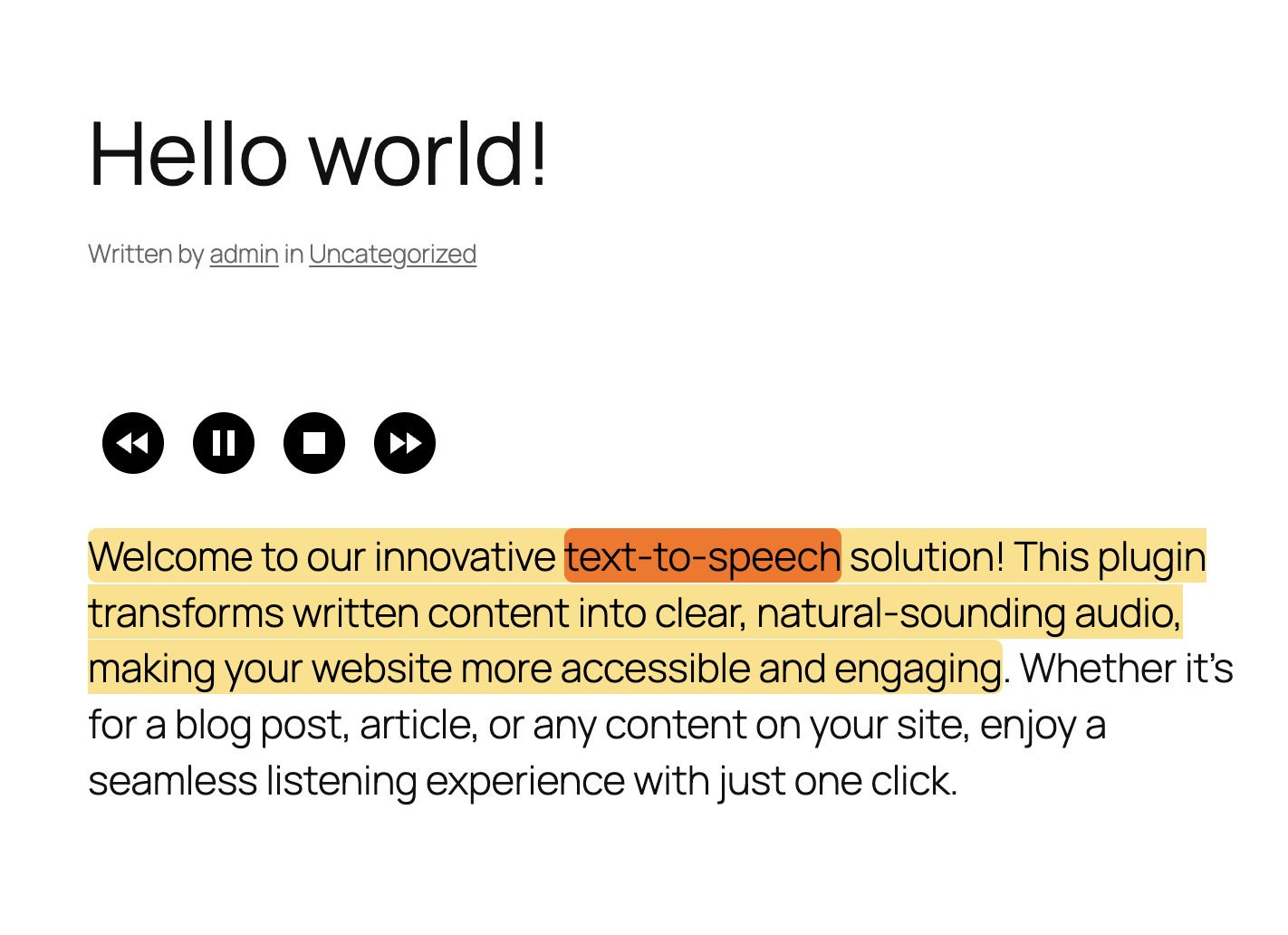
The “Listen” button above your post 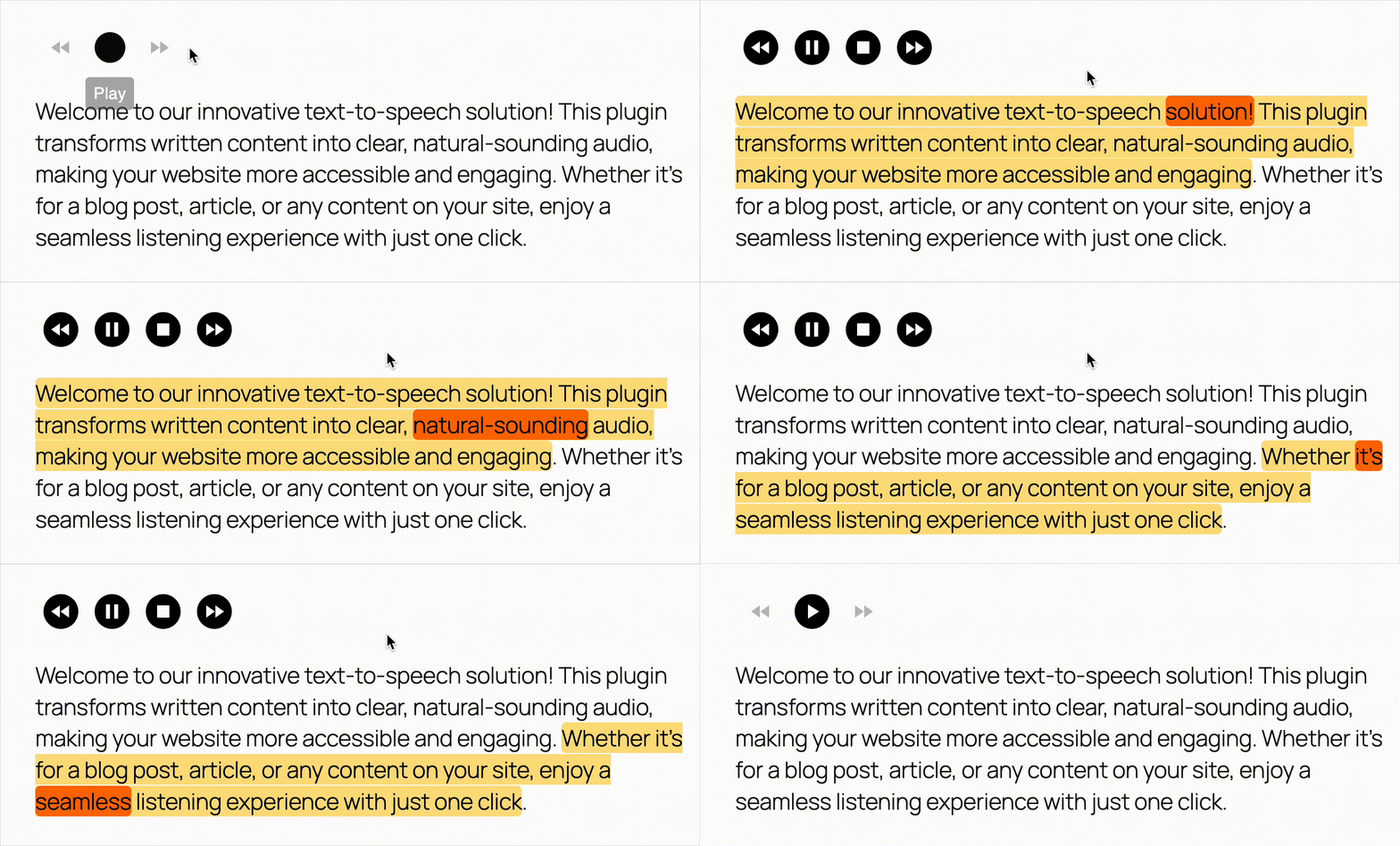
Text to speech with highlighted sentence and word as it spoken 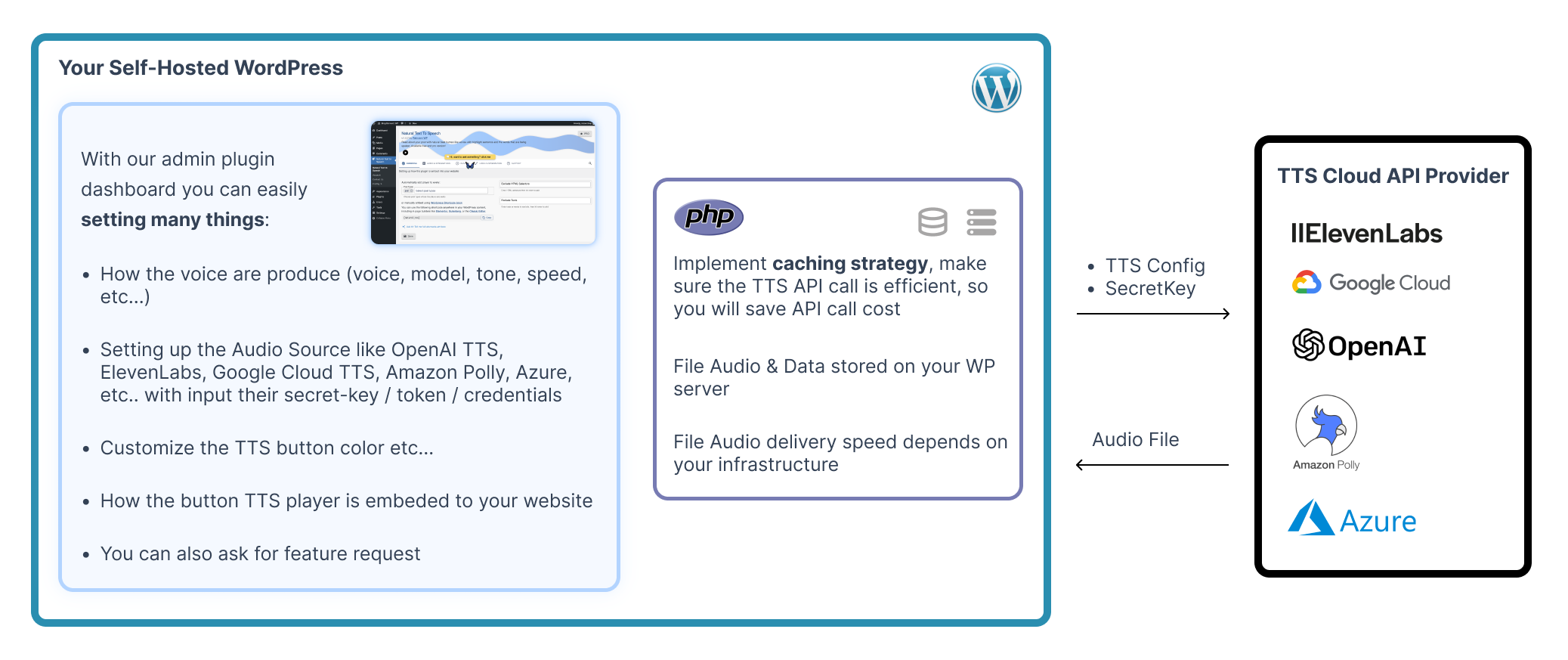
How it works 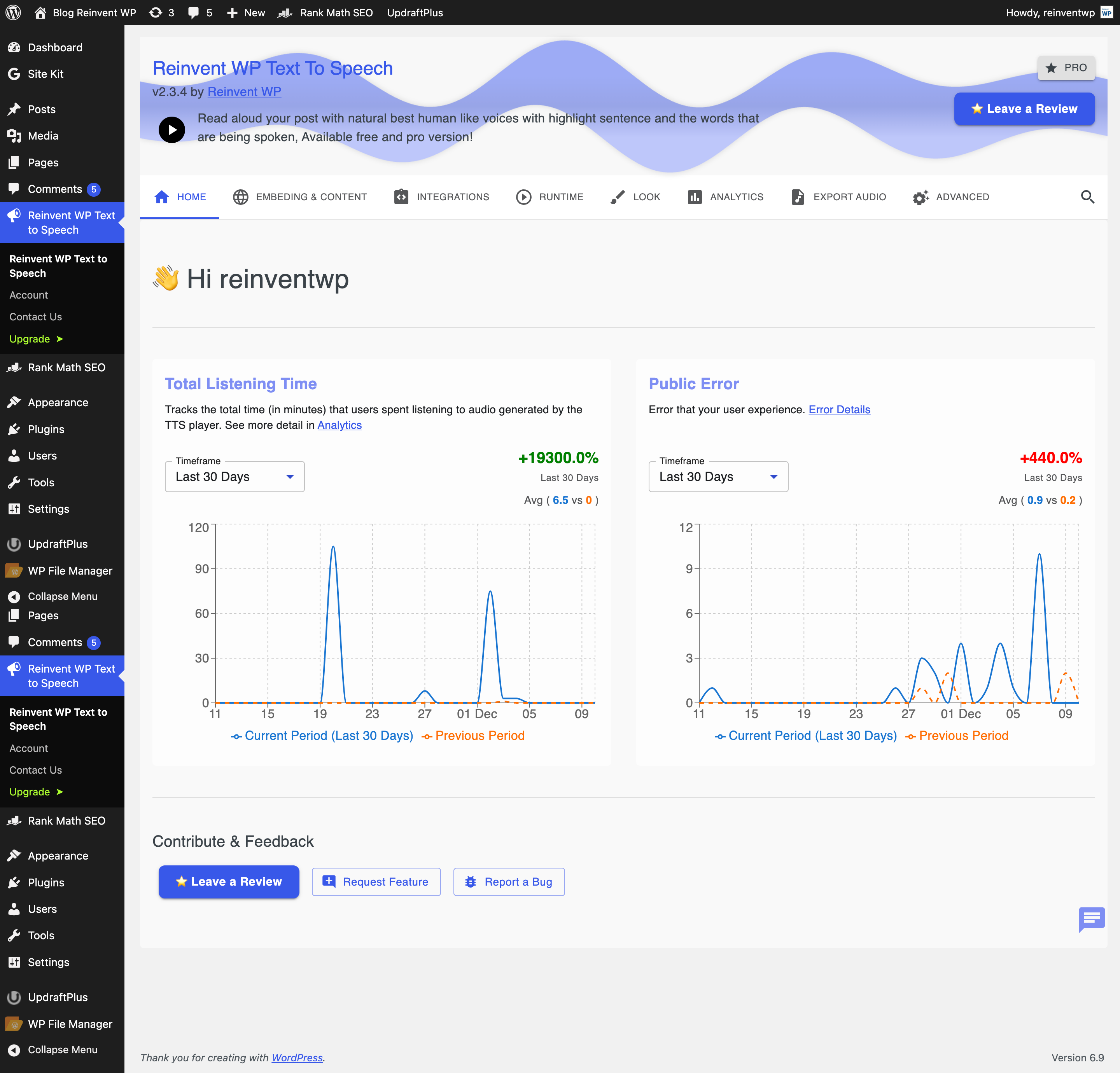
Setting Page: Home 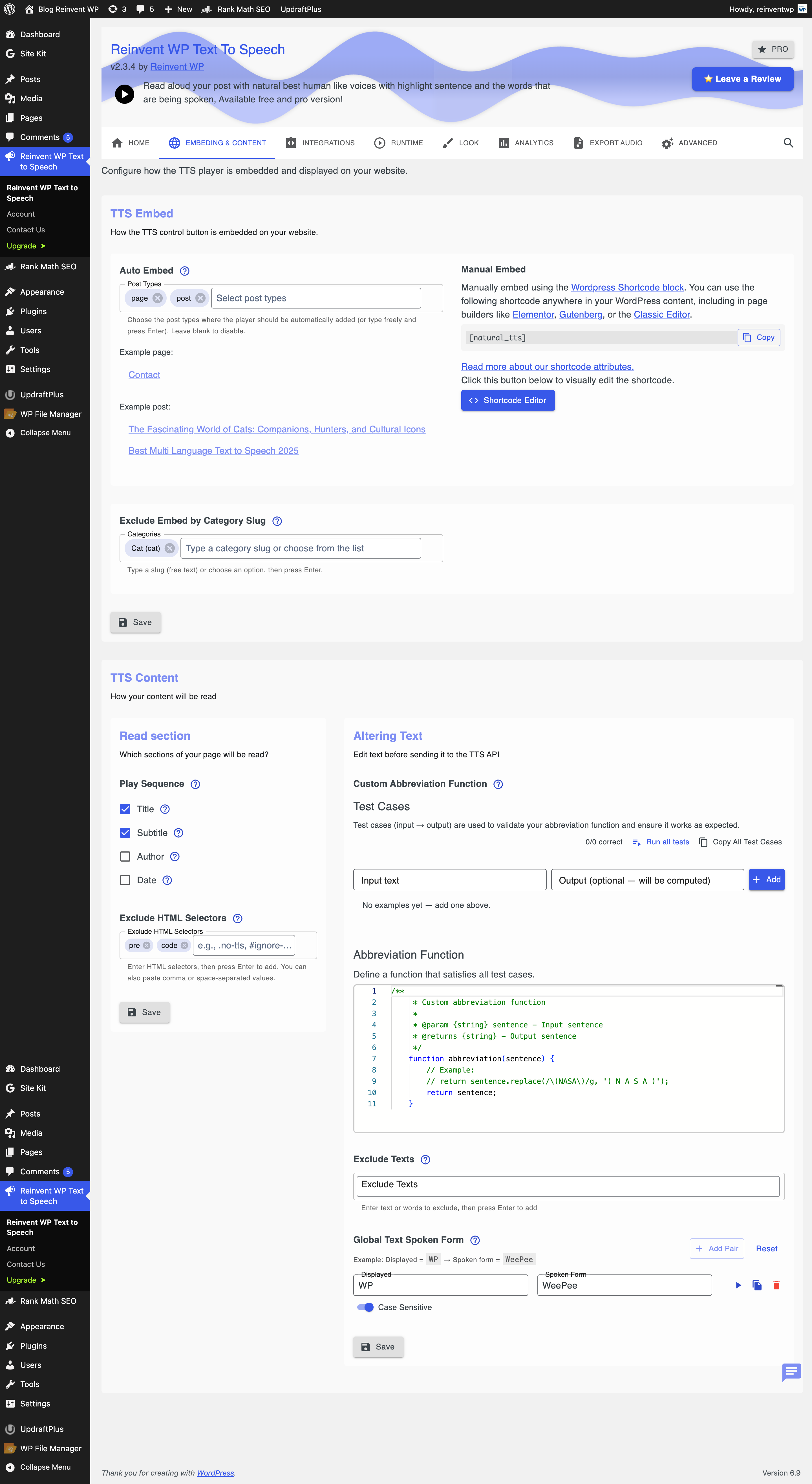
Setting Page: Embed the player 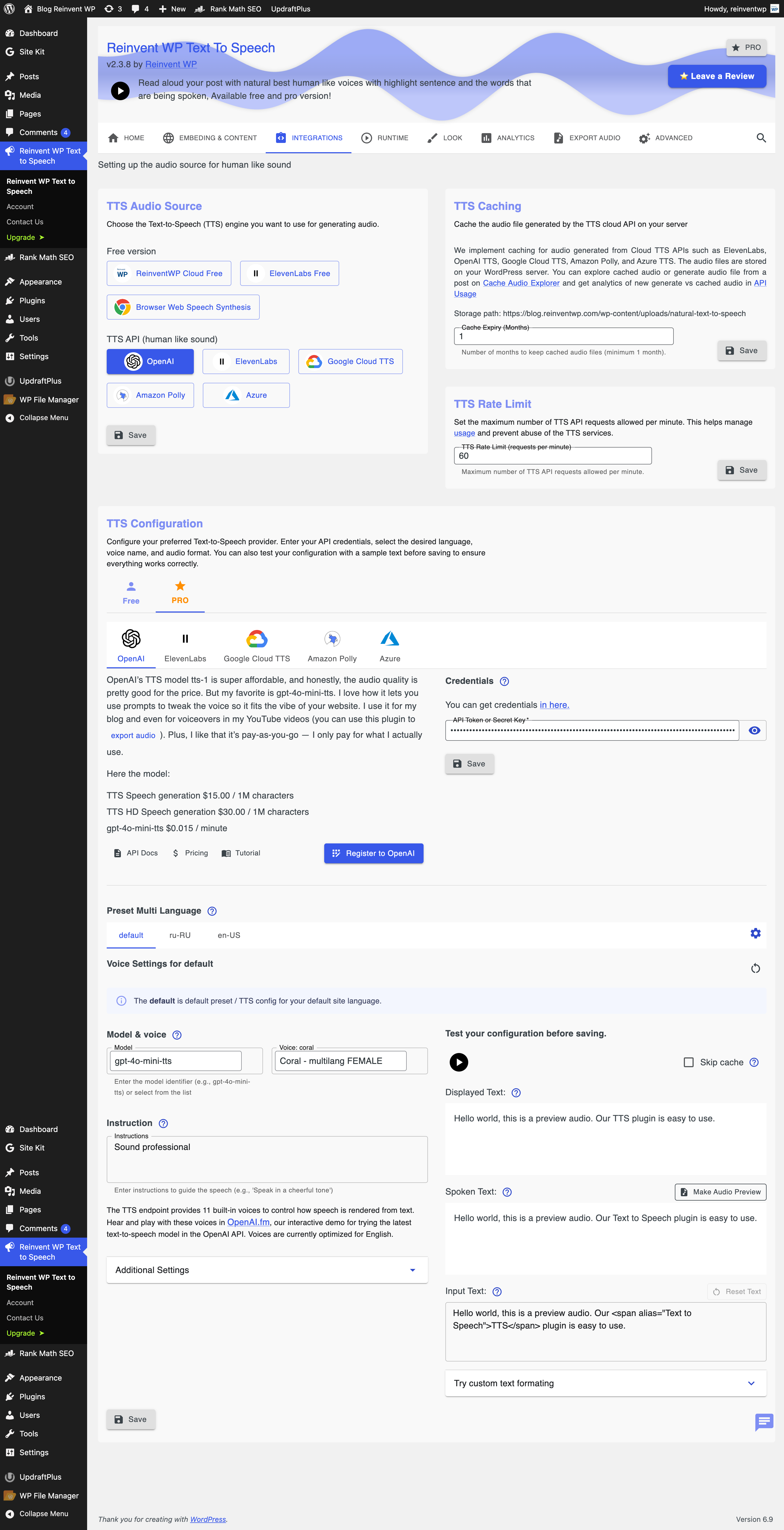
Setting Page: Audio & Integration PRO Version – Integrate with TTS API like OpenAI, ElevenLabs, Google Cloud Text To Speech, Amazon Polly, Azure AI Speech 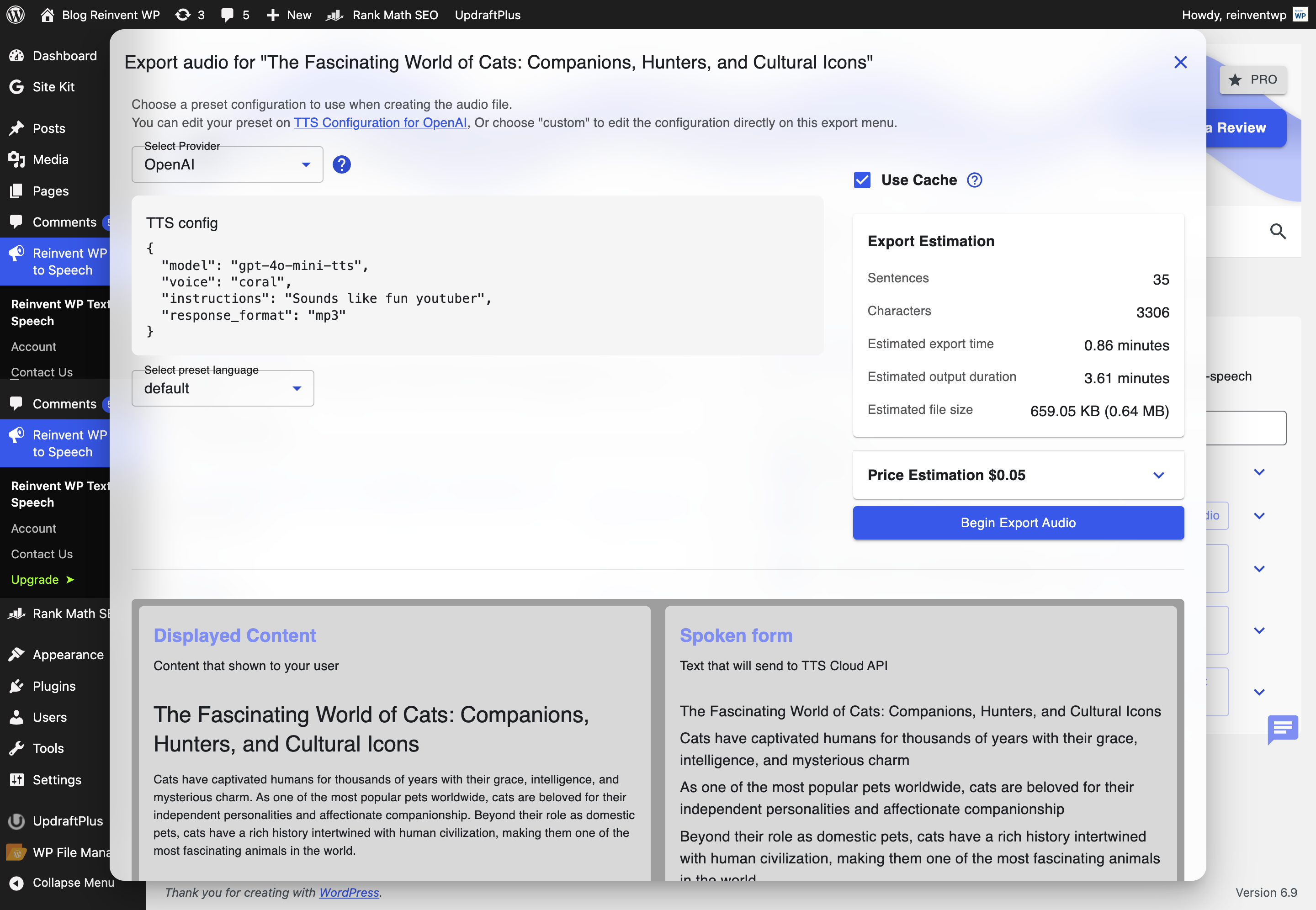
Setting Page: Export posts / article to audio file. (You can use for audio book, podcast or youtube video) 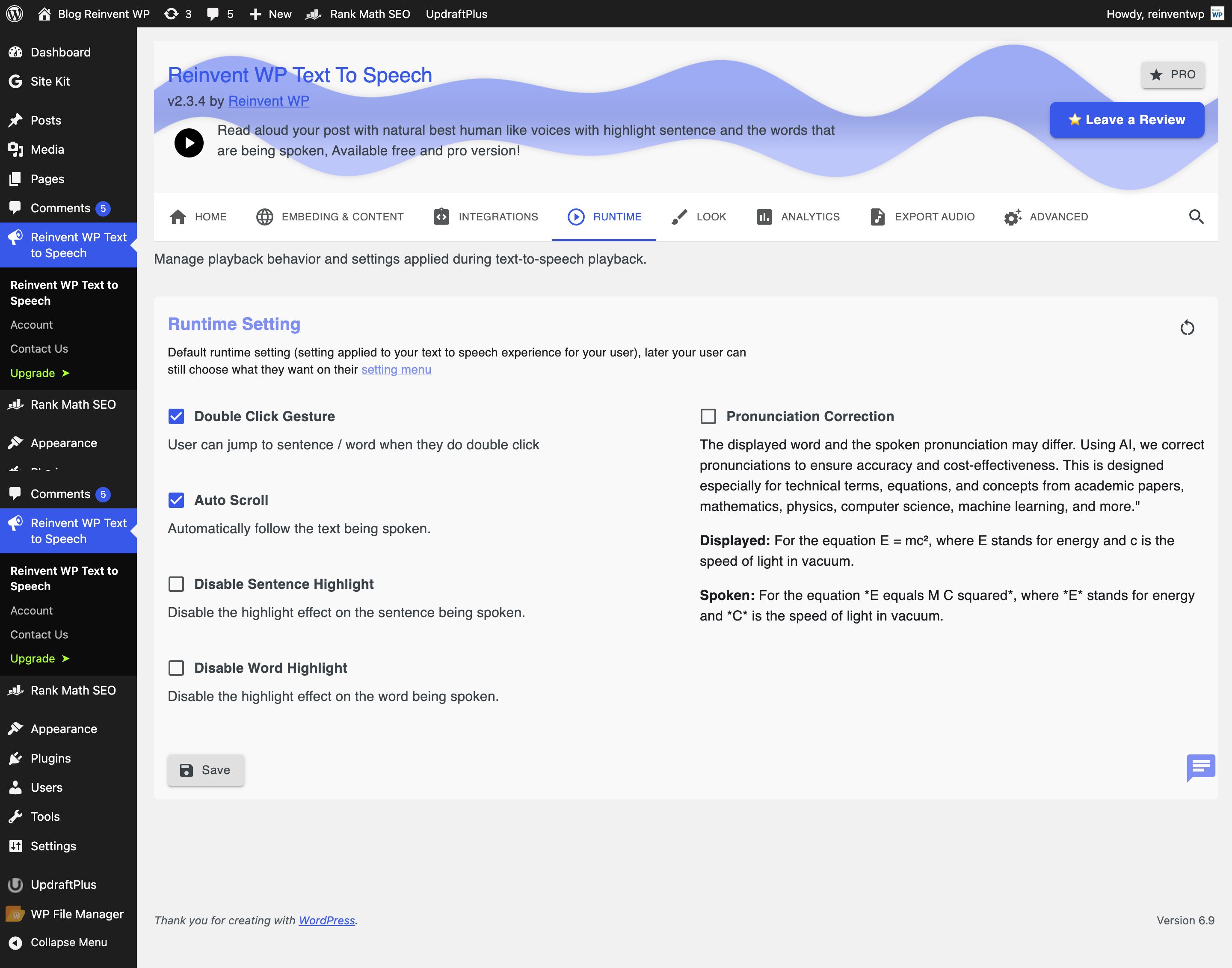
Setting Page: Runtime config – Automatically follow the text being spoken, Pronunciation correction 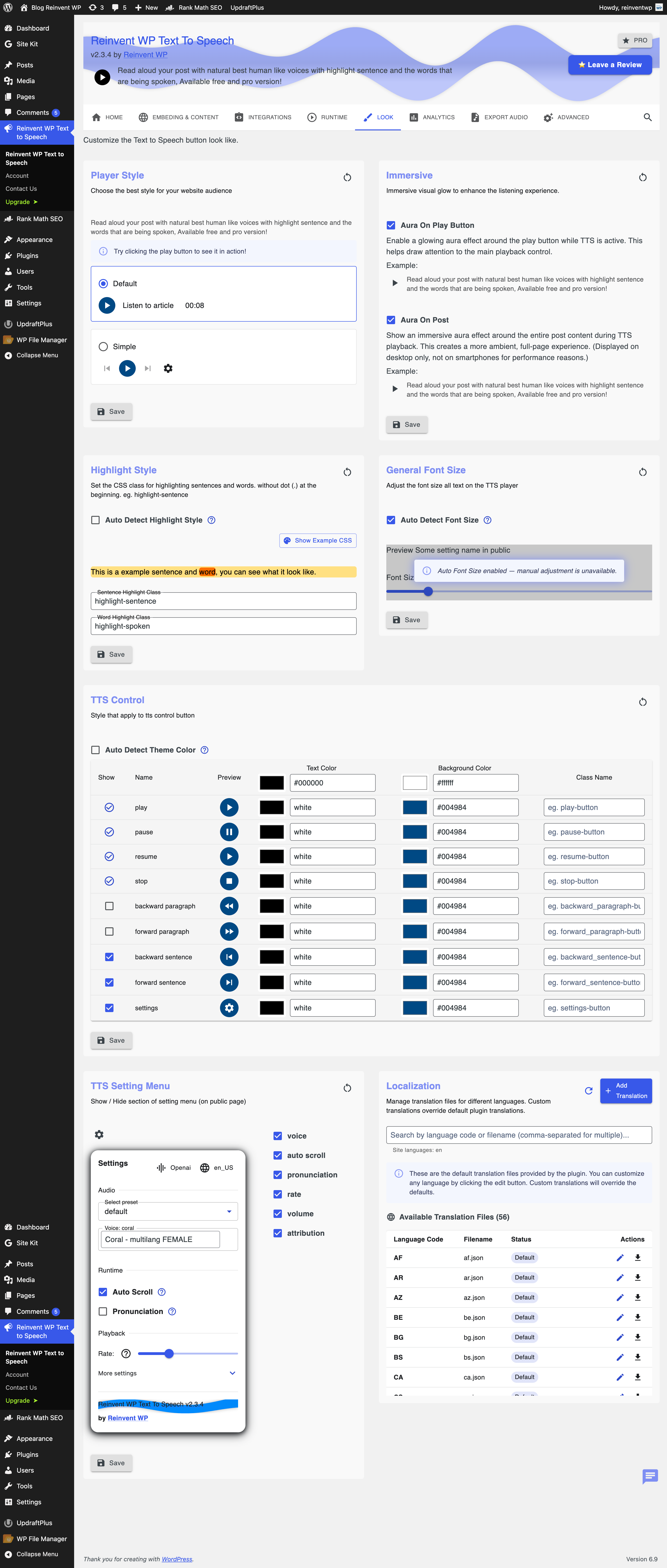
Setting Page: Customization button player 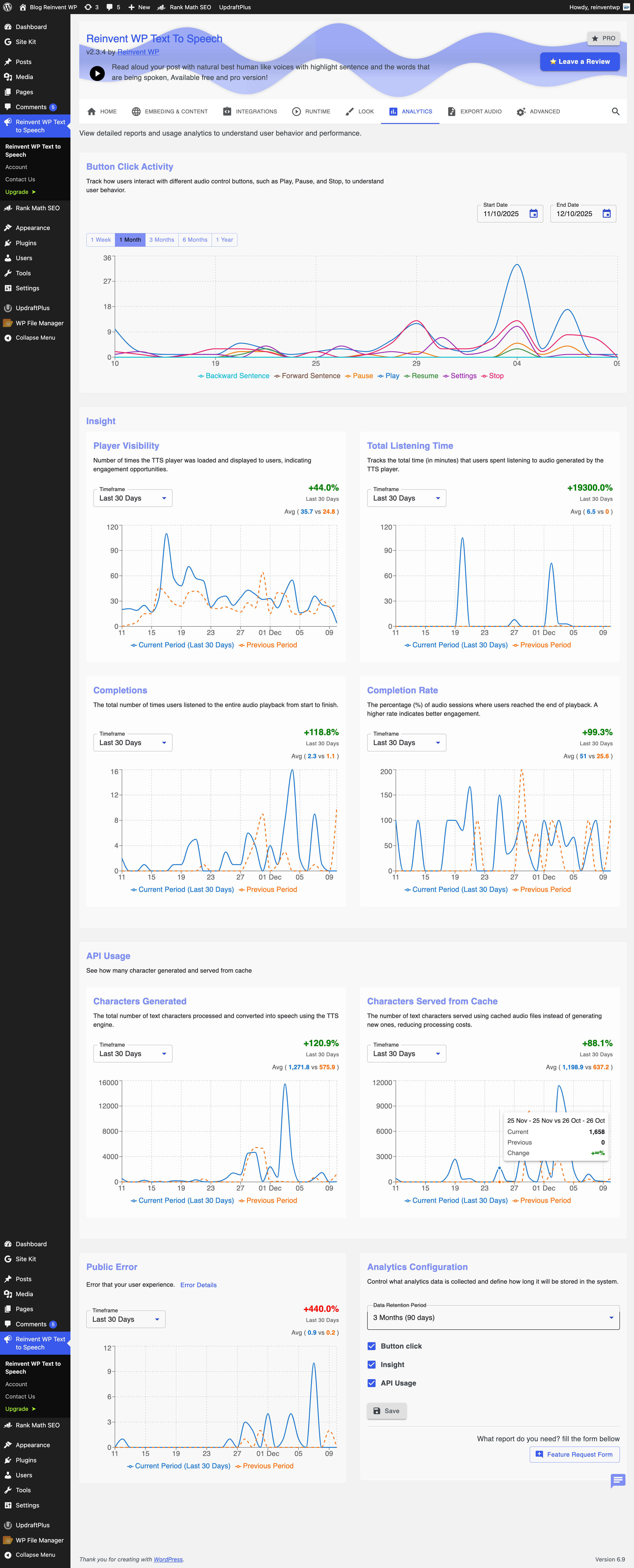
Setting Page: Analytics


Installation
- Install via the WordPress Plugin Directory, or upload the .zip manually.
- Activate through the ‘Plugins’ menu.
- Insert the
[natural_tts]shortcode into any post or page. - A “Listen” button will appear above your content.
FAQ
-
Don’t want to read long documentation and FAQs? Chat with our Butterfly AI assistant
-
We know you need an assistant that can answer all your questions, so you don’t have to read through long documentation and FAQs.
You will see a Butterfly flying on our website and plugin settings page in WP Admin after installation.
You can simply ask it questions. It uses RAG (Retrieval Augmented Generation) technology to provide answers based on our documentation and FAQs.
It also provides reference links you can follow.
-
Is it FREE?
-
Yes! The free version uses ElevenLabs or browser-based speech synthesis (Web Speech API). It works, but the voices may sound robotic.
For natural-sounding audio, upgrade to PRO to use ElevenLabs, OpenAI TTS, Google Cloud TTS, Amazon Polly, or Azure AI Speech.
-
How do I upgrade to PRO?
-
- Go to our website, choose a plan, and complete payment.
- You’ll get an email from Freemius with your license key
- Search and install this plugin from the WordPress Plugins menu in your WordPress admin
- Activate and enter your license key.
-
How many languages and voices are available?
-
This plugin itself supports many languages goto Supported Languages
But, when you want to integrate with text to speech (TTS) API as an audio source like OpenAI TTS, ElevenLabs TTS, Google Cloud TTS, Amazon Polly, and Azure AI Speech.
So you will need to check their language support also:
-
Does Reinvent WP Text To Speech work on every WordPress theme?
-
Yes. The plugin inserts its player with a shortcode, so it will show on top of your posts. No template editing is required.
-
Can I customise the player’s colors, size, or position?
-
Yes! We’re committed to giving users flexibility and a high-quality TTS experience.
You can go to the WP admin > plugin settings page > look & customization
-
Does it support Android WebView?
-
Depends on your WebView provider
If your WebView supports the same APIs as a regular browser, it will work
We try using the Trusted Web Activity and it works.
Here is the simplified tutorial that you can follow
Here is the example working App Reinvent WP Text To Speech Web View with TWA Demo App
When not working, you can just debug on the runtime of the application. See what logcat outputs. What browser APIs are not supported by your webview provider
-
How is my API key kept secure in PRO mode? Privacy and Data Security?
-
All data is stored in your WordPress database. We do not send or store your API keys, text, or audio on external servers. Everything remains under your control. Your API keys are used only for direct communication with the TTS provider you configure (e.g., OpenAI, Google, Microsoft, ElevenLabs). This ensures your information remains private, secure, and fully compliant with standard WordPress data practices.
-
Does Text to Speech improve SEO?
-
Yes. Audio keeps users on the page longer and adds Text to Speech transcripts that Google can index, often boosting dwell-time and rankings.
-
How about Pronunciation?
-
The displayed word and the spoken pronunciation may differ. Using AI, we correct pronunciations to ensure accuracy and cost-effectiveness.
This is designed especially for technical terms, equations, and concepts from academic papers, mathematics, physics, computer science, machine learning, and more.
Displayed: For the equation E = mc², where E stands for energy and c is the speed of light in vacuum.
Spoken: For the equation E equals M C squared, where E stands for energy and C is the speed of light in vacuum.
-
How about user gesture? eg. double click to play
-
Users can jump to a sentence or word by double-clicking.
You can configure this in the Plugin Settings Page > Runtime.
-
Support page builder? like Elementor, Divi, Gutenberg, etc
-
Yes, absolutely. This plugin is fully compatible with all major WordPress page builders, including:
- ✅ Elementor
- ✅ Beaver Builder
- ✅ WPBakery Page Builder
- ✅ Divi Builder
- ✅ SiteOrigin Page Builder
- ✅ Brizy
- ✅ Gutenberg (Block Editor)
You can easily add and use the plugin’s features within any of these builders without extra configuration. Whether you’re building landing pages or blog posts, our plugin integrates seamlessly into your workflow.
Reviews


Contributors & Developers
“Reinvent WP Text to Speech” is open source software. The following people have contributed to this plugin.
Contributors
Translate “Reinvent WP Text to Speech” into your language.
Interested in development?
Browse the code, check out the SVN repository, or subscribe to the development log by RSS.
Changelog
2.4.2
- UI / UX
- Add more api validation
2.4.1
- Fix bug
2.4.0
- UX
2.3.9
- Set lang code into shortcode
2.3.8
- UX
2.3.7
- UX
2.3.6
- Encrypt credentials of tts api
2.3.5
- Improve UX Plugin setting page on wp admin
- Add rate limit for api llm and transcribe
2.3.4
- Improve UX
- Improve Unit Test
2.3.3
- False warning
2.3.2
- Prefer to stop. when cloud tts fail, instead of trying using the web speech synthesis (because it will robotic sound)
2.3.1
- Fix laggy tts button
- Add menu to edit the rate limit
2.3.0
- Fix grammar
2.2.9
- Typo & Grammar
2.2.8
- Ensure text marking elements inherit font size from parent, avoid unexpected font size change.
2.2.7
- Fix save button on audio source
2.2.6
- Add retry axios
2.2.5
- Add integration and unit testing
- User can upload custom json file for Localization.
2.2.4
- Fix bug reinventwp free
- Fix translation i18n
- Fix caching problem non latin post
2.2.3
- Add custom abbreviation function using js code
- Increase php code memory efficiency
2.2.2
- Fix shuttering bug, when read next paragraph
2.2.1
- Show warning for select voices
2.2.0
- Improve UX
2.1.9
- Fix bug ElevenLabs configuration UI
2.1.8
- Fix bug
- Update Readme
2.1.7
- Improve langcode detector
- Shortcodes Editor
- Automatically disable and hide the player on all posts belonging to a predefined list of category slugs.
2.1.6
- Fix Localization
2.1.5
- Fix bug play time
- Localization
2.1.4
- Add try again when making the audio
2.1.3
- Fix file proxy failed, maybe the storage is slow or the website using cdn.
- Fix post exporter to audio file
2.1.2
- Fix responsive mobile admin
- Add read subtitle, author, date
2.1.1
- Improve Error handling
2.1.0
- Improve stability
2.0.9
- Dynamic color for plugin setting page based on your wp admin user profile color theme
2.0.8
- Improve code stability
2.0.7
- Improve code stability
2.0.6
- UX
2.0.5
- UX
2.0.4
- Added a secure HMAC-based nonce system for API request validation.
- Improved overall code security and stability.
- Minor code quality and PHPCS compliance refinements.
2.0.3
- Select Player Style
- Fix bug
- UX Admin
2.0.2
- Fix credential for elevenlabs free
2.0.1
- Fix code stability
2.0.0
- Initial Stable Release
