

توضیحات
Our White Label WordPress plugin lets you make a custom admin experience for your clients. Create a custom login page, build custom dashboard elements, modify admin menus, and much more.
Building a custom admin experience is ideal for web developers and agencies who work with non-technical clients. You can use White Label to create a custom login page and a custom dashboard that matches your client’s brand and identity.
Make WordPress easier and less confusing for clients by cutting unnecessary parts and features.
Custom Login Page
وقتی از White Label برای تغییر نام تجاری صفحه ورود به وردپرس استفاده می کنید، تجربه مشتری خود را بهتر کنید. افزونه ما به توسعه دهندگان وب و آژانس ها اجازه می دهد تا هر بار که از وردپرس استفاده می کنند، یک صفحه ورود سفارشی برای مشتریان خود ایجاد کنند تا از آن استفاده کنند.
Create your site’s custom login page look by adjusting its layout, color scheme, background image, and even adding a custom logo. Your custom login can match every element of your client’s brand and identity. Clients really appreciate it when you take the time to make a custom login page that matches their branding.
In addition to login page branding, White Label lets you remove a handful of interface elements. Remove the Remember Me checkbox, the WordPress Language Switcher, the Go to Site link, and the Lost Your Password link. You are in total control of the login page interface when you use White Label.
پیشخوان سفارشی
After you’ve built a custom login, it is time to move on to the dashboard experience. Tidy up the first things your users see when they use WordPress by making a custom dashboard. This is the easiest way to make life easier and less confusing for non-technical users. Your clients don’t need to read or access most of the default information available on the WordPress dashboard. You can use White Label to make your own custom dashboard experience by removing widgets or creating your own.
Create a custom welcome panel to replace the default one provided by WordPress. Remove dashboard widgets or create your own custom dashboard widget with whatever content you want clients to see. Want to replace the entire WordPress dashboard? You can with White Label. Create your very own custom dashboard with White Label for all your users to see when they log in.
مدیریت سفارشی
White Label isn’t only ideal for creating a custom login page or custom dashboard. Our plugin lets you change other parts of the WordPress admin as well.
Use our White Label plugin to configure parts of the WordPress admin so your clients only see what you want them to see. The custom admin features of White Label let you hide entire sections of the menu. Control exactly which menu options other users can see when they are logged in. Use White Label to also hide individual plugins so that your clients can’t accidentally delete or update plugins without your knowledge. You can do the same for themes.
In addition to those features, White Label offers more custom admin options. Set an admin color scheme and apply it to all users when they log in. Make text changes to the WordPress admin’s menu bar and footer. You can even add custom JavaScript right into the WordPress admin; perfect for integrating live chat widgets and other ways to communicate with clients.
Building a custom admin experience that is tuned to your users and their exact needs helps cut down on confusion and support requests.
White Label Elementor
You can use White Label to modify the Elementor experience for your users. White label Elementor by replacing the Elementor branding with your own. Change logos, colors, and replace text.
White Label will let you hide navigation items in the Elementor editor and hide Pro upgrade nags and inaccessible features.
Our White Label WordPress plugin is a great way to make the Elementor experience your own. Check out these features to see what you can do with White Label and Elementor:
- Hide the Elementor logo from the editor
- Replace the Elementor loading logo with your own.
- Change the Elementor editor’s color scheme.
- Replace text referring to Elementor in the WordPress admin.
- Hide navigation items in the Elementor editor.
- Hide Pro upgrade nags and inaccessible widgets.
ویژگی های White Label وردپرس
White Label is made for those who want to build a custom admin for WordPress. Here’s a quick review of the features available:
- Hide the WordPress version number from the frontend and the admin
- لوگوی سفارشی در صفحه ورود
- Custom login page colors and alignment
- رنگ یا تصویر پس زمینه سفارشی در صفحه ورود
- الگوهای برگه ورود و انتخابگر رنگ
- Remove login page interface features
- CSS سفارشی را در برگه ورود اضافه کنید
- یک پنل خوشامدگویی سفارشی در پیشخوان ایجاد کنید
- ابزارک های پیشخوان را حذف کنید
- یک ابزارک پیشخوان سفارشی ایجاد کنید
- یک پیشخوان سفارشی ایجاد کنید تا جایگزین پیشخوان ارائه شده توسط وردپرس شود
- افزونهها را از صفحه افزونهها در مدیریت وردپرس مخفی کنید
- آیتم های فهرست نوار کناری را از سایر کاربران مخفی کنید
- Resize the sidebar menu
- Hide themes from the Themes screen in the admin
- طرح رنگی مدیریت وردپرس را سفارشی کنید و آن را برای همه کاربران فعال کنید
- با جایگزین کردن متن و عناصر در نوار مدیریت و پاورقی، مدیریت را سفارشی کنید
- Add custom JavaScript to the admin
- تنظیمات White Label خود را برای استفاده در چندین سایت درون ریزی و برون ریزی کنید
- چندین مدیر را انتخاب کنید که می توانند قوانین را دور بزنند
- Apply White Label settings from your main site to every site on your Multisite Network
White Label Pro
White Label Pro نسخه ممتاز افزونه ما است. این به طور خاص برای حرفه ای های وردپرس طراحی شده است که به سطح بیشتری از سفارشی سازی نیاز دارند. ویژگی های آن عبارتند از:
- White Label Yoast SEO
- White Label Gravity Forms
- Change WordPress login URL
- Rename admin menu items
- Change admin menu icons
- Change plugin details like name, description, links, etc.
- Change theme details like name and screenshot, remove theme action buttons and the theme details overlay.
- Hide admin bar items
- Rename admin bar items
- Remove the front end admin bar
- ابزارکهای پیشخوان شخصی را حذف کنید
- Hide update notifications and nags
- Remove admin notifications
- Remove the screen options button
- Remove the help button
- Add a login redirect
- Change default email settings
- Disable the administration email verification screen
در وبسایت ما درباره White Label Pro بیشتر بیاموزید .
بازخورد
Helpful feedback is the best way we can improve White Label. A five-star review would be much appreciated if you’ve used White Label to improve your client’s experience! Let us know how White Label helped you create a custom login page, custom admin, or other white label modification for your clients.
We are constantly trying to improve White Label and build the best custom admin WordPress plugin we can. If you have any issues, or feature suggestions, please do not hesitate to contact us and we’ll do our best to help you out.
برای اطلاعات بیشتر از وب سایت ما دیدن فرمایید
برای اطلاعات بیشتر از وبسایت White Labelدیدن فرمائید:
عکسهای صفحه
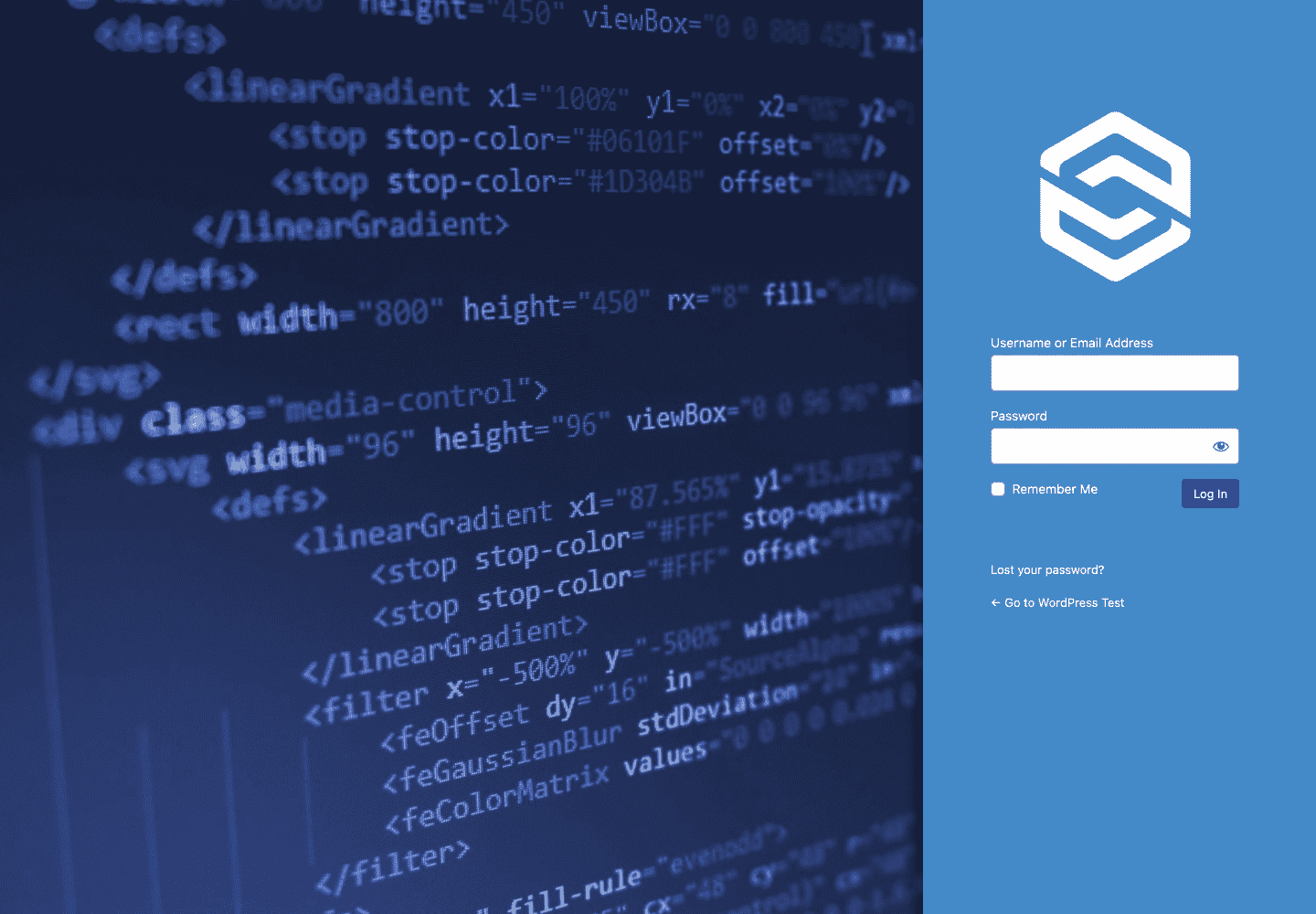
White Label Custom Login Example with Right Alignment 
White Label Custom Login Example with Left Alignment 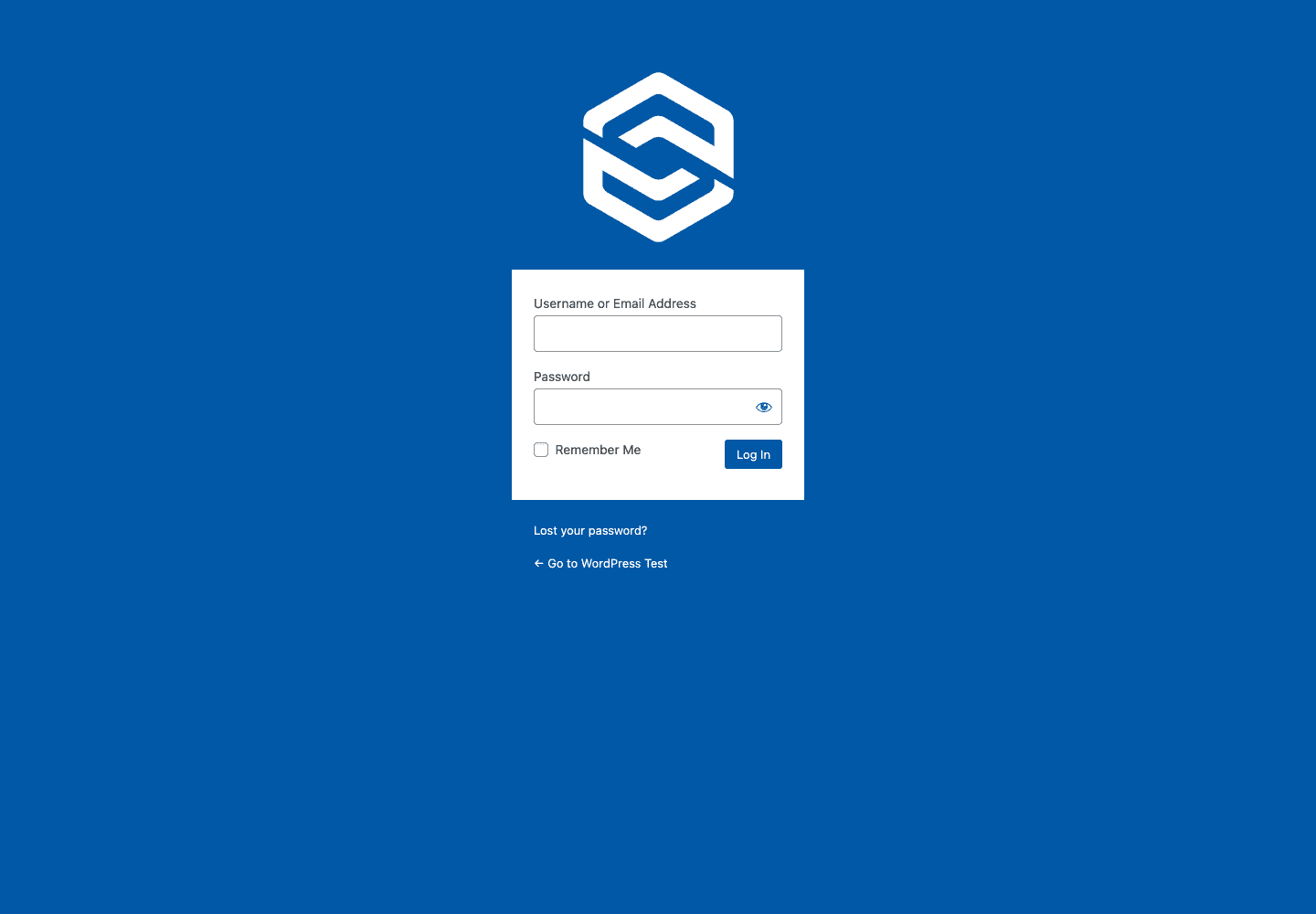
White Label Custom Login Example with Default Alignment 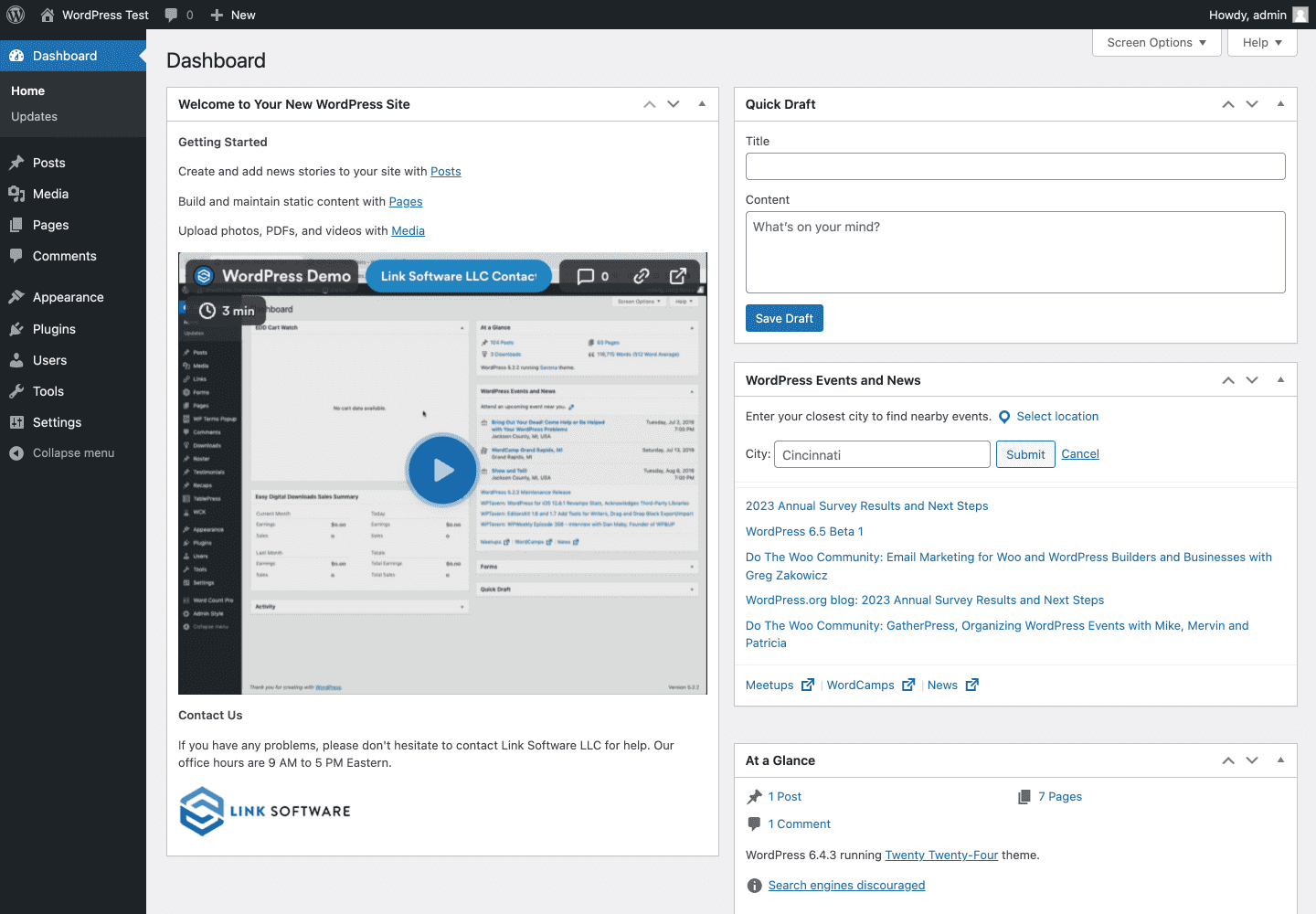
نمونه ابزارک پیشخوان سفارشی White Label 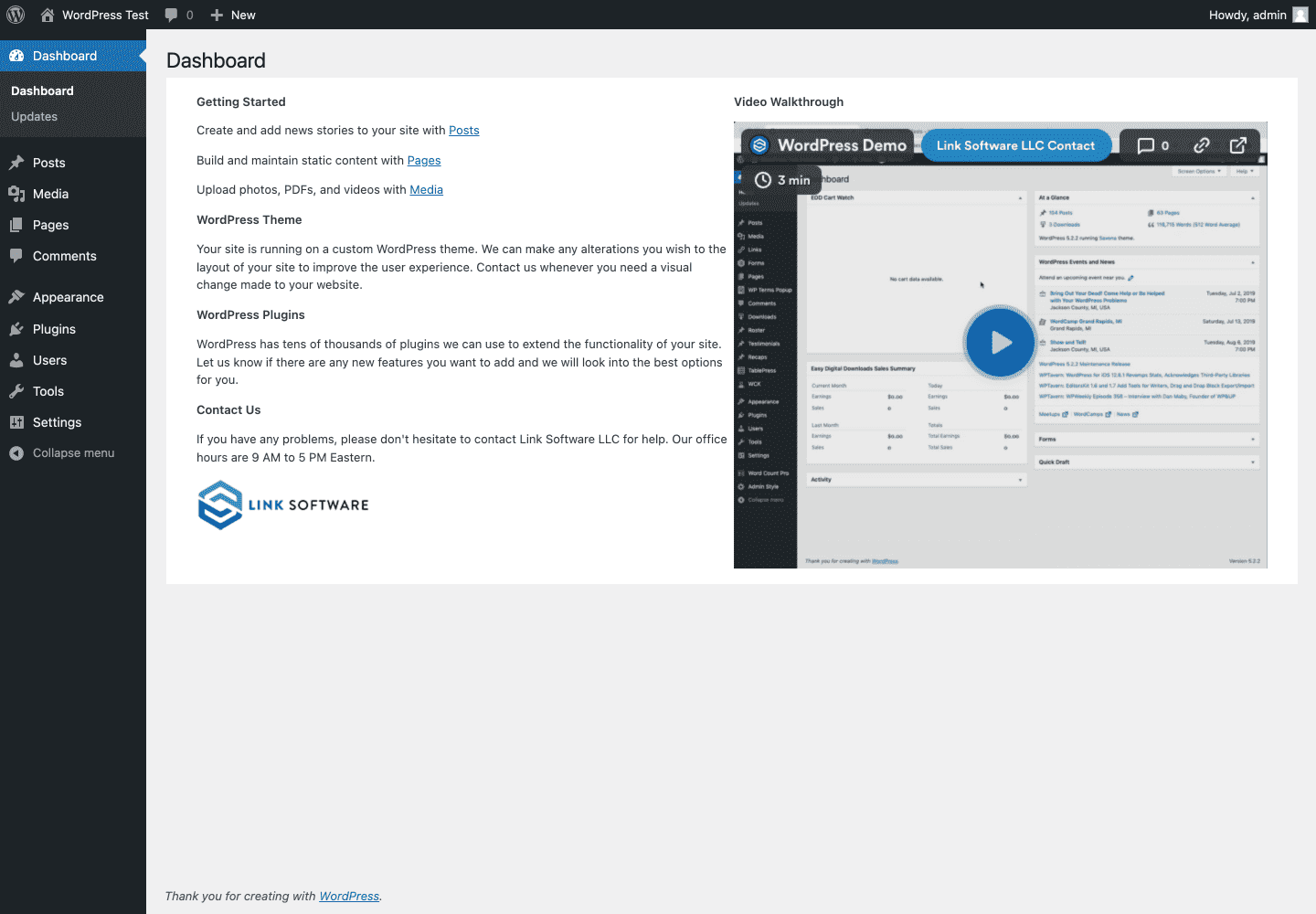
نمونه پیشخوان سفارشی White Label 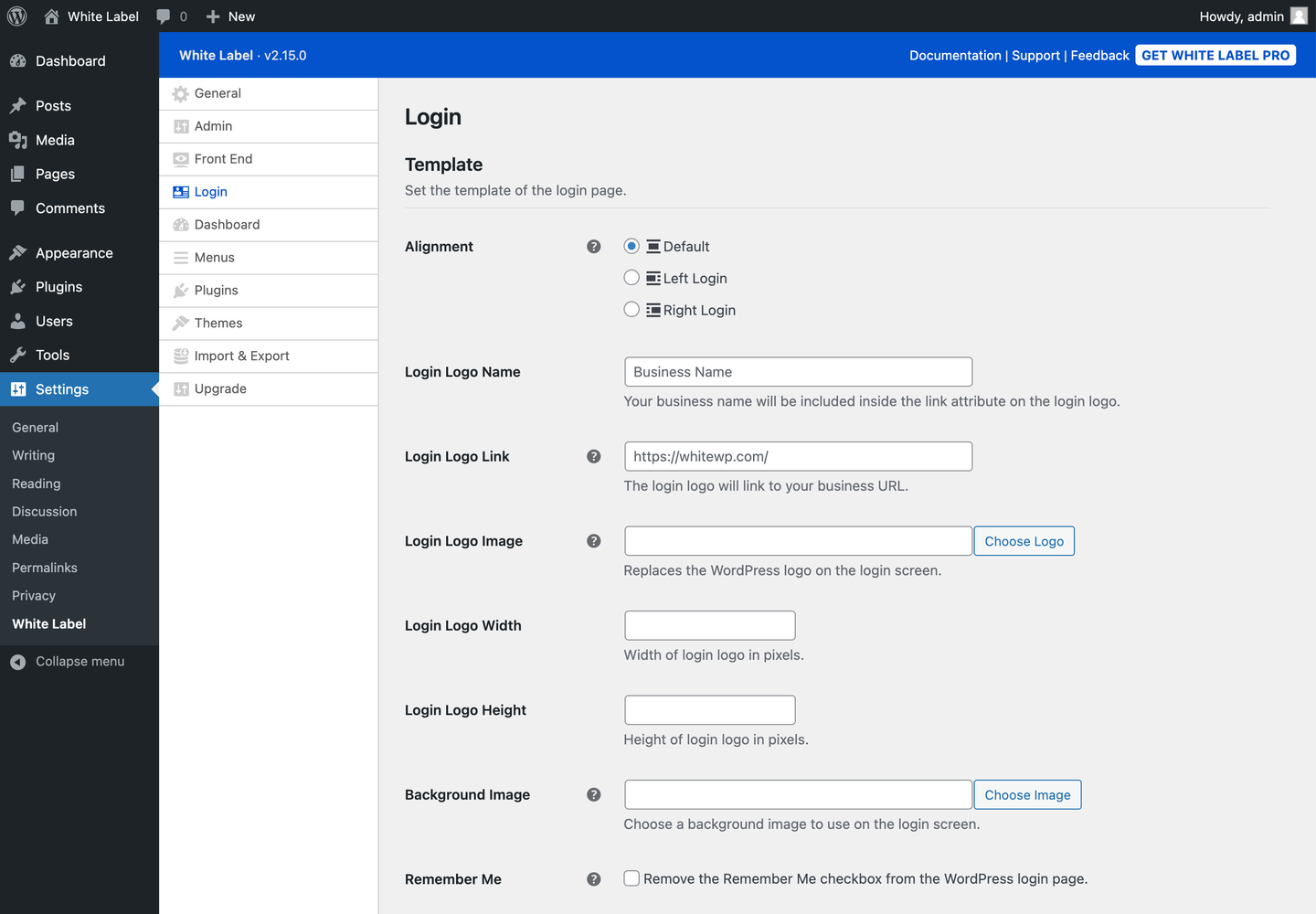
White Label Login Settings 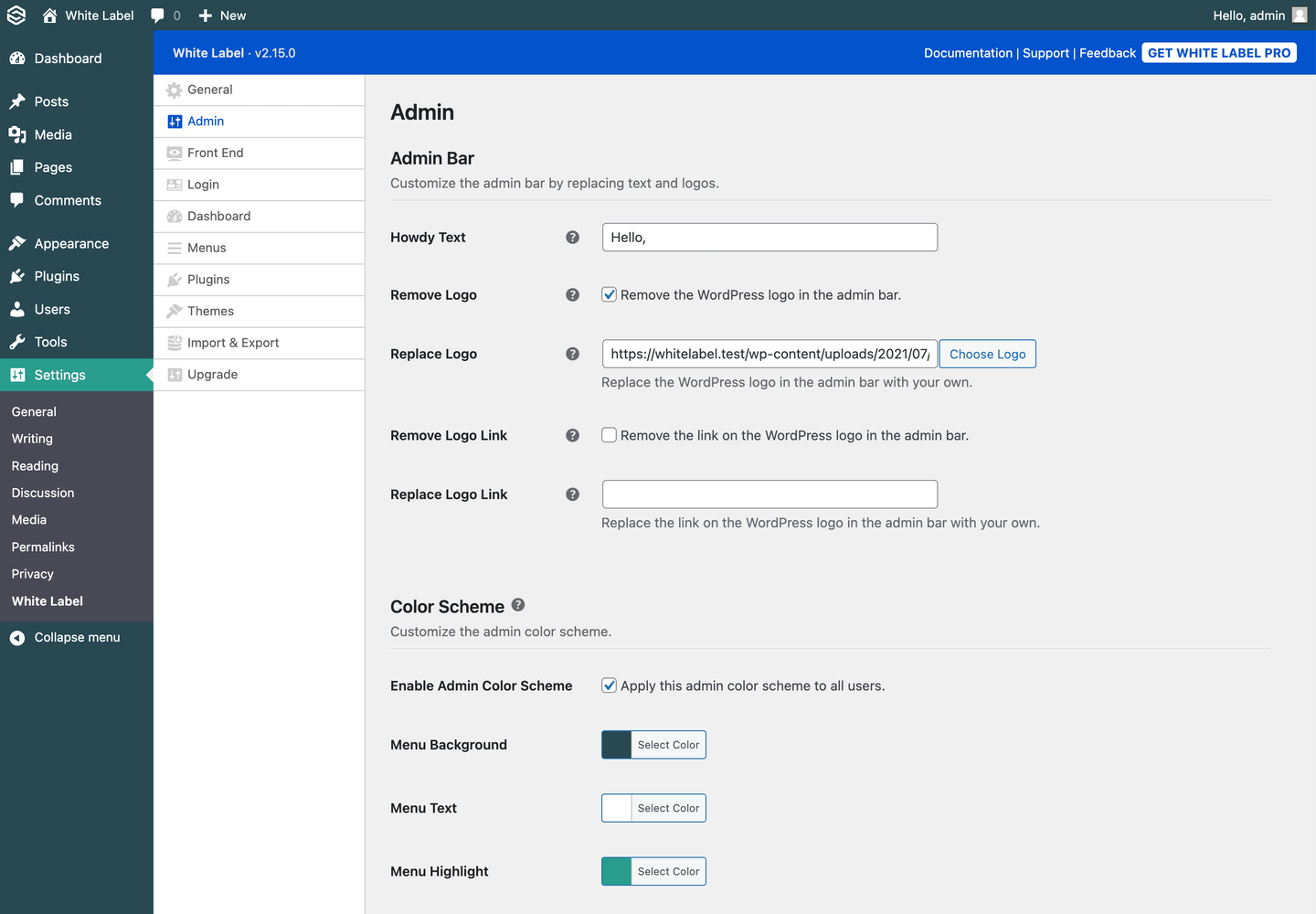
White Label Admin Settings 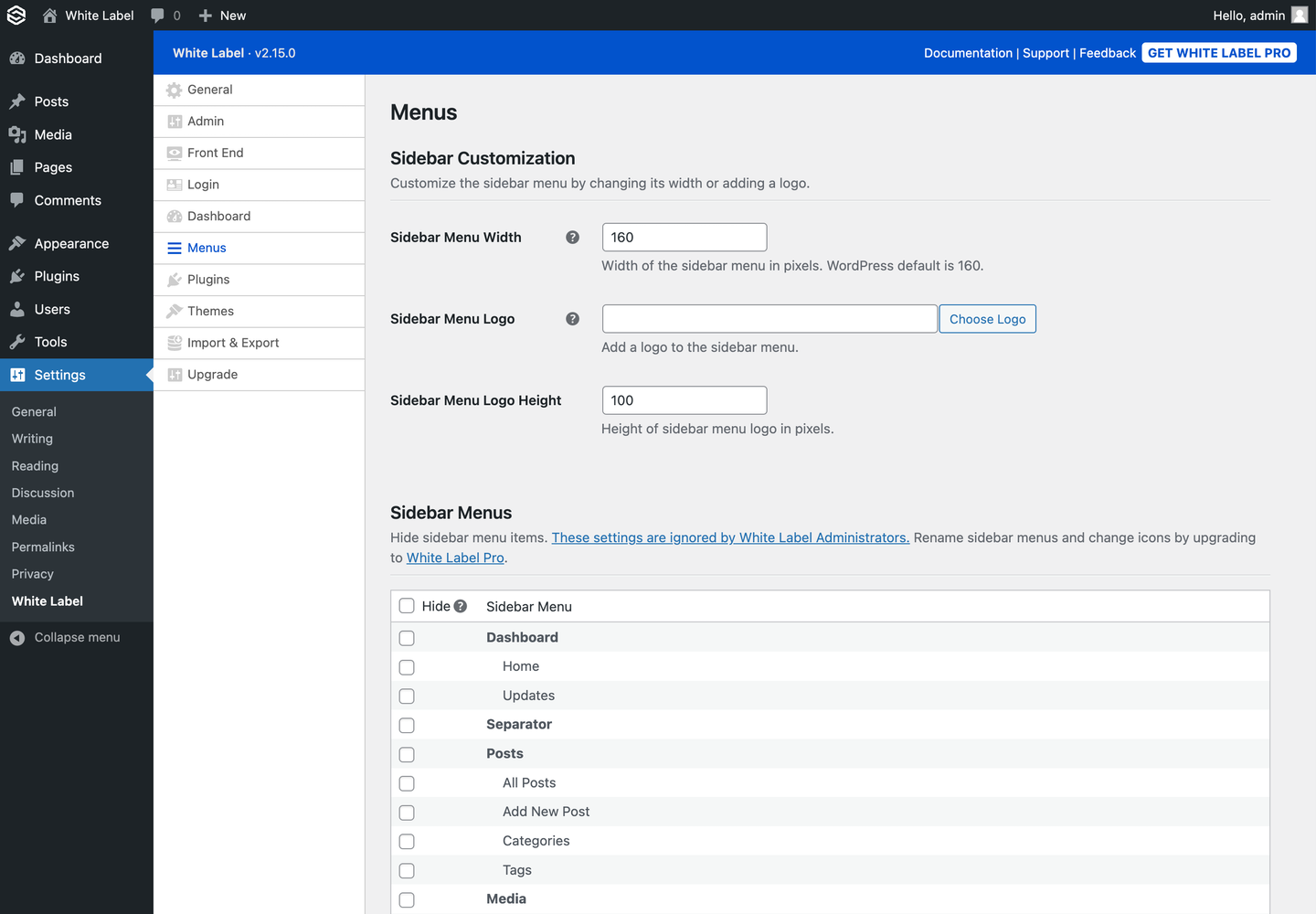
White Label Menus Settings 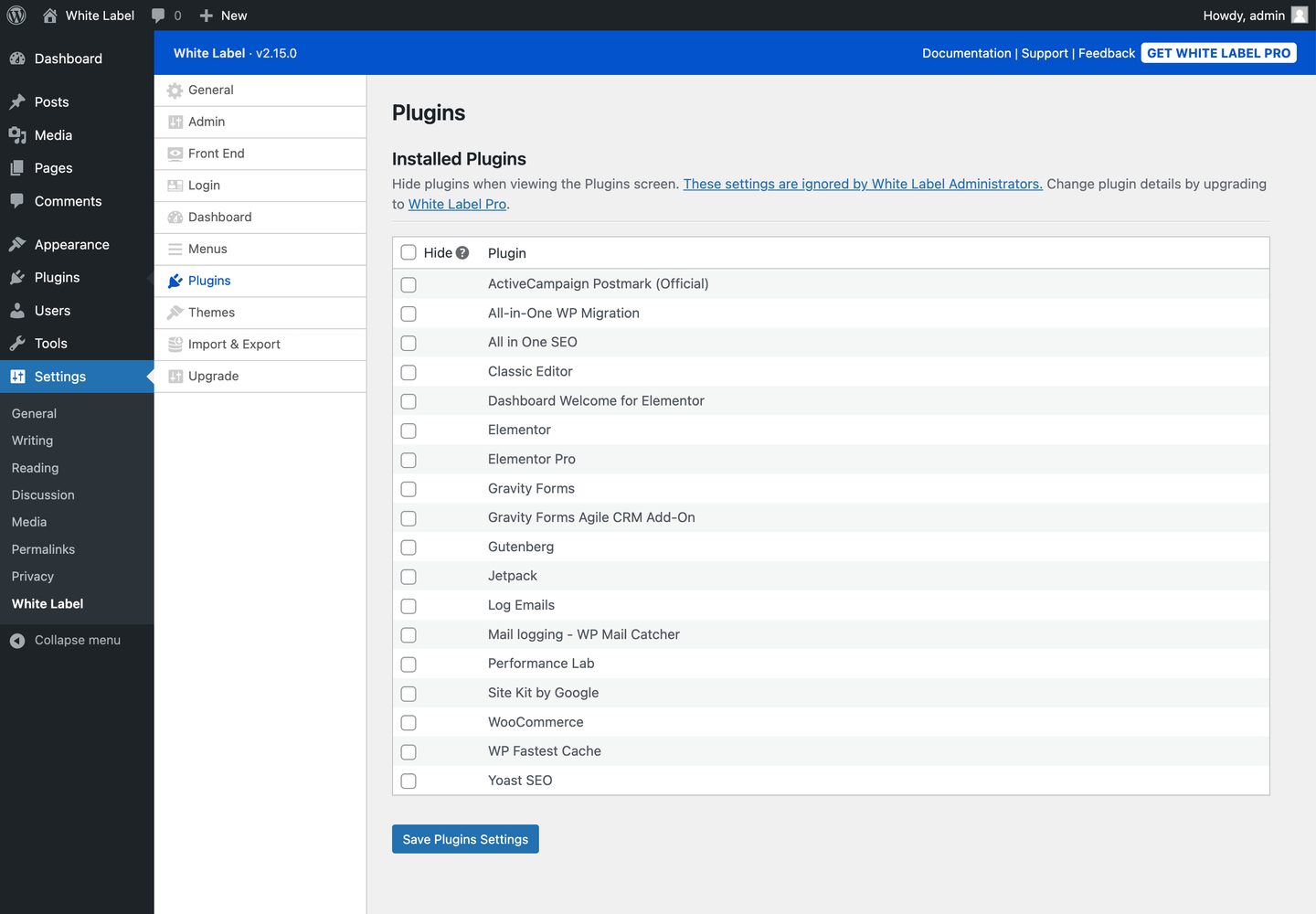
White Label Plugins Settings 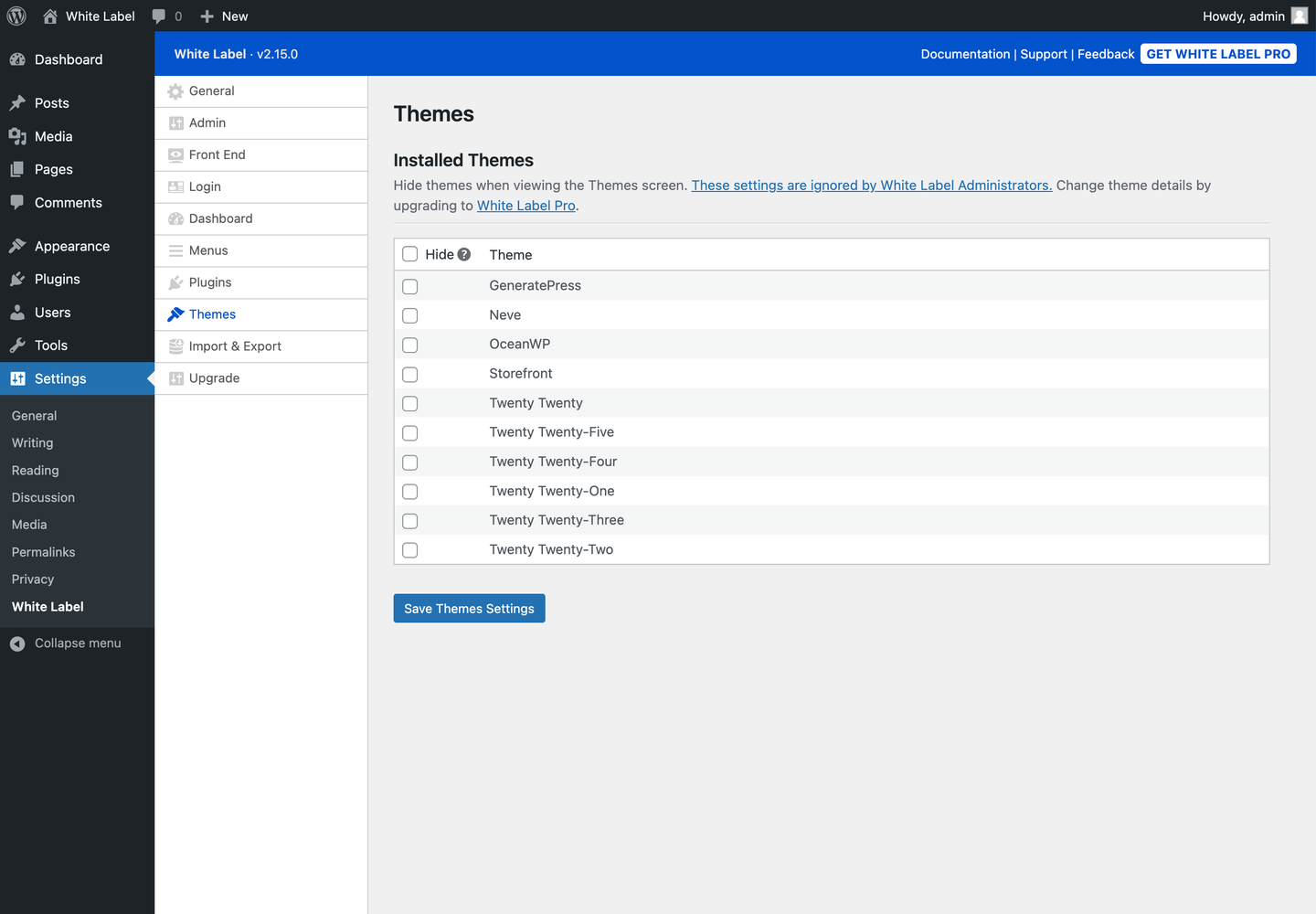
White Label Themes Settings 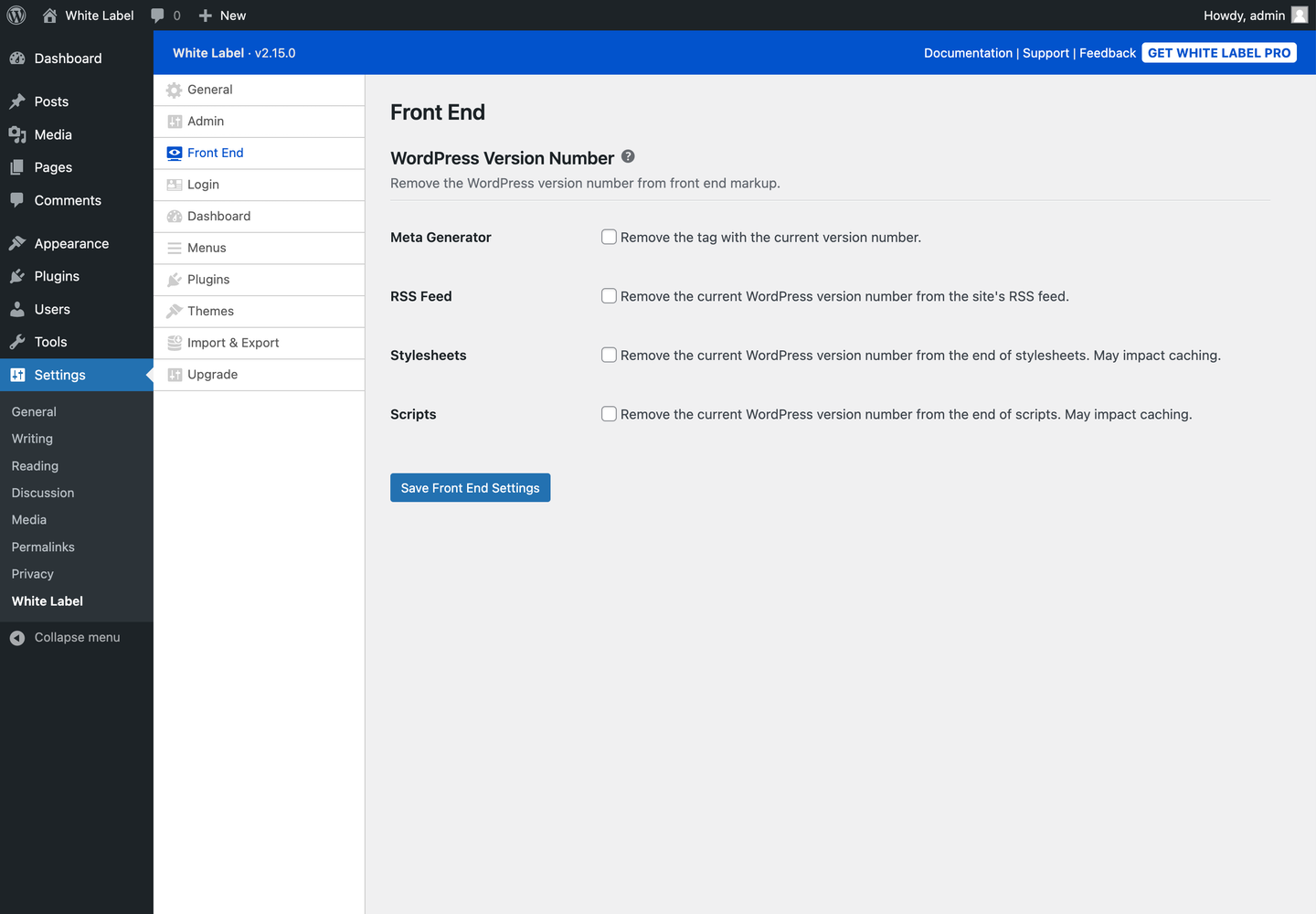
White Label Front End Settings


سوالات متداول
-
Does White Label let me hide the WordPress version number on my site?
-
Yes, White Label lets you hide the WordPress version number. You can remove it from the admin footer and from the HTML markup on the frontend of your site.
-
Can I use my logo on the WordPress custom login page?
-
بله، تو میتونی! برای تغییر آرم ورود به سیستم، و موارد دیگر، برای مطابقت با هر ظاهری که میخواهید، سربرگ “ورود” در تنظیمات White Label را بررسی کنید.
-
آیا این افزونه برای آژانس وردپرس من کار می کند؟
-
صد البته. White Label وردپرس برای توسعه دهندگان وب و آژانس هایی که با مشتریان غیر فنی کار می کنند ایده آل است. می توانید از White Label برای ایجاد یک پیشخوان سفارشی و تجربه مدیریت سفارشی برای کاربران خود استفاده کنید تا تجربه آنها را آسان تر و ایمن تر کنید.
-
بله. White Label به شما امکان می دهد هر یک از گزینه های فهرست را از سایر کاربرانی که به مدیریت وردپرس سایت شما دسترسی دارند پنهان کنید.
-
آیا این افزونه می تواند ابزارک پیشخوان را مخفی کند؟
-
Yes, White Label allows you to remove all the widgets on the WordPress dashboard. You can also create your own custom widget to show important information to users as soon as they log in to the admin.
-
آیا White Label می تواند افزونه های دیگر را مخفی کند؟
-
بله. White Label به شما این امکان را می دهد که نمایش افزونههای شخصی را در صفحه اصلی افزونه ها در داخل مدیر وردپرس متوقف کنید. این یک راه عالی برای اطمینان از این است که کاربرانی که به سایت شما دسترسی دارند، مرتکب اشتباه نمی شوند و به طور تصادفی سایت را خراب نمی کنند.
-
Does White Label support Elementor?
-
Yes, White Label has support for Elementor. Please visit our website to learn more about how to white Label Elementor with our plugin.
-
آیا White Label از چند سایت وردپرس پشتیبانی می کند؟
-
بله، White Label از قابلیت چندسایته پشتیبانی میکند. لطفاً از وب سایت ما دیدن کنید تا در مورد پشتیبانی چندسایته ما بیشتر بدانید.
نقد و بررسیها


توسعه دهندگان و همکاران
“White Label – WordPress مدیریت سفارشی, Custom Login Page, and پیشخوان سفارشی” نرم افزار متن باز است. افراد زیر در این افزونه مشارکت کردهاند.
مشارکت کنندگان
“White Label – WordPress مدیریت سفارشی, Custom Login Page, and پیشخوان سفارشی” به 1 زبان ترجمه شده است. با تشکر از مترجمین برای همکاری و کمکهایشان.
ترجمه “White Label – WordPress مدیریت سفارشی, Custom Login Page, and پیشخوان سفارشی” به زبان شما.
علاقه مند به توسعه هستید؟
Browse the code, check out the SVN repository, or subscribe to the development log by RSS.
گزارش تغییرات
2.16.3
- Bug fixes for Elementor settings.
2.16.2
- New “Recently Edited” feature under “Elementor Editor Navigation” settings.
- Settings for Elementor “Colors” now apply to the “Publish” and “Save Options” buttons in the editor.
- Bug fixes for Elementor settings.
2.16.1
- Bug fixes for “Replace Logo Link” and “Remove Logo Link” options.
- New opt-in toggle for the “White Label Preview Mode” feature under “General” settings.
- رابط تغییر می کند.
2.16.0
- New “White Label Preview Mode” option to view any WordPress admin screen from the perspective of a user who is not a White Label Administrator.
- New “Checklist” feature under “Elementor Editor Navigation” settings.
2.15.3
- New “Link Background Color” option for Login Color Scheme.
2.15.2
- Bug fixes.
2.15.1
- Bug fixes and performance improvements for Elementor-related features.
2.15.0
- New “Delete Settings on Uninstall” option under “General” settings.
- New “Editor Navigation” options for Elementor.
- رابط تغییر می کند.
- Bug fixes.
2.14.1
- Bug fixes.
2.14.0
- Replaced tabs with new sidebar navigation.
- New “Sidebar Menu Logo” option under “Menus” settings.
- رابط تغییر می کند.
- Bug fixes.
2.13.4
- Bug fixes and performance improvements for Elementor-related features.
2.13.3
- Fix for the Howdy Text replacement in the Admin Bar.
2.13.2
- Added notifications when important settings in the “General” tab are missing.
- Bug fixes.
2.13.1
- Bug fixes.
2.13.0
- New settings to white label Elementor.
2.12.0
- Select All checkbox options on Dashboard, Menus, Plugins, and Themes settings.
- New “Remove Logo Link” and “Replace Logo Link” options under “Admin” settings.
- رابط تغییر می کند.
- رفع اشکالات جزئی.
2.11.0
- New “Themes” section with settings to hide themes.
- رابط تغییر می کند.
- رفع اشکالات جزئی.
2.10.0
- Support for PHP 8.2
- Split “Menus & Plugins” into their own tabs.
- Changed “Visual Tweaks” tab to “Admin” and reordered its position.
- Added links to support documentation for each setting when available.
- رابط تغییر می کند.
- رفع اشکالات جزئی.
2.9.1
- رفع اشکالات جزئی.
2.9.0
- New “Remove Remember Me ” option for Login Design.
- New “Remove Language Switcher” option for Login Design.
- New “Remove Go to Site” option for Login Design.
- New “Remove Lost Your Password?” option for Login Design.
- رابط تغییر می کند.
- رفع اشکالات جزئی.
2.8.1
- رفع اشکالات جزئی.
2.8.0
- New “Button Border Color” option for Login Design.
- رفع اشکالات جزئی.
2.7.2
- رفع اشکالات جزئی.
2.7.1
- رفع اشکالات جزئی.
2.7.0
- New “Menus” setting to adjust the width of the sidebar menu.
- رابط تغییر می کند.
- رفع اشکالات جزئی.
2.6.0
- New “Front End” section with settings to hide the WordPress Version Number.
- New “Visual Tweaks” setting to remove the WordPress version from the admin footer.
- رابط تغییر می کند.
- رفع اشکالات جزئی.
2.5.2
- Fix for handling certain WooCommerce sidebar menus.
- Added sidebar information and link to a new feedback form.
2.5.1
- New “Submenu Text” and “Submenu Highlight” options for Admin Color Schemes.
- Fix for properly displaying embeds in Custom Welcome Panels, Custom Dashboard Widgets, and Custom Dashboards.
- Fix for handling upsell menus Yoast SEO injects for certain user roles.
2.5.0
- New “Multisite” settings to apply main site’s White Label settings to all site’s on a network.
2.4.0
- تنظیمات جدید “ورود” برای تنظیم عرض و ارتفاع آرم.
- افزونه به PHP نسخه 7.4 یا بالاتر تغییر کرد.
- رفع اشکالات جزئی.
2.3.0
- تنظیمات جدید “Visual Tweaks” برای سفارشی کردن طرح رنگ مدیریت.
- حذف ابزارک های پیشخوان اکنون به شما امکان می دهد تمام ابزارک های پیش فرض و/یا تمام ابزارک های شخص ثالث را حذف کنید.
- تغییر در نسخه 2.2.1 برگردانده شد: پیشخوانهای سفارشی بار دیگر برای مدیران White Label نشان داده می شود.
- رابط تغییر می کند.
- رفع اشکالات جزئی.
2.2.1
- رفع خطای نمایش پیشخوان های سفارشی برای مدیران White Label.
2.2.0
- رابط جدید برای بخش “فهرستها و افزونه ها”.
2.1.5
- بازسازی پرونده برای تسهیل توسعه آینده.
2.1.4
- رابط تغییر می کند.
- رفع اشکالات جزئی.
2.1.3
- هر HTML را از نام فهرست ها هنگام نمایش در صفحه تنظیمات حذف می کند.
2.1.2
- به روز رسانی متمرکز بر عملکرد
- سرعت بارگذاری را با استفاده از کش کردن شی دردرخواست های رایج بهبود می بخشد.
- جداسازی بهتر منطق کد برای نمای جلویی مدیریت .
- کد گذرا بهبود یافته
2.1.1
- به طور کامل با وردپرس 5.6 تست شده است
