Search the Community
Showing results for tags 'atomiswave'.
Found 16 results
-
Version 3.0.0
687 downloads
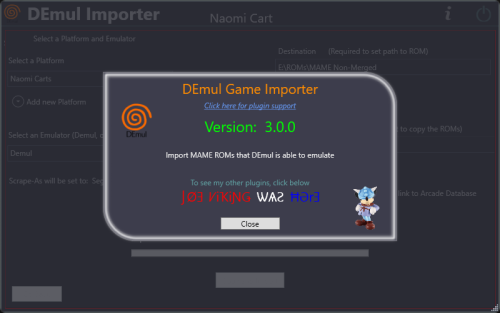
Import games for use with Demul (Sega * Emulator). Purpose: This purpose of this plugin is to import only the MAME machines that can be emulated in Demul. A sort of MAME machine ‘filtered’ importer to supplement LaunchBox’s Import Tool. Why: LaunchBox can already import these machines (games) for you using the built-in Tools - Import - MAME Arcade Full Set. All you need to do is un-check the skip games unplayable in MAME checkbox. The concern is this results in over 6000 additional entries imported (even more if you uncheck any other boxes and include clones). And as in most cases, more is NOT always better. Alternatively you can also simply drag-and-drop the roms into LaunchBox. Which is great when you already have them sorted out. Included Systems: The list of machines included for this plugin was generated by running the command “demule.exe –listroms” using Demul v0.7 (Apr 28, 2018). The systems included are Naomi, Naomi 2, Atomiswave, Hikaru, Gaelco, Cave3rd (CV1000) and System SP. (Sega Dreamcast, though emulated, is not included in the list. [It’s not a MAME machine]) Naomi and Naomi 2 are each broken into 2 separate systems: Cartridge System (rom only) and GDROM (chd). Requirements: LaunchBox v13.19 or newer DEmul already set up as an emulator in LaunchBox What this plugin will do: Import games for a selected system. Import into an existing Platform or create a new one. When creating a new Platform, assigns “Scrape as” per the associated system. Attempt to automatically detect/select your Demul emulator. (Required to exist as an emulator) (optional) Copy ROMs to a new location for the games you’re importing. What this plugin won’t do: Add DEmul as a new emulator. Add the required command line to the emulator (**see below). Feature added v3.0 ‘Bulk’ import into separate Platforms. Add metadata and media to the imported games. If copying ROMs (optional), only the games main rom file is copied. It will not look for nor copy any required BIOS, Device or chd files. Installing the plugin: After downloading the zip file, extract the contents of the zip into your \LaunchBox\Plugins\ folder. e.g. D:\LaunchBox\Plugins\DemulImporter\ If updating from a version prior to 3.0, "DemulGames.xml" is no longer needed and can be deleted from the plugins folder. Using the plugin: Click Tools and select Demul game Importer Select a system This will populate a list of all the games for that system. (optional) Check View Parent ROMs Only When checked, only the parents ROMs will be imported When you select a game, a "globe" and the ROMs filename will appear Click the globe to navigate to the Arcade Database for the selected game Click Import Games Select a platform to import the games into You can select an existing platform from the dropdown list or click on Add New Platform to create a new one. Select an emulator The plugin will attempt to automatically select your DEmul emulator. If it isn’t already selected, look for it in the dropdown list. Select the folder where your ROMs are located (or will be if you select Copy) This is required to set each games Application Path (optional) Check Copy ROMs to another location Browse to the folder [Source Folder] where they’re located. (optional) Check Add Additional App with link to Arcade Database (New v3.0) The Additional App will be a hyperlink to the Arcade Database for that game Select Import (or Copy and Import) to complete the process NOTES: **Default Command-Line Parameters System Command Line Parameter Naomi -run=naomi -rom= System SP -run=naomi -rom= Gaelco -run=gaelco -rom= Atomiswave -run=awave -rom= Hikaru -run=hikaru -rom= Cave -run=cave3rd -rom= Medalusion -run=alien -rom= Once import is completed, simply select the newly imported games and click Tools, Download Metadata and Media.... Information on getting these systems to run in Demul can be found here: https://forums.launchbox-app.com/topic/30622-sega-naomi-demul-in-launchbox/ After importing into a newly created platform, be sure to Edit the platform and check "Disable ROM Auto-Import". Disclaimer: I personally only have a few of these games on my cab. So I’m not very familiar with the systems mentioned here. Also, I have no idea if DEmul is even “the best” emulator for these systems. -

Version 1.0.0
43 downloads
Most of the Atomiswave marquees in Emumovies are generic and no fun. In addition my Marquee monitor has a weird aspect ratio (1920x340), So I collected a bunch, resized them, and even created a bunch of new ones to fit my monitor better. Hopefully these are useful to others.-
- 2
-

-
- marquee
- atomiswave
- (and 1 more)
-

Version 1.0.0
71 downloads
Here's My Sammy Atomiswave Platform Video. Game On. Sammy Atomiswave.mov -
Sammy Atomiswave Platform Theme Video View File Here's My Sammy Atomiswave Platform Video. Game On. Sammy Atomiswave.mov Submitter Cnells2000 Submitted 03/03/2025 Category Platform Theme Videos
-
Greetings! Thanks in advance for help! I´m trying to get Sammy Atomiswave to work on Launchbox. I got the games through the mame full non-merged set, and I´m using the flycast core... I´ve put the bios file awbios (zipped) in the dc folder located in the system folder, but, still not working. What am I missing???? going crazy here.
-

Version 1.0.0
103 downloads
Sammy Atomiswave Fanart Pack compiled and created by CORE Team. 1920x1080 JPEG format No intro naming-
- 4
-
-
- core
- background
- (and 4 more)
-
![More information about "Metal Slug 6 - Theme Video [16:9]"](https://forums.cdn.launchbox.gg/monthly_2022_11/obraz_2022-11-05_021204031.thumb.png.e5fa549e4206cd35601c7ac2decfaa89.png)
Version 1.0.0
166 downloads
Prepared by me from scratch remaster theme from Hyperspin. The HS original suffered from hiccups that could not be effectively eliminated. Original "correct" conversion to 16:9 by mrfomt I will post the entire set of video themes for Sammy Atomiswave next -

Version 1.0.0
1,332 downloads
Hi all, Rebuild the Atomiswave Artwork Front cover (HD/UHD version). 27 files - 1534x2100 They use the rom name pattern. Enjoy!! PS: A new game cover add: - Kenju Cauptain Inc. - [email protected] - youtube.com/c/cauptain- 5 comments
- 2 reviews
-
- 12
-
-

-

-
- sammy
- atomiswave
- (and 6 more)
-
Hello. Can someone help me. I cant launch certain platforms. Sega Naomi, Atomiswave, N64, and Dreamcast. Wont launch. Snes, genesis, nes, launch fine. I can open retroarch. And all play fine. By right clicking and "open retroarch"
-
DEmul Games Importer View File Import games for use with Demul (Sega * Emulator). Purpose: This purpose of this plugin is to import only the MAME machines that can be emulated in Demul. A sort of MAME machine ‘filtered’ importer to supplement LaunchBox’s Import Tool. Why: LaunchBox can already import these machines (games) for you using the built-in Tools - Import - MAME Arcade Full Set. All you need to do is un-check the skip games unplayable in MAME checkbox. The concern is this results in over 6000 additional entries imported (even more if you uncheck any other boxes and include clones). And as in most cases, more is NOT always better. Alternatively you can also simply drag-and-drop the roms into LaunchBox. Which is great when you already have them sorted out. Included Systems: The list of machines included for this plugin was generated by running the command “demule.exe –listroms” using Demul v0.7 (Apr 28, 2018). The systems included are Naomi, Naomi 2, Atomiswave, Hikaru, Gaelco, Cave3rd (CV1000) and System SP. (Sega Dreamcast, though emulated, is not included in the list. [It’s not a MAME machine]) Naomi and Naomi 2 are each broken into 2 separate systems: Cartridge System (rom only) and GDROM (chd). Requirements: LaunchBox v13.19 or newer DEmul already set up as an emulator in LaunchBox What this plugin will do: Import games for a selected system. Import into an existing Platform or create a new one. When creating a new Platform, assigns “Scrape as” per the associated system. Attempt to automatically detect/select your Demul emulator. (Required to exist as an emulator) (optional) Copy ROMs to a new location for the games you’re importing. What this plugin won’t do: Add DEmul as a new emulator. Add the required command line to the emulator (**see below). Feature added v3.0 ‘Bulk’ import into separate Platforms. Add metadata and media to the imported games. If copying ROMs (optional), only the games main rom file is copied. It will not look for nor copy any required BIOS, Device or chd files. Installing the plugin: After downloading the zip file, extract the contents of the zip into your \LaunchBox\Plugins\ folder. e.g. D:\LaunchBox\Plugins\DemulImporter\ If updating from a version prior to 3.0, "DemulGames.xml" is no longer needed and can be deleted from the plugins folder. Using the plugin: Click Tools and select Demul game Importer Select a system This will populate a list of all the games for that system. (optional) Check View Parent ROMs Only When checked, only the parents ROMs will be imported When you select a game, a "globe" and the ROMs filename will appear Click the globe to navigate to the Arcade Database for the selected game Click Import Games Select a platform to import the games into You can select an existing platform from the dropdown list or click on Add New Platform to create a new one. Select an emulator The plugin will attempt to automatically select your DEmul emulator. If it isn’t already selected, look for it in the dropdown list. Select the folder where your ROMs are located (or will be if you select Copy) This is required to set each games Application Path (optional) Check Copy ROMs to another location Browse to the folder [Source Folder] where they’re located. (optional) Check Add Additional App with link to Arcade Database (New v3.0) The Additional App will be a hyperlink to the Arcade Database for that game Select Import (or Copy and Import) to complete the process NOTES: **Default Command-Line Parameters System Command Line Parameter Naomi -run=naomi -rom= System SP -run=naomi -rom= Gaelco -run=gaelco -rom= Atomiswave -run=awave -rom= Hikaru -run=hikaru -rom= Cave -run=cave3rd -rom= Medalusion -run=alien -rom= Once import is completed, simply select the newly imported games and click Tools, Download Metadata and Media.... Information on getting these systems to run in Demul can be found here: https://forums.launchbox-app.com/topic/30622-sega-naomi-demul-in-launchbox/ After importing into a newly created platform, be sure to Edit the platform and check "Disable ROM Auto-Import". Disclaimer: I personally only have a few of these games on my cab. So I’m not very familiar with the systems mentioned here. Also, I have no idea if DEmul is even “the best” emulator for these systems. Submitter JoeViking245 Submitted 09/07/2021 Category Third-party Apps and Plugins
-
Hi! I've been using Launchbox about 2 year ago (maybe less) and whenever I have had any doubts or queries, i´ve have assistance and support of many members of the community. That´s why I would like to make a small contribution with what I've been looking for, and I have not found updated (maybe I failed to look good). Based on the fantastic work of DOS76, Sentaibrad and Lordmonkus, who are the authors of the files that I have used as a basis to make ".bat" files to copy roms from machines not emulated in MAME: Model2 Model3 Hikaru Naomi Naomi2 Atomiswave Gaelco These files are updated to be used with the 207 version of MAME. Simply put the corresponding ".bat" file in the Mame ROMS folder or wherever the fullset of mame 207 is. And what it will do is to create a folder with a copy of all the roms of each machine. It´s one file per machine. I hope they´ll be useful (The are 2 files in each rar indeed. The other one is a "control" file but it has no uso to the process) Sorry for my english and thank you SystemsMAME207.zip
-
Sammy Atomiswave - 2D Covers (HD) View File Hi all, Rebuild the Atomiswave Artwork Front cover (HD/UHD version). 27 files - 1534x2100 They use the rom name pattern. Enjoy!! Cauptain Inc. - [email protected] - youtube.com/c/cauptain Submitter Cauptain Submitted 05/14/2018 Category Sammy Atomiswave
-
- 3
-
-
- sammy
- atomiswave
- (and 6 more)
-
I tried all possible combinations. Atomiswave if I run, it will not work Dreamcast Check "Use file name............." and work atomiswave uncheck "use file name........." and work Dreamcast but not work Atomiswave http://imgur.com/a/u5txy
-
 So, I've been trying to troubleshoot this for a while now, but I just can't seem to get the Naomi Metal Slug 6 conversion to run properly in Launchbox. It runs fine when I launch it in Demul, although I do have to launch it via "Load decrypted rom", as it is a custom hack. The file itself is a ".bin" file, so I am not sure if this has anything to do with the problems I'm having. Here's my a screenshot of my default Naomi setup for Demul that I'm trying to run this conversion with (works perfectly for all normal Naomi games). When I run it with this setup, it just pops up with a demul window and the games list for Naomi. Any suggestions?
-
You can download from their forums here: http://forum.emu-russia.net/viewtopic.php?p=25989#p25989 Brief changelog: SH4 * OnChip access correct bit width only * add flti0/1 PR flag check * reg binding cleanups and fixes, PR sanity checks * fix DIV0S, optimize DIV1 and add linking current block * fix Invalidation code * fix delayed slot exceptions * interrupts fixes / improvements GD-ROM * fix CD PLAY after SEEK for Taxi2 * small fix for bleemcast (almost work) * G1 DMA discrete step AICA * use less attenuated ALFO * mixing levels fixes * EG timer fixes * properly handle Decay level = 0 case * optimize IRQs HOLLY * rewrite SPG * fix Holly registers for wince * add real HOLLY IDs for all supported platforms Gaelco * speedup boot * decode boot from Altera firmware * render fixes: offset color flag, handle flats * add Gaelco Footall * preliminary support Gaelco Footall analog inputs Misc * SCIF link for AW Maximum Speed and Chase1929 * fix Marvel vs Capcom 2 intro Guile character head * disable menu in fullscreen (fix clicking it with mouse in light gun games) * netplay: add option to disable flash/sram sync * set windows timer resolution to min possible value * rom loading refactoring, NAOMI GD-ROM sets now require security PIC dumps, old GD-rip binaries not supported anymore * fix save states crash * improved creation of Dreamcast flash and "timehack" * NAOMI DIMM CF support * fix mouse X/Y calc then screen rotated * fix error when set memcard time in DC bios * fix DC flash erase, handle correct sector sizes * Elo touchscreen fixes for Atomiswave and NAOMI StarHorse * emulated HW210 IC card reader (Dragon Treasure, WCCF) * SHIO hopper board HLE, Kick'4'Cash playable * Added all recently dumped games for supported platforms * Romset in sync with current MAME and many other changes and fixes, not worth or forgot to mention.
-
Hello, I got my Demul running following the tutorial, but my sound is all choppy and wierd. Slow almost. Same goes for Atomiswave game like DemolishFist. Any ideas? Thanks!
.thumb.png.c9faf450e4d2b690a819048b18173f61.png)