Search the Community
Showing results for tags 'plugins'.
Found 17 results
-

Version 1.2
514 downloads
Missing Games Checker (MGC) is a LaunchBox plugin designed to help users identify missing games in their collection based on platform metadata. It provides an easy-to-use interface that lets you view owned and missing games, and export the results. v1.2 is out! NEW and IMPROVED! Enhanced for stability and usability! Instructions for Using the Missing Games Checker (MGC): Requirements: This plugin in the LaunchBox Plugin folder. The latest version of LaunchBox (there could be an issue with this plugin in older versions of LaunchBox where it's not being detected). Installation and Usage: 1. Install the Plugin: Download the latest release of the MGC plugin from this page. Make sure LaunchBox is closed. Unblock the downloaded zip file (Right-click on the zip -> Select Properties -> Click or Check "Unblock" if available) For help on Unblocking files, check out this article. Open the zip file and place the `LBMissingGamesCheckerPlugin.dll` file into your LaunchBox\Plugins folder (example R:\LaunchBox\Plugins). 2. Access the Plugin: Launch LaunchBox, then access the Tools menu and find Missing Games Checker. 3. Using the Plugin: Select a platform from the dropdown menu and click the Confirm Selection button. MGC will display a list of games owned and a list of games missing from your collection based on the LaunchBox metadata. You can export the list of missing games to a CSV file for easy reference. 4. Options/Features: Filter games by Released status if you only want to check released titles. Sort columns by clicking on the column header. Filter select columns by clicking on the filter icon in the column header. If the filtered column has multiple values (ie. North America, Japan) the row will still show if any of the filters are not applied. All values need to be unchecked in the filter to hide the row. *Note: Filtering one column works well. Multiple column filtering may produce incorrect results. Export to CSV if you need to apply better filtering *Will enhance in a future release Window resizing (Right edge only) Click on the highlighted cell data for links to video URLs, Wikipedia links, and the game on the LaunchBox DB (where available). Extra Notes: The Owned Games list is pulled from YOUR collection. If fields are missing information, make sure your collections metadata is up to date. Check out this LaunchBox Video on how to do that. The Missing Games list is pulled from the local metadata.xml file. If you find information is missing, visit the LaunchBoxDB website to see how you can contribute! I've worked HARD to make the plugin as robust and efficient as I can. That being said, some computers may experience delays in processing the metadata at the start, processing any large collections' of games, and filtering/sorting large lists. Please be patient! Once you begin a process, it will complete! But the UI may become unresponsive during processing. As mentioned, filtering works well on one column at a time. Filtering one column, then another may have incorrect data shown. You can click the Reset button in the filter panel to reset the list, or just "Check It!" again to refresh the list again. NO data is modified in this plugin. Data is compared from the local metadata.xml (which updates automatically by LaunchBox) and your collection data reported from LaunchBox. Troubleshooting/Updates: New to v1.2 - DebugLog Click on the "Bug" to open the debug log. If you have issues, provide the relevant debug log here for review. If you've confirmed the above and are still having issues, please provide the following: Click the "Export to CSV" button for the Missing Games table and save the .CSV file. Attach the .CSV file to a post here. (Optional) Attach a screenshot of the app with the error message. I'll review the information and post a fix/suggestion as soon as possible. Also, if you would like to have MGC perform additional tricks, let me know!! I do appreciate the feedback and will enhance the plugin over time based on your findings/suggestions. Special Thanks A huge thanks to the LaunchBox team and their API documentation for making this project possible, as well as Jason's helpful video tutorial. Check out the source code on GitHub if you're interested. Cheers! 🍻 -
 Missing Games Checker Plugin View File Missing Games Checker (MGC) is a LaunchBox plugin designed to help users identify missing games in their collection based on platform metadata. It provides an easy-to-use interface that lets you view owned and missing games, and export the results. v1.2 is out! NEW and IMPROVED! Enhanced for stability and usability! Instructions for Using the Missing Games Checker (MGC): Requirements: This plugin in the LaunchBox Plugin folder. Installation and Usage: 1. Install the Plugin: Download the latest release of the MGC plugin from this page. Make sure LaunchBox is closed. Unblock the downloaded zip file (Right-click on the zip -> Select Properties -> Click or Check "Unblock" if available) For help on Unblocking files, check out this article. Open the zip file and place the `LBMissingGamesCheckerPlugin.dll` file into your LaunchBox\Plugins folder (example R:\LaunchBox\Plugins). 2. Access the Plugin: Launch LaunchBox, then access the Tools menu and find Missing Games Checker. 3. Using the Plugin: Select a platform from the dropdown menu and click the Confirm Selection button. MGC will display a list of games owned and a list of games missing from your collection based on the LaunchBox metadata. You can export the list of missing games to a CSV file for easy reference. 4. Options/Features: Filter games by Released status if you only want to check released titles. Sort columns by clicking on the column header. Filter select columns by clicking on the filter icon in the column header. If the filtered column has multiple values (ie. North America, Japan) the row will still show if any of the filters are not applied. All values need to be unchecked in the filter to hide the row. *Note: Filtering one column works well. Multiple column filtering may produce incorrect results. Export to CSV if you need to apply better filtering *Will enhance in a future release Window resizing (Right edge only) Click on the highlighted cell data for links to video URLs, Wikipedia links, and the game on the LaunchBox DB (where available). Extra Notes: The Owned Games list is pulled from YOUR collection. If fields are missing information, make sure your collections metadata is up to date. Check out this LaunchBox Video on how to do that. The Missing Games list is pulled from the local metadata.xml file. If you find information is missing, visit the LaunchBoxDB website to see how you can contribute! I've worked HARD to make the plugin as robust and efficient as I can. That being said, some computers may experience delays in processing the metadata at the start, processing any large collections' of games, and filtering/sorting large lists. Please be patient! Once you begin a process, it will complete! But the UI may become unresponsive during processing. As mentioned, filtering works well on one column at a time. Filtering one column, then another may have incorrect data shown. You can click the Reset button in the filter panel to reset the list, or just "Check It!" again to refresh the list again. NO data is modified in this plugin. Data is compared from the local metadata.xml (which updates automatically by LaunchBox) and your collection data reported from LaunchBox. Troubleshooting/Updates: New to v1.2 - DebugLog Click on the "Bug" to open the debug log. If you have issues, provide the relevant debug log here for review. If you've confirmed the above and are still having issues, please provide the following: Click the "Export to CSV" button for the Missing Games table and save the .CSV file. Attach the .CSV file to a post here. (Optional) Attach a screenshot of the app with the error message. I'll review the information and post a fix/suggestion as soon as possible. Also, if you would like to have MGC perform additional tricks, let me know!! I do appreciate the feedback and will enhance the plugin over time based on your findings/suggestions. Special Thanks A huge thanks to the LaunchBox team and their API documentation for making this project possible, as well as Jason's helpful video tutorial. Check out the source code on GitHub if you're interested. Cheers! 🍻 Submitter AgentJohnnyP Submitted 09/07/2024 Category Third-party Apps and Plugins
 -
 Hey there fellow Launchbox Devs, this is my first attempt to develop a plugin that attempt to read all zip files in a a rom folder recursively and create a new Platform and Games for those. So far I've setup the full .NET 9.0 development environment and confirm LB can load this plugin and I can see it in the Tools menu. What's strange is despite calling `PluginHelper.DataManager.Save()` after `AddNewPlatform` and `AddNewGame` I don't see any XML created. I've checked the Plugin docs but couldn't find anywhere that mention how to save other than this. A snippet of the code. public void OnSelected() { var platformName = "JAKKS Pacific TV Games"; var romFolder = @"c:\temp\mame_curated_romset\jakks-pacific-plug-and-play-tv\"; // Your curated folder IPlatform platform = PluginHelper.DataManager.GetPlatformByName(platformName) ?? PluginHelper.DataManager.AddNewPlatform(platformName); platform.SortTitle = platformName; //platform.Save(); foreach (var file in Directory.GetFiles(romFolder, "*.zip", SearchOption.AllDirectories)) // This makes it recursive { var fileName = Path.GetFileNameWithoutExtension(file); IGame newGame = dataManager.AddNewGame(fileName); // STEP 4: Set game properties newGame.Platform = platform.Name; newGame.ApplicationPath = @"C:\MAME\roms\bubblebobble.zip"; newGame.CommandLine = ""; // optional newGame.EmulatorId = dataManager.GetAllEmulators().FirstOrDefault()?.Id; // optional newGame.Version = "Softlist"; newGame.SortTitle = "Bubble Bobble"; PluginHelper.DataManager.Save(); } MessageBox.Show("Import complete!", "JAKKS Importer", MessageBoxButtons.OK, MessageBoxIcon.Information); } public bool ShowInLaunchBox => true; public bool ShowInBigBox => false; public System.Drawing.Image IconImage { get { return Resource1.logo; } } public bool AllowInBigBoxWhenLocked => throw new NotImplementedException(); } Edit: Solved. Turned out I just have to refresh the menu! This will be a first step for a plugin to come that will handily import a curated MAME MESS list.
 -
Version 0.1.9
3,744 downloads
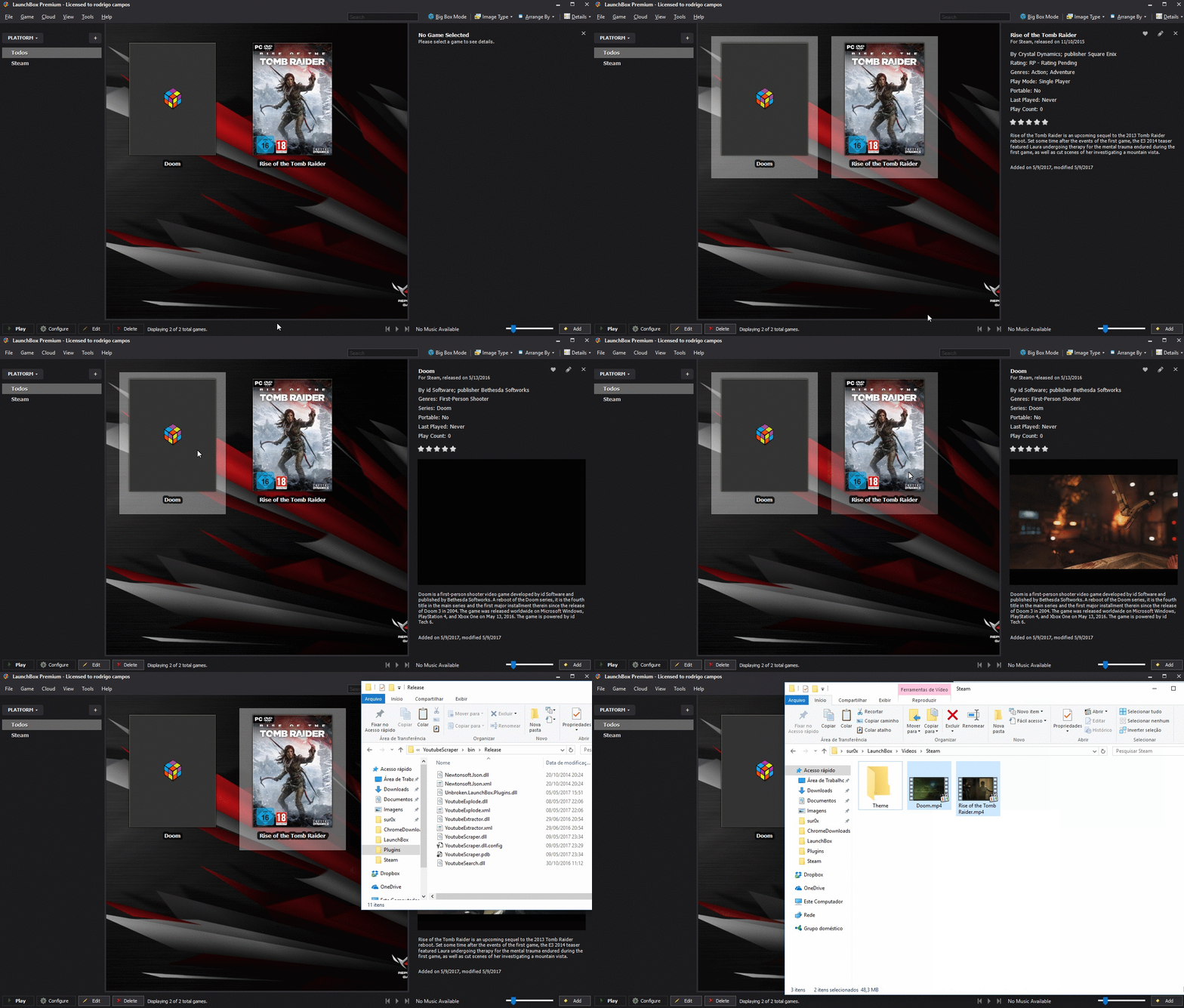
Simple Plugin to automate download videos from youtube. Requirements: Launchbox 8.2+ Install: Extract the content of zip file to : Launchbox/plugins/YoutubeScraper Source code: Github (feel free to make a pull request ) EDIT If you have trouble running the plugin and crashing due CAS error, please right click on the DLL's , properties and then unblock. There's two options: URL Scraper: Just paste entire youtube URL from the desired video One-click downloader: It will search automatically and download the first entry from youtube. Bulk Download supported! -
I ain't much of a coder and this feels a bit outside my wheelhouse. But a neat idea would be a plugin that scraps cover images for games from SteamGridDB and applies them to games in any console. This would be great for things like Arcade games that don't have a uniform style like GridDB does or people who prefer to organize by series but also keep a unified style in terms of covers. I don't know how feasible that is but I see stuff like Youtube scrapers so it makes me curious if this can be done.
-
Hi. I'm wondering if there is a way to manage playlists that allows for easily assigning a game to multiple playlists easily. I thought to look for this when getting tired of the `right-click -> edit -> add to playlist -> select playlist` workflow. Something like a spreadsheet view, or way to drag and drop selections to categories would be ideal, but I've not found anything and was a bit surprised. Thanks for any information!
-
Version 1.0.0
499 downloads
Description this program is a repository of all all my plugins. Simply extract the 2 files to your root LaunchBox directory. Close LaunchBox before running this program. simply click download and the program will download the desired plugin and extract it to the correct folder. you are able to add other repositorys from other developers by add the repo url to the Repositorys.txt This is the first build more functions will be added later. BUY ME A BEER -
Youtube Scraper View File Simple Plugin to automate download videos from youtube. Requirements: Launchbox 8.2+ Install: Extract the content of zip file to : Launchbox/plugins/YoutubeScraper Source code: Github (feel free to make a pull request ) EDIT If you have trouble running the plugin and crashing due CAS error, please right click on the DLL's , properties and then unblock. There's two options: URL Scraper: Just paste entire youtube URL from the desired video One-click downloader: It will search automatically and download the first entry from youtube. Bulk Download supported! Submitter srxz Submitted 05/10/2017 Category Third-party Apps and Plugins
-
 SappPasRoot - Change all the folders by one shot. View File !!! Caution !!!: Even if i tested and i made as much attention as possible to make a perfect release, it's a beta version. So make a backup of xml files "./data" before to use it. Currently it can't be launched with LaunchBox.next, it's not visible in tools menu but it works perfectly with classic LaunchBox. For the while tested only with roms !!! Attention !!!: Même si j'ai testé et prêté la plus grande attention possible pour faire une release parfaite, c'est une version bêta. Aussi faites avant une backup des fichiers xml "./data" avant d'utiliser le plugin. Actuellement ça ne peut pas être lancé avec LaunchBox.net car ce n'est pas visible dans le menu "tools", mais ça fonctionne parfaitement avec LaunchBox classique. Pour le moment testé uniquement sur des roms Description: Tired to change manually the 10+ folders of a platform, or perhaps you fear to make a mistake by editing the xml file ? SappPasRoot permits to change all folders by choose a root folder. If you need to change the name of the mediatype, you can too. You want to reset to default factory... it's also possible. I made this plugin with a real wish to make the using very simple, buttons appear or disappear according to the step. The list of folder adapts to the content the most possible to give you the most informations possible without bother you. I hope you will like it. Fatigué de changer manuellement les 10+ dossiers d'une plateforme, ou peut être craignez vous une erreur en éditant le fichier xml ? SappPasRoot permet de changer tous les dossiers en choisissant un dossier racine. Si vous voulez changer le nom des médiatypes vous le pouveez aussi. Vous voulez faire un reset factory... C'est aussi possible. J'ai réalisé ce plugin avec un réel souhait de rendre son utilisation très simple, les boutons apparaissent et disparaissent en fonction des étapes. La liste des dossiers s'adapte au contenu le plus possible pour vous donner le plus d'information possibles sans vous ennuyer. J'espère que vous apprécierez. Languages currently supported: English Français. Todo: Reset last action Reset Fields of MoreMen backup data files previous to make change ? See with backups. Infos: Bugs fixed: Errors on links about image files Added version number in title Options to change paths for existing games (manual, application, etc...) Filter hidden games (or not) Two way to change game paths forced, or respect subdfolders. 'More' fields are now saved (Change platform paths) Notes: Change game paths follow the structure of the platform.$ If you think about a new way to change games paths, say it, i i will add it as new option In some case the link is not modified, it changes only what he find in database, Launchbox can find musics, vidéos, images by look in the folders and he will found by the folders of the platform... so don't be affraid if you don't see it in the gui for the games folders, it means there is nothing in the xml file. What you need to make manually : Make a backup of your data files before use it (i will make an automatic backup system) Transfert your data manually (games, videos, pics) after modification plugin modify ONLY xml files to avoid a problem corrupting your datas. Submitter Axenn Submitted 08/30/2018 Category Third-party Apps and Plugins SappPasRoot-b2.0.1.5.zip SappPasRoot-b2.0.1.6.zip Screenshots in French, but you have also English translation... if people want to add more languages it's possible. (see github)
-
Theme and Plugin complete, used better (not perfect) video borders for testing purposes
-
New (early) build of PASC 3.0 utilizing new Plugin allowing for Dynamic Platform settings, note the variable video position and sizing ?
-
- 1
-

-
Hey guys , I was wandering if anyone would like me to design a plugin for them or give me some ideas I'm open to any ideas although im wouldnt consider myself a master programmer so be gentle Superfurry
-
 Anybody know how can I specify plugins via command line? I have 1 .cdi image of FPWD english translated that I can't find a GDi or the original patch to apply to a JP GDI anywhere on the internet, only .cdi translated roms. I managed to make it work changinng the plugins, but I have to config the Launchbox command line for it so it will load correctly the gdrImage plugin with this specific image, all the other images are CHD files and work with the gdrCHD plugin. Any idea? Thanks!
 -
 LaunchBox Plugin Repository View File Description this program is a repository of all all my plugins. Simply extract the 2 files to your root LaunchBox directory. Close LaunchBox before running this program. simply click download and the program will download the desired plugin and extract it to the correct folder. you are able to add other repositorys from other developers by add the repo url to the Repositorys.txt This is the first build more functions will be added later. BUY ME A BEER Submitter slipsystem Submitted 12/13/2017 Category Third-party Apps and Plugins
 -
Version 1.0.0
53 downloads
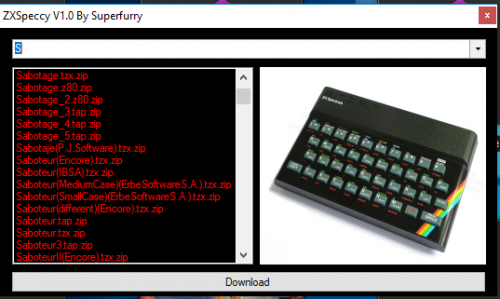
ZxSpeccy V1.0 By Superfurry The Zx Spectrum has always been a system I have very fond memories of and has some of the best games i still have ever played, I threw this plugin together for Zx Spectrum fans. Extract folder into plugins folder and access in tools menu Features Download Thousands of Sinclair ZX Spectrum Games (Powered By World Of Spectrum) Thanks Superfurry ZxSpeccy V1.0 By Superfurry.rar -
 ZxSpeccy V1.0 By Superfurry View File ZxSpeccy V1.0 By Superfurry The Zx Spectrum has always been a system I have very fond memories of and has some of the best games i still have ever played, I threw this plugin together for Zx Spectrum fans. Extract folder into plugins folder and access in tools menu Features Download Thousands of Sinclair ZX Spectrum Games (Powered By World Of Spectrum) Thanks Superfurry ZxSpeccy V1.0 By Superfurry.rar Submitter superfurry Submitted 06/04/2017 Category Third-party Apps and Plugins
 -
Playing around with the new plugin feature. I wanted to write a simple Quote/Bible Verse of the day that would show up when you logged in but not sure that is possible yet. So this simple plugin just adds a right click menu item on games called "Quote of the Day" or "Verse of the Day" based on a configuration setting in the "QuoteOfTheDay.dll.config" file. Similar to the first example plugin Jason wrote based on IGameMenuItemPlugin with support for a custom plugin configuration file. Source and DLL is included.