Search the Community
Showing results for tags 'ps1'.
-
Version 1.0.0
10,674 downloads
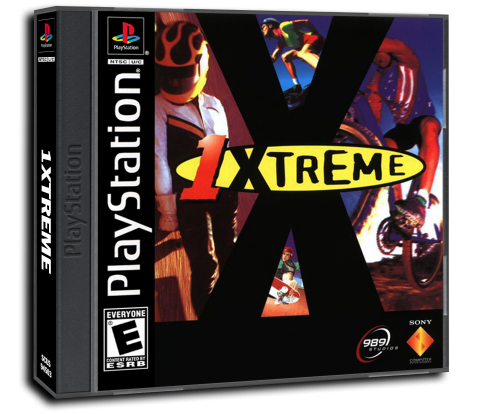
Made the covers to match these covers So they all look the same, if there are any mistakes or missing covers let me know at [email protected] and I will try to change/add them. -
Hi i really like 3d box art, my PS1 games eu and us version use this tamplate and i really like it what i want to do is that i want to add japanese ps1 games art on this tamplate + spines but i dont know how to add those things and same thing for the ps1 games dubble disk tamplate if cant find youtube tutorials about it so you can help or teach me how i do that i wold be thankful i use photoshop thanks

-
- 1
-

-
- sony playstation 1
- ps1
- (and 1 more)
-
Version 1.0.0
8 downloads
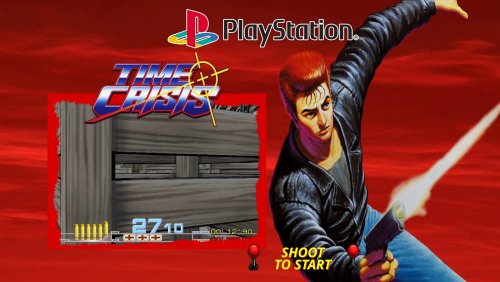
Custom theme for Pòaystation 1 Time Crisis by sosuke91 Player artwork found online, credit to the original creator Time Crisis ENG.mp4 -
Version 1.0.0
4 downloads
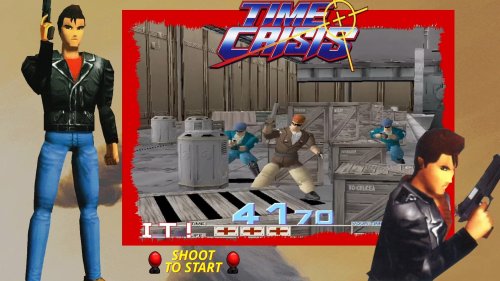
Time crisis video theme 2nd version Playstation 1 by sosuke91 Credits to original artworks creators, i just fixed and made images better looking Timecrisis2ndverENG.mp4 -
Version 1.0.0
6 downloads
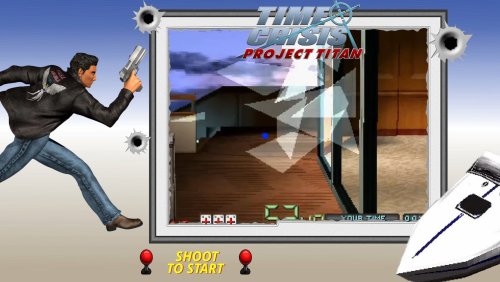
Time Crisis Project Titan video theme Playstation 1 by sosuke91 Credits to original artworks creators, i just edited images and animated them TimeCrisisProjectTitanENG.mp4 -
Tomb Raider 3 - Bezel/Overlay View File My first bezel/overlay, tried my best with no edit skills.😅 There is a version with paper texture and a clean one. 4:3 and a wider aspect ratio. ready to be used with retroarch. 👍 Submitter LostSektor Submitted 09/26/2024 Category Platform Bezels/Overlays
-
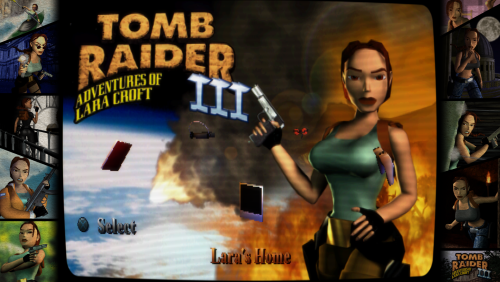
Version 1.0.0
16 downloads
My first bezel/overlay, tried my best with no edit skills.😅 There is a version with paper texture and a clean one. 4:3 and a wider aspect ratio. ready to be used with retroarch. 👍 -
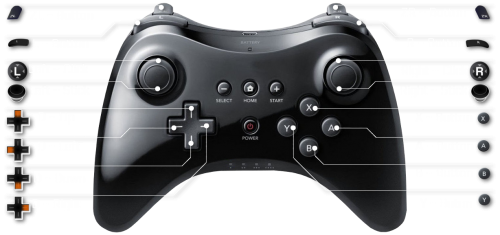
Version .6
482 downloads
So, there wasn't an actual category for this, so I put it here because I think it best suits what I'm doing. So, there is a theme that I love, and it utilizes the ability to set an individual controller graphic per game, so to help with this, I thought it would be nice to have a template. Right now I only have PS1 and PS2 controllers in there but I'll update periodically to include more controllers. I might even fill some out with in-game controls. Anyway, I think I saw somewhere that this might be implemented as a feature in a future LB build, but that might not be the case, regardless, I know that specific themes can take advantage of this, so for anyone using those themes, I hope this helps make your library look a bit cooler and more helpful- 4 comments
-
- 12
-
-

-
- playstation
- ps1
- (and 10 more)
-
.thumb.jpg.c12a39abc0617a0e3352aed5e1c5a485.jpg)
Version 1.0.0
144 downloads
Complete Sony Playstation 1G1R Fanart Pack compiled and created by CORE Team. 1920x1080 JPEG format No intro naming -
Hello all I am new to this community and sorry if this ahs been covered 100 times already but I am curious about the best PC build for a MAME/Retro arch machine. I am designing and building a complete cabinet for home and personal use. I would like for this build to have the capability to run everything in my library from PS1 and earlier (before analog controls). I use big box and emumovies with great success they look awesome, I have built mock ups of 8 way sticks and 8 button controllers, all working good. I am currently running this on a Mac Pro from 2009 with win 10 installed on it. I am at the point in the project where I want to start building a dedicated PC for this project that will live in the cabinet. My first question is what is optimal for smooth emulation and snappy front end? Also my game library is pretty large so I would like to access the games fairly quickly, I don't think I need an SSD for this and am currently looking at () what are your thoughts on this HDD selection? My second question is the monitor, I cant decide if its better to keep hunting for a 4:3 24"CRT or to settle and use a 16:9 flat screen? I own a 36" Sony Trinitron that works perfectly but its way to large for a cabinet unfortunately. I have found some CRTs but the shipping is more that the TV. I don't mind continuing to search for the perfect CRT but am I wasting my time? Do you prefer to use widescreen monitor forced to a 4:3? if so do you use filters to smooth/blue pixels, add scanlines etc.? Again sorry if this is already covered content, I did a quick search but did find what I was looking for so I thought I would post new.
-
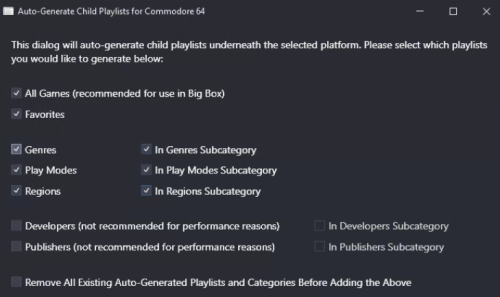
Version 021124
271 downloads
A few automated child playlists I made today, over 1600. I'm debating whether or not to include these with my main build, I'm thinking it might be too much. Anyways, here they are, all zipped up if you want 'em. -
Auto Generated Playlists for the bigger systems, all zipped up View File A few automated child playlists I made today, over 1600. I'm debating whether or not to include these with my main build, I'm thinking it might be too much. Anyways, here they are, all zipped up if you want 'em. Submitter -McFly- Submitted 02/11/2024 Category Playlists
-
Version 1.0.1
53 downloads
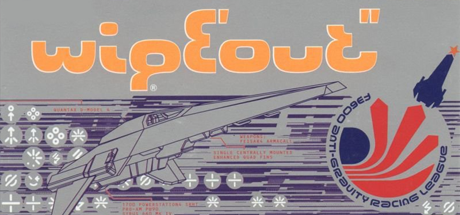
463 PS1 / PSX Steam Banners (460 x 215) A collection of Steam Banners for the Sony PlayStation that I've compiled, most from Steamgriddb and some that I've created myself. This is not a complete collection, however this collection contains 459 banners which includes all the popular big games and some more obscure stuff.-
- 3
-
-
- steam banner
- steam grid
- (and 3 more)
-
Project 64 1.6 won't run when I choose a ROM in Launchbox. I tried making a batch file and pointing to that like in this thread https://forums.launchbox-app.com/topic/28760-project64/ but it didn't help. Is there a fix that doesn't require me to download another version of PJ64? I don't want to risk getting malware. When I try to launch PS1 games PCSXR comes up like it's being run itself and I have to choose the game manually through the PCSXR menu. Is there a configuration to get games to launch without actually showing the emulator/background? The PC is a cheap old eMachines Windows 7 PC with a crappy integrated nvidia card from like 9 years ago, so I'm stuck with these two emulators. Can only run 2D Retroarch cores (so no n64/ps1 cores even though they work fine on Ubuntu. Guessing it's a lack of OpenGL or something, PCSXR needs D3D plugins to run full speed with Windows).
-
Hello y`all! First post here. Im uber bad at anything computer related, unless its as cut n dry as install a game and play. I have spent some time digitizing my entire physical collection of close to 2000 games for a while. Launchbox fit my needs perfectly. Gives me a way to play what i want if a console is not hooked up and also lets my kids play whatever they want with out me fearing for the condition of my games hehe. I was going over some PS1 stuff and i remembered i own a Pocketstation! also a bunch of VMUs for the dreamcast. And i tried googeling a bit but got confused fast. With launchbox im using retroarch for the most part, is there a way to integrate the PocketStation and VMU to the games being emulated? Also have a hotkey to open it up on screen? There are few games that acctually have a game function on those perefrials but it would be cool if there was a plugin or something that did this. I know Saga Frontier on PS1 has a game and Shenmu on DC if im not mistaking. Hope someone can either tell me i should stop looking or tell me if there is something like this. Either way, LOVE the helpfull guides and tutorials and ofc Launchbox it self.
-

Version 1.0.0
496 downloads
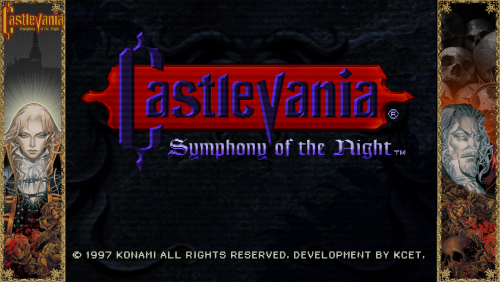
A 16:9 bezel/overlay themed for Castlevania Symphony of the Night (PS1) Designed for use with retroarch or launchbox. Unzip and drop into 'overlays' folder for retroarch use. (Mednafen PSX Core) -
Hi! I want to use PSX2PSP to convert all my games to .pbp (compressed format, recognized by RetroArc core Beetle PSX HW), but this software need to have only one .bin by games. When a game have more than one .bin, I need to combine them, and I don't want to do it one by one (I have 3000 games). I can't find something to batch it... (a friend made me a .bat that do it, but I have no more sound...) Thank you very much for your help !
-
PS1 USA covers made to match the PAL ones View File Made the covers to match these covers So they all look the same, if there are any mistakes or missing covers let me know at [email protected] and I will try to change/add them. Submitter jayrox Submitted 07/12/2021 Category Game Box Art
-
Hey, everyone, I'm a little bit of a noob to emulation, but I'm using an Optiplex PC with windows 10 as an emulation machine. I've got BigBox as the front end, and it's going in a cabinet with arcade controls and two USB ports for controllers. I have 2 USB PS2 controllers. The highest I go with consoles is PS1, PS2, and Gamecube. I use Dolphin for Gamecube and a separate emulator for PS2 games. But I use the swanstation core in Retroarch to play PS1 games. I've mapped both controllers in the console emulators, and they work great for both players except for the PS1 games. The emulator recognizes both controllers, but only player 1 works. Player 2 can't join any multiplayer games. I've mapped and remapped. I checked the Dolphin.ini file, and it shows SIDevice1=6. I have the latest version of Retroarch too. This is infuriating. Can someone please help? What am I missing here?
-
Silent Hill Collection Theme Pack By Belekai Big silent hill fan, thought it deserved its own collection theme, so i made one:) Might as well share it Pack Includes: 1 x 1080p - Theme Video - 10Mbps Bitrate mp4 x264 8 x Theme Music 9 x Clear Logos 9 x Graded Backgrounds 3 x Misc Bonus Backgrounds Direct Download Link: Google Drive (151 mb) A few sample images: *-*-*-*-*-*-*-*-* Special Thanks *-*-*-*-*-*-*-*-* Video Music: Not Tommrrow - Metal Cover By Daniel Tidwell https://www.youtube.com/user/metaldaniel03/ Video Graphics: HD Character Renders By Violet 2010 - DeviantArt https://violet-2010.deviantart.com/ Silent_Hill_Collection.mp4
- 2 replies
-
- 6
-
-

-
- silent hill
- origins
- (and 4 more)
-
 Interactive CD Sampler Disc Volume 3/3.5 Box & Disc Art View File This is the front and rear artwork for the slipcase, as well as the disc art for the third Interactive Sampler CD for the original PlayStation. The media was scanned manually by me. Submitter CondoningIrony Submitted 09/02/2020 Category Game Media
 -
Interactive CD Sampler Disc Volume 2 Box & Disc Art View File This is the front and rear artwork for the slipcase, as well as the disc art for the second Interactive Sampler CD for the original PlayStation. The media was scanned manually by me. Submitter CondoningIrony Submitted 09/02/2020 Category Game Media