
Description
Checkout our Latest WordPress Themes – 100% Free
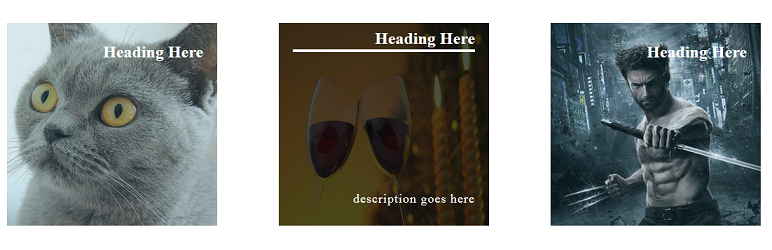
Ultimate hover effects is simple modern, yet stylish hover effects for wordpress. 85+ Eye catching image effects with CSS3 transition for your website and unlimited customization options with advanced typography.
You can easily add hover effects using an image & embed them in separate page post.
Video Tutorial:
Fonctionnalités
- 85+ premium hover effects.
- Each item for each effect per row
- Select item column to be shown in a row
- Custom image width.
- Custom image height.
- Custom hover item ordering.
- Remove images gap if needed.
- 100% mobile respossive.
- Fully shortcode powered.
- Amazing shortcode generator when you update the post
- Shortcode in widget supported
- 700+ Google fonts for heading and description with parameter.
- Custom font size for title and description.
- Custom font style for title and description
- Unlimited font color for title and description.
- External link for each hover item.
- Open link in new tab.
- Custom CSS for each style.
- Latest WordPress compatible.
- 24/7 Support.
Captures d’écrans

Adding post item. 
Settings panel 1. 
Settings panel 2. 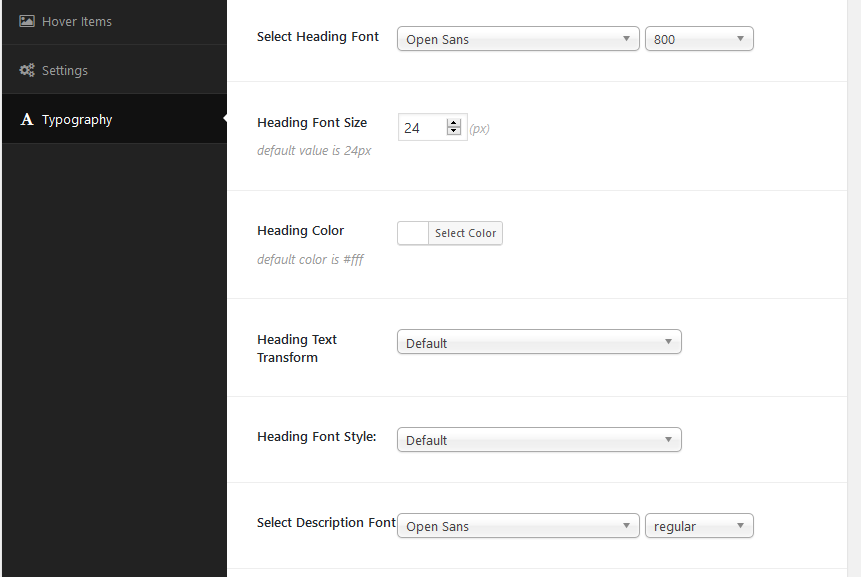
Settings panel 3. 
Custom ordering.


Installation
Installing this plugin as regular wordpress plugin.
After install, this plugin enable a custom post called Hover Effects in wp dashboard menu. Click on Add New >> Add New Hover Item >> Set images and other info from settings >> Click on again Add New Hover Item for adding more item….
After adding items, click on publish from the right wp menu to publish the post, then you will see its post shortcode. Just copy shortcode from there and you are ready to use this shortcode in your post, page and widget.
Go to page > Add New. On the editor, just paste the shortcode.
Avis


Contributeurs/contributrices & développeurs/développeuses
« Ultimate Hover Effects » est un logiciel libre. Les personnes suivantes ont contribué à cette extension.
Contributeurs
Traduisez « Ultimate Hover Effects » dans votre langue.
Le développement vous intéresse ?
Parcourir le code, consulter le SVN dépôt, ou s’inscrire au journal de développement par RSS.
Journal des modifications
2.9.4
- Compatible with latest wordpress version 5.8
2.9.3
- Fixed issues
2.9.2
- Compatible with latest wordpress version 5.7
2.9.1
- Compatible with latest wordpress version 5.6
2.9.0
- Compatible with latest wordpress version 5.5
2.8.9
- Fixed issues
2.8.8
- Compatible with latest wordpress version 5.4
2.8.7
- Updated plugin
2.8.6
- Updated plugin
2.8.5
- Compatible with latest wordpress version 5.3
2.8.4
- Fixed several issue
2.8.3
- Updated plugin
2.8.2
- Updated plugin
2.8.1
- Added new option
2.8.0
- Updated plugin
2.7.9
- Added new feature
2.7.8
- Added new feature
2.7.7
- Fixed responsive issue on mobile
2.7.6
- Fixed issues
2.7.5
- Added new hover effect
2.7.4
- Updated plugin
2.7.3
- Tested with wordpress 5.2
2.7.2
- Added new feature
2.7.1
- Fixed issues
2.7.0
- Added new effect
2.6.9
- Fixed responsive issue
2.6.8
- New setting for hover animation
2.6.7
- Added new effect
2.6.6
- Added new effect
2.6.5
- Added new options for more flexibility
2.6.4
- Added new effect
2.6.3
- Added new effect
2.6.2
- Updated responsive css
2.6.1
- Added new effect
2.6.0
- Added new effect
2.5.9
- Added new effect
2.5.8
- Added new effect
2.5.7
- Added new effect
2.5.6
- Added new effect
2.5.5
- Added another effect
2.5.4
- WordPress 5 ready
2.5.3
- New effect added
2.5.2
- Updated resposnive css
2.5.1
- New effect added
2.5.0
- New hover effect added
2.4.9
- New hover effect added
2.4.8
- Added new feature
2.4.7
- Added new effect
2.4.6
- Updated settings panel
2.4.5
- Added new feature
2.0.0
- Updated full plugin
